BG - Overlooked Tactics for Attacking Hardened Active Directory Environment - Hao Wang, Yothin Rodan
Show transcript [en]
hi guys thanks for being here we know this is the last talk you guys must be a big fan for actually with you actually so our topic today is the overlooked tactics for attacking activity actually first we will do an introduction so my name is Hao Wang I'm the manager for the UI cyber security practiced and the primary focus on attack on a penetration testing we help present in science aisaka troopers before hi my name is joe thin rotten and I'm a manager at the UI cybersecurity practice primary focus on tapping pen has been dissent at ers day and troopers and I'm Josh pretty much the same thing also focused on attacking pin anyway just a quick disclaimer none
of the ideas or content opinions anything in here is shared supported orang dos endorsed by our employers and then just just to level set what we're talking about today this isn't focused on a specific CVE the exploitation that we're talking about within within this presentation is really focused on a lot of the overlooked methods that we've identified as we've gone through the process of attacking red forest so just up front we want to thank a number of individuals that they're probably not here but just call out a lot of their tools and their research is actually what's laid the groundwork for really laid the groundwork and enabled us to kind of focus on on utilizing key aspects of
their research in order to to do our jobs really so the agendas we're gonna pretty much give a high-level overview of what a hardened Active Directory environment really is then a couple of use cases where we've been able to successfully compromise an environment like that and then ultimately sum-sum enhancement on the backend so just an overview I I think the term red forest gets thrown out a lot but that's really what we're talking about here it's formally referred to as the enhanced security administrative environment this this concept is is really multi-tiered the first is to try to provide a hardened administrative environment that is standalone and then the second is to try to tear and
segregate Active Directory objects to try to contain an attacker within a specific zone so the the primary concept it's a three-tier model the first is in interior 0 we're talking about those that have administrative access over the forest domain administrators domain controllers anything that would allow for forests or domain wide compromised the tier 1 is is usually server admins and this applications cloud admins and then tier 2 is focused on workstation and minutes administrators all of this is is privileged segregation this is focused on the administers of these different environments and not necessarily on the specific users within it so high level overview pretty much you know if you're in a certain tier you would have the ability to interactively
administer that specific tier but there are a series of controls that prevent you from moving down a tier or moving up a tier the idea behind this is to try to contain an attacker so if if an environment is compromised and it's on a workstation level there isn't a privilege escalation up to a server tier or if it's if it's done on the server level there is a privilege escalation up to that of a domain administrator so the the we've talked about you know segregating tearing those objects the other element to this is really creating a administrative force that's isolated from the production forest a lot of this is usually done with in addition to the forest being creative is
usually done also with network access control so there's limitations in place even between the production tiers and then ultimately with the administrative force and the the thought is that no production Active Directory admin or group would have access to this red forest and so all all administrative accounts are really managed through you know some sort of password management solution and then a lot of times we see multi-factor in place and so that that's really those are the primary tenets of this model so if you're a pen tester and they've architected this to limit communication between these different tiers or these different zones and you know usually you're able to get let's say workstation admin or you're able to
get a server admin how do you ultimately compromise the domain how do you how do you get that level of access that ultimately allows you to move wherever you need to go within the environment and a lot of times this becomes an issue especially if you're targeting a segregated environment once you've gone through production and let's say you're you're focused on an ot environment or a skate environment how do you go through the process of actually targeting that specific environment a lot of times you need certain credentials within the environment and domain level compromise allows allows you to gather some of that and use that context to move where you need to go so for this for the sake of
this presentation we'll be primarily focused on that that tier 0 within within production network how do you get to that level of domain admin compromise yeah so next topic will basically talk about something called the shadow at a new account so like first you will ask like what is a shadow at a new account right so here we are meaning shadow atamira are the account that the Union Network like that are always overlooked by enterprise just because those are count don't belong to any powerful activity Electric group okay so we will highlight a few things here the first one is the account who are enough to make me enterprise admin button they have something called the DC sync right
or someone can have full control to either root domain object or admin SD holder so first DC sync right so for those of you who don't know about what the DC sync is so basically this is thinking essentially allow you to use impersonate your own computer as a domain controller to replicate credentials from other legitimate domain controllers okay so to perform a DCC attack within Active Directory basically you need the two permissions the first one is replication directory change the second one is a replication directly change at all okay and so just based on our experience we have seen a lot of misconfigured applications or some applications require disease information we will just like a
highlight of view of Lake issues there may be a lot we don't want to use time here to go through everything we will just talk about sharepoint and either ad sync service okay so for microsoft sharepoint so if we want to use your opponent you actually with you actually so basically you need to set up something called a user profile service account so what that this account do is going to synchronize all the user profile change information between Active Directory and SharePoint environment so it's a mixture everything is synchronized so just per Microsoft the requirement you just need a replication you actually change permission in order for this service account to be fully functional but what
we have seen in the past people always given all the food permission to this account including most directory change and the directory change on all permission so it's just create an instance right so what's the attacker compromises the SharePoint so we're like out this service account and I can they can use that account to do deceasing we retrieve all the password hash from domain controllers okay so this is another example right we we understand a lot of enterprise they try to migrate their local ad to Azure cloud right so to do that technically you need to set up a azure ad sync service and so in order to make sure that the service is a
functional you need to have a service account right and by default Microsoft will require you gave the DCC information to that account so just in case right you compromise that either a distinct server in your previous domain then you you can own the entire ad so like we understand those things has been covered by a lot of people in the past so we just want to highlight something here because I think after this session we will talk about exchange which would require a lot of knowledge we are talking about here so for the who control fluid domain object so we just talked about DC thing right so if you find some account which has a full control to the root domain
object like domain.com right so then you can potentially also how the DC sync arrived to retrieve all the credentials from domain controller just because the show also included the DCC information okay the last thing we want to cover in this topic is the atom ESB holder so as you guys know right so people has been talking about at me as holder for the past few years and primarily they use that as a persistence mechanism to meet in access and I say what you actually environment but whether we want to highlight here you can actually use the atom est holder object to ask you later privilege to compromise the entire domain yeah so for those of you who don't know
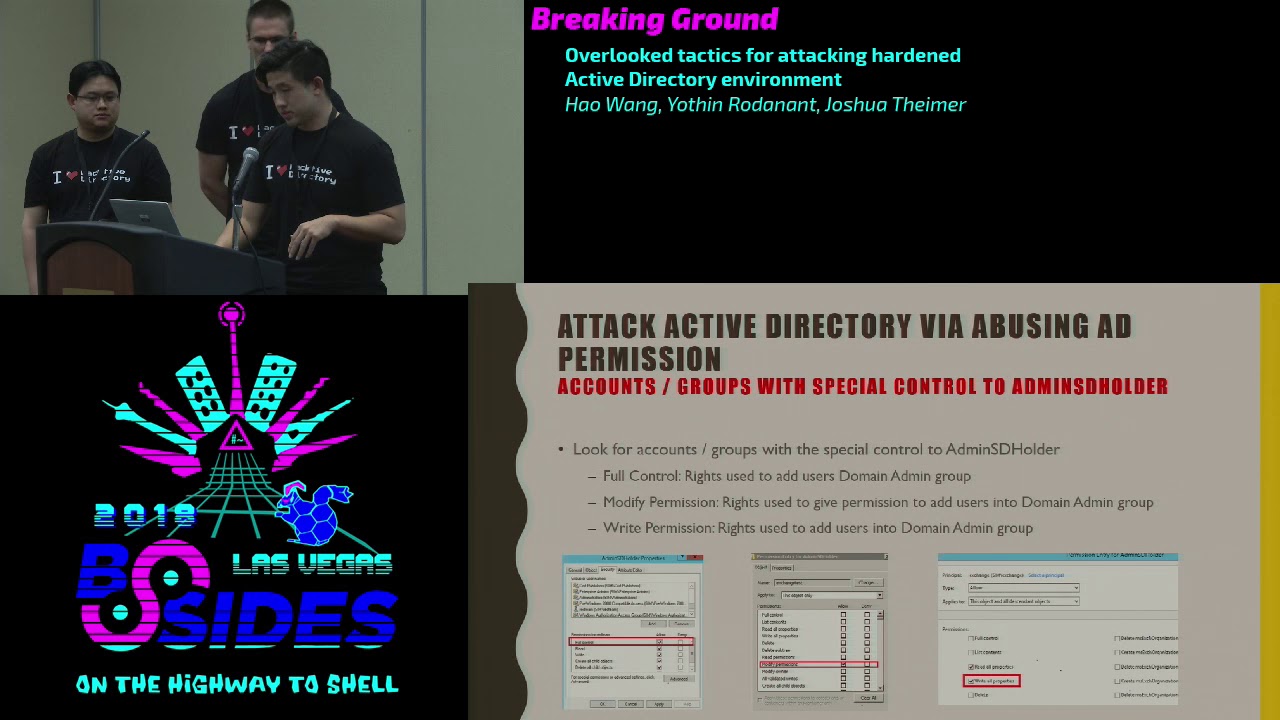
what Adam est there is basically it is an object located in the system partition of Active Directory and that the cool part is the the ACL of the admin is the holder object is used as a template to replicate all the permissions to all the protected domain group when we talk about group I think in kuru domain admin group include the enterprise admin group so it means if you find a similar account that has full control to add me as the holder object you can potentially add as any other account to the domain admin group or enterprise admin group so for for admins the whole they are think of we come primarily look for three
permissions the first one is a few control second one is the write permission the third one is a modified permission so if you have control all read permission basically you can you can either whatever user account you want into whatever group you want okay if you have a modified information there's a little bit of difference so basically you need to give one account full control for admin as Adam est holder and then you use that account to give other account access to the sensitive group like we will cover all the details later so we have a diagram to layout I know it's probably a little bit confusing here so next topic we will talk about exchange okay
so first question how many of you are using exchange in your enterprise environment including 65 office 365 ok so then you probably have issues here ok so the first thing we want to cover is like a lot of people are doing research about the exchange especially for the past two years and the Microsoft even released some some notification right and they are saying there are some privilege escalation vulnerability or issues with the exchange and people can leverage that to compromise the entire forest and but like it's really hard to find all the technical details online or from the website so in this talk we will highlight step by step about how what do you need to do in order to ask you later
privileged from a regular to me user account to to made me okay so as you know actually exchange user permission model color row based access control since 2010 okay so what the role based access can show that it actually like more like at least to privileged model to manage other permissions within ad and so within row based access control solo artifact more for the job responsibilities instead of you how to create a specific ACL for a specific user such as exchange 2007 and also from exchange 2010 there are two new groups the first one color exchange windows permission the second one called exchange trust take a subsystem so we can call the first one awp and the
second one is ets so just as you can see from the diagram here and so basically the parent group is WP exchange of windows permission and under that that there is a child group called exchange trustee the subsystem and under that the system account of exchange servers are actually members of flows group okay and the so in addition to that so ewp also has a lot of direct interaction with activity actually object something like a write permission to some sensitive object within AD and that the exchange trust a subsystem basically it managed all the object with inside of exchange okay so under this is another screenshot so once you run that group for those two
group name or within your ad environment you will find out microsoft to tell you those two groups have a lot of rice basically it can modify or change and they exchange or act to write actually what you actually object so we did some research on this so basically we set up with our testing environment we stand up exchange 2010 2013 2016 okay and as a result and so we found the issue here so the exchange windows permission group WP always granted with modified permission for the root domain object of your domain in case your domains domain.com okay as well as a child object so what does that mean okay so let's say if the ewp has modified
permission to the root domain object it means there are children like the members of that group in this case the system account of exchange servers they will automatically have those permission okay so if if like someone can have modified permission to the domain root object like we mentioned before what you can do you can do a distinct attack right so it means you can use loads exchange system account grant with our user account you want with the DCCC information and then you can you can retrieve some credentials from domain controller so this is the tag path right it's pretty straightforward so first stab you compromise the exchange server and you get the system access on exchange and then you use that
access to grant domain user account with certain permission you want in this case we will just use DC sync and then you carry two password hash mmm so there article few attack mattered the first well we want to highlight here's power view okay so to do this attacker with how to be under the assumption we got the exchange server access already as a local enemy or domain admin as running as a local added me on that box okay and so what you can do if you get the machine account hash of actions over you can just pass the hash right or you can use double windows credential editor or mimic as you can do that then you can
load the power of you module okay which will be running on the user context of the NT system account okay and then you can you can leverage that that rights to send this information to the domain user account and the perform that this is thinking attack so we will have a demo here to show you how you actually can do this so first though we log into it them to make each other we try to create a color red team okay it's just like a regular domain user account it doesn't have any special permission to the route to my object
yeah so whatever we are doing here we just want to show this silicon it doesn't have any rights and the privilege
okay then we're locked into another server which is the exchange of silver as local item in the account name or the exchange so it's just like a local attorney account it's no domain account it only has the local admin rights on that an exchange server and now we are going to use PSA exact to kick off powershell process and because the reason we are using PS exact here we just want to run in the context of an t system on the on that exchange server okay so that you can use that and write to grant permission to domain user account then we know the power view so there there's a module within power view how to get a domain object ACL so you
can use that module to grant disease information to domain user account in this case we try to are granted the permission to the red team team account we just created okay so we go back to our domain controller display we are going to check if we successfully added and a new permission for that Red Team account
so we found that the red team account and as you can see it has all the replication directors directory change and the directory change of our permission okay so it means it can to DC sync right so just so for proof of concept right from our packing box which when to do a DC sync with secured out with that red team account and as you can see we are trying to dump credential from one of the domain controller okay
okay so there's like another attack method right we just mentioned power view there's also like a way you can use the native exchanger PowerShell to accomplish the same work okay so what you'll need to do right so you can either RDP to the exchange server and or you can use a PS exact and remotely access to the computer to the exchange server the point is to get an NT system shell on that exchange box right and then what you can do you can use the building power powershell a displays Exchange Management Shell to add the user permissions okay so this way is very Styles right because whatever you are doing in here the PS exactly is now
Stiles okay you can use some other stuff like scheduled tasks right you can be creative but for the PowerShell script you are using here it's the native powershell within the exchange server okay so it's really hard for him to detect that and and then you can still give the permission to ad account and then you can accomplish your attack pass right so after you you finish you can use it like another module within this PowerShell to remove the permission you just added to that user cap right just to clear your your your trees and so first action 2010 the command is a little bit different because the exchange like snapping module you need to change the name to e 2 0 1 0 we also
leads to the command here so after the talk we will share the tag you can retrieve them so we just want to show another demo for this
okay so it's the same thing that's also for now login to the domain controller we try to create some new user in this case we call that red team one
and we also create another one caller ID team - so we created two accounts and they are brand-new and they only belong to the domain user group there are no special permission assigned for this account - the route 80 object
this feather
yeah so we just want to hide up here there are no permissions for those account yet and then again we log into our exchanges over local admin account exchange again this item is just a local and in the account it's not a me account so it only has to look about in the access of that a specific exchange over and then we we use PS exactly again to obtain the ante system alter RT access and then we will try to use the built-in PowerShell module from exchange to grant permission to the red team one with DC sync so just to simplify the process we put like the PowerShell command into one line so just call me need the first line
is is to add one per min permission the second line is to add any other permission required a faux TC thing and then we go back to the domain controller again we just want to check if we have successfully added us permission
so the the reason you you see a different interface here because we are doing this demo in exchange 2006 the first time we showed is in exchange 2013 so as you can see the the two required formation are created so just for proof of concept we try to retrieve the credential from the main controller by using the red team while account we just carotid disease information with
yeah as you can see it works so which I start the hash from domain controller so before we talk to the next topic we just want to highlight the process so the the whole thing is really easy right what do you need to do you need to get a local admin access or system ante access 12 the exchange server and then you can potentially compromise the entire ad so we found this is really interesting right so it has this in the exchange 2013 and we found it out exchange trust a subsystem group actually granted with modified permission for the admin as the holder object okay so we only found this in 2013 but you may find this on 2016
because there's an issue for exchange right so if you upgraded from to something search in 2016 the permission may carry okay so if you have modified permission on the admin SD holder what you can do right so just like I talked before right you can essentially I use the system account of Exchange Server to a son like a full control on the admin as the holder object and then you can use that to my user account with the Chotu to add a user into the domain admin group or enterprise ethnic group so again like you also can use the native exchange PowerShell to do this okay well what you need to do you just need to PS exact to the exchange machine
to cat it's an empty system shell and then you can correct the generic all permission to the account you want okay and though we can show the last demo here so again like we try to create two account from domain controller in this case those two account are green team one and the current team two
yeah and again we are just trying to make sure those account doesn't have special control on the Adamus dijo they're object and then they only belong to the domain user group
okay then when we log in back to our exchange so we're in this case it's the same thing we're logging as the Oklahoma account okay and as you can see this icon only has local any access to this box and then like we did we will I will change our like approach a little bit so we try to PS exact remotely from our attack machine to the exchange server so just give you a different view about how to perform this attack and as you can see we use the built-in PowerShell module just one line to confirmation to the current email account so it should have fook and chose to the Adam est holder object
yeah so and as you can see so we added the joke for the Adamus they hold their object so atomicity if you have full control to that then you can have show - to my enemy group so it means you probably can add another user helping to Tommy Adam indirectly so for now is the way we added the green team wanna come into the exchange server because we just want to ruin us as the current my account - to open like a user management to 2k so now this activity vector user management toolkit is run by the current my account with the for adam EST holder information and then we go to the domain admin group so quick as i at
the button i know we in this case we added a green team to account me into the domain admin group and just to validate that so we run that group to madami you can see the Green Team to account as in the dominant group
okay okay so there's a third group in exchange and color organization management although this group does not have direct interaction with activity rectory object but and also but it can be used to add members to those two groups we mentioned before the AWP and the ETS so if in case you compromise wealth the organization management account you can add any user to Lowe's to group just to perform the same attack we mentioned before okay so just to summarize we did all the testing from 2007 2016 2 2016 in the exchange environment ok and the most of the attack especially for those privileged escalation attack work in 2010 2013 2016 the only reason because it didn't work out 2007 because
during that time windows exchange 2007 was not using the low based access control and the lowest new group didn't exist during that time ok people may ask if we are using office 365 are really secure job the answer may be yes maybe no right so but your most of the case even you have office 365 running in the cloud you have to have a local action is over just to maintain all the user profiles so there are still where we were a high risk here ok our next topic here is about leveraging the word civilization platform in backup solution to attack the heart and Active Directory environment so most organization pretty sure most organizations implement the
virtualization technology basically leveraging the VMware or other platform to variety the server so most of the server that you have here probably one of them would could be domain controllers could be exchange server and then those administer count within the worker relation platform they might not receive the same attention as those domain domain admin account so what we like to highlight is the if the company forgot to treat this admin as a higher tier as well they could potentially be used to compromise the organization so basically if if somebody compromised and get the VM admin account they could potentially download the free emeritus or extracting the password hash from the operating system directory so just to show you many organization may
not aware that they have a lot of admin account in their recenter environment the the audit may not show up if you can look at the console there might be a lot of nested grouping in those account and then and there's account usually have access to multiple data center and then a lot of the the VM deciding within those data center another trick is if you need to jump to different tier environment na Murray usually we have firewall to segment most of the secure environment from one another however if the organization leverage is virtualization platform the usually configured network in this environment so attacker might be able to target the console to lock in directory at the
console level and bypass that restriction similarly this this is the some of the way we want to show how we how an attacker go to extract the password hash from the VMDK at this so basically the this assumption is the vCenter host the one of the domain controller image in the environment the attacker might move rattori on the network to obtain the VM happening then chose so we come up with a tweetable way you can go and extract the doors image the first way is to use just a plain GUI that used for managing the risk fear or recenter login to either we have in the face of the client could browse through a data store rocket the
target domain controller image and those can particularly guess from the naming convention or standard documentation within the organization next is to leverage the command line so we may also provide a lot of extensive PowerShell command line to interact with the westernization environment so in this case we can use the same command line that the admin used to copy out the domain controller image or other critical servers however the first two method I just mentioned it may not always works if they're they're running instant it might cause some resource config so what I've from my experience on one of the herbal way to receive images soon whereas some of the commercial two or three where to
basically create a snapshot of the target VM and into a lab kit does a vm directly to the your machine however if this attack may acid isn't responding if they have a traffic monitoring capability on the organisation they might be able to spot the the bandwidth spike if somebody download like 100 kick updater move between swish this might be one of the attack that could they could potentially spot on so one attacker can access to those VM image on that they need to if they need to access those file system they have to merge those files so within the VMware SDK or some command line that you can use to merge the file together and
leverage the forensic - such as OSF mouth-to-mouth those this and then browse to the file system alternatively you can also use the command in Linux to mount those filesystem and gain access to any es dot did and system hive to extract the password hash within the active directory the another way is we found commonly file this is not specific to a certain product but some time if if you you know that target organization use certain type of backup software to back up the database of domain controller or targets we target those system basically trying to get admin credential for those system and then basically try to locate the disk that the admin use oftentimes some of these might left on
the NFS or is kasi storage that might not be pop reset permission so as an attacker we could potentially leverage this method to extract the credentials that way so as you can see from screenshot is very thorough once you know some documentation look up the way to back up then you leverage the same feature that admin used to steal the image
excuse me alright so if you haven't started to notice the theme in some of these paths typically we're trying to find any sort of gray area in terms of the boundaries between these tiers or areas where a certain tier a certain tier wasn't necessarily as protected as there were certain settings in place that were overlooked in this case one of the things that we've we've utilized in the past is is actually leveraging certain endpoint technologies so if you have a tiered model and you've segregated out these these different machines how does a pen tester try to move up or how does an attacker try to target that that higher level tier and one of the ways
you can do it is through endpoint products essentially if the tier if the different tiers are sharing this same management console be it you know an anti-virus solution or SCCC SCCM you can weaponize that in order to try to grant or gain access to a tier that you may not be able to interact with otherwise so in this case one of the you know an attack example that that we've used in the past is essentially an anti-virus solution or endpoint protection was being utilized on different tiers and and and that tear the those different tiers were all sharing the same management console so the thought was how do you can we use this endpoint to
essentially push a payload and and use the environment to push a payload ultimately to try to execute something on a domain controller or gain access that we wouldn't otherwise have and so the way we go about doing this within within set is we we create a hosts integrity policy and so you'd go through the process this assumes you have you've targeted the the antivirus admin and you have this level of access but you'd create a new policy and within that policy you would create a custom requirement for that new host integrity policy and within there you can add a function and load in whatever payload you want in this case we've typically used VB script and so what we
what we do is create two scripts one to essentially add a user account and then a second to add it to the domain administrators group and then we would assign that to something on a different tier so you from them from the management console you would assign this policy to a tier that you wouldn't have access to and ultimately have it execute on behalf of you in order to try to get to that tier zero because ultimately I mean at the end of the day these tiers are designed to be segregated and you're not supposed to have that interaction and so you're just grasping at the different pieces that may exist within an environment that would allow you to
do that
just just a quick demo so we we created a user or we you can see that we did we do not have a user on that domain controller and so what we do is we log in to SAP and then essentially we're we're creating a host integrity policy and within that you can see this vbscript push function and so in here you can you can we can insert this the script that we ultimately want to run the first is going to be the creation of a user account and so earlier we validated that account didn't exist we're going to try to add a regular domain user account so so once we create it the the second thing we're gonna do
is then at that point essentially try to use this an attempt to add a add this user account that we just created this Red Team one user account that we just created to the domain administrators youth group
and so usually so here we are assigning that host integrity policy and in this in this example it doesn't it doesn't doesn't really matter but we would be assigning it here to that domain administrator or to that higher level tier that we're looking to move up into
okay and then here we're gonna validate whether or not that user exists and obviously you can see that it does exist that now belongs to the domain administrators group
okay typically we see SCCM in tier zero it's very rare that you don't see it in tier zero but that being said some of the things we run across are within tier zero while it may exist into your zero the network traffic that's allowed to interact with it isn't segregated and it isn't restricted to what we deemed to be appropriate and so while it's something that is rare and you probably won't be able to use it another way similar to the exploitation is to use SCCM in order to essentially push a payload to a specific target and so what we do is we create a connection with SCCM and then create an application within it and
within this application we would have that VB script and then we would deploy that to the specific target that we were looking to target in this case you know it may be tier one may be tier zero there's another way of doing it I I don't know how many of you are familiar with PowerShell mafia's power SCCM but essentially these are the commands that could cut that could do the same thing create a connection to a CCM creating an application to be deployed and then and then ultimately deploy that application specific to a tier that you're targeting
so at the end of this what can you really do I think our talk has been highlighting the fact that you really need to know who your administrators are and who those accounts are and those groups because any sort of overlapping between them can be exploited to try to move up those tiers one of the things that we that it's it's debated but one of the things that we see is how network segmentation should really be applied to those different layers in some cases we we see total network segmentation I think it just needs to be effective for the environment that you're in a lot of cases not a lot of traffic is allowed there's definitely overlaps that we've
seen where something's been applied and it hasn't they're still allowing some sort of communication that allows us to push something up or or interact with the tier that we really shouldn't we've highlighted I think through the the virtualization attacks or the endpoint attacks that you really need to be sure what's in your tr0 and what where things should reside the problem with moving it into you know a more privileged here is that your attack surface moves up in terms of what can be exploited in order to move across that tier but the the downside with not moving it in is essentially there are these these access avenues that allow for rapid escalation privilege escalation within the environment that I
sound silly but even as we've we've seen some red forest environments they haven't they haven't enrolled their multi-factor across all technologies that are being utilized so we simply target the single the single factor authentication as a way in and it's usually a pretty quick way and then obviously if you're using multi-factor authentication there's pretty explicit guidance on having at least one break the glass account that isn't using multi-factor authentication but a lot of times there are there's a credential reuse or some of the accounts that were created before it was moved into a tiered model weren't ever rolled and so you actually have to be worried about these legacy advant accounts and service accounts that haven't been rotated do
you have anything okay I think that concludes our presentation we'll do we have time for questions or okay any questions you got five minutes nope there's one
in the red in the red forest environments you've seen have you seen them start from a good position and then slowly degrade over time and then in their hygiene or how do you see red forest start from a good position but then degrade to one where you can get in
I I would say in some situations the red forest environment has been deployed as a result of something that's happened within the organization so they're coming from I've seen the term not red I think they've used an orange or they they term it something else but they're they're coming from and this is probably everywhere they're coming from they're moving into a red forest rather than creating it from scratch there's been a few places that have created it totally from scratch but a lot of times a lot of these tears pre-exists and they're trying to push those push servers into the tier and so they're the I would say it's more defined as it moves up the
tiers but in terms of access but from from my perspective I I think some of these access avenues just haven't necessarily or these these attack paths just weren't part of the configuration it was very Active Directory focused and it didn't take into account some of these other variables that essentially undermined Active Directory
time for maybe one more if you need to all right thank you guys very much
Related talks
 51:51
51:51 32:48
32:48 33:48
33:48 54:33
54:33 31:06
31:06 20:51
20:51