BG - CheckPlease: Payload-Agnostic Sandbox Detection - Brandon Arvanaghi & Christopher Truncer
Show transcript [en]
hi-oh this is a talk about check please a new repository we're releasing it's on implant security which we believe to be the future of sandbox detection my name is Brandon Arvin Auggie I'm an associate consultant at mandiant and while I've been there I guess Chris added to my slide a little bit I've been doing red teaming some reverse engineering and tool development and before our shell reverse engineer and before that I studied computer science at Vanderbilt University my name is Chris hunter I'm a previous sysadmin turned red teamer I'm in charge of mandaeans West Coast for all of our red team and I'm an open source developer working a variety of different projects that I like to work on in my spare time
so let's start with the pop quiz we've evolved from one answer to the other that's that's your head which is more effective at stopping malicious applications from executing is it black listing or white listing anyone can raise their hand and answer yes excellent answer it couldn't of said it better myself application whitelisting is how we've evolved rather than trying to figure out every single malicious application that we don't want to run we've started to whitelist those that we do want to run we disallow everything else and we're seeing this new system integrated into Windows now with a blocker and different technologies as well remember I said that it's gonna be an important point let's pip at the sandbox detection a
sandbox is a virtual environment designed to simulate a real computer that can analyze malware behavior it's for dynamic analysis most of you know that's already malware does not want to be analyzed so when it thinks that it's inside of a sandbox it'll act benign with a calculator the old thinking when it came to sandbox detection was that sandbox is look and feel a certain way so let's specifically check to see if we're in a sandbox and if we are in a sandbox will act benign things that could indicate a sandbox are registry keys values MAC addresses limited ramp size etc but I want you all to think about this we are specifically looking for sand
boxes we are specifically looking for a specific kind of system to not run on what does that sound like to you sandbox detection is a form of blacklisting and that is the problem when you blacklist you run into problems because you can't predict what every single sandbox looks like we've been doing this wrong in our opinion for a long time and now let's think why do we write sandbox detection modules in the first place why do we add them to our code why do we add if we're in a sandbox let's not run is it because we're curious about what sand boxes look like is it because we care about being in a sandbox specifically I don't think so I
think there's a greater point here that we're missing we want our malware to run where we expect that is why we check for sand boxes in the first place it's got nothing to do with the sandbox sandbox it's just another place that it could be running that we don't want it to run in general we want our malware to run where we expect and avoiding sand boxes is a byproduct of that that is not our goal when delivering a payload to look for sand boxes this is not a scavenger hunt we just want our malware to run where we expect implant security is how you can do that by securing your implant you can know exactly where and how in the
context in which your malware runs sandbox detection is a subset of that so what does implant security it means securing your implant so that it doesn't run unless for example the MAC addresses as you expect unless the username is what you expect unless the hostname is what you expect the domain etc and if that's the case if you're only running where all these conditions are met you're also not going to run in a sandbox you don't need to specifically look after a sandbox in the first place that's blacklisting let's whitelist our payloads let let's whitelist the systems and the users we target that is the future in our opinion of sandbox detection so here's kind of the workflow
to get to this point your initial access into the domain it's difficult to target your payload it's difficult to have a super your implant but people get in one way or another right one of the first things we do on our engagements before we just randomly dump credits is we import Power View and just exfiltrate data about the domain so that's user names that's host names it's phone numbers things that are useful from then on any time we use a payload it can be targeted we have the users user name we have the host name we can make a profile about how many processors systems on that domain have what kind of registry sizes all sorts of
little tidbits of information to protect our payload if we ever run a payload again it should be targeted it will be targeted this way it doesn't just run out there anywhere some malware analysts of this big company can just look at it and say oh it runs perfectly on my computer it's malware you don't need to do that anymore you target your payload to where you want it to run so let's discuss some of the problems with purely trying to identify a sandbox not just securing your implant the problem number one is that you're not as smart as you think you are it is hard enough to figure out why your payload won't run who here has had a problem where their
payload didn't run on a system and they couldn't figure out why okay good everyone's raising their hand I know you can't see it all but everyone just raised it yeah sometimes it's the Avs fault sometimes it's the rat you're using sometimes it's because of whitelisting but it takes a long time on one of our engagements the client had PowerShell injection that was they protected against that they wouldn't let PowerShell that exe run when shellcode was injected directly into it and we had no way of knowing that we had to debug for two days as the wire payloads weren't calling back it's hard enough so adding this tic-tac little sandbox detection module it's gonna make it even
harder to figure out why your payloads not right number two VMs vm's used to be a really cool idea you know the computer is inside the computer it's like a strange concept right but today bm's are using day to day functionality sandboxes look like VMS because they are often VMS and by avoiding VMs avoiding VM registry keys registry names MAC addresses you're really avoiding a critical asset that a lot of companies use today we want to target VMs now so if we're avoiding the sandbox we're also avoiding VMs most of the time we want the amps that's how we can get more access so don't just look to see if you're a VM and say it's a sandbox let's get out of
here that's another problem with pure sandbox detection number three sandbox is look like legacy systems what are some characteristics of sandbox Azure VMs right small amount of RAM small disk size etc I think this is like cuckoo sandbox right there it's a picture but the issue with that is that legacy systems are often some of the easiest and most effective at targeting a lot of the new antivirus don't even run on the old systems but you can get persistence on those systems and it's really nice but they look like a sandbox because they're old they're updated they don't have a lot of good specs on them and you're gonna miss out on all these systems if you add some sort of pure mi
in a VM check and your payload anteye anteye VM sandboxes are looking for your anti VM measures how many more ant eyes do you want seriously this is a game of cat and mouse I mean we all signed up to be in the security industry that's fair we're all playing cat and mouse but you're just diving headfirst by adding a sandbox detection check you think about what happened with wanna cry it was a check to a URL it didn't exist right and some 22 year old bought that domain and because of that the entire kill switch worked across every single want to cry incident there's problems with that that payload was working perfectly until that mount now we're off it got
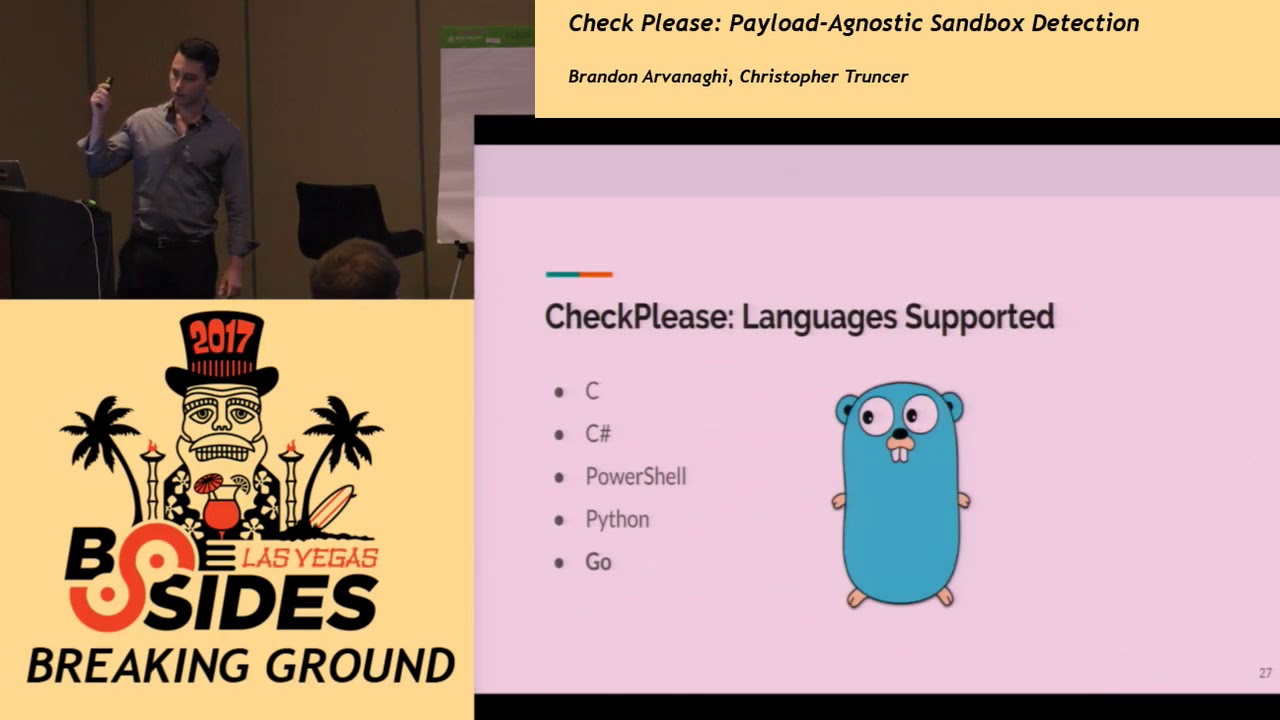
cute and added a sandbox detection check that blew up in his face let's talk about our repository now it's an implant security repository what we've seen is that implant security modules or sandbox detection checks that we've read on articles or blogs they're always discussed at a high level very rarely ever implemented Oh malware authors are doing this new technique it's very innovative let me tell you about it right or just written in C if is written at all but paler deliverance is growing in non-si languages python there was a talk about go reversing yesterday it was a good talk PowerShell Perl Ruby let's make a repository a centralized one where every single module is implemented in all these
languages so we started with C they went to c-sharp powershell python go Ruby and Perl we're not fans of Perl this is what part of the repository looks like you have it broken down by the kind of implant security or sandbox check and you can break it down even further so we have this size here minimum number of running processes USB drives ever mounted things that you can create a profile about your domain with when you break into one of them you'll have the different modules and all the different languages so let's talk about why sandboxes can't just go follow all these paths say you have a username check right don't run unless this is the username
it's a design decision for sandbox it's not to follow every single path that it could follow not to follow every single if wrench the reason is because we don't have the computing power to follow every single path if a sandbox follows some path that could never exist if I put in if username is ZYX w t u v whatever the sandbox won't follow it because if i sent it on some goose chase you know solve traveling salesperson problem we'd run out of resources on that computer the sandbox is rendered useless so stan boxes have to follow the normal path of execution sandbox is will only follow what the code says to follow it doesn't they don't typically break out into all
these different checks that's why implant security is effective against dynamic analysis right now so let's talk about some of these modules when you deliver a payload you should know what the parent process of that payload is if you're delivering a word macro for example the parent process might be windward but it won't be cmd.exe right it's a PDF document and hto plication any of that you should know how your payload is getting delivered on that system so why would you allow your payload to run if it wasn't being delivered how you expect it to there's no reason you should and that's an easy way to get in trouble or get caught by a company now most
languages allow you to find the PPID of the process here and that's a parent process ID because in Windows that's actually part of the peb which has information about the process and its parent process if you use that parent process ID from your payload you can do a query just querying all the processes running on that system check that parent process ID and look which process name corresponds to it if the process name is not how you expect this is the Python implementation then don't proceed but in this one you can see we have OS get DP ID and you do a WMI query to get the string name of that in this case we're
looking for Firefox it's just the basic hard-coded value I put in and if it's not as expected you don't proceed the malware doesn't execute but if it is Firefox if it did come from Firefox then you proceed just as the heads-up in case these slides are a little bit tiny or harder to see Brandon will also be tweeting these out for review so we realize it may be a little hard right now but you'll be able to download this and see them right again we showed all the different languages will be implemented these in so I just wanted to show you again in PowerShell how it look a little differently this is another another WMI query where you can query
the parent process ID to see the corresponding process name and check it against the value you expect as you can see we implemented all these modules in our repository to accept a command-line argument so if you want to play with it on your own just in your own environment you just pass it on the command line you say I want this parent process ID to to have this string name and if it doesn't tell run but we'll talk about how you can port it over to your payloads in a second now Krista talked about sleeping all right so this is actually kind of one of my favorite modules that we've worked on where again like Brandon mentioned we're not here
trying to purely do sandbox evasion but because we care more about the problem of delivering our payloads having that code run exactly where we wanted to run and minimize its ability to run anywhere else although like he did mention in sandbox evasion is a part of that so one of the things that a lot of people try to do when they're going to be trying to avoid a sandbox is they're gonna add like basic sleeps right like this is kind of almost sandbox evasion 101 so you can assume or most people would reasonably assume that if a sandbox is gonna run your code it's only going to run it for what maybe two minutes and
try to observe any action that that piece of malware program takes it's not going to sit there forever so if we can make our our code sleep for about an hour we're gonna beat this system right well that's not actually obviously how it works sandbox developers obviously also know that this is just a simple trick that any malware author is going to try to write to do and so what they do is they look for these sleep calls in your code and they basically hook that function and fast-forward through it so you may tell your your malware your piece of code whatever it is that you wrote to actually sleep for a thirty minutes sleep for two hours whatever that amount
of time is and it's actually just going immediately to the next line because it's not actually sitting there for that long so the next question is how can this be beaten if we want to try to add this functionality in but basically not get caught by sandbox well the way that we tried to solve this is we're outsourcing time request to an NTP server so we've added code and we'll show a demo of it in just a second or a sample of the code base where the first thing that our code will do if we want to perform this check is to make a request for the current time against an empty once we do that we'll try to sleep for
the requested amount of time that we want 30 minutes five minutes however long it is and then after that point we make another request to an NTP server basically at that point we're doing a comparison of the time responses that we get back from the NTP servers are they actually sleeping for 30 minutes 60 minutes or is it really basically like one second right after another if that's the case then we can if it didn't sleep for thirty seconds or ten hours however long we want it we can assume reasonably that we're probably in a sandbox or in some weird environment that's not acting completely normal and so we don't want our code to run in that if it is that
lets actually execute our code an alternative option that we are adding in is instead of making the problem with that first issue is you're making an NTP request you've got anyone that's actually looking at dynamic behavior of your malware is going to be seen that there's a UDP request going out there we're talking to an NTP server and something's going on well let's just also recreate that functionality inside a program that may take a certain amount of time so let's say it's factoring certain prime values let's just say we can do I mean some sort of other math activity that is going to take maybe half a second or a second complete well if we can reasonably start figuring out
okay this function is going to take about five seconds to complete or half a second you can just iterate over that function obviously as many times as you'd like and kind of remove this network dependency for a check to occur area for a network request to occur in your payload and so here's a basic example in Python where right here we're just basically doing a request reaching out to us pool at NTP org gathering that data are gathering the current time trying to perform a sleep making a second request and then down here we're actually trying to figure out is there difference between these two times and so essentially if there is a difference in the difference that's what we expect
it should be then our malware should run or our code that we're try protect should run if not then become a calculator next up so we're kind of going to talk about encryption when it comes for trying to protect our implants one thing that I would argue in once you state is if you if it your malware gets to a point where it's in the hands of a skilled reverse engineer this stuff alone is not going to beat that so this this is not designed to beat anyone that knows what they're doing what we're looking to be is kind of quick automated analysis by different tools out there that maybe a be on a product it may be
sandbox of a sandbox that is running in just something that makes our code not look like malware for through a quick observation in the event obviously again that it's getting actually analyzed then that's that's a different issue and that's not we're trying to solve so one thing that we want to do is try to start adding basic encryption of payloads so this is saying hey what if I want to drop dynamically draw indicators from the host system that my code is running on so if we know ahead of time that we want to compromise system a and system a is part of whatever domain it has a MAC address of this value we can basically
generate a piece of malware on our side and encrypt all that data using that information so MAC address username host name domain whatever it is then when this payload runs at runtime it pulls all that information off of the system that is running on and concatenates those that information back in a repeatable manner to generate a key for the system it's on and so what we would do is try okay does this actually does this key match this encrypted data can actually decrypt and run my original code if so then assume I'm on the system that I want to be on that I'm targeting if I'm not able to do that then it's probably on a different system again
a great example of that out there right now there is is a tool that does very similar work is is called Ebola josh Pitts is one of the developers of this this works really well against a bunch of anti viruses actually that claim to do a lot of machine learning silence is one of them that this will specifically target and bypass so it's it's a really solid tool I also recommend looking at this all right so we have a different module also in check please called delay analysis so has anyone here ever worked or seen or used a tool Hyperion so I think it's always okay Hyperion is a really kind of cool concept that we
basically rewrote in these languages that we're supporting what Hyperion does is it's a compiled binary you put it on your system you give it a program so this could be again your malware it could be anything you want it doesn't matter you give it stat and it also didn't just outputs an encrypted file well this file is your original program that you gave it that's encrypted the problem is there is no decryption key stored inside this file so the way that this tool works is every time it runs it brute forces itself so it's trying every single key and the way that it does it is through an artificially constrained key space so let's just say and I'll show our
implementation of this but if you have a 32 character AES key 25 characters may be just random letters numbers symbols whatever it is and the last seven may only be digits or may only be letters and what you can do is programmatically iterate over all of those numbers or letters or whatever it is and actually just brute for attempt to brute-force yourself until you find your actual excuse me key to decrypt your code so let's recreate this I think we'll do click down on a second foot delay analysis is this tool as written in Python basically you give it the source code so we're not working at a compiled binary level we're looking at your
original source code before you compile it you basically just provide the language that your code is developed in and it'll output encrypted in that format so and I'll show you what this actually looks like when we run it this is basically the code it's really a minimal amount of line just a couple functions that just encrypt data we're getting a random 25 character key and then seven this is actually just returning seven numbers so that's exactly what we're doing is creating that artificially constrained key space that words gonna brute-force ourself over so high level because I'm terrible at vizio this is what you get is this is kind of how it works is we just start at
one and then we'll try to decrypt whatever the code is inside it'll decrypt and decode it and then if that string basically matches what we expect and so this is specifically for Perl we'll have an encrypted string alongside the original code that we want to run if this is what we expect it to be then decrypt and inject their shellcode or run whatever our malware is that we want to if it's not the key that we expect it to be and we cannot decrypt a string it'll go back up and iterate down to the next value so a quick demo of that is so we have this hello world over here we're basically just doing a printout and so
if I oak and no one could probably see that so if I do a brute-force give it the file hello world and tell it to you icon it's going to print out so this is actually going to take a little else we'll go another key all right so here's a different key so basically it just writes out a file to disk which is this encrypted PI and so if you want to take a look at what that looks like see if I can make this zoom in
is basically right here is our encoded data the original script which is just that hello world and basically right now we're just iterating over this range I think it's a hundred thousand to a million this is the original key down here we're just appending that to that and then brute-forcing and trying to decode and decrypt this script at runtime so an example if i come on plus x encrypted that we call it this may take what five ten seconds at this point we'll see but right now it's going to be just iterating over the entire key space in the background and ideally within a couple of seconds we should see this program basically just print out hello
world the only thing to be aware of is obviously when you're doing something like this it's going to take up a decent amount of processor like runtime essentially so if you have a single processor system which I don't know why you wouldn't anymore today but you're gonna spike your process CPU usage I was so yeah so here we go in this case you just printed out our code which we're just printing out hello world essentially and so we can you can apply this concept for any code that you've written right now we have python powershell pearl and c-sharp is getting added in like within an hour or two and we're finishing expanding this to other
languages
I think this is you so let's talk a little bit more about building a profile about where you expect to run we talked about rofo I didn't notice oh it's kind of cut off we talked about profiles and that when you have a good idea of the domain you're on you can learn things about the systems and then you can target them even better so that if it's running at company a it won't even run a company B process names if you want to go the sandbox detection route you can look for a specific process names like Wireshark vmware process explorer etc and if you see those on you don't run but if you want to go in a different
route if every computer on that domain has a certain process running sort of management tool something like that you can avoid that as well you can you can say this needs to be running as well so here's an example in PowerShell this is just a sandbox detection pure module where you look for all these different analysis tools and you won't run if you find any of them Windows updates is another one companies patch their systems at different rates so if one of them has a certain amount of Windows updates or there's a specific Windows Update you're looking for you can search for that before you run your payload if there's a patch Windows apply that fixes
some sort of vulnerability well you can check to see if that's there before actually executing and triggering all sorts of alarms so here's an implementation of PowerShell again looking for Microsoft Windows Update client to see how many have been updated on that system registry size if you want a computer that's more in use than others then the registry is gonna get bloated over time that's just what happens in Windows when you use your system a long time you install things the registry bubbles up and it gets big so this can be used as a fingerprint for the kind of system you're on company you're on check for a certain size of registry and again I'm just showing
these in PowerShell where we have them in every language though so now let's talk about user activity there are a lot of reasons you want to user present besides just checking to see if you're in a sandbox number one you might be off to that system but you don't have that users credentials so you could present a pop-up box that prompts them for their credentials number two we've actually had success with this we were running cobalt strike and we didn't know how to get into the clients PCI environment so we did was we just set up VNC we watched the user for a little bit and we saw what sites he navigated to eventually we found a portal that led to
their PCI environment and that was just a little bit of watching another reason you might want to use a present is because you have some two-factor system where you need them to be present and to click YES on a prompt and that happens more often than you think in our experience if you just ask a user to two factors authenticate us they'll just click yes and without thinking twice so maskless is a good way to check if a user's present if the mouse is registering clicks they're probably there so if you require a certain amount of clicks your pay little just sit there until the users back at his or her computer and here's an implementation in
python there's a import win32 api it's a good way of interacting with the you know the kernels and all that look the kernel libraries so you can get the key state and you just keep iterating through this while loop and you can just increment the count until the user is present here is in PowerShell again just a different implementation of the same concept so this would be good and like PowerShell Empire or you know any powershell payload you have to just port this over if you want the user to be present Mouse position is another way to check up the users present if the users at their computer they'll be moving their Mouse it's a fact of life so if you get the x
and y-coordinates of the mouse at a certain point in time you wait a little bit you do like a long process or you sleep and you check again then it should be in a different location and if it's in a different location the users probably using that mouse to move around and here isn't going you get the first X&Y coordinates you sleep for a little bit you check again and you'll just print out cursor hasn't moved do not proceed or the cursor has mu if the users probably here proceed and go by the way has a very neat way of interacting with windows functions like cordial else you can just import a lazy dll up there and you can just reference
all the functions with it on safe pointer another one is just presenting a user with a peer popup box this is kind of one of my favorites and despite how simple it is if they click OK on a box that means there there that box can sit on their computer for days hours whatever but when we have our code that presents this popup box when they click it we can execute so here's how we implemented it in Ruby again these accept command-line parameters so you can just pass in the title as the first argument and the message that you want to present and the next one and well print at the end now the users clicked
ok or close the box we'll proceed with our payload so this is a really effective way of figuring out if the users at their at their computer or not and here's a really bad gift that I made he's not a Visio embedded gift I guess but this is in the power chill implementation we present the title security update the message box will say your system has been updated successfully here it is when I clicked ok the new line print it out it said it's time to execute our payload and you can customize that however you want for whatever engagement if the client has some sort of software they use you can say hey this encountered problem this
software it gathered a problem please click OK there's a lot of other ways to secure your implants and we went through a lot of them and it took a long time but there's so many more that we can and will implement here's just a few more I encourage you all to check out the repository when you get a chance and at this point I'd like to say that we would really like contributions from the open-source community because we want this to be a centralized repo for everyone to add and pull from so I'll get it merged in a few if you have any ideas you want implement and if you want to get practice of all these different
languages this is a good way to do it now Chris is going to talk about porting this to your payload they can get a actually usable all right so thanks man yeah finally the way that we so we obviously wouldn't were a bunch of random a couple different random techniques one may be effective in a certain environment in a certain environment it also may not be one thing that we like to think is you're not constrained obviously it's just a single check either the way a good way to look at this is if you're able to write your malware or your code to be exactly for the environment that you want you can chain a lot of these different checks
together to try to ensure that you're on the system that you're targeting or that you want to target and have your code run at that point so in this case there's a PowerShell implementation looks like we're it's just trying to pull the domain via a WMI query of the right here in this check and so this is one thing that you can add obviously to PowerShell code the next thing is obviously we're just starting to build on top of this so we're now trying to say okay run on this domain but if I'm not running under the context of this specific user account don't execute this code because I don't care about anyone except if the single user is running it
another one is with all of that said only also run this malware or my code originally if I'm on a system or this specific system that I'm running target so if I if all of these basically chains don't hit if one misses then completely just ignore running my original code become a calculator do something fairly benign and try to just sit there and and have the program die and so that's basically what we would do is so we start to build out when we start writing malware for our assessments and try to move laterally is we can do this from a Red Team perspective or from a our clients also really have seemed to like
this as well because one issue for just writing generalized malware that's not doing specific targeting if we hit a user at their home system or if their opening email anywhere basically outside of the domain if it's non targeted then it likely is very possible that it could run obviously we don't have the ability to just hack everything in hack anyone that we want to so we have started to start building in these constraints limiting again like checking a very validate that the workstation that our code is running on is joined to a domain and it's running under this user account and our clients have actually started to see this and I've actually preferred and started
asking for that as we present it as an option it takes a little bit more time obviously but it generally works out and the better for everyone anyways so one thing is that this also provided a good opportunity to I work on a tool veil and doing something like this is a pretty cool thing where I would wanted to add this ability into veil but we can start adding basic checks for payloads and so we spend the time writing this and actually I have a pull request right here we're going to merge this in and so what this will do is this will merge a ton of different checks from that we have from check
police into veil and so this is a neat immediately now available in case you guys are using veil just start customizing your pay list so we'll do a quick demo of what that looks like now
do a pull see when I have internet
there we go all right oh that didn't just work right there I'm sorry one sec we're all familiar with the demo gods here guy wants a little Mike just work that's why that one's not liking all right so lewd veil let's say we want to use just a Python payload so we'll do this flat one what that mean what flat means by the way is that there's no occupation no encryption or anything I had it part of it obviously you can see we do there's other payloads that are encrypted the reason why flat payloads are released in the first place is in case anyone wants to figure out how to write malware in whatever language that you select it's a it's a
baseline so you can look at this see okay I understand how shellcode is injecting or how I'm able to do these some malicious actions and provides the ability for anyone else to kind of take that and customize it and run with it to work for their environment so lets going to use that so now we have these different checks that are available so we talked about i like the user prompt so set user prompt will say true because we want to check for that and let's do UTC times they'll set UTC check true so what this should do now is yeah so we have it set it true it should prompt the user once we generate this payload once
it runs and it should also check the system in this case what it's doing is validating that it's not the system is running on it's not in the UTC time zone so we can generate oh let's generate shell code real quick
I will do UTC prompt mean now I'll do a quick check the look at the source code so if we can see that it's actually in here all right
and if we look at the code
so now what's happening in this case we're going to be setting a title of system error and this value this is just the basic dialog box it's going to pop up we're calling message box W now and then we're also performing a check right here where we're trying to pull the current time zone from the system and trying to validate is this actually it's just not part of coordinated Universal time and as long as it's not then basically run our malware underneath it so just make sure you have a handler going so here now we're running it okay so we ran into encountered an error please click OK click OK and obviously this is the only time we're gonna be
using something like this is if we want to actually validate someone is at the system before it code runs so we just click OK doing a check and right now this is going up which is basically indicative of the meterpreter dll being loaded and right here we have recession so it's basics like this or you can start so in this case obviously we only have two checks enabled if I were to go through and enable ten of them or five of them that are there for that Python payload it would perform all of those checks and if one misses our code won't run and that's kind of the way that we've preferred to start writing our
payloads and that's how we wanted to build this in
all right we'll just go I think at that point that's actually it anyway so the repo is available it's under Brandon's github page it's on your check please again we have all these different pieces of code that are out there it's just quick one offs where we wanted to make it available so if you want to add a single quick check it's easy to do you can also just chain one of them right after another add as many different checks in there as possible to customize your payload for your environment and just basically again copy and paste code and that's about if there's any questions we'll take them otherwise Thanks [Applause]
Related talks
 51:51
51:51 32:48
32:48 33:48
33:48 54:33
54:33 31:06
31:06 20:51
20:51