Kubernetes Security Explained: Building Safer Cloud-Native Systems
Show original YouTube description
Show transcript [en]
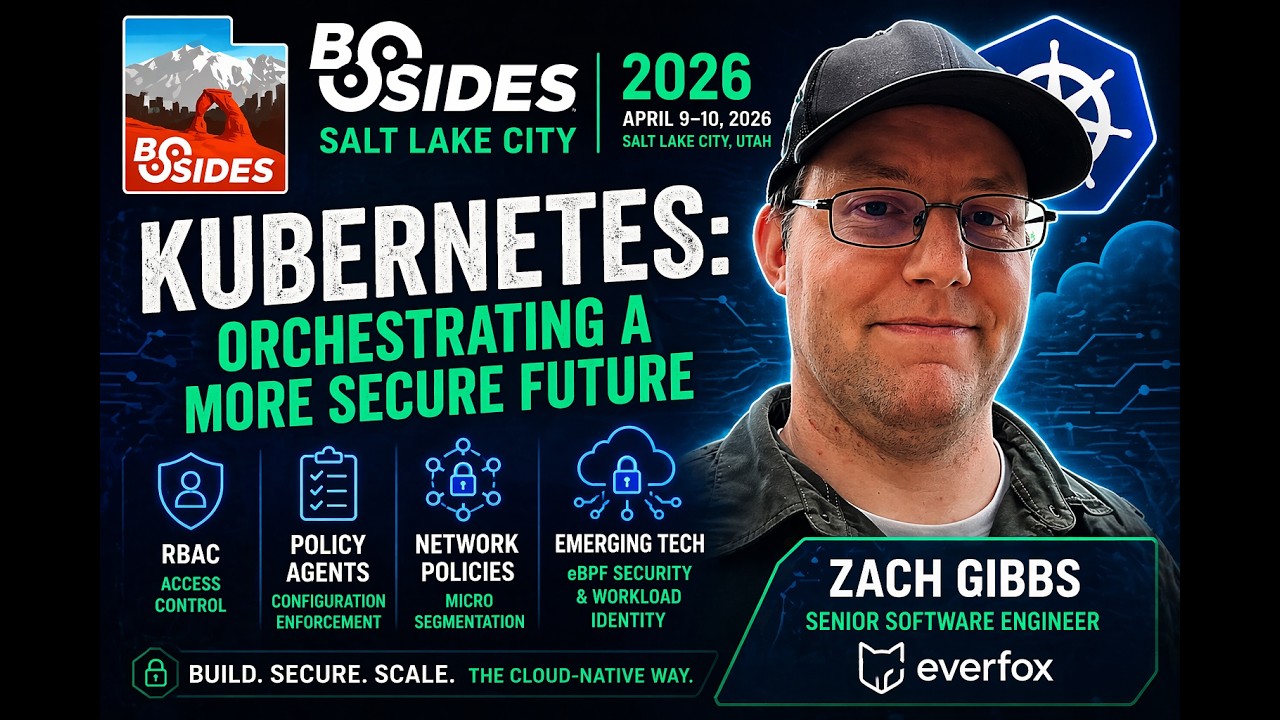
Okay, the timer says I can start, so I'm gonna start whether you guys like it or not. Okay, so um my uh my name is Zach Gibbs. I work at Everfox. We do a lot of cyber security solutions. Um I'm a C senior software engineer. My primary role my um what I do is we build like a Linux platform with Kubernetes and a bunch of observability stuff so that um all the other teams don't have to do that base security layer and base OS layer. they can just layer their applications on top of our layer so we can ship out all the different products that we ship out more easily. Um, so I I love Kubernetes. Who
has at least heard of who has not heard of Kubernetes? Okay, that's what I would assume. Who has decided to not try Kubernetes because they've heard it's super complicated and they don't want to just get into that mess? A couple people. Okay, so I I am a huge Kubernetes shill. I have um drinking the Kubernetes Kool-Aid and I have some to share with everybody who wants to also drink of the the dectable nectar that is the Kubernetes Kool-Aid. So my my hope with this talk is that everyone kind of has a little bit um better perspective on why we should use Kubernetes and why it's just a really really solid platform to be able to um host all of our
applications on and why it's it can not only make it easier to distribute applications and um manage all the uptime and keep things running but also be a little bit more secure. Um so as we're building out um applications, we started out with bare metal, you know, just install it on the server. This has a lot of problems when you're trying to run things securely because your configuration can drift, slow to provision, rebuilding takes a long time. Um so we moved to virtual machines and that helped things because we can have templates, we can have other um you know a lot a lot more process around it. things came along for like Salt Stack or Anible and Chef and Puppet
and all these things to kind of help manage these large fleets of virtual machines. And then we've been slowly moving more into containers which makes it more um a little bit more lightweight, smaller, immutable. It ran on my machine so it's going to run on your machine type setup. Um Kubernetes came around because we had all these containers and now we want to run thousands of them. So, you know, managing thousands of containers is going to be a lot of work if you don't have something to um to orchestrate all of that. Um so, just a a really high level overview of Kubernetes for anyone who's not super familiar. Um there's just a few core concepts. You have um
namespaces which are kind of like a logical isolation and boundaries for different resources. A lot of people have like a a testing namespace and a production namespace or you know there's a lot of different ways to organize that. Um you have deployments which is your set um your set application that you want to deploy and you can define things like how many replicas of that application and lots of other details there. Um pods which are more or less similar to just a single running container like you would run like a docker container. um uh they can have multiple containers but more or less it's it's basically that one smallest unit of compute for the one service. Um
and then you have also have services which will help you expose those different pods onto the network so that other things can talk to it because that's usually what you want to do when you're hosting your application is have people talk to them. So all of this is defined with um YAML based specifications and it can be very declarative. you can just spin up a new Kubernetes cluster, have all your YAML and just say go make my application and it will just all deploy and be awesome. But you know once we have our awesome deployed um application, we can also have security problems which is um something that Kubernetes has taken you know pretty seriously and there's a lot
of things going for you if you're using Kubernetes. Um all of the changes go through a unified API server. You can have full auditability on the server um logging. They they use um they also have secret managements as a first class concept. So you can tie in your backing secret store and they can be sec uh those secrets can be securely delivered to all your workloads um uh without having you know worrying about things getting exposed all over the place. Um you also have resource isolations and quotas. Um, and one of the big things that I really like is everything is defined in a YAML file. So, it's not like, oh crap, what did I
do to that server to make that happen? It's, oh, I can go check that YAML file and I have a service that's always checking and making sure that what is running matches what I have on disk. So, you can know what's going on. You don't have things drifting and and being just kind of like a wild west. So I I want to go over three core um things that I think make Kubernetes really awesome from a security perspective. One of the things is um rolebased access controls. Um everything across the API layer with where whether you're trying to access or read or delete or modify things all of that can be controlled by role-based access
controls. And um to do that you have you have um your roles and your cluster roles which are basically what things someone a role can and can't do. So this one you can for pods you can get and list pods. Oops. Oh that's there you go. Um you have ro bindings which or sorry service accounts is just defining the people. So then you need to tie the role to the service account and that's where you get a role binding where you can tie say these service these services accounts or these user accounts can use are these roles so they have those permissions. Um you can give everyone just the permissions they need. You don't have you don't have to give them
wild card. They can be only the things they need and nothing more. So they're not getting around um and and doing things that you don't expect them to do or they don't they shouldn't have permission to do. Um so I just have a a quick little demo here. We have um we have our service account here and as you can see in this um this is monitoring the cluster to check what permissions we have. So um here we can see that when we go and we try and get all the list of the pods we're forbidden because our service our service account doesn't have the permissions. But we kind of want to see those pods because this service account
we're going to use to you know make sure everything's all running. So, we're going to create a RO. Um, and that RO will allow us to get and list the pods. Um, and we're going to bind the RO to our service account. And we can now see that here it shows us that, you know, we do now have permissions. In the permissions check, it shows we we can get the pods. So if we do that same um that same test, we're able to go and see that yes, we can list the pods on the cluster. Um now, if we want to go one step further and say, okay, well, I can list the pods. Let's
try and delete some. Um that does deny us like it should because we only granted the the get and the list um abilities. So the next thing that I um I've been starting to play with a little bit more and really can um just take it up a notch um is policy agents. So policy agents um they kind of you know establish a set of guidelines and rules of exactly what can and can't be done on the cluster. Um where arbback controls who whom can make the changes the policy agents are kind of like the controlling the what can be created. So um uh for example, you can do things like um requiring all your containers to run
as nonroot. Um you can block privilege containers, enforce that every single workload has a CPU or memory constraints. Um you can mandate that your images only come from certain image repositories so they're not, you know, pulling in random um containers from places where you don't expect. And um and you can pres uh prevent use of the latest tag so that everyone always has to specifically choose what version that they want to run on. Um uh a lot of the the policy agent it's not strictly built into Kubernetes. They're typically external projects. The one that I've been using the most is called Kyivero. um it runs as and hook hooks into the API server as kind of a
um an admission controller which stops the if it it checks the policy and stops the resources from being added to the cluster before they're added. So it it it's not it can go in and audit things that are running as well, but it will stop things actually even getting on. So you don't have to worry about oh it runs every five minutes we have that five minutes so we might be insecure or whatever. Um so here we have uh a couple of rules we want to load. We want uh require nonroot and only have approved registries rules. Here we can see that we can create nonroot containers um that is that test is passing but we want to
block um root containers as well. So we're going to just add a few kyvernal policies um to be able to start locking down this cluster. Um so we add that we require that that um that the yeah the pods have a um specifically call out that they they cannot be run as root and that they are coming from approved registry. So now these tests come show show they're passing but we'll go through them. Um uh you can see here we have the two policies in there. Um and we can look a little bit deeper at that policy. Um where it goes in and it will has validation rules and it can um you can match any re any pod resource
um and they have to validate that we have these certain criteria in these patterns um the run is not root specifically. So um so now if we try to deploy a container that um is typically ran as root um it's going to fail and say hey your admission web hook says you can't do this. Um we can still however deploy those nonroot um pods and we can check um yeah we can check that that pod is is running. So we do have our good pod running. Um, and then we can also test our uh registry policy with an unapproved image. So we can run this try to deploy this pod from this evil registry that definitely is
malware and it's going to it's going to deny us. And then we can also have this one that's legit and definitely not malware from an approved registry. and that will let us come through and and make our pod. So that's great because then we can decide you know who who has access to this cluster what actually gets put in the cluster and then but the problem is is well what if there's something that's vulnerable and someone gets into the cluster what can we do to kind of lower the attack vector or mitigate some of the risk and that's where our network policies come in um is we can limit that blast radius so we can know that um
what can communicate to what so if someone breaks into one container like if they get into for our front-end container. We don't want them to be able to hit the database directly and start doing just arbitrary queries. Um, so it allows for us to have more of a in-depth defense and um to remain even if the app controls fail, we can control and make it harder to um for attackers to get directly to sensitive services like our databases. Um and it can also help um demonstrate compliance for different um compliance frameworks. So I have a quick demo here that we have these three servers. We have a front-end service, we have an API service and a database
service. And there right now they can all they can all talk to each other. So we can see here the pods and the services that are running. Um we've got a bunch of pods. My laptop went to sleep so some of them are dying but they they restarted. So um yes we have the pod and services running and currently everything can talk to every everything. So if we take here we take our front end and we try and curl the um the database. Most databases won't run on engine X but as a demo it works well. So um but we can so we can go directly from the front end all the way to the database. Um but
we we don't want to do that and by default it can just all the pods can talk to each other. So first step is we're going to add a default deny rule um so that we can uh just deny all the every pod from talking all the different pods from talking to each other. Um and so there we can see that they all went red. And if we go and try that same curl again, it's just going to sit and hang and time out because it it doesn't have network access. Um, so now we're going to go we can go through and allow the the front end to the API because we need the front
end to talk to the API server. Um, and that will come online. And then we can allow the API server to talk to the database
and that will come online but and we'll um but we don't want to ever activate that last front end directly to the database. Um, so we can see if we run that curl again, it's still going to be blocked. Um, even though the the front end can now reach the API and the API can also reach the database. Um and that that helps keep our database completely isolated and you know a couple steps away from an intrusion to um we don't even have to expose the you know API layer directly as much as um yeah we can lock that down more because the front end is the one that the actual user is talking to.
So um looking forward there there's a lot there's a lot going on in this space in Kubernetes and um making things even more secure. Uh there's a lot of things around EPF and a lot deeper levels of security policies including level 7 and basically almost every layer of the the OSI model is is starting to be covered more and more um a lot more you know detection and things and all that's handled inside of the network stack of Kubernetes. So it's all very streamlined and very little overhead. Um so more of the interesting things they're also starting to get more workload and um and services identity based uh solutions that will so every time you bring a node
online it has to authenticate with it with a certificate to verify that it is who it is and you can't ever get anything in there any services in there that you don't have signed yourself. Um, another one that I I really think is very um is it's it's very appealing to me because I am, you know, I've drinking all the Kubernetes Kool-Aid and I'm definitely, you know, on board and some people tell me to a fault that I don't need to use Kubernetes in my home lab and I I still disagree with them. But um I Talos Linux um which is instead of um trying to build a solid you know grabbing a solid base like Iuntu or Debian or um any Red
Hat based dro and then put Kubernetes on top of that and try and secure the whole stack. They remove the entire user space, shell, SSH, every single layer that is not strictly required and they just put Kubernetes basically as PID one. It they have a you know their own management, their own stuff that's an API server that is on that technically is on pit one, but basically it minimizes the entire attack service because you have no systemd, you have no cisit system at all. You have no SSH access. Everything is handled securely over an API with certificates and um credentials and everything is very declarative. So when you go and set up all your servers, you have the similar
advantages of using Kubernetes where all of your configuration is in one directory and you're able to see exactly what's going on. So, it's it's a really it's a really interesting take on things and it's kind of, you know, it takes a little bit of getting used to, but it's um it's a really cool uh really cool avenue to to kind of expand into even reducing a security footprint. Um so, yeah, that's uh all that I had. If anyone has any questions, I can answer those or please give me some feedback. Um, I'm trying to be a better speaker and and learn and as I go and if I don't give feedback, I'm just going to think
I'm perfect and you're going to have to listen to me next year. And if if if I've convinced you that you should um try Kubernetes if you haven't tried it, then please come drink some of the Kool-Aid with me. >> Yeah. Is there a resource you recommend for learning? >> Um, so, uh, that's probably a good thing. I should have had a slides. Anyways, um, so I I the one thing that I've done to easily spin up a Kubernetes cluster is use K3D and it just runs Kubernetes inside a Docker image. Super easy to start learning. Um, the Kubernetes official documentation has a lot of really, really solid um, really solid information. Um, if you have
access to UDMI or want to go pay for Udemy subscription, there's a class on there called uh it's um I can't remember the name, but it's the the guy the guy's first name is is Mumaid, I believe. Um, it's one of the most popular classes on Kubernetes on Udei that is is really good. they focus he focus specifically has like an intro to Kubernetes and then he has also um classes focused on the um the certified Kubernetes administrator certified Kubernetes developer and then this the I can't remember the acronym but the security focused um certifications that the Linux foundation and CNCF offer. Um so those are great too. Um he he's he's the founder of um I
think it's called CodeCloud and he has a bunch of interactive um interactive like lessons and stuff so you can go on and like sit down and actually work through the things instead of just reading them and and watching someone else do it. >> Yeah.
Yeah. Um I don't know if I have a specific resource for the question was if I had like a resource for creating like mesh networks or whatnot with ceiling. So you don't you're only exposing what you want to expose. Um what what I have seen people use and what I've used um uh I know Talos has a plugin for using like Tailscale or Nebula as like a meshvpn solution. Um there are a bunch of also ingress controllers that you can hook up to both tails scale and nebula and um and then just if you're running on your home network as long as you're on that network you can just say hey publish these Kubernetes services to the um to
the mesh network and it will handle all the DNS and everything to route you to those services. So, I haven't done too much on that front. Um, as I don't have enough time, as much time as I'd like on my home lab to spend on that and and we have a more isolated deployment pattern at work, so I I haven't done too much there but anybody else any questions? >> Yeah, go. No one ask questions. Go for it. We got a couple minutes.
I I have not used those images. Um I also very shortly will be using Jenguard. Um I've heard really great things about them. Um uh I have not used the Docker ones though. I've I followed it loosely, but I yeah, we haven't um haven't used those. But I I'm sure a lot of them are better than a lot of the um the like the mainstream images, especially if like where with our deployment pattern at work, we constantly are are a little bit behind the bleeding edge because we can't constantly deliver to air gap solutions and and and air gap networks. So, um, we have, um, we're a little bit behind always and a lot of those images if they're not
constantly getting those OS updates, they're full of vulnerabilities. So, anything you can do to try and mitigate that side of things is going to be really really beneficial. So, I'm I'm sure it's it's definitely a step better than that. So,
Um, I haven't done a ton of that. We use uh I've used trivia a bit and it's it's worked pretty well. Um, but it's I've done a lot of that loosely. A lot of the the team um I work personally that handles a lot of that is is a another another guy. So, I haven't done a lot of the inside of container scanning stuff. Um, but yeah, so I don't have tons of experience there. Okay, they're telling me I'm done. I guess I'm bad. No, I'm just kidding. >> Okay, I I said I had two minutes, so I was
Related talks
 26:58
26:58 30:04
30:04 40:07
40:07 30:42
30:42 29:35
29:35 46:32
46:32