PG - Teach a Man to Phish - Vinny Lariza
Show transcript [en]
VINNY ROWEENERIERIERIERIERIERIERIERIERIERIERIERIERIERIERIERIERIERIERIERIERIERIERIERIERIERIERIERIERIERIERIERIERIERIERIERIERIERIERIERIERIERIERIERIERIERIERIERIERIERIERIERIERIERIERIERIERIERIERIERIERIERIERIERIERIERIERIERIERIERIERIERIERIERIERIERIERIERIERIERIERIERIERIERIERIERIERIERIERIERIERIERIERIERIERIERIERIERIERIERIERIERIERIERIERIERIERIERIER
I'm going to talk about the types of phish, some types of phish that I've seen, some stats, and then we'll talk about how you can protect yourself from phishing attacks. So who is Vinny? Who am I? I am Vinny. I worked for OpenDNS for five years and change. In a nutshell, OpenDNS does internet security on a DNS level. I was hired on as a community moderator to manage and govern the content filtering system, as well as the domain tagging community, which is an online community that categorizes websites for filtering. I assisted in building the OpenDNS security community, which is a community that focuses mainly on malware and botnet domains. I'm also one of the main moderators over at fishtank.com, which is owned
and operated by OpenDNS. For those of you who aren't familiar with the site, it's a community-driven collaborative clearinghouse for data and information about phishing on the internet. Phishes are submitted and reviewed by the community, and I spend time communicating with the community there as well as reviewing the false positive requests that come in. I was recently moved into a security analyst role on the research team, which has been a bit of a difficult transition for me, considering I don't come from a very technical background. But I'm slowly working my way through the rabbit hole that is internet security, and it's pretty fun. I'm starting to really enjoy it. And it helps that I have a lot of awesome people that I get to work with. Yeah, it's these
guys right here. That's my posse. So I had this initial idea to introduce myself as a Nigerian prince, which turned out to be a lot more difficult than initially anticipated, so I decided to scrap it. But basically I was going to introduce myself as a Nigerian prince with a lot of money, my name back in Nigeria that I wasn't able to access due to something or other with the government and my family name that the only way that I could get to it is if it were sent to a trusted individual that felt comfortable giving me their bank account information and PIN number. I decided that of all forms, this would be the most trusted one and hopefully convince someone in the audience to bite my verbal fish
attempt. But the point of that wouldn't have been to lie to everybody here, but more so to show you that probably most of you knew exactly what I was referring to, the Nigerian Prince unnecessary philanthropists' emails, what a lot of people associate fishing with, and so they feel somewhat arrogant and above it a little bit. The thing is, even though these emails are hitting your spam traps now, that doesn't mean that phishing is going away. They're only getting more sophisticated and better at tricking you into obtaining your information. So I recently read this article in the Los Angeles Times about a group of researchers at North Carolina State University. And they took to their own network to see how susceptible they were to
phishing. So they took a group of 53 undergraduates, and they first surveyed them on their confidence and ability to spot phishing websites. And once they surveyed the students, they then gave them a phishing quiz to see how they would do. And before taking the test, 89% of the group said that they were confident in their ability to tell the difference between an authentic email and one sent by a scammer. When they finally took the quiz, nearly everyone in the group failed. Only 8% of the participants were able to spot all the fake emails. I'm sorry. I know that's not pointing to the 8% thing. I couldn't figure that out. But yeah, so only 8% of
the participants were able to spot all the fake emails. And more than 50% of the group missed half of the fake emails and deleted at least one authentic email. So the hypothesis here is that most people are pretty overconfident in their ability to spot phishing texts directed at them. And while that's just a small sample size, I believe that info to be relevant. We have a similar thing on the OpenDNS website, which is a quiz to see if you can spot the fish. And it has about 14 examples, and I get a lot of feedback about how surprised people are that they didn't ace it. So what even is a fish? It was a progressive jam rock band in the 90s. Yeah? All right.
So phishing, by definition, is the attempt to acquire sensitive information such as usernames, passwords, credit card details, and any other sensitive information by masquerading as a trustworthy entity in an electronic communication. So in the sense of it being like literal phishing, the phisher throws a shiny, sometimes not so shiny, lure out there. And if you buy it, then you end up surrendering something that you wish you still had control over. So here's an example of an email that you might see containing a phish. standard Bank of America email with the logo up there looking all pretty and professional. And then a bunch of bullshit about how they've added an advanced online security option for their customers with online accounts. And if you don't
click on that specific link that they provided, then they're going to put a hold on your money, and you can't have your money anymore.
So the giveaway here is the sender. There's no N in Bank of America at the end of it, as far as I know. It's a small detail, but it's an important one. What's that? Oh, yeah, shit. I didn't notice that. Good catch. Yeah, right. So I pulled this excerpt from the official guide to the Certified Information Systems Security Professionals book. Say that three times fast. Email can be a powerful persuasion device for attackers and con artists alike. Email has become a basic mode of communication for many people and is considered crucial for many companies to run a successful business. People have grown so accustomed to email that they rarely question the integrity of an email source or content. And to add to the problem, many people do
not understand how email is routed from one system to another. And eventually, the technology and science take a backseat to magic, leaving people to assume that if the sender is dad at AOL.com, then it must actually be from dad. The book then goes on to say, given that the general public is trusting of their email and direct access to people that email provides, email is used over and over again under false pretenses to spread worms and viruses. commit theft or fraud or just spread bad information. So it's pretty easy to feel trusting of your email, especially when you're at work.
A quick example of a Twitter fish. Looks just like a regular Twitter site. Nothing going on here that would really make you crinkle your eyebrows. Except the URL. Giveaway being the URL. Twitter.com, in this case, is just a subdomain of all9.info.
Next up, I'm going to talk about some common phishtack techniques that I've seen both from moderating phishtack over the years as well as some research that was done in preparation for this presentation. Email spoofing. Email spoofing is the forgery of an email header so that messages appear to have originated from someone or somewhere other than the actual source.
Excuse me, mouse a little gray. Because SMTP provides little in the way of authentication or integrity checking, anyone with a requisite knowledge can connect to the server and use it to send messages. To send spoofed email, senders insert commands in headers that will alter message information. It's possible to send a message that appears to be from anyone, anywhere, saying whatever the sender wants it to say. So thus, someone could send a spoofed email that appears to be from you with a message that you didn't write. And phishers use this technique to essentially imitate anybody that they want.
Another technique is link manipulation. So link manipulation is the... It can often mean a couple different things. One method of link manipulation is typo squatting, or otherwise known as URL hijacking, wherein the phisher takes a URL of a legitimate company and occupies a URL that's slightly similar. So I use NetTeller in this example, which is an online payment provider. The top URL is the correct way to spell the NetTailer URL, which is where the actual official site would be located. And then the bottom one is the misspelling. A phisher might occupy that bottom domain and set up a phish site that looks exactly like it. This is just an example. I think that second URL actually leads to a part page right now. But these
types of phishes generally tend to get taken down pretty quickly. But it's a thing that exists, and it's a form of link manipulation that's used in some phishes.
Another example of link manipulation is a little more literal. I'm sure most of you already know this, but for purposes of demonstration, you can take any link and make it say pretty much whatever you want, and then direct it to go wherever you want. So in this case, we are setting up the bankofamerica.com link to go to solyourinformationjustnow.com.
So clone phishing. This is a type of phishing attack whereby a legitimate and previously delivered email containing an attachment or link has his content and recipient address or addresses taken and used to create an almost identical or cloned email. The attachment or link within the email is replaced with a malicious version, usually using link manipulation, and then sent from an email address spoofed to another to appear to come from the original sender. So it may claim to be a resend of the original or an updated version to the original. So a quick example of possible clone phishing is a B of A example that we used earlier. This looks like it could have at one point potentially been an actual message from B of A at
one point. All you have to do for this is to change where those links are aimed at and then you could resend it to whoever. So this is something that I've kind of personally noticed from moderating fish tank submissions over the years. I don't really have any data to back this up. Fishers don't use spellcheck for whatever reason. They don't have access to it or something. There's a lot of phish emails that have typos in them. And if it's actually from your bank, it wouldn't have typos in it. Because banks have spellcheck.
So this is another attribute that I see a lot of phish emails, scare tactics.
Basically, any type of wording or phrasing that is designed to scare you into giving them your information before you have a chance to think about it. Do all fishes have this? No, but it's a common trait that a lot of fishers will use. And it makes sense, right? They try to get you into that mindset where you're thinking reactively and just trying to put the fire out instead of thinking about what you're doing. So now I'm going to mention a few different types of fish. Sardines, anyone? So spearfishing is one of the first types that we're going to talk about. Some attributes of spearfishing. Phishing messages in general tend to appear to come from a large
and well-known company or website with a broad membership base, such as eBay or PayPal. However, in the case of spear phishing, the apparent source of the email is likely to be an individual within the recipient's own company. So a boss or a co-worker or a close friend or a family member, they tend to be personalized. They generally tend to not be random, and they always seem like they come from a trusted source. So whaling is the next one. Whaling is a specific form of spear phishing. Attacks that have been directed specifically at senior executives and other high profile targets within the business. So once the credentials of the executive target have been obtained, it could potentially open up the window for spear phishing the remainder of the
company or team or whoever else is closely associated with the executive.
So this is something that I never really associated with phishing, but I had a coworker tell me that I should include this. Because it doesn't really steal your personal information. It's more conning you into just giving away your money. And we don't deal with this sort of thing in Phishtank. And I feel like you can usually see it coming a mile away. But I'll mention it anyway, since it's somewhat relevant and kind of funny. E-whoring is faking an identity, usually that of a young girl, and using social engineering tricks on the internet to let people pay you money. So generally, someone will post a Craigslist ad or send out an instant message claiming to sell nude photos of herself or
himself, I suppose. And then people pay her for the pictures of some random whoever. I'm not sure if you guys knew this, but porn is free on the internet. I don't know why you would ever surprise.
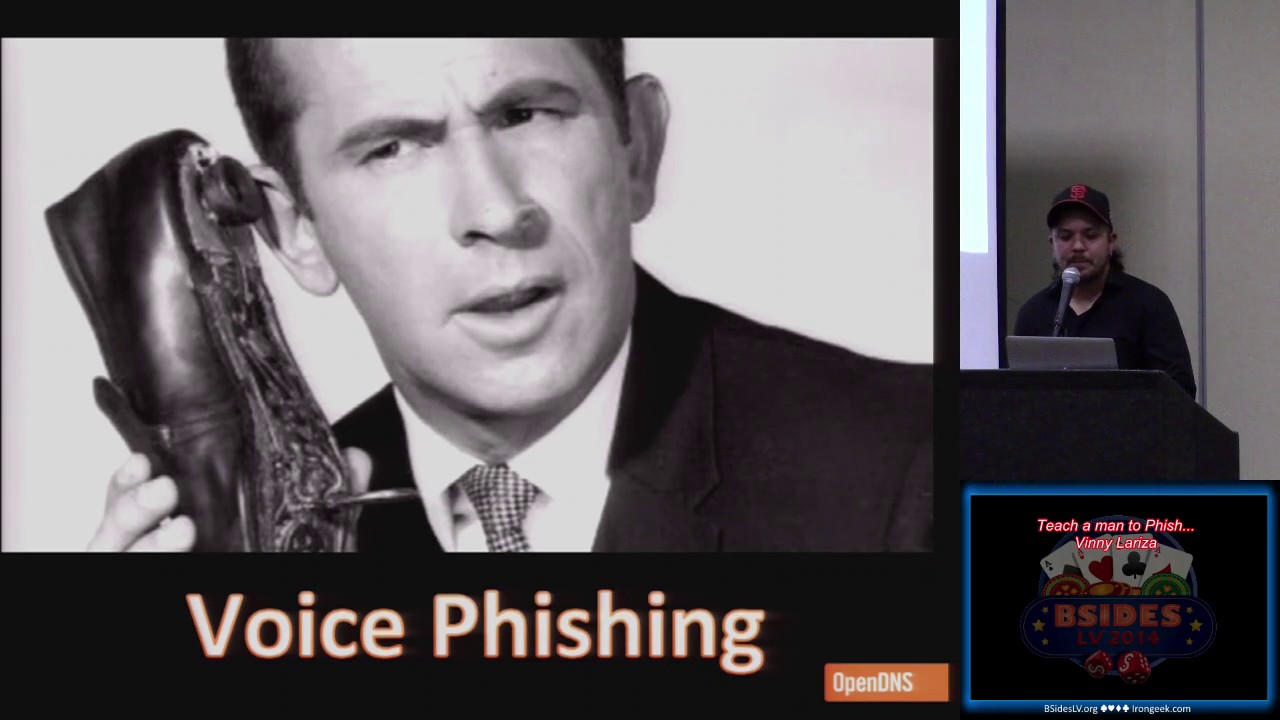
Voice phishing is the next one I'm going to talk about, or vishing, a combination of voice and phishing, how clever. It's basically the same thing as a classic email phish, only it's done via a phone call. Typically when the victim answers the call, an automated recording, often generated from a text-to-speech synthesizer, is played to alert the consumer that the credit card or bank account has had fraudulent activity on it. The message instructs the consumer to call the following phone number immediately. This is using the scare tactics. The same phone number is often shown in the spoof caller ID and given the same name as a financial company they're pretending to represent. So when the victim calls the number back, it's answered by another automated voice with instructions to
enter their credit card number or bank account on the keypad. I've gotten these before. They're kind of weird. They always seem to call me when I'm taking a nap. Trying to catch me with my guard down. SMS phishing, pretty
straightforward. It's phishing via text message. It's the congratulations, you've won a $500 gift card to Target. Now just click on my fake ass Target website that I created and give me your personal info. Next is some statistics that I pulled from both the APWG website, which is the anti-fishing work group, as well as Fishtank. I went through and pulled the information from the most targeted industries in 2013, as well as part of 2014 for the phishing attacks. This is Q1 through Q3 in 2013. Payment services and financial services lead the pack with payment services taking up almost half of the pie in three quarters in a row. So that other column seems a little misleading, but that's
actually a lump sum of the remainder of the targets. I just lumped it in because it looks better. So things like social networking and government sites and auction sites and classified sites are all lumped into the other category. None of them were ever really a high enough percentage in relation to the rest of the targets.
And then here's Q4 2013 and Q1 2014. The trend continues here as these stats remain very similar with the payment services being the first horse to cross the finish line and the financial services tailing closely behind.
So these are the overall averages of the stats that were just displayed. Please don't mind my lopsided math. I know that doesn't add up to 100. Bear with me. This is mostly to drive home the point that payment services and financial services tend to be the most targeted industries for phishing attacks. There are phishes for other industries that exist, however, the industries that handle money seem to be the most attractive for phishers. I honestly expected to see social networking or gaming phishes to be a little higher. I feel like I hear about those a lot more. But it looks like for the most part, money outweighs gaining access to someone's gamer tag or Facebook credentials.
Medical record numbers? Interesting.
Crazy. Thank you. So we have this I pulled from Fishtank. They're for 2014 up until May. The APWG data coincides with this. So PayPal is clearly the most submitted type of fish on Fishtank by a landslide. You get a lot of PayPal fishes. Apple snuck its way into second place at the beginning of the year, but then eBay sort of took the silver medal there and hasn't looked back since. This was also pretty surprising to me when I pulled this, considering I see a good amount of fishes for video games when I moderate Fish Tank. To my surprise, it didn't even crack the top three, although now that I think about it, I think it's probably I just remember all the kids writing into
me to complain about those games not being able to be played. I'm going to play this game. You're blocking it.
All right, so what are you going to do to protect myself? How do you protect yourself and increase your personal security? And how do you keep yourself from getting phished? Well, the first step is always educating yourself on methods that are used to fool you out of your personal information, which we've pretty much been doing throughout this presentation. If you're aware of how they do it, then you're going to know what to look out for. You're always going to want to keep your guard up. Any time anyone asks you for personal information unexpectedly, you should always raise an eyebrow, especially payment information. And also especially if they're being hasty about it. However, it shouldn't be limited to payment providers. You should practice this anytime you're asked for social media
passwords, email passwords, social security numbers, obviously, or healthcare credentials.
Always check the URL. You should always check the URL before you're about to enter any type of personal information when using a browser. It's an easy thing to forget. I forget to do it sometimes. But we all know that just because it says Google somewhere in the URL doesn't necessarily mean that that request is coming from Google, much like that Twitter phish example earlier in the presentation. Give them fake info. So if you think you're getting phished, it's totally OK to give them incorrect credentials. If they're actually a legit company asking you for this information, then they're going to know it's fake. And they're most likely going to ask you for it again. If they're in a legit company, then fuck them. You can troll them a little
bit. You can even be smug about it when you do it. Change your password regularly. You should use a password manager. It's good practice. I saw a banner out front for 1password.com. You should look into using that. It's a good idea. It's pretty cool. So in researching for more tips for this presentation, this was definitely my favorite pro tip. Don't try to win anything, ever. There's no winning. There's only losing. I mean, this mostly refers to the web spam type, like these pop-up things kind of. They're meant to click bait stuff. So yeah, stay away from these. It may seem obvious, but these things still exist all over the place, so maybe they're not that obvious. Go direct to the source. So when in doubt, stop what you're doing
and go and contact the source. A friend sends you an email about how they're in trouble and they need money. Call them up and ask them what's going on. You got a call from your bank or credit union asking for personal information and it seems suspicious. I know that when I get fraud alerts from my bank, I'll often call the number on the back of my card and ask them to direct me to Fraud Protection Services so I know exactly who I'm talking to. It's a good habit to get into for protecting yourself from these kind of things.
And, yeah, good security. So this is the part why I shamelessly sell OpenDNS as an option to add a layer of protection to your network and devices. It's really simple, it's easy to deploy, and you get a lot more than phishing protection from our service. Also, if you're in an IT department or something similar, it's a good idea to educate your coworkers on the dangers of phishing attacks, as well as what to look out for and what precautions to take. You can never know too much in this case. I saw that Protivity has a booth out there. They're walking around with those cool I'd rather be phishing t-shirts. Those things are kind of cool. I talked to some of the people at that booth, and they mentioned something
about customized fake spear phishing attacks to run on your network. And that's something that can really only help you, in my opinion. I've seen statistics that show doing things like that in your network will drastically lower the chances of successful phishing attacks on those that have been quizzed. And it'll teach them that not everything that they see in their work inbox is safe to click on. It may seem like a trivial thing and something that people feel like they don't need it. But it's pretty invaluable if you ask me, especially when it comes to protecting yourself. So in conclusion, I hope you guys remembered everything that I said.
Yeah, all right. So always keep your guard up. Give fake info if it seems a little suspicious. Always, always check the URL before giving personal information. Change your password regularly. Don't try to win anything. Go directly to the source and get security.
And then also, you're welcome to come to fishtank.com and submit any websites that you speculate to be phishing at the community over there. It's free to do, and it helps protect the millions of users that utilize that feed. And that's all I got. It went by pretty quickly. Thank you.
Any questions? All right, cool. Thank you.
Related talks
 51:51
51:51 32:48
32:48 33:48
33:48 54:33
54:33 31:06
31:06 20:51
20:51