Threat Hunting AWS CloudTrail Logs with Microsoft Sentinel: Real-Time Attack Demo

Show original YouTube description
Show transcript [en]
okay everybody uh welcome back from lunch and uh ready to kick into our next uh presentation from maret Paul who works in uh cyber security professional he works in Cloud security um and lots of threat hunting and incident response uh this is be a talk about threat hunting ad cloud with Logs with Microsoft Sentinel uh and oh and a demo attack that sounds interesting be fun all right I'll leave it over to you where you
go good afternoon everyone uh firstly I want to thank the bsides Sydney team for giving me the opportunity to come and present here um so today's talk is going to be on uh thread hunting AWS cloud trail Logs with uh Sentinel I'm going to show a demo and then how you can uh hunt and create potential detection opportunities using kql so who am I um so I'm Arijit and I'm a senior cyber security consultant at Microsoft um currently helping Enterprise customers with uh detection engineering thread hunting and automation so today's agenda uh we'll briefly touch upon some of the challenges with Cloud security uh talk briefly about AWS cloud trail uh what it entails uh how we can
connect Microsoft Sentinel to AWS and then I'll walk through a demo of an S3 Cloud breach attack um which is something similar which happened with a large Enterprise customer uh in the US uh and then we'll walk through some uh kql stuff on how to build detection rules and uh I'll keep a few minutes towards the end for some Q&A so yeah feel free to ask questions towards the end so what are some of the challenges with Cloud security you know Enterprise customers when they're thinking of uh moving to the public Cloud irrespective of whichever public cloud provider that is uh one of the key things is cloud security that's something which every customer whether it's an Enterprise
customer or even a green field customer they will have this as one of the important factors uh so some of the challenges is obviously maintaining the visibility of your uh assets within the public Cloud environment then misconfigurations actually most of the attacks which we see in public cloud or which we have seen over the years are due to security misconfigurations and then the last bit is understanding of the shared responsibility model so uh so for example like AWS has a shared responsibility model where it talks about security of the cloud versus Security in the cloud so security of the cloud is you know AWS will be managing responsible for the hardware and the infrastructure underlying infrastructure
anything above that including the OS and the applications that's the a responsibility of the customer so AWS cloud trail so what exactly is AWS cloud trail AWS cloud trail is one of the most important services in AWS which enables you to help out with operational and risk auditing compliance and governance so essentially any API call and in AWS uh pretty much everything is an API call um so AWS cloud trail logs all API calls and some non-api calls as well like console login is is a non-api call uh whether it's made by a human entity like a im am user or a role or a non-human entity like a service role everything is logged in uh AWS cloud
trail so analyzing AWS cloud trail logs will help you to uh uncover any potential security breaches or misconfigurations any potential attacks so as of now I think there are more than 235 plus Services which are supported by AWS cloud trail uh this slide is slightly old uh it could be more I don't really know the exact count but last time I saw it's more than 235 plus Services which is supported so what can you answer from a AWS cloud trail event and we'll touch upon and I'll show you a sample cloud trail event uh shortly but what you can uncover is who made the API call you know whether it's a I am user role which
was the entity which made the call when was the API call made so date and time uh what was the API call so for example console login even though it's a non API but for if you're starting an instance or stopping an instance or stop instance is an API call um which resources were acted upon so you know what's the E to instance ID uh what's the region and so on and where was the API call made from and made to so the user agent and the source IP address uh so user agent could be it could be uh browser like a Mozilla Firefox or it can also be a CLI SDK whatever it is uh so understanding the AWS cloud
trail schema so uh these are the four ones which you see in Orange are uh supports nested Json schema so user identity request parameters response elements and additional event data so user identity obviously who information about the user that made the request uh user agent is U like I mentioned whether it's a CLI or browser um if there are failed API there will be an error message generated with the error code then the request is so for example if you uh start an E2 instance so there will be a request parameter like what's the instance ID and it will vary based on the API actions and the response um so if it's a list get describe it will be there there
won't be any response ele element but anything other than that like create update delete attach detach so you will be able to see successful API response uh so what does an a cloud trail event look like so I'll show you on the console as that will be easier so take a look at one of these events so um this event is authorized a security group Ingress and we can clearly see who made that call when was the call made the date date and time uh what was the Event Source what was the event name what's the region of the security group uh what is the security group ID uh like every resource in has a unique
ID so like Security Group ID e E2 instance ID and so on what was the security group uh Ingress rule all the elements like the request parameters and then the subsequent response uh like in this case a successful response so essentially you can find everything so anything which is done in your AWS environment you'll be able to track that uh through AWS cloud trail
so how do we connect Microsoft Sentinel to AWS uh so before that so Microsoft Sentinel as we know is a a cloud native seam and Source service so essentially uh it it allows you to collect your logs detect your logs analyze investigate so you can do all of this and also you can build automation on top of that's where the sore element comes into the picture um so I'll briefly touch upon the architecture but you there is the public documentation on how you can integrate uh So currently these are the four log sources which are supported uh so cloud trail Cloud watch guard Duty and VPC flow logs these are the four log sources which you can
ingest to uh Sentinel so essentially the architecture you have all the aw services so you can configure the a BL services like for example cloud trail to uh stream into S3 bucket and then you can configure even notification on S3 bucket to an sqsq which is a simple queing service and as soon as there is an um an event the even gets stored on the S3 bucket there will be a notification to S sqsq the notification will have the path of the uh the S3 bucket where the lock file is and Microsoft Sentinal how you connect to aws's using an IM role and that IM role is trusted by a web identity provider in this case which is
entra ID uh using oidc as the authentication mechanism so essentially what it does it will pull for new messages as soon as there is a new new message in sqsq Sentinel will be able to get that information and that will have the path of the S3 bucket and the IM Ro which you create on the AWS uh side it will have the necessary permissions like S3 read only access and so on so I'll so I'll walk through an S3 Cloud breach attack uh simulation so this attack essentially is uh replicates the attack which happened in 2019 with Capital One uh where it affected more than 250 million uh and 100 million users were affected so
sensitive information pii information were retrieved by the the attacker the threat actor and um you know affecting U they were able to exfiltrate information like credit card data personal email addresses and so on so before I go into the demo briefly walking through the uh the breach so essentially the attacker was able to get hold of a public facing ec2 instance or a virtual machine which was a web application server and so essentially it was acting as a reverse proxy and it was not configured correctly so and through the reverse proxy the attackers was able to access the instance metadata service and I'll explain further when I walk through the demo and through the instance metadata
service it was able to get the IM credentials and so the credentials of the IM Ro and that IM Ro had full permissions to S3 so essentially S3 full access and the S3 bucket one of the S3 buckets had uh pii information which the attacker was able to exfiltrate and fetch the data so I've mapped it with the on the right side you can see I mapped it with the uh mitor attacks techniques so essentially here you can say there were like three entry points obviously there was a misconfigured reverse proxy public facing and then the second one was obviously the IM Ro which is attached to the instance that had S3 fulla so that was didn't follow the principle
of lease privilege and the third one was from the S3 bucket data was exfiltrated out there weren't any alarms generated or triggered so so this is essentially what happened in the data
breach so so so I have just kind of simulated this environment uh so essentially what happened is um so this is the this is the public facing server you can which you can imagine uh acting as a public facing server so essentially what the attacker did is uh use a custom host header so host header as you know is uh acts like where an HTTP client is able to talk to the HTTP server but with a custom host header uh what you can do is you can kind of trick that you're accessing the you're able to get information about the website without even accessing the actual host so in this case uh 169.254 or 169.254 is the instance metadata
service which is a web service which only E2 instances or virtual machines have access to so this web service or imds uh it allows the users and the applications to be able to get you know a lot of information for example what's the instance ID what sort of image is being used what's the uh the host name what's the IM Ro attached and so and other details so if I just access this and using the host header so I so one of them is uh is latest and then if I access latest I can get like one of the is metadata and if I access metadata I can find um uh am and under I am there is the security
credentials and under security credentials you can find what sort of role is attached so essentially I am uh you can attach IM roles to ec2 instances or virtual machines uh which are called as instance profile so what it means is the ec2 instance is able to assume that I am role and make API calls based on the permissions which are attach which are assigned to that IM role so instance profiles can only be used by the instance and and not a human entity uh so in this case this IM Ro had S3 full access so it was not even restricting to which S3 bucket it was essentially S3 star to all uh all resources to
Star and when I access the the role I'm able to get the access key secret key and token so essentially in I IM roles uh one important difference between IM user and IM roles is so IM users are Long Live credentials so essentially persistent access unless you rotate your access keys and secret keys they are long LIF credentials but IM roles are a short lift credential so it uses the STS service the security token service so um so if you see the short the it says when it's supposed to expire um so essentially it's a short token service and you get the access key secret key and the token and what you can do you can configure uh CLI profile
and basically use those credentials the the the credentials from the IM Ro or the instance profile so you provide the access key secret key and then you can update your uh credentials file and add the the security the the token and then using that profile I'm just doing a list of the S3 bucket so you can get all the so these are all the S3 buckets which are there in my environment and then if I go further into the specific bucket S3 bucket I can get all these files we are which are called as objects in S3 and then I can just do a sync which is essentially I'm downloading the objects uh to my local uh directory so
this is how you can exfiltrate using uh the imds service uh using a custom host header and this was back in the day when there were no there was it was using imds V V1 you didn't even have the option of using imds V2 uh just going back to My Demo so how can you threat hunt with a Microsoft Sentinel uh so essentially the idea is how how can you build potential detection opportunities to proactively threaten for you know to prevent uh future attacks taxs so what are the things we look for in a threat hunting uh scenario especially if you want to proactively threat hunt so obviously you have different alerts from detection services in this case you have uh the
cloud trail logs which are ingesting to seam and then you have guard Duty so aw's guard duty is a thread detection service um so you can even uh send those guard Duty logs to Sentinel which I touched upon earlier um so you can look for all API activities obviously with cloud trail you can find that information especially look for API actions which makes modifications so all your create update delete attach detach and so on look for user agents what sort of user agents what sort of source IP address animal Source IP addresses and then you can drill down on the specific uh specific API actions uh so for example you know AC instance is turned
or if you see if you observe like large ec2 instance types like let's say M4 d10x large that should you know trigger that there's something wrong going on or if You observe a large volume of data being exfiltrated out from an S3 bucket so these are things which you can proactively build detection rules so I'll go through uh some of these in uh in my kql environment my Sentinel environment uh so I already have uh configured AWS um I'm getting the AWS logs ingested to Sentinel so I using the connector so in Sentinel you have a a connector available for AWS so you need to set that connector so as I've discussed you have the AWS side and
where you create the IM RO with the permissions and you also have the The Sentinel side of the Microsoft side of things where you need to create this connector the connector is readily available through uh content Hub you install that and you need to configure this so as you can see uh currently I'm only getting uh ingesting the cloud trail
logs and uh so you can see this is the name of this is the RN of the role so the Amazon resource name and this is the sqsq URL and that's the table the cloud trail table uh just to briefly show you uh this is the sqsq which I have and you can see the IM roll uh essentially this is the IM rooll which I have which has the necessary permissions like uh S3 read only access sqs read only and that's the uh the S3 bucket so if you are ingesting multiple logs like let's say cloud trail guard Duty PPC flow logs and um Cloud watch so you can use one bucket but you need to
have separate folders so so for example if in this case um so I'm getting only cloud trail but if you want different logs you need to have separate folders in the same bucket or you can even create a separate buckets all together so you can have like four buckets for four log sources or one bucket but different folders or different objects under that and obviously this is the the cloud trail trail which I have configured so coming back uh to the the the queries in kql so kql custo query language as you know is it's Microsoft's query language which allows you to um analyze lock sets large data sets so you can ingest different lock sources
and you can ingest it to Sentinel which is powered by log analytics workspace and then you can run kql which is custo query language to analyze these large uh data data sets so a cloudrail is the name of the table so the easiest way or the best way to get started is to look into the schema of any table so for example you're you're ingesting AWS guard Duty logs you can look into the schema by just typing the table name and then get schema so essentially these are all the columns which are supported and they typically mimic what you see in the cloud trail event uh which I showed earlier so you can go further
by looking into let's say by even Source if you want to see last 24 hours what are the what's the count which service is generating most number of events so you can see here like S3 C2 and so on you can even do count by IP address so which is the IP address which is uh generating then you can you can summarize through user agent which we uh which I discussed earlier you can even summarize by multiple column names like even Source even name uh even type name so for example you can see here uh I have put object put object is essentially you're writing something on the uh on the on the bucket get object
is your retrieving this is one example of a of a simple query where I'm checking uh console login and I'm detecting whether MFA was used or not I'm looking to the last 30 days worth of data so if I just uh run this soti it's showing showing that um I had console login by done by an IM user MFA was used and there were like three times and for the role there wasn't MFA used but there were like 17 attempts of 17 console login events being generated over the LA past 30 days one easy way to search across your data for anything like an IP address or a host name is to just do a search so in
this case this is my threat attacker IP address public IP address I'm searching and I'm checking if there are any hits on any table in Sentinel so I can see that there is AWS Crow Trail which is like 9 results so I drill down even further because I'm interested only in the AWS cloud trail table so I can see these are all the API calls and these are all the results which I'm able to see so if I filter just for that specific event in this case get object so I can look further before explaining this uh just one thing to uh keep in in mind so by default when you set up a cloud trail
trail uh the default is only management events so in this case uh if you want to see object level operations what is being done on the uh object so whether someone is downloading or retrieving the object or or uh writing to the object to that particular S3 bucket you need to enable uh data events for S3 if you don't do that you won't be able to see object level operations you can you will only see management level operations so that's something uh it is recommended if you want to have analyze and detect object level operation in S3 and even for some other services so for example if I want to an uh dig deeper into this event or that
API call you can look further you can see that the object the API call was get object it's an assume role which instance was responsible and what's the user identity Arn so it's an assume role this is the name of the role and this is the name of the resource because this role was attached to this resource essentially in instance profile when was an API call made um then what was the the region then you can look into the request parameters also so you can see what's the user agent then what's the request parameters in this case it's a get object so I was looking into the one of the S3 buckets and this was the
file name so I was doing a get object and you can actually drill down into the additional event data and you can see how many bytes were exfiltrated out so bytes transferred out so some of the potential uh detection rules which you can proactively create you know just simulating this environment so one of them is you look for any privilege role which are attached to instances so for example so these are so AWS has uh policies which like are by default created obviously you can create your own custom policies but these are some of the default uh privileged policies so you can essentially hunt for if any role has this privilege polic any any of any
one of the privileged policies uh attached so you can look into it you can try to do a comparison so for example I can see that I have one uh Resource One role which has this policy present this is the role then the next one is uh is to look for for STS API assume Ro operations so so essentially want to see any uh history of assume roll operations being done so in this case I can see that uh it was done by ec2 Amazon cc2 was the resource and you can look further into this was the role which was assuming this role was being assumed essentially by ec2 so can drill that down further then you can look into
suspicious data access from unknown IP so if You observe an anomalous IP address be accessing an S3 bucket which you have not observed earlier you know for things like list objects get object you can add your own uh event names as well you can filter down so for for example you can see here I'm able I'm seeing two anomalous IP address which which hadn't access this bucket earlier then one good one is uh data transfer animaly so what this does is I'm using kq's built-in animal detection algorithm to check for any deviations in the Baseline pattern so for example if I run this so if I look into the chart I can see that on this particular date
yeah
see s can I yeah
yeah yeah no I'm almost done
yeah no it's okay I'm almost done
okay um I'm almost close to the end of my session so it's like I'll take probably five minutes uh so yeah so essentially I'm you can see that on these two particular days there were you know large amount large bites of data exfiltrated out from the S3 bucket so that's something you can you potentially convert it into a detection rule then one good one at least now is you can look into the imds version so Im so currently AWS supports both imds V1 and V2 it's recommended to use V2 for obviously security best practices because imds V2 uh prevents ssrf attacks uh it's it's you can it's only up to maximum of six hours the session can only be up to
maximum of six hours and lot of additional benefits which it offers so you can look into the IM d s version so essentially if imds version is required it means only imds V2 is supported V1 won't be supported on that instance if it's not required means optional then it both imds V1 and V2 is supported on that uh instance then the other one is uh get caller identity so what I'm doing is I'm first grabbing the instance ID and then I'm looking at get caller identity get caller identity is when you are accessing the imds from an ec2 instance so which I showed this earlier so essentially you're retrieving the credentials from ad2 instance when I'm
accessing the imds so that's when your get caller identity is called and last one is just to look into any suspicious uh creation of resource or suspicious API calls which you want to uh want to investigate and want to monitor you can can do that you can add your own uh API calls like uh stop instance or create Security Group and so on so these are some of the potential kql uh rules which you can convert it into detection opportunities uh so just to wrap up these are essentially the screenshots to conclude the thread hunting scenario uh this is the the flowchart and you can see the entity types so which you can monitor so in
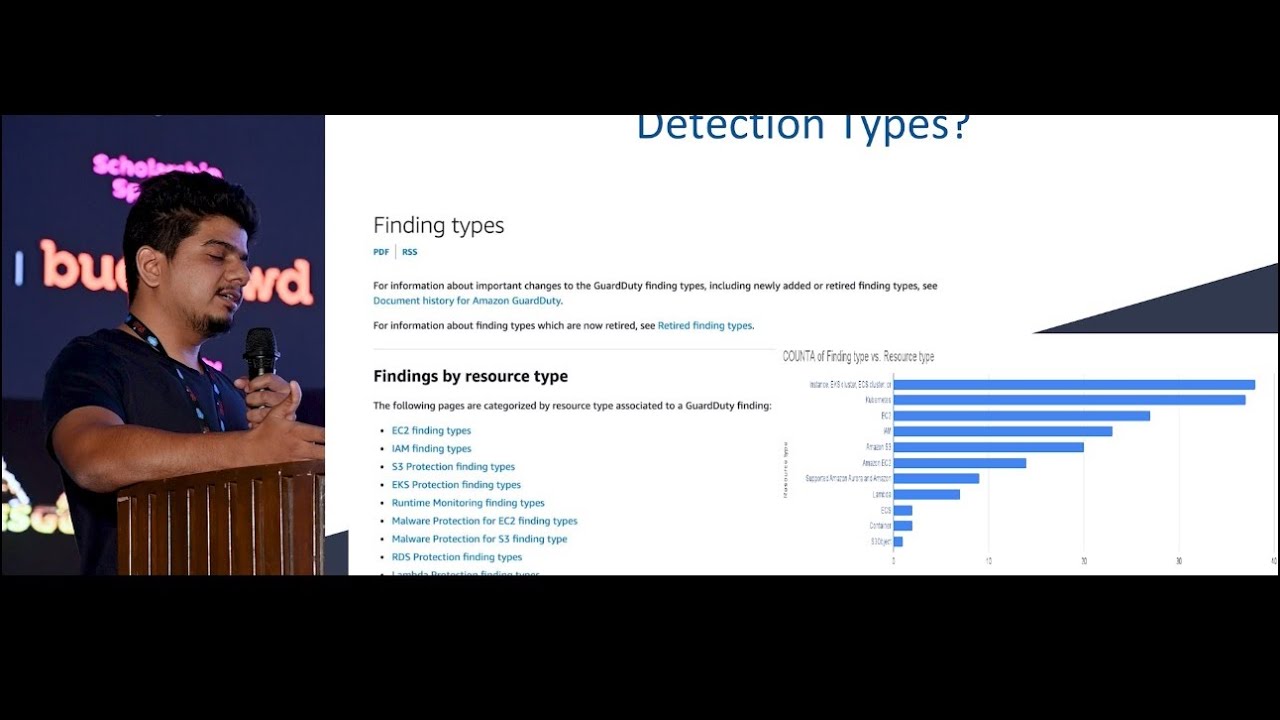
this case the attacker IP obviously anomalous IP a good thing to monitor um again if you are using guard Duty uh a lot of it will be generated automatically a guard Duty finding because guard Duty supports like more than 150 uh finding types but if you're just using uh cloud trail uh you can analyze it but you just have to make your own detection rules and monitor these AP I cc2 instance uh run instances I told you you can look for um you know imds versions and get call identity it's a very important API to monitor where um you're accessing the imds to obtain credentials for IM roles you can look into where your uh if you have any
critical policies which are attached to your IM roles S3 bucket obviously get object is one important event especially if you are observing large bites of data being exfiltrated out and similarly for S3 files all right thank
you happy to take some uh questions
okay thank you for that it was very uh nice and Technical which was good uh that's from us here at bides little present for you actually got a question for you um assuming that uh because nobody else had a question that's what happens when you don't ask questions um assuming that all that information is a vis is able to be turned to visualization so you could easily see all those reports instead of just seeing the logs so alerting like a seam type thing yeah this is well there you go that's what happen yeah yeah sorry finish your answer first yeah sorry yeah did you have any more to add to that or not it was just yes or yeah you can do that
because what I was showing is in a seam so Sentinel yeah it's a has a loading capabilities and it will send an email exactly all right no okay so where Cloud CR uh you were showing that the data xill was happening can you actually see the files that went out can you see the names that were taken out so when you had the mass amount of data so you can actually see like let's say they took you know first name. last name. text would that show up in the logs no not the the underlying information about the file but the file names you will be able to figure that out yeah yeah the file names would be
but yeah I mean like the do text files youex yeah or CSV or whatever you else last chance no all right oh I see two at a time look at that yeah Cloud logs usually bring a lot of data into the platform so question is about how to save bit in terms of money so what are the filtering opportunities what what data you recommend to filter out like for example KMS right there's a lot of things especially when you use your own key material then every request produces like dozens of useless you know log records what are the filtering the Poes there uh so it depends on what type of data so for example like I showed you
for S3 IM there are a lot of these event types which you would like to Monitor and uh you want to filter out but if you are looking for like read operations uh you can probably don't might not like to monitor but especially any crud operations like C creating or updating deleting detaching you would like to monitor like you mentioned for KMS so yeah those are things which you would like to monitor no um how how to filter them out so we don't have significant cost on the central side is there a way we can pass and filter at the connector level oh yeah no not at the connector level uh so at the when you're creating the the
queries the detection rules you can filter out a lot of that stuff like exclusions to yeah no sorry trying to figure out a way to filter uh before it enters Sentinel because sentinel's super expensive so we all want to find Solutions um for security that's affordable and things so is there a way we can filter or pass logs at the connector level before it reaches log analytics workstation so then we can only query on the fields we need like additional like the additional nested Fields time stamps Etc but emit the rest so two ways one is you have you can't do on the Senter side you have to do on the source side so for example if
you don't want particular type of events like you only want management events or some some other events you can do only on the cloud trail same with card Duty or uh there is a there's a separate product called cribble cribble helps you to stream from one lock source to the other so it can act as an intermediary you can do a lot of uh modification on that side you can even not use a sentinel connector at all you can use cribble uh to move to ingest locks from the source to essentially aws2 Sentinel yeah
um do you still see customers using imds V1 I mean the attack should be stopped by using imsb to right uh some of the older OS still use imds V1 like if you're using and let's say uban 2 from 2023 or 2022 they're still on imds V1 also it's not just the OS or the the like CLI aw CLI and all lot of your applications also need to support imds V2 um so yeah but the newer OS like Amazon Linux 2 2024 onwards or even 2023 they are by default imds V2 so you can't even like it's by default it's using imds
V2 any more questions yes so thanks for the talk I can see like cover all like mostly all the AWS entity but just a quick question because I did some security testing as well and I found there is one of the entity called SSM where you can actually do previlege escalation and run any of the command at rot so this like does the send not still cover that as well or just like all the entity that you list in the slide no it does everything so whatever you're there in cloud trail so essentially Sentinel is what whatever data is ingesting to Sentinel from let's say cloud trail or guard Duty whatever you inest everything can be monitored
doesn't matter which particular service as long as you are ingesting whatever lock sources because Sentinel is able to fetch the information from the S3 bucket so whatever is hitting the S3 bucket whether it's so cloud trail obviously it monitors every single API call like I mentioned from pretty much most of the services so yeah SSM is also supported yeah okay thank
you I wanted to add on the two questions from the two white shirts um so to detect suspicious Behavior coming from the AWS Trail how do you you know make our analyst monitor all of that app without just looking at pure logs so because you said yes it can be uh turned into an alert but in Sentinel how do you do that how do you make into an alert and what would the alert be called what are we looking for so uh when you uh set up the Sentinel connector uh so the connector by default has a lot of outof the boox rules uh these are called analytic rules or detection rules whatever you want to
call so you can use lot of that but the customers like I work with they use custom rules as well depending on their own use cases and depending on what sort of services they're using so you create your own rules essentially the rule is nothing but a kql query and you can you just make it into an analytic Rule and then uh you monitor that and if you do some testing see the results for last 14 days and you can exclude lot of false positives like you know if these are uh supposed to happen on this it's it's um can be ignored then you tune that you can modify that query essentially and then yeah you start getting uh the
alerts and incidents that's pretty good so you just make analytical rules yesal using and it will trigger if it is successful yeah that's pretty good thank you
Related talks
 22:49
22:49 32:15
32:15 58:04
58:04 29:31
29:31 16:40
16:40 55:56
55:56