Open Up and Say 0x41414141
Show transcript [en]
related service lines uh I've been at silence for about four years prior to that I was a netsex service line lead at found Stone I was there for a while um things I enjoy very much breaking embedded systems Wireless research and red teaming and so one of the things we do a lot of at silence is medical device testing in the embedded space and so I thought I would do a talk on that because we found a lot of interesting stuff it's an interesting topic I feel as you'll see requires a lot of different disciplines and there's a lot of different you know interesting protocols and interfaces involved and techniques and we also you know found a
lot of interesting vulnerabilities that I'll talk about as well so uh to that end uh we'll do you know brief intro on medical devices uh we'll talk about some of the tools that we use uh and that you can use to uh to pen test medical devices uh we'll talk about some of the techniques as well um and then we'll talk about some of the vulnerabilities that we found some of the classes of phones and specific stuff that we found to be kind of uh you know systemic uh in the medical device space and then some recommendations both for providers and vendors to improve the the state of medical device security which is really the point of this talk is you
know not to call out anything specific to a particular vendor or or anything like that but really to help try to roll the ball forward or move the ball forward uh in the uh you know medical device security space so yeah so um one things about medical devices they take many different forms you have everything from you know very small uh like Telemetry or implantable type devices that would use like an rtos operating system um to you know full on um you know uh systems with a full Linux operating system a full Windows operating system basically a PC on a car and everything in between embedded systems so they embedded Linux kernel like infusion pumps
um and uh yeah this is a wide variety of devices and also falling into the medical device space really are the applications supporting applications so web applications thick apps and mobile apps are all considered medical devices by the vendors and all have to go through the same certification process by the FDA and they utilize a variety of interfaces and this is one of the things that I found very interesting in the medical device space is that uh devices communicate over a lot of different interfaces so you can have a device that just uses for instance some of the older ones we'll just use rs-232 serial some of the newer ones though you could be dealing with uh you know ethernet and
three different types of Wireless you know cellular Bluetooth or zigbee or 80211 Wi-Fi as well and also proprietary protocols utilized in the wmts and Med radio bands and you tend to find that a lot of medical device vendors are very fond of proprietary Wireless protocols so medical device connectivity these are some of the protocols you'll commonly see when dealing with medical devices hl7 is really common and its purpose is to allow communication between disparate medical devices so there's two versions that you'll likely encounter version two is kind of Serial based well version three is XML based it utilizes no encryption which we'll see is quite common so clear text protocol the dicom is for Imaging so transferring
images from for instance a an ECG or x-ray system to a a Pax server um that supports encryption but it's often not utilized what you see there is specifically vendors will call out in their dicom performance statements that uh you know for instance that security is in the hand that the the system should be installed in a segregated environment and that we have not implemented any uh encryption into the protocol in the way that we've implemented it um poc-1-a is for um facilitating Communications uh between point-of-care devices and a health and health information system database that's also based off of hl7 uh so it's version three so it's XML based also no encryption or authentication in
use It's actually an old standard it I believe the original standard is from 2001. so Wireless medical bands um the FC so these are bands that have been carved out by the FCC the protocols utilized within them though are completely up to the vendors so you'll see a lot of proprietary stuff in these bands like for instance Phillips uses a modified version of dect well other other vendors use other proprietary protocols however wmts is for wireless Telemetry devices so think like Wireless patient monitors for them to model um monitor their vital signs while allowing them mobility throughout the facility while mid-radio which used to be called mix two classes there a medical body area networks are for body worn sensors
including implantables like implanted cardioverters or defibrillators well the medical micro power networks are actually for restoring uh functionality to paralyzed or or lesser functioning limbs so like you could think they're like neuromuscular stimulators or other devices of that nature um so kind of cool stuff there and uh in in the wmts side the most common band you'll probably see is the 1.4 gigahertz band but there are three bands there they date back to about I think the original mix was 1999 and on the wmts side was 2002 and they've been adding additional bands since then the latest on the wmts side being 1.4 gigahertz and probably the most heavily utilized all right so uh tool set
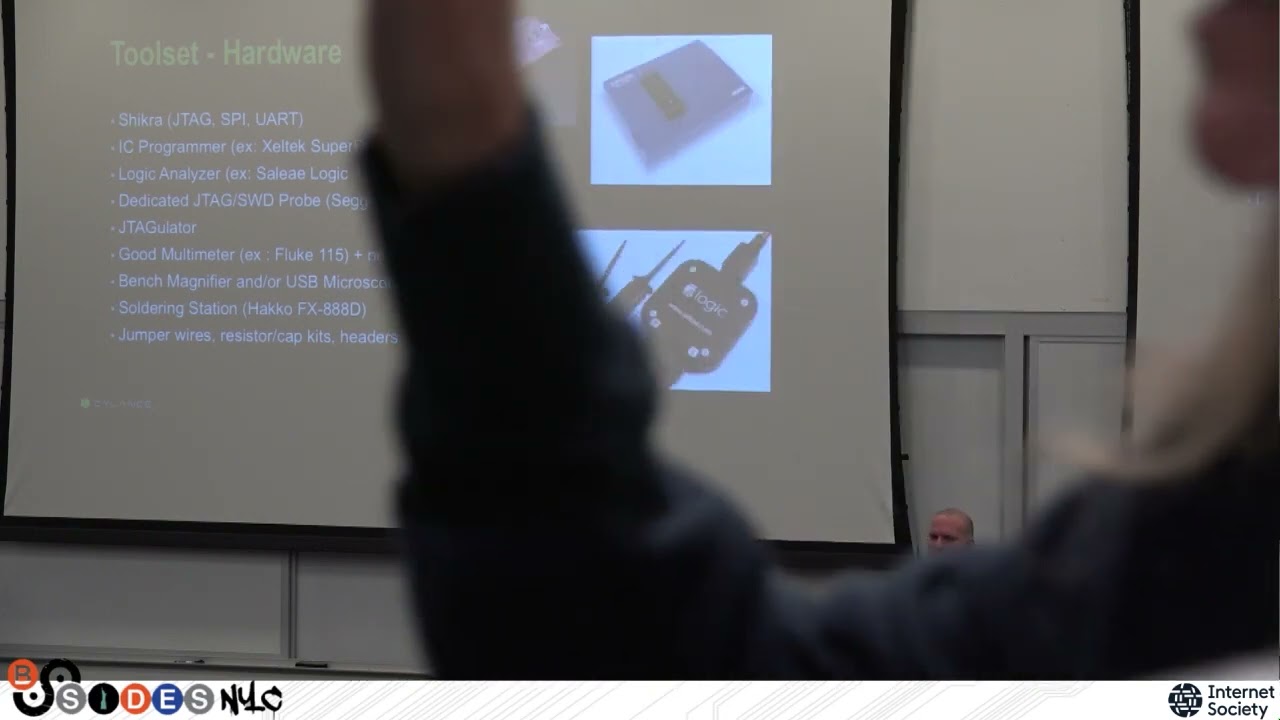
um so there's you know two sides of of the tool sets that we utilize uh there is the uh at least from a hardware perspective there's the network side for testing various types of uh wired and wireless communication uh and then there's the hardware side uh for testing you know Hardware debug interfaces extracting data from chipsets Etc so on the network side I highly recommend a good portable switch I like the duocom it's about 175 dollars so not not cheap for that kind of portable switch but um very reliable and it's good for doing protocol analysis so plug it in between the device and whatever system is it's communicating with uh fire up Wireshark and you know start doing protocol
analysis uh and then hopefully you know facilitate into protocol attacks from there um software-defined radio very useful as I said um not only for cellular but also uh you know vendors are very as I said fond of proprietary protocols so you end up dealing with a lot of stuff in you know I guess the wmts and Med radio bands so SDR is a must there um I prefer the usrp a little pricey but I think it's worth it also if you end up doing any GSM stuff uh it allows for adding on a GPS dough clock Tamer right so a GSM clock timer which is uh chip which is necessary for doing any sort of GSM attacks because
GSM is very um sensitive about the um about its clock uh good wireless card I like that Alpha I found it to be very reliable you'd want one that you know does ABG and N so both 2.4 and 5 gigahertz bands right uh allows for monitor mode and does injection reliably so I have two of these that I use one for monitoring and one for doing D auth Etc find them to be highly useful uh and then the Ravens are for zigbee testing so I like these because they work um very well with the killer bee toolkit which is exceptionally useful for uh for zigbee testing again I use one for monitoring while the using the other for
for instance replay attacks uh Etc um so those are pretty cheap so I think about forty dollars each so I recommend getting two of those and then of course for Bluetooth you have the Uber tooth one for doing um passive monitoring uh supports both Bluetooth and bla uh and then a good class one Bluetooth adapter so that's the strongest class of a Bluetooth adapter theoretically 100 100 yards or 100 meters or so of coverage uh I like the Cena Perani uh which I've been using for many years and uh I found to be exceptionally reliable um that supports both Bluetooth and btle as well which you're going to want to support both so on the hardware side
uh you want some sort of good um Swiss army knife adapter if you will so something like the shikra that will do JTAG SBI and uart bus pirate is uh is useful in that space as well also the Blackmagic Pro but that will do JTAG uart and I won't do the others however it has a direct interface in the GDB which is nice so it's you know your mileage may vary but I like the chakra um the a good IC programmer I like the zeltek a little pricey at about 700 the upside is for reading out chips it supports about 30 000 different chips so you know you can do this stuff um open source using like a bus pirate
and Flash ROM but you know that works up until it doesn't support the chipset that you were trying to dump right so it's a good investment and you know it saves you a lot of headache um you know down the road uh due to you know all the chip support a good logic analyzer is a must um I like the the Sally a logic 16 again it's a little more pricey you can get the eight which is uh you know not as expensive um the benefit of of the 16 though is that it supports a much larger capture sizes which is uh definitely useful um a dedicated JTAG or a zero wire debug probe the reason I say this over
um that it's good to have one in hand is you want a baseline of being sure that you're the reason something's not working is not because of your tooling right um open source or Open Source Hardware is awesome but it's good to have something that is you know definitely supposed to work right and you can get the student version of the segreg pretty cheaply um so it's a good place to start um you know it comes with support it works a lot of different stuff and you know it just works so um the jtagulator is an awesome tool um created by Joe Grant it's for doing JTAG and uart pinouts so um really time saving tool you give it
the uh you find ground you find you give it the voltage of the device and then you plug in all the different pins and off it goes exceptionally useful uh that's about a 200 or so device but I highly recommend it a good multimeter for doing pin out for pinning out devices finding voltage running ground printing out the various chips invaluable fluke makes great stuff if you're like me and you can't see too well a bench magnifier imminently useful um completely indispensable uh and or a USB microscope the other thing you can do is for reading off the markings on various chips and taking pictures is your phone right with magnification tilt the little little tip is to tilt
the device tilt your light try different angles so you get different shadowing and at certain angles the markings on the chips will be much clearer than they would be otherwise um and of course a good soldering station uh for uh soldering on headers or removing chips also you can utilize a hot air rework station uh if you're really getting serious into uh removing components from a board I've got to be careful with those though do not do that directly on your desk or you will have some nice marks in your desk as a result if it doesn't catch fire and then of course all the stuff that you end up collecting over time you know
pull up and pull out resistors capacitors good I don't have a a number of headers for soldering on to boards where there are not existing pins for for debug interfaces which is quite often test Clips are invaluable and will definitely keep you from getting a headache over trying to fit very little test very small you know uh Clips onto very small pins the test Clips just allow you to clip directly onto a chip like a soak for instance and dump the data off of it so those are super useful I've got a whole set of those that I've acquired over time and I can't recommend them enough and of course jumper wires all right so
let's talk a little bit about uh some of the attack techniques and how we zest devices um some quick considerations first um device has to be a in a lab environment um you get this from from providers or hospitals sometime where you know the uh you know they ask you if you can just you know scan scan devices you know on our Network and I'm like have you scanned devices because they don't like that medical devices in particular and you see this in a lot of embedded devices specific specifically in medical devices do not like to receive any kind of unanticipated traffic they generally default to just falling over and dying um the other thing about that is the
device should not be returned to a production environment it's a clinical environment after being tested because you can no longer trust that the device is stable um that you know that something has not been modified in the in the course of testing that would be detrimental to Patient health so you know most large um providers have uh you know dedicated test devices and a dedicated test environment but that's a must um all support systems should be in scope um you see in most embedded devices don't operate in a vacuum but especially in medical devices you have supporting systems right you have uh Health Information Systems you have packed servers uh you have other vendors supplied applications or servers right
you want to test the entire ecosystem not the device in a vacuum most of the great the best stuff the best findings you're going to get where you're going to find vulnerabilities is ensuring that the device is operating like it normally would in a clinical environment right it's sending data and you can usually set up demo modes for these or have data generators hooked to it that will make it act like it normally would and this is where you're going to find most of your interesting stuff uh but of course the main focus for testing there should be you know vulnerabilities that impact patient safety number one right so anything that could harm the patient which will always
be the number one concern of any vendor or um uh or provider as well right and then of course secondly right you know vulnerabilities that are exposed Phi or pii and and it should be in that order excuse me okay so there's four or five major areas that we look at when we assess vertical devices um and those are the the local the remote attack surface of the device so it's Network facing attack surface right what services exposes right uh you know what are the vulnerabilities there uh authentication bypass opportunities for uh remote code execution uh Etc depending what it's exposing uh it's local attack surface which comprises of course the operating system and opportunities to break out of a
restricted environment or to privilege escalation or access things you should not be able to Etc but also of course the hardware side right so they're you know debug interfaces the ability to get Shell through something like uart the ability to pull dump memory from the device or dump its firmware and retrieve all the interesting stuff that's in there like crypto keys or hard-coded creds and also of course to leverage that to find vulnerabilities on the device uh and then we look at its supporting systems all right so these are often vendors supplied so you'll have vendor supplied apps and some cases uh you know full servers or workstations that are supplied and we look at the same things
there including of course reverse engineering any applications on that side as well or if they're web applications we're going to do web app testing against them looking for vulnerabilities on that side if they're full systems we're going to look at how that system is set up you know what the the level of privileges allowed are often way too much we often find that they're pretty poorly secured and you know a lot of times and you know for you folks that have done pen testing you know you may have noted that you know probably very often on internal Network pen tests right you first get your your first point of access in the network through a vendor managed box right and
this is no exception here um they'll have domain credentials on them and offer you a first foothold onto the network to get access to other systems um and then finally we'll look at the protocols both wired and wireless that the device uses to speak to its sporting systems right so this is you know as I said earlier a lot of proprietary wired and wireless protocols used by various vendors uh we do you know reverse engineering there to you know determine can we do man in the middle attacks right can we modify the data in transit which of course with medical data coming from for instance a patient monitor to a central monitoring system you know that's you know critical
that you want those that vitals data to be accurate right um you know can we impersonate devices and have them other devices send us Phi or pii uh can we cause you know replay attacks to do dial service Etc so there's there's a lot of attack surface um there as well so the first step is device Discovery right first thing you take a look at the device you note it's model number you do some Googling pull down any data sheets that are available for it right any other uh you know information that is out there uh depending on how long the device has been um you know um in in production right or or um
how long it's been on the market right there'll be the more information that's going to be available one place that's great to look up stuff is medical device repair sites Frank's Hospital Workshop is a particular favorite of mine and these are just the sites that medical device repair people um you know frequent they have message boards they keep a a you know a big stock of data sheets and service documentation for various devices also a great place to get hard-coded credentials because medical devices are Rife with hard-coded creds and they'll always be in the service dock so that's a great place to look number one any device that is sold in the in the US
that has any kind of Wireless functionality has to have an FCC ID so you can do an FCC ID lookup at the FCC ID by the way will be on a sticker on the outside of the device you can look that up on the FCC site you get all kinds of useful documentation up into including circuit block diagrams operational descriptions depending on how much the vendor requested to have held back determine any proprietary protocols if you can at this point and start doing some lookups on there as to what might be available you know vendors to kind of keep that stuff pretty close to the chest but you can you can pick stuff up here and there Google patents are
actually pretty good for that by the way I'm looking up any of proprietary protocols and other stuff related to their devices so just look up everything that vendor has done within the time frame of the device development or slightly before that um so prior security research always really helpful um if there is any also tools existing tools such as protocol decoders or libraries that have been written around that um protocols or the functionality of that device you're going to find this more outside of the security space and more in the um I guess you could see the the device Administration space right so you'll find stuff that maybe not you know full feature but it'll give you something to
work off of the start um and of course you know enumerate the device interfaces figure out what you're working with um and look for external debug functionality on the device um you know you then Define that devices will have some depending on the device um some very little but some for instance we dealt with one patient monitor that you could dump the um dump the stack dump the Heap get packet captures all through the device interface which was you know exceptionally useful for doing debugging on the device um yeah so I think we kind of covered that um supporting systems so as I said you know many devices come with vendor supplied supporting systems um one thing what I'll do generally
first is install uh if it's if it's vendor Supply software I'll install it and note where everything has been installed and the first thing I'll look at is config files they love to store all kinds of interesting artifacts in the config files plain text creds or poorly encrypted creds because the keys got to be somewhere right we'll talk about that in a minute database connection strings all our kind of interesting artifacts so that's an easy gimme right you'll also find them sometimes in log files so you look where it's logging if it's keeping its own logs they tend to play fast and loose at the logs and sometimes you'll find the username and password showing you know
username logged in with password thank you that's great um so um very often you find the apps I would say 90 of the applications that I I've dealt with um on the supporting system side are writtenin.net which is easy reversing popping in the end spy it will decompile it for you you can also debug and edit and then recompile on the fly if you haven't used dnspy awesome tool I can't believe it's still free I keep expecting the charge for it given how much functionality is in it um so yeah same thing with the binaries uh reversing the hard-coded creds and crypto keys and other artifacts very common to find uh in the the service
side binaries um and again since it's dot net it's easy to decompile and then just in the ends by just search for you know things like Key password secret hash you know and uh yeah interesting things will come your way um also you find local authentication schemes which we'll talk about as well where the app is authenticating locally on the server to itself with built-in authentication rather than across the network or using any kind of built-in OS auth um protocol reversing uh so as I said proprietary protocol is very common um very I'd say on the wired side the proprietary Protocols are mostly on the UDP side um which are pretty easy to reverse um in most cases in the worst case you
know you can reverse the server side or the device side binaries especially if it's not net it's gonna be exceptionally easy to understand it but in most cases like when dealing with patient monitors you can simply generate input on the device observe it in Wireshark change the input see what changes and understand the encoding right and then you can modify on the Fly we'll talk about that in a second as well uh on the wireless side bit more difficult because there's a bit of a learning curve um the the steps are to look up the FCC ID again understand what what Pro um what bands or frequencies the device communicating on uh use gqrx which is an
excellent GUI based tool for software-defined radio with the your SDR peripheral of choice to confirm that the device is transmitting on that frequency obviously uh have the device communicating while you're doing this take a capture using uh osmicom fft is very good for that um so take a comp a capture of the device's communication save it out to C file and then and spectrum is a great tool for visually analyzing the capture data and you can tell generally you know what kind of uh keying it's used uh you know amplitude shift King looks different than on off King looks different than a frequency shift gain for instance right um so that's a good place to start there
and then new radio companion um will allow you to write a demodulator to decode the signal back to Binary now that's where the most learning curve is GRC is not an easy thing um not a simple thing to learn anyway there's a bit of a learning curve there but it is exceptionally powerful uh once you you get the hang of it there's a new tool actually semi new came out this past year called universal radio hacker that I have not had the uh ability the the chance to use on an engagement yet but it looks exceptionally awesome and seems to uh make the process a fair bit easier um than what I'm describing here so
that's something you might want to look into as well uh so Hardware Discovery carefully open the device um you know you see here for for tamper protection which is true you're not going to really see in the much in the way of any advanced tamper protection and medical devices nothing that's going to try to for instance uh wipe the memory on you if you if you trip a switch or whatnot um mostly Springs and other kind of like latches Etc um that the device you know might not function for instance if the case is off easily bypassed um but mostly you don't want to break anything right um medical devices by the way I didn't mention
earlier are really expensive um and you know your customer for instance will probably not be happy if you break a twenty thousand dollar device um even you know mid-range patient monitors would be like you know thousand ten thousand on eBay um and you know so not cheap and uh you know fragile as well and obviously you know you don't want to start an engagement by breaking the device um you know as I said earlier bench magnifier or your phone camera identify all the chip markings um at least all the major trips for a start right you want to do the you know microcontroller the the different uh you know memory flash Banks uh the ram Banks
uh you know Nan nor flash um any any socks or systems on a chip so the wireless chipset that it's utilizing uh any analog to digital converters um fpgas Etc is a good place to start so start with the bigger chips work your way down uh write down the markings look up the data sheets for each all right so that's the first thing I do review the data sheets look for what protocols the chip supports especially when you're dealing with the um the flash chips see if they support SPI or i2c or what which are bus protocols that you can use to communicate with them to um to pull the data off the chip look at the
microcontroller data sheet see what it supports for debug protocols you are which you can use to get a shell on device sometimes depending on what the the developer or the vendor did at the very least sometimes you get really good debug output uh and then what kind of you know does he use JTAG um uh serial wire debug background debug mode for instance BDM you'll see on like free scales all the time uh which nxp bought that's be bought everybody uh so yeah so that's that's a good place to start and then of course look at go over the um the PCB with your phone highly magnified and just go down and look for anything that looks like uh looks like
a debug pins or pads sometimes you get lucky and the pins are there and they have a whole the whole the whole interface and you could plug right into it more often it will be um you know uh unused pads but you if they're a while you're gonna hang up knowing what to look for basically stuff in a row number of pins matched up and then you go to pinning it out so we'll talk about in a sec this is just some output from um from data sheets the one on the left is a free scale and the one on the right there is a SD micro um microcontroller and uh yeah that's not working uh anyway it
just shows that you know for instance there right you can see uh JTAG with the pins um TDI tdo TMS Etc uh on the on the SD micro uh on the other you see the background debug mode the BDC bin uh and then of course you'll see uh miso and mossy on the free scale which is um pins for SPI right so this will tell you what they support and where they are on the chip as well so when you're doing pin outs and you're pinning out between a debug interface and the chip right um you know you know how many pins down on one side of the chip to do pin out to do a continuity testing between the two
to see if which one matches up to the other okay so real quick about debug going to produce this um JTAG is a very useful debug interface that will allow you to um oh no have I manage that one how far back did that happen by the way okay it's kind of like when you're on a conference stall a call and you'll see some real brilliant stuff and you were on like mute the whole time yeah thank you at least you can tell everybody who said all kinds of brilliant stuff because you're on mute nobody knows oh come on please come back please come back looks great on my screen oh okay don't touch it
go away all right I lost my timer though so okay um JTAG really useful for um pulling the you so JTAG allows you to operate to interact um with the microcontroller and will allow you to dump firmware off the device dump memory contents a whole bunch of other stuff as well edit stuff in memory um so a lot of it very imminently useful for that um uh serial wire debug is basically shares a lot of the same pins with JTAG quite often but just uses less pins than jtags so really only three instead of the uh six or so that uh that JTAG requires um and what you'll often find like with the the arm State uh standard JTAG
adapter is that they piggyback pins so it'll be dual use pins there so basically it does the same thing just less pins very common on on arm chips especially the newer ones you aren't different animal only three pins transmit receive and ground um it's it's a Serial uh console right A Serial interface at best you know this depends entirely on what the event you know a vendor might have done with it you know sometimes you'll get a direct unauthenticated root shell right in the device sometimes you'll get a lesser shell sometimes you'll get an authenticated shell you have to bypass authentication sometimes you just get you'll get debug output which is exceptionally awesome for doing recon on
the device because when the device shows starts up it'll output all this really useful debug info about you know the hardware memory locations you know how the memory is mapped out Etc really great stuff and sometimes you'll get nothing at all so it's potluck there um to interact with them like I said earlier right a good JTAG probe like the uh segger j-link is excellent that will also do swd and on the uart side you can use a whole variety of stuff anything from an ft ftdi friend to a Shakra to pretty much a very wide variety there for connecting into that and then you can just use any kind of Serial console minicom screen putty you know your your
uh you know pick your poison all right so you know real simple here win Bond SPI flash chip soak form factor um eight pins super super common um easy way to dump it um is to use a shikra or bus pirate with a Celica test clip so silk just Clip Clips right over the right over the chip makes it real easy you don't have to mess around with little probes and stuff um flash ROM is a tool for uh flashing and retrieving the contents of flash chips you run that through the bus pirate using the bus pirate as your uh as your probe and you'll dump it out to uh to a binary uh easy peasy
um the uh pins there real quick is just uh Mossy miso s clock slave selecting ground are your SPI pins uh okay so dumping flash via JTAG there's a bunch of different ways to do this you can use open OCD which is a really useful tool for for doing uh for interacting uh with with JTAG but one thing one new way that we did this here was we use the J segger j-link so this is a a parallel flash right um it doesn't support SPI it uses multiple pins to trans transmit and receive data at the same time in parallel obviously with the microcontroller but using JTAG with depending on the chipset you can communicate or control over JTAG from
the microcontroller uh the the flash memory and in this case using uh the tool J flash which is the free tool that Sega provides that will work with its j-link probe you can use the uh SD the the atmel in this case microcontroller select the uh the type of of a flash chip in use here which is an st micro uh it was supported by by J Flash and dumped the contents of it so really simple fast process which you know you're always looking for the shortest path whenever possible and in this case it was most certainly the shortest path again you know this is why I recommend you know always having one like you know
uh vendors uh supplied you know like for instance Sagar um uh JTAG probe right just so you have something that you know is supposed to work so that you're not going hey you know is it is it my tooling is it the device is it right you have a Baseline Okay so see how much time I got left here I tend to prattle on a bit all right so here's some phones that we have discovered we didn't call out any specific vendors um because some of these were found on uh working uh doing work for providers um and the uh the point here as I said earlier is not to um shame anyone into one particular
vendor uh it's to move the ball forward in in medical device security and what we've in most cases here this is not an issue of something that you found with one particular vendor it's most of these are stuff that we found that are systemic across devices from multiple vendors and multiple device classes so these are the various classes that we found that are would consider you know systemic unauthenticated interfaces of various types uh lack of mutual authentication between devices and and lack of memory Integrity protection uh also replay protection uh a lot as I said earlier of remote denial of service um as well as unencrypted protocols and uh roll your own encryption as we'll
talk about in a sec and uh very common hard-coded credentials and crypto keys ah so the first is dicom so I said earlier dicom is a protocol used to transmit images from you know devices like an x-ray or an ECG for instance um to a pack server which is a medical imaging database if you will right the QR SC so dicom supports multiple Services one of them is qrscp qrscp allows you to query the the the pack server and for a particular file or files and retrieve it right um what we've found is that uh all you really need to do this is you need to know what you're querying for and you need to know the AE title think
of an AE title kind of like an SNMP Community name um it's the name of the app the local name of the application on the PAC server uh or the dicom service um so what we found quite often is that the um providers will leave the default uh AE titles in place uh shocker there leaving defaults uh and all vendors publish what is called a dicom conformance statement uh what that does is it allows anybody that's doing development to interact with their Pac server for instance to know what they support on it right what what functionality is supported you know other information that will allow you to interact with it right well it'll show all the default AE titles in that and
it's publicly available information it'll also show these supported sop classes which is basically says um you know on This Server this functionality is supported you can access these this this type of functionality and you can do it you know to these type of objects or files right so here you have everything you need to be able to connect up to one of these systems and what we did was uh we used pinet dicom to query the the dicom qrcp service on a Pax server uh we downloaded uh since we needed to to know the patient at least surnames that we were querying for uh we went to the uh you know us gov census downloaded list of
the uh 100 or so uh or a thousand I think it was most common uh surnames in the U.S right Smith Jones Etc right and basically just ran a for Loop to that and by doing that we dumped thousands of patient records from the database um what we use that doing that using the default a title but actually what we found is that it would actually it would actually do the same thing with no AE title at all um so you basically needed no authentication at all uh so pineet.com very useful for for doing the queries across the network uh and then there's another python Library called pi.com that will actually allow you to display
the records themselves um so I was saying earlier um local authentication so in this case uh there was a vendor had a uh a set of uh a pair of.net applications um that were installed server-side and uh so you know you had to log into them so the first thing I did was I ran Wireshark to you know see if uh what what sort of communication was going on between this application and and the medical device and nothing I logged in nothing you know failed nothing happened nothing going across the network and I'm like hey is this app broken or something like that well I realized that it's authenticating locally to its own little sqlite database the hashing format was
you know pretty sound it was using sha512 actually was an hmac shot 512. um but since it's dot net uh what you can do is load it up in DN spy debug it and step through do you find the auth function then edit that uh to just always evaluate the true right you know compare you know it would look for you know a username the privilege level of that username and the password just always evaluate the password to being fine uh edit that recompile and then step through to be able to log into the app every time so I mean obviously the the lesson there is you know don't do your authentication locally with the built-in you know
authentic authentication scheme um which is kind of part and parcel to we'll see like it's it's you assume defined in vendors quite often that they they'll roll their own off roll their own encryption um with that you know instead of just using you know standard available crypto libraries for instance um so man in the middle uh I was talking a bit about this earlier um this was the case between a very proprietary UDP protocol that was being utilized between a patient Monitor and a central monitoring workstation it's a central monitoring system what you would sit at the uh for instance the the nursing workstation and they'd be able to monitor the patient monitors in you
know 20 different rooms at the same time um so we generate an input on the patient monitor uh just watched that in Wireshark identify you know we send some values then identity take a look at it in Wireshark change those identify what was changing and what the encoding was and then we just simply wrote an enter cap filter to say you know look for these values and when you see them change them to this and by doing that we were able to just Arc poison and change the values on the central monitoring workstation uh to whatever we wanted to so we changed you know blood pressure is 31337 which I'm pretty sure will kill you
um so you know it's a cheap attack but you know again you know you don't need to it it you know simple works right um and especially in this case um device impersonation kind of part and parcel to that um a patient monitor um uh ecosystems so the monitors and Central monitoring workstation from a different vendor um we found that the um the uh the the the the central Mo the the patient monitors uh identified themselves by UDP broadcasts so they just keep doing UDP broadcasts and if you responded to them the right way they would take you to be the central monitoring system so we reversed the binaries from the central monitoring system and actually where we got the
most truck was we reversed the.net binaries from hl7 Gateway that was part of it also which made life easier um so we understood how the protocol work uh and then we just replied to the um we wrote some code to reply to the monitors UDP broadcasts um sending the the reply I'd expected and then it took us for being the central monitoring workstation this would the patient monitors all of them would then reply to us with a encrypted packet that we'll talk about in a second that had the patient data in it so I had Phi in it we were then able to decrypt that payload by using the encryption k um that we found in the the net binary
which actually we'll talk about real quick this is our first example of roll your own crypto which is as we all know you know cryptography is really easy anybody can do it right yeah um so um so in this case it was protecting Phi and Transit um basically all it was was a 256 byte array on the on both sides it's just a key on either side right and then the decimal value of the encrypted byte corresponds to that offset in the array so whatever the decimal value is being said across that was you know that many into the the array and then there was a bit of bite flopping that went on as well
um at first we actually thought that this was just indian-ness from going big Endy into little Indian but it actually wasn't so they they did a bit of uh you know bite flopping around as well but that's it you know just basically uh key on this side key on that side and since it's the same key on every device that they've you know ever uh sold right once you know it now you know it um which is of course again the danger of hard-coded keys uh this is another example of that so this is on a device from a major vendor and in this case um I remember I was talking talking earlier about all the goodies you find in config
files right so in this case um the it was protecting uh we saw these encrypted use encrypted passwords usernames and encrypted passwords in the in the config file uh and we said man that looks weird because those repeating characters and stuff um so we reversed the the binary um uh for the application and what we found was what they're doing is so picture an ASCII table right if the decimal value of the ASCII character right um is less or than or equal to 31 add 224 to it uh if it's greater than or equal to 251 subtract to 224 right uh and then if the uh was the decimal value is even um at that point decrement by four
otherwise if it's odd increment by four and that's it right so you can literally do this with a pencil and paper once you know it right um yeah once you suss it out you can just do it and and again this is the same on every one of these devices that they've sold so if you know it one place you can go do it elsewhere and these are creds for a um a full a full Windows system right on the domain not you know just the device so you get that you know now you're you know you uh you know you need access to the system itself these basic access once you have that you have full on the
domain and you can use that to compromise other systems uh real quick because I'm getting short on time here denial of service real easy um cat Dev for you random to stuff um anything any uh some devices any any packet larger certain size they get fall over um cat Dev you random into a UDP Port they have opened fall over um dicom third-party Library we found on a major vendors thing you set a particular string to it falls over um null pointer to reference so I mean these are super cheap but it's sort of a constant in medical devices that the the across the network denial of service which is why you should never phone scan
them by the way if you work for a provider and you have them in your environment um you know segregate them off do not bone scan plain text protocols very common as I talked about dicom hl7 and POC tip 1.8 already also you know SMB HTTP slip even believe it or not um are in use one funniest story is a major vendor thick client that communicates with their packs would switch to https to do auth very good and then switch right back to http this is just sending the cookie the auth cookie the accessibility back into HTTP um it also never expired we couldn't kill this thing we didn't bounce the packs but we basically did everything
else logged out the right way everything else before we left the engagement a month later we tried it again and it still worked so it was like the cookie would not die um this one is actually not a from a medical device this was on a pen test but I wanted to give an example of what hard-coded crypto Keys get you um we're on a pen test and we found a backup copy of an XML on a file share and it had ad credentials in it but they're encrypted right so we I Googled the name of the XML file and found out what software went vendor it was downloaded the trial version of the software
um we were again it was.net again reversed it figured out the encryption that we use a lot utilizing which is three days it had an obfuscated cave and it wasn't very difficult the obfuscate uh actually myself and Brian Wallace worked on it from uh from Silence um and um decrypted the credentials and uh voila they were for a DA account not only were they was like 32 sets of credentials in there but the one that was a DA account was like God mode da never expired um their da you were supposed to only be able to come in from certain systems this one could come in from anywhere um so it was like the most powerful
account on the network yeah they were they were not pleased about that one um and finally another interesting one what hard-coded creds get you um telematics device communicates over uh cellular right it's a 3G um that was actually that SPI flash I was talking about earlier the wind Bond right dump the wind Bond flash using a bus pirate and Flash ROM uh use binwalk great tool by the way to uh extract the contents of it which was an XML file that contained an APN name and credentials right plus creds for a server an APN name as a access point name but basically what it is is it's a Gateway between um the internet and an uh or a Gateway
between a cell providers Network and another Network usually it's the internet but not always it can be anything it could be another Network in this case what we found was it was the when we we uh we dialed up and uh we connected to it and we found that it granted us access to the vendor's private RFC 1918 uh address Network so 192.1681. I was like wait wait a minute furthermore once we got on there we had a set of creds for an FTP server we get into the FTP server that had 16 pairs of other creds on it for other servers and databases we didn't go any further from there because we didn't want to go out
of scope um but the other thing was we realized that this is the server that the devices which were live and in the field um were being used used for their over-the-air updates so and it had uh like 11 versions of unsigned device firmware on it so if we had wanted to we could have uh back toward the firmware put it back there and the next time all the devices did their over-the-air updates it would have updated them with our our modified firmware right um so we did not obviously do that but that shows you you know what hard-coded creds will get you so some quick recommendations because I am like right up on my thing
um so recommendations for providers right so for hospitals inventory or medical devices and assess their tax service know what it is okay do threat model of them many do not um disable all unneeded functionality if you're not using the wireless functionality disable it and segregate those medical devices from the general Network as I said you know a stiff breeze knocks them over they don't like being scanned or other unexpected traffic so even just for that reason segregate them out disable unused ports that allow access to those networks and I mean that also in the physical sense in hospital rooms Etc hospitals are very public areas right so disable those ports uh in those rooms if
they're not used so that you know somebody doesn't have that sort of opportunity because there's a lot of opportunities to plug into stuff in hospitals um my wife unfortunately was recently in the hospital and when I went there I had the experience of really I just had free run of the place um I was hopping all over the place which for me is you know a lot of fun I didn't do anything um monitor for attack traffic that's a no-brainer and finally report findings to device vendors if you find you know if you have your internal team doing pen test and you find uh bones report it to the vendor if you have a third party
come in like us and we do pen testing you know allow us to report it to vendors we will be your intermediary we will do the go-between and everything else right the more providers report to vendors the more often the more this stuff is going to get addressed right um because it's still sort of an immature industry from that perspective right one of the things we do for vendors is we do we build out peace arts for them or vulnerability management disclosure programs right and so it's you know it's it's growing right but it's not not quite there yet it's a new thing to them um so you know providers you know especially with larger providers you
know UF poll with your event vendors they they care what you think um us not so much all the time um so recommendations for vendors uh assume that attackers are going to get a hold of your devices that they're going to buy them on eBay or whatever and they're going to reverse engineer them to not design that accordingly it's not that they're going to attack them you know in in the in the hospital or they're going to buy them right and then they're going to do it that way um this is my last slide uh if you can use TPMS to store your keys right you know trust the platform modules store all your important stuff in there use
standard crypto algorithms don't roll your own please um and give your providers a way to change credentials and keys and stuff right um if you hard code everything you know that now you know they they they want to be secure but you're not giving them a way to do that right let them change that stuff um don't run your applications under more privileges than what they need all right you find that all very often they're running on their admin root Etc if they don't need it don't do it all right you know you're doing yourself and the providers a favor by doing that Mutual auth between devices have it so that devices don't just trust anybody who
walks up and says I'm a device too uh let's be Pals um and don't encrypt creds okay especially on Crypt creds with Treehouse cryptography um you know hash them Goose good ashing and and you know if if you have built-in OS auth mechanisms use that use the stuff that's there don't reinvent the wheel you know we know you're a great developer you know but you don't need to show off um getting Trixie and all that Dixie publishes all right that's it so
I know I kind of ran late here but um questions uh yes sir
um well so typically you know when it comes to um so the first question the first answer there was the the uh providers that we've worked with right have dedicated test devices um they're not gonna have like six of them right but they're going to have you know one or two they are really um uh what's the word hesitant to test the real expensive stuff MRIs you know big x-ray systems stuff like that right um smaller things are more common right we do a lot of stuff in patient monitors and infusion pumps and implantables and Telemetry systems and stuff like that portable x-rays right my recommendation is do the testing that you can all right
if you don't have test systems more expensive test systems right um you know do an analysis as I said of the attack surface of your devices right um you know know what services are open what's exposed what interfaces are open right and plan accordingly if you can't do Deep dive a hardware testing for instance right which is not super common for providers anyway don't don't let good you know don't let perfect be the enemy of good right yeah okay cool
we yeah man look at that you're here hey how you doing man
Related talks
 52:00
52:00 6:35
6:35 49:30
49:30 25:15
25:15 45:13
45:13 36:35
36:35