MacOs Forensics
Show original YouTube description
Show transcript [en]
I can start whenever you want. >> Yes. Can you hear me fine? >> Yes. >> Yeah. Uh let's see. We have four participants. Maybe we can wait a little bit. Maybe some people are in the previous session.
You can see my screen, right? >> Yeah. >> Perfect. Most asked questions since co. Can you see my screen?
All right. Well, uh I won't keep you waiting too long. Um anyway, yeah. So, um welcome, uh Evan. He's going to be talking about uh Mac OS forensic investigation and hopefully show us some uh tips and tricks uh and >> yeah, the stage is yours. >> Thank you very much. Yes, welcome everybody to today's probably longest talk. uh I will hold a small workshop uh which will take roughly one and a half hours. I hope I can use that time to teach you a few things about Mac OS forensic and investigation particularly. However, before we dive deep into the technical details, want to introduce myself just shortly. Who am I? Um so my name is Oen Bloom. I live in Germany uh
northern Germany to be precise in Hamburg. I work for a Swiss company uh which means travel sometimes and I'm instant responder by trade. So basically my day looks like dealing with ransomware, dealing with business email compromises, stuff like that. So a lot of incidents, a lot of stress and a lot of new things you can see and a lot of new things you can uh you have to learn to be just on the edge to to help other companies who are breached. And that's also bit of the inspiration for today's talk because Mac OS forensic um didn't have a lot of traction in in some time but it's getting more traction. So uh we've internally decided to amp up our
knowledge about Mac OS forensic and I decided to use some of this knowledge to teach other people about Mac OS how it works and stuff like that. Um I've also already spoken at few other besides conferences. This is today actually my first time for me speaking internationally. So I'm pretty glad to be here and um before we dive deep into just small agenda for today. So I'll do some sort of introduction here and um so the idea here is that we first get a small foothold in the world of Mac OS. So what exactly is Mac OS? What are the current threats against Mac OS? So what's happening there? what what attackers do attack Mac OS which kind of
mware do we have which type of families and stuff like that just to get a rough feeling about the threats actually are currently targeting Mac OS then we'll see a small um comparison to Windows forensics because um I think Windows forensics is the field most people are rather familiar with so we can see like what are differences and what are similarities and then we will dive deep into some of the default Mac OS security mechanism and features because there's plenty of them and it's really important for you to understand how they work so you can appreciate like if you do investigations you know what was blocked and what was not blocked and then we'll dive deep
into more technical stuff so basically investigating Mac OS so how can we get to our juicy data that we need to for analyzing how can we uh where should we look for traces so what artifacts do exist on Mac OS devices and how can we pass them and interpret them um what are some commonly use tools in the area of Mac OS investigation and finally I will do small case study. So we will do some practical uh applications of our theoretical knowledge. Um in my case however the demo gods don't always like me compared to Filipe just in the previous talk. So I will not do it live. I would rather have a recording. I will
show you and like guide you a bit through it like talk about it and just tell you what's happening there. But we will see at the end. So let's jump into the workshop and what are the goals? As I said, my goal is to teach you something about Mac OS investigation and the prerequisite knowledge you need to fully understand and do investigations on Mac OS devices. So this is just one and a half hour workshop. So please don't expect a 5day ZAN class. Um I will not be able to dive too deep into certain topics. There will be some topics which will be just briefly covered. Um I will try to add some notes here and there also on the
slides uh in case they are shared so you can just see some other sources where you can look at and just to understand what's currently going on and what's important. I'll try to focus on the most important things in case you have questions just feel free to ask them. I'm not sure if I will be able to answer them directly or maybe afterwards probably rather afterwards uh so not lose my flow here. And um so we have a lot of goals for today. So let's see if we can achieve all of them. So first of all uh Mac OS. So I think everybody knows what a Mac OS laptop is. I have one at home. I use it privately. I have
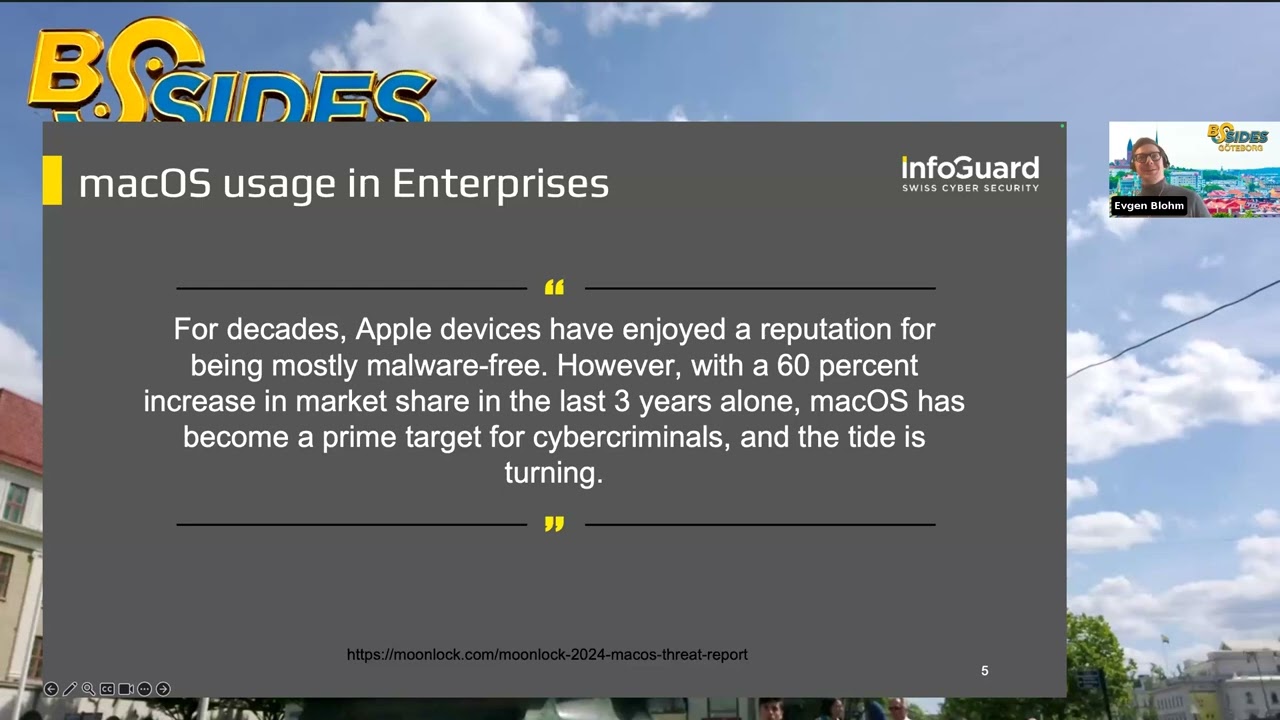
one uh corporate device. But Mac OS is still not there where Windows is like in sense of corporate usage. So most people or most corporations still have Windows laptops being used. However, the share of Mac OS devices being used in corporate environments is increasing drastically. So, Mac OS devices, I personally love them. Like, I couldn't live without it anymore. I would never switch back to Windows or anything like that. Not even Linux. I'm sorry. Um, so the share is increasing in in corporate environments. We have a quote by Moonlock, which is a company dealing with Mac OS security exclusively. Um they have a lot of insights here and I will quote them from here and there. Uh you can also follow
them. They have really great articles in case you want to dive more deep into Mac OS stuff. But if something becomes more popular in corporate environments, obviously Fred is also going to take an interest in that and see how they can exploit it. And just to give you a small statistic by stat counter the overview of the desk operating system market share we can see as I said Windows is still number one with a huge margin. So Windows is still like the champion. Uh you need to know how to do how to defend Windows stuff. But if we look more uh closely we can see on the second spot on the fourth spot it's Mac OS. So
basically can like summarize those two um uh numbers. So we get roughly about what 14 15% of the market share uh for last year which is quite a lot. Um and you should take some attention or pay some attention here because if the market share is rising as I said fctors are going to try to exploit it more. So we as defenders also need to pay more attention on how to secure and how to investigate Mac OS devices and this is going to be like the goal of this workshop. So um we are jumping to the first point of our agenda. So what are current threats against Mac OS devices? So what are moreware? So which kind of more is
currently targeting Mac OS? Which kind of threat actors are exploiting Mac OS and especially how do they do that? So to summarize it, currently the biggest threat against Mac OS devices are something called info stealers or information stealers. An information stealer is basically like a kind of mware family. So it's a special kind of mo I would call it which has a sole purpose of harvesting sensible information on your end device accel config stuff like I don't know um AWS configs session cookies session tokens keychain data and stuff like that. So really stuff that can be um sold for for money uh and which can be abused by other threat actors to then buy those
credentials for example buy this SH key and then connect to your machine or use your session cookies to establish a Microsoft 365 session then steal your email stuff like that. So sensible information on your device also including like cryptoreated stuff like wallet keys and and whatever and that's without a doubt like I'm quoting here again moonlock oh sorry not moonlock objective c um that's the biggest threat right now regarding uh macros devices so in in the past one important thing was that these steelers are just like run once kind of infection so basically you get infected it steals your credentials and your sensor of data and it's done more or less. It was like the old school
game. And just to give you a few names here of certain mware uh types that are currently dominant in the Mac OS threat actor market. Ammo Steeler, Odysius Steeler, Maxync. Ammo Steeler and Odysius Steeler have a shared history. So they're kind of pretty similar. And then we have Maxync which is again also Infos Steeler. Um however we don't only have commodity malware targeting Mac OS but we also have of course AP activity on Mac OS devices because if we have a huge market share and like if Mac OS or Apple has a huge market share and if the defense are not that good because for whatever reason people still assume that uh Apple or MacBooks don't get nowhere
then of course APS are also going to try to infect those devices to just get a foothold into your company and then maybe jump laterally to uh other devices in your organization. Um just give you a few headlines I've seen recently. So there are few really nice blogs and we recommend them by Sentinel One, by Jam and again by Moonlock. Um there's a lot of stuff going on here. You can see in the bottom right uh hook line and Coy Steeler. So Coer is again a uh infos stealer which is developed in Rust which is pretty ugly to reverse engineer to be honest. uh which is used by North Korean threat actors to uh or
used in fake interview uh like fishing scenarios or social engineering areas which is pretty targeted. We have some uh backto developed the NIM which is also kind of an exotic language or JXA which is JavaScript for automation. So there's a lot of stuff going on here a lot of exotic stuff which aims to hinder uh detection and uh to to make investigation stuff like that a bit harder. Um and as I said just in general a lot of ep activity and this uh like with the rise of of Apple devices or Mac OS devices obviously the fk has also get more mature and there's an evolvement so it started so most things start on Mac OS as I just was
these run once info steelers however with time people realized or predict realized hey if I already infected the system why don't I just stay there and get some persistent access in which I can then sell or infect other machines because if you're infoser you already infected the system like you don't have to quit your your process you can just stay there built up some persistence and then you have persistent access to Mac OS device which can then sell on a dark web like initial access brokers do so over time some uh info steelers not all of them but some of them developed also back door capabilities like a remote access to have some persistence and uh they can
execute arbitrary commands on the system or collect other files or jump that tree to to other uh systems also which is quite interestingly um as we'll see Mac OS has some pretty nice built-in security mechanisms um where sometimes there existed some vulnerabilities or general bypasses and was pretty interesting to see that as soon as those vulnerabilities dropped they were pretty rapidly adapted by threat actors and they use abused as long as it could because it just made their lives way easier. So they were most of times p patched pretty quickly. So after like one, two, three weeks, I don't know, depends on the vulnerability. But you can see pretty nicely that as soon as like a pock
dropped like a proof of concept for vulnerability that mitigates or exploits some security mechanism in Mac OS, it was pretty rapidly abused and abused as long as uh they could. Um and as I said while most attacks are punistic meaning uh they just target whoever they want they they don't target like certain companies spec specifically but just throw out the net and try to catch whoever they can catch. Um where on the other hand a activity is mostly pretty targeted. So an A doesn't mostly does not have a financial reason for all those compromises but rather like stealing information or doing destruction and stuff like that. So they're more targeted. Of course, they're also financially motivated AP
groups like especially North Korea. But we can see that both groups opportunistic and APS are generally on the rise. And again some headlines. So as I said the moreware and the threats are getting more mature. We're getting some involvement. We can see some of the most common info steelers now also have persistent access. So atomic steeler and Mac sync. And also you can see on the bottom left um the more as a service market. So the mass market for Mac OS infos steals also became more mature more professional. So um operators are selling access to their info steelers with a panel access with the builders and polymorphic more and stuff like that. So you as an affiliate can just
buy in and use this mware for whatever you want. And also it got a lot cheaper. So, we can see here quote from Moonlock. Again, prices dropped from uh $3,000 a month to $1,000 a month, which is quite nice sales. So, in case you want to go into the game, now's your chance. Um, but in general, over the time, over the last few years, it became more mature. Um, and probably it will get even more mature over time. Also, one thing which uh made Mac Forensics again a bit more famous was OpenClaw. So, in case you use it, I don't. Um, one of the most downloaded skills there was ammo stealer. So again, Mac OS infos stealer
because most of the open core instances were running on Mac minis. So was a perfect target for Emma Steeler and they got a lot of credentials to sell. So as I said, it's really important to understand how um more in fact operate on a Mac system. So basically how do they get the initial access to a system how exactly they execute their code and the commands and how they can achieve persistence there. So we will look at a few of the mostly most commonly used and widely used tactics for initial access execution and persistence and in the end we'll show a few resources you can look up if you want to know a bit more about
this. So initial access uh describes how threat actor gets like the initial compromise because the threat actor needs somehow needs to go into this Mac system. He needs to somehow get there. Uh like you know commonly on Windows with like fishing emails we have like a attachment from back from the good old times like an Excel file where the user said yes enable macros and run them and he got infected. So basically that's like initial access. So how do we get like this first command execution on on the system and sorry for that and currently the most commonly used initial access vectors there are more but these are like the most commonly used are click fix and SEO
poisoning or malvertising. I'll explain them in a second. There's also something pretty new which I think is quite fascinating. It's called AI poisoning. I'll also talk about in a second. was first discovered or first seen in the wild in December. So quite new. And then we have those fake recruiting campaigns as we saw before with the CO dealer by by North Korea. So basically where Feders are writing people over at LinkedIn for example like writing CEOs or anything like that and telling them hey I have a really cool job for you. Let's get a Zoom session going on like here for example. and then something doesn't work and uh like those fake recruiters send over a file to execute
and then some malware like as I said that's pretty targeted that's like more IP style because if you would do that like in a mass it just take way too much time so looking at the first one uh clickfix it's not exclusively something used against Mac OS devices so there are a lot of clickfix campaigns targeting also Windows and even some Linux devices but um There are a lot of campaigns targeting Mac OS devices. And basically what ClickFix is, Clickfix is more or less just a social engineering method to trick users to execute code by themselves. So basically you as a threat actor want to try to convince a user that he should execute some bash
commands, whatever in his terminal. That sounds pretty complicated, but in reality it works quite well. Honestly, it works way too well. I never expected it works so well. Um so the idea here is that the threat actor has some kind of website and um then he has some text telling the user that for whatever reason he should now open a terminal and put his code there. Now if you're like someone working in I don't know marketing for example like creative departments who like to use MacBooks you mostly probably don't know what a terminal is and you probably don't know what bash is. So chances are high that you will like do it. Um but there al
like really convincing ways of tricking users to execute code and you can see here one example of a typical cloudfare page. So like this theme, this Cloudflare theme is like the most commonly used theme for ClickFix attacks because you all know this uh verify your human prompt like mostly by Cloudflare and people are getting a bit exhausted about that like uh getting um what was called I think verification fatigue or something someone called it like that and so people just click yes yes I'm a human I'm a human yeah I'll do whatever you want just just let me into this website and so feders are abusing this by uh by means what you can see here. So
basically have like a step-by-step guide which tells you exactly what you should do should open terminal by entering a command space. So on Mac command space opens something called spotlight which is like basically a application finder menu and you can just type in terminal hits return. So basically open your terminal window and then you have some code which you just should copy there and execute it and you're done. You're now verified that you're a human. Now obviously you didn't really verify you're human. You just verify that you're compromised more or less and the site then doesn't work anymore but you can see also it tries to mimic like or like tried to make you believe that it's
real. You have like this timer here at the bottom which are 44 seconds um 44 seconds here and like,237 users already registered and stuff like that. So tries to really mimic like please please do it and as I said it works quite well because it has worked for quite some time now but in the end it's just just social engineering. The other one is called SEO poisoning or malotizing. They're like different types but more or less have the same goal. So idea here is that the threat actor creates a new website and tries to push it to the top at Google for example. So at a SEO um search engine. So he can do that by doing like real nice SEO
optimization or what he can also do is just buy ads. So basically you have those sponsored results in Google which appear always at the top or at the bottom if you pay a little bit less. And what they do here what they try to do here is to mimic uh download websites for popular tools you use on Mac OS or Notion Homebrew Zoom and stuff like that. So they have a website which is like 101 like identical clone of let's say the notion page uh just the URL is a bit different but was like the top result on Google due to sponsored results and you download it but it's in the end it's more aware. So um there's
also another way which is quite similar just by using uh VS code plugins. So sometimes you also have like uh malicious or toized VS code plugins. Um, this is a bit harder because as a far as I know, there's some sort of scanning going on by Microsoft. I'm not entirely sure how it works, but there's also another marketplace which is like more open and not uh provided by Microsoft which is called Open VSX. Um, there's also some malicious plugins going on or around especially for things uh like cryptoreated. So, if you try to download a plug-in there, chances are that you're getting more aware and again which it looks like this. So basically we're trying to install brew like brew is the
missing package manager for Mac OS devices and instead of having like the real brew page which is brew.sh which is like the second one with this uh beer tab symbol uh we have the first result which is actually leading to installation of malware. Then we have AI poisoning. As I said that's a pretty new one. It's pretty pretty cool one. Honestly I think it's really neat. Um, so the idea here is pretty similar to SEO poisoning moverizing or rather clickfix. Sorry, I meant clickfix. So you try to convince the user to execute code but instead of like having your blog or anything where you try to describe step by step how to execute this code or have this
cloudflare page you basically have your code and stuff like that hosted on like grock or chipt or on thropic or whatever and you basically have like a realistic chatbt conversation or AI conversation and then the tells you like yeah just execute this code and you will clean your disk space whatever. So the first time was seen was in uh December 2025, so last year pretty new as I said. And the key terms you had to enter into Google to find those malicious conversations were like clear disk space on Mac OS, how to clear storage on Mac. So things which a are Mac OS related and b which force you to execute some code or download something. So basically if
you if you want to clear disk space you need to do something you need to execute some program or whatever. So that's like really nice because then you just can just say hey execute my clickfix code and we clear all your caches or or your disc disk space and also we have a example here. So the important thing here is like that's the real JPT side. So that's not like a fake JP that's a real one. It's a shared conversation. Um, I honestly have no idea how they managed to get chip chipp to output this malicious code, which you can see in step two, but somehow it worked. I honestly no idea how, but yeah, it works. So, if you
go to like official CHP site and get this output or get see this safe conversation, a chance also highly just going to trust it. So now that we as a threat actor have established some form of initial access on a machine, we need to execute code. So how can we do that? And there are a lot of different file types and script types which are used and abused by threat actors. Um the most common ones are like the script based payloads which we'll see why for a reason. So it's a reason why scriptbased payloads are preferred than packages and stuff like that. But for script base we have like bash which is like commonly abused,
python and applescript uh which we'll see in a second and then we have a certain uh package formats which are also predominant on Mac OS devices and also like be abused by attackers. Just give an overview uh we will not cover everything here because that would just like be way too much for one half hour workshop. Uh I will just go over quick quickly some of those uh types of um payload types. So we have like binary malware at the bottom which is like maho binaries which is like compiled or like the the file type executable file type on Mac like basically pond door to exe files on Windows that's like maho on Mac and we have at the top we have like uh
certain package formats and script based formats as you can see there's also way more other script types you have like pearl scripts and you have office documents stuff like that that's out of scope for Okay, so Apple script um really horrible language to be honest if you ask me. I personally hate it but you will see why in a reason. So Apple script is basically a language developed by Apple for Apple devices. It's primarily use case was like automation stuff. So you think of like PowerShell and auto it on on Windows uh which like merge into like a yeah I will not want to call like Frankenstein's monster but something like that. Um the language itself is
more or less decapitated. So I'm not sure if it's even updated right now by by Apple. Um the language is pretty slow. It's default IDE is pretty bad and it's pretty baboo. Uh you will see in a second what I mean by that. But more or less it's not often used for legitimate use cases. However, attackers love it uh for a few reasons because first of all it's native to Apple. So you can execute it always. Um it doesn't get a lot of attention or did not get a lot of attention. So detection is here a bit worse. Um you can execute it like a lot of different places. You can even place it into some persistent things where it
gets executed each time you receive an email and stuff like that. So it's really native to Apple. um you can execute different languages inside from Apple strip and you can access native APIs without using a maho binary. So it a lot of great features for attackers but um the reason why I don't like it is so that's an example of the default IDE that's that's like the default IDE there like others which are paid but that's like the one shipped by by Apple. It doesn't have a lot of features. It doesn't have like syntax highlighting. It doesn't even have a debugger as far as I know. Um and this one, two, three, four, five lines basically just create a
new directory. So that's quite a boost. That's like on uh if you if you do like terminal batch this MKD and you're done. And you have to say yeah tell application finder set new folder to make new folder desktop. So it sounds like English more or less but like gibberish English I would call it. Um, so the idea was to create a language with like easy programmable and you can understand what's happening here, but writing it yourself is probably a bit harder. Another reason why fetchers love Apple script is one really nasty feature. Namely, you can create pop-ups and like like what's the big deal with pop-ups? like you can create pop-ups which look pretty realistically and which forces or
tries to force the user to enter his password because if you execute on on Mac there with a with a regular user there's a lot of stuff you can't do. So if you have the access to the root user that would be pretty nice for you as threat actor. So you want to get this password somehow because there are currently at least to my knowledge not a lot of priv escalation vulnerabilities and similar. So the easiest way for you to escalate privileges is just to have the password and why try to abuse vulnerabilities if you can just ask nicely for the password and it works quite often. We will see uh later how and why.
So packages um just covered briefly because it's uh not too important for today but it's in general an important topic. So there are a lot of different package types on Mac devices and the preferred language or preferred programming language for binaries or Mac is called Objective C. Um you can also compile to binaries from different languages like we saw Nim, Go, Rust, C, C++, whatever you want but like the official languages like more or less objective C. And as you may know, Apple or Mac OS devices used to be Intel based or used Intel based chips. Nowadays they use ARM based chips. So they have different architecture which make transition quite difficult for many people. So to solve this issue, Apple
introduced something called Fed or universal binaries which uh is basically just two binaries for different architectures combined into one which you can see at the bottom. So whenever we have like a whole binary we need to verify is it really just a single binary is like multiple binaries for like different architectures. Then we have DMG and pkg um archives which I'll skip for now but um just the crooks here. So pkg is basically uh a format for installation of applications and you can define something called post or pre-install scripts. So basically what you can do here is you can install a legitimate application but set a malicious pre or post install script. So you install a legitimate application and
the malware which is yeah not that good which brings me to persistence and luckily persistence is pretty pretty easy on Mac OS. While there are a few different places to hide and to create persistent uh access to this machine, I would say nine out of 10 times it's the same. It's something called launch agent. And launch agents are basically like a run key on Windows. So basically whenever you put a program into a launch agent, it just means whenever the system or the user logs in, this program is executed. So exactly like run key on Windows. Um there are few different places where such launch agents can be placed or can be created. Then there's also something launch
demons which is the same but for the system. So whenever the system boots and then there's also other things but launch agents like the most important thing. So if you if you're looking for persistence always start with launch agents not no matter what more or less. And just to give you a quick overview of how it looks like. So basically we have something called a P list. I will explain later on what exactly P list is but it's like a configuration file more or less. So generally speaking and we have here a launch agent inside the launch agent directory which is defined as a P list and you can like add your program here program arguments with some
arguments and each time your system or your user logs in it's getting executed. So those things were just a brief introduction to different techniques used by Fred actors. Um there are a lot more and if you want to know a bit more about those different techniques that there exist and also some kind of detection capabilities I would highly recommend you look at Maitra. So Mitra has their own matrix just for Mac OS where they list all uh known and different techniques used by fetctors to uh create submission access to execute code to achieve persistence and stuff like that. So if you want to do like a real deep dive that's like a thing you can start because it gives you a nice
overview and uh just shows you what's possible on Mac OS devices. So um as I said I want to do small comparison to Windows and the reason being is uh whenever like for me or for myself at least whenever I try to learn something new or like try to uh jump into a new topic it makes it for me easier to try to rely on a topic I already know. So basically so I can see like differences and similarities so I can like relate to something and I think in the world of forensics or investigation general like window systems are probably the most commonly known. So I think if someone knows something about investigation and
forensic analysis it's probably about Windows systems because it's just the most commonly used system. So whenever you have some ransomware cases or anything you always deal with Windows cases and windows systems. So you need to know about Windows before you jump into other uh operating system. So I would like to try to show you some differences and similarities to Windows investigation. And those next few slides, they're based on a blog article by Matias Hooks who was like my department lead. He wrote some pretty nice things there and I more or less copied them with some additional content. But um if you want to read a bit more about it, just just go there to this blog. So the first thing logs. So
logs are like the forensic investigator's best friend. Without logs we couldn't do a lot honestly because we need like logs to document what happened where it happened who happened whatever and if you if you have done >> sorry just we have some question on the Q&A you're answering now or the at the >> I would probably answer at the end if it's okay. >> Okay. I'm not sure is that related to topic that you are discussing now or your answer later but okay just keep in mind I see a question I will answer this question later on there's a dedicated chapter for this question. >> Awesome. Thank you. So um coming back to logs. So if you know Windows forensic,
you know Windows event logs. You have like this one folder inside system 32 with an evt uh logs which has like hundreds of files with a EVTX extension and those are your Windows event logs. Um there are a lot of them um depending on system you have sometimes more sometimes less. We have some applications which write their own logs. For example some certain EDRs write their own logs. I know for example Sentinel one likes to write their own locks. You can change the configuration there. You can like enable certain event IDs. You can disable them. You can increase the file size and stuff like that. So there's a lot of things going on and the default configuration is not
that good for forensic analysis. So you're missing a lot of important stuff if you just rely on the default configuration. And even if you amp it a bit up, so if you improve the logging, still like the standard Windows logging uh has a few things which it does just not protocol even if you if because there's just no option to do so. So a lot of companies who heavily rely on those logs for example because they ingested into a Z or anything like that they often like to use a third party tool called this mod. Also important thing about event logs or logging in general Windows is you have them at different places in different
formats. So as I just said we have like the Windows event logs which are in a proprietary binary format like we can pass them. We have a lot of tools for that. So that's not big of an issue but we also have other logs in like log format and we also have other locks in plain text format. So that just creates like different world or different formats we need to pass into unified format and it's just a headache more or less. Um also like on Windows we have those channels and we have event ids. So basically need to know which channel I want to look at and which event ID I want to look at because those event IDs
might be uh the same across different channels but they represent different messages. On Mac OS however we have something called unified logging. So basically the idea here is we have one lock to them all. We don't have like 100 different locks in different locations. We basically just have a single unified lock which contains everything which is quite nice. So as soon as long as I know the location of this one lock I have access to everything more or less written on a Mac OS device which is great. So I don't need to know where to look at which format does it has. I just need to know this one lock. Also this lock is pretty boost out of the box. So
there's a lot of things being written there and a lot of things being protocol there. We will see it later on what exactly. I for myself think it's even a little bit too much in some cases and some other case a bit too less. But we will see it in action later on. And as everything is written to one single log file, this log file can become quite big. So we're talking about a few million entries and a few gigabytes in size. But again, we'll see that bit more later on. Also, as everything is one place, it can become quite confusing because you're dealing with a lot of different information from a lot of different sources at a single
destination. So you need to really understand what's being written there, what's important for you, what's not important, like what or how can you filter it to filter out all the noise that you don't need because there's stuff which is related from investigation and there's stuff which is like debug locks or info locks which are not really relevant and also as Mac OS um still a bit smaller and there are just a lot of closed sourced things there are a lot of details regarding this lock which are just unknown. So we will see also some examples later on but um we're just trying to use whatever we have more or less. So another difference between Mac and
Windows forensics is the file system. So on Apple we have something called Apple file system or IPFS for for short. On Windows we mostly have NTFS also some fat based file systems but it's also mostly NDFS. Um while they have specific differences I will not go too much in depth here. Uh like one thing I just want to point out is um taking snapshots. So on Apple we have those um time machine snapshots which are created quite often and are a native feature of the file system. They are like read only. So you can't really delete them as an which is really nice for us. So we can just go back in time with them
always delete it and recover it. On Windows you have something similar like the volume shadow copies but they're like not baked into the system. that can be disabled by an attacker as we've seen often with ransomware cases. They can be deleted and stuff like that. So it's not really it's like the similar idea but uh an app has just baked in and works quite well. And lastly a few other things which are also important here. In general we have no monolithic registry. So if you ever done Windows registry analysis, you know like there are a lot like they're huge there a lot of things there you just don't know and it's quite confusing to understand what's being
written there and what not and also they are like in one place you have like a system hive you have a SAM hive and user that's per per user and stuff like that in Mac it's a bit different we don't have those big registries instead we have those pis files we saw earlier um they are like your distributed registry I would call it like don't quote me on that but the they are like config files uh place at certain points also in general we have fewer places for persistence so on windows there are like a lot of different places for persistence uh while still we have like really commonly used things for persistence on windows
like schedule task like services and run keys again um on Mac it's just bit less so um like I said nine of 10 times it's like launch agents Um and one also really important thing is memory forensics. Um memory forensics on Mac is more or less practically impossible. It's not impossible per se, but it's really hard to make or to get it. So this will not be part of this workshop. It's way out of scope because they're just limitations or issues uh or rather security mechanisms blocking you from doing memory forensics. So which brings me to the most important security mechanisms in Mac. Uh I will try to go briefly over them just so you
know them and you've heard about them. Uh not to go too much in depth here also if I look at the time. So these are some of the built-in security mechanisms you have on Mac OS devices. We have X protect. We have system integrity protection or SIP for short. We have transparency, consent and control or TCC for short and we have gatekeeper. So we'll just take a brief look at them. So first thing is exprotect and expo is pretty cool because it's like a built-in antivirus thing like tool. Um so basically what's doing it has some kind of rules. So especially uh to be precise Yara rules um that are saved on the file system and
plain text or clear text and under certain conditions file files are getting scanned with those Yara rules and if there is a match those files are blocked moved to the recycled bin. Um there are different conditions when files against scented we'll see it on next slide but um these rules are not really effective against script based content and also these rules are not really efficient against new threats. So they are just trying more or less to rely on already known threats to block them because there's some kind of remediation going on. So whenever XP protect uh finds a file to be malicious, it's getting blocked and Apple doesn't want to block like legitimate stuff due
to false positives. So it's like really narrow more or less. We'll see it in a second from example. Um so it can effectively detect older threats or known threats, but it's bad at detecting modern threats. Also there's one thing which I personally think is really cool. It's called bastion rules or behavioral behavior rules. So exprotect behavioral rules which are kind of um rules baked into your system which detect certain behavior based threats um which is quite nice because you can use that to also detect unknown threats. So it's not based on my files per se, but rather on behavior. Um, and we'll also see example here in a second. But first of all, the rules under or the
conditions rather under which a file is getting scanned with those rules if it's launched for the first time. If the file has changed on the file system or if the X protect signatures are updated. So there are a lot of conditions. So there are a lot of scans going on in the background. You mostly don't really notice it. If you're interested about it, you can look into your logs and you can see every time a file is getting scanned, it's being written to the input logs. But in general speaking, it's happening quite often. And also, as I said, those logs are saved on your file system in clear text. So that's a path here. And
last time I checked was the end of February, so roughly a month ago, they had 292 rules. Um, so they're getting updated from time to time. I don't know if there's like a scheduled time of updating. I think it's like more or less arbitrary, but just to give you an example, that's like what a yaru looks like. So if you take some investigations, that's something you should know how yu looks like and how to write a good one. So writing good one is hard, writing one is easy. But um basically it's just checking like at the bottom you can see the condition that needs to be true for this file to be blocked by protect. So basically if it's
a maho binary if its file size is less than n 8 mgabytes and if all those strings which you can see in the middle are inside this file. So it's static more or less and therefore only used mostly for known threats. Then bash rules so behavioral rules which is really nice. So basically we have 26 rules I think you can see on the right which try to detect unknown threats. Um the issue being here is a bit weird because first of all there's no remediation going on based on those rules. So even one of those roots triggers like for example this Mac OS info steel generic there's nothing happening this just a database where there will be an event written to saying
hey this root triggered for this file but nothing happens then you used to uh read those this database which is um placed on this path you can see on the left but since a few versions on Mac I can't read it anymore I guess it's being blocked by something called system integger protection which we'll see in a second which is kind of bad because uh I would really like to free this database you can disable SIP but it's uh if you want to do it during in active incident you you can't disable it uh that's not best practice so this database exists you can there's stuff being written there you can read it in some cases but
it's not like something you can use actively during an incident and just an example so we have again this database we can read it. So I did it uh some time back and this format is always fixed which is kind of bad because as you can see here on the second row we have a violated rule calling called network west network outgoing. So if this rule matches I would really like to know to where this network connection is going out but we don't like this information is not getting written to uh because it's always like the same format independent of the rule that matched. So next TCC uh transparency content and control um that's a database that
basically manages which applications access to which resources. So there are few resources like files and stuff like that that are labeled as sensitive and if you want to access those sensitive files need to uh you get a prompt asking you hey you really want to do that and you can either say yes or no. So basic idea here is that not each application can access like sensitive data and important this uh access is saved permanently. So if you tell like for example terminal can access this file once uh you won't be asked again next time. So that's like a workflow but there are ways to bypass this. Um we've seen it recently with some North Korean
groups for example UNC uh 1069 I think what they were called. Um, basically what you can do is you have like different TC databases, one for the users or per user and one for the system. And if you have access to the machine and you have root access, you can just copy this TC database to another location like add your own permissions or inject your own permissions, copy it back and then you have your permissions without the user being asked to, which is like quite nasty to be honest, but it's possible. Then we have SIP. So that's not too important. The only important thing here to know is like SIP is basically something that even blocks the root user
from doing stuff. So even if you're root on a Mac OS system, you still can't do everything like you used to maybe do in other operating systems. That's also reason why memory forensics is hard because it just blocks certain memory operations and makes it really hard. And lastly, we have gatekeeper which is another cool thing. And basically the idea of gatekeeper is to restrict execution of certain files. So here come here our package types and binary files come to play. So basically if you download certain file types through certain applications they get a uh attribute on the file system. It's called com apple quarantine. And you can think of it like the mark of the web on Windows if you know it. And
basically if a file has this mark of the web uh it's can only execute under certain conditions. So basically what Apple wants to do it only wants you to execute files which are like legitimately signed by Apple and maybe even notorized by Apple. So you can notoriize your applications by having a a developer uh license. But Apple does not want you to run like arbitrary binary files and packages on your system which by itself is a cool idea. But if you download like something nasty, um Apple will say, "Hey, I will not execute this file because it's not really signed." So you might know this popup or like similar pop-up to just tell you, hey, you can't execute because it's from
an unverified developer, which means basically that this file was not properly signed. And these events are also being written to a database. Again we can see like okay a file was downloaded through for example Google Chrome. We have a timestamp on on uh the middle and we also have an ID and we can use this ID to correlate this entry to a uh file and also see most of times the URL from where it was downloaded which is quite nice. So um now I would like to talk about signing. However I will skip this few slides so we have a bit more time for the practical part which I think is a bit more uh interesting just
in general. Um there are like two ways of signing an application. Something called ad hoc signed and something called developer signed. Basically if your application is not developer signed um you need to trick the user to execute your binary. So you need to to make the user believe that he wants to execute the application and click on some pop-ups in here and there. However, if your application is signed properly signed by Apple, you can you can execute it or the user can execute the application without such pop-ups. Um generally it's pretty hard for Moware to get such a ba certification. However, there were a few cases where people or like Fred does got some and you can also
sometimes buy them in the dark web. So just so you know again also here's some um bypasses and one really important bypass is that um as I said before only certain file types get this uh quarantine um marker and only if it's downloaded through certain applications. So if you download through Safari for example or through your mail client, this attribute is being applied to packages and my whole binaries for example, but not to scripts if you download them for example for curl or for wget. So that's something really important for you to know. And again also here's some uh bypasses. One example was uh from a recent campaign by um what they call blue I think I always
forget the name. So basically uh again using Apple scripts in a fake interview scenario. So where the uh victim got invited to a Zoom interview and suddenly it all broke down. It didn't work anymore and the fake recruiter sent over a fix for this issue which an Apple script file. And if you double click it, it's getting opened in the Applecript editor like the bad one we saw earlier. And so we have some legitimate stuff here at the beginning but then we have like 10 thou 10,000 empty lines and at the bottom you can see like address which is getting fetched and then executed. So that's like one way because um it's getting execute or it's getting
fetched with curl which is not apply the current bit and it's executing a script which does not have a current bit and here we will have a summary uh which just suggest you read it clearly or slowly after the talk when you have the slides. So let's get to the juicy part. Let's get to investigating Mac OS devices. And before we investigate devices, we always need to first get the data. So we need to get image or something called forensic image. And uh then we have this image so we can get our data out. We need to know our artifacts and then we need to pass them. So basically we have like three things I
want to talk about uh quickly. So how can we create an image? How uh which artifacts should we look at? and how can we pass those artifacts and what tools can we use in general to support our analysis. So when we talk about images or like different ways of doing images there different kinds of images you can use there like something called full disk image and triage image and stuff like that. And if you think about forensic imaging I think most people think about like taking the laptop parts getting out the SSD and then attaching to right block and stuff like that. Um, that's not really possible on Mac. I'm sorry for that because most of the times
the SSD is like smaller smoldered to the motherboard, so you can't really get it off. Um, probably if you know what to do, you could do it. I don't know what I'm doing. So, I will not try to get off the SSD and then give the customer back a broken MacBook, honestly. So, instead, what uh we mostly do is um get something called a uh logical image. So basically we use some sort of specialized software which runs on a Mac OS device which is turned off and creates like a um image of all those available files it can get. Um we get uh different types of images out. So the most important things on Mac
OS device are like sparse and DMG like E01. So expert witness format is also known from Windows which is also applicable here on Mac. But uh one tool which does a good job and which I can hardly recommend if you're ever in such a case is Fuji. It's an open source tool written in in Python. And basically what you can do here is you can put this tool like the DMG file on the Mac OS system and attach a external hard drive and then you can image the system to this external hard drive. Uh just one word of caution that could take a quite a longing time especially if the Mac you want to image
has like one or two terabyte SSD. So get a really fast external SSD uh where you copy the image to and keep in mind that you need enough space because what's happening under the hood is first a sparse image is created which is then converted to your dm DMG image. So your external hard drive should roughly be twice the size of the MacBook you're imaging and that's how Fuji look like pretty simplistic just point it to a source just point it to a destination uh use r sync most of times as acquisition method and you're good to go like that's that's basically really easy everybody can do it then we have something called triage images so in case you don't want to
waste like a day or two to create such a full disk image or you can't do it for any reason There are sometimes reasons you can also create a triage image which basically means that um we're just collecting certain files uh which means it's way quicker and just some tools that you should know of are like aftermath and UAC takes like 10 to 15 minutes to create an image collect like the most important artifacts and you're good to go and you can analyze. So one thing you could do is like create an triage image, get it and then create an full disk image if you need to just you can have something you can already
analyze while you're waiting. Then we also have live forensics. So I'm just going to be a bit faster here because uh if I look at the time I'm a bit too slow right now because I want to do the forensic workshop at the end. So another thing is live analysis. So basically we can also analyze the system live. So while it's still running and there are a lot of different tools to do so. My personal favorites also tool we really use in all different instant response cases as well as raptor free open source can get it from GitHub and basically install an agent on system and you have a lot of different notebooks and artifacts you can use to query the
system for suspicious activities for just things you want to look at and it's really great really fast you can get quite nice results in a short amount of time then as I said before memory forensics on Mac OS is pretty much impossible It's not impossible per se, but it's really hard. So, I would just call it impossible to make life easier um because like um you can't get to the memory due to system table protection more or less. You could disable it and dump the memory, but even then the tool landscape is pretty immature for analyzing uh Mac OS devices. So, most of times there's no point in it. There are some commercial tools that can do it. I
never tried them. So I can't share an experience here. Which brings me to artifacts. Um I'll try to go a bit quicker here because we'll see those artifacts in action later on. But just some of the most important artifacts. There are a bit more but um these are like the most common ones you should probably know if you analyze a Mac OS system. So we have unified locks. So already said in the beginning like the central place for all the common locks. And one important thing for you to remember if you ever do forensics uh always keep a eye out for your time zones. So most artifacts on Mac are being written in the local time
zone but unified login is being written in UTC just so you know it. Um we have a certain location and one really interesting thing I want to show you because as I said before there are just some things unknown about unified logging. I want to show you an example which I personally think is really interesting. So if we look at the local logs, so I just ran on my own system. So ran lock stats overview just to get an overview of how many locks do I have right now. How long are they going back? So you can see on the top I got roughly 3.7 gigabytes of uncompressed locks on my system. Compressed roughly 1.1 GB.
And I ran this command on the 29th January and the oldest entry was from the 30th December. So going back a month. So you might think, oh that's great if my logs are staying there for a month because you know from Windows you have sometimes the issue if the instant is called out too late that the logs are just getting overwritten. So sometimes after a few days especially like the security uh log but if we would have logs for one month it would be really great. Now the issue is and I'm sad to disappoint here but um it's not like just all the entries are getting overwritten. In Mac it's a bit different. Namely uh certain event
messages or certain event entries have certain time to lifts. So each log can be overwritten after a different or after another time. It's not just the oldest entry is getting deleted first. Depends on the time to live as we can see on the bottom here. And we can see here that most logs have a time to live of seven days and a few have time to live 14 days. But if you pay close attention, so uh we can see in the middle we have roughly 30,000 lock entries 30 million sorry in total. If we add up all those numbers at the bottom so all the time to live uh we don't get 30 million. We get a bit less. We get
something like I don't know 9 million or so. So there's like roughly 20 million lock entries missing which apparently don't have a time to live. Um the answer is they have a time to live of roughly zero which or way you might would have expected that don't get written at all to a log but they do. So I'm not really sure what's happening here. Um if someone knows better please invite me because I'm a bit confused honestly. So um there's also some commands you can use to read and write those log and not write read write reads logs we'll see it later on a bit more in action but just so you know basically if you want to
investigate a local system you can use something called predicate which is basically just a filter and you have a certain syntax you can use to uh read those logs um this predicate system so you can see here we're filtering for something called a subsystem we're filtering for a process and stuff like that and if you're really new to Mac OS forensic you don't know which subsystem you to filter for which pro you want to filter for. You just don't know how they all called. That's not a big an issue because at the end it's mostly just plain text. So what you can do, you can just grab or certain interesting words like grab for terminal, grab for apple
script or whatever and just get a feeling of how the locks look like and then you can use your knowledge to build like a bit more proper predicates. So you can then filter it more. One really important thing um so Apple devices are notoriously known for being privacy focused and they don't stop at the unified locks. There are certain values in the unified locks which are redacted by default. Um meaning the some values are getting hashed and basic flown coded and we can't crack this hash more or less we don't know certain values. Um and this is really bad in certain situations and we will see later on why I'll give you some examples because yeah so then we
have FS events uh basically like the MFT in in Windows. So you can see like stuff like file creation, file moving, renaming, deletion. Um it's a proprietary protocol not protocol data type but there are a lot of tools that you can use to pass it. Just one important thing here they don't contain timestamps. So you know that a file was created but you don't know when it was created. You can roughly guess it because those files are getting written at certain intervals. I'm not completely sure but I think it was each day if I'm not mistaken but please don't quote me on that. Uh so you can roughly guess when something happened but you don't
know exactly when it happened. Then we have shut command history like also known for Linux. So I'm going to skip that. We have browser history also known for Linux and Windows. So not max specific. And then we have our P lists which as I said is like this distributed registry or config files which uh used to be written in XML format. Nowadays they're written in binary format which you can however reach pretty easily with built-in utilities. Also these are not all artifacts. These are just like a selection and um there's like a link which points to a few other artifacts. So now we would look at some tools. However, I will skip this part as we will see those tools in
action later on. Um just one thing I want to show you. Um namely there's something called Objective C which is our organization which is heavily focused on Mac OS security and they have some free tools on the website. So you can just go ahead and download those tools. They have some really great tools and I can just recommend you getting some of them. For example, Lulu which is a application firewall which tells you each time a process tries to um try create a new network connection you just see how many network connections are going on on your system. And it's really great way because you can also deny them a knockknock on the bottom left which you can use to find
all persistence places on your MacBook. So it's a really great way just try it out see what's going on in your system just try to get some knowledge about what's normal because you as investigator need to know what's normal and common to like identify suspicious anomalies and with that being said and 25 minutes left I'll jump to hopefully the most important thing here so as I said um the demo gods are not really often my site so maybe I don't pray enough I'm not really sure but instead of doing it live. I'll create like some videos and stuff like that just to guide you through it. And before that, I thought about doing some um like showcasing you how a common
infection looks like, but I think I'll just skip this for now because we'll see it uh next slides live how it works. So basically what's happening now is um we have some sort of case studies or some practical uh exercise more or less and I want to like strengthen all those some of this theoretical knowledge we just learned and just put it in something practical so we can like see how it all works in so the idea here is uh set up a virtual environment using something called virtual body that's a free tool you can download in GitHub and it allows you to create Mac OS SVMs on Mac OS. Uh you can download all those
operating systems there. So you can just download this tool and we'll do everything else for you. And I've created a new Mac OS VM which uses Mac OS version 26.1 to which is not the newest one but quite new or recent. And there were no additional security tools installed on the system. So no XDR, no EDR, no LV and anything like that. And all security mechanisms which we've seen before are left on default. And the idea here is to make like or simulate at least like a really realistic scenario. So let's just assume we're like the forensic investigators the cool guys and uh a guy or colleague from appdev so application development he has a MacBook
and we we found or the sock found his credentials being sold on the dark web. So they know something fishy is going on here and they assume that probably his device is infected. So they call us and tell us, hey, could you please analyze the system? Um, just some side notes so you don't start discussing with me here. So he does not have any other devices and the credentials being leaked are only being used on this one device. So we're pretty sure that this device is infected. So we know we'll find something here. Um, normally what we could do here is like install velocraptor. We could create a uh disk image using Fuji or after stuff like
that. Um, I did something different here as this was a virtualized system. I could just use the img file which like is the the hard disk and work on that. Um, in this case that doesn't give me any advantages. Um, it just makes my life a bit more easier. That's why I've used it. But normally you don't have access to that. You need to create an image. And one really important thing um I always think it's really important for like blue team guys to also understand the perspective of the victims so they just know how those threats looked like and how people are going to fail for them. So what I did here was to
um as I said I've infected myself but I also created a small recording showing you how you can infect yourself. So normally obviously if we do a investigation we don't have this footage sadly but uh just to give you like a glance of what it actually looks like to infect yourself on a Mac OS system. So just small overview so we are on our um uh VM to be infected and we've opened a Safari browser so the built-in browser and we've googled for some keywords. So our Mac is getting like really slow and sluggish and our uh SSD is getting big and full. We need to clean it. So we don't know how to do
that. So I just Google for Mac OS clean disk space. And we can see some sponsored results which is great. So it means that somebody paid to get there. So it's probably pretty trustworthy. We can see free download peer cleaner for Mac. Sounds legit to be honest. So let's just go there. Let's click on that link which points to Evernote which by itself a legitimate application so probably all right. It took quite a while to load. Not sure why but let's just wait for a second. And now we're here on Evernote. One important thing which you might see on the bottom uh top right. I'm logged in into a uh Google account. So you can
only access this page if you're logged in. either with your Google account, your Apple account, or you register yourself for an Evernote account. You can't access it just by visiting the site, which also like makes it maybe a bit more trustworthy for certain people. Um, it's like a requirement by the nodes, not requirement by by the detector itself. But now we've logged in, we're on the side, we can see something pretty familiar, which we already saw more or less. But so basically what's happening here is we have an introduction uh which tells us to open spotlight. to command uh space and open terminal. So we do that. Then we go to our second step. We just yeah
copy this nonsuspiciously looking commands at all into a clipboard and paste it into the terminal. So let's do that. And then we execute it. And we can see like a small message saying installing package. Please wait. Then the process ends apparently. And now we're getting asked for password. Sounds fair enough. Like if this tool wants to clean our disk space and needs some access. Sure. Let's give it our password which is not secure at all. Then we continue. And we get another popup saying terminal wants to access wants access to control finder. Allowing control will provide access to documents and data. And yeah, just do it. Sounds reasonable. So we just allow it and yeah that did not work apparently. So
our max maybe too old doesn't really work but we tried it. So look for another solution. So that was a clickfix infection. So that's how it looks like from users point of view. So how can we investigate this? So as I said normally we don't have this footage. So we don't know beforehand that the user clicked on clickfix. Maybe he tells us that hey he copied some code from a uh legitimate looking website and executed then we know it's probably clickfix. But in general um we need to know where to start investigation. So um obviously the start of navigation investigation depends on which knowledge we have and type of case type of resource and stuff like that. There are
a lot of different ways we can do such investigation. Uh we can jump straight into unified logging or we can run some security tools that give us some suspicious events back. We can try to get them more and stuff like that. And there is not always like the right way to do it or the best way to do it. It as I said depends on a lot of factors. I myself personally I'm a huge fan of trying to get them moreware and that's what we're going to do now because analyzing mware gives us some knowledge we will not find on the system. And what I mean by that, we'll see that later on. So let's follow the mware trail. So if we
analyze the mware, so if you get this mware that was executed, uh we don't know yet what it exactly was, what it is, what it was doing. So what's the schematic as a semantics of it? But if we have this mware and we analyze it, we know completely and certainly what happened here. So we can analyze the mware and the moreware maybe copy some files and by analyzing the more we know which files were copied or at least to where it was copied and we can use other artifacts to confirm yes there were some files copied here. So for me myself I really recommended to try to get to moreware. Of course it's not always
possible because maybe C2 is offline so you can't get it anymore. Um but how however if you have the chance to get it like try to get it. So we need to find it. So we have the system. So we have this let's just say we have the image of the system and now we need to find out okay from where was this user downloading any more where and like we already know that this credentials were leaked. So chances are high that we're dealing here with an info steel infection. So we don't know that yet but we can presume it and also info steals are like the biggest threats on max. So chances are high. So just
assume it. Um we also know if you followed me uh in the beginning that the most common initial access vectors are like click fix and SEO poison advertising. So independently of which um initial access vector was used we can find traces in the browser history. So let's try to look into the browser history and what we'll do is we use um Mac apt which is a tool I skipped earlier which is basically a really cool tool. You just point it to your image like your Fuji created image for example or your disk image and you just tell it you just tell the Mac app to which artifacts to pass. You can just say everything. So basically what it does is
it has a huge list of all those most important forensic artifacts and just pass it for you and write in the database. So you don't have to deal with all those different artifact types and how to pass them. You can just use one tool for most of them. like unified locks are not passed but we'll see that in a second but most of them are passed so um I think that should answer your question yeah should answer your question if not uh please ask again so we have now this database with all those pass artifacts created by Mac app and we can just open it it's an escalite database and we have like a lot of
different tables and see on the top we're in the Safari table so we just go there um we can see all the um wizards websites we can see web history have time timestamps which are really nice and we can see at the bottom this peer cleaner for Mac. So that's the site the user was visiting. So let's go there and hopefully it's still online. We can just then download this uh the clickfix initial lure. So which was the top one. So the use executed this top code in this terminal which if we just basic code is basically just the string we've saw like installing package please wait terminal and then it's using curl to fetch
something and it's piping it into zsh so important thing here is the attack is using curl meaning we have no current attribute which we can look for and it's piping it directly into zsh so it's basically executing it in memory So that's the second stage. So that's the first stage. Then using a curl command to download the second stage which looks like this. Again some decoding and we get this. And I will not explain it line by line because it would take way too much time. But basically what's happening here is another stage is getting downloaded. A third stage. This third stage is responsible for collecting files, putting them into a certain directory and then this stage is
exfiltrating this archive using curl. That's basically what's happening here. So, same game. Let's get a third stage. And yeah, it's bit bigger. Um, I'm honestly sometimes pretty lazy person. So, I don't want to read like all those hundreds and thousand lines of code try to understand what's happening there. So let's use our trusted AI companion and just tell it hey Gemini I have something please analyze it for me what's going on here and it tells us even hey that's a maxing stealer which is nice and now we know it's maxing stealer so we confirm our suspicion that we had an infos infection which is nice gives us a list of things was doing was stealing
credentials it was um also trying to back door certain wallet so crypto wallet applications or ledger applications which were not installed in the system by the way and so yeah it's it's an info stealer and then we also ask it to give us some forensic artifacts and we can see some forensic artifacts being listed here so nice we now know what happened more or less so from a mobile point of view and important thing here is that this mobile does not have any persistence so basically we had this one infection this was infected the credentials were getting excelated and this model was done but still um we want to verify it also from the systems point of view that
this MO was actually executed that was actually excfiltrating the files because um the script or this mware it doesn't have hardcoded all of files been excelated but maybe just saying all files in this path and want to verify what files were in this path. So we also need to go to the forensic point of view. So getting to the artifacts passing the artifacts. So let's confirm it. um been running a bit out of time so I'll hurry a bit but please bear with me. So again we want to verify these activities done by the mware. So now we know what happened exactly but we want to verify it from like the forensics point of view because
maybe we have the bad luck and this mo is not available anymore. So maybe we don't know exactly what is doing. We just have this image and maybe the mo was not saved there anywhere persistently. So we need to use those artifacts provided by the Mac OS system to tell us what the threat actor was doing. And so let's try to reconstruct the timeline because that's the goal we are doing here. Basically we want to figure out all the steps taken by the fed actor and put it like in chronological order. So again, we're starting with the uh browser history and we get a time date, a time stamp. And in forensics, timestamps are like really important. So
every time you have something where you're pretty sure it was done by the attacker, write down the time stamp because now what happens now? We know this website was was visited on the 18th February at 1455 and a few seconds here and there which means that we know this is like the first event in the chain of the infection. So we know that every events before that are like not relevant for this case at least. So we don't really care about it. Meaning that if we now want to analyze the unified logging which has millions of events, we can tell it like hey please remove or like ignore all events happening before this time stamp greatly reducing the amount
of data we need to pass and to analyze and to understand. So always keep those timestamps in mind. Always write them down if you find them. And most importantly as I've said before like keep an eye out for time zones. So web history is written in a local time zone. So this machine it was 1455 local time but unified locks are written in UTC. So um now that we know when this website was visited we also know that some code was executed some uh shell code was executed in the terminal. So let's go to another artifact which we saw earlier namely the shell history which again is being passed by Mac app. So we don't
need to go to the raw artifacts and pass them ourselves. We can just go to this make app database. Look for the right table, open it and we'll see all those past artifacts. So in this case it's called term sessions and we can open it and we can see the terminal sessions being done or being opened and closed and we can see the commands being executed. So we can see here like the first lure or like the first code being executed which was like these um string which is just echoing something and then uh curling something. But we now have it. Like importantly on the left we can see some timestamps. However, these are not
the timestamps of the code being executed but rather the timestamps of the session starting and closing. So we can still keep them in mind but it's not like the timestamps of the secute. One really important thing here is however this artifact like the terminal history like the ZSH history and the Zsh sessions. That's an artifact that's pretty easily deletable by attack room. So if an attacker just runs to command history minus P, it's deleted. So it's not really reliable in that sense. Um still it's a low hanging fruit. So whenever you're analyzing a system, I would highly suggest you look at here at this artifact because it can uh protocol a lot of interesting things. However,
keep in mind as I said it's can be deleted by an attacker without being able to recover it and there are no timestamps here for the command execution. Still, you might know that something was executed. You just don't know when it was executed. However, now we know the attacker was the website and we now know or we can confirm at least the attacker, the user executed this command. So, let's go further and we know that after this first stage was executed, it ran a curl command to fetch the second stage. Now, to verify that, we need to go into the unified logging. And as I said before, we have this predicate to filter it. And if you don't know what to filter
for, you can just use grab or just some like a wild cards. So in this case, what we're doing is we're using something called event message. So event message is like everything on the right. It's basically just content of the event lock itself. So you don't know what you're looking for, but you want to find out like curl command execution. Just look for does it contain curl. Then you will see some uh events. You will look at them. try to understand them if they are uh what you're looking for and then you can like improve your predicate to find only those events you care about. Also really importantly um I've used this start time date uh
time filter here because we know when it happened so we can filter for everything that happened afterwards. also used the end time stamp which is kind of cheating but I knew when was when we had the last event so it just made it a bit uh quicker and we can see the curl commands but we can see it's redacted due to privacy so we can see there were some curl commands issued in total which makes sense the first stage getting the second stage the second stage getting the third stage and the second stage excfiltrating the archive to it C2 server so we have three co commands and we can say when they happened so we have
time stamps on the left again UTC but we don't have the network address which is bad. Now we can make uh the device reveal those addresses by installing a certain profile but this will not happen for existing lock entries. It will just happen for new lock entries. So meaning once they're redacted they're redacted. We can't really get to it which is kind of bad. which means that either we need to have the mware to know the C2 addresses or we need to have some kind of network logging to uh verify where the connection was going to. Just using unified logging alone at least to my knowledge does not reveal those addresses. So okay, we now know when those curl
commands were issued. So um we can go further and look at the stage two which download stage three and as you remember stage three was an appcript file or Apple script script file which was downloaded by stage two and then piping it into oz script. So oascript is like the apple script interpreter. So we want to know when exactly did this happen. So um when do we have some applescript executions here and we can use again uh this event message predicate to filter for some known strings and we can also filter for the TCC Damon service. So TCC as remember and luckily for us there's something protocol. So we can say hey we can say
that terminal executed over script but now there's another issue here. We don't have the content of the Apple script file being executed. So we don't have the stage three which was which was executed in memory by stage two nowhere to be protocols or documented in the logs. um which makes it quite difficult for us to correlate this certain event lock entry to the attacker. Uh meaning that if we know like this is a time range where the attack was active, we can say with high confidence or at least medium confidence, yes, this was probably the attacker spawning oz script from a terminal. But if we don't know that, it's getting a bit hard for us because
OAS script is sometimes also used legitimately. So you can't just say only because OAS script was executed that's going to be some fractors. Then the terminal was closed but we don't really care about it and we have some uh password verifications. So remember we had this popup where we asked for a password and we provided the password and the attacker wants to verify that it's actually the right password not just the tech password. So he tries to verify that it's um working and again we can also check that in logs but again it's pretty hard for us to verify that this verification or like to to uh correlate that this verification was done by the predector. We can say we
know it happened. We know roughly when and we have lo entries. You can say yes it's probably our lock entry we're looking for. But if we would not have known that, we could just say maybe probably was done by the attacker, but we're not exactly sure. Um, same thing with the temporary directories. So, we've seen that the attacker puts all the files he wants Excel trade into a certain directory called /temp slash sync and then a random number. And we can use those fs events to verify this. Now, again, we have another issue. We don't have timestamps. So we can just say yes those files were moved and probably exfiltrated if we can verify it with
network locks but we can't say when exactly it happened. So we can just say we can prove it happened but we can't prove when. So we need to know again we need to know the moreware and we need to know when exactly in the code this step was happening. So we can at least say it was happening before this time stamp and after this time stamp but we don't know the exact minute or second was happening. And then also really important thing this other popup because the terminal wants to access the fine application and the fine application has full disk access meaning can access a lot more files than the terminal does. So the threat actor wants to use it and
we get this popup asking the user hey do you want to allow it and we say yeah sure sounds reasonable. Um luckily in this case we can look at it in the locks and verify it. In general, it should not happen legitimately often. But on the other hand, we have the issue that this setting is saved permanently. So if it was done once legitimately, uh next time Fred actor if he wants to do it maliciously, he doesn't have to ask you again because you've already given the permission to do it. So it might be that this log entry is missing on a system which is used actively by a developer already gave access to that.
And I only have one minute left. So I'm going to jump to the last slides just quickly. Um so basically what we can do at the end we can like create a timeline. As we said that's like our goal is to create a timeline and we can see here a few things where we don't have timestamps. Um so we need to like more or less guess when it happened and say it happens roughly there. But the important thing I want to highlight is um so Mac OS brics is a bit harder. uh it has some caveats um and there are some things we just can't verify from a forensic point of view. So we have some
things here say uh which we did not find or cannot find in locks which is not getting protocol. For example, all those pop-ups. So we can't verify how exactly the feder got the password. We can just say he got it but we don't know how. We can guess was a pop-up. We're not sure. Uh also same thing for uh creation of a compressed file archive. We can also can't verify that because it's not getting written to any logs and we have a lot of things where we can say it happened but just assigning or correlating this event to the fetector is pretty hard for us. So in general as my time is now over jumping to the
last slide sorry um so in general make forensics is not that easy. So there a lot of things just just missing and which sometimes don't really make sense. It's something you can't just jump straight into it. You need to like understand what's going on behind the scenes and what's getting logged and what not. And if you have the chance like if you're working for a company who's doing some sort of blue team and like for sock for example and you have some MacBook devices there like pay attention to them because they're getting infected. They're getting attacked every day more or less. Uh so get your shiny tools on there, get your crowd strike or defender on there to get
some more visibility because just the locks alone we have access to as a forensic investigator are in many case not enough and like to to clear out the myth that's going around for a long time. Max can do in fact get moreware. And with that being said, I would say thank you very much for listening, for being here and for having me. So in case you have any questions left, uh feel free to ask them. Thank you for great presentation, lots of good information and uh if anybody has any question can easily raise your hand and we can ask a question otherwise uh if there is no question >> else you can always reach me by LinkedIn
in case you have questions and always feel free to chat me up in case you know more than I do also feel free to chat me up always like to exchange knowledge so Yeah. Yeah. I will share the slides. I don't know how we will do it. Um can I send it to the besto organization team and they distributed? >> Yeah. Yeah. Yeah. Yeah. Yeah. You can send us and we can share with the team. >> Perfect. >> Send that to the meeting. >> Then I will share my slides. Just need to fix one or two things there. >> Thank you so much. Thank you so much for great presentation. Lots of good information. I learned a lot and thank
you for everybody for uh attending in that meeting and uh just have a quick uh break coffee break. Next session will start in the 50 minute and we can see you there. Thank you so much. Thank you for being our speakers. Thank >> bye >> bye bye everybody. See you next session.
Related talks
 49:41
49:41 27:37
27:37 1:05:41
 44:35
44:35 51:34
51:34 29:48
29:48