I Boot when U-Boot

Show original YouTube description
Show transcript [en]
so me and Bernardo we will talk about I would win you would you basically did some research in in you would based yeah bootloaders good kids in this case and yeah we're gonna talk about what we did so first we'll have an introduction we talk about ourselves what we do who we are and then we're going to talk about malware that already exists for a meta devices and we'll talk about the boot process of a meta device how it works and then how we gain persistence on a better device this case on you good then we're gonna talk about writing a boot kit and then about how you can mitigate and detect these type of good kids so my
name is Vincent I work in the Cape your red team we're located in Amsterdam I used to work as a consultant but now I'm a happy red team or at kpn yeah i'm i've also motivating for new amsterdam it's a community chapter so if you ever come by amsterdam you have a topic to talk about feel free to contact me and we can organise something yeah so my name is Bernardo I'm Brazilian so I can probably give this talk in Portuguese but I'm gonna stick to English I'm also based in Amsterdam I work for kpn which is a telco for the Cape in Red Team I'm a big Brunel Asia Pan you guys know Brunel issue yeah Alicia's awesome
and yeah sometimes I play CTF so if the goonies which is a Brazilian CTF team and I'm really good at wreaking routers so if you need any advice on breaking your devices you can just ask me so I will start talking about power on and by the devices yes Paulie roulette it's nothing new so Mirai I think most people heard about Mirai which it was just like scanning the internet finding devices with like hard-coded passwords infecting them and mirai for example it doesn't care about persistence so me ride just like hacker device and like if it doesn't care about precision so if you just reboot the device if tomorrow is gone so and it's so fast for it because it's
constantly scanning the Internet so far your device will get after you reboot your device you get to infect it really fast they're like autumn hours like Lua Bhatt was targeting also cable modems I posted a write-up about it the moon some of those who are like the karna as well is really interesting one which was one of the post first malware that would try to like scan the intern as a whole in fact and by the device in the also start scanning and like an anonymous research had posted all the results from the karna botnet so he created he wrote like a paper after infecting lots of devices mower and he wrote a mower that wound infected
embedded devices and he wrote like started scanning the internet with all those mower but also like flasher dot a and the CIA cherry blossom so the flash shot a which he who was more something more talk focused on German and he this model would exploit like a community injection on dd-wrt which is an open-source femur for like routers and then it would reflect the femur with a modified the TT and this modified had things like Disney we know things like that they could sniff passwords in plant which were going through playing the network in plaintext and also touch the CIA cherry blossom which is also interesting it's more of an implant than an hour so
because the CIA operates kind of different from NSA NSA it's more like signals intelligence and remote things and the CIA because they would just go to your house and implant things so which is the CIA cherry blossom its own vault five WikiLeaks documents but it's like basically also modified dd-wrt open wrt images with like two kids and everything they need to infect your embedded device now I'm going to talk about the boo-boos on a meta device so the moment you you turn on your meta device it jumps to like the nor flash and it contains some bootstrap code and initializes from hardware does oppose a minute on LZ maze the yeah the bootloader into RAM memory and then it
jumps to the bootloader the bootloader then yeah also initialize something so hardware doesn't matter post checking and finds the kernel and decompresses the kernel into ROM memory then jumps to the kernel and the kernel then takes over and the kernel does yeah initializes some file system kernel modules so you can actually mount the filesystem of your meta device and then runs in it on the filesystem and your device is running and here you have a nice graph if the bootloader doesn't pose for you oh yeah so I'm a left guy so it's fine so here would be some bootstrap for uh Nels emailing the bootloader and attack jumps to the favour else email compasses the kernel basically it
becomes the operating system and then yeah that's basically it so yeah what are the advantages of like getting a persistent on a boot keep level the first thing it's very interesting like firmware upgrades they normally want mess with the bootloader because it's very easy for you to mess so for example you have like an Asus devices and links ease and you go to the vendor website there's an update so I don't know crack you the new vulnerability so you have to upgrade your femur so you go to the others website you download the new femur and you go to the Browse to router settings and you upload a new femur and if most of the times like this new femur
which only change like the partitions related to actually like the firmware file system and the bootloader won't be changing at all so if you have like a persistence on the bootloader level someone reflexes is someone like restore to factory default then you still have like that modifications on you boot settings and it's also very difficult to detect so like most security teams are kind of not ready to the tactics and it also bypasses operating system security features which on embedded devices cases it's nothing soft but it's still bypassing it's also very specific to your system on chip to write a try the bootloader a boot kit because every system has their own variables and you
know their own the chip drivers and everything so it's it's kind of hard to write one so yeah disadvantages so it's really cool so you have persistence sometimes you may mess things so you Snowden documents there's like these news and I say accidentally cause Syria internet blackout in 2012 so what NSA was doing they they like had all those implants all those routers from switches from Syria and they all one word wanted to like white rap or white tapped internet they want to also like real commodity they want to see traffic from that country so there were they had issues while upgrading the femur or doing something like that and the device is like the whole internet started working
from the country you can like you can always blame other things but it's something difficult for you to maintain so everything every device is different if you're changing the bootloader you may brick the device so it's it's difficult it's something more sensitive so there are different ways to get persistence on a meta devices just like on a regular Linux system you can change the any script so you mount mount filesystem add some code to an inner script or you you add a binary that gets kicked off by in it you can also create a loadable kernel module you can modify your phi bios or you can change MBR or gbr records yeah what we do or we'll talk about it later
so yeah we're talking about boot kits and again boot kits are nothing new so there are like no boot kids so far things like mebroot Roughnecks bro me and some of those boot kids are also targeting Linux in the case it's the case of the old boot so if you google online there are like some write-ups about it and people are not exactly sure if it's like from apk you get you it infects your bootloader or if it's like a firmware implant like the vendor was already infected so if you need to change the bootloader thing code you have to have root on the device and this was basically a modified bootloader that would like it to act as a trojan and
also it's very interesting the hacking team UEFI so it's more like an implant and I'm right I wrote there that is an implant it and the method of infection research because you know surgery is like guy working for the hacking team and they wild like they had demos and pox for for like their client and he would just like fool the the clients and like disable antivirus while he was like in fact in devices and making them oh so he's kind of the infection mechanism so the hacking team are k-loader there's a really cool right up from the Intel guys what it does it puts like files why we're loading the filesystem your NTFS filesystem on windows case it would load
a binary and if you format your Windows install bf I UEFI if it's backdoor it would download the code and run again so there are like different methods so some motherboards some laptops they had like some vulnerabilities for example the right protection is not enabled so you could remotely so if you get root on a machine you may rewrite some variables or something and then you can put the hacking team backdoor there but sometimes when this is not possible if you have physical access you can open the device and you can dub the SPI and you can rewrite the SPI with new settings or if the backdoor content so yeah that's you I thought when you boot which we wrote it's like
kind of like a boot keep targeting your boot and by the device is using your boot and your boot is like an open-source bootloader and we need an initial access so we're just like we can infect in device if you have physical access or we can infect the devices remotely and we we have like we were thinking like about something like we want route on a machine and we want to change the bootloader we want to change this partition so we need an initial exploit go back and yeah some examples of exploits that we can use it's like the Samba cry which is like if you have if you can save a file to a Samba share
and you can put like a library there and load command injection like ping command injection most routers they have like command injection and they also don't segregate privileges so if you if you if you are able to find an exploit for an embedded devices like 9 out of 10 times its you always get root and then you can start like gaining persistence so Linux kernel tried it like the MTD memory so you have like the flash ship from your router and the name they use it's like memory technology device MTD it's a there's a filesystem on the top of Mt D so the kernel the Linux kernel it says like it defines when each partition
starts and end it's not like you have to have your harddrive and you say like this is starting partition 1 here are the and here's partition - it's not like that it's like the colonel is defining so if you look if you get /proc / MTD for example it's gonna say like from this offset until that offset you have the u-boot partition then the kernel ruta pass art fumer and all those partitions and what we want to change what we want in fact is the u-boot partition or the boot load partition which is like the first one most of most of the times so boot partition is commonly mounted as read-only so the MTD 0 on that case on the u-boot partition
it smarter that's read-only so we have root on the con on the machine how can we change that if it's read-only if the kernel is blissfully saying this is read-only you can't write here so we have to think about some way to bypass that so if you get the source code you see like it's ro there's this kernel module called MTD our W which is basically a Linux kernel module and I can tell the colonel that to like switch that flag so if that partition was read only I just used like ins mod I load a kernel module I'm say like this partition is not read only anymore so then I can write so if we go
to the next slide this is the source code from empty drw it is just checking like the setting the it's just checking how how are the flags and it's hard coding tell you the kernel these partitions are I can also write on them so yes that's a there's a bunny or here and then to disable it it doesn't an end not so just to unset the flag and yeah so this is the example of if you have a root shell you just like F the first thing you also need to do you will need to cross compile this kernel module for your platform so if you're working from each device little-endian you have to cross compile for mips
if you're working with an arm device you have to cross compile for arm so you just like insmod the module and then there's like yeah in small I want a brick equals 1 because most of the times you're gonna mess and then we're gonna show you why and you just put MTD right your boot you you have like an image and it's just like a TV command so MTD right it's quite similar to DD you can also use DD to just write to that partition because it's not with only anymore and then we reboot the device so now after the day with the device boots you have a different bootloader so yeah now we're going to talk a bit about
writing a good kid yeah just something we said before all hardware devices have different settings in boot loaders so what we did we download an open source project called you go small you would not and we cut and device that was already supported so we didn't have to do any of the hard work and also interesting is that device is running you boot they yeah they have a GPL license so it means that if you have a device running you would you legally obliged to supply the source code anyone who is requesting it so what you could do is you could write a letter because they want letters and then you could request a source code for a device that
runs you boot and they might send it to you in the mail after a year or two it's very interesting with because lots of those vendors like embedded device vendors they offer the option because they have to but you can't just download from their website they'd like yeah if you really want the source code you have to send us a letter like you manually write to those you send us and then we're gonna send you the source code the EF f also assists you yeah you really want to sort if you had that I haven't issued a tab like GPL violations you can always also contact yep app so yeah because we are going to
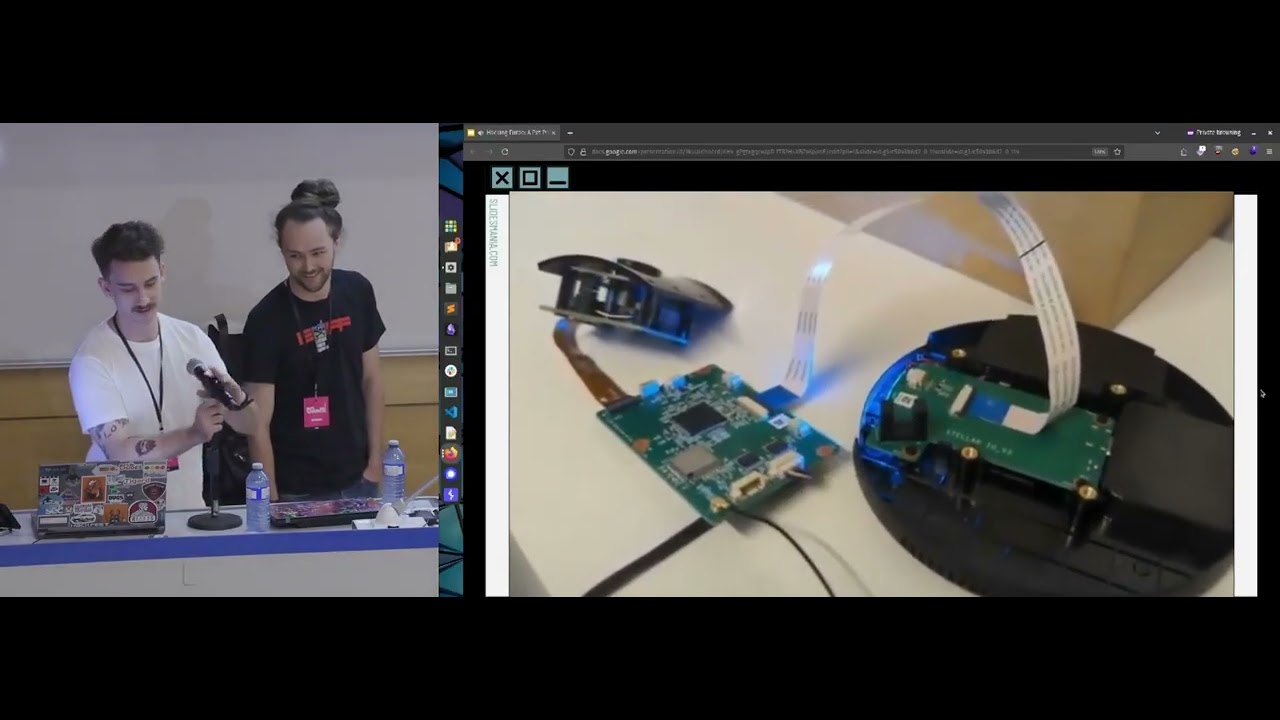
break our device may be fun times have a soft brick we had to make some preparations to the device so we have a colleague who used to solder motherboards when he had a part-time job so he can solder really well what we did here we D solar the SPI flash chip and on where the the pins of the chip where he soldered some some wires and then we use the chip programmer I don't know how you call that a switch or a chip programmer attribute and put it on there so evey sweets chip so when you boot on the device it just boost regularly but the moment when we break it because we made a mistake we can just put it in a
chip programmer like here and then we can just put back the original bootloader it's also interested to mention if you have a hot berry pie or if you have a big open black so or like an Arduino all those devices you can interface with SPI directly so you can use like either a good fat you can use the Raspberry Pi directly and then you can interface with SPI and then you can we write as well so it's not like you have to have a programmer or anything like that this is a good one it's kind of cheap but it sameer on the software might be a bit dodgy so rather than a VM but yeah it's really good it has a lot
of support keeps adding new support and it's like 500 bucks or something so why why you boot so why did you focus on your boot there's this website called wiki daddy and his website it lists like hardware information from like home routers webcams and all those things and I did like a quick as most crapper and like I saw that you boot is used by most devices or use your boot and the second most used one is called CFE it's called common firmware environment so this bootloader is proprietary it from Broadcom so mostly Broadcom devices they have CF e but sometimes it's also interesting that some devices they have like more than one bootloader so they
have like CF v and u boot at the same time and for example some sort some system on chip is using one and the other system chip is using another one it's also common to happen so yeah you boot is basically on the first entity partition and yeah it basically has a code block and then defined yeah area for environment variables and depending on your device the environment variables which will be stored at the end of the you boot partition it's not actually a partition but the size might be different so yes some some require more environment variables so the size might be smaller or larger and then here you can see like in Rodari where the
environment variables are here it's like the data section couple new bytes and here you can see it it's a basically a nobody separate list of environment variables this is what you see after and also you made decompressing the u-boot which is dumped from a device you can change some environment variables here so interesting one is like the Borg's in some cases you can change in it instead of spikes has been in it you can change soup in bash with bin SH you can get a root shell but at the end here do is like a small checksum crc32 checksum that checks for the validity of your yeah the corruption of your virus levels so you need to change that as well there
are some interesting functions in in boot boot you have like print n which means the environment variables TVP boot which is responsible for booting a device from TFTP and then we have the f-stops wing which is a like yeah password protection but not really a password protection for you good and you have boots MD which is the first command that you could let execute after the device has booted and the ping command which is just an ICMP being comment like on your windows device or Linux also interesting is that you boot has a scripting language which kind of looks like bash you over here we have a do good example which we will show you later we do a ping to see if
the server IP which is an environment variable is live if that server is live then it will TFTP boot from a load address which is also an environment variable file called backdoor dog bin and if it's loaded then it will boot to load address and you know jump to the colonel for backdoor again and if you can't ping the device we just put the regular format it's already on the flash jet and print and is interesting because yeah it does a loop through the new byte separated list and you sprint environment variables and if you want to add some malicious environment variables we want to patch the function so that's what we did we wrote an extra function
like a function or two and you like go to the Nova's separated list and then we we find a match for the variable so we have like boot seam difference is interesting to backdoor because you can change to beam bash or if yeah I think we did boots in D we changed it so that you can actually do both the device so what we do is we find a match and see if it wants to pin boots in D and if it wants to spin boots in the you set a flag and then we print like the hard-coded fake environment variables there yeah boots in D is the first command executed when a device boot it's
actually a Google script command so it's usually an environment variable but you can override it in source so what we did we in our boot loader we just hard-coded the boot seam the dual boot command which we which you can see right here is like if the find the config boot command check gets it from the set us an environment variable and then when it's booting the device it gets the environment variable and we override it right here because yeah we just wanted to be Rommel Isha's do boot your now we're going to show you do booting the device and let's see if I can get my I upgrade over here actually yeah stuff happens always like this okay so
you see three screens here this one will be a screen session of a serial to the to our device over here there's a command for setting up a TFTP server and over here we will ping the TFTP server so we will boot the device and then we will turn on you will boot the device without having a service setup so it will boot the normal firmware on the chip and then afterwards we reboot the device and we start a TCP server and then see if our device will do boot arm maliciously created kernel so as you can see here the destination house is unreachable it's not yeah it's not live yet so we wait press ENTER and here we have like
standard open WT and we start a TV piece yeah the TV sir there's a sleep in there because yeah we had some issues now you can see the TV service life and we patched the TFTP boot command so it doesn't show you that it's actually TV booting so there is a delay here which is kind of odd but yeah not a lot of people look at the device booting on serial so it's kind of stealthy I guess and yeah successful transfer and now we wait and press ENTER and then there you go and we do buddha-dharma wishes sir and on this specific case we're just changing like UTC motd message of the day but we can change in it start new
files or anything like that and it's also interesting to mention that we have a server so why did we do like we were pinging that server so suppose I have an implant at like any location on the when you boot the device that you boot already has a TCP stack and so you can ping hosts and you can do like T FTP or you can also do FTP that we get doesn't matter you can prove it's C code so you can do whatever you want and you also have a to see a TCP stack so we keep pinging a server we we control the server and it's a malicious server if we suspect that someone is
I don't know trying to analyze our our thing our our boot loader we can just turn off the server so this pink won't succeed and it won't download the backdoored kernel and another yeah it's also in your own memory so we don't actually write it to the ROM so if you don't want to lose your Ruby lead hexing tools then yeah this is a and if you reboot the device and the server is not online it will just put the regular image no nothing at all like the part a few more partitions there's nothing changing so yeah the password protection I spoke about earlier it's like an environment variable so yeah if you run string some
advice after dumping the flash you can see the password password sorry I need to use echoes here it's hidden from the user yeah wait yeah so what we did here is that oh yeah the f-stop ring is actually for people who don't want people to look inside the bootloader so then there's sometimes do this because they don't want you to get booted on the device and if you can change the environment variables for boots AMD you can get rude in the device so they it's like I think tp-link has a F stop string called TPL which is very easy but anyway what we do here is we if you feel to enter the password we will wipe the
device so we put a boot Cindy in there like erase all we said so if you press Enter for instance and then yeah that's not part of our password so it will wipe the device and we have a demo where we do exactly that because most people we've also patched as you'll see here yeah showed earlier I'm gonna device boots everything is fine green light is blinking you see yeah and it's also interesting to mention that like this is a serial console so when you boot the device you are not seeing this that all you just wait and then you connect to the web server so if you connect the wires and see you if you find the serial
connection then you actually see a series on Syria so now we are rebooting the device and it says like oh yeah press a key and the moment you press a key then it will wipe the device so we want no one to look inside
so what we also did to hide from strings we get this yeah to hide from swings what we did is we didn't hard code the stop string inside and we kind of did hard coding but not as a swing but as a string array so when you compile this after doing the swing copy animalic it will look like this it's a very simple of skating technique but it prevents people home running strings and seeing your password it takes a little bit more effort to find out the stop string so what we will now show you is how you can bypass the spot string protection because when the device boots you boot is basically in memory and then just
like the between loading the kernel from the from the flash there is like a small time frame where you can i glitched data out pin and when you can glitch the data out pin preventing the Linux kernel from being loaded in memory you can fall back inside the bootloader because the bootloader is already loaded in memory and the blue the blue wire here is the date out and as you can see just falls back into you would so it's kind of useless as a password and if your Google if you like search for example password protect your boot there are gonna be lots of reference tree like yeah I just use top string but it's not like a
security feature it's just like some kind of protection that's not like real ear protection and also like some people if some websites they use this method for you to if you need to root your device so if you have like a webcam and you can't get the you boot console and you can't get access to do because if you have access to the you boot console you can rewrite things you can dump the whole femur you can do lots of modifications and sometimes they lock the you boot they don't want you to mess with the femur at all so it's like you don't have an option so this is like a really simple technique that you can use
to bypass the DES protection and then like get to the u-boot console so now I'm gonna talk to really quick about like the technique good kids you boot more thinking more about like you put but you boot nowadays it has a reproducible builds so what what does it mean so if I if I compiled some sicko today and tomorrow I compiled like the exactly same code the compiler is going to put to put like some garbage there are things like I don't know GCC version like sometimes timestamps and all those information and you boot also has this issue so if you compile it it's gonna hard code some dates over there so there's this variable called source date epoch so
it's gonna be like a fixed date it's gonna be like the pocket and if you compile the same code today and tomorrow it's gonna they were gonna both have the same md5 and it's also interesting to note Debian for example there they have that for their packages so there are like reproducible builds so you can get a source code and you can use like compiled up with like they're Victor's like code that you can just download from from data servers try to compile and you can check if the DP KJ dpkg matches like then the DEP actually matches with the md5 from the RM the sha-256 it matches with the one you compiled so and also like detecting boot
kids there's this tool called a chip sack it's more focused on like not focused on your boot is more like on laptops and it's from the Intel guys and what it does it's like it has a series of checks so it's gonna check for example if I don't know it's you can write variables on your on your UEFI partition it tests like several Perl primate checks for example they can detect the the boot kit from UEFI they have like some signature checks and some stuff like that and there's also this repository which is really interesting it's called known UEFI executables it's also from the the Intel guys which you can just like get hashes from different
motherboards or laptop like if you buy an asus motherboard or absolute laptop and you'd like them TSP i'd like the UEFI content then you can also compare that with like from the full factory from the dot version so it's not like really easy because it you can just take the enemy md5 from one like the md5 of the other ones you have to ignore like the variable partition sometimes because it's it's tied to like each device so yeah this is just like a screen off if you run chip sack in this case it's on a MacBook but it says like a chip sack modules common be O's right protection is not enabled which means like you may write things to the BIOS so
it's you may need to check if you wanna do any hardening or newer be BIOS you can try it and some sums to change some settings and there's also this really interesting presentation from the Google security team it's called femur biopsy and it's really interesting because they mention like some some of the challenges and what I mentioned like firmware granularity and visibility very few companies they have visibility of like what they're like what people are actually running on their devices and it's it's not just that it's not like just hashing something and comparing hashes because like there are different environment variables and you don't know for example each vendor they put that on different sections it's not like
something standard so for example think about like home routers and you check the boot boot the BIOS but they like the bootloader partition and the bootloader partition your router and from another person they probably have different MAC addresses so you have to ignore that section so they also have different settings on the on the bootloader so you have to ignore that and it's not like easy to parse that because you have to write parse it for different vendors and also like unpacking the femur because different femur they use different compression and it's not like a standard it's that that's also something that's very difficult and like yeah there's this people talking on Twitter like continuous assurance of conformance is
also crucial if you efi secure boot suddenly started silently booting and signing the images would you know like very few people would just know that because we don't have inspectable systems so there that's what however flag is mentioning on twitter so sometimes we also have not so trusted computing I also own the Snowden documents there's like some pictures of NSA actually intercepting packages so suppose your company is buying a new switch so they were actually implanting them so they were intercepting the shipment and they were implanting them and so it's difficult for you to know what's running on your device nowadays so there's also supply chain attacks did you guys hear about the ccleaner hack it was like last
month or was this that was really recent so the ccleaner hack they people say like the experts it's China it's always either China or Russia but probably fire and China's they said that they had six lunar servers and they were selectively infecting sending a second stage payload depending on your host name so if your host name containers like for example one of those entries they would send you like an additional payload which means you're on the corporate network of those companies so if you're either running a backdoor ccleaner from I don't know VMware Network or Cisco or Linksys or d-link home network they would send you a second stage and people if you stop to
think about like Linksys Cisco and the link they sell lots of like home routers as well so they're actively trying to to actually either get source code in fact more devices so worried if they include like the femur from those vendors we have no idea and people don't care about checking that at all and also like do vendors get hacked so this is a screenshot from d-link Brazil and the link cambiar and people are actually they put like a JavaScript to mine bitcoins on your like we do in Brazil two weeks ago yeah but like last move pretty complicated so what happens here like if you have access to the web server you can you can also replace the
few more images and you can put like a backdoor image so people who are downloading like images you have right here so it's like so easy for them that instead of backdoor humor they just like like so easy I'm going to mind crypto coins on JavaScript and also there's this vendor called open mesh because of requirements from FCC so if you're selling a device in the United States there are like some rules that you have to follow otherwise you can't sell though so if your device operates on the 5 gigahertz frequency you have to put some lock down that people wouldn't be able to change to certain frequencies because of that CC so if you don't put
lock down you can get you can be sued so as you might sue you so there's this vendor called open mesh they were like okay so we need to be compliant so what we do let's protect our you boot so open mesh they sell like repeaters and small route home routers all those things so what they did they put like a signature so you have you can only boot sign your boot images so there's like there was like this check and they were using RSA so they had the private key and they were signing the new boot emoji so if you try to modify or change anything over there you can bypass that and change your for example your femur to
enable different frequencies so those researchers what did they do they just because it's GPL they ask it for the source code from the u-boot so they got the source code they analyzed and they found out that if you'd be used it be if you 0 the the public key inside the video boot partition it's gonna not gonna check it anymore it's going to put anything you want so it's a simple hack so if you have a root on the device you can DD on this offset from the signature and because there's no signature it's just for backs to booting any any you boot image you have at all and they also found this interesting bypass as well so
when you TFTP boot images so they had like these device also have a heckuva remote recovery which you can use and like a sign it image to for to download to boot and recover your device so there was a there is a stack overflow on the TFTP boobs so when you issue a TFTP boot c'mon it's going to download something from a TFTP server so it doesn't it doesn't care about side of the image so if you don't look like a huge image you're going to corrupt the stack so in that you can use that to actually fall back to the u-boot console so they but it's more kind of more complicated because you need a JTAG
debugger in order to do is to find this properly there's also some really interesting talks about the risk you'll guys so about like my passing security protection so they gave a tout recently on Shah and they had like a demo by that they were using glitching to bypass their boot protections on some vendors and they also gave some like yeah this talk to any ways pass secure boot it's really interesting not only boot but targeting embedded devices in general and there's also this group called Alexis I left I left one research I left research they have all lots of bootloader bypasses but they're more targeting mobile phones so it makes sense for for example mobile phone
companies they don't want you to like root your device and put like crap because you might break your device and also like video game companies as well like Microsoft also like Sony they don't want you to jailbreak your console because you might run pirate content so they like the bootloader from those devices they are very secure and nowadays people are starting to research on those bypasses so they can boot and sign it code and do wherever they want but nowadays for them for like home routers for like embedded devices in general we have at home there's like they're not there's no protections at all so it's like a huge difference from those devices and like the devices we
have at home so yeah some former security resource there like some websites showing how you can use TP aims to protect your validate for example if you have a big ol bone black you can buy capes and you know it's like that acts like a ppm so you can have like secure boot on your own or black you know BeagleBone black there's also this really interesting book from also from Intel guys and some other researchers it's called book rootkit and boot kits and there's also a few more security training from the Intel guys which is open source it's on github it's the day for example they dissect the UEFI boot kit from hacking team they
show how you can detect that it's also really interesting so conclusion secure boot is important nowadays also for embedded devices and we have to reduce from our opacity which means that not only tamper proofing because vendors they care too much about temper proofing they don't want us to like change things but they don't give also that also don't give us ways to like verify if what we were running is the actual device that suppose so the NSA case what if NSA intercept something how can I verify so right there ever is like DMA or like I don't know if you can plug something that's gonna show a QR code vendors are not giving us like ways easy ways for us
to verify our devices in yeah physical impediments like having a jumper on your motherboard like in the good old days have it on your embedded device it's an issue for vendors because it just cost money or having a having a bootloader on a separate flash chip it's too expensive for them and yeah but a Chromebook has on the right pin in order to write to the Chromebook flash memory now you have to actually lose some screw to be able to flash the bootloader so Chromebook is doing this yeah is doing this well this is really interesting because yeah you the right protector is enable so you have to physically remove something so you we also need better like reverse
engineering efforts on bootloader because people don't care about like the you boot partition period that the parser we need like better research on this area as well and this times up like questions let me get you the different ways to to get into the you boot so um I heard you've seen the you're connected through you are yeah you can go through you are yeah JTAG as well yeah if if JTAG is on the board then you can also use JPEG Wolff the IOT device is completely like off those two connections both like the device warfare the manufacturers like gone the boards and like removed those connect okay you can dump the flag if you have a root shell
minimize you can dump the flash from there and also you would have to get real on there yeah if you have real device you can usually get access to their petitions okay okay thanks hi was this research done in the context of kpn or generic your own investigation or so yeah we work for the red team from so we work for a telco and telco has like network equipments so we don't we to test a lot of hardware for the company so yeah and we do this as like an additional layer because Mauer target targeting embedded devices nowadays they don't care about persistence but there's going to be updated hacking and by the device is going to be more difficult and
like they start thinking about persistence in the femur level and after that on the boot boot like bootloader level but this was a project yeah we did it in your spare time yeah so it's like four we do that that's like we have a tool kit so if we're doing red team engagements for example we put an implant in the network and then we have this dual boot thing like so it's more difficult to detect we also have like in-house tools for us to test as well okay thank you Russians okay that's it okay [Applause]
Related talks
 45:56
45:56 40:53
40:53 4:14:50
 31:42
31:42 32:40
32:40 23:55
23:55