JSluice: There's Gold In Them Thar Files

Show transcript [en]
Tom that's me hello uh so uh I'm going to talk to you about a tool that I've been writing a work that I got permission to open source which is awesome it's called J SL uh and if you know what a slle box is you will notice that the logo is actually slightly inaccurate that's a pan but'll talk about that in a bit so hi I'm Tom Nom Nom uh if you know me it's been a while hello uh I make open source tools like gr and theu and Meg and FFF quite a few uh it turns out I went to count them and I lost count uh I like questions so have them ready uh and I work for a compan
called Bishop Fox I do sort of tooling research and development type stuff it means the slide deck is branded and in light mode which is unusual for me and also the lacks the legally questionable use of stock photography that I copied off Google image search which I usually use but uh yeah C everything in life so crawling the web used to be kind of easy like links were links mares scrolled across the page blink tags blinked at you and there was under construction gifts everywhere uh but you just had these things these uh links pretty easy to pass there's an HF attribute that tells you uh that another page exists and how you can get to it uh and then when
JavaScript did arrive it mostly just like made the page look pretty and we came up with this idea of I think we call it dhtml it was a new thing everyone's writing books about dynamic HTML uh but it was fine it was pretty easy to deal with uh and then about 2001 Microsoft gave us the piffy named gift of XML HTTP requests and what that did for us was let JavaScript make HTTP requests for the first time and get responses and that mean we didn't have to reload the page to get like new data or use like a Java applet or a flash applet or something like that and you know fast forward a couple of decades we
now have a plethora of JavaScript Frameworks to handle all this stuff and what that really means for us is the web is now much harder to crawl it's much harder to understand from a programmatic point of view certainly um so I a way to deal with this situation and one of the ways you could deal with that uh is to use a headless browser so something like Chrome Firefox whatever you like uh running programmatically controlled but without the goey on the page that works pretty well but it's kind of resource intensive if you've got a few thousand URLs you want to scan running a few thousand instances of chrome if you've ever had like 50 tabs open and viewed
the memory usage you'll know that that's going to be kind of tricky um it also has another sort of fundamental flaw doing this kind of dynamic analysis that is to say analyzing code that's currently running and the problem with that is you want to to find out about things that are actually running so if you're going to run a headless browser you have to write a bunch of code to stimulate the page on test somehow to click on buttons open menus and all that kind of thing to try and figure out uh all of the different bits of functionality uh and run all the different code paths in the several megabytes of JavaScript that was
probably sent to the browser um that's turns out to be kind of difficult to do um so you might consider doing static analysis instead analyzing code that's not running and that means you can analyze everything in theory you can't do quite as good a job of it you don't know about the data that's in memory the value of variables that kind of thing um so you might consider using regular Expressions to do that there's a fairly well-known uh quote about that you might know about now you have two problems decid to use regular Expressions but let's take a look anyway uh so this is a called to fetch which is sort the modern equivalent of XML HTTP request camera
there um uh and the bit we want to pull out of it is this path here/ API V2 SL gas but that's the bit that we want you think well that's it's pretty easy to deal with right um so we'll use regular Expressions uh but you have to deal with the fact that I might be nested quotes or escaped quotes in there that kind of thing there different kinds of quotes there's three different kind of quotes you could use in JavaScript for a start there's differing white space all that kind of thing every conceivable crazy thing every crazy variation you can come up with probably exists somewhere on the internet because when you're working at
scale edge cases become common you think oh this only happens 0.01% of the time if you're going to go and scan a million things you're going to have dozens of cases of that thing um so you know you come up with these regular Expressions so a few here one only matches the single quote so you got to do that and then you doesn't deal with nested quotes you got to use back references and all that kind of thing you finish all that piece of work you now have several dozen really complicated regular expressions like that one at the bottom it's a little bit small to see you don't need to see the detail of it the point is it's a big
complicated thing that does one task you got to run that against many megabytes of JavaScript it's going to take a long time and even worse now you have to maintain those horrible regular Expressions don't really want to do that um and there's also the fact that like extracting the URLs and the paths so you can find new end points is nice what would be a lot nicer is if you could also extract the context around them we're talking about stimulating different code paths and that's true on the server side as well that's what we're trying to do stimulate as many code paths as we can because that increases their chances of finding vulnerabilities um but sometimes like changing the HTTP
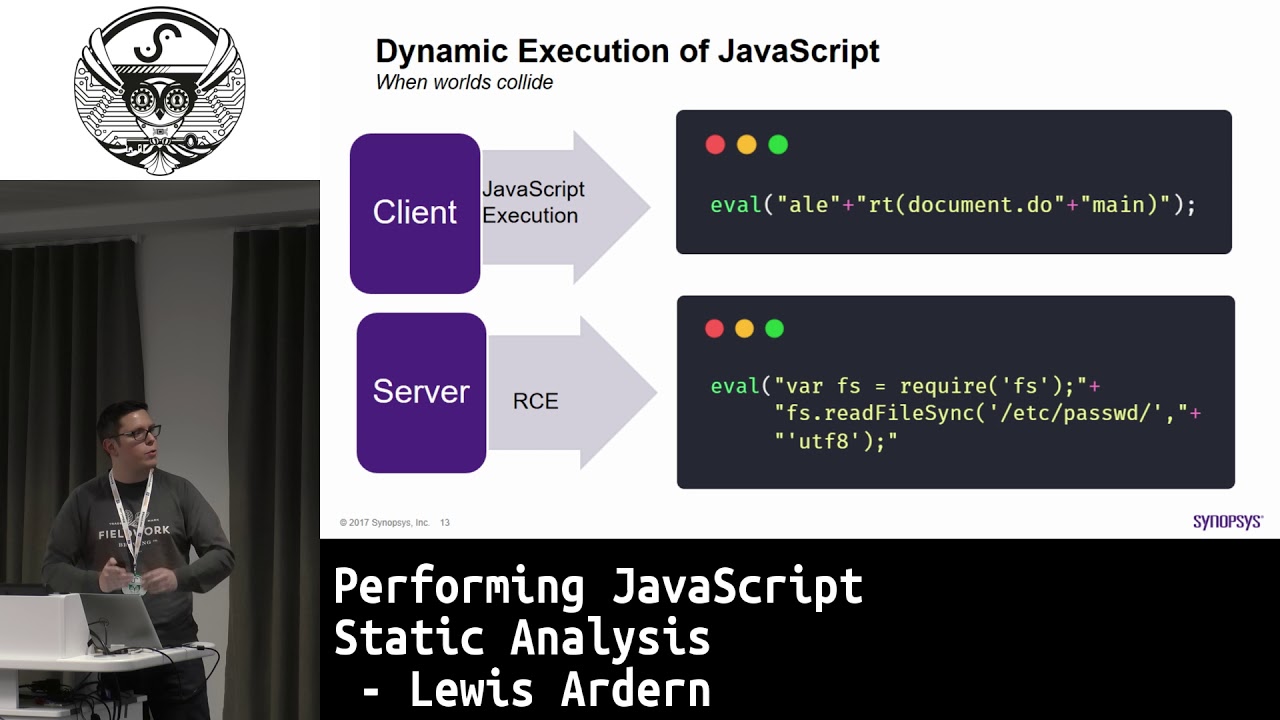
method changing a header something like that is going to change what code path gets hit and if there is context around this path API V2 guest book it's a post method we can see you got to send content type application Json it's important information to know where when manual testing but even more important when trying to do automated testing automated crawing uh and also the the way we can solve this problem is by in this case using a thing called treeit which we'll look at in a sec but but I want to give a quick sh shout out to Lewis Arden and srap in particular which are semra is a fantastic tool leis did a talk here at
besides back in 2018 same you I my last talk actually on static analysis in JavaScript and that gave me quite a bit of inspiration to uh for how I built this thing so raw JavaScript code it's kind of difficult to understand for humans If we're honest it's uh one of those languages where there's 12 different ways to do everything and that means you will encounter all 12 ways every time uh so tree sitter passes JavaScript and dozens of other languages and produces this thing called a syntax tree Mel here called an abstract syntax tree or an a um and it's tree s itself is meant for test like syntax highlighting and that means it's actually tolerant of minor
errors which makes it a really good pick for this kind of thing um and we're actually seeing the J Lo Tool uh here for the first time on slide eight uh because it can show us the tree the syntax tree or at least a textual representation of the syntax tree for a file so but a really simple program hello world console.log uh and underneath it you can see we run J loo tree and the file name and and we get a textual description of the structure of that program in really quite minute detail but in a way that makes it easy to write programs that do things with that program itself so we can see um
there's a call expression and on one side of it we have a member expression with the identifier console and the property identifier log and then there's a arguments which is a string hello world we have type information for these things uh and that means we can write code that deals with codee much more easily so the main thing I I wrote this tool for was to extract URLs uh and there's a go package for this as well which we'll have a really brief look at later but for the most part we're going to focus on the command line tool uh that comes with it has a few different modes we've already seen one mode the
tree mode but uh the other sort of main the main mode I I think of it is the URLs mode where it extracts paths and URLs endpoints that are found in the JavaScript file delivered with an application and uh because it has access to this syntax tree we don't have to rely on regular Expressions to say this thing looks like a path we can rely on the context to say this thing is a path I know it is even if there's no slashes in it no question marks doesn't look like a path you wouldn't find it with a regular expression we know if you pass something to the fetch function in this position it will be a path it will be a
URL be used in that way same goes for XML HTTP request document location J queries. getet and post and Ajax and a handful of other places that the the tool also deals with uh and it produces an output that looks like this uh so it's Json lines you might want to pipe it to JQ to make it a little bit more easily formattable but that means it's quite easy to write shell scripts that uses this tool for automation so you can have something that fetches a bunch of files run this against it finds more URLs goes off and fetches them fuzzes them whatever it is you want to do and you can see we've extracted the URL but
also the method and the headers and that's all down to the fact that we have that syntax tree available um that means that we can interrogate the context around that we can do quite smart things uh including something that would be really irritating to try and do with regular Expressions if not impossible I'm not going to claim it's actually impossible because there's someone out there who's been writing Pearl since 1980 who's now trying to prove me wrong but probably the problem with XML HTTP request if you've never used it is that all the bits of information we're interested in like the path and the method and the headers and that kind of thing are spread across multiple
different function calls they can appear in EDD order we have one here that appears inside a conditional it could be 10 lines apart right next to it it could be 100 lines apart we don't know no writing a regular expression for that kind of thing is like say probably impossible but never say but because we have a syntax tree we can do this really cool thing where we look for any call to something. open where we have the method uh and look for any instance of that where the string that's being passed as the first argument is a valid HTTP method once we find that node as it were in the syntax tree we can climb back up to the parent
nodes and look for any what I would call a scope defining node so like a function declaration or maybe just like the top level program something like that that defines a scope in JavaScript we take the object name in this case xhr and look for all other method calls on an object of that name within that scope and that lets us find things like the set request header methods and lets us output the structure on the right uh that includes all of the information that's relevant to that URL the other thing you might notice there uh is we've got that xhr open core uh the path has a variable slapped in the middle of it it's doing string
concatenation so another problem Hit Upon trying to use regular expressions for this stuff is this is a really common pattern particularly in applications that are maybe 10 years old something like that and with a regular expression that's really difficult you might get the first part the/ API but you're much less likely to get get that query string part question mark format equals Json and knowing about that query parameter might be the difference between finding a bug and not finding a bug um so you can see on the right we actually replace uh the the part where that variable would have gone with the uh expi short for expression if you don't like what like that particular string
you can change it with the Das Das placeholder flag um but the point is we turn that from something that is not parable as a URL to make as posible as a URL might to be valid for that application with the string exper in there but it tells a human hey this was a variable part of the URL but we now know about all of the query string parameters and that kind of thing so you might want to swap that out for say the word fuzz for example which is the keyword used by tools like FFF uh and you can run a word list against it and try and find API endpoints that way you
could do that in an automated fashion uh using this as input the other thing Jus can do uh is find Secrets modern web apps talk to lots of apis they run in the cloud uh and that means you need secrets for them they also have modern JavaScript applications are incredibly complicated and that means they have complicated build processes which are often kind of opaque you don't really know 100% which JavaScript files are going to be included in the source sounds out it be really easy to accidentally include a bit of infrastructure code something that's got your AWS keys in it or your gcp keys in or something like that um uh and AWS keys in particular are actually
something that's kind of easy to find with regular Expressions they'll have like a known prefix and a fairly fairly wellknown length even though it's specified slightly differently if you look up the docs um but they're useless by themselves AWS Keys you need an a key and a secret and a lot of the time you'll find a key by itself which is kind of disappointing when you see the you know the result in your scanner and excited briefly but then you know no secret but again because we have the syntax tree if we find something that looks like an AWS key we can climb the tree find out if the parent node is an object and look at the other parts of
that object is there something in that that looks like a secret unlike the AWS key the secret doesn't have a particularly well- defined format it's just some base 64 encoded junk so if you have a regular expression for just the secret you are going to get so many false positives it's not even worth bothering but because we have the context of the fact that we also found an AWS key in that same object we can pull it out we can put them into the results of J with a well- defined name key and secret so you can pipe that onto your automation that actually checks if the key is valid for example you can also see we have a context field in the
results as well with the entire object that that those two Fields were found in uh and to a human taster in particular that's super useful aw key and a secret I've got those maybe they work okay what do I have access to I don't know without the context there might be an S3 bucket or some server URL or a reference to some resource in that object that's useful and that's buried in somewhere in the middle of a multi megabyte minifi Javascript file that crashes whatever text that you're using probably or at least it's hard to scroll to right um but by extracting that context we make it much easier for someone who's looking at dozens and dozens of cases every day
to be able to you know have the information that they need there are however lots of different kinds of Secrets out on the internet it turns out so um Jus has built in mattress for AWS gcp GitHub uh and a couple of others like not that many really uh and that's partly because it's an endless task you will never finish you could have a 100 matches in there and chances are the one target that you're looking at uses some obscure vendor I hadn't heard of or maybe they have their own particular pattern of secrets that you want to look out for and because of that Jus supports Uh custom patterns and know they use regular Expressions there's an example
patent file on the left it's in a Json format um and you can match against just string literals by themselves with the red Jax uh and that if nothing else saves you from having to think about the quotes because every string literal in the source file is going to be extracted have the quotes stripped off of it it's going to be decoded properly one of the things you might be aware of is Javascript strings have about five different ways to escape things backx X SLU and several other things they're all dealt with for you so you can write simple regular Expressions that match against single strings but you can also match against object keys or both or in
the bottom example you can see we can match against an entire object you can say I'm looking for an object that has this key with this a value that looks like this and also has this key so something I come across quite a few times in the past is um uses of Firebase Cloud database or or whatever it is classified as uh and the configuration sat there in a Javascript file and it's not necessarily an issue by itself but knowing the um the key and the app ID and that kind of thing lets you easily check whether there are any improper configurations on that Firebase uh database so being able to match an entire object um regardless of what order the
keys are in or anything like that turns out to be pretty useful so using tree as I mentioned it's kind of a cool thing uh and this is a mode i s I added to to J L cuz I thought it would be useful for me uh and then when I added a little bit more to it I thought it turned out to be genuinely genuinely genuinely generally useful uh to people so the query mode lets you run these things called treesitter queries it's its own little DSL a domain specific language for querying syntax trees and if I'm honest it gets kind of complicated it's a little bit finity to deal with but if you get it just right
it can be really powerful um and you can use the tree mode that we saw earlier to help you write the queries as well because you need to know about the types of the different nodes so if you have some example code um that you know is representative of the kind of thing you want to find you can run the tree mode against it see what the tree looks like and use that to inform what queries you might write um we got probably just about the most simple query could WR here um and the text is a little bit small uh but it's the the little Dash q and then there's brackets object brackets and
there's an at M and the at M is just a a thing that says this is the bit I want to actually extract is the objects and that would let us extract all of the objects from the input JavaScript files um which is kind of useful I suppose but what's especially useful uh is because I sat down and read bits of the JavaScript spec and worked out all of the string coding rules and all of the other bits and pieces I've managed to make it so that but you can take any JavaScript object which is not uh where Json is not compatible with a lot of the different things that JavaScript supports like keys without quotes a lot
of the different escaping methods single quotes and so on and turn it into valid Json um and what that lets you do is do easy postprocessing of the data that you've extracted from JavaScript files where the tool is expecting Json um and we can see um something here there's kind of a fallback where not everything can be converted to Json in JavaScript you can have a function uh as an element in an object in that case we turn the source code into a string which is not ideal I suppose but it's the best thing we can do in this situation uh but it means that you can uh pass this stuff off to JQ or your own
personal written tool that has some really simple code to pause the JavaScript and look at the stuff that's in it you can also use it to inform things like building wood lists so it might be that for example you're hacking someone's API and you need a good word list uh for all of the potential properties that are going to be in an object sent with an API request that kind of thing could be really timec consuming to do and generic word lists will not always help you because every Target is going to have things that are specific to that don't exist in any of the common word lists but just with a a nice little
oneliner you can find all of the JavaScript files you've grabbed from somewhere whether you've done that with W get or there's a tool called page fetch um which I actually wrote an open source at my former employer so look that one up uh which uses headless Chrome to fetch all of the sub resources and store them on disk run find that you can pipe those straight into J so as well as providing file names uh in the argument list you can provide them as a series of one file name per line on the standard input as well the output from that is Json so we can run that straight into JQ we can turn each object using
the two entries function into an object that contains just the key and the value separately so you can do things like extract the key very easily do that dot key time to sort unique to add counts and then sort again numerically in reverse order and we have a list of key names from all of Ja all of the objects in that file whether they're quoted or valid Json or not uh and they're ordered by how common they are that kind of thing can really make or break uh the fuzzing of API endpoints in particular so I mentioned Jus is a command line tool but also a package the command line tool I think is what most
people are probably going to use but at least some people are going to be writing their own crawler and they don't want to use a head headless browser they want to be able to extract URLs or maybe you just you know you don't like the command line don't talk to me um but more generally your uh needs might outstrip while buil into the command line tool if you use the go package directly you can write your own matches where you get exposed to the full syntax tree you have the full power of tree sitter at your disposal you can run your own queries you can run queries on sub sets of nodes so you can sort of
uh filter things in that way so you can say give me all the objects and then query just those objects for example um and you can do custom matches so if you can write the logic you need in go which you probably can not going to get an argument about true incompleteness but um almost certainly if you need to do something you need to call out to an external API or something I wouldn't really recommend it cuz you know these functions are going to be get run many many times per file you run them against um but you can decode the strings you can look at the prefixes and so on all you got to do is accept a j
loose node appointed to it and return ajus URL and you can do that for Secrets as well so if you want to get serious you might want to use the package so uh to finish up then one last one line I kind of I seem to develop a reputation at some point for big fancy Bash one liners um and this one's kind of to address I suppose it's kind of kind of a shortcoming of the command line tool as it currently stands uh in a way and a feature it might support natively in the future you never know um but some of the most interesting things that you find in JavaScript are in JavaScript files they're in inline
JavaScript particularly in slightly older web applications running say PHP for example where it's pretty common place to just Echo things into the middle of a page it's really common to see things echoed in the middle of JavaScript blocks particularly things like Environmental configuration things are going to change depending on what environment or what US you are and those kinds of things they show up a lot um and that means we probably want to run Jus against uh those inline bits of JavaScript as well um you can use tool called HTML Q uh which is kind of like JQ but for HTML you write CSS selectors using it so we'll find in this one'll line up all files and we'll run the file
command against them and if you're not fam the file command gives you its best guess about what type of file uh it's looking at uh we use grep to search for HTML documents only use cut to extract the file name from the begin output for each one of those lines we'll read it into a Val variable called HTML file and then we'll use J secrets and a little bit of shell substitution to run HTML Q against that particular file to get the script tags and extract the text from within them and that lets us run um the Jon the secrets mode in this case but could be URLs could be query could be whatever you want the tree mode if you
really want um against all of the uh bits of inline JavaScript in so that's all I've got for you uh if you want to have a look at the Tool uh it just went public yesterday it's github.com Bishop foxj um any questions yeah you're welcome against what sorry OB fiscated um it depends on the level and type of offc sort of the Standard minification Process you'll be fine if someone's gone to the effort of um like really offis skating the JavaScript it's not going to work unfortunately um because even when you have a syntax tree for some OB fiscated JavaScript still OB fiscated especially if it's like you you're with JS fck for example where it's just braces it's not
going to work for that one of the things that you can do however um for certain cases uh is if you use something like Chrome DP for example which is a go package for driving headless Chrome you can rely on the fact that you can do Dynamic analysis to get a version of the OB fiscated code to then do static analysis on uh and it's a little bit convoluted but it's very difficult to write uh General routines to deal with those kinds of situations unfortunately but my uh analysis of several gigabytes of JavaScript from uh several hundred thousand sites is that OB fiscated code is pretty rare particularly for the kinds of situations that I come up
against which is legitimate companies who have a bug Bounty program for example or in my case Bishop Fox who are customers um it's pretty unusual to come across that yeah proy running against aut tests uh I I think I give it some thought at some point uh it's certainly something you could do um you can maybe make a b plug in for it or something like that and use it there I've never written about about pluging before so don't don't quote me on that um but yeah that's a really good idea
hi yeah so at the moment the output includes the file name um if you're doing the like fine thing I did you'll get a file descriptor and that doesn't quite work work that needs a bit of improvement I think we can probably get line number in there as well without too much trouble um there's a a little bit of trickery I need to work out in terms of going from the syntax tree back to the source to figure out exactly what the line number is but usually getting the file name is enough um because if you have one file to deal with and you got to go and GP through it manually that's not bad when
you filtered it down from hundreds of thousands already cool I think we're about our of time if you have more questions feel free to come and grab me thank you very much
Related talks
 22:47
22:47 47:59
47:59 1:00:30
 57:48
57:48 48:48
48:48 58:45
58:45