Creating your First Conference Talk
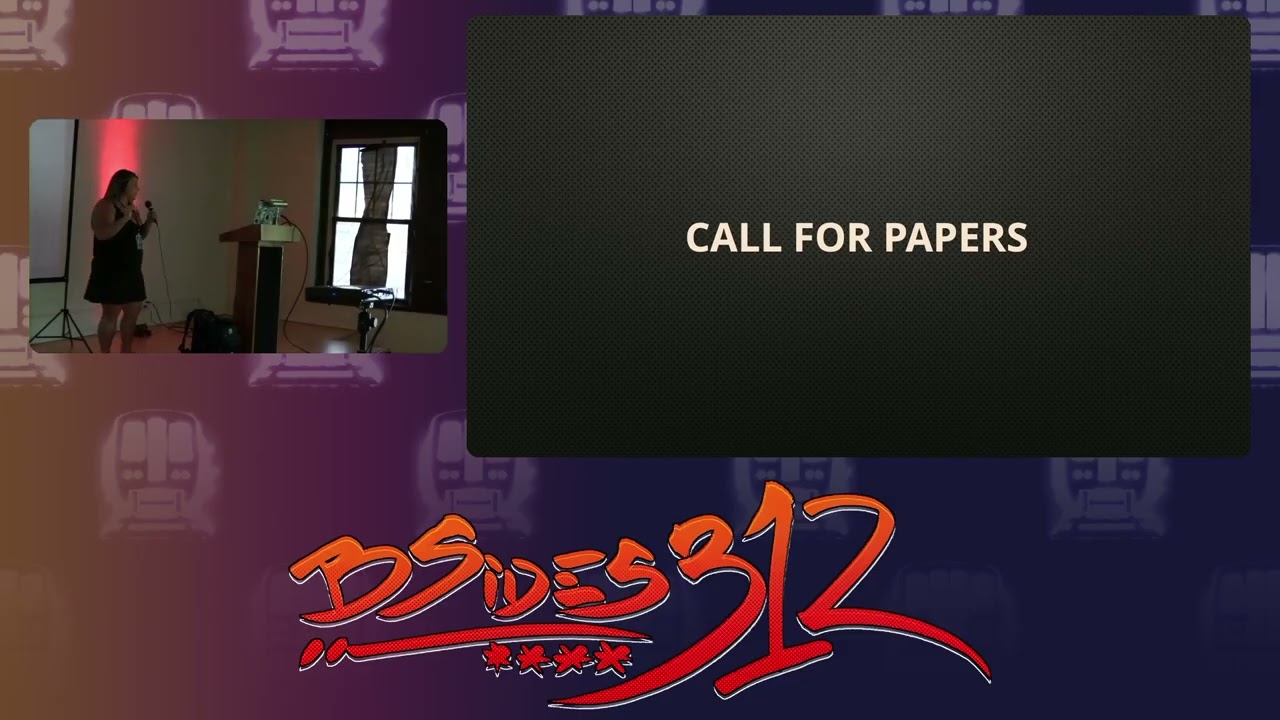
Show original YouTube description
Show transcript [en]
We would like to welcome Whitney Phillips from Trusted Suck who's going to go ahead. Whitney's been around for a long time in the industry. She's been a lot of talks. >> Yes. >> I'm not going to say how many years. >> 13, I think. >> 13. >> 13. >> 13 years. Uh we'd like to welcome her and let her talk about how to give your first cyber security presentation. >> Thank you. Can everybody hear hear me? Okay. [applause] Good. We good. All right. Okay. Um, so just going to start off with uh we have any if you have any questions, we'll keep this like very open dialogue. So feel free to interrupt me at any time.
Um, afterwards we will have questions as well. And then um if anybody in the crowd also has opinions or offers to give up on their own personal conference experiences, feel free. I'd like to keep it like a very open dialogue. So, all right. So, and this is this is the part right here. So, did you see what happened? I'm like, um I lost my train of thought. That's okay. That happens normally. So, um I'm going to start with an icebreaker. Who here um is this their first besides 312? Oh, nice. Who came to year one? One. Who first conference? Anybody? Awesome. So, that works. Um, so ice breakers are a really good way to kind of level your nerves out. I use
those a lot. Um, just to kind of get the anxiety, the shakiness in my voice. Um, that way you can get the crowd interaction, people paying attention. So, what my talk's going to be about is how to create your first conference talk. So, who am I? My name is Whitney Phillips. I've well I guess 14 years. I've been in infosc and IT for 14 years. Uh I started as help desk went to system administration, did security operations. From there I also did purple teaming. So I did secure code review. I do not know any code. So I winged it. Fake it till you make it. Right. After that um I worked for a pentesting company that did mobile
application security and then I transitioned to trusted sec about three years ago where I do uh mobile and web application. So I put this slide up here. It's a bit wordy and I don't like it but um these are all the conferences that I've spoke at. So I have some degree of knowledge. I mean people seem to accept me and like me. Um but I've spoke at DevCon uh besides 3 and2 Cactus Con, Gircon and Grand Rapids. If you have not gone to that conference, really great conference. Uh Cipher Con. I also did Day of Security and that's online. And then local issa chapter. So here, right here, this is a I'm going to go right into So this is going to be
weird. It's a weird conference talk. These are perfect ways to give yourself a gentle pause. You collect your thoughts. Um, Kermit emoji. You're like, "All right, I can pause here for a second. I can add more time to my conference talk." Memes are great. So, why are we here? Well, I mean, you guys want to know how to give your first conference talk. Well, it's going to be on my opinion and what I've experienced. So, I'm not finding this information out of a book. It's just my process on how I apply for the conference, what I do to prep, what do I do beforehand. I mean, Atlas witnessed my 30 bathroom breaks before I went on stage. So, there's also
that. So, we'll go ahead and get started. And check this out. I'm going to take a quick water break just to slow things down. Okay. So, application process. So, when you're applying for a conference, um, first thing is you want to find a conference that you're interested in speaking at. So you want to look and see what you know what content are they talking on you know have you been to that conference personally my first conference talk was Gircon and I went to that conference several times before that and I felt comfortable being there so finding a conference that you're comfortable you know the layout that's one of my first suggest suggestions on when you're going to apply for a talk. Also,
uh take in consideration virtual talks. I know it's a little less scary, but it's also a way to kind of get your information out there in front of people. Um I've done a couple virtual talks. It also you can use them like if you have new content and maybe you're nervous about presenting that in front of actual humans and virtual humans are obviously easier to talk in front of. So take in consideration of those virtual talks um I kind of jumped and this will this will happen. So if you don't like memorize your slides by heart but this will happen again. pick a conference um you have attended to in the past. So like I said the Gircon look at previous
year's talks and topics see what people have presented on. Um maybe maybe it's more uh technically focused in the blue team side. So, if you're going to apply for it, um, they might not be accepting that exact talk that you're going to. That doesn't mean that you shouldn't not apply to a conference just because they don't have what you're looking for. U right here. So, this is pulled off of Girkcon's page right here. They've got all the different talks that they've had in the past. You can go check them out, see what people have presented on in the past. Um, I did have somebody before in my cactus cotton talk. They had asked, "What if I want to talk about
something that's not finished?" And I said, "Go ahead, do it." Like, talk about like I think they were working on a project. I'm like, "Talk about how much further you are or like how far you are in that project." submit that talk. You know, if it happens and you submit it and it gets accepted, then you have more time to work on it or, you know, you only talk about maybe a specific component in that talk. So, after you've found what you think you want to talk about, we're going to go for a call for paper. So, call for paper is what you use or what the conferences use to uh apply to their talks. Um, there's several different
call for papers. So, lightning talks tend to be very small like 15-minute talks. Uh, besides, I like these because they're a little bit more casual. Um, not as, you know, you're not standing up in front of RSA talking about how to give a conference talk, that kind of thing. um virtual talks again and then when you're doing your call for papers a lot of the time it's either uh I think this one's a 50-minute time slot but 20 minutes 25 minutes 50 minutes 40 minutes so when you're basing your content on the time frame you want to pick something can I talk for something can I talk about something for 20 minutes and can I talk
about something for 40 minutes I woulduggest suggest honestly if it is your first time and you're gathering information and you're unsure, I would go for the 30 minute one because you're going to blow through your talk in about 15 minutes. How do I know? Because it happened. I had a 30 minute talk and I looked down and 15 minutes went by and I was like, "All right, I'm done." So, so think about it when you when you finally kind of have that um idea in your head. Yes. Go ahead. >> Do you have to write a paper? >> Do I have to write a paper? >> It's a call for papers. Do I have to
write a paper? >> No. Well, in a kind of I actually have some slides that are going to show you that some uh application processes for call for paper. So, not necessarily. I mean some call I'm well actually have you had to write a paper for a call for paper >> once. >> Once okay I've never it's more so a an about me. Well I you're skipping ahead in my talk. All right. Anyways pick a topic that you're knowledgeable about something you can speak confidently on. So a good example I used to do secure code review. I did my first year in appsack. Uh yeah, I felt like big bird, you know, the big bird meme where like he's
walking with um Darth Vader, that is me that Yeah. So, and I just like fish out of water like had no idea what I was doing. Um then I went on to doing my mobile talk and that's something I know like the back of my hand. So complete night and day of the conference um my conference talk. So now that you've identified what you want to talk about, it's time to apply for a CFP. Um this is off of Girkcon's page. So I know the font's really tiny, but it says like if you're interested in speaking at Gircon, the following instructions are below. There's going to be a date that you want to submit that by.
Um then you must [snorts] pick again the 50 minute or the 25 minute uh time slot. They'll also put some specifications on like what they're wanting. Um this says if you plan to kill people with terrible unreadable slides go to another conference. Very true. So, in this way, yeah. Uh, topics of interest, hackers, information security, no sales pitch. Don't do sales pitch. So, here's a my B sites 312 call for paper. Um, submissions. They give you dates again. Um, email contact. What else? Here's the next one. So, this is kind of what like one coffer paper would look like. Uh right here you're going to give your title, your elevator speech. So this is the part where you're
going to sell yourself um on why you're why are you a good fit for this talk? [sighs] Um where you select your time frame and then like who is it best? >> Go ahead. >> Should I have AI write my uh >> No, I mean maybe a little bit if you don't know it. Do you not know about yourself? No. >> You mean the best person that knows about yourself is yourself? No, you shouldn't have AI write about yourself. Maybe your code. No, I'm just kidding. Um no. Uh, no. No. You don't want to write have AI write about yourself because um they'll have you saying that you do underwater basket weaving or something. Um so the next portion of this is the
description of what your talk is going to be about. So um this talk will go through the application process, creating your first slide deck, what the presenter should expect, the dos and don'ts while presenting. Um and then I also put in this talk was a great hit at Gircon and Cactus Con. I have no idea if it was, but I just wanted to like, you know, push it up, raise the roof. Um, again, you're gonna make your CFP as compelling. This is just one CFP there. Everybody's different. So, like Atlas said, sometimes you might have to write a paper for that. On the other side, this is what it looks like when the call call for papers are
closed. So they are pretty serious about those deadlines and they will close the page down once you once uh they have hit the deadline. So I mean unless you maybe know somebody who knows somebody knows somebody um but after that you should stick within that deadline and try to get that submitted. All right. So, I've submitted my call for paper. You're anticipating. You're anticipating and waiting like, "Oh god, when am I going to get accepted?" And then you get slapped with a rejection letter. So, I submitted two talks for Cactus Con and try to not like get buttth hurt about it, but it's okay. So, this one is my mobile application security talk, and I had applied for the main track, main
technical track. Um, unfortunately I didn't get accepted, but who knows? I try You try not to. What I'm getting at with this is don't get upset when they reject you because it might somebody might already have a mobile talk, which somebody did and they accepted that one over mine, which is fine. And it just gives you more ammo to go and apply for new talks. Don't let a rejection letter stop you from submitting more talks. I'm just it's it can be frustrating. I know it's a let down because you're you you think you have this beautiful baby and you're like, "Here's my stuff." And then they're like, "No." But it just might not be what fits in there. Or they have,
you know, last year besides 312, I think, had 50 people apply for eight 10 spots or something, right? I mean, think about like how are we supposed to fit that con like content in there? And then there's the opposite side, an acceptance letter. So then same conference. They're like, "But we really like this talk." So which is fine. I mean that's the other thing is maybe you have two different topics and submit two different topics. Maybe both of you should feel relatively comfortable with, but submit two different topics and see if one of the other gets accepted. I don't know. Some conferences probably don't necessarily take both of your topics. Um, I guess it depends on how big it is.
So, [snorts] okay. So, we're landing on the fact that we got our acceptance letter. We've done our call for paper. So, what do we have to do next? We got to create that presentation. >> I'm about Kermit. I love See, and this is See, it gets a chuckle out of the Yeah, it's funny. It's funny, guys. It's funny. All right, so creating your slide deck. So, this is all going to be about you, but personally for me, like I like the black with the white font. Um, that's more so what Finex, he's a old school hacker, basically bullied me into doing and then I kind of stuck with it. But I like it because you can see it
clearly. There's not a lot of visual distraction unless you have to use your work slide deck then I'm sorry like that's just I probably I don't know if I needed to work use my work slide deck for this but nah it's okay. Um, so your slide deck should be visually appealing without being overwhelming. So I like to stick to very little content on there and use my knowledge in my voice to give out the information. Memes are great, too, though. I've used graphic memes, add borders around them to create contra contrast. I'm a [laughter] jerk. I'm going to Vegas for conference. Nobody actually goes to the conference, right? >> Some people do. [clears throat] >> And then it just gives you time to like
take a break. >> Yeah. So, I don't know. And it has nothing to do with what's going on. I just was just giving you examples of timeconsuming memes. Okay. Moving on. short bullet points to convey information. Avoid death by PowerPoint. Um [sighs] what I mean by that this nobody wants that. Nobody does. So, death by a PowerPoint. The people have to read uh several slides. I'd rather have [snorts] smaller concise. Maybe I have three on there. Um, from there, even if half you have to go and have a second page, get the continuation, it's easier. It's more visual. They're not overwhelmed by all the content that's on that page cuz like puke's giving. Um, that and like it's ridiculous. I'm sure
it looks terrible in a cell phone picture, too. So, that's my first tip. Not a lot of bullet points. You can use them. I know I didn't use them in the last uh slide, but if you use them, just keep them very small and very minimum with a bigger font. All right, [snorts] title slide. So, and I guess this kind of needs to go back to the CFP as well. Your title needs to be very catchy. Um, mine isn't, but I still get accepted. I don't know how that works. Um, but what's one of Do you have a cool title? Does anybody have a cool conference title talk? You have one. >> What was yours?
>> Theft of service attack. >> There you go. There. Or my friend did track the planet Microsoft enumeration. Something that bring the people in. I've got creating your own. Oh, look at this one. I forgot about this. It's right in front of me. augmented reality and the implications of mobile security. I did this at Defcon. Um, it kind of like wants to bring people in. It's interesting. Um, but yeah, your title is what is going to bring somebody into that talk. That being said, I swear if you do a title that sounds super cool and your talk is not good, out of here. No, I'm just kidding. Out of here. No. [laughter] Um, no. [snorts] Uh, so we've got next
you're about me slide. This is your slowdown point. So, this is your first fiveish minutes of your talk is about you or three to five. Um, cuz who doesn't know yourself more than yourself. Once you get past that, uh, the nerves and the edge come off and then that's when it starts flowing. I'm sure you heard my voice was trembling at the beginning. I had to do that icebreaker. I start talking about myself and then I'm like, "Oh, yeah, that's right. I got this. I'm cool." So, this is your most important slide. I know it's crazy. It for me or I guess for me it's my most important slide because it gets me past the jitters. So,
[snorts] next off. Oh, memes again. This is the one I was talking about. >> Oh, yeah. So, all right. So, kind of like moving into more slide deck stuff. So, title slides are a great way to give yourself a break along with the memes. Um, it also helps you collect your thoughts on what you're going to talk about next. So, I do this in my mobile security. I'm like, "Oh, yes, mobile devices. I'm going to talk about jailbreaking iOS devices next." So then from there I can gather the information in my head. I know I'm going to talk about uncover. I know I'm going to talk about all these different jailbreaking tools. But it just sets the tone so you're not just
going into content. that helps you see, okay, I've got this next. And then it jogs your memory because you should kind of have this not memorized so much, but you should just be confident enough to speak on it. I also like to use um visuals with uh links to show my topic. So, Mob SF is an application that I use a lot in work, but you know, you just type mob. If you just write Mob SF and then write the URL, it's kind of boring, but I like putting a little visual on there. Um, it also helps save from like several bullet points. Uh, also putting screenshots, not with client data, of the application itself on the next page
helps out as well. So, [snorts] I love these because this is the way like this is how I talk about specific topics within my talk without having a [ __ ] ton of bullet points. Speaking of a [ __ ] ton of bullet points right here. Um, this is a little bit more than I use, but uh, when I was doing my augmented reality talk, so story time 3 weeks um, before Defcon, a girl from one of the villages, the augmented reality village was like, "Hey, do you want to write a talk for Defcon?" I was like, "Yeah, duh." Um, she's like, "But it's got to be on augmented reality." I'm like, I have no
idea what that's supposed I don't know. So um literally I [snorts] made up this talk in 3 weeks, but because I was a little, I guess, unfamiliar or didn't know the topic quite well, I added a little bit more bullet points in so I could [snorts] jog my memory easier. So, I mean, it's still not a lot. It's not like the last page, but it is okay. It look if it's visually appealing, it's okay to use those extra bullet points if it helps you jog your memory. Also, [snorts] the notes section as well. Um, even if you have to put like little keywords down there, uh, using the notes section in your PowerPoint presentation does help
even also even when you're like practicing. So, you're like, "Oh, yeah. I'm going to say this next. [snorts] I would not read it off word for word though because it's boring when you're just reading off of a sheet and there's no bounce I don't know bounce in the talk like I don't how to explain it. There's no excitement and like hey this is my talk on mobile application security and we're going to talk about mf next. So yeah, know your topic. Again, I can't like express that enough is be confident in your talk topic. So there is also going to be people afterwards that are going to be like, well, actually, and it's okay. And then you just say, "Oh, hey,
thank you." And then you walk off that. That's what I do. And I'm like, "Well, thank you for your information. I appreciate that." And then you just go away. Um, anyways, I'm going on a tangent. So lock it back in. How's everybody doing? We got 24 minutes. I'm going to take a quick water break. It's okay to take water breaks, too. I would highly suggest having a water up there. It um [snorts] slows you down. Slows that pace down. Um collects your thoughts. I am a fast talker, so I know it's definitely something I use to kind of pace myself. [gasps] Moving on. screenshots. So, when you're doing command line screenshots, we do not want to see a bunch of black.
The same thing goes with a um com uh what your report writing, but this is a more acceptable screenshot. You can see the command, they can take a picture of it. Um and then you're going to have to be mindful of your screen size that you have. So, this one's smaller. I've been on ones that are probably the same size as the stage. Um, that's why people often either take pictures or ask for the slide deck afterwards. [snorts] Other things to consider when you're making your presentation, live demos. >> No, >> I mean, you can, but it might be >> a train wreck. Um, stick to pre-recorded demos. They they work well and that's when your stuff
works because guess what? The server that you were working on tips over during the conference for sure. So animations, test your animations, video links, that's another thing. If you have video links with stuff that you want your audience to hear the content, I would test it before the conference and test it at the conference because sometimes they don't have the right connection that you need to project the audio over um whatever they're using. So test test test again. And then finally, when you're making your slide deck, I always throw questions out there, unless you don't want a question slide. Um, just as kind of a gentle way of ending your talk and then segueing into those questions.
Also um about me, I use that a lot. Um, yeah. So, that's basically kind of my overall uh layout of how I do my my uh presentations. I mean, obviously, you can see what what it looks like right now for this one, but that's more so like with my mobile talk. Shower thoughts. So, we've got our conference talk taken care of. I I like this shower thoughts thing because the shower thoughts thing is kind of nice because right before your talk. I sometimes like to talk about my talk in the shower and like rehearse it and like just jog my memory of what I'm supposed to be talking about. So that's why I put shower thoughts. Even if it's
in the shower, rehearse your talk. Even if it is talking to somebody about your talk. So when you're like, "Hey, what's your talk about?" Use that opportunity to talk about your talk to get it comfortable with it. It's crazy. Like it's like it um I know it sounds like sounds crazy, right, to talk about, but it's like it helps me out so much cuz I'm like it gets my nerves out of the way. I'm like, "Oh, yeah. Well, I'm talking about this and I'm doing this." And you get excited about it. You can record your talk. Also time out your talk. So um my first talk obviously I told you it was like 15 minutes. The next time around I went
down in the basement I used the pro projector and I practiced doing my talk with a projector and made sure that I was at least within that window of time. And then progressively as I added more content, I actually got to the point where I was spilling over on time, which is also not a good move. Um, and happens often, doesn't it? >> What doesn't spilling over on time happen often? Uh, peer review. Kelsey peer reviewed my uh [laughter] my conference talk today. So, utilize your work buddies to peer review your talks. Um also if your work is willing uh a lot of people will do on our team will do like a zoom and
basically present their talk in front of their team and that kind of is a secondary peer review but it's also an easy way to just kind of oh yeah that slide's messed up but you're in front of your peers you're not in front of like a group of people at Defcon. So, I know we had uh NickGeek, he's one of our co-workers. Um he did his talk for Defcon, but he also presented it like twice in front of us at work just to get all the bugs out of his talk. All right, so we're ready, right? We're here. Conference time. Okay. So, we're at the conference. Um, let me see what I got. What do I
have time wise? Don't mind me. Oh, not bad. Okay. At the conference. So, some things to think about when you're at your conference. Um, I this when when I had applied for this. So, I originally was going to just drive up today, but we all know 94 sucks. So, um I decided to come up a day early and crash Thought Con and uh I think it was a better decision because I was closer to my conference and it left me with less concern about getting there on time. So, choosing a location, if you're coming from out of town, choose something like don't try to save 40 bucks to stay at a hotel 20 minutes away from the conference. You're going
to hate yourself because there's so much like fun stuff also that happens. Well, you guys know, duh. Um, but like choose something close. Um, it helps out. It especially helps out if you forget your laptop in your room or something. Um, like I said, book close to the conference, arrive a day early if you can. Um, that's what I did. Participate in the speakers dinners and the welcome parties. I can't express that enough. the speaker dinners. I know it sounds boring, but like Geron throws a really great speakers dinner, but I have met so many people uh from those speakers dinners that like great connections that I I've got like good friends from that. So, don't skip out on
it. Plus, they've spent time and money to create the speakers dinner and food. I mean, why not eat free food, right? And sometimes there's free booze. So even Gircon's free food and booze, it's like heck yeah. So take cons take advantage of your speaker perks. I just I mean you're you're the what was I saying today? I'm the talent. Take advantage of your like you made it here. You got to talk. Take advantage of being a speaker. Just don't be a jerk about it. All right. So before the presentation, I'm gonna lie. I'm not gonna lie. I was kind of lazy about this today. I don't know why this is like um finding out where you'll be
presenting. So when I first came in today, is this really like >> the speakers or the speakers in the podium? So if you stand behind it's a little easier so you can catch it. >> This one? >> Yeah. >> What? Oh, this one. >> Right here. Okay. But you can't see me. All right. >> It's also hold it closer to your mouth than >> Okay. All like this. >> Yeah. >> All right. So, um, >> find out where you're going to be presenting. So, when I came in today, I walked down the hallway. I looked at my room. I'm like, "Okay, I'm going to come here." Um, from there, checking the laptop connection. So, making sure that you they have either
have the right connection or you brought like um a dongle for your laptop or what did you call it? A >> dock. An actual docking station. Um, another thing is be on time. So, I got a text message like, "Hey, you need to be by your um your talking point, like your talking area here in 15 minutes." just be on time because if you're late for your talk, then that takes away from your talk. They're not going to cut into the next person's time. So, be respectful, be on time, 15 minutes. And then I always like to come into the room right before to get a feel for what the room looks like. Um, am I presenting
forward? Am I presenting across? like is there a giant room that I'm talking to? That's another um another item. Virtual presentations are a little bit different. Log in ahead of time. So, there should be like a green room or a waiting room um test with a friend. So, I don't know how many times I've just logged in in a virtual presentation and just quickly mouse through. And then sometimes I also have people that will test your presentation with you. So [snorts] things to think about. All right, laptop prep. How many times did I have to check for my laptop in my bag before I left? Uh, five. So laptop prep. Um, I probably did this about four or five times, but
make sure that your laptop um you're using will play your slideshow. [laughter] Just sometimes I'll just open up PowerPoint and I'll just tab through it just to make sure. I know I'm like you're like you have a problem. But um backups. So I emailed my presentation to myself. I have it locally on my desktop and then a USB copy of it is also um important. Email it to a friend too. That's another idea because you never know if your laptop is not going to work for your presentation and you have to on the fly use somebody else's laptop. I think I've seen that happen about five times. Um, it's scary because one, you're eating into your time and two, now
you're using somebody else's device. So, having it stored multiple places is a good idea. Or if your laptop crashes, I mean, those are all possibilities. Same thing with the virtual presentation. Keep a keep mindful of your camera position, microphone position, and again test ahead of time. So, you will want to make sure that your camera is at least facing at an angle up above. Not so much up like this, cuz you don't want them to see your double chin, but at a good angle that they can see you, but not like so much that they see like your whole rest of your room. You want like you you want you to be the spotlight. Also, utilize that um blur
behind. Yes, thank you. That's also a good um good thing to use for those virtual presentations if it's offered. And then same thing with a microphone position if you're using um buds. So I know when I was doing my podcast, those earbuds that hang from your ears and your hair if well if you're a female, your hair like scratches the microphone and then makes it muffly. So anyways, um so that's my equipment text uh checks that I do. They're super important because you just want to you want to make sure that you have things working. All right, start of the presentation. [snorts] So a lot of times uh obviously we've got a handheld mic right now. lapel
sometimes is an option. So something that can pin onto your shirt or your lanyard. I prefer a lapel because I can just walk around. It's a little less um you have to worry about like keeping the mic like right on your mouth. Um it's already right there. So laptop location. I know it sounds silly, but like right here, my laptop location, you guys can't see me if I stand here, but like sometimes there's just going to be a small table. Um, if you're using a clicker, if you're like one that likes to travel on stage, uh, make sure that your clicker is working. And then some things that I go over when I am speaking, I focus on that back
of the room. I don't look at like one person directly. Or sometimes I do, but I don't look at one person directly because it just like weirds me out. So, I just look right in the back of the room, but it [snorts] makes you look like you're still looking at the crowd, but you're not going to get overwhelmed. So, here are some different crowds that I've spoke at. This was my really intense Defcon crowd. Isn't it great? Hey, I spoke at Defcon. I don't care. Um, this is me last year at Bsides. Oh, aren't I cute? [laughter] Uh, oh, there's me again. Uh, this is at Gircon. So, that's besides again. I'm just showing you like
kind of the different layouts that you can have. Every conference is going to be different. So, you have to be adaptable to what you're going to be presenting. Uh, this is me with a lapel mic versus my microphone. And then this was my biggest like talk, my biggest crowd. Yeah, it was kind of scary. [gasps] [sighs] Oh, I got 10. Okay. All right. So, [sighs] all right. So, just kind of wrapping things up. So, when you start your presentation, remember your about you speech. Like I said, it will get you through everything. It helps you, it helps me run through things smoothly. Then during the presentation, [snorts] once you've reached the end of your talk, ask the audience if they have
any questions. Uh be prepared to ask uh be prepared to answer questions afterwards as well. So I a lot of times will have to go out into the hallway and answer questions on my mobile devices, my my mobile device talk or even this one. I had somebody pay for a drink afterwards because they really liked what I talked about. So, and then future talks. Um, once you get comfortable presenting, plan a future talk. Do do that one talk a couple times, hit a couple conferences up, go to another talk, find learn new content, and talk about it. and keep doing it cuz like don't use your first one as your um reference point because the next one
will be better and the next one will be better and just keep submitting if that's what you want to do or if you're one one conference talk and done that's completely fine as well and that's what I have I that's all I got so [snorts] does anybody have any questions [applause] no good thank And I'm like within the time >> go ahead. >> Uh so I had a question. >> So you differentiated between like the 25m minute talk and the 50 minute talk. >> So for example if you giving the same presentation in 30 minutes like what would you do in terms of like cutting down on your presentation or >> so um like I guess my mobile talk would
be a good example. I would just take out. So if I wanted to increase it, I add more technical stuff like um I might go into a specific application a little bit more. I might give more detail into it. If I want to shorten it, I take less detail out and make it a highle overview. So you're just taking less out or focus on one specific topic that you know you could talk about for 30 minutes. So maybe it's just going to be static analysis versus static dynamic reverse and you know reverse engineering or whatever topic that you're wanting to talk about. If you want to narrow it down, pick a topic or make it more high level. Does that sound
good? Okay. >> Next one. >> What was your motivation to start giving talks? >> Um, actually his name's Phoenix. Um, he is from Scotland. He comes to Girkcon and he basically was like, you know, you've done a lot of like cool [ __ ] You should you should talk. And then he just kind of you should talk you should talk and then like so it was my friend but and I always kind of wanted to I mean you go to these conferences you're like I kind of have some stuff to talk about but um he's the one that mentored me into doing a talk and then Yep. That's that's was my friend. So anybody else
>> in the back? >> Yeah. What do you think about having co-presenters or two people on? >> Oh, I love it. Kelsey, let's do a mobile talk. >> Let's do it. >> Come on. Oh, I would love it. >> I I would All I would have to say is practice. So, make sure everybody you know what your part is, that person knows what their part is, and then be prepared to fill in if the person freezes. So, um I would love it like and I think it's a great way too to get comfortable because you're not up here by yourself. You're with your friend or your co-presenter. So, >> does that change [snorts] the application process?
>> Um, it depends. I think some of them you can just write in co-presenter. I'm not I can't remember from this one, but yeah, you just type in I'm going to have a co-presenter blah blah blah and then put the name down. So, it for some of them. I'm not other ones might be very specific on whether you don't have a co-presenter or not. So, >> else you good? >> I do have another question that using some more like obscure presentation tools. Something like resi if you allow you to like put slides around like a big 2D map and like the camera around [snorts] everything. Yeah.
>> And so I'm just wondering like anyone's like opinions or perception as to like >> No, I personally haven't. But I'm also like a little bit nervous in like my very um static presentation because there's always so many things that can go wrong. So [laughter] anybody else? Yeah. Only once, twice. We can meet you out in the lobby if you're too scared to ask a question in front of people. All right. Well, thank you. I appreciate it. This is my second year talking at 312. So, I'll have to at this point I'll have to find something else to talk about. So,
Related talks
 1:06:07
 32:24
32:24 44:28
44:28 35:41
35:41 1:01:58
 1:22:46