IoT Device Post Exploitation
Show original YouTube description
Show transcript [en]
hello everyone welcome to besides Iowa 2018 this is a conversation or a presentation on device exploitation or post exploitation sorry so we're going to talk about what you can do with the device after you have the shell on it basically and I really want to make this like interactive and if you have a question for me and you ask and it has to do with this this presentation you're gonna get a IOT hacking starter kit from this boss you can choose whichever one you want or I can just choose one for you wanted to do so I want to encourage that feedback those questions I want to encourage everyone have fun I certainly had fun putting this
together and we'll just jump right in okay Who am I let's see I am a Des Moines based security researcher penetration tester by day open-source security researcher by night IOT security researcher so really this this IOT stuff is just started to do in my spare time so that's a little bit about me if you want to know more come talk to me afterwards ok like I said this clock is it is about the ones once you have a shell right so once you have compromised data by a device or otherwise have administrative access to it that's what this presentation is gonna be on what's not gonna be on is about device exploitation itself so I'm not gonna show you how to
gain administrative access it's just going to be taken as like a prerequisite to the rest of the conversation that you already have a root shell you already have some way to execute binaries on the system and preferably you have root access you know you actually have like system level access so just a couple of introductions to things I don't know what everyone's like you know experience level is so I'm gonna I'm going to start really basic and get kind of more complicated towards the end and other things is basically any sort of device that's not a desktop or server that can communicate we're gonna be talking about IP devices today so there's other protocols like
Bluetooth ZigBee z-wave like there's a lot of different ways to these devices to communicate so I'm only going to focus on IP devices and specifically I have a like consumer grade router from a couple years ago up here that's what I'm going to demonstrate some of these techniques on so we're really gonna be talking about like networking gear IP cameras DVR NPR's those type of like devices so not like you know your bluetooth drill or your you know z-wave thing that turns your lights on so just wanted to you know define that so that we know it's kind of in scope for this conversation so why is IOT important so just the number of devices alone that
are attached to the public Internet publicly exposed was an interface on the device map to like you know a public IP address is enormous so I don't have numbers with me but there's probably millions of these things out there if not like even more than that like tens of millions or hundreds of millions there's there's just tons and tons of these devices connected and you combine that with how easy it is to exploit these things because security considerations were minimal when they were designed and you get the scenario where like you can get a lot of you can manipulate a large number of devices concurrently to do things like generate traffic to take down Brian Krebs website so it's a real
kind of low-hanging fruit thing right I mean you know you have really hardened hosts on the internet why attack those when you can lie get one that you know it requires no authentication to you know get the telnet daemon running or something and use that to compromise the device you know I mean there's no hackers gonna take the looking free right it's you know it's it's that's why there's so many of these like botnets that have come out recently and that leads me to Mirai so Mirai was this enormous botnet that was the one that took down Krebs ah's website and then took down dyeing the DNS provider it was a big deal when it
was for it when it when it took down dyeing especially and it was composed almost entirely of ioki devices I mean there were some c2 servers in there telling the IOT devices what to do but I mean we're talking hundreds of thousands of nodes the largest botnet ever created at that point so that's kind of one of the one of the two big nefarious ways that these IOT devices can be used in mass can be used after you have a bunch of them collected and willing to do your bidding so I don't know anything about Mariah than when I just told you I've never examined the source code the source code was released on the internet
and it's pretty widely available from what I understand if you know where to look but I don't know where to look and I never looked at the source code in any detail and basically all I have is the headlines in the news to go off loads but knowing what I do know I can offer some educated guesses on how they did what they did and has anyone looked at the Mirage source code yeah I'm really interested to hear your thoughts on whether or not I'm accurate and how they do some of this stuff when we get a little further into the presentation oh okay well I mean just maybe maybe afterwards we can catch up or something
so there's a lot of these botnets out there now like I think the last one they have like families now like there's the Mirai family because the the the source code was leaked and people started modifying it and spinning up their own Mirai botnet clones there's a couple other big ones like there was one that was actually leveraging exploits to compromised devices and that was like a big like quantum leap in in botnet curation was when they started using like really high-end exploits to capture devices I don't remember the name of that one though off the top of my head and basically what you want what these bad actors want to do is grab as much
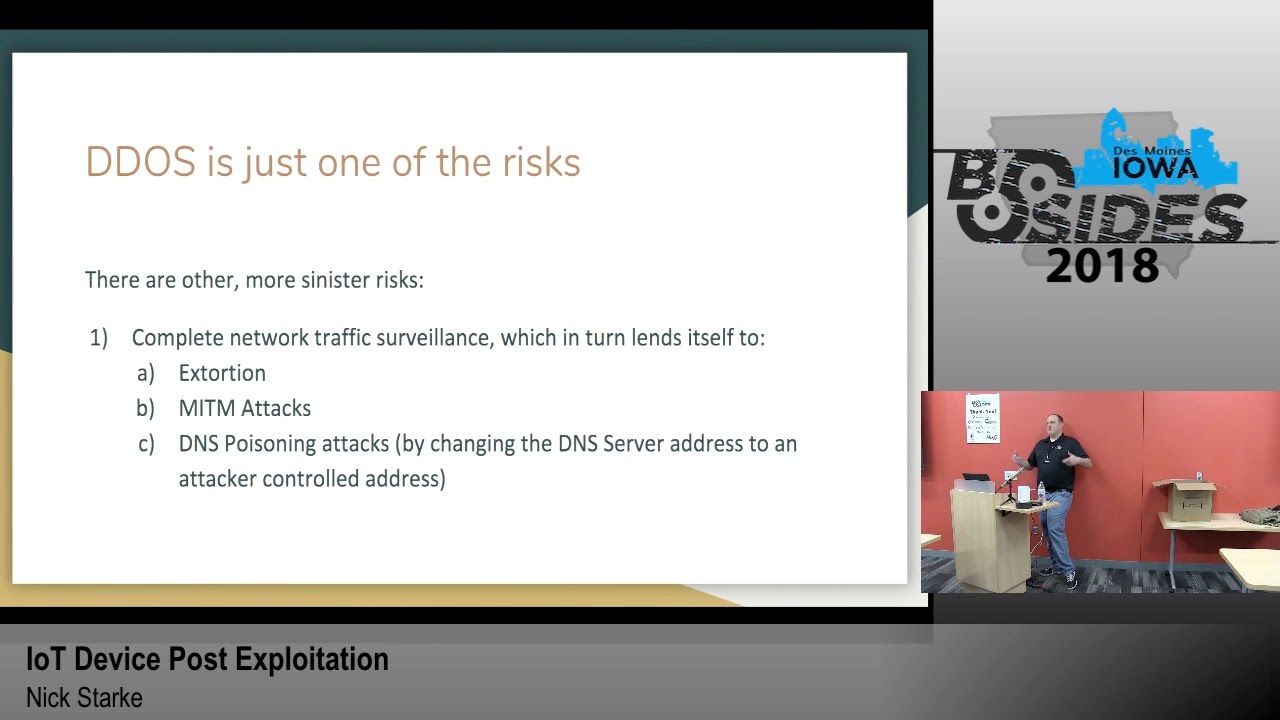
many many of these devices as possible to maximize the amount of bandwidth that they can send to anywhere you know that they can sell off to the highest bidder to do things like take down Brian codes website so this is kind of where this presentation takes a turn like we've seen every I'm sure most of you guys are aware of the like ddosed implications of IOT and how it can be you know leveraged to do bad things but there's there's one other really like nefarious track you can go down with regard to like compromising an IOT device so like the big one for me is complete network traffic surveillance so if you can like get on to someone's home router and you
know what to do with it you can monitor all their internet traffic right I mean all the traffic goes through the router to get to the rest of the world and if they have anything going on interesting on the land you'll be able to see that - because you're between those as well so that lends itself to things like extortion me and the middle attacks DNS poisoning attacks like if I have control of this router and you haven't configured your DNS settings on your on your on your desktop your desktop is going to use the router as a DNS server which is then then use whatever DNS server the routers programmed to use as the
upstream DNS server so if I change that upstream DNS server to a server that I control and start directing all of your traffic to my malicious domain whenever you try to make a request to paypal.com you know you start seeing some interesting phishing scenarios and interesting credential harvesting scenarios that you can get into and you know get bank account information or whatever you know I mean the sky's the limit with that sort of thing so it's a very very powerful position to be well in terms of on a network you know what we're not taught these sort of devices are not used in really really sensitive context right like no one's running a data center off of a home
router right I mean they're really they're really only used in like home and small office contexts most of the time so like you're you're basically attacking an individual but if you could automate all of it then you can attack individuals in masse to perform this kind of like network traffic surveillance and do these form of nefarious things and I haven't really seen any botnets doing that sort of thing I have heard about it I have all I've really heard about is IOT botnets that are generating traffic for the malicious botnet of bad actors so there's like a whole new evolution I think that's gonna happen eventually one that woman attackers start realizing like how they can leverage this really
powerful position on the network to make more money basically you know to scam more people harvest more credentials I think we're gonna see another wave of IOT botnet malware that's going to do some very nasty things so that's that's kind of what I want to focus on for this presentation is that is that angle to it like you know I can get on here and I can make web requests really easily it's not that difficult you know and that's that's one of the ways they generate level-7 traffic that can bypass all the DDoS filters on its way to Brian Krebs as well site so that's not a big deal with what I think is the big deal is what I just
said the complete network traffic surveillance however like I said no one's really doing this yet because it's pretty difficult to do it's basically to having these capabilities you're gonna have to be able to compile binaries that will run on a device like this so that's possible but it's it's pretty difficult to do so wouldn't you get one of these devices it comes with firmware pre-installed on it right and you many times update that firmware with another manufacturer firmware or like an open source firmware the particular example we're gonna focus on manufacturer firmware but when you flash the device with that firmware you have a certain set of binaries that are pre-installed that come with you know
Linux and that you can have you could access well and run wants you to have shell access on the device so really what we want to do is expand our binary base we want to expand our capabilities on the device beyond what's provided by the manufacturer so I'm gonna walk you through kind of my process on what I do once I have a shell on a device the first thing is he numeration I start with enumerating the binaries on the device there's other things you can do like checking the mount structure seeing what file systems are mounted which ones are read-only which ones are rewrite which ones are persistent which ones are not you also probably want to see what
file systems are available in the kernel in case you need to mount an NFS server or something to get files on and off so there's there's a lot of little things to do but like the big one is is is is finding all the binaries on the device what's up this are you or are you just kind of doing this like all through the command line or are you doing something like dump the firmware and then you've been walking to like try to enumerate binaries are you yeah so I do both of those things and I'll show you a little bit of the second one the the bin walk stuff in my live demo but I'm not gonna
focus too much on that today it's a really effective way of getting information about firmware but you know I I'm just going to use like when you're new radio you just kind of like is that the systemic thing or you just kind of like wandering around just poking your nose well that dist directory okay yeah I mean I do both of those things I I do you know I I do the file system availability in the kernel the mounting structure the binary available listing and then like if they have find on there I'll run find against the entire root structure and like dump it to a file somewhere so I can review it later so do
you also like look at like the NVRAM like where they store like the answer credentials from yeah the DSL Network yeah because like some of the things I worry about it's like you know a lot of times your ISP like set you up with a webmail account that uses the same credentials on your DSL modem and then the bad guy can go you know essentially go login to that account for you yeah if you've never because a lot of people don't know that they've got a webmail [Music] so that's really interesting I try I was looking at how to browse the NVRAM on this device in particular I couldn't find it with a limited amount of time I
had I could not find the binary which did that so in other instances you just run NVRAM show and then grip pipe it to grep and then you can see like the user the user names the pad if you grab for pass you can see the passwords of you know the Wi-Fi the Wi-Fi access point all kinds of stuff like and that's another useful component to the data you can harvest from from having that you know privileged position on the network you know you could if you were really looking to target a specific individual you could get like the Wi-Fi password or public private public cherokee and you know drive by their house while on their
network and then you have a full full node like a Kali instance on their network this requires physical proximity at that point any other questions by the way you guys get to pick one out that's like Socrates that works too and I clean all this up
yep the question was what what's actually on the device in terms of available binaries I will show you during my live thing but also it's just the basic Linux like utilities like LS cat you know like sometimes W get will be on there sometimes curl will be on there sometimes neither sometimes it's like FTP sometimes it's TFTP I mean there's there's almost always some way of making network traffic but like in terms of transferring things on not the device it gets difficult if you don't have curl or W yet you have to set up its the FTP server almost always and transfer things that way there's also all kinds of firmware updating capabilities there's there
there's other light there's like the HTTP demons on there usually so there's a couple different things you know oh I'll show you more in detail when I go through the live presentation so like I said you really want to look for binaries that can create network traffic one because that's the first goal right to create network traffic to hit a big target but second of all you want to be able to transfer things on and off the device so one of the ways that I one of the first things I did when I was trying to compile binaries for this device was pull a file off of it and run the file command on that file on that binary I
pulled the httpd file off there which is the HTTP daemon that runs the server on port 80 so I pulled that off there and I run file on it and you know later on I'll run it through binary ninja and take a deeper look at it looking for other interesting things but the file command alone like tells me so much that I was able to really kind of troubleshoot some of my compilation issues by by just knowing what kind of architecture and what kind of you know binaries are on the device itself you by default so yeah anything that's anything that's gonna create network traffic is interesting if you want to be really destructive the form or update
capabilities are pretty interesting too you can do some bad things with those no not on the device never never once have I seen GCC G + + CC GDB GDB LLVM g DB server known that stuff is ever on these things by default okay that's a great question though because that would make things easy right yeah well it turns out those those binaries - did like you were talking about like GCC are available just not on the device so we'll go over that in a minute here so like like the malware that I the might and Moriah botnet for example like I assume the payload the initial like x boy paylo that was written to the file
system was just a shell script i don't know that like obviously actually i haven't looked at the i'ma look to the source or anything but I imagine it would given the given the difficulty in compiling almost anything for these devices and especially how they won't they based because of the G Lib C version how you can't really port you know a binary coupon for this to another device by another manufacturer like the the amount of trouble there leads me to speculate that they use scroll shell scripts to to you know contact the c2 server and figure out what to run and that's not where you know that's that's that's not legitimate software I wrote this up at a earlier point in time to
demonstrate how I think this could work as a shell script like it I mean you just if you have for example W get which this device has you make a double you get requests Thornton an environment variable and then loop you know a thousand ten thousand five hundred in number of times executing that command that you retrieved from the c2 server you know and that commands gonna look like W get HTTP Brian Krebs calm or Krebs on security calm you know so the the c2 server's gonna control like what gets attacked or what happens there you know what command gets run on the device and then you know you don't want to you don't want to create all that
back traffic to your your your c2 server so like when you're done attacking you change that payload txt to like echo 1 or something so that you know the the shell script the the malware is not doing anything malicious and because you know if your customer is not paying you don't want to be delivering product for them ok yeah so this is the mean break break I thought that was funny no one's laughing right now but I thought it was good so next slide so now I really want to get into like what I call the path to compilation and just talk through the difficulties and the challenges as I experienced trying to get something to
run on this this device and then trying to get something complex to run on this device turns out they're just like an order of magnitude difficulty between just those two things let alone the easy stuff so processors right I've looked at a lot of IOT devices the newer ones all seem to be ARM based a lot of the older almost all the older ones are lecturer or mips and this one is Electra processor and what lecturer is is it's a subset of myths without the unaligned load and store commands are op codes so if you compile a mips binary it's likely to have those codes in it well if it has those op codes in it it won't run because this
processor does not accept those op codes and I'll show you that in a minute but it's that's a really important note that's like the crux of this whole problem if it was just the MIPS like the standard MIPS opcode set you can compile this using the gnu toolchain you know the cross compiler that you can get off aptitude or fedora or eople and just compile right there and you know you're done you don't have any additional work to do and in that case i would think there would be a lot more bad now we're out there because I think it'd be really easy to compiled binaries that do horrible things that get on these devices so more difficulties with the
lexer processor the linux kernel the main source tree does not support compiling the lecturer so if you want to compile a version of the of the Linux kernel that is devoid of those unaligned store and load commands you have to use these these patches that this guy on this website provides and run them against your Linux kernel and then send it out on millions of devices that's that's literally some guy on the Internet
it's very very likely if not they're gonna have patches that are internally developed but I that's a lot of work and from what I've seen people don't put a lot of work into these things so I'm guessing a lot of them you know just use some guy in the Internet's patches you have a kernel exploit well you see I mean yes and no that sounds awesome but you know what if you get a shell on these it's a root shell anyway so there's no like need for privilege escalation or anything but it's a good point I mean there's there's other things you could find you using that methodology that would that would lead to interesting results I think do you
want an IOT starter kit sure maybe later that's a no okay we know each other I'll get you afterwards so okay I like I mentioned before no no GCC no compilation tools on the device itself however most of those tool chains and in fact the Linux kernel itself is licensed under the GPL license you know so part of the GPL licenses I understand is you have to provide the source code and like if anyone who gets if you use a GPL and your product you provide the source code for free to all your end-users so the way that manufacturers typically handle this is by making available on the internet on their on the manufacturer website what's called GPL code and
that's like usually let's see that's like you know the Linux kernel itself is almost always is always in there you know it's some version of it at least so that's that's the big one but then additionally a lot of these manufacturers put the the tool chain that you need to use to compile these binaries in that code so that's how you get it that's how you get a compiler for these devices now once you have a compiler for them we'll go over this in a minute once you have a compiler form though like that that gets you the first step the easy the easy binaries right there like the hello world binaries that are you know a demonstration of a concepts
but are you know a hair shy of a real capability for lack of a better phrase so after after after I got to the point of being able to compile these binaries and take it takes a while you have to find the exact GPL code for the exact device the exact version of the firmware and know where to look within that 500 or 600 megabyte file you know zip archive you downloaded for where to find all the stuff and things to compile your own binaries then you know we're the more the GCC and the G+ plus exists and once once you get those in a place where you can use them effectively like there's a lot of make
file manipulation a lot of like auto comm stuff that you have to set exactly the right parameters to it you have to go into the make files that generates and monkey around with those so that they include the proper header files not not the like host operating systems header files so that part was the most complicated because like at that point you're in uncharted territory like no no one has the Stack Overflow post on how to modify a make file to config to compile curl on a lexer processor in fact there's almost nothing on the internet about lecture processors and in general you know that there's just very little information at this point and it's like for me it was like walking
through a dark room trying to find the white switch so that you can find the door to the next dark room to find the next light switch it was a interesting process but difficult and frustrating so we're getting kind of close to the point where I wanted demonstrates and stuff so I want to say this first I am today going to demo on this like this device right and I don't want to like single out this manufacturers being better or worse than any other manufacturer it was just an easy demonstration device a lot of the manufacturers all of them have all of them have their own problems right so I don't want to be up here like bashing on
one particular manufacturer because I don't feel like that's helpful and I don't feel like that's even accurate you know so and software in general is hard embedded software additionally is super hard to do so I I don't even want to fault the people for these issues you know they're getting better at remediating them once they're reported but I don't like bashing on software developers I just feel like software is hard so I want to make that point at least that I'm not I'm not trying to single out this particular manufacturer I'm not I'm not gonna like actually tell you what it is but you'll be able to tell by by when I start doing the things
and the stuff on terminal so I just wanna make that point the GPL code that comes for that comes off the website for this device has this readme.txt file in it and it's there's a little more to it than this but like really this is the bulk of the instructions on how to compile your own kernel that'll then and binaries and programs that will run on this device so the one of the interesting things I think this is interesting under three building the image it says make three times in a row you actually have to run make three times in a row in the same directory to get it to do its thing which I didn't
know at first I thought it was like a typo and they had make make make and I was like okay and run make once and then do the things so I I had to run it three times it's not very effective the one of the the really big thing here is the copy - RF our SDK that contains all the compilation tool chains and all the assets and a header files you'll need to compile your own kernel to compile your own binaries and [Music] it's it's a proprietary SDK provided by a giant board manufacturer okay so let's do some presentation time okay so let's let's get on to the device
okay God do something first sorry guys got it
sorry for the delay it'll just take a second
it's gonna become reachable this is fun this is the fun you have when you do live demos about it there we go alright so the first thing I want to show you on this we're not logged in yet right so what if I type in like a random username what would you expect to happen next so this allows you to figure out what the username is
okay so now we're on the device we have we have our root shell that had so kindly returned to us without any other like sub privileges so I'll go through my enumeration and then I'll like to start doing the fun stuff so like you know you echo out the path you see this list the binary is this big enough for everyone to see you by the way okay cool so you see some fun stuff in here you see like W get and you see although all the de-facto Linux commands like you name you mount all you know just random different things so you the next thing I would do is check the mounted file systems
it looks like the VAR slash bar slash this slash dev and slash temp which is assembling two dash bar or rewritable okay and it's seen everything else at the root is read-only okay that's that makes sense something else I would do is like cat proc CPU and this is basic you know enumeration stuff this isn't anything fancy
these are the file systems that are available you can see NFS is available sometimes you can actually mount an NFS server on these things to you know take files off of them sometimes like it doesn't work quite great but I've definitely seen that done that and had some good fun there this file the binaries file systems in the mount structure so we have what we need now to go and have some fun so I'm in the I'm in the temp directory right now we're gonna start up a web server over here on my host operating system and we're gonna use W get to pull curl over
okay now we should have cruel on here kind of changed the execution for a privilege on the binary now now what should happen is I should be able to run this binary against this web server that's running over here that I just used the pull curl with we can actually just do the index so we get the stuff in the things and you can see over on the right hand side they made the request now curl does not come on this device by default I ran compiled curl to be able to run it on this device so that's pretty cool right no this device already iw get on it it's not cool at all it's really really
really stupid so we want to maybe do something a little more risque like pull over in mad
so at this point now I'm an attacker on your router that has in that on your router that can be used just first of all I got a points on now this is in map 7.7 was the least like seven point seven point zero which is at least like a month ago this is running in map four point five point five four point five three it's an ancient version of in map but it still does all the stuff and the things that we need to do oops of course I don't have any of this in my path
so I can now port scan your network from the router and if that if that doesn't seem like a big deal like if you have anything on your home network that I mean you can find a way to get to it now I mean and you can find other things all kinds of stuff just by doing port scanning and see what else is accessible behind the firewall this is the now when I say is this cool this is cool this is uh this is a new capability that did not exist before on this device that we have added to it by using this very convoluted complex tool chain that we got off the internet so that's pretty
pretty cool I mean I think that's better than curling because W get already existed so let's take it up to like 11 now let's take over
TCP dump so now if I run well now uh yes thank you very much girls getting to have myself thank you very much Andy
mm-hmm
oh hey there's some DNS traffic coming over your network now this is super cool because now now I can see all your network traffic so if I come over here to my browser and hit up the web interface for for the router yeah I mean all the traffic is like you can see poor ad there it's dumping all the traffic so this doesn't really represent the the actual you know TCP body of the request of the HTTP traffic but you can dump all that out really easily you can dump it out to a file on the file system and come and give it every once in a while you could use net cat and pipe this
output there and send it to a remote server that way there's a lot of way to get this very very sensitive data off this device in somewhere else so this is very cool from a technical perspective but from a perspective of a victim this is like the worst thing you could possibly think of on your home router or someone who has installed a TCP dump compiled for your Lex for processor monitoring monitoring your traffic you know a bad actor doing that that's like the worst thing ever so that's basically my live demonstration I'm gonna go ahead and yeah you can see something like the Apple iPhone traffic cuz I think my my phone is connected that Network so I'm
gonna I'm gonna kill that web server will let the other one run but I wanted to briefly talk about like next steps here so the limitation on this is that like if the device is rebooted or it otherwise loses power or whatever you know you'll lose like all your binaries on here like you saw when I booted this up and started doing telenet sessions none of this binaries existed I've been moving them over all day you know just every time this thing powers down everything in the temp directory goes away obviously and since the temp directory is really the only writable spot that's where they have to go so a next step in this research which I which I
looked at very briefly was that company you can compile your own firmware with a GPL code compile your own firmware and package it with TCP dump already built into it and then flash on the device now I couldn't the practical reason why I couldn't do that was I've tried messing around with flashing devices before and sometimes the device it's bricked didn't want to break this guy right before my big presentation so I wasn't able to like start messing around with that but I think that's the logical endpoint for this is having your own firmware you can compile using the manufacturer of GPL code and you know get somehow maliciously on to someone's home router that's all I've gotten a I know I've
gone pretty close to the time compiler that you know my processor type so you know oh no you I mean yeah you right you all you need is the binaries that can compile them right like GCC but you don't need like their GPL yes but the toolchain is additionally included in the GPL stuff and that that's what I didn't have the GPL are the the tool chain like yes and that's what that can for some reason that's included with the GPL code for this device and that's why that's how I got this tool chains from the manufacturer themself but you're right you don't need the Lynx kernel at all yeah but the advantage of having all the kernel
source code and all that stuff is if you wanted to compile your own firmware and bundle that up all the tools to do all those things are in that GPL package so that's where you would want to the kernel source code and all that stuff there we go that's that's where I was going to talk about the one I extract I downloaded the firmware for the device I extracted it using bin walk - II and yeah well I didn't have to do that if L PHP files so I just like I knew exactly where it was I just went in and found it you know and got it yeah so that's that's I meant to go into that
more but you know that's a good question do you want another one no okay any other questions if you would like to get started on IOT hacking you can come up and get a kit for free you can have one yeah and I encourage you if you find something cool come and present on it next year you know that would be awesome I'd be an awesome thing to see is just you know the community doing this stuff and there's still some cool stuff in here like there's some crappy stuff in here too but there's some cool stuff
it's not the latest one but this one's pretty old this one's probably newest thing I have that won't be fun to play with all right thank you [Applause]
Related talks
 30:55
30:55 45:56
45:56 25:14
25:14 40:53
40:53 4:14:50
 31:42
31:42