"Kubernetes Security" - Ben Cambourne
Show transcript [en]
okay thank you everyone so my name's Ben Campbell I'm a security consultant at Elton and we do Red Team in Pentos in source code auditing we also deliver training and I personally have over a decade of experience last year we ran the CTF here are b-sides and I love DevOps so I also run broxbourne up in Sydney so I'm I'm be dog I've given some talks there as well myself so just on that if you're if you're in Sydney if you're interested in giving a talk are you interested in getting involved please come up to me let me know so today I'm gonna be talking about Cuban ET's so we're gonna go over a brief
introduction to Cuban Eadie's containers and darker then we're going to talk about some common like methods to set it up also some common security problems that occur within kubernetes clusters I'm going to recap just briefly on some cuban eddies vulnerabilities and then discuss how to secure the clusters and some tools and resources for helping to order clusters and then we're gonna wrap up with the conclusion so the cuban eddies there's lots and lots of components lots and lots of our projects if you if you when you first get started in cuban Eddie's there's a lot to learn and it's it's it's really it's really massive things really interesting so what is Cuban Eddie's it's all great to
me so it's an open source container orchestration solution and I came out of Google so they had a similar internal project and they then effectively did a rewrite and and and released it it's like it's open source and it basically orchestrates clusters like all the containers within a cluster like so multiple nodes multiple hosts the volumes and networking and all the configuration it does all of that at scale and it's highly extensible so all these like various components that make up kubernetes they can either be like very highly configured or they can be replaced totally so bits and pieces can be swapped in and out so it's possible to have like every cluster can be different
to another cluster sort of thing so like every different business organization who's going to set up a cluster they they can pick and choose and do it differently to like what suits them best or just however they decided to do it so they they have a lot of options so just talking about containers talking about communities so they have a concept of a pod and a pod can either be like it seemed as simple as a single container or it can be a container and a volume or it can be multiple containers and volumes or any sort of combination of these of these things and so they will all be scheduled together as a single
sort of like entity that's get scheduled and then by default with the default networking within communities each pod will have one single IP address and so that means that like all the containers running within that pot they all have the one IP address so there may be like you know listening different ports and stuff different pieces of like different containers have different services on different ports but it's all the one IP okay so Kuban Eddie's like the when you when you set up a cluster there's all these different pieces or these are some components within it so one of the main things you're gonna have is down here this like API this API server and that's
like all of the control when you want to control the cluster when you want to instruct it to do different things you're gonna be sending the messages to the API server then there's like configuration manager the scheduler schedule is going to be handling like which pods to put on which nodes and and then you you basically gonna run your containers your pods on the worker nodes so with the implementation like I do generally want to go for high availability it's a sort of a point of using Cuban Eddie's and you're going to have multiple masters the Masters are going to run the API server the configuration manager and a scheduler all those sort of control plane
components and they generally don't run the workloads there's also the etc D cluster and so you can run that on the Masters we can run it separately and so you're generally going to have at least three except ready nodes and then in production you probably going to have more than two masters you're going to have a bigger etc declaw style and then with you with your worker nodes you may actually split them up and have some dedicated for ingress traffic and some just just as like general workload and [Music] and yeah and so the weave with the master nodes they will be running all of those control plan components but they the control manager and the scheduler
they're going to get like a leader is going to get elected and the more of the of the control nodes master nodes that you have the more sort of redundancy you can have the more failures are going to be able to survive so when you when you set up a Cuban Eddie's like application you want to run a service you want to exploit an application there's a lot of different pieces that are going to use so you're gonna have here on the Left you're gonna have say lucky ingress you're gonna have a service and that's going to spread the traffic over to the various pods so you can Cuban Eddie's you can tell it I wanted to deploy an
application I'm gonna have a deployment I want to have like save three instances of my pod and the service is gonna spread that across those pods and then if a pod dies for some reason like maybe your whole node dies then because you instructed communities to run three of these pods then when for some reason one died it's going to it's going to start another one and it may start on another the NOTAM a starter on the same node and you can control all of this and then you can also set you can set limits resource limits constraints and you can set up various policies and you can quotas and things like that so human it is it's
like it's very powerful it's very flexible it allows you to run a lot of workloads and just have a lot of good control over them also it's going to manage the configuration so you can tell your pods like just in the center of the diagram here you can tell your pod ok get this configuration and on the left here like get these secrets and so this is going to be stored in etc D and it's gonna be made available to the to the pod server as a plug get scheduled it's gonna be able to grab its configuration and needs for for its run time settin up the kubernetes cluster there's many many ways there's a lot like five or fifty if
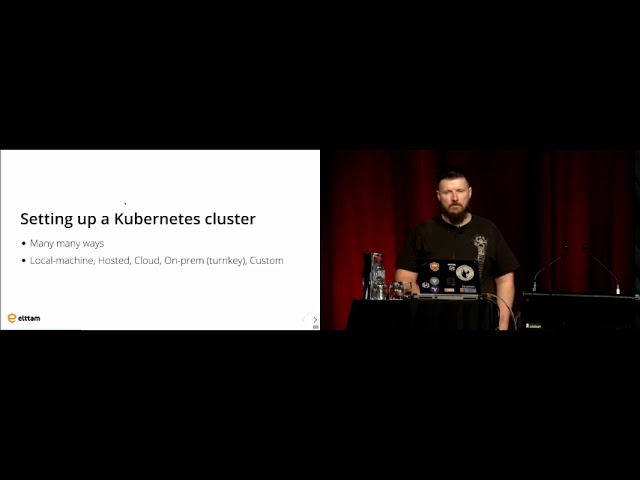
you go to the communities documentation there's like a big page you can scroll through you can set it up on a local machine there's a few tools that help you do that there's there's a there's like there's a new tool in our code k3 and then there's AI mini cube and a bunch of other tools they'll help you set that up you can set up hoisted you can set it up on openshift from Red Hat there's also a lot of cloud providers so Google themselves they have gke you got Amazon all the big clouds and is on Azure they will have at least one way to run communities if not more and you can also just to play it on the cloud
yourself so you could set up your own say like ec2 instances and set up the communities cluster on it so get into the meat of the talk now cubic community of security first off you want to start off we have like what is your threat model so you want to think about what it is that you're trying to protect what it is you're trying to do whoo-hooo maybe like will be an attacker will be interested in in attacking you and so you need to take into in this into consideration and actually use this is like the whole sort of backbone is to like your planning and what sort of actions you take to defend your cluster and the whole reason you do
this is because if you don't then this sort of thing can happen you can end up basically having someone being like oh this queue bananas cluster if I gain control of it then I can start to schedule my own workloads on it and I can start to do things like crypto mining so Tesla for example fell victim to this Tesla had an unauthenticated access to their cluster which allowed an attacker to come along and basically gain control of the cluster start to schedule down workloads start to do some crypto mining and and it also happened to have their they're like details for their cloud so they could start to get access keys into s3 buckets and things
like that and start to also attack the cloud so it's not it's not a very good thing you obviously this can cost you a lot of money your cloud account if an attacker can run their own workloads within it then they can take up a big bill with with all the compute and storage X and networking etc that they use them so with your with your threat model you know on the defensive side really like what you want is lots and lots and lots of isolation so the more isolation you can get the better so if an attacker manages to break into something so they break into a container they compromised a pod then the less
that pod can do the better firm for you for you so at every sort of level you want to try to have as much isolation as you can and that way you're going to limit the blast radius of other compromised you're going to contain them and it's and it all comes back to that principle of least privilege if you if your app doesn't need to be able to talk to too many things then like don't allow to talk to many things that way if it gets compromised it can't talk to many things and it all comes back to that principle effectively
so some common security problems with kubernetes clusters so in the beginning cuba Nettie's up until like version 1.5 there was no authentication for for the for effectively like for the control plane so as soon as someone like god access into your cluster they would be able to talk to the control plane and they would be able to make changes effectively be able to start up their own pods or in containers stop their own workloads and start to attack your infrastructure start to extract secrets from your workloads and things like that there's also a read-only port so you could set up the control plane and this was actually like often done by default they would have a read-only listener set
there and even today it's like depending on how you've set up your cluster this may still be there on the on the internal on the inside of your cluster so your workloads containers and things that are running the pods they mabel to connect to this read-only listener and from there they can gather a lot of information so they can then work out how is your cluster configured how is it set up and from that information they can then work out better ways to attack it what sort of pieces will they try to attack next to gain more and more control until they've eventually achieved their goal or compromised your cluster privileged containers so we've seen this in the past when we've done
some audits of some cuban Nettie's clusters for various reasons people have set up privileged containers and privilege containers they're very dangerous there near equivalent of effectively having root access to your node so your hosts and they're basically containers that have privileges to interact with the hosts and so they can they can they can because they have more access to the host I have a lot more attack surface a lot more are different things they can do so it's quite dangerous to run them and if you can avoid them you definitely should so you can configure your claw style to not allow privileged containers which is which is a thing you should do if you can in secure containers so this
is also very common you'll often find containers which are set up where by default they'll run is route you can also have containers which the developer who's like build the application if they've included secrets things unnecessarily it shouldn't really be there they may also have sometimes like left the source code in there sometimes people will leave like git repositories and things like that within the image and so then when that container gets scheduled then I contend it gets wrong it has all these extra things like source code and passwords to databases and things like that that shouldn't be there then you can the etc D itself so this is like all of the storage for the
configuration for the for the pods for the cluster itself and all of the secrets is sort of thing etc D so it's very important that exception D is secured and you can have you can miss configure it so it's set up without authentication and you can also set it up so that there's no encryption at rest so that means that you may have like unencrypted backups of your data as well you may have snapshots and things like that the contain is unencrypted etcetera D database so that's other like we concerns you can have in exit routine if you're running in the cloud often there's a metadata service so a node in the cloud I can connect to this metadata
service and find out information about the cloud environments running in find out information about itself think things like it's like P address its hostname various other sort of details about the cloud environment so this is very common especially it's in AWS and Siena's your it's in all the major clouds so originally by default when a pod got scheduled they would mount in service token to the cubanelle is cluster and this could then be used for the plot to authenticate to the cluster and to be able to start your interact with the class to start to find information that it needs and various things like that and originally this service token effectively gave it full control of the cluster so if you didn't
have our back enabled or some other sort of security authentication mechanism then this would effectively lead to a full cluster compromise the kubernetes api server authentication so if if you have a listener that's set up without authentication maybe it's on the inside only so maybe only like pods can talk to it things like that like outsiders can talk to him but once a malicious payload is running if you had an image that's been Trojans if you have a container that happens to get compromised they could then talk to this API server they don't need authentication and then I can start to make malicious commands they can they can start to schedule more pods they can
start to pull down images they can they can start to run their own workloads and things like that Mount volumes etc network security so there's lots and lots of ways to set up they're now working within kubernetes it's probably the most probably has like the most alternatives but by default all the pods can talk to all the other pods within the whole cluster and all the pods can talk to all the nodes so they can talk to the work nodes and they can talk to the master nodes it's just one big flat network so and by default like they can all talk to each other so there's no there's nothing stopping one container there was like
say running a simple web server from you talking to the database of another pod even though they're totally unrelated they can all talk to each other some pass vulnerabilities so the quite interesting vulnerability that came out last year it was found by the CTO of Rancho and so this this was quite interesting so basically on the control plane side of Cuba Nettie's the the various components like they have full trust they don't need authentication and like when they when they do things they basically they're the equivalent of route and so this vulnerability the guy who found out if he worked out that when you make this like proxied request to do WebSockets there was this failure to handle and in
failure to properly handle like an exception case and it would trick the server into connecting to itself in thinking that what since since its me since I'm the the server I have full access and so an authenticated user could go from having like we've are back they could have not very many privileges at all like maybe just the ability to look at some information but not to actually start up their own containers and things like that they could then effectively become route of the cluster and have full control of the cluster so that was quite an interesting bug and a good find and then most recently there was a vulnerabilities in run C so this is not
actually a vulnerability within Cuba Nettie's itself but it's a vulnerability in a component that that Cuba Nettie's uses that it leverages so run see it's used to start containers and there was a vulnerability where you could basically overwrite the run C binary itself on the host and so that meant that if the attacker could had a malicious image or if they had right access to a container or if they could exact into a container then they could overwrite that run C binary which is running on the host and it's running as root and they then basically have root access to that host and once they've got access to one host then they can you know start to do that
attack again and again to compromise all of the worker nodes and with root access to the work nodes they had a lot more access to the master nodes and so they can start to try to take over them as well so how to secure clusters you want to secure the control plane as much as you can that's like the whole brains of communities you want to harden the worker nodes this is like where these worker nodes they're running your your pods they're running your workloads which may not you may not have like as much control over them you may be running a lot of workloads from various developers and things like that it may not have all put the same level of care
into it as you so you want to harden your worker nodes so that if a pod happens to get compromised or if a pod happens to be malicious that you're limiting what it can do contain an image security you're going to want to secure your containers you're going to wanna have good secret management you really want like as much legislation as you can get and then you also want to have good monitoring so that when something does go wrong you detect it and you want that to have alarm in so our back I spoke about earlier so role based access control you can configure cuba Nettie's so that you have different roles different users different groups and you
can set it up so they like different people they can only do just the limited actions that they need to do and nothing more and so that's generally what you want to do and then in their suppliers like not just to to black people but also to various components so you can limit what they can do and that's always a good thing pod security policies are PSP these are quite powerful you can do quite a lot with these all all these like there's a lot a lot of different options here but they can stop privileged containers they can control like what namespaces containers can use whether the containers can have access to hosts networking whether they can mount
various things in the file system proc mounts all these various options around volumes and storage they can also control like whether a container is allowed to run its route and then the Linux capabilities which is like a way to remove privileges from like the root account so there's a lot of different capabilities within Linux and you can also like control like what capabilities are containers allowed to have and then you can restrict like an administrator who wants to connect to a container they the equivalent of docker exec you can stop that you can like limit that so a container may be privileged for some reason like for some reason you needed to have this privileged container and so on even
though you have our back and other sort of mechanisms if they're able to exact into that container then that may give them an equivalent of route on that node and so for that reason you may want to say well okay we need we have our reasons we need this like privileged container but we don't want to then allow that is effective like a backdoor for operators and things like that to be able to escalate onto the host so we're going to restrict them into remoting but then that has like you know other implement implications like they may make troubleshooting harder and things like that our pod security policies can also control the SELinux context that
you give a container control the up-armored profile second profile so set comp is a way to limit what Siskel's container can make so you can control that so you can like really tighten up what the container can do the less syscalls it has like the less sort of things you can do and this is also important because the containers that are running on a node they're all using the same kernel so if they if there's a kernel exploit they can leverage then they can effectively break out of that container and and break into the host and then all the containers that are running on at host they can they can start to interact with everything start
to read so so if if you have limited what's his calls they can call if they can't call the sis call that has it's like vulnerability then they can't even though that kernel is vulnerable they don't have access to it so it's very it's very good very powerful mechanism to use and then you also have this control profile which is also changes our settings effectively so a really useful resource is the center for internet security so I guess they make many benchmarks for various things and they make one for Cuba Nettie's and so this is actually its really good guide it's like it's quite long I think it's about like 2 100 odd pages and it goes
through like all of the options that you can set up in Cuba Nettie's and it goes into the security implications of that setting so like if you have left it on the default or if you set it to various values what would that do so there's settings for example to do with like you know I'll be I'll be able to schedule privileged pods or not and and so this will you know describe like you know why is that a bad thing and like you know why should you set it to a certain value and things like that the benchmark it basically details many many options but it's it's not it's not sort of designed with the idea that you're trying to get
a hundred cent pass rate for this benchmark if you if you used like all of the settings to the maximum security area so they sort of recommend you'd probably then end up with a cluster that doesn't work so you have to take it with a grain of salt read read it like use it as a as a resource to to educate you on points that you may not know and then make a decision like whether it makes sense to enable this feature or disable it or like what sort of value to set it to and things like that there's also a very interesting project called open policy agent and this is like agnostic it's not
i like limited to communities you can use it for anything really and it allows you to do policy as code so you can using their own like domain-specific language you can define your policies you can you can say various things like users from this team are allowed to are allowed to like schedule these sort of pods or users from this team are allowed to connect to these sort of resources and various things like that and you within Cuba Nettie's you can set up some emission controllers that will then talk to OPA and run through your rules and so anytime like someone's like trying to say for example schedule a pod then we have OPA you can be like well who's
trying to do it like where are they from like what time of day is it or any sort of like rules you want to make up and then implement that and have that sort of control so it allows you to implement your own business rules and the nice thing about it is because it's like independent you can use it not just in Cuban Eddie's but you can use it in other things as well so like other parts of like your CI CD pipeline and your any various like DevOps tools you can set up service measures so I spoke about earlier how the networking within Cuban Eddie's by default is very flat you can get service measures or there's other
networking mechanisms you can use but one service mesh that I quite like is sto it's also another project out of Google originally there's several others is do is my personal favorite it allows you to set up network security policies so you can then restrict the network communication their pods can make restrict them from me able to talk to other pods other containers restrict them from being able to talk egress out to the internet restrict ingress into your cloths tile restricts them being able to talk to the control plan and various other things you don't have to set up sto like just for your cluster it can it can be like you can govern like more than your cluster or it can you can
set it up so it's like pretty much just controlling all of the traffic within your cluster and in and out of your cluster it's very flexible and very powerful so CPUs they have liked so we've had like virtual machines we got containers there's also secure enclaves so there's Intel SGX and there's AMD has your equivalent SUV and these are these like computing environments that like even root on the host like the even like Colonel in the host operating system can like peer inside to that secure container and interact like read its memory or write its memory and and spy on it and things like that and it's actually possible to spin up cuban Eddie's containers docker
containers and etc leveraging these secure enclaves so there's a couple of interests in projects as one could graphene and project golem and they allow you to effectively quite easily spin up the container that's going to be running in this secure Enclave and that's going to protect it from the host itself so if you happen to be running payloads running our workloads in your cluster and your cluster say like one of the weaker containers got compromised and they wouldn't manage to elevate and get access into the hosts and they then started to look at like what else is running on this host they won't be able to actually appear inside these secure enclaves and so that's
given you another level of protection another level of isolation tools for auditing so one one tool it's quite it's quite good ease cube bench it's by company code aqua security and they've got a couple tools one one is Q bench and Q bench uses that so IES benchmark that I mentioned earlier and you run it you can run it on your on your master nodes and you run it on your worker nodes and it's going to go through it's going to look at like what process is running like what sort of arguments do they have look at the config and basically work out like whether it thinks that you made or don't meet the various items within that benchmark so
this is like roughly what it looks like so if you in this example they have allowed privileged allowed privilege is allowing privileged containers and so that's a that's a fail and so it's just going through just taken look like what parameters do the processes have basically and whether meets all or does not meet the benchmark another tool by the same company aqua security is coupon tour it's a similar tool to Cubans you run it against your master no it's run it against your your worker nodes and it's going to again like tell you what sort of like misconfigurations and and like security settings are or are not there and another interesting tool is mi contained
it's by genuine tools and mi contained you run it so you like you can you can spin it up it's a container effectively so you can spin it up like using docker you can spin up using your Cuban Eddie's cluster and it's going to evaluate its run time it's going to take a look at does it think it's running in darker doesn't think it's running in Cuban Eddie's what container runtime engine does it think these being used because is there's not just docker there's others there's some ones like rocket etc so it's going to try to work that out and it's going to try to work out what Linux capabilities does it have does it
does it have root and what sort of like syscalls can it make is there any sort of second filtering is there any up-armored security profiles or selinux profiles con texas and things like that so it's gonna sort of like do a bit of investigation and try to work out those sort of things and what's good about this tool is if you run it on standard docker and you run it on standard cuban eddies you'll be surprised to find that darker actually has better security out of the box because docker out of the box will give you a default second profile and a default up-armored profile and cuba Nettie's by default won't so if you're if you've started off with docker
and then you sort of build up and started to use cuban eddies you may be surprised to find that it's not as locks down from that point of view and this is like a mistake or like an omission a lot of people have missed and so for that whole defense-in-depth you're going to want to set up your own sitcom profiles you earn up armored profiles selinux and things like that like which other tool you want to use like to try to ice try to minimize the amount of access that your containers have to just what they need so that if they do get compromised you're limiting what an attacker can do okay so in conclusion
there's a lot of options like every two bananas cluster is can be effectively quite different from from others take care with the configuration there's all those options like and the defaults as well like you have to make make sure like do the defaults really meet your needs or you know should you do some more tightening and more investigation and look at how can you further secure your cluster effectively then there's like several tools and resources so there's that Cuban eighties benchmark and there's like various tools will help you compare your cluster against that benchmark and just enjoy and embrace the power of and flexibility of Cuban it is it's a it's a very good tool so it will
be releasing the slides later so I put a bunch of references there that you can grab and so late links to tools and things like that and links to other talks so yeah so is there any questions
I say we've got a runner going to a question out there at the back I can see the hands these runners they definitely gonna get fit over the weekend okay thank you so thank you for the interesting presentation now I admit I'm not that familiar with kubernetes and I don't know if it's Linux only or if it supports other node operating systems as well but when we mentioned the security options like armor profiles and psychopaths so forth that's all features which are inherent to the Linux kernel so assuming that you can have I don't know say a Windows node or something does it also support like the equivalent mechanisms in Windows so you can so
daughter can run on Windows and you can actually set up like a Cuban a DS cluster using docker for Windows stuff like that so i i'm not actually certain if you can have like a worker node like a Windows worker node in a Cuban Indies cluster and yeah a lot of a lot of those security mechanisms are talking about like comm selinux and our Palmer and all that they're all Linux Pacific security mechanisms and so yeah Windows doesn't have them if you did manage to have like a Windows worker node there was like running containers directly on Windows Dan yeah you'd have to you'd have to use like Windows security mechanisms there's a question just next to that yet you've got him
sorry it is question over on the on this side over here yeah want me to go okay so do you have any experience with people migrating from Apache me sauce to kubernetes because from my observation a lot of the security controls that kubernetes applies me sauce doesn't it just deals with the sched and resource handling yes I I don't have a lot of experience Apache Apache missiles so yeah and I haven't I haven't experienced people migrating from that to Cuba Nettie's yeah I'm not really sure of like what security mechanisms meat sauce has I do think that it is purely like more or like sort of limited in scope to compared to Cuban Eddie's I
think it is more purely about scheduling and it's open-ended as to like how you control other parts so I presume there's ways to secure things but it may not be is like its integrated as sort of like easy as as Cuban Eddie's so yeah we get a bike to the front to boil it so just one of the earlier questions about running windows server containers they can be in the worker nodes for a kubernetes cluster if you have hosted kubernetes how much of your sort of I guess security advice applies or is that hosted kubernetes you don't worry as much about it so we've hosted kubernetes you have less control over the cluster so yeah you you have less control and
it's more up to like the provider of that hosted communities cluster to like how they have locked it down and configured you may have like some control but you obviously have a lot less than if you was your own personal kubernetes cluster and so it's also quite interesting like for example when in the 20 20 18 when that when that privilege elevation privilege vulnerability came out you could see the public cloud can clusters being upgraded so they took them I think roughly like took AWS I think roughly 48 hours so there's like trade-offs if you if you use a cloud Kuban communities cluster it's they've set it up and their management for you so yeah basically outsource and a bunch
of your activities you don't have to care about it enough to sort of like work on that part but you you then just have less flexibility you have less control over mr. vu hi thanks for the presentation I had a quick question about general AB security when developing applications giving these so usually when you think talk about general AB security also think about things like transport layer security and access management within the application so what's your opinion on putting TLS on containers that are deployed as within clusters because when I see examples online we usually don't do that all the applications running on port 80 unencrypted traffic within the cluster itself yeah so it's interesting
question so some sometimes people yeah they won't care about unencrypted traffic within their cluster they'll say like these this is this trust hood so we don't care they can talk to each other I personally feel that as long as you have like restricted it down so that say for example a web application needs to talk to a database really only that container should be able to talk to that database container and not like any container not any pod so I would want to like limit that so that you're not just trusting like all of the inside of your cluster all the inside of a node you're you really only trust in one container to another
container which are meant to talk to each other I personally would also have encryption I sort of feel like why not and computing is relatively cheap so like there's small overheads but you may you may have performance reasons and things like that or you may want to be able to sleep on the traffic or things like that so you there's like some trade-offs so you need to sort of consider what is best for your use case we have tools like sto you can make sure that all the containers are doing encryption to each other and things like that so that's one of the reasons why I like and effectively recommend you do we have any more questions in the audience
well let's thank Ben for a great presentation you [Music]
Related talks
 43:48
43:48 23:15
23:15 56:44
56:44 40:07
40:07 56:17
56:17 56:06
56:06