Panning for Gold - A Hacker's Guide to Next Generation Firewalls
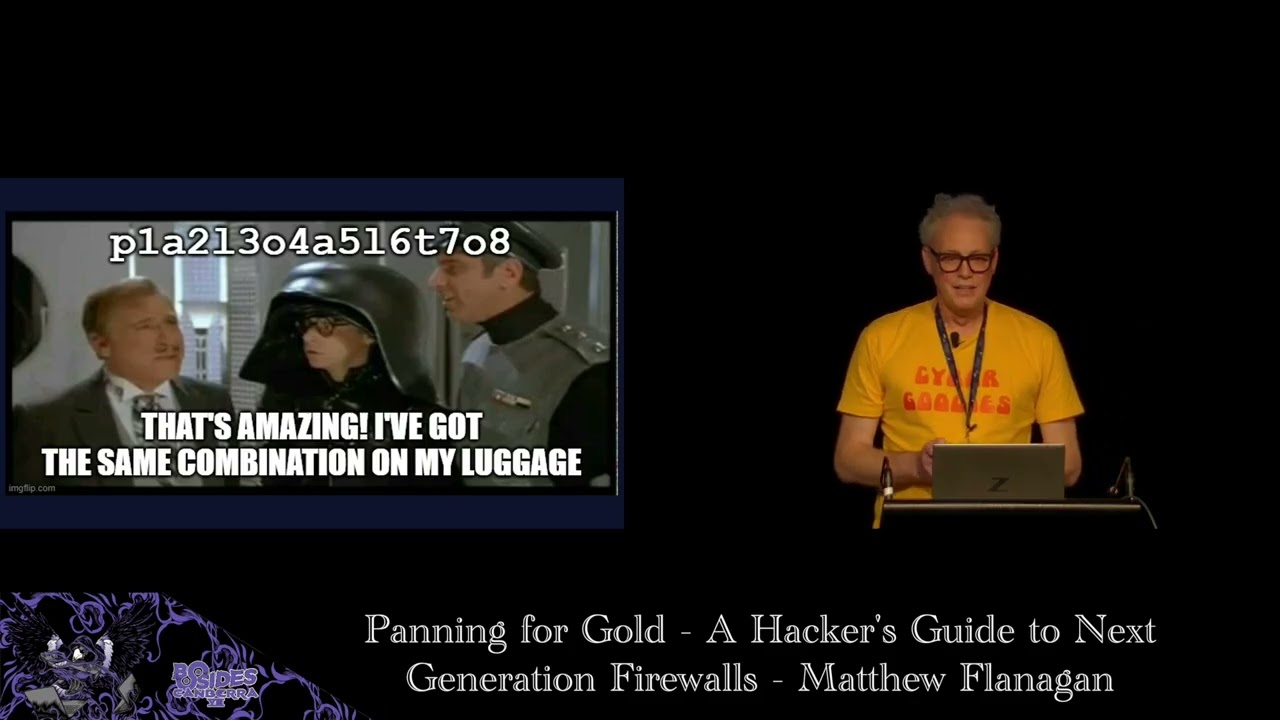
Show transcript [en]
Okay, for our next talk we have Matthew Flanigan talking about Panning for Gold, a hacker's guide to next generation firewalls. So, please a warm welcome for Matthew.
>> Well, uh, thanks Besides for having me and and this is my first time presenting at a event of this size. Um, I just want to call out to Kylie and Sylvia. I really appreciate the encouragement you gave me many years ago to uh submit a talk and finally did it this year and here I am. Uh today I'm going to take you through the highlights of some research I've done on nextgen firewall features and weaknesses and the post exploitation techniques you can use to maximize the impact of a firewall compromise. So I'm the director and principal consultant at Subliminal, a consultancy I founded in 2022. I've got over 30 years experience uh as a builder and defender and hacker.
Uh and while building and defending organizations networks, I've often stumbled upon vulnerabilities in the equipment I was managing such as firewalls from Checkpoint, Cisco, and PaloAlto networks. I've published research on those vulnerabilities and been recognized for that. You can find me online at this email address and on Mastedon. So the term nextgen firewall was coined around 20 years ago to describe firewalls that move beyond first generation features such as stateful inspection layer 4 access controlNA and VPN. But I can't help feel that vendors have paid themselves into a corner when they've branded everything next generation. I mean it's been 20 years. Uh as far as additional features go in nextgen firewalls, they'll of add what's
called application awareness and that allows the firewall to detect and control which specific application is being accessed. So rather than just allowing port 80 and 443 for web services, the firewall can detect that you're talking to YouTube or GitHub or M365. And it's also protocol aware. So if you want to permit DNS, um it'll allow DNS, but it won't allow someone to tunnel HTTP through port 53. Uh NextG fires also added threat prevention and thread intel feeds. Um and this initially just included intrusion prevention, but later they added things like signature signature based AV, DNS security, etc. as well as dynamic feeds from threat intel sources for malicious domains and IP addresses. These firewalls also have what's called
user awareness or user identity awareness and this allows them to know uh which IP address has which user logged in to it within your environment. They also do URL filtering and TLS inspection and they often do dynamic analysis of files that are passed through the firewall uh via malware sandboxing. This is leading vendors as of Q4 last end of Q4 2024 from IDC report with 40 foret Palo Alto networks Cisco and checkpoint and topsec being the top five. Paulo and Foret often trade places every quarter or so between first and second and between the two of them combined they have about 40% market share. For this talk I'm going to be focusing on PaloAlto Networks firewalls.
However, most of the techniques I discuss can be applied to other vendors. So why target firewalls? Well, obviously they're the first thing you're going to find on the perimeter of an organization's network and the internet. They've got juicy details on the on the target network's topology, internal servers, applications, and users. Historically, they've had many trivially exploitable bugs, um, which we'll talk about more later. And in order to deliver their nextgen firewall features, they store nuggets of information such as credentials for service accounts, certificates for TLS inspection, and other secrets used to provide those features. So, how do we gain initial access to the firewall and its secrets to begin with? Well, as mentioned, there's been many
recent high-profile vulnerabilities, including uh or bypasses and rce and command injection on paralo firewalls and or bypasses and 40et as well as one that came out yesterday. uh anyone had to uh miss the party last night and patch their firewalls. So what we know from the reports from Paulo 40et and dark trace that thread axis post exploitation techniques include the excfiltration of the firewall configuration data. So hackers are investing in developing zero day for firewalls. But why are they also grabbing the configuration? We're going to look at where you can get hold of that configuration and then move on to how we can pillage its secrets. So you do if you do have an exploit for
a firewall and you pop a root shell on it, you'll be able to find the config here. Uh that's in this file system path. But even without zero days, we may be lucky enough to find a copy of the config lying around in a target's internal network. We might find them on unprotected network shares or cloud storage. We can search SharePoint for the term body colon pash which will specifically target Palo Alto firewall configurations and return any of those in the results. And another source of configuration data is uh tech support files which are files that are generated by firewall admin and supplied to PaloAlto support when requested to help with troubleshooting. And these contain a whole lot of
diagnostic logs as well as configuration data. And lastly, thanks to the Palo Salesoft drift breach a couple of weeks ago, it's possible your targets configuration data is in the hands of the shiny hunters. So check out their breach site. We may get lucky enough to fish or password spray an admin user to get valid credentials. However, once we have a config file, our job becomes easier as we can extract the password hashes of all the users in it. These hashes can then be cracked offline, yielding valid admin passwords that may also be used against other systems. Here's a example of the format of how you'd find a user entry in the configuration for a username named admin
and the password hash that's stored there. These hashes come in two flavors. Uh SH 256 crypts been used since 2022. How prior to that they use MD5 crypt. But if the firewall hasn't changed their passwords, it firewall admin hasn't changed their password since 2022. They'll still be hashed with the older algorithm, making it easier to crack. So what if the hacker were to gain access to your firewall configuration? As I mentioned, there's other secrets stored in it. Surely they're encrypted, right? Technically, they are. All secrets besides local user passwords are encrypted with what is called the master key. However, however, the master key by default is the same on every firewall globally and has been well known since
at least 2016 when Felix Williams revealed it in his talk at troopers. Oops. If the admin hasn't changed the master key, then all those encrypted secrets in the config might as well be plain text for an attacker. Any guesses as to what the key is that I just accidentally revealed? Yep, it's Palo Alto with uh the numerals 1 to 8 between each letter. So in order to decrypt the secrets uh there's a couple of options. There's an opus open SSL oneliner floating around from threat labs there. You can use that to decrypt any secrets you find that are using the default master key. And I've also released a tool that can decrypt secrets using the default or a supplied
custom master key and you can download that at this uh GitHub repo. The power strongly recommends that customers change the key, but why don't admins change it? Here's a configuration screen to set the master key. It allows you to configure the key. You configure a lifetime, and that's how many days before the key expires. Uh you configure a reminder, so that's how many days before the key expires that you'll get an alert to tell you to change the key in that many days. And last of all, it allows you to set an auto renewal period, which gives you a grace period if you forget the other two reminders. Let's zoom in a little bit on the text
I've highlighted. It says you must configure a new master key before the current key expires. If the master key expires, the firewall automatically reboots into maintenance mode and must be factory reset. If this happens, your firewall admin is going to have a bad day. The network will be down. everyone will be screaming and they have to restore the firewall from a back of of the configuration. So, it's no wonder that many admins are scared off by the risk of breaking their firewall if they forget to renew the key. And early uh firmware versions even lacked auto renewal, causing outages when keys expired.
PAL ar only aren't the only vendors guilty of this. In 2019, Bart defeies discovered that foret also use a static key and this forced foret to introduce a new feature called private data encryption that allows customers to set their own key and there's a decryptor someone's written salad and onion rings available from this GitHub repo. Any guesses as to what the fordet key is? So this pattern of bakedin encryption keys is unfortunately common and when you consider the market share of PAL and foret combined you'll quickly understand why this is a huge weakness. So if you got your hands on a configuration how do you find these secrets within it? Well they're fairly easy to search for. Every single one
will be prefixed by a string- aq equals equals followed by two base 64 encoded strings where those two strings are the hash a char one hash of the base 64 sh1 hash of that secret as well as the cipher text which is base 64 encoded AES CBC encrypted secret. Um, when you find those secrets, you can then use the contextes, the surrounding configuration to work out what they're being used for and then feed that string into the Palo secret decryptor tool to get the plain text. Here's an example of using the Palo CLI, not a root shell, but their management CLI uh in configuration mode to show the configuration. Pipe that to their match command, searching for the prefix string
and that's returning an LDAP bind password here. Then use the show command again and drill down on the LDAP profile itself. And that reveals what the bind DN for that L service account was alongside the password again. So then you can uh know where to target and and use that secret. Uh and it also gives you some information about what domain controllers are there as well. So as we turn those strings back into real credentials, we can use them again for further attacks within the organization. Few your firewall admins are cyber goody. They've changed the master key and set a reminder for themselves to renew it before they go on holidays. In that case, the secrets stay encrypted. Right?
Not quite. Uh recall the format of the secret is stored with a hash a base 64 encoded SHA1 hash of the secret. So even if an admin were to change the master key, it's still possible to crack it using the SHA1 hash. So in practice, firewall admins need to set both the master key and ensure that strong passwords are used to resist cracking.
So there are dozens of secrets that you can find in an XG firewall configuration. Um I'm going to go through a few of them here. Um but um in the paper I published there's a whole lot more listed in that. Uh obviously most firewalls have an integration with active directory. So there are directory service accounts to provide either authentication of the firewall admins themselves or or users for other services. They'll have email credentials. They'll have kerus key tabs SSH and file transfer credentials. VMware, MVsenter, AWS and GCP credentials so that it can dynamically pull inventory of servers in those environments to be used in security rules. uh radius secrets, TLS certificates and their private keys either used for some
reverse proxying fe features as well as the TLS um decryption features and things like SNMBE community strings which you could use for further network reconnaissance or access to devices.
So there are a few uses for active directory on a nextg firewall. It can be used for authenticating VPN users, firewall admins, performing group membership lookups for the user aware security policies and also quering active directory logs for user login to then map those users to the IP addresses they're logging from and then they that allows you to do security rules that are user based rather than IP address based. Vol admins often use the same account for all of these features even though they require different privileges. These service accounts are also often assigned excessive privileges which can be abused for privilege escalation. One such account is a user ID service account which is often mistakenly
granted distributed com users or remote desktop user privileges. These privileges are required by the user ID client probing feature which PAL no longer recommends that high security environments enable and this is because it sprays those privilege credentials at any internal device that tries to send traffic through the firewall to work out who's logged into it. Um so if you're not a Windows device and you're sitting there doing running responder or packet capture, you'll get uh those credentials sprayed at you. Firewall admins may have disabled this feature on the firewall side, but they often neglect to then tell the domain admin to remove it from the service account in active directory. So if the user ID service account still has decom
rights in AD, then the attacker can use that use these published techniques from Matt Nelson and Nissan uh to get remote code exec on any device in the network. Firewalls are often uh configured to do TLS decryption in enterprise networks. This allows them to do deeper inspection of the web traffic. And to do this, the file was configured as an internal trusted certificate authority so it can intercept, decrypt, and inspect and then re-encrypt traffic on the fly. So you've got the config, that config will also be storing the certificate private key within it. and that's encrypted with the master key. So it's if it's a default default master key uh you'll be able to decrypt that and then
you'll be able to use that become trusted by every device in the target organization. This CA certificate then lets us mint new certificates and impersonate any server public or private or snoop on encrypted traffic between any device in the target network.
So far, we've leveraged credentials stored in the firewall. Um, now I'm going to turn our attention to an offensive technique I've developed to steal credentials from users by abusing the firewall's uh VPN web interface. I call this evil response pages. So response pages are a feature on parallel firewalls that allow admins to customize the look and feel of several web pages that the firewall presents to users such as the block page you get from URL filtering when you access a prohibited website or the login portal page for the global protect VPN um and other pages as well. Uh Paulo provides a template that you can download and it's more or less complete HTML with a few special tags in
it for injecting their own content. And the intent is really that customers customers change a few JavaScript variables at the top of the template to add a a URL for the company logo or change some colors to match the company branding. Um but there's really nothing to stop us heavily customizing the HTML as long as we keep the core functionality intact. Uh this is example slightly cut down example of what the global protect login page template looks like. At the top we've got the JavaScript variables that users are meant to customize. Um we have a default logo which is Apollo Alto Networks corporate logo. Um, and there's some JavaScript within the page that dynamically um takes these customized
variables and swaps out various elements um to reskin it. And down the bottom there's special tag for pan form which um renders the login form server side before it's presented to the user.
So back in December last year, I was inspired to start researching this area, ultimately pulling all my past research and pulling this talk together due to this one line in the PAL release notes where it says fixed an issue where the global protect portal logged passwords in clear text. uh got my attention and I immediately went and had dig around the logs on some firewalls I had access to. But I couldn't turn up any evidence of credentials being logged. But it got me thinking, what if I could create a response page that logged the credentials somewhere? So since I could control the content of response pages, I just started simply by changing the form method. uh in the
login page from post to get. Uh it didn't work um as get requests weren't allowed by the serverside code. Next, I tried hooking the form submit event with a JavaScript event listener and logging to the browser console and this worked. But when I tried to change that to make a request to a remote server that I controlled um I found that my requests were being blocked by the content security policy. So Paulo had implemented some security measures, a content security policy and this is uh their policy there and that restricted content for being loaded uh for just about everything to only the portal itself except for images um which can be fetched from anywhere. So and this is so admins can customize
the logo for example to point at the the one they're hosting on their corporate website.
So this my prototype initial prototype uh harvester um and uh you can see here I'm uh hooking the page load event so that it doesn't start doing anything until the page is fully rendered. Um and then I'm hooking the submit event on the form. And when that submit event fires, I get the username and password that's been entered in the form. Um, and here luckily for us, Paulo provide a an image that's local to the server and it's available pre-authentication. So I point my request to that image and append the username and password as a get request uh to that image. This worked and going through the backend SSLVPN access logs, I found that that username and password was
successfully logged to those logs. So now I had a working credential harvester. I was logging VPN user credentials to the backend VPN uh access logs. There were a few problems. Um I thought, well, what if we're evicted from the firewall and we couldn't access the logs? So it' be nice to log them remotely and that may allow us back in if we were evicted. And also the code only worked about 30% of the time. And further debugging found a few issues such as browser cing preventing the image from being loaded uh and logging every time. Um and if the portal or the request to the login page um with the user credentials responded too quickly due to the asynchronous
nature of the JavaScript event listener, my request to harvest credentials was getting cancelled. So I wouldn't get any creds logged. And lastly, I was seeing successful end fail login. So I needed to fix that. So to address that, I added remote harvesting support and I uh modified the event listener to point at a one by one transparent pixel image I hosted on a remote server I controlled. I added a cache busting random value to the image URL. uh so get fetched every time and I ended up uh wrapping the entire authentication flow within my event listener so I could control the sequence and not have any asynchronous requests happening. So this allowed me to control
the submission of the credentials of the form to the server. Check if the login was successful or not. log the good credentials uh to my harvesting URL and wait for that to complete before logging the user in. So the final result was a JavaScript gadget that can be put in a response page and sit in the portal here and when the user logs in submits their credentials it could be logged either to local logs or remote server logs and then that user would then be passed through um to the service they're trying to access on the VPN and the full source and usage instructions for that are being released here. As far as detection goes, um, all
requests to the harvested URLs are done client side before they've connected to the VPN. So, your regular firewall traffic logs aren't going to see this, but you will have telemetry in your EDR logs um, for any URLs obviously that your client talks to. If you are harvesting uh to the local logs on the firewall, it also leave a trace in the backend access logs. But in practice, no one looks at these. They're they're a backend log. They're not presented to admins in the front end firewall management interface and they also aren't able to be forwarded to your seam. So, it's quite stealthy. Lastly, if the response pages are changed, they're stored B 64 encoded in the
configuration file. So, if a firewall admin's reviewing the audit logs, they'll only see a change is made from one blob of B 64 to another blob of B 64. So, they need to download the response page in order to detect detect if any malicious code has been inserted. So as far as future work goes, this is the code specific to the global protect login page, but there are other pages that we could apply this to, particularly some posttor pages uh that would allow us to get session cookies even if the front-end login uh pages required MFA. Now I'm going to go through a few uh techniques on how we can utilize the firewall for reconnaissance.
So the firewalls are a treasure trove of network insight. They're not just a box to pillage the credentials from. They can reveal who, what, and where in the target environment. Like you can use the firewall traffic logs and route tables for passive recon of active hosts and internal networks. The user ID logs can give you a list of where and when a user signed in. And this lets us lets us target highv value accounts and see where they're active log actively logged into. We can also leverage directory integrations to enumerate internal users computers. Uh as mentioned the nextg firewalls will often have a LDAP uh configuration uh to talk to AD and there's a little known
test user ID command on paral that can be used to perform enumeration and you supply it with standard LD filters. Uh and because of this firewall's trusted position in the in the environment it's quite stealthy way of doing this. As an example, uh you can use the command to enumerate the active directory domain admins. And another example of enumerating the domain controllers in a domain.
In this next part, I want to introduce another technique I've developed that utilizes a clientless VPN feature of the firewall. But first, I'll explain what that is and then a bit of backstory on how I got here. Um, clientless VPNs are a feature that provide authorized users access to published applications via a portal on the web on the firewall. Uh, no VPN uh agent needs to be installed on their endpoint. They just point a browser at the portal, log in, and they're usually presented with a list of websites that they can click on and then the client list VPN will then proxy those connections through to the back end or internal internet sites, etc. On its own, parallel firewall clientless
VPN feature does not restrict access to only the published sites. There's also firewall rules needed to be added in order to control access from the clients to those published applications. Often these rules are forgotten even by Paulo themselves. As you'll see, this is what one of the portal looks like. Uh there's some published um application tiles down the bottom here. And I just wanted to note the little application URL menu item up here, which if you don't have a a URL publish application published in a tile, it allows you to type in another URL to connect to. And this is enabled by default. So, a few years ago, I I worked in a in a previous job, I worked for a PaloAlto
partner and I was given access to their clientless VPN portal uh to access some demo versions of their products. I logged in and I accessed the application they published, but couldn't help notice how they are encoding the published application URL in my address bar. So this was the URL of the clientless VPN portal and appended to it in the URL path was the protocol I was connecting with HTTPS a domain and then the path subpath of of the application. I tried editing the path uh to access other external URLs and that worked. Um, I knew that the firewall was hosted in AWS. So, I tried accessing the AWS instance metadata service. That worked and I was actually able to
access the instance credential security credentials which would allow me to impersonate that EC2 instance and access any AWS resources it had permissions to. I was also able to view the private management IP address of the firewall itself and I plugged that back into the client list VPN was able to browse to the management interface of the firewall. I immediately shot off uh an email to PALIP with a write up of my findings and about a year or so later they published this advisory and there was parallel discover discovery of this um and there was another researcher credited for this as well. In the meantime while I was waiting for them to respond I thought what about
connecting to services that don't run on port 80 or 443. remember this application URL menu item uh it was enabled on the PO portal as well. So I open that up and I put in a URL like this where I specified port 8000 explicitly as the port to connect to. When I hit enter, I could see that it was encoding that port http-8000 followed by the domain and path. Next, I thought, well, I know I can connect to the firewall management interface via HTTP. What about SSH? Uh, so I just changed it to HTTP-22 to target SSH. The response I got back was the SSH banner of the management interface. So now I knew by tweaking the URL
schema, I could also probe non-HTTP services. And I realized that this could be turned into a rudimentary port scanner. I rightclicked on the URL in Chrome developer tools and grabbed the URL and session cookies into a curl command, stuck it in a for loop and voila, I had my first prototype port scanner. Very basic, but it worked. I was now able to creatively misuse the clientless VPN portal with my port scanner and direct it to scan any IP address in port and tell it's if it's open or not. I reported this new finding to PAL Pert as well. Uh but they responded it was working as designed and the onus is on the customer to correctly configure the
firewall security policy to prevent it. So a few years passed uh and earlier this year I started pulling together the research on this and as I was going through all all my old notes I found uh the prototype code that I'd written uh and tested it out again and found it still worked. I decided I could do better than curl in a for loop and rewrote the scanner in Python. I've released it as on GitHub as well. And the script provides an endmap light command to scan networks accessible via a clientlessVPN portal. Here's a example of it scanning uh scanme.mmap.org on the ports they uh provide as open there. Then the only information you need to
provide is you know the targets you want to scan the portal address you want to scan as well as a one of the cookie values that you get from a successful user login to the portal. does have a few limitations. Uh it only scans TCP ports because it's done over HTTP and you do get some false negatives because if a remote port that you're scanning doesn't respond with any data, then it appears to be closed. As far as future work goes, I'd like to investigate using some other something other than the Python standard HTTP client library as well as different request methods to see if that may allow me to tunnel non-HTTP protocol data and
allow me to trigger some services like SMP, SMB, and RDP to respond even though currently they appear closed. Um, I'd also like to look at doing timing analysis to see if timing differences can be used to detect if a non-HTTP port is open or closed. As I noticed in the scanning, you know, I know a port's open, uh, like SMB or RDP, but it tends to stall the scan while it's waiting for that to time out. So, that's something that may may aid in that. Next, I'm going to go briefly through a couple of um additional tactics such as persistence and maintaining access. So if you do have a foothold on the firewall, uh adding a local admin
account is an obvious thing to do. But if you are evicted or booted out, how do you get back in connect back in out of the box? Power firewalls only allow customers to manage them via dedicated management interface that's hopeull hopefully not exposed to the internet. To allow remote management of the device via a data plate interface, you need to create what's called an interface management profile and assign it to the interface you want to connect via, for example, the internet interface. We need to be sure to only allow access from our C2 IP address so that other so that the firewall management interface isn't exposed to attack from other thread actors. By default, we don't actually need to
put in any firewall rules in to permit this. Paulo have a concept on every policy called the intrazone default rule which permits traffic to and from the same zone. So it permits traffic from an internet source for example uh to the internet interface of the firewall. The other bonus to this intrazone default rule is that also by default it doesn't log traffic hitting it and it doesn't have any threat prevention policies applied to it. So it's super stealthy.
How about avoiding detection? Well, every environment will have their firewall configured to forward their logs to the seam or centralized management system. So to in order to cover our tracks uh and avoid discovery, I recommend disabling that forwarding. That might get picked up though. Um, so good luck with that. But you can also clear your tracks um before making any changes or after you've made changes by clearing the local logs on the device um because those activities that you perform are logged locally there. The firewall threat prevention features might also flag outbound connections to known m bad domains and malware sites or your own C2 domains. So, we can use the test URL command and the test bot.net
domain command at the CLI to test if your traffic will be flagged by this these features. And the nice thing about this is it doesn't log those test commands as as an alert. Um, so you're not going to tr trip any alerts in the sock. Uh you can also test if your traffic's going to be blocked or allowed by firewall security policy using the test security policy match command. Uh it's got a lot of options, far too many to list here, but you can basically ask it something like if I want to SSH from here to there, will it be blocked or not? So this very helpful for planning your next moves. Talking about lateral movement, uh there
are a limited number of options. Obviously, if you have a root shell in the underlying operating system, there's many opportunities to pivot using built-in tools and scripting languages available as well as the ability to bring your own. But if you're on the management CLI of the firewall, there's really only one option, and that's SSH. And there are a few file transfer commands available as well that may allow you to get firewall data, XFill data to the firewall and out of it. Um, but I predominantly see them for Xville, not lateral movement. So, how do we mitigate the attack techniques I've discussed here today? Well, obviously keeping your firewalls patched is important uh to prevent that
initial compromise. If you do take backups, and you should be, you need to store them in a secure location um and restrict access to them. As well as tech support dumps and and and really if you are taking tech support dumps, give a copy to PaloAlto and just delete them afterwards. There's no need to leave them lying around. If you are using local accounts, use them for break glass situations only and set strong passwords on them to resist cracking and centralized authentication for all your other admin users and ensure MFA is enabled on that. Despite the scary warning, have a process to change the default master key and securely manage it. You don't really want the next PAL breach providing
thread actors with all your secrets. And don't let it expire cuz you you will have a bad day probably career limiting one. And principle lease privilege applies here particularly for service accounts that you use on the firewall. Ensure those accounts such as the user ID service account has minimal rights and regularly review those privileges because they do change um against the vendor's requirements. Major firmware versions often drop the requirements for certain privileges. As far as detecting this stuff goes, uh, you need to be looking for events like these on the firewall. You know, creation of new admin accounts, sign into local admin accounts, particularly if you're only using them for break glass. Any changes to response pages need to be
alerted on uh, and this should trigger an audit uh, to see if there's been any any malicious code inserted. Any changes to logging settings or interface management profiles are also important to monitor. Need to segment off the management of the firewall. You don't want to expose it to the internet. Uh there's been numerous high severity vulnerabilities in the management interface itself on Palos. And you also want to restrict access to it internally. You want to only allow trusted sources within your internal network to access that management interface. And you can either do that through firewalling that off, but pel pal also provide an access control list type mechanism to do that. I also recommend firewalling firewalling
firewalling the firewall. Um, nextgen firewalls typically only need to talk to a dozen or so services. they they need to talk to your internal LDAP, DNS, Radius, SIS log, uh infrastructure type services as well as any other cloud services they need to provide their nextgen firewall. So apply eress filtering to block the firewall from initiating arbitrary outbound connections. So today I started with exploiting nextg firewalls. I then mined their config to unear secrets. use those secrets to recono orderer and expand access, establish persistence and evade detection. I even turned the firewall into an offensive tool, a credential harvester and a port scanner. In doing so, I've demonstrated that even the most advanced security devices can be become
liabilities if compromised. Why should we care? Well, for the red team, you know, getting beyond rooe and going further often yields multiple avenues to completely compromise the target. You can show the value that fully mining the device for further exploitation. For the blue team, a compromised firewall is catastrophic. It really undermines the organization's network defenses and provides attackers with nearly persistent and nearly invisible access to your systems. So, you need to treat the firewall infrastructure as a highv value asset that needs tight controls and detections just like you would a domain controller or other critical systems. Thank you. And if you'd like to go deeper on this, I've made the full research paper available here on my
website, but there's also a link to it in the B-side schedule. Thank you, Dan.
Thank you, Matthew. Uh, some great research there. Do we have any questions?
Yes, >> right at the back there. Sorry.
>> Hi. Uh, thanks very much for that. That was really really cool. Um I'm curious as as a red teamer about the um the difference in capability that say an admin or in my case an attacker might have between the management CLI which I assume is less privileged than a root shell versus a root shell. So some of the attacks you were describing of stealing the config file. Can you do that from the management CLI? And in particular if the master key has been updated would you need a root shell to get that or can you get it from the management CLI? Similarly for TLS interception if we wanted to pill further certificates, private keys, can
you do that from the management CLI? Would you need a a root shell to be able to steal the sensitive credential material, modify the routes and everything to be able to actually weaponize that? Um, or yeah, do you need a root shell? >> Yeah, so everything I've talked about today is predominantly through the management CLI. So I try not to go uh talk about techniques cuz once you're got a root shell it opens things quite widely and what what you can do. So yeah you can dump the configuration from the management CLI you can hone in on certificates or or user users or service accounts through using the show commands. Uh so yeah, it's all all ca able to be done
through the CLI >> and sorry just follow up. Would would that also include stealing the master key if they have changed it or would you need a root? Um >> uh the master key is not stored in the configuration. Um there's some backend vault of some kind where they keep that. That's a future research topic if anyone's interested. >> Yeah. and and then also sorry modifying um routes and things to actually perform TLS interception not just beyond beyond just stealing the credential material to trick clients into accepting certificates and everything but actually changing routes and everything that's doable from the management CLI as well. >> Yep. >> Awesome. >> Thank you very much. >> No problem.
>> Do we have any other questions?
Hi, thanks for that talk. It was really interesting. I just had a question with in terms of um avoiding the detections. You suggested one of them was disable log forwarding. I was just wondering if the lack of logs could be seen as an indicator of compromise uh in that case. Yeah, I think most environments, you know, their sock would be trying to detect a lack of logs from various sources as at least an operational issue to begin with. Um, and may trigger some investigation. So, yeah, not foolproof, but uh some I've been in plenty of environments where they're not really doing that that well. >> Awesome. Thanks. Any more questions? Okay, in that case, please give a round
of applause for Matthew.
Related talks
 30:52
30:52 59:52
59:52 22:50
22:50 53:01
53:01 38:01
38:01 29:29
29:29