Ding Dong The EDR is DEAD
Show transcript [en]
Up next, we have a returning speaker, Aman Sagi, who's going to be talking about Ding-Dong. The EDR is dead. Please give a round of applause for Aman.
Hello everyone. Thanks for coming. Hope you all had a great second day. It's the last talk for today. Saving the best for last, right? Everyone's looking forward to the party, so we'll keep it short and sweet. Ding dong, the EDR is dead. If you do not understand this reference, then you must be too young to know this children's classic, The Wizard of Oz. It's an old novel and film about this little girl who goes to or dreams of magical land of Oz. And there she meets several characters, including the wicked witch, the main antagonist. At the end of the story, spoiler alert, the witch dies and they sing, "Ding Dong, the witch is dead." So today I'm going to tell you another
story about how I killed the witch, also known as EDR. But first, who am I? My name is Aean. I'm a principal consultant at CyberCX. I'm based in Sydney, New South Wales. Look me up on LinkedIn if you like to connect. I have a couple of CVES and today is about this one from last year. A bug that allows a local admin to disable the EDR agent. Have you tried before killing an antivirus edr process like the Windows Defender and found out that you are unable to? What's the problem task manager? This is my computer. I command you to terminate this process. But even though I'm admin, I still cannot. Why is that? One might think that, oh,
it's because we're only local admin and this process is running as system. So, we need to elevate to system as well. Good thinking, but that's not the answer. In order to answer this question, let's first review some basic computer science. The computer processor can perform a lot of different operations. Think of it as a calculator, a sophisticated calculator. It can execute many instructions. Some of these instructions are basic arithmetic or logical operations such as what's 4 + 2 or is 5 greater than one? Any program is able to execute execute these instructions on the processor. Other instructions are more sensitive like halt for example which puts the CPU to sleep. So naturally access to the
privileged instructions must be restricted. To enforce this restriction, the CPU defines security boundaries called protection rings. The CPU switches operation amongst these rings according to the security context. Inner rings are more privileged than the outer ones and have access to an increased instruction set. This is a capability provided by the hardware that should be leveraged by the software which is the operating system. The operating system contain consists of two main components. The kernel which is the core central component of the OS and user applications that the end user runs. These can be your outlook, teams, slacks, slack, web browser or applications that come bundled with the OS like notepad or paint. So the kernel is the core of the
operating system. Its job is to enable the user applications to to run to function and it does that by providing services to them. Services like CPU scheduling, memory management and access to the available hardware, disk, keyboard, webcam and so on. To be able to perform these functions, the colonel requires direct unrestricted access to the hardware. There is an old proverb that says servant of the people is also their master. This is kind of accurate here. The kernel is the servant. Its job is to serve user applications in order to enable them to function properly, efficiently, and securely. We don't use computers just to run kernels. The user applications are the purpose that we use computers for. We use the computer to
browse the internet or work with with documents or play games etc. We don't want to just run Windows or Linux on their own. Maybe some people do that but certainly not most. So the OS enables our user applications to run concurrently without crashing each other or accessing each other's data or allowing one program to hog all resources for itself. And in order for the kernel to fulfill these servant duties, it needs to have master privileges to the entire system to be able to distribute resources across the user applications. Following this design, the operating system can contain all its critical code in the kernel and execute it in isolation in the privileged innermost ring ring zero. While the user
applications run in a less privileged rink, the kernel exposes the services it can provide in the form of system calls or API functions. When a user application needs to perform a privileged operation like accessing hardware, it requests a service from the kernel by calling the appropriate system caller API. The kernel will perform its necessary checks and handles the transition of the CPU between the rings to perform the privilege operation in kernel mode. Ring zero then returns the control back to user mode in ring 3. So we have two distinct security contexts. The kernel which is privileged and user mode that is not privileged. If you are an antivirus vendor for EDR vendor, would you rather place this
security software in the kernel or in user mode? If we run it in user mode, it will be on the same level pair with the malware we're trying to protect against, making it easier for the malware to attack us. So the better option would be to place it in the kernel, giving us as the AV vendor better visibility and control over the system. And this was the case for a while until Microsoft introduced patch guard, a security feature that prevented modification of the kernel. This kicked antivirus out of the kernel and forced vendors to redesign their software back to user mode. Several years ago, I reported a few techniques to bypass a certain antivirus product and I don't
think they like me attacking their product and they said, "Yeah, we know you could do all sorts of tricks because ultimately we're both running in user mode." And they went on to vent their hatred for PatchGard and Microsoft. Among the services that the kernel provides is process management. When the user wants to run a new application or close a running one, they create or terminate a process by calling the appropriate API. The kernel handles the call and returns the result to the user be it success or failure. The kernel also facilitates interaction between processes. In case of debugging, for example, the debugger process needs full access to the process being debugged to be able to inspect and
manipulate its state. Back in Windows Vista, Microsoft introduced a process protection feature. Its intent was to protect digital copyrights and prevent pirates from making unauthorized copies of protected media content. So for example, if you had a Blu-ray disc of B movie, the disc would be encrypted and you would use the Windows media player to play the movie. Now to prevent a pirate software from interacting with the Windows Media Player process and accessing the decrypted content, Windows would run the player as a protected process. A protected process can only run trusted code that was signed by Microsoft. Other regular or third third party processes are not allowed to interact with it. the kernel will simply deny such access.
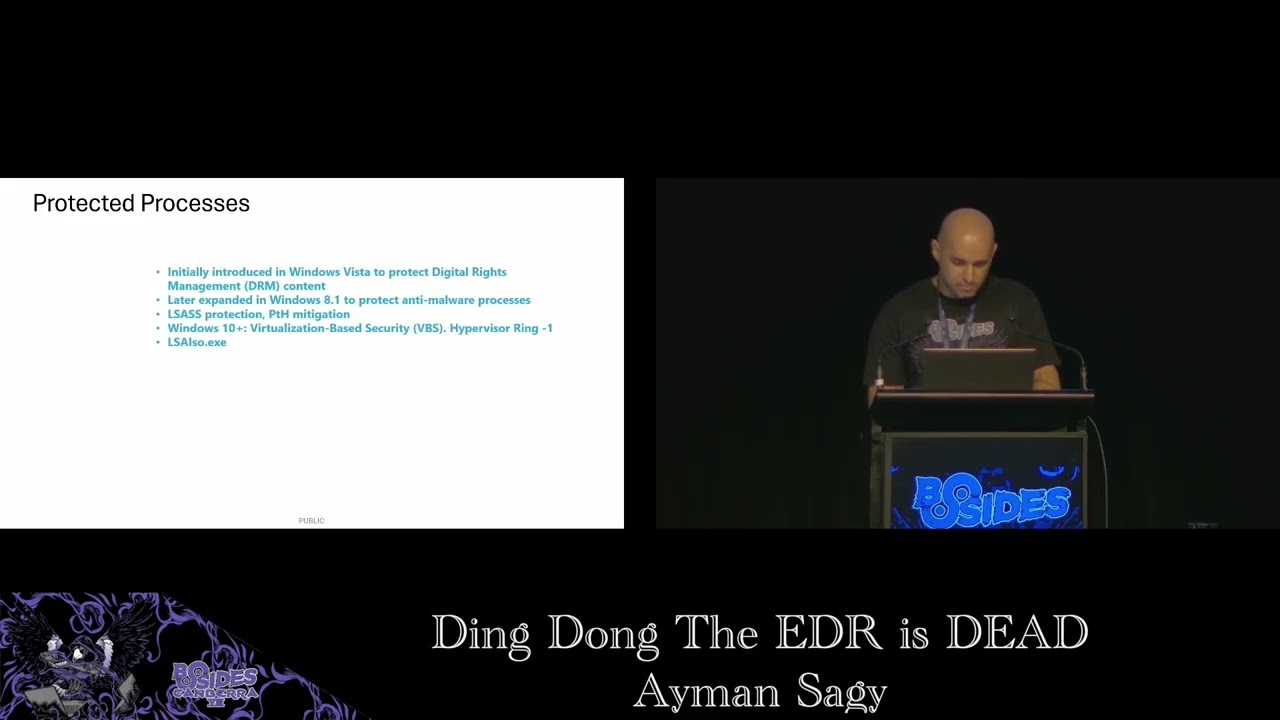
Later on, protected process expanded to cover anti-malware software as well. So an antivirus or EDR process [snorts] can also run as a protected process, thus preventing a malware process from interfering with the EDR, which is why we could not kill the Windows Defender even if we run as system. The kernel will see that this is a protected process and will not terminate it. This came out with Windows 8.1 which extended protected process and introduced protected process light ppl. PPL provided multiple levels of protection. Now there can be processes that are more protected than others. Processes in the higher protection levels can access the lower ones but not the other way around. On the screen we
see a list of different protection signers that determine the level of protection. Signer number three is anti-malware which is provided to antivirus edr vendors. The protection level of a process is a combination of two values the signer and the type. We can inspect a process protection status and level using a kernel debugger like wind debug or a tool like process explorer from CIS internals. Here we see defender process msmpenge.exe Elixe Microsoft malware protection engine. It is protected with anti-malware light as showing in the top right corner here that is process explorer and the rest of the screen is windbug. So we see that the protection member of the e- process object is showing level 31 which is a value that consists of
serer 3 for anti-malware and type one for protected light protected processes are also used to protect secrets like hashes and credentials which used to be stored in the elsas process. Mimikux is a common attack tool that can extract such secrets. First, it opens the Elsas process to obtain a handle to it. Then, it reads its memory and extracts the secrets. With Elsas protection enabled, this open process call fails and Mimikas returns this error code five, which means access denied. Here is airs protection when it is running in ppl mode and we see that its protection level is 41. Windows 10 took this further with virtualization based security VBS and credential guard. By leveraging virtualization, VBS moves these secrets
to separate virtual containers that are are isolated from the Windows OS. In this setup, the kernel does not become that ultimate god mode anymore. Another more powerful god comes into play, which is the hypervisor. It runs beneath the kernel in a ring designated as ring minus one. The hypervisor creates separate virtualized environment for Elsas with its own secure kernel isolated from the main Windows OS and in that environment runs an isolated LSA process LSAO.exe. Okay, so far we talked about CPU protection rings and we said that the most privileged ring is the innermost ring zero where the OS kernel runs. We've also talked about patch guards protected processes and we understand now that our edr antivirus is a
protected process. Hence why we cannot kill it from user mode at least. Now onto the fun part as attackers. What what can we do about it? The protection of a process is simply indicated by a member field in that kernel object. Ultimately it's a value in memory a single bite even. If we can zero out this value that we saw before of 31, we would effectively remove the process protection. But the problem is that this value that we want to modify is in the kernel memory. We can't just directly modify it from user mode. We [snorts] need code execution within the kernel. kernels do provide extensibility. Otherwise, changes will require recompiling and rebooting the system,
making it less flexible and much harder to maintain. Also, the ability to dynamically add or remove code from the kernel allows it allows us to keep it lean by only loading the required functionality when needed. [snorts] Unnecessary bloat in the kernel can degrade the overall performance and stability. And a bug in the kernel can even cause um global worldwide outages.
In Linux, extending the kernel is done through kernel modules. We can dynamically load or unload modules in the kernel during runtime. And the equivalent to that in Windows would be drivers, which are also loadable modules that can be loaded or unloaded in the kernel. Cool. Can we develop our own malware driver and load it? Yes. But to be able to deploy this in production, the driver must get signed first by Microsoft. And to do that, we'll need to submit the driver to Microsoft for a vetting process. And of course, Microsoft will not sign our rootkit. But we can load such driver if we configure Windows in test mode. In order to do that, we'll need to have secure
boot disabled first and then enable test mode and then reboot. The other thing that attackers have been doing is abusing existing previously signed drivers to perform malicious actions. These drivers are not necessarily malicious themselves. They are just poorly written from security perspective. Because the drivers run in the critical kernel space, they can accidentally expose powerful functions to the end user such as the ability to write to kernel memory or execute privileged code. This attack is known as bring your own vulnerable driver often leading to privilege escalation. You can find online lists of notorious known bad drivers like LOL drivers.io. One such driver is the MSI Afterburner, a graphics overclocking utility. It's a well-known bad driver that has been
heavily abused in the past. The problem with this driver is that it exposes direct arbitrary kernel rewrite to user mode. So we could use it to remove the protection from our target process by patching that protection field and writing zero to it. So once I was testing during a client project and I came across Cortex XDR from parallel to it was blocking my payload and I thought to spend some time and try to bypass it. It runs a protected process cyerver.exe. We can inspect that using process explorer. Okay, so we have a protected process. So I just grab that MSI driver and use it to remove the protection, right? Well, of course, it's not going to be that
straightforward because Cortex blocks loading of this well-known bad driver. Unsurprisingly, it it already knows about it and it would prevent us from loading it into the kernel. and we get this error that says vulnerable driver articore 64. Another driver we could use is from process explorer itself. It's part of the CIS internal suite and is signed by Microsoft. Process explorer has a feature that lets the user close handles of a process and it does that with the help of a driver. This driver prox2.6. Unlike malware, here we can see the API functions without being hashed or hidden. Now, the idea is that if we close arbitary handles of a process, this process will most likely crash on
its own and die when it tries to use those now invalid handles. This is beneficial for OBSC because we did not directly terminate the targeted process. Instead, it just appeared to crash. This is a clever attack implemented by this tool called backstab. So I gave it a try, tried to stab the ADR, but then again blocked by Cortex. It knows about this one, too, of course. So fittering further around, I did a ridiculously simple test. I was like, I'm not sure if this is going to work, but let's find out. I installed the driver, but did not load it yet. I just created a service that automatically starts this driver on boot. At this point, nothing happened yet to trigger
the EDR. I just configured Windows to load this driver on startup and then rebooted. Lo and behold, I found the driver loaded and running after reboot. Apparently, what happened is that the driver got loaded early enough before Cortex could block it. Turned out to be a simple attack after all. So, I loaded the other driver and repeated the attacks. With the drivers loaded, I could now remove the process protection of CI server and started to manually close some of its handles. It became unstable and spiked the CPU for a while and then it eventually crashed. Nice. Now I need to report this bug. So I I'll write a single pock to make it easy for
the vendor to reproduce it. I merged together these two public open source tools. backstab that uses process explorer to automate closing the handles and another one p control that implements the process protection removal. One of them was written in C I think and the other is in C++ but they were both well written and easy to read. So the proof of concept does the following high level steps. First we attempt to communicate with the drivers. If they are loaded in the system this step will succeed. If not, we create the necessary services and configure the service to auto start the drivers and ask the user to reboot. Assuming the drivers are now loaded, we use that article driver to remove cortex
process protection by patching the protection member of the e- process kernel object of our target process. And finally, we use the process explorer driver to close the process handles and watch it crash. To protect from such attacks, Microsoft defines something called ELAM drivers, early launch anti-malware, which it says drivers that are initialized before other bootstart drivers to ensure that subsequent drivers do not contain malware. I assume this is what paral did in the June 2024 release notes. It says dynamic kernel protection in Cortex XDR agent 8.5. New protection module implemented at the kernel level which loads during the boot process to protect against kernel level threats like boot kits, rootkits, and susceptible drivers. They did offer a bounty for this bug. I
mainly reported it for the CVE, but hey, I'll take it. Thanks, Barto. [snorts] And good job for fixing this without without causing a major incident. And that's all. Thank you for sticking around.
Related talks
 56:06
56:06 23:07
23:07 18:16
18:16 45:10
45:10 54:13
54:13 24:05
24:05