BG - Unpacking pkgs: A look inside macOS Installer packages and common security flaws - Andy Grant
Show transcript [en]
good afternoon everyone and welcome to b-sides las vegas breaking ground track this talk is given by andy grant and it's unpacking mac OS installer packages but before we get started we want to thank our sponsors including Vala male that's how you say it's val a mail not Valley mail I got confirmation on that and Amazon blackberry NSA and Microsoft and along with our volunteers who helped make this go this track in Talk is being recorded and streamed so we ask that you put your cell phones away and on silent and well let Annie get started thanks thank you yeah so I'm going to be talking about packages specifically Apple Mac OS installer packages and some
security flaws on them so first a little bit about me I've been doing offensive security professionally for 11 years I've been doing security as a hobby since my early days 20 plus years ago started out self-taught just playing with computers trying to figure out what was going on led me to pursuing a computer science degree at Stanford right out of undergraduate joins ISEC partners a security consulting firm got to do some penetration testing then that got acquired by NCC group I stuck around and I'm still with NCC group my professional career has been very application security focused ranging from web apps mobile apps native apps and things eka installed over that time I did five years as a security
consultant doing all different manners of the ranks there then I decided to try my hand at management become a vice president manage a team of 30 people and for those five years I spent most of my time trying to figure out how I could make an excuse for me to be back on the projects that my team was supposed to be delivering so I gave up management and I'm back doing the technical work and what I love but this is a quick version about me I'm better known amongst the world by my hacker alias Dana Vollmer husband my wife is an Olympian I get known as a plus-one everywhere I go you can read all about it with a little bit of
googling and yes I do find time off to support her and hurt her goals we're gonna talk about why did this research how it came about we're gonna look inside the package we're in look how do you get inside of it and audit it and then what can and what have I seen go wrong with these installer packages so first why was I doing this well I've got trust issues I don't like computers just doing things for me I like to understand what they're doing I don't trust the software that comes with them or the packages or the file formats that come like to dig into them started with Word documents their zip file open them up
dig into them so you start to see these pop-ups now and then with when you're installing something it's gonna run a program to determine if you're compatible but that's all you get to know what is it running I wanted to understand that luckily for me part of my job is understanding what goes on sometimes a client gives us an application that they want us to install look at what's going on so we do so then the application doesn't work the network it relies on is is down or thus in a debug mode that isn't is incompatible with our systems and whatnot so we tried to get creative sometimes all you have is the installation process to look at
and provide the client value so you figure out ways to do that so now we're going to look at the package get into the technical bits here so these are full technical name Mac OS X installer flat packages they have the PKG extension they came about around 2007 with OS x 10.5 there is little to no official documentation provided by apple on what's inside these they have tools for building these they used to have better tools for building these an actual you eye tools now it's sort of undocumented outside of man files command-line tools there are some good unofficial documentation out there but it's fairly incomplete there's parts of that package that are completely undocumented across these but you can
find out bits and pieces and piece things together by poking around or by opening them up yourself it's a flat package it's the single file specifically it's an extensible archive or czar or before the flat packages came about you had bundle packages that were used these are very similar to the dot app application bundles you'll find which really are just a folder that Apple OS X knows how to open and look at and you can use to be able to just browse inside the folder look inside see what was going on before in the running the installer now it became a little bit of an obscure archive type and it became less obvious of how to look at that
there are some tools provided your lat your Apple laptop comes pre-installed with something called package util very handy tool that will allow you to look at packages and and edit and modify packages there's also some third-party tools out there it's a suspicious bash cos is one specifically to look at sort of what I'm talking about it shows you the signing certificate the files that are going to be installed and does some sort of checks on what may or may not be the norm for an installer it rarely Flags true security issues in my experience but it does give you something of like hey there might be something worth digging inside plus it has some extra tabs to look at the files
and the scripts that are run by the Installer which we're going to get into those in a bit so package util this is a snippet from the man page it's provided by Apple to query and manipulate to the Installer packages and the receipts the receipts are the system record of what has gone through the the Mac OS installer and what files it has left behind on your system that's a very handy thing to poker with here's just a small snapshot of the the commands you can use looking at the receipt package database you can look at the packages that have installed the files by those packages you can do it in different formats see what volume of
your system what drive of your system it was installed on and the target directory those files were placed into when you do files it just lists them relative to the package not where they are in your file system so you have to clobber that together with some of the package info stuff of this was installed to this location and then you go back to the list of files and you can see where all those files were placed then you can also mess with the packages and expand a package and flat it in the package or flatten it into a package but Sollux let's take a look inside so ton packet the easy way use the
provided tool you just give it an command give it the package give it a non-existent directory it will create that directory extract the files into it and you can go about browsing those but you know that's the easy way we're here to to be hackers to not trust the provided tools so I can go create the directory I want to change into that directory and then use the Tzar command to extract the package I do the create directory and change into directory because our doesn't support an output directory and so it just it just clutters the current working directory so you want to get into a clean working environment before you go through so inside the package you'll typically find
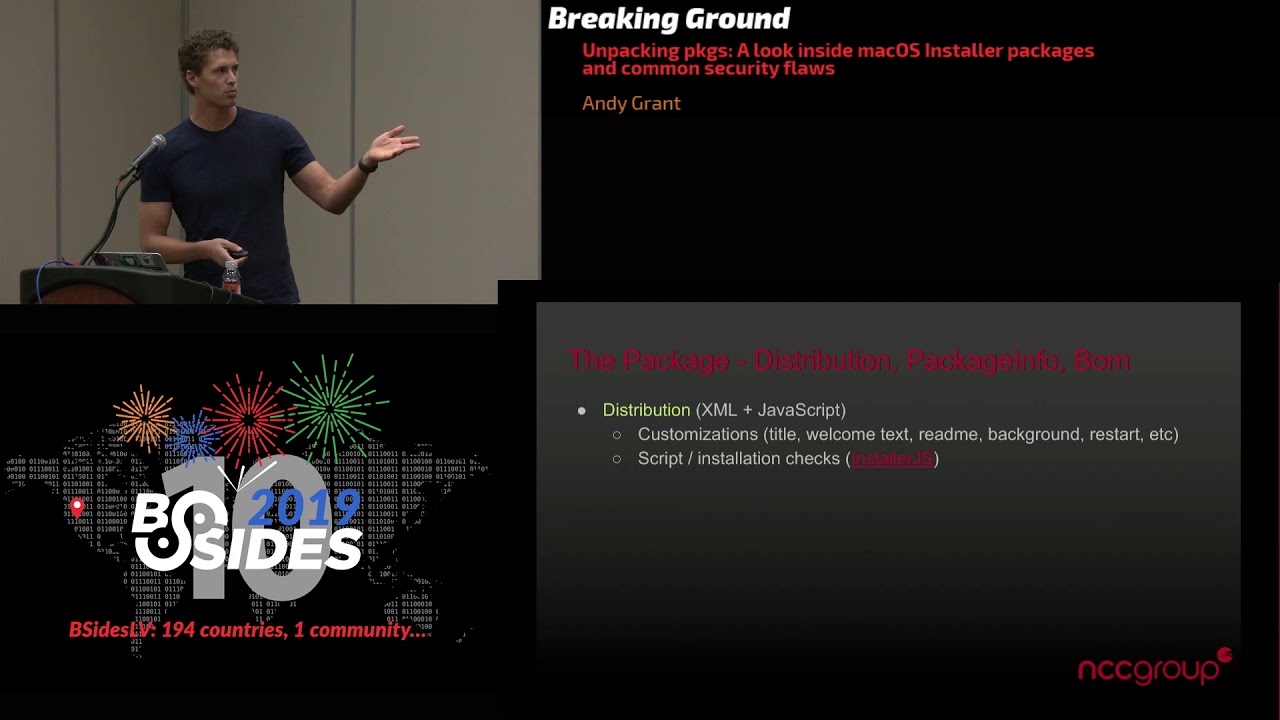
a distribution file which is an XML file a resource directory which has all manners of different images licenses readme x' backgrounds then you'll have you typically one or more package directories these directories contain the bill of materials or the list of all files that are installed the package info another XML file and then payload and scripts which are further compressed archives that sound really interesting so let's dig into these files a little bit for the distribution file xx ml and it can contain contained JavaScript so the XML is defining the title that will be displayed in the Staller the welcome text to read me the background image a little logo on there defines whether you
need to do nothing restart or shut down your system after the installation is complete and then it can contain scripts that are triggered by installer checks so you can defined an installer check and installer check references a JavaScript function that is then defined within script tags within the XML document it uses a subset of JavaScript called installer J's Apple does provide documentation on that package info another XML file easy to read look at contains sort of meta information about the package Vince no installation requirements how many files are being installed what's the total number of bytes being installed it also defines where the files are going to be installed and what permission level those the installer needs to run the it
will also include paths just scripts that need to be run pre installation and post installation you have the Bill of Materials this is like I was saying the list of all files to be installed update or removed from the system includes the file permissions the owner group and the size and creation time and all that normal file system information for each of the files the payload this is we're getting into more interesting stuff that the payload the files are actually going to be installed this is actually a cpio archive that is then gzip compressed this is the archive that contains all of those files called out in the bomb it is what gets extracted into your filesystem
at the location that package info specifies the install location this is just the the installation part of the process it's an extracting of an archive onto your system there's nothing more fancy than that that really goes on as far as the file that getting placed on the system you can also have an optional scripts archive this is the same as payload cpio archive that's been gzip compressed you have pre and post installation scripts and additional resources it can really contain anything it's an archive you can put whatever you want in it I've seen readme files that are then pulled out and referenced by the distribution instead of being in the resource file you can see some of the
payload files for for whatever reason being in here anything you want your scripts to be able to directly interact with should be in this archive the scripts can be bash Python Perl those are the most common but really the only requirement for is that it has to be executable and has to have an appropriate shebang these this archive when the installers running isn't extracted to a random directory a temporary directory that's not predictable so you it's not really something you can mess with unless you sort of pause the Installer don't click the next buttons and then look at the the run environment and find where that directory is and then you can go look at
what got extracted or you can open it up yourself you already extracted the larger package likes look inside this gzip GPIO file so the long way to do this is you can cat the contents of the archive into gzip to decompress it and pipe that into cpio saying it's taking input and it will dump right into the current working directory all the contents of that archive but GPIO actually natively automatically recognizes gzip compressed files and so if you just send the archive directly into it it will extract right into the current working directory however if you did this through the easy way initially using package util expand this was all done for you and instead of scripts beat
the scripts object being inside the directory that was created being an archive it is already a folder and that folder contains the contents of the scripts archive there is no actual script archive if you do the expand command payload same as scripts skip right to using CPI Oh sometimes the payload contains further packages and so you recurse through this process expanding all the packages looking at opening all the script files finding everything that you might want to audit or look at for security issues however that you know you're blowing up all these files if it's a big big application you may be worried about your disk space so you can check out the bomb which like I said
lists out everything run LS bomb and it will just list out all the files and then you can look through and see if there's anything you feel like may be worth opening up the package to extract and look at unlike with scripts if you use package util expand this does not automatically expand payload you do have to go in and manually extract this if you want to get the files out without running through the Installer okay so what happens when we double-click this package in the stellar launches well rough order of execution things we care about here what gets executed on the system it parses a distribution file if it's present it checks for installation
checks looks to see if there's any scripts to call calls that JavaScript function defined within distribution executes through that to that function can call further functions and whatnot as long as they're all defined there within the distribution file then you can you click Next in the going through your installer you get to the pre installation phase this happens pre extracting the payload archive onto your filesystem if the package info defines the pre install file it goes this path is relative to the script archive it goes in pulls out that extracts the scripts executes the pre install file and moves on to extracting the payload payload is extracted into the install location as specified in the package
info and then we move into the post install phase if there's any post install scripts defined it go through and opens and executes those files so now we get into the fun bits what can go wrong here well so the interesting parts the scripts that get executed and the files that get written to your file system so with scripts you got the pre install the post install they can contain other scripts like I was saying that can be called from pre installed post install look at them audit them see what read the bash scripts read the Perl Python scripts this normal mistakes people will make in those we'll talk about the specifics in just a bit or the payload archive may
actually have its own scripts that are easy to audit I like the scripts it's a text file they're easy to look at so you can find on install scripts various debugging or help-help scripts that get written with the application or you can go look at native applications and those issues brush up on your reverse engineering and debugging skills you got the binaries you got the kernel modules you got the libraries right there you can go open those up look at what's going on from a non runtime environment instance before it ever gets installed on your system just placed there within a directory of your choosing so the types of issues I was encountering I'm going to talk about
are largely talk to time of check - time of use except almost all of these happen without any check they just go and use assuming the files are safe and ready most of this happens within the temp directory so they make assumptions that anything I put in temp is safe to read or safe to write to or safe to execute fun thing about temp is anybody can write to it it's world writable yes once you write to it generally your permissions are locked and other people can't write to those but you have to make sure that you were the first one to write there hence the talk - plus I've seen people going just granting 777 file
permissions read/write/execute access to everybody on the system for the files they place or on either in the temp directory or in the application directory or an application support and the libraries gets kind of messy so now we're going to look at real issues and real packages that i've seen in the patent past eight months so we're going to look at a normal user to route privilege escalation some symbolic link abuses privilege escalation from any user on the system to the current running user arbitrary directory deletions and arbitrary code execution the first one here you have a normal user launches this installer the when installer runs and it doesn't require root privileges it can go drop this this installer util
file into the temp directory as the current user and then it goes and tries to do root privilege actions in the post install that's that triggers installer to say I need to run it with administrative privileges you'll see the prompt enter administrative username and password and so the catch here is user install util is owned by the current user but that user may not be the person who had the password to do sudo actions to do administrative actions on this say here it's your corporate laptop you want to install a video conferencing file you know it has this vulnerability here and so you ask your IT to go and install this package for you they're going to
type in their their username and password for you to allow it to install but behind the scenes you're waiting while that file while the file doesn't exist do nothing once it does exist delete it copy your exploit into that location and then you wait for the post install to go and call it with root privileges and you on your local system the person installing it just escalated up to administrative to root privileges on this laptop the next issue symbolic link abuse is twofold here in the pre-install it tries to do some cleanup it wipes away this NS installation file and then during the the post installation its earlier in here it's written some stuff to that
file and it changes the permissions on that to 777 and then it and then it changes the owner to the current user of that the fun thing here is any user on this system can preemptively wait it create that file so that when this gets gets removed you're sitting there waiting for so while that file exists do nothing then the pre-install triggers that file no longer exists so we move into here we create our symbolic link to applications and it's pointing to that file so the change permissions will follow that symbolic link and since it's with root privileges it will change slash applications to now be world writable by anybody on the system and then it will
also change the owner of it to the current user installing the file so this just grants any user any process on the system the ability to go install anything that they would like on in the applications you could have now done that since it's not recursive I would I didn't choose slash at scene because then it doesn't make all files their world writable it's not - our X but I can now go and install different applications in there which can lead me to compromising other users once they go about executing the applications I've put on there a regular privilege escalation this is running as the vulnerability is in the pre-installation it again tries to do
some little cleanup stuff saying oh I had put sometimes I place a 7-zip file if this installer had been run previously remove the 7-zip file go through and unzip the 7-zip package that we brought in with us in our payload and I'll put it into the slash temp directory then go through and execute that file to extract some more stuff into the directory we're going to put the the file contents so any user any process can attack the installing user on this notice nothing's running as root here so we're not gaining root privileges on on this system but it's very easy i copy my exploit into the directory before this installers ever run this is owned by the attacker which
since this is not root it can't delete it it can't overwrite it but it sure as heck can execute it and so no no check to make sure that the appropriate owner of the of the 7-zip file was what this installer expected it to be and so if that file exists it can't delete it it can't overwrite it it still exists there and will happily go through and execute it with the current installer you're stalling users privileges another one this happens outside of the installation scripts like I said in payload you might have other scripts that get run at some point during this applications life style it calls out to a script that got installed through the payload it does a
little cleanup of stuff so it was populating this directory with some some debugging information and then it goes through and cleans up when it's done with this script it does a recursive remove of SDU slash star and removed ur SD u slash so the way symbolic links work on the Apple system is the slash that will follow the symbolic link so we're not running with root privileges so our attack has to be the f to be deleting something that they have permissions to delete so you picked their you their home directory create the symbolic link before the script ever runs with application the slash star will put a slash their star which puts us into the victim's directory it
follows through until he had every file in their their system directory recursively forced no no prompt and then remove directory with the slash will actual fault actually follow this symbolic link if you don't have this last year it tries to remove the symbolic link the symbolic link is in a directory it fails out if you put the slash there follows the symbolic link and now you just blew away their actual home directory as well as all the files in it and you have a symbolic link left around that points to nothing then we get to arbitrary code execution or arbitrary installation on this this so in the package info this package defines an installation location its meaning
that its payload is going to extract all of its contents into the temp directory Razer synapse it's going to do it with root privileges and so in the post install it goes into that directory it looks for all the package files and then for each package file and it finds it installs that package this running it from the command line like this doesn't pop up the UI skips all user interaction and just force installs it solves it with our root privileges so install location when you're extracting this payload it doesn't care if that directory already exists so you can go ahead and pre create that directory it's going to put whatever package files you want in it and it'll be your package
files and I'll happily go through and find all of them for you this has been fixed and so we're going to demo it we're going to look at this we're going to go through the whole process I just talked about we're going to download a package we're going to open up package look at the files inside check the distribution file for installer checks go through find the vulnerability create our exploit for this execute that exploit so here we go go download it it looks like I'm downloading it from their real website but I actually hijack this DNS and and use the vulnerable package since like I said they had fixed this so we go create our directory we extract
the file and now we're inside the the distribution file so we extracted the file open up the distribution file and now we're looking for here ok ok is there any installation checks that's mainly what I was concerned about when looking at these nothing really fancy going on in here great we'll go through we'll go into the package file look at the files now we're going to look at the package info file ok so we have the package info file we see that install location that expression with root we also can note that after installation it's going to require us to restart you can see here when I was saying it has like the number of bytes installed the number of files
that installs and the script that runs after the payload is extracted great let's go look at those so now we're going to extract the scripts file first we make our directory so we don't clutter where we're currently working extract the scripts look at what's in there and now we're going to open up the this is the post install and we're going to look through the file the code looking for anything of interest go through here's our vulnerable bit that we're going to play with and so now we'll want to go through and it's great our malicious payload and to do that we're going to switch to our attacker Mallory and she's going to go through
and it's developed this exploit for us so first we have to create the directory we're going to write our script into because we want to have some script run create our script we're just going to do a simple shell file we're in touch a file and the temp directory to prove that we ran well date it will show who what user we are we ran with what privileges and no exploit is completed without popping calc so we'll pop calc at the end now we now we make that file executable it's not executable it doesn't work and then we use package build to create the the package that will then put into the temporary directory so here you can give a
identify err if you don't give an identifier automatically creates an identify for you but for our purposes right now this isn't very important we specify that there is no payload that there's no files we're installing here so don't worry about trying to make the payload archive we're and then we specify here is the scripts that to make the script archive we just give it the directory they'll archive up everything in their package got it got created we're going to create the directory and move our payload into that directory great now we just wait for somebody to come along and run the installer for us so Bob is gonna be here and install the package go
through he's not an administrator so we need Alice to come in and type her and password for us she's gonna go run there's our calc pop and then we go look and confirm that we ran with root privileges so that is start to finish opening downloading a package opening up a package looking at all the different parts of it seeing the next owner apart of the scripts creating a payload that exploits it and waiting for an installer to take place and go on so while looking at these installers I noticed some things that were unexpected some I sort of hypothesized myself some I saw and the packages going on but so that no payload package so that I
demonstrated there it leaves no receipt remember I talked about receipts at the very beginning here so the receipt is the package identifier you can look up all the package identifiers that have been installed on your system and then it's also the files that were installed there if you don't install any files it doesn't record your package identifier and it doesn't record any files because you didn't install any so there's no record of that payload executing whereas there is record of that raiser package executing on the system and and all of its sub parts with their identifiers also for fun you can pull this out of the pre-installation scripts and put it into the distribution install checks where you're supposed to
be checking system compatibility and instead execute everything right there it's basically a one-click install and we'll take a peek at that so here we're going to look at the packages on our system so this is just scrolled off the screen all the packages that are installed on here Etha if you scroll up to the top there is a lot of Apple packages you can actually look at what came installed on the system via the the installer so we're going to actually try to look to see are there any NCC packages installed here there aren't any cool so now we're going to show that pre created a payload directory and now we're going to build a
package with a NCC group identifier so it will show up in our list this is where I say this is sort of the create payload command this is our payloads root directory and then I'm going to say the installation is the temp directory NCC group create our package run the package go through install great look at the files there things were installed and then we'll go and look and confirm that there is now a receipt of that we installed on the system you could also then do package util - - files give this identifier and it would list out fubar as the files that were installed so now we're going to go through and create a
new payload file and I'm going to do it through the just the distributions installation checks so I want to create the the cpio gzipped archive payload and include it in our scripts folder because I want everything to be able to be contained within the scripts since I'm not doing a payload file so now I'm going to go look at this script I have this script is pretty straightforward I define an application directory the same one we were just installing into I clean it up I'm a remake the directory I copy the payload this is when you're in your scripts your all your paths are relative to the script archive and so I copy the payload into that directory and then go
into that directory extract the payload and then and then remove the package the - D here just means create any necessary folders and directories as you go sort of like - P and make dirt and then I get fancy and I killed installer so because we're done this is all I wanted to do I wanted to install my payload I don't need to install our process anymore go ahead and kill it so let's go look at that distribution file here's the title I'm gonna have show here's a package of reference identifiers and then I say I allow external scripts that means I can now do system dot run and call things in the script archive and so now I have
this installation script install check looks for the script definition that's defined here does system dot run like I said a system dot run can only do files that are in resource directory or in the scripts archive so that's the script we had already looked at now we're going to go build our package when you do a package build it doesn't actually include a distribution file that's for product build but product build expects you then to embed a package in there gets all complicated so I'm going to create a package with no payload package with that script I'm going to extract to that package copy my distribution file in there and then flatten that package back
up so now I created the package so the installer will understand it I then extracted the information from it copied my distribution file into there and then I'm going to say please go flatten that back up it'll pull the script archive back into the cpio archive and then put the whole package back into exam xr5 format now I'm going to run this payload that was it my payload just got installed we can we can go back for those that might not have been paying attention it happens really fast there it is moment I click that this the the installation so that pop-up says you're gonna run an installation check and then it goes and that installation check was
run the pre pre install script and then that script extracts the payload and kills the Installer next why it disappears the moment I click that that continue button everything just got installed you can go look at that it's all relative to when I did the find command it was packaged slash payload slash the files in there now we're gonna go look and it's still just that first payload there is no record that I just installed these files on the system i bypass the systems record of my installer running but I still got to do everything I did plus I didn't have to type in an administrator password and so I skip that step 1 click install after
the installers opened up super user-friendly super kind of weird and so that is that you can go do a bit more with package installers and it gets sort of fun when you start to play around the the fantastic people over at Pro Terran did a two-part blog post about using installer to bypass application whitelisting on OSX specifically Google Santa which is one of the better-known better used application whitelisting programs the way it works it works at the exact V level and installer the binary is whitelisted so it's basically at the binary level like you can't do it at the process level or whatnot things like it's executed so everything that runs in the Installer checks everything that
runs in those pre and post installer scripts runs as part of the Installer binary the installer process which is white listed so you can use this install checks with the kill installer to make a one-click payload that bypasses Google Santa the application whitelisting fun for red teaming which is what they talk about how they used it obviously not fun for anything but testing that covers Mac OSS installer packages and things you can find it with them
[Music] Hey I knew everybody's gonna have a lot of questions so I sped through that so we got like 10 minutes for questions I saw a hand pop up over here is they believe we have a microphone unless you feel like you got a booming voice well let's find out what about the the audit demon that runs on Mac OS s so I think the open B SM auditing would it capture your actions the audit demon like gatekeeper or oh yeah I I didn't play with oddity so so some of those actions if I'm obviously if I'm touching places that it's monitoring and stuff it'll still trigger it but if it doesn't whitelist installer as installer can do
whatever it wants and that's sort of the the flaw that happened with Google Google Santa was it's sort of limited in what it can or can't allow him tonight and so it has to allow installer because that's the expected use and so anything that installer does is approved by the white listing right yeah it would allow the the process of the exec VIII without the context of its doing something right so yeah wonder yeah awed it usually I think it gets most system calls so and they tie into an EDR okay yeah so yeah so nobody reads it so yeah so there there's probably some logs that you can go going on it and look at some I don't
know maybe OS query can have a long worked on it or something and be pulled into some central logging thanks there is also a leapfrog back yes hey thank you very much um how often do you come across packages that don't execute as route because that seems to be the default that I see and then it was weird seeing the psuedo and the scripts because they always inherit it yeah so that was an interesting thing from in my auditing everything seems to install if you notice that when I did sort of my demo of the this will leave a receipt and I was just right into the temp directory actually required me to enter an administrative password there
is not a way to build just a package that doesn't require route so I could have gone in manually edited that package info file removed to the auth from route to none and then it wouldn't have prompted for that or when you do product build and do the proper distribution file you can set the permissions but most people just take inherit the default everybody expects to have to run as as an administrator when you install anything and so even if you don't need the administrative powers when you're when you're installing like you're installing into the users local application directory it still writes it with root privileges over here yeah do you see a lot of this being used
in malicious software and Red Team testing I mean what's how much do you see this in the wild so see it in the wild all the time at least 6 times in 8 months but as far as like maliciously in the wild I haven't known malware to do this it is much more of the red teaming process the the Praetorian brog post talks them greatly about why they chose this route one of the key parts about doing a red team is it has to be within the users expected norm on the system to to fly under the radar installing something is very much part of the expected norm they even went so far as getting a proper Apple Developer
certificate and they signed their package if you had downloaded this with and it was unsigned you would have to go in and click in system directories you know install anyways which is outside the users norm for most people and so it's not hard to get that developer's certificate it's not hard to sign it and then just have it emailed around and whatnot here because I was I built them locally and just random locally I don't get those alerts or concerns but if they had been tainted through coming down through the browser they would have been [Music] well actually so building off of that I have seen that the installed during just installed during the Installer checks in
the distribution file that one-click install in the wild but not to maliciously it was for users experience it just has the side effect of bypassing the receipt but it is that one-click install your instantaneously got your application installed and everything but this would be really good for like a supply chain attack right yeah I have a quick comment gerrant Bradley at RSA this year used the installers to bypass sip by predicting those temp directory that they create that you mentioned okay yeah those those temp directories I didn't want to go through the effort of seeing if they are predictable that's that's awesome that he he was able to predict him because it it is one of those like
slash temps temp dot blah blah blah blah blah garbage seaming stuff and so oh nice yeah because I imagine if you could sort of hijack the location that's going to be you can do some of these Simulink attacks and the same things [Music]
hi with relation to the privilege escalation that you showed isn't this kind of like the what he called the security of trampling all over again yeah it is it is sort of just hijacking you know the users already asked their or basically throwing up the prompt that's particularly the escalation to really know if you're talking about up to route or the the other one up to route yeah yeah this one you know I could also pre and create my own installer that will give me root privileges and then go hey IT admin you know I'm installing you know video conferencing software can you come type in your password it works better if I just say here's my laptop could you
install the video conferencing software because I know I could in the background be doing this yeah it is it is very similar to those types of attacks all right thank you [Music] during your exploration of the package format and a specification did you find any built-in mechanisms for developers to use update mechanisms was that something we had to hand Jen themself if so is that some form or vector for like persistence or privilege escalation this way don't have to potentially know beforehand whether or not attack should be installed or be used within the organization yeah you can um you in the package info and in the distribution you can specify whether this is an update
and then a lot of the time the way people I saw developers doing this was in the pre install they would check does this file pre exist and then check the version of it and whatnot but you can also include that in the package info that this is that this version if this version exists run these commands otherwise run these commands and then the bomb it's not just the files that are being written it also can specify this is being updated or these files are being removed so the package in the Staller flow does support the update but I do see more of the custom code written and the installer scripts of hey this exists blow away the directory recreate
it copied the new files over sort of their own self clean up do you think this stuff might be going away with Catalina or you see this staying around because it's really the only way to install stuff I'm surprised how often I still saw this package install for files that were just writing to the applications directory because everybody is migrated towards the dmg volume drag and drop to the to the shortcut that's already in there and so why go through this whole installation flow I mean that bypasses the whole receipt system also but there still isn't a good flow outside of this for getting things into application support current kernel modules libraries and so that's why you
see razor was a great example here is because they're going through and installing Mouse drivers on your system you don't want those in slash applications you need those tucked away in the application support directories and so installer is really though my way right now to do that there it will be interesting as SIPP migrates deeper into rootless migrates deeper into the Mac OS environment and see if they start having to have some installer privileged escalation or some other bypass to further lock these things down and restrict it to App Store only files type thing in terms of like remediating this sort of thing is it okay sorry and so in terms of like remediating the sort
of thing and potentially identifying packages that are tampered with is it basically check sums of files that blue team would have to deal with or do you have other recommendations yeah so there are signature checks so if we go all the way back to a suspicious package you can see that or package util actually has - - checks signature or signature - check and then you give the package file and it will check what it does but so you can see that this this was signed by there's you know the command line ways to look at it so you can check to see is this signed by the the company of the developer that expected to be and then
you know either they did something bad or malicious intentionally accidentally or it's been tampered with a fixed sign but even if it's not a valid signature but it's not signed by the developer you're expecting that throw up a flag for me so the Praetorian people had a valid signature but I don't expect my videoconferencing file to come from Fort Arian if I did I'm just asking for trouble but then there's also then for most of these they're not I don't have to tamper with the package the package comes pre vulnerable and and so it's more of like the protections as a developer is to do those checks check to see that when you go to do this a lot of these you know
they try to write it write a file but I already ripped that wrote that file and so it fails but they don't check the result of their directory create or their file create and so it just continues on those commands but since they're sort of in a batch mode and solved inside this installer script the Installer can happily continues through failures until if the last command fails then the the script fails but as long as there's more commands to run it's whatever the last exit code was and determines whether it was a success or failure so you can do do those checks you know capture the the return result of mcdr of or before you
go use a file check that X is the user you expect to own it and then you know that at the very least only that user could be attacking you in this and not just any system or process on there pre wrote that file way in the back
oddity might be capturing those it sounds like now that there might be but I when trying to build my own package and debug why I was failing I was having a very hard time finding a place and I had to do a whole bunch of touch and output to temp directories after every single command so I know where I got to within my script because I couldn't find a place like in the console blogs or anything that was showing me that I am at zero minutes left on my time supposedly but actually I think I have five more minutes I've short short sheeted myself there is time as five minutes of applause people
[Music] thank you
Related talks
 51:51
51:51 32:48
32:48 33:48
33:48 54:33
54:33 31:06
31:06 20:51
20:51