I Own Your Cluster — Taking Over AWS EKS with Chain Attack

Show original YouTube description
Show transcript [en]
Thank you for coming. I'm so excited to be here today besides 2025 Budapest. Um so today we're going to talk about taking over Kubernetes clusters specifically in the cloud in AWS cloud but it will be relevant for other cloud as well. Um also talk about lateral movement in the cloud from Kubernetes and we have a demo by the end of the talk. So for who for everyone of you that doesn't know me, my name is Heniri aka the container guy. I'm known online as a black doc. I'm a security researcher. Um I'm in the field since 9 years old. I'm specializing in a low-level security and cloud and infrastructure IoT. I love it. That's what I'm doing. I work in
Accenture. Um I perform pentesting for popular companies. My obies are jiujitsu, Marvel, comic books and uh but that's it for now. Chir nice to meet you and let's uh talk about Kubernetes a little bit. So a little bit about the agenda for today. So we'll talk about my research in AWS and uh new vulnerabilities in container based environments. Um I explore my research into EKS elastic Kubernetes service. Uh this talk uh is focused on two different vulnerabilities and security issues that uh compromise the code pod isolation mechanism. Um so uh before we jump into it, we'll have a quick introduction uh with Kubernetes and then we'll explore uh the attack methodology that I've built uh to to attack Kubernetes uh
from a pod from initial access to a pod. Uh then we'll talk about how to compromise it specifically in AWS Kubernetes. talk about two different security issues that exist by default in AWS and still active that you can compromise it uh to take over clusters. Uh talk about bypass techniques that uh it's with together with the two different security issues. uh the result uh it's be it becomes an attack vector and uh initially we'll see how they connect together to a whole attack vector uh to take over clusters and then your favorite part the mitigations of course um so a little bit about Kubernetes uh so in a few sentences container is a virtual machine alike
docker is the hypervisor and kubernetes orchestration and so basically what it means that um container is a light portable u package that runs application and its dependencies. the docker it's the engine the containerization platform that's uh provide all the necessary things to to run the container um and kubernetes it's uh the open source system for automating and managing all of this uh if uh to to scale it u and all what's related to this and now everyone are microservices experts and um as you know In contrast to VM uh doc containers are very fast and that that's what they became very popular. Um and today we have the architectural shift from uh vo machines to microservices and it brings
with it new risks. Uh and do you know why it's so it's a game changer to the uh so game changers? uh beside the fact that they are fast now every web application uh when we look at the uh online AIS u JGPT for example each each session runs in a different container so it's it brings it with it u as you can think about it if you look at the business inspect uh business risks every um container runs its own uh customer data on customer things. So it's usually need to be isolated and why not it's considered as isolated by default. So as I said it becomes becoming very popular with the CI/CD. Uh almost every
architecture is becoming utilizing containers because it's fast it's considered isolated and secured and especially Kubernetes. So a little bit more to understand the the attacks we need to a little bit to know more about Kubernetes. So uh the node is the worker machine aing the pods um the pods are the logical components that manages the container and the cublet is the agent that uh inside the node it's uh usually considered uh it's used to manage with the API depends on the kubernetes to to manage uh the containers and to to valid that they're alive and usually as uh it has a file also in the node that you called the cube config um it's been utilized usually for a
managing and to authenticate with the main API the main node. It depends as I said on the architecture of the Kubernetes uh namespaces it's a mechanism for isolating group of resources group of pods into a single uh component in the cluster as why it's so critical because some companies use it as to separate for example from production to non-production or from customer data to non-custom data. So it's need to be isolated and to not be accessible if it's from networking aspect aspect to move between uh name spaces. So the control plane um so in some architectures we have the master node some of them we have the control plane in in the cloud for example um it uh
it's it's what's it has inside the kubernetes API server it's the most critical component of the system it used there are many attacks on it um brute force attacks den of service uh it's a and uh usually developers and attackers use a cubectl tool to to authenticate to it. And now let's talk about uh the chain attack. So uh a little bit more background about Kubernetes. It's originally an open source of Google but today it's more than that. Today Kubernetes is a beast. Um this open source was integrated in almost every cloud. We have it on AWS its own integration where Google uh Azure has its own integration to it and so u today we'll talk about two security
issues that exist by default um and it allows to to even with uh limited permissions on the pod to get uh access to the uh a API that we talked out. Um so this is our architecture for today. For today's demo we have two different namespace. It's one of the popular architectures. We have one for the front end, one of the back end. Um the attacker has access to one limited container. If it's from a GP uh some chat or session that he got access to one container, it's considered isolated. Uh it's a default container. it's uh don't have uh any changes or something. Um as you can see we have here also uh the
ECR that contains all the container images. Uh we have the uh made a data instance. It's we'll talk about it later. So um just a second. So um as you can see there are many ways to break out from containers. We're not going to talk about anything of those of this today. uh because as I said like today it took 10 years to get to this stage but today Kubernetes is uh by default very secured and unless there's any developer mistake or anything or if it's a docker CVE in the runtime itself or kernel uh issue that I know that almost every uh company has uh making sure to have it to have its own
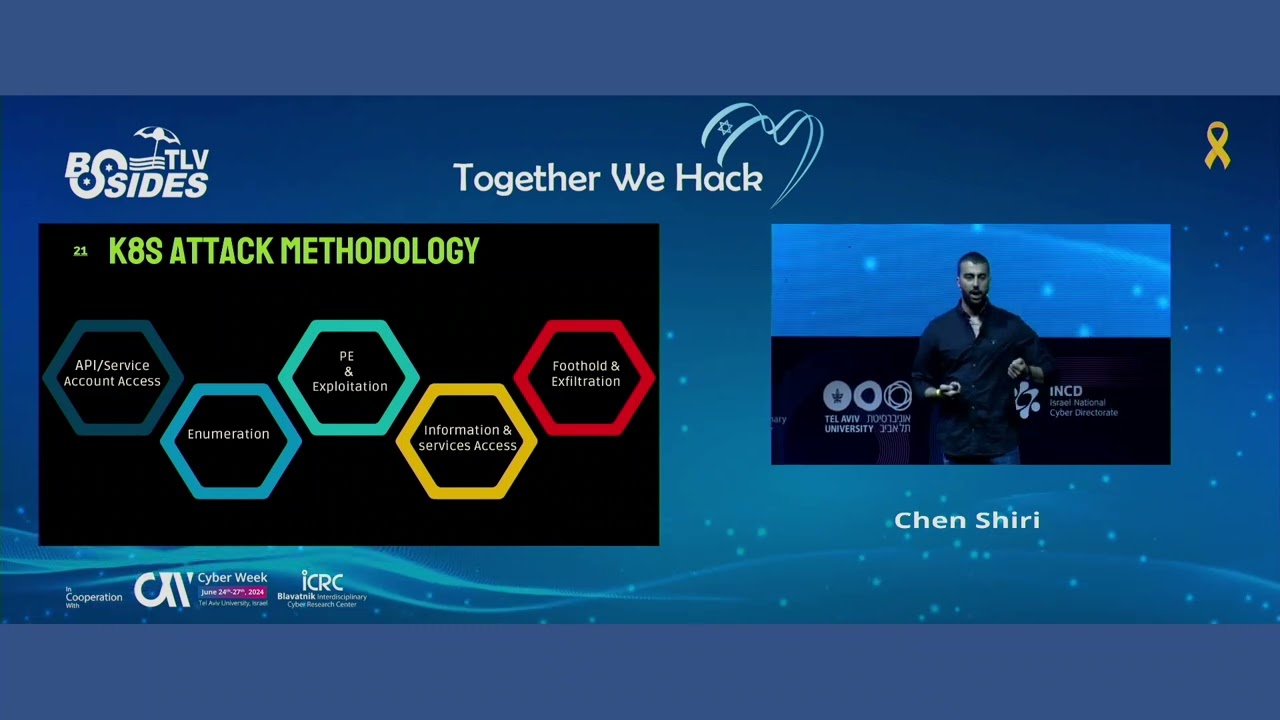
upgrades to the containers to the images to not have some kind of vulnerability. So it's not very common uh open ports and things like this. Also it's today it's best practice. It's not very common anymore. So it's not very easy today to break out from container as it was uh in the previous years. It took 10 years but by default it's now secured. Um so this is the attack methodology for that we'll use today to attack uh the clusters we start usually an attacker search for some kind of service account or API uh that he can utilize as I said it doesn't exist by default um some containers because this is how networking is managed in Kubernetes
they implemented inside the cluster But uh they know that it need to be secured with limited uh privilege access. Um then attack can perform some kind of enumeration. If it's on a different container, some containers are considered more central containers. They have for example Kafka servers. Attackers want to target them to get more information. So even communication between pods need to be secured. Then then like the attacker want to try to get to to utilize the access to this service account to get more access if it's to the stronger service account some kind of credentials to get access to other platform if it's the cloud and then to to get a foothold if it's on the
cloud or the cluster. So this is the methodology that created using uh those two issues that we'll talk about during this presentation. First we'll get access to the node uh IM role from the container uh using the metadata instance then depends on its permissions will continue whether it's default or not default uh if it's uh there one you can first you can utilize it to pivot to the cloud using technique we'll be less focused on this right now focus more on taking over the cluster um then you have uh these two scenarios that we'll talk about if it's getting access to the data of other containers or um using generation generating a new API token to take over
the cluster the and or other containers and we'll see how we're going to do that. So the metadata service is exist by in on every almost every cloud today. Uh it's different between every cloud. It's usually provide access to configurations in the cloud and for integrations um for example if developers want to integrate some services by in the behind the scenes it's being performed usually using the metadata or uh to validate that's keep alive with the uh with the VMs. Um so it's be in the recent two recent years it becames one of the most popular uh attack vectors in the cloud and um it's also because in web application you can utilize it. So uh AWS came with the
new uh metadata and metadata v2 that will but uh and the mitigation was to use put requests. I will not be focused on this. It's not an appsec talk but there's an uh goer protocol that you can do a put request over http and this is how we still can utilize it in all those attacks vectors from a web application perspective and it's still dangerous from this perspective. So as you can see usually it's exist also in EC2 uh but in the regular EC2 I found that you can with the default one you cannot do much uh a lot of things um unless the developers implemented some kind of uh integrations. So beside the EC2 world you that the
default is secured said you have the integrations but it's not by default. So as you know the EKS use a regular VM virtual machine to uh for running the containers inside but the role of the node of the VM virtual machine that it's the node of the Kubernetes it's not the same role uh to keep all this beast of the Kubernetes alive it has a different privileges different uh um default privileges uh and it's mainly for interacting with the main a the controller and the main API and to manage the cluster and as a and one more thing to note Kubernetes relies on many third party plugins add-ons integrations monitoring to implement all of this you need to give
this specific role more permissions and that's what's common today so it's going to be much more uh privileged than what we're going to talk about today um and when you give it more privileges, it will make the role of the this node more uh privileged. So let's talk about the first issue. This metadata role uh the metadata instance of the of the host of the node is accessible by every container by default. Um so this allow us to get uh its uh its token from the metadata and using the token we can get uh first we can perform enumeration we can get I found that you can get all the um information about other nodes that running on the cluster.
This is how without scanning all the subnet you can know what's the subnet and the security groups of in the cluster. We usually need it just for the name of the cluster for the attack. Uh as you can see by default it gives the security group. It shows you the security group with the cluster name. So you don't need to guess it. You'll have it here and you have all the subnet of the cluster so that you can now you know them and you can just scan them. Um so using the token I got uh uh the the role of the cluster of the node. So uh when we look at it uh more uh on
the assume role of the of this role you see that it belong to a special user that in system nodes and this is a special Kubernetes group that which have read only permissions on config maps pods um Kubernetes configuration even PVC and uh PVs that it's some kind of storage in Kubernetes and it's bound to the cublet uh node that we talked about. Uh and one thing to note as I said different Kubernetes implementation has its own integration. This is how uh AWS chose to manage it. Uh and there's a problem by default uh it has uh I I saw that it has limited permissions. So I started to research how I can what can I do with it.
So first of all uh I saw that I can get the tags of all the environment of the AWS using uh the default this role of the Kubernetes you can see what components exist in the cloud though you don't have access to them you you can now know what exists on the cloud and you can see from the from the value it gives us the default name of the component so you actually can know again from here you can know it's another way to know what's the name of the cluster and you can know what components exist. Uh, additionally we can list instances. We cannot enter them but we can list them. Uh, but this one can be blocked.
Some things here like this cannot be block uh some things cannot be blocked. Another interesting permission that I saw it has authorization to get though it's not you cannot enter containers by default you can um get there uh you can authenticate with the metadata I'm sorry with the ECR container registry and to get the images of all containers and after you download them you can get to see uh their value. So this is how you authenticate with them. You can get uh the login passwords and you get the uh repository name and after you pull it you can access and build the uh run the container from the image and you can even see all the
layers. Usually it contains credentials, date of containers, even databases. And this is how we can get access to the data of the containers without um even access have the privileges to enter the container. As you can see, it shows usually how the container was built, developer notes, um many times it contains your uh passwords and how it was built. But we want something that works every time. So uh but we'll focus on some different vectors but it's one vector. The second issue that uh I found you can generate a new cube config from uh from using this role. As you can see, we use the name of the cluster that we know right now and uh also the region that we
gather from the metadata and we got now we can see that we have a a new uh cube config with readon permissions on the cluster. So one issue another issues that I have I I saw that it has read only access and even limited read only not on everything and here I used different techniques that are uh that I found with the years Kubernetes bypass techniques. This works it works you can do it with every service account that you found. This is considered a security issue because and the problem here it's considered features but it's an issue just because it's performed from the pod and unless today unless the unless you have some kind of implemented service account or
something that's created by u the developer you cannot get this time this kind of information. So there there are not bugs it's a feature it's features and it's an issue just because it's connected with all the vector. Uh so the first issue so we're going to do so the techniques mainly are going to be viewing information about and details about contain all the containers that running in the cluster uh the Kubernetes manifest we'll see how we can uh enter to some containers and uh taking over pods so first uh as you can see I couldn't list name spaces so But we can get services. So using get services minus minus minus all name spaces we actually
can see all the ports that open in the clusters and the name and now we can list the name space and we can know what's the name space though we don't have permission to list the name space. So it gives you this information. Now after you know this you can use um get minus n get pods you can type the name of the name the name space and now you can see all the pods in the name space um you can also now you know all the open ports without scanning you can use it as well from the pod that you breached another issue that I saw I don't have access we want access to all the
configuration that contains the environment variables, secrets, things like this and we you don't have it by default to remind using the default service account. Um so but so so though we cannot list deployments we can show the runtime configuration that equivalent to the deployments using minus all YAML and now you can see all the environment variables that contains integration information usually uh secrets as well as you can see you also can know what's the name of uh secrets that mounted and once you know it as you can see below Here you can use the name of the secret with this technique to get the value of the secret without having the secrets privilege that we saw previously that we
don't have it but you we can get the secrets name. So with this technique you can still get the value of the secret as you can see and it's with the strong encryption of uh B 64. So you can just utilize it. So for the research if you don't have uh the exec found that many time you don't and and like this scenario you you don't have the permission to enter containers but you have permission to create new containers and this is because uh it's the cublet permissions. This role has the same permission as a cublet and usually you can just create new containers and not uh enter new ones. So I wanted to take over the cluster. I
want to get into existing containers. So first I saw that uh we have few options for this. First one way it's to in some cases you can if config maps are implemented and you have this common permission to update them you can edit the config map and to with a code execution. Usually it contains configuration that runs automatically in the cluster and you can inject a command here or malicious scripts to get access to the container. So this is one way to enter containers without having the access and another way and more interesting it's uh create a vulnerable pod. So in this case we don't have access to the containers but we can create new
one. So um what I did it's uh I created uh I used angro tunneling service and I created I pre-built a container that automatically runs and activates angrock tunneling and it connects to my with my uh credentials to my angro and it's this is how I can get access to the container without enabling any network service that usually you don't have access to new network service or accessing the pod. So I create SSH and enro as you can see I created the new pod that I can deploy as privileged because after accessing the container I want to break out to the node that contains all the interesting information and one more issue that I saw that I c
couldn't get uh the address of the of the tunneling. So because I don't have access to to see the output of the command but though we don't have access to the container we have access to the logs using this default permissions. So using I using this command here I I made sure that I can get the address from the logs to of the angro to connect it. I I make sure that it's been locked because it's not locked by default. Uh, as you can see, I created the vulnerable pod. I used SS. Uh, I checked it in the logs. It I can see the address. I just logged in SSH and it worked. Now you're in a container in a
new container in the cluster. And one more thing, you need to specify the node that of the target node that you want to bridge because there are many nodes in the uh in the environment of Kubernetes. You need to deploy this container in the target node that you want to access to because if you're in node one and you want to act node three, you need to deploy it on node three. So now we have a new container and on node in another node and we want to reach all the pods in this container. So this uh pod is privileged. So I just utilized uh the privileged container uh flag that I activated to break it from
the container. It's a very common attack. And as you can see now we have access to all the containers inside this node. If it's all there secrets uh all its information and more interesting than this we have credentials here that we can utilize that's being utilized by the node. Um and this is how we took over it. And you can see the attack demo here. Just a second, please.
See, we're in uh the bridge container. We can see the croups of Kubernetes that it's a container. Now we're accessing the metadata service. We're performing enumeration to know what's the name of the cluster security groups. If we want to scan something, we can see the region that we can we'll need to use it.
Now we configure I configure in my local machine the role that I gathered.
Check what permission it has and that it works. Get call identity. Now we can see all the tags.
We create a new cube config to get credentials to the API. It worked.
We check its permission.
We came from the front end. We still can see parts from the back end namespace.
This is how we can see the secrets of other containers. It allowed me to see all the secrets the secrets of all the cluster.
So you can see I can create pod. I add the permission.
You can see that it's mount where it's mounted what disk. Now we mount the host in the container and now we are inside the host and we can access all its files. Now we can see its cublet credentials. It's containers on the host that has the secrets.
So how to mitigate this? Um you can the recommendation to block the metadata from the containers. Um to reduce the EKS permissions by default it's limited. You cannot there's it's not fixing it. So you must block it from the containers to fully mitigate it. And third party protection service that detects enumeration on uh API calls of Kubernetes. This is also very important to get all the file that I used uh the vulnerable pod that is very uh useful for attacks in Kubernetes. Can use it on every API on every service account. you can scan the barcode.
Uh soon uh we're going uh me and my colleagues to uh publish a new tool of cube killer. It works on every Kubernetes uh so you can uh stay updated to get access to it. An other point for research I saw that uh this access even if you drop the access to the pods to create to to create new pods still it has and the cublet has permissions to create new myopods and those are special pods that used to troubleshooting by the cublet and you cannot drop them uh the myopods uh and this uh this service account the default one has access to it and potentially you can they can be deployed uh for exploitation with the same
technique as privileged. This is another point for research. Um do you have time? Okay. So other point for research we said every cloud has its own implementation for uh this communication and managing the cluster. This is how Azure chose to do it. They has u two types of uh authentication. They have manage identities and service principle. Not get into manage identities due to time. You can read it in my blog. Uh it's as the similar concepts and issues but uh service um principle it's automatically has credentials on the host and after you get access to the host if it's a privileged container you have uh this JSON file in this path and it has very strong permissions on
the cluster much more than the cublet needs and you can remote code execution on every node using it if you get access to it from what I found. Um as well and if in the other end if you implement manage identities you configure you use it to integration in the cluster or you can utilize it from the container. So both things are not secured. Um, if you want to read more, you can read in my blog. And thank you for uh coming. If you have questions, feel free to ask.
Related talks
 27:05
27:05 27:31
27:31 20:25
20:25 39:30
39:30 7:47:16
 33:46
33:46