Stop the Insanity and Improve Humanity: UX for the Win - Robin Burkett
Show transcript [en]
hello hello everyone I'm Robin Burkett I'm with the Accenture technology labs lab says research on security for things going three to five years out and the hope that we can research things that will cause disruption in the industry so I'm really excited to talk to you today about two things that I'm passionate about security and user experience my goal is to continue to raise awareness about the importance of user experience so I'm gonna cover what user experience is show a few security tools talk about some concepts that you can use to make sure that your tools have a positive user experience this research is based on some things I've done in the labs and also my own
path into InfoSec so the experiences I refer to are based on new people entering the field first why why I'm inspired to do this my first career was an information technology long long time ago I spent several years working through all phases of the systems development life cycle then I switched careers and started a photography business which I ran for ten years during that time I also did website usability testing just because it was a hobby and I was really interested in it in it oops sorry but I wanted to learn oh shoot sorry shoot here I'm so sorry okay let's go back oh this works this way right so oh I can't scroll all right first time speaker everyone
okay all right so I did website usability testing on the side just because I really liked it love doing my photography I know and I knew I had to switch I had to change paths when I had three consecutive Photoshop or photo shoots of dogs and clothes that's what that means it is not one of mine actually I do not keep all of my dogs and close pictures hidden I don't put them on my blog so I didn't have any I could pull from because I don't want people to know I do that yeah it's just it's just the worst so yeah so when I found InfoSec I knew that was going to be my next career so I went
back to school and learned a bunch of school a bunch of skills a lot of changed VI and SQL stayed the same but VI changed of em somewhere but everything else was different and I wanted to learn as fast as I could but what I was finding was that I was learning a lot about tools lots and lots of tools and not just tools but I had to learn tools in order to learn the tools I'm talking about like virtual machines VMware and VirtualBox just so many interfaces and tutorial after tutorial so I'd sit in class and do these tutorials and I'd look around at my classmates we'd be frustrated sometimes because they wouldn't work and if we
were faced with a problem and the tool didn't work we were stuck we didn't know what to do so it's frustrating in two ways one because we're spending time learning the tool and just just being frustrated with interfaces that didn't follow standards but two because I wasn't learning about security and ultimately that's what I wanted to do was learn about security quickly so let's talk about user experience it's really the experience someone has when they're using a tool or a product but what it really boils down to is feelings nothing more than feelings sorry I had to how does it will make you feel is it confused frustrated disgruntled but then you may say there
aren't feelings in InfoSec well and yet there are why do you think there's so much alcohol involved
so UX and security involved users security professionals and attackers it really involves everyone well I talked a little bit about interfaces and the user experience but one distinction to talk about is it's not a GUI versus command line argument because a lot of people want to make it that if you find yourself thinking and GUI versus command line one's better than the other stop because it's not that it's about the right tool for the job so if you're doing a quick script you probably want to write it in bash if you're doing an involved program you know you probably want a text editor it's not about design either even though design really helps it's about the experience and the
experience comes down to how you feel and you and making in accomplishing your task so best tool for the job equals best experience equals satisfaction and feelings are really important whether we acknowledge them or not they often determine how successful a tool will be so how can you tell the tool is usable one word will need so these are some of the criteria is it used is it needed and helpful well most security tools are built out of need so this is almost always true that's cool can I learn how to use it on my own because security people want to be empowered to do things on their own and once I've learned how to use it can I
remember how to use it does it get the job done right and is it it doesn't get the job done and is it right and within a reasonable amount of time and effort is it desirable do people like it so that's a little subjective but still very important and at the bottom is delightful this if you can make your tool delightful like fun to use that's a home run but don't really aspire to that from the security perspective yet because we got to get all these all these first if you the fewer of these that you have the worst user or the the poor of the user experience that someone has there are a lot of hidden costs to a
security tool with bad user experience people avoid using it if you ever had a tool you're like I hate that you don't want to use it well inevitably you may have to use it maybe a tool got purchased at but your work and you're just gonna have to use it or maybe it's the only game in town so you just then have to spend time learning how to use it because time is money and as you're spending time to to use it you basically googling how to use it and then filtering through all of the different criteria for you know what's relevant to you and some tools require training so if you're going to training and you don't use the
tool right away then it gets wasted that money is just kind of wasted on the training but I think the biggest hidden cost of a bad user experience is the opportunity cost and that is when you're spending time using a tool you're not spending time learning about security you're spending time just working on an interface when your ultimate goal is get better at security so I'm gonna go through some tools my intent not to call out any specific tools as good or bad just to talk a little bit about the experience so anyone recognize this yeah yeah this is a tool I had in one of my classes teaches you how to simulate networks and
it's a great tool because you know any tools that help you teach that teach you security are you know great to have out there but it's an example of a tool where there's no clear direction you pretty much have to watch a tutorial in order to use the tool there's nothing when you open this up there aren't any real helpful hints in case you happen to notice there is one right here at the very bottom and it says select a device to drag and drop to the workspace so that's a line of routers that you can then drag your routers up but then you're stuck again so you pick one and now what so if
you're if a user is stuck at an interface thinking now what do I do or what do I do next that's not a good user experience in contrast the autopsy tool there's a tool I use in forensics classes and it guides the user through everything that they need to do just to get to the point where they can use their security knowledge gives you options that are very it's very clear what to do you can't mess this up and when you have a tool that you can't mess up that feels good it's like I can't mess this up it's you know it takes some pressure off and I'd say it's slightly delightful because who wouldn't want a dog as part of their
tools and also it doesn't have clothes so let's hope it gives you the steps that it's going through it highlights what step that you're on it guides the process so if you're a beginner you can just use the tool as it is if you're advanced you can make adjustments as you need to and it just works so this is the screen that you come to when you're going to analyze the data now you bring the knowledge your forensics knowledge a beginner can use it with whatever level of knowledge they have an advanced expert can use it there's a file structure on the side that is a common convention that's understandable and it also allows for
plugins so there are custom plugins out there that are already written for people that want to make this tool do more but if you want to really be advanced you can write your own plugins so it's a tool for both beginners and advanced and I heard a classmate of mine say I love this tool and when he said I love this tool it made me take note because that's what you want that's a good user experience and that's really what you strive for now in map this is one of the very first tools that you use as a security person it's kind of daunting for beginners I remember the first time I did an in map
scan I basically just typed in the command that someone told me to they said type this in hit enter I'm like okay let me get all the letters right but I wasn't learning anything so but in map is great and one could say you know there are the main pages so you know what's the problem just go to the main pages well yeah and I love the man pages because there's so much data there but for in map 103 pages of a single space information so if you want to do any map scan and you want to find out relatively quickly what you're from what you're looking for it's not the most efficient way to go so what what in map
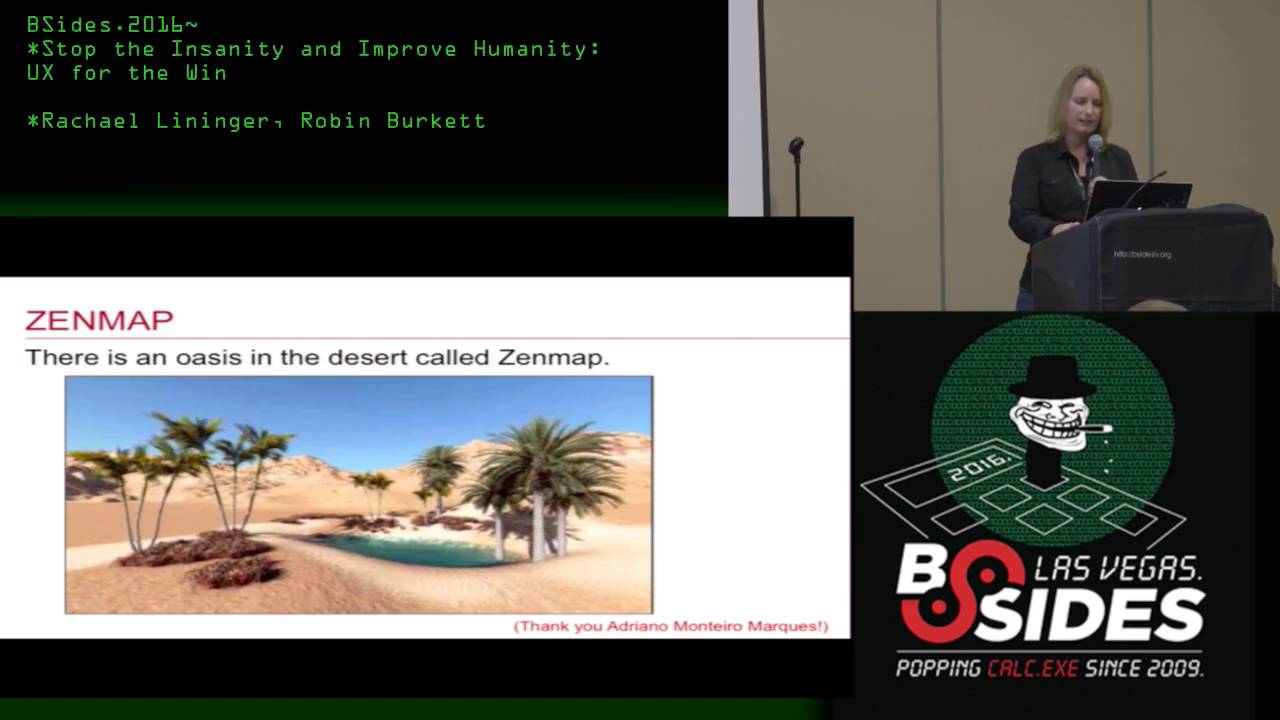
did around 2008 they created this awesome tool called zip map and when I saw it I was like wow finally a tool that makes sense and I don't have to figure out how to use so what they did the purpose of it was not to replace in map but to make in map more useful there only a few fields to enter you just enter in the IP address or range that you want to scan you can pick from a drop-down of the different types of scans so if you're not sure you can feel relatively confident that one of these scans is going to give you some really good information it also builds the command while you're on the tool so I'm learning
if I don't know what in map is I can see what command is being built based on what I'm doing and then I can start learning so from this I can see I picked all TCP ports I can see - P and all the ports and then I can go ha if I want to scan for SSH maybe I just do - p22 like I can start thinking and figuring things out on my own because I'm comfortable on this tool I start exploring and when I start exploring then I start learning and when I learn on my own I enjoy the experience so that's really what you want you want users to explore and think
about what they're doing with the different tools like this you can also run a diff you can run different scans and then see the difference between the two so then you can learn what the different scans are doing so it's a really great tool to teach what things are doing but it's also good for advanced users then for the results you get back easily readable organized in a table keeps track of all your scan results so you don't have to remember and you know it also it's an old tool so I'm not really talking about the design of the tool but it does include a graphical network mapping which is much nicer to look at and understand than the
end map results so one last tool and that's that now everyone is aware I mean I don't know if everyone's aware of netstat but it is also a pretty common tool to see what connections you have it's deprecated does everybody know it's deprecated I know it's not except it is if you look online apparently or they say it's deprecated but everyone still use it uses it so I kept it in because it's out there and ever used people use it all the time so the the user experience with netstat I do like it because it's really quick but there's there are some challenges like little micro interactions that are negative like oh you're not admin so
make sure your admin and then it's goes to the bottom then I'm up I got a scroll back up to the top but it gives a lot of good information but then the results they don't fit all in the same window still the informations there so windows and windows at least starting in Windows seven comes up with resource the windows resource monitor and that takes the same data makes it a little bit more readable so all the data is there but it's it's still not that easy to parse out information so then I found this tool called glass wire and this is the first network tool that I've seen that took a real design approach to networking and
when I open it up and started looking at it I really had a great experience it shows you the incoming traffic the outgoing traffic what applications are there the host that you're connected to there's a wealth of information here oh I can have a pointer and down here is a timeline so if you see any peeks of traffic you can just drag the slider over to the timeline and see what was happening at that point it's a very interactive tool and because it was so easy to use I once I started I kept it up so I have this up on a second monitor of mine and it's helping me understand a baseline of what is normal and
when I went out to look at some of the forum's out there just to see what other people were saying security people assisted admins they were saying hey we love this tool make it for Linux make it for Mac because we want to use this tool so it's definite it's it's something that people really like and they are making a mac version by the I think by the end of the year and then hopefully to maybe going on further but this tool is one of those tools easy to use requires exploration helps people easily understand what's going on in their environment so really liked this and it was a great user experience so I've heard you know what if we make tools to
usable because you know you don't want to Luckys that don't know what they're doing they're just pushing buttons well the goal of improving tools it's not to lower the barrier of entry it's to make it easier it make it make it easier for people to get to a high level of functioning that they need to be effective I reached out to a professor to ask her experience a lot of these tools and she said there's a concern of creating goo idiots folks that don't understand what they're doing they just are using the tool well we don't want that security professionals have a responsibility to know what their goal is know what's going to get them there and be able to
tell if they're getting correct results so you you still have to bring the knowledge but making tools easier to use helps it makes it easier for folks to learn now this is what's going on in the world we all know this there's a shortage of talent we have lots of jobs that are open there we're gonna have a lot of new influx into security and we just don't have enough people so this trend isn't going away and on the other side of the fence criminals understand the importance of a good user experience they're hiring professional designers to design their exploit kits so take for example this is the black hole exploit exploit kit it's very easy you can see where you
would put in information up here it's really nicely well designed this is the control panel I can't read it but I can tell you that that's probably those two things are probably it's probably beginning date and ending date because there's a date thing here I can see it's easy to know where I'm going to enter input information this is probably really important whatever it is they're using like a hierarchical design but you can kind of deduce without even speaking the language I know what I should be looking for and then this is probably just a you know detail details around this information so they're designing their interfaces really well we need to continue to do that and make
that a priority so there's an expectation that people need to know everything about security and it's just not realistic there are experts and multiple fields and they often have to use tools and other fields and they're not beginners by any means but they're just beginners using those tools so if we can make those tools less complicated less confusing that just helps us shift around in the industry a little bit better so the takeaway we can do better usability has to be as important as functionality part of the info so InfoSec culture it's like the more complicated steps to go through to solve a problem the more rewarding it is well we're all up for a challenge but we
don't have time for that the easy things should be easy having hard to use tools means that it takes more time for new people to learn them which means takes more time for them to be effective we still have so many low-hanging fruits that low hanging fruits and attackers are exploiting that our security foundation is not strong so if we can make our tools better to empower the new people coming in to understand security better that will build up a stronger foundation and we won't have so many low-hanging fruits so if if you are creating a tool anyone here create tools awesome thank you so much for being here just you you may be doing this already
but think about all user levels when you create that tool if you can create it to be used by beginners and advanced beginners can start in there and then grow into the advanced level and it just makes it a nice a nice way to continue to learn add user experience to your development process follow standard conventions and establish design patterns watch users use your tool that's one of the most critical things because you'll be surprised you know how to use your tool because you've created it so you know what to expect users may surprise you so it's great to watch them and give users a way to give feedback not just about the functionality of your
tool but use about your usability you don't want people to be thinking about your tool you do want them to be thinking about security and baselines and networking and how systems work anomalies things that teach them to be a better security professional and that frees them up to think about creative ways to solve problems not just tools and once they know that then they can train other people in that way as well so that what I'm what I just wanted to do is just raise awareness about user experience and say this can be the tipping point that makes it that turns things around and helps the security under industry oh few more things that's the end of the
talk but I wanted to go through a couple resources this is what this is the book Laurie Faith Craner she spoke yesterday no if you saw her but this is a great book on security and usability also this Steve Krug don't make me think ideally you can hire a UX team if you can't this is a great book that will give you some tips on how to make your tools more more more useful this I love this one inmates are running the asylum this is basically this is what happens when engineers design tools then there's also anti patterns if you really want to dig deep Wow if people read this book when it came out I don't think we'd be where we
are today so this is a really great book now there's a couple organizations out there just they're just out there to promote better usable more usable tools simply secure they want to help people build better security tools so you should check them out UI patterns is a great website that you can go to it has a lot of examples of things that have already been created like don't reinvent the wheel search screens login screens things that already exist out there there are patterns that people know and understand and you want to use those people don't want to relearn things like that then another this interaction design they're a non-profit and they are here they just want to raise the level of
design globally so they have a lot of training that are out there that you can go take love talking about this I'm really glad you guys came and if you have any questions or thoughts or want to contact me yes
you can look at a network for example and I can actually tell you the competence of the person who's just scanned me based on the patterns that are inherent in that signature and those are almost directly relatable back to their skill with the tool so if the interface can help bring their skill up faster that's great but at the same token if it encourages them to not bother to get better at the tool that's conversely not great yeah I agree I agree I mean the whole purpose I mean we want everybody to get better so yeah I agree I
was just wondering you highlighted Zen map and I'm wondering if the greatest value of that tool is in making that interface discoverable or in constraining the choices that you have to make in order to start up a successful scan well it the drop-down does constrain the choices if that's what you mean but you can hand type in a command like if you're an advanced user and you know you want to do something more advanced than the drop-down you and you know what you want you can hand type it in so it doesn't stop you from doing that
yeah when you say make it discoverable
yeah so the question is is is the use of Oh [Music]
both because it makes it easy for me to use so or easy for anyone to use and it's so it's it's partly that but then it's also we're sorry the learn ability that having the options of the drop-down that you can pick from so okay see what is your question again it's wondering if you're trying to pick something that emulate and to learn from Zen map which would you say both of them are the like the synergy between the two is the important part I would say both of that's right okay but about the learn ability both because what makes me a better security professional is learning stuff and I want to learn stuff so when
the tool empowered me to learn stuff I love that tool and I want to use it more because I want to learn more and when it makes sure that I can't mess up love that too it makes it very quick and easy and yeah it's I'd say it's it's both of those we kind of need both we need easy tools but we don't want to love jaar keys we don't want easy tools that people just press a button and get the results like you want people to be thinking behind these tools
it takes to implement said tool usually in either creating an API or making an extensible bug testing regression testing all of those things that we tend to do and often user experience is the last thing that we can tend to think about because we're under time constraint yeah so as an engineer what can we do to improve that workflow should we be focusing on the back end and make because as engineers we tend to think of users as monkeys that are gonna plus every button that they can yeah so should we be focusing on making it robust and extensible and reusable and putting it out in a space where other people can build the UX on top or the UI
on top of our base software or should we be focusing on the user experience from you know the ground up yeah I guess it depends on what your what your goal is if your goal is to have users use it then you should have user experience start from the very beginning and really understand how they would want to use your tool if you do that first and they love your tool and it's usable they're not they're not gonna go looking for other tools now if you're more important if the backend engine is what's most important to you then sure you could let other people go out and build an interface in front of it but if you want
to be the best game in town then you start at the beginning and just incorporate users from the beginning you get their their input and know what they need to do and you'll be set
yeah so thank you Robin so we if we have more question we can take it offline Robin is here you can take her you can ask more question to her so we are up for the next speaker you have a good round applause - Robin
Related talks
 51:51
51:51 32:48
32:48 33:48
33:48 54:33
54:33 31:06
31:06 20:51
20:51