Beneath The Surface: Mobile Apps Security Challenges
Show transcript [en]
Um good morning everyone and um thank you very much for coming along today. So today we'll be talking um from my experience and from what I see in the market like the challenges we face when we try to secure mobile apps and like normally people are talking oh yeah secure mobile apps do that and that but u there's I believe there's a lot of challenges that people don't usually talk about when when trying to secure mobile apps. Um so a little bit of introduction who who I am. I work I'm I'm a information security consultant/ress researcher. I I work with some financial institutions to to secure their mobile apps and I do a bit of embedded security research. Um that's
me. Um to start with an introduction. Sorry it's a bit boring but I'll try to make it a little bit um quick. So yeah, mobile it's all we all know it's it's a mobile first mobile first um world. Mobile banking is everywhere. Mobile attacks is is on the increase especially malware and all of that. We all know this. Um yeah the pro the main problem with mobile apps it's not like other other like uh other stuff like for let's say web web applications uh where it's hard to get to get your hands on the web application code itself unless you have um access to the server itself or whatever for mobile apps your your application code is is always available
online u or you or or people can grab it from the phone itself like APKs are available on websites Right. Uh for iOS, it's easily you can grab grab the IPAs of of the apps um from the phone. Um and that's that makes it a challenge for businesses and that's why there we have tools to to offiscate the code to protect the codes to put runtime protections into into the apps in order for for people to not be able to reverse engineer reverse engineer your app and actually start attacking it. So the problem with that is that you you will start like yo yeah let's enable offiscation let's enable runtime protection let's enable hooking detection but the way how to implement
these controls and everything is the challenging part isn't it's it's really challenging to know or like implement these controls in the right way and that's and that's the challenges that we'll be talking about basically today and to start with easy one device device when We are trying to secure and do stuff. Device and OS fragmentation is is really a problem. For example, especially on Android, you have the various flavors of OS, various implementations, and you start putting your security controls. You test it on one two devices internally or let's say 20 30 devices but then it goes to millions of devices out out in the wild and it makes it really really hard to prevent false positives and um and and
like blocking users that that shouldn't should be be shouldn't be blocked and and like just to give an example like what what goes wrong sometimes for example manufacturers Google has like some standard let's say let's speak on Google they have like some standard like implementations like this is how you this is how the device should reply back when you check for example for developer options we have uh developer options on that's that's the official Google Google standard on how the device should reply back when you want to check if developer options are enabled or not for example I think this was the Samsung one of Samsung implementations where the where the device replies back with development
settings enabled. So for example, if you have a check, let's say a Rasp control or something that checks if developer options are enabled. So it goes and checks for that one, the the official Google implementation because you don't know what Samsung have done in the background or whatever. And then that's it. You check for that, but then the device will will reply with that, but then your control will consider that as something oh developer developer options are actually enabled. Um they are they are not enabled. Sorry, should be flipped around. Uh but um yeah, and then at that point, even if the device doesn't have the developer options enabled, it will still be read. Even if if the device has the options
developer options disabled, it will still be read as if it's enabled. And same for this is like the official Google standard to for the device to reply if ADB ADB enabled ADB shell and stuff like that replies back with this Xiaomi at some point in one of their devices. That's how it replies back with double quotations and that causes false positives and and and all of that because you'll be checking for this but you'll get this and you will never get a match. So basically that creates uh me personally I've seen so many stories happening with this with these with these kind of implementations and false positives you start receiving calls from customers oh I cannot log into the app I
cannot log into the app many times this has happened um and also to add to that sometimes it's just out of your controls at some point for example Google shipped unlocked devices with unlocked bootloaders and that causes issues for you because for example If you are checking or blocking users depending on unlocked bootloaders then you will yeah users will be reaching out to you like oh I cannot login but then you'll have no idea why they they are not able to login and then you discover that oh Google he has one of the Google pixel that got shipped with unlocked bootloaders. So there is various challenges when it comes to this. Um moving on to the next
challenge. Um that's I think that's a problem for for many aspects of the cyber security fields but I think it's a bit it's a bit like I would say more extreme when it comes to mobile security because you have like some some attacker or some like ethical hacker or whatever releases a new bypass let's say for for root detection and then you start like oh yeah you go to your security teams you start you start anal ask them ask them to analyze that and research a way to to protect against that bypass. Normally that takes the process at least weeks and sometimes up to months but by that time you will have much more bypasses that got released. So it's like
normal basically it's just a cat and mouse game. And just to give an example, Madesala, which is one of the Android root root tools that that are usually used, look at the back in 2024, you look at the frequency of the updates. Not to say in each update there was a new pie pass, but usually there is. You have like in in less than 25 days you have at least at least three three releases. So like no security team can keep up with this. Um it's really hard. Um yeah and also yeah sorry. Yeah, it's it's it's just really hard. And um yeah, the next challenge is is basically the when you when you when you want to
use a tool like for example to protect your mobile app or or or choose a vendor for your for for your your mobile app, it's it's again it's not only just that oh I want I want the detection to be there. I want hooking detection to be there. I want something to offiscate my app. But also it's not only about the generalized stuff. You want to be specific what your app needs. So you need to really have deep understanding of your app from from a security perspective and from a development perspective. What's in inside the app? What we really need to protect and what actually sec actual security controls we need to be into the app to in order to
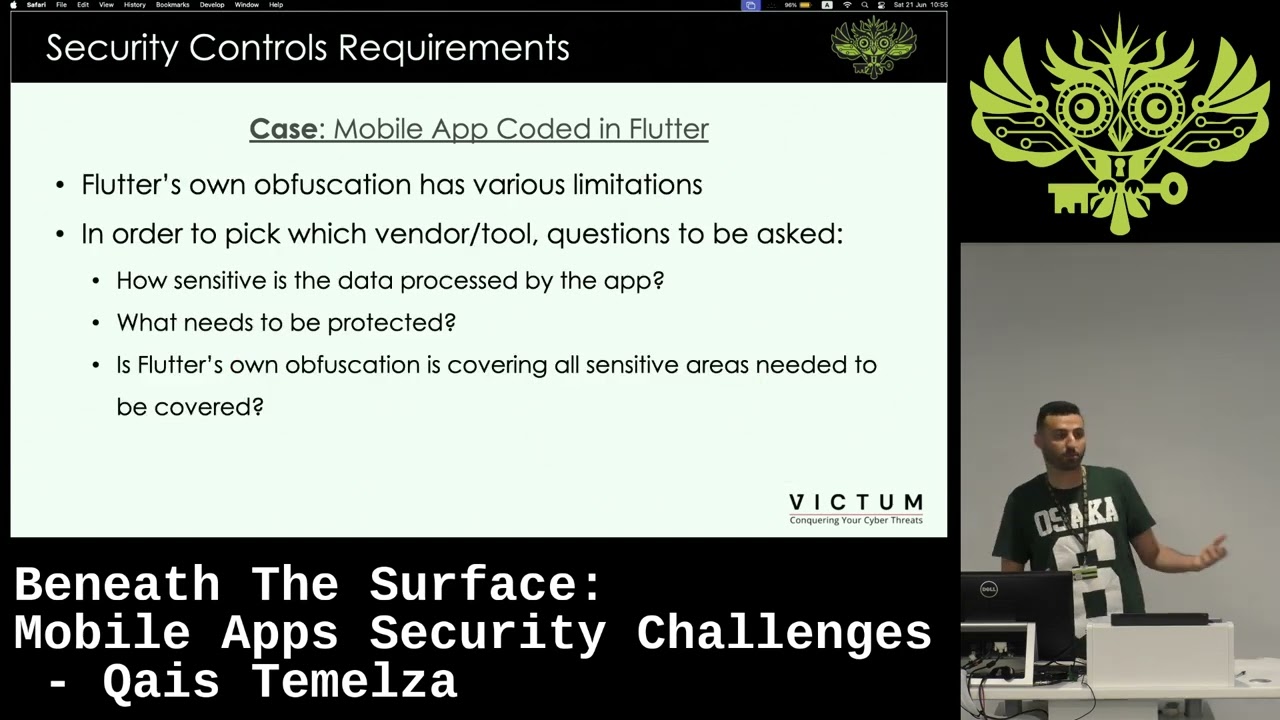
provide the best security possible. without having that deep information about your app, you won't you won't end up choosing the right vendor or the right tool for for for your um for your app. And just to give an example on like what happens here, let's pick on like a mobile app coded in flatter, right? If flatter has its own offiscation. It can offiscate code for you, right? So you go into the market you want to you want to choose a tool or like regardless open source or vendor or whatever it is considering flutter has its own offiscation we have vendor X with average offiscation strong grass protection runtime protections and the cost is low and then you have vendor Y
you it can offer you strong offiscation strong runtime protection and cost is high let me ask you this question who would go with vendor X okay vendor I right um I would say both questions are right because again it depends your app needs. So for example you look at it if flutter offiscation is offering is protecting the sensitive parts of the app that I want to to protect then I might consider vendor X. So that that's the way I want to look at it. what parts of sensitive parts sensitive parts of my app I want to protect and depending on that I choose which tool I want to to choose for my app and another thing is
and that's really needed that's really needed especially for very very sensitive apps and like mainly specifically talking about financial institutions and fintech apps it's basically to have some level of customization or granuality when you are trying to protect your app because having just one on and off for example example for hooking detection uh is isn't really helpful for very very sensitive apps because you really want to trigger target specific functions like you don't want the same level prote protection to be applied for example um at at the login versus some just UI thing or something like that you don't want that because you really want like any anything cryptographic anything at the login for example and all of that
you really want to target it specific we can be like give me extra protection for for that specific function for example payments attack. This is just like um an example. So this is these all sorts of things when we when we look at when we look at it and try to choose the right the the right the right tool for for for your app. Um and I think the biggest challenge or one of the biggest challenges also is is when it comes also to after we choose our tool and we we are using a tool and all of that and then comes the challenge what's the level ofation we are putting into into our app what's the level of um
runtime protection we we are putting in our app because in the end you cannot be like oh I'll offiscate everything and I'll put runtime protection in every parts of the app. That's that's possible and that's yes definitely gives you really good level of security but then you will start you will start struggling with performance of the app you'll start struggling with app crashes in the wild and all of that and at that point you really want to have some balance where where for example you really want to understand your app again understanding the code of the app because the problem with I mean many times I've seen it is like security people they don't they
don't really understand the code of the app. They just know oh let's enable hooking detection. But in in my in my point of view, you the security person really need to have an understanding of the app code level in a similar way as the developer. He needs to know what what SDKs into are in the app. Uh sensor functions when they are they are called by and everything basically. So yeah and basically yeah by by having that level of understanding you can decide oh what what I want to give max protection or selective protection or or no protection for example UI stuff normally you don't you don't really need to to um to protect that um and also another
challenge is basically with offiscation you really you really cannot afford to make mistakes mainly because once your app is out in the wild, it's really really hard to to protect the mistake that you have done. For example, you have a function um let's just go to this. You have a function a sensitive a sensitive function that that went in the wild access token or whatever it is and then you have this function not offiscated but and then oh you noticed that and then in the next release you were like oh yeah let me let me offiscate this and you protected that that's so good but there's various tools in the at the hacker's disposal that they can actually
keep pattern matching your unoffiscated function to later and later versions of of your app and basically your your offiscation here in the newer versions of the app. It is good 100% and it's the right thing to do but it's actually um kind of easy to break and and hackers can keep m pattern matching your code until later versions and that's why I said it's it's it's it's you really cannot afford to make mistakes here. Another another one is and that's really annoying and that's that's mainly specific to Apple is basically it forces you to retain samples debug samples in the app for various reasons for app functionality or for your or for your app to be accepted in app store. For
example, in this in this um in this example here we have an encry encryption function encryption functions. If you strip the samples and they submit your app to the to the app store, you will get rejected because Apple static analysis tools that that they check your app with when you submit, they really need to use the samples to to to do the test and make sure your app is compliant and all of that. So basically you end up have keeping the simple of the this encryption function and then that exposes your function basically and even if you have it huscated that's it. attackers can actually look reverse engineered your app and basically understand that oh yeah this is an
encryption function and you have and there is some ways like sometimes to protect these depending on the tooling that you're using and all of that but that's actually a proper issue and also like for example Apple doesn't like also they have a problem when you when you use keychain or like their um their biometric stuff also cleaves traces and and symbols that you actually cannot hide um But uh when they are doing it in their own iOS operating system, they have their own ways to to to hide it. But when you are doing it in your app, it's really hard to hide, which is unfair. But um that's how they want it to be. And um yeah, moving on to the
next one. We so many times we are we imple Yeah, we put security controls into into the app. we put we protect it and all of that but then most of the times when the app is in the wild we don't really know or understand what's happening like um if the if the app has crashed or if users have have been for facing false positives like a user calls you like oh yeah I I'm I'm not able to login or my app is crashing and all of that if you have no means of monitoring or sending logs to back to to your back end you will never be able or it will be really really hard to to to fix to fix those
issues because yeah and like you you need to have some kind of monitoring that tells you oh this is how many times this is this security control have been triggered this is how many times your device has crashed your your app has crashed in the wild so to have this um there's various ways to to actually send logs to the back end but this Yeah, application X is basically um your app is crashing whenever it detects let's say hook detection and that's it. You don't you don't know anything. You don't know what happened. Um the other choice is is to actually send logs before just just to just just before you crash. But also this comes with risks because attackers
can can like you can you can give the attackers a little bit more time before you crash to read memory or or or hook into something or whatever. So or like another another way to protect against this for example crash right save the logs in some some secure way um crash the app and then on the next launch try to send for example the logs to to your back end that that way sometimes yeah reduces the risks but yeah and that's that's that's basically the challenge here you either between a choice that you'll be blind or you you you really face face some risks because you want to send send blocks Um and also another challenge is basically
the mobile malware. Mobile malware is becoming a really really a problem lately. Uh especially on Android and also on iOS. It's becoming a a bigger problem lately. Um but the problem with malware is that you think that oh yeah I have RAS protections. I put everything into the app and all of that. Um but that doesn't equal you have um a good malware protection because yes having good RASP um security controls is really good and does protect you against some of the malares the malware types but from my experience especially in the past few years and especially that malware targeting like financial stuff and fraud and all of that doesn't actually trigger any security any of the
typical security controls like oh hooking detection, debugger detection, none of that because it uses various ways like via sec screen overlays to show you a screen that say that tells you oh can you enter the password so you enter the password but it's not actually the the password screen that you have or or screen sharing or or custom keyboards or or leak certificates and we will come to that to to that in a minute and with this example for example at some point Google had this problem where where attackers were signing the malware with Android platform certificates And that's basically makes it a legitimate app. It's really hard to catch because it's signed with with a
legitimate certificate. And also there are the cases in the wild where you have like normal apps that known that are known to everybody and sometimes their certain signing set of the APK gets leaked and then hackers start signing their malware using that certificate and it becomes much harder to detect those those uh those those malware especially if you are detecting malware depending on the signing like there's various ways to detect malware you can look at the signing you can look at their package name you can look at um the hashes, the behavior stuff as well. So yeah. Um, and also with with the malware and again especially on on Android, it's it's basically really hard sometimes.
And at least at least over the past year, most of the malares that I've looked at, it's once it's installed into into into the phone, you really you really cannot remove it from the from the app without from the device without without actually having um some kind of ADB shell into the device. remove the specific package of the of the of the malware. It's it basically refuses whenever you you do the long hold in the device and try to lead to delete it, it will actually prevent you from doing that. So, and that and that becomes really hard for normal people if they are like um infected with a malware and then they call you and you tell them oh
um you have a malware in your device and that's how you can delete it. Oh, open it Linux terminal and all of that which is nobody can like it's really hard unless you are like in the computer science field or stuff like that and then you just leave them with wiping out their phone or or accept the risks. So, and that's that's a really big challenge in the malware field that's many organizations are struggling with. Some organizations go with relaxing relaxing the controls and actually allow more malware to to have better user experience. But also other other other organizations go with no we don't want to allow anything we will overflow our customer service that's fine but we need
more protection. Um and that's yeah and that that's that's that's the challenges with malware. The last challenge that we will talk about today is basically low-level and OS vulnerabilities and that mean and I think it's selfexplanatory here is basically you have you have the the operating system if it has a kernel kernel exploit or anything like that your app whatever protection you have you put into your app in the end it's it's it's running most of the time at the app level at the user level it doesn't have like deep down deep down like permissions to actually go to the kernel level and all of that and then but attackers sometimes or many times have kernel level access because of
vulnerabilities and all of that and those are like you can sometimes detect and prevent some of them but they are really really challenging to to detect or prevent. Um and what makes this even worse um especially on Android this is the spread of the uh Android versions across across um all all their um all their Android versions. Normally we have this issue with Android like many many many devices they they are still on the previous or old Android versions and that's really a problem because it leaves you with a choice of oh let me look at how many users how many users are on the very old Android versions and then it turns out that oh 5% 10% of user
base is actually on on old very old Android versions because of this this spread here and then you'll be like then we cannot really actually block uh 10% 5% of our of our user base. So you end up being being like just doing your best to do the security and that's it. Um it's yeah and also there are like various challenges here like I I just put like the stuff that I I I thought that u mostly faced on daily basis. Um but like there's other stuff like obji misuse and secure third party SDKs that are integrated into the app and all of that. um just so there is not really like let's say like a proper solution for for all of
these challenges. It's always like mostly try to balance things between user experience between security between whatever you can do. So I would emphasize on the first point like a lot and um again yeah we mentioned this briefly but having your security team really understanding you really understanding the app will help them secure the app in a better way and also having your development team understanding how they can develop secure secure code because for example sometimes your vendor or your tool that's protecting your app is actually uh has has a weak point and That's that's a standard in in in the toolings like you cannot have a tool that that protects everything. It's basically it's always will have like
some kind of a weakness. So this weakness will all will always need to be shared and devs need to be trained on that. You shouldn't using that thing in order for us to not have unoffiscated code for example. Um and also another another solution is you if you use like for sensitive journeys for sensitive uh stuff is basically multi-layered multi-layered runtime protections uh double layer of the same guard or various guards or security controls or actually use multiple vendors or multiple tools in into your app. Um and also yeah as as we mentioned this um there's no no security solution or a tooling that tells you one size fits all. forget about the marketing that
tells you, "Oh, our tool is the best and all of that. I've I've got my hands on many many tools in the market and once you go deep down asking them questions, they will they will actually end up being all the same." Um, and yeah, again, back to the to the logging and stuff. uh me personally and from my experience I it's I would advise into logging and all of that but maybe to balance it out sometimes like oh no we cannot log that security control that's at the login it's is really really dangerous or for example oh let's log other stuff so you can actually maybe balance it out between logging some stuff and crashing
on some stuff but also like some organizations decide to go no we'll take the risk we'll try to secure the logs as much as possible we try we'll prevent attackers from hooking into the function that's logging or whatever it is. And we need to log to to log to log to log everything. And um I think that's it. Thank you very much.
Related talks
 22:47
22:47 47:59
47:59 29:06
29:06 1:00:30
 57:48
57:48 48:48
48:48