Windows 11 At Your Service
Show original YouTube description
Show transcript [en]
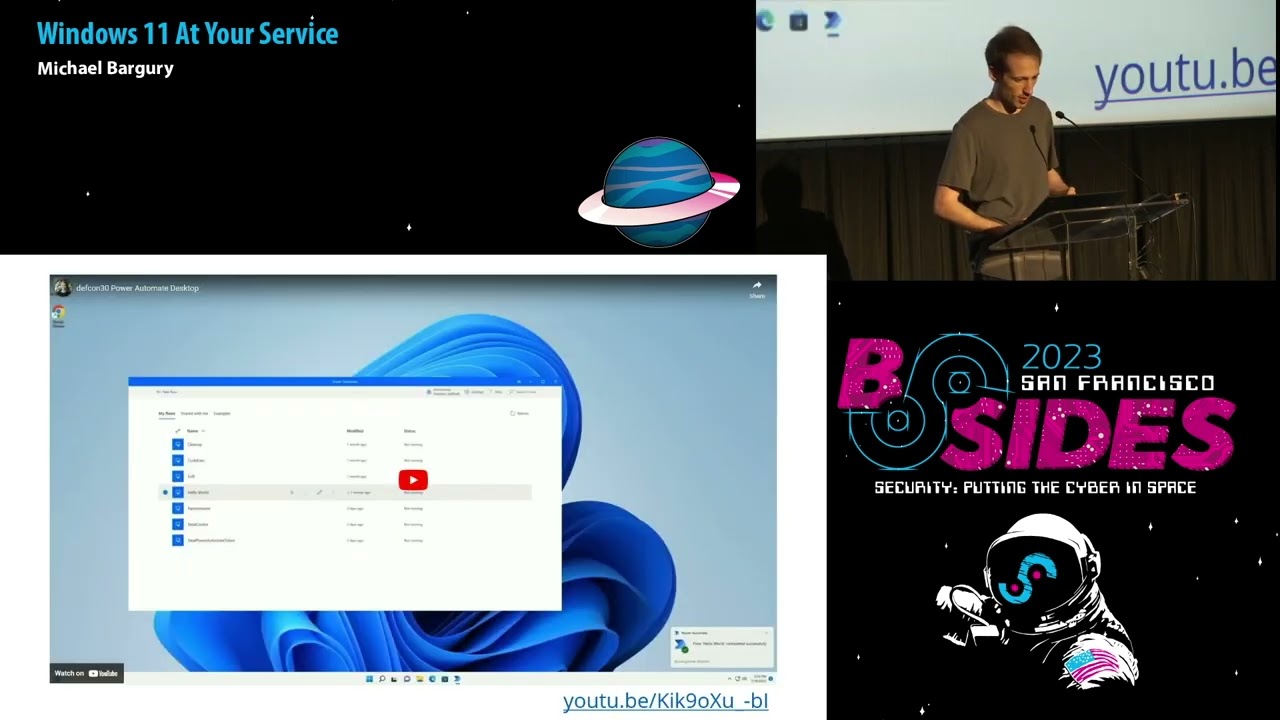
thank you everyone for joining us this glorious morning uh next up we have Michael Burgery with Windows 11 at your service thank you um so first of all I'd like to I'd like to say thank you to everyone for skipping early lunch I really appreciate it and I'm going to make my best um I'm going to try my best to make uh to make it worthwhile for you and since this is kind of an intimate setting please feel free to just kind of raise your hand if you have a question do you want to talk don't wait until the end we can make a conversation I think it'll be much more interesting um it is kind of briefly a few points
about me I've uh I've been focused on this area of security of no code apps so trying to see where they break for about four years now I confront in the company that's focused on this space I lead an oscope that is dedicated to low code no code and the risks that are that these apps represent but what we're going to do today is we're going to take in a tackles perspective so let's just jump into it if we don't get into uh in into your questions during this session reach out on Twitter I'm happy to to continue conversation and I promise this is the only slide that's going to talk kind of uh uh kind
of uh no take an attacker's perspective of course it's important to mention even though this entire talk is going to focus on on leveraging uh no code uh as an attacker the idea here is to see how we can use no code and secure way however having said that here's what we're going to do today so um there's a very very big difference between initial compromise of a machine and an entire model operation so in order to set a model operation you need to be able to to do many many different things and let me just let's just kind of make sure we all understand what do I mean by Marvel Ops but by the end of
this talk you'll see how you can do everything that the malware needs to do by using Microsoft executables services and cloud services which are all baked into windows all right so uh just kind of sure we're all on the same page on what do I mean by Marvel Ops what we do what you will be able to actually accomplish let's say that you have an initial access to a machine which is fine uh you might think you've won but actually in the real world there's a bunch of things that would prevent you from uh kind of getting what you want so uh you need to be able to actually run malware on that machine right and not just have the
ignition access you need to be able to communicate through a firewall or any sort of a network perimeter because it's likely this machine uh is an internal Network you need to be able to exfiltrate data outside you need to be able to avoid defenses that might be on the machine itself or on the network or wherever else and of course you'll you also want to uh to remain persistent you want to to avoid defenses so there are a bunch of these things that you need to to uh to actually accomplish after you've already compromised the machine and so all of these things are actually kind of Grant work right they're kind of kind of engineering so you start off with
initial access and you want to get to profit but in the middle of it there's a bunch of things that you need to do in order to really get the operation going and what we're going to show is how you can accomplish all of this operation all of these uh kind of intermediary sections here all right so the best thing that we could hope for uh is to have a SAS platform that would do all of these things for us right because today there's there's pretty much SAS for everything so I'm going to introduce to you today something called RPA not sure if if you've heard of it but RPA robotic poses automation it's basically a service
that's uh you that's actually running on user's laptops and it is in person impersonating users in order to create business automations so for example you move your mouse you move you you click things on your keyboard it would record these things and then replay them and it is used for example to integrate with Legacy systems that don't really have an API Now The crucial piece about robotic process automation is it's composed of these three separate kind of things one is the election agent that runs either on a user's laptop or or on some server there's a controller that's able to operate to reach out through the network into those machine then send the payload and expect it back or get back the
results and of course there's a management platform on the south side The crucial piece here is that all of these are trusted and when I say trusted I mean that the the edls trust them the network security trust them they'll they all operate in in in in boxes that have that have been pre-approved and so if we use this specific you can see where I'm going with this right this is an infrastructure to run code on user's laptop and then get the results back and all of this is is being facilitated through well this is this is actually just using LPA but just in a creative way and for our malicious purposes and so one important thing to note is that
RPA is already pretty much everywhere in the Enterprise you'll find these are kind of the large vendors but there are others and you'll find this is a pretty prolific and RPA will do much more than we than we initially wanted um it will actually take care of a bunch of engineering things for us so handling errors being able to about different types of os's different versions being able to update the malware on on the fly all of those things would be handled by RPA itself and so just one one uh one simple thing to understand about kind of what RPA is so essentially it's about replacing this copy and paste that users are doing in
order to move data between two places there's kind of a nice drag and door Builder and it emulates users actions this is cool this is crucial this is running as the user in the in the context of that user and there's no real easy way to distinguish between a user and what this thing is actually doing all right and um and it's also kind of in terms of use cases there are actually valid use cases for this again mainly integration with Legacy systems okay that's enough kind of in tool now we're going to see uh how we can actually use LPA to accomplish what we wanted so here's what we're going to do today we're going to start with uh uh we've
only we've already gone through kind of very briefly uh the motivation and what RPA is and we're going to go through a technical Deep dive to see how RPI actually works then we'll see how we can abuse RPA for a remote code execution about as a C2 server and then we're going to just introduce a tool that will allow you to do all of that yourself so let's start with the Deep dive and from this point in the talk I'm going to focus specifically on Microsoft's RPA and the reason behind it is that it's already included in every Windows 11 machine so just take a a fresh vanilla Windows 11 machine you'll find this already there by the way if you've
uninstalled it they will install it back with all of the kind of default applications that you have there so this is malware that's pretty that's always already installed in Windows 11 machines and that's why I'm going to focus here of course this is this is not just a problem about Microsoft it's larger than that it's the entire industry However the fact that this is already there on Windows machines is crucial because again Microsoft TDR for example will will trust it this is bundled in so let's see um let's say this in action let's see how it works so from a user's perspective if I go to a vanilla Windows 11 machine I'll search for Power
automate I encourage you to do that if you have a Windows machine with you you'll find this power automate executable and once you uh click on it you'll get into and let's see if I can get this to work
all right so this is just going to show you that uh kind of a small video of me kind of opening up the LPA agent so you can see I have a small kind of UI there it's asking me for for an email this is actually a user for for my office account quotient I can put any of this account here so it could be kind of a malicious office account as well once I do that I get a bunch of tasks that are that are fetched from the cloud you will see that again in a moment that I've already pre-configured and this is the drag and drop interface that Microsoft allows you to use in order to create
those agents those drag and drop those RPA agents and here I'm doing something kind of very silly I'm just gonna open up a file and then write something something to that file and you can see so I click play and it works and then in the moment you'll see that there's a file though but the The crucial thing is that the agent is doing all of that and there are a bunch of uh a bunch of operations that are all of these things are provided by this platform by the RPA platform it is able to uh to operate with the OS and do to do things on a user's behalf now one thing you might have noticed is that
once I connected and once I I plugged in my account into this agent it synced with the with the cloud and provided me a bunch of these uh tasks that I've already created and you can see that these are actually payloads that I that I've uh pre-created this is actually going to office this is communicating with office again my office it could be uh it could be just kind of a malicious version of office and it's communicating with office and actually fetching all of the all of those payloads for us and so one of the things that we should try and understand is how does this communication work because if you think about it because this is pre-packaged within
Windows 11 nobody is asked a network admin to open a port somewhere in order for this to actually work right this has to work out of the box in every type of environment with every type of network configuration and so we need to understand what is going on here so um here's kind of a high level view of it on one side there's power Tomatoes somebody's laptop and on the other side of the cloud let's start with the laptop itself so power automate is actually using two separate executables here that are running under two two different services on the machine you can see that one of the so does the power automate executable that runs on the users on
context and there's also another service account that is created locally which runs this machine runtime the machine runtime is going to be the thing that is going to communicate with office and these two these two can communicate the machine runtime can also spin up power automate agent on a new user sessions so you can provide it with the username and password the local one and this it will create it will start a session for that user and then use a power automate to run to run things down all right um power automate is also able to work with the browser to automate the browser and this is done through extensions again Edge would come once you use power
automate Edge would have this pre-installed and then it allows the agent to control whatever you have on the browser of course again because this is running on a user context you can steal whatever the user has in their browser context which of course opens up a whole wide of a range of opportunities and so there are executables that there that are related to communicate to communicating with the browsers and actually I've only shown I've only talked about three different executables that are pre-packaged but you can see in this picture there are a whole bunch more of them and if you're looking for an area that you that could be fun kind of to play around with I strongly
encourage you to look into it just like a few months ago somebody found the NRC Hills and in one of those so go ahead um so that's kind of one side and and the thing to note is that all of these executables they won't be stopped by the ADR because the ADR has to trust them they are part of office they are part of windows all right the next thing is how does this thing communicate with the cloud how does it work in a way that can go through network network the network boundary the corporate Network boundary without asking for permissions any ideas okay so this is kind of uh they're actually using a nice a a nice feature
or a nice service by Azure called service bus or Azure relay essentially they opening up an outbound Communication channel and then they are querying a queue uh uh on a schedule which means that they are able to go through anything because usually you don't people don't block outbound communication and so this is the way in which office in this machine can work again this is this is going to be to be the way for us to push uh to push payloads in and to exfiltrate data out okay once you connect your power automate agent once you go through what I've what I've so what I've I showed you a few minutes ago with the video you get
a nice little UI that shows you all of the machines that you have connected to your account uh you can see the status of the of those machines which ones are connected or not how many jobs are executed in each one of those uh of those machines of course you can run tasks from the cloud so this is me going to the uh to the Microsoft UI for my with my malicious Microsoft tenant and then I'm just going to I can just click on run some automation on somebody's machine a machine that I've pre-registered and I can run that on the machine and once I do that I get uh status for the tasks I can debug arrows
I mean there's a whole bunch of there are a whole bunch of engineering features here that can help me make sure that my model is operating successfully okay so we are we now that we understand how power automate works and how is it how it's able to actually uh do do what it's supposed to do let me show you how you can use it as a hacker so what we're going to do is show you all of the all of the things on on our wish list on our malware operation wishlist and how they can be accomplished with this Microsoft agent all right I'm going to start very simply I'm just going to start by creating a Microsoft
malicious tenant this is pretty easy you can just create your own tenant with a few clicks you don't need to import to you don't need to pay anything you don't need to put in a credit card it's uh it's very easy once you do that you have your own version of office so your own tenant inside of office here I called it pantos as a joke for Microsoft and then you can start to register machines into this tenant which actually means to do the infection so how do we infect a new machine with this type of manual well you we've actually seen this why does this little UI thing when I go to a new machine I can open up the UI and
then I need to register and when I when I enter a user here I'm just going to enter the user for my malicious tenant now of course using a UI to do that uh is not would wouldn't be really like very good malware right so in in order to do this uh silently we'll want to to be able to avoid the UI and the question is can we do that can we bypass this UI and maybe operate directly with the internal apis well we don't really need to because this is provided by Microsoft so there's a script that's bundled into Windows as well let's uh you can see the title here silently register on your machine
and when you do that this this is available through command line or Powershell where you do it when you do that you provide your own malicious tenant you can provide you you provide a malicious user within that tenant and from that moment on the agent is connected to your own malicious tenant now one question uh somebody asked me once is what happens if the agent is already registered if people are already using this so fortunately you can register a few different tenants with the same machine okay so there won't be any conflicts and if the user opens up this power automate agent on their machine it will still allow them to to to to log in
they will not see the fact that it's already register because I've used this silent registration script all right so this is this is infection I this is just once I have initial access the only thing I need to do is run this script and that's it once I have that the machine is registered to my uh to the list of machines in that I have in on my SAS on my Microsoft tenant and now one thing that's in important about this silent registration script is the fact that I'm not sure if you've noticed but I was running on an admin for this Powershell which actually makes this kind of a weaker right so one of the things we wanted to do is
make sure that is see if we are able to bypass this to run this as a user and so we did something very sophisticated we tried and and it just worked so this script even though it's advertised to only work for admins it works for everybody Microsoft is aware of this process and of this thing you know working on solving it but for now it hasn't been solved yet all right once I have this agent this machine registered to my malicious tenant the next thing I need to do is just trigger the workload from the cloud I set up a connection to the specific machine and then I can distribute the payload from the machine to the specific
to the from the cloud to the specific machine so this is exec this is a C2 server right they are they are the agent is going to Azure relay it's looking for payloads and then every time it files payloaded I can put there through this UI it will execute them on the machine and let me I'm going to skip a couple of slides here because I I know we're kind of out of time uh or reaching reaching that that point but let's see what what we have done so far and we haven't done much is one we're able to deploy this malware so we're able to infect a machine we're able to avoid defenses by
definition because again I've only used uh bundled in executables and services that are operating with Microsoft Cloud and of course persistency is is easy as well because again this is all things that are used by Microsoft so they are in charge of making sure that if the laptop is rebooted or something then that then we are still uh then this agent is still working of course if somebody resets the machine that uh at um kind of permanently then then we would be out what I'm going to show you now is what kind of actual payloads we can do with this so we're already in a machine we can uh we can we can start to
to see what this agent can actually accomplish for us okay let's start with something very simple let's say I want to do data exfiltration so I want to steal a specific file from this machine this is a very simple automation that I've just built here I'm just opening up a file uh storing its content in the output in the output of this job and once I run this from the cloud side I give it an input of the specific file that I want and the output would just be the bytes of that file um now one thing that we need to make sure we understand is how this data actually goes out and so just as a
reminder this is operating through the trusted Communication channel that with that Microsoft has established for us payload is going through the trusted Communication channel channel and data exfiltration goes down the same route so you want it would be very difficult for you to actually catch this cache the data exploration ongoing the next thing I want you to see is uh code execution so what if we want to run just kind of whatever we want um so one thing we could try is to use the functions in that are provided by this agent to actually run a scripts so you can run python you can run command line or any other thing but that would of course trigger if we in this instance
here I'm running mimikats that would of course trigger the the defender right because the idea because that part is not trusted you're just running a script so instead of running the script what what if we stay in The Trusted Zone What If instead of running a script and executable a payload something we build our entire payload with no code with this drag and drop interface so the question becomes what can you do with it how advanced is this language or what are The Primitives that we have in order to actually build things on our own so and and the answer to that is that these agents are very very very powerful these are just a few examples but uh you can
trigger HTTP endpoint you can three HTTP calls you can encrypt files you can communicate with active directory Windows Services uh processes you can look in into files and folders you can automate the browser you can take screenshots you can go to the you can control The Mouse and the keyboard you can control the clipboard this is basically everything you want right and as long as you build your payload with this drag and drop interface Microsoft will execute it for you and you want and you won't go out of the trust of The Trusted zone I'm going to show you just one example and then I'm going to skip forward because unfortunately we're running out of time
um but here's a kind of a very quick example of no code ransomware this is iterating through a directory and going school subdirectories and then using the encryption encryption function which is provided by this agent in order to actually kind of override the file and again this is being done this is this entire thing is running in a Microsoft executable so it would be very difficult to to try to to to remove this without removing power automate as a whole I'm going to jump a few steps forward to show you um so again there are many things once I have kind of a arbitrary execution I can do pretty much whatever I want uh and
and there are and everything that we wanted to do uh would be available through this agent and so one thing that I want to leave you off with is a way for you to actually use this when you when you go but back home and so um I'm going to so there's a tool that that I've released a few about about six months ago called PowerPoint and this is this tool basically does everything that they show you here in this talk so once you take this tool let me switch here once you um once you use this tool it's available here on in this on this link it will accomplish all of these different things for you so we'll
be able to infect a specific machine you will be able to exfiltrate data all of the payloads would be are repackaged and in order to use it all you need to do is actually just set up a Microsoft tenant for yourself so if you're interested we're just going to we'll just uh approaching the release of the of another version of this tool which is going to be much more convenient and robust uh if you're interested check it out and start the report you'll get the notification so the one thing I have to do before I finish off is help you defend yourself from from this thing because otherwise uh I've just created harm and so uh here's what
you need to do the first thing and the most important thing that could stop this entire attack is to monitor the usage of this pre-packaged silent registration executable you can see the name here the number one thing you should be looking for is any registration to a tenant that isn't yours that should be a giant red flag there is also a way if you're using uh if you have a way to to change goal policies and pre-install them on every machine you can actually limit which tenants can can be registered to uh to use this power automate agent and other than that there's a bunch more information about this specific attack and other attacks related to uh to the
no code infrastructure that Microsoft has and others as well there are a couple links here and all of these kind of the slides the links everything will be available on this link up there um so there's a much more information thank you very much for being with me over lunch um it's been great fun thank you plus okay Michael [Applause]
Related talks
 38:55
38:55 24:38
24:38 50:47
50:47 37:30
37:30 46:43
46:43 25:09
25:09