The Evolution of Auth – From Passwords to AI Agents

Show original YouTube description
Show transcript [en]
Hello, we're here to talk about the evolution of Oth from users to AI agents. Um, my name is Maya. I'm the founder of a new company in the enterprise identity space. It's called Oblique. It's an identity directory for managing employee groups and entitlements. Um, and I spent most of my career as a product manager. First, uh, most recently where I was at Tailskill and I think I saw Ben earlier where I was at Tailscale where I worked uh, and led the product engineering team. Um, before that I was at GitHub working on software supply chain security and before that at Google Cloud on container security and and encryption key management. Um, I've never had to build
authentication for a product that I worked on like from scratch before, but I've gotten to work on a lot of specific features like adding pass keys for authentication, skim for syncing enterprise users across systems, and adding more fine grained user roles for authorization. So what we're going to talk about today is how authentication has evolved over time and the overall trends that shaped each of these changes. So this is our agenda for today. We'll start with basic off starting with user usernames and passwords. Then we'll evolve to single sign on for enterprise apps and also for social login. And afterwards we added you know multiple factors to validate a user's identity including biometrics and pass keys. And that brings us to where
we are today and the problems that we're seeing today where we have more apps than ever and new kinds of identities which need authentication including for AI agents. All in all, today's authentication can be quite complex with like a little bit of everything sprinkled in. Um, but users still expect it to be invisible and seamless across all of their devices. It has evolved a lot over time, but not necessarily as linearly as I've shown here. It's more like a tree, right? Things branch off and improve in lots of different directions. But if there's one thing we can take away from this evolution that we'll go through, it's that throughout the history of authentication, there's always been a push and pull to keep
usability and security in balance. So, we've ended up where we are today by reacting to and building on top of the work that we've had previously as we solve some of these issues. So, you know, initially we might have only focused on user identities in enterprise. Then we applied some of the principles that we learned from that to consumer identities bringing some of the lessons learned in terms of security from um enterprise to consumer and then back in the other direction you know taking some of the improvements that we have in user experience for consumer and pushing them into enterprise improving the everyday employee experience that you have there. We also evolved from focusing on just users to and groups of
users to caring about other kinds of identities like services or machines and now agents. So we took the lessons we learned in the security and usability for users and then applied them to these new kinds of identities. All right. So let's look at how authentication has evolved over time. Um starting with basic o starting with usernames and passwords. It's kind of crazy to think about it now but passwords as a concept well at least for individual users to authenticate to digital systems were really introduced in the 1960s. So in 1961, Fernando Corbato at the computation center at MIT was working on time sharing for a computer system so that multiple people could work on the
same system but have different access and different private files. He created passwords to authenticate users and restrict both access to their files and to their time on the shared system. Um so authentication has always been, you know, inherently deeply tied to authorization. And just a few years later, a doctoral student who wanted more time on that system realized that they could just print out the list of all the passwords and log in as someone else. So the passwords were just stored in plain text. And as a result, we had to improve how passwords were stored. So password hashing was introduced in Unix in the 1970s. By using a one-way function, a hash, the system can store enough
information to verify that users are presenting the right passwords without storing and therefore risking leaking the actual password itself. As the number of systems that a user might need to sign into increased, they had more and more systems that needed passwords. And so frequently they'd use the same password to authenticate to multiple systems. If you use the same password in multiple places though, and then one of them was compromised or the system didn't actually hash and store passwords correctly, then your password could be tested and reused against another system. This could apply specifically to your account, but it also might be used more generally, right? like your password could be then put into a password bank of common passwords and
their hashes making it easier to uncover new passwords in a data dump. Um, and this wasn't really a widescale problem till like much later until like credential stuffing in the 2010s, but it started, you know, way back when. Um, and so what did users do? Users started using variations on the same passwords again to make it much easier to remember them. So rather than using the 42nd most popular password hunter, maybe you might use the password hunter 2 instead, much more original. So to prevent users from doing that to to just use 1002 or a password 1 2 3, we introduced password complexity requirements. And rather than letting you set any password, your organization started to require that
your password had a minimum length or had certain kinds of special characters or whatever it happened to be in order to make it harder to crack. These requirements developed into guidance that was published like NIST's SP 863, which is the original electronic authentication guideline uh released in 2004. And that suggested minimum requirements for password complexity, including irregular capitalization, special characters, and at least one numeral. Now, I understand how we got here. Although it's true mathematically that passwords with more of these kinds of characters should be harder to crack, in reality, these end up following like a predictable pattern and a predictable ordering because we're human of like a capital letter, then some lowercase letters, then some numbers, and then
some symbols like capital P password 1 2 3 exclamation mark, right? like that's like what you think of as a canonical password now. And password started to look more and more like lead. It also became incredibly frustrating to generate a password that would meet whatever set of requirements a random website would have. Right? Um if you haven't seen it yet, go play this game, the password game. Uh it's really fun and you're going to want to tear your hair out by trying to meet all the password requirements that this game has. Um, and other than not really improving security, one of the ways that these password complexity requirements also backfired is that users often had to
change their passwords because, you know, there might have been password requirements around password rotation, but also if you have these like random sets of letters and numbers, you can't remember your password and so you reset your password and so you have a new password more often. Um, an easy to remember password is not secure, but a secure password is hard to remember, harder to type, and so less usable. It's an unfortunate trade-off of the situation that we end we put ourselves in. So luckily the guidance in the industry has been updated here as we learned our lessons over time and the current guidelines encourage password entropy which you can get by having a long password for example discourage
specific complexity rules and discourage rotation of non-ompromised credentials. We've also get gotten better at realizing what kinds of entropy matter. So, for example, random passwords that are pronouncable, even though they're slightly less random than all the other random passwords, are still much more usable. And so, maybe we are okay with that in order to trade off security and usability. The best thing you can do today is to have a random password. The next best thing you can do is to have a high-end entry password like a very long password um like even like a correct horse battery staple if you're familiar with that example. And on the password storage side, our systems have also improved with properly salting and
hashing passwords being easier than ever. Um, Argon 2 has taken over from BCrypt. Argon 2 won a competition to be the password hashing function of choice. It is fast, but also it importantly lets the implement trade-off speed and memory usage with requirements around side channel and cracking attacks. Okay, so now users have these long ideally random but if not random quite high entropy passwords and they're unique for each system. So how can you possibly remember them all? And so we moved on to password managers. Um, although these were initially a niche tool for IT teams, they've definitely become more mainstream as platforms like Google Chrome and Apple's iOS have added built-in password managers rather than
you needing to have a dedicated standalone app. And it makes sense why the platforms built these. It's harder to trust a standalone standalone app. This is the single application that holds the root of trust for all of your identities, all your authentication information, for everything else. So, you want to make sure that you trust the security of the solution that you end up using. And with breaches at companies like LastPass, it's not an unrealistic fear. Uh password managers have basically superseded VPNs as like the primary security guidance for your family members when you go home for the holidays. Um according to NordPass, users have 168 passwords. I think that's a wild underestimated reality. I use the
Chrome password manager personally and it tells me I have 646 sites and apps and that's not passwords but sites and some of those I have multiple accounts on. And I know that's still an understatement because my Neopets password is not in there and I would really like to go play Neopets again. Um, so the first real trend that we've seen in authentication is over time is a shift with passwords from human generated inputs to random machine generated inputs and improvements around usability to make passwords easier to copy or pronounce and the use of platform native password managers for managing these at scale. So, as users continued to grow the number of passwords they were using, how
did organizations know that their users were actually keeping those secure, like actually following those password complexity requirements that they first had or now following newer policies like using a password manager? That's where enterprise identity federation comes in. The shift towards federation happened because of two problems. First, users couldn't manage dozens of separate credentials across systems. There were just too many passwords. Second, IT admins needed to know which identities should have access to which systems. Authentication in enterprise was and to some extent still is a mess. Um, enterprises had this problem at first, not because this was a unique problem to them, but because it blocked work, right? If Alex Alice can't check out with her the purchase in her
cart, okay, you might not make the sale, but if Alex can't get her work done, she can't get her work done. So, enterprises needed a way to centralize identities, authentication, and authorization first. A major step in centralizing identity was Microsoft Active Directory which which was introduced in 1999. It allowed an IT admin to create an identity store that could be used across multiple systems within an enterprise such as Windows devices and printers so that you didn't have to configure a separate set of users and permissions for every device on your network. In order to authenticate someone, you needed to know that you're verifying the correct identity. And so this directory service let organizations manage users, groups, and access in one
place, effectively being like a single source of truth for identity in your in your enterprise. But many systems didn't support Windows or AD authentication natively. And so the SAML protocol was introduced in 2001 attempting to address this problem uh but letting identity providers send authentication statements and attributes across domain boundaries extending identity beyond solely AD based systems. When cloud providers emerged in the mid-200s, identity also needed to be extended to those systems. In order to do that, hosted identity providers like Ping Identity um or Octa offered a way to federate onre on premises identities into cloud SAS applications. They weren't recreating identity directories in the cloud, but rather they were acting as the bridge between your existing AD instance to
your SAS apps. And then OOTH was introduced in 2007 for authorization to allow users to delegate some of their permissions. Open ID connect in 2014 provided a way to extend OOTH for authentication. Oath handled delegation and authorization while OIDC added the identity later layer specifically for that you needed for authentication. So all of the innovation in the early 2000s and into the 2010s created a like fairly powerful comprehensive identity technology stack. But it's also a little bit frustrating to me in some sense because some of the conversations that I have with people about their pain points and identity hark back to that like golden age of the early 2000s where everything actually just was AD and
actually worked together and all of this is us gluing a bunch of stuff together to make it work. Um you could in a prior world authenticate the same way to your desktop as the network as the printer. Um it's not necessarily that way anymore. It's much more complicated now. Um, and similar to enterprise identity, consumer identity also saw consolidation and centralization. So, social login emerged with like Facebook connect and signin with Google letting users use existing accounts to federate their personal consumer identities rather than needing to create new accounts at every single site that they visited. Going back to our points on security and usability, part of the reason that social login was so widely
adopted so quickly was that it drastically improved both. Right? In terms of usability, users didn't need separate accounts for every service. It that made it easier to onboard users as they could sign up and sign in with their existing identities. And in terms of security, this moved the burden of of authentication to the platforms that had those dedicated security tools that could handle things like password resets and account recovery. Right? These historically vulnerable and timeconuming processes didn't have to be handled by every single random web app that you have. Oops. Uh meanwhile uh while we were improving how humans authenticate uh a new kind of identity emerged service identities. So if a human authenticates to a service with a
username and a password how should a surf service authenticate to another service. Um the answer was typically API keys essentially the service equivalent of basic O. So these API keys provided access between services but were incredibly annoying to deal with when they were leaked. And they were and are leaked a lot. People check these API keys into code. They hardcode them into images. drop them into Slack. API key management evolved from hard-coded secrets to environment variables to runtime mount mounted secrets and finally to dedicated secret managers. Secret managers like Hashorb Vault are effectively like a password manager but for services. They let you store a larger volume of API keys and control their access. Uh but this doesn't
actually reduce the risk of what happens when those API keys leak because they're still longived and often overly permissive. The problems with API keys like basic o for humans forc us to evolve more secure approaches to to managing this. So if you're dealing with service to service o between services that you control um and if you have a reasonable way to bootstrap service identity then often you end up using something like mutual TLS or signed jotss to allow you to authenticate these services. But if you need to limit access between services or if you're dealing with a mix of internal and external hosted services like a pass or SAS provider, then you might want tighter control over both the
authentication and authorization flows between these services. And that's what's typically provided by OOTH. So although OOTH is an authorization framework, it addresses the issues of these authentication tokens by making the tokens less risky if they leak. So the OOTH credential flow allows a client application to authenticate to an authorization server using its own credentials and that in turn is used to obtain an access token. The access token is then what's used to access resources. These access tokens are shortlived tokens which require reauthentication to mint which limits the potential blast radius of compromise if compromised. Um and even though those tokens expire, you can also revoke them prior to expiry again if they're compromised. And permission scopes in OOTH also provide a
standardized way to delegate limited access to resources. So you can create tokens that only have a more limited set of permissions again limiting the uh blast radius in case of compromise. So the pattern that we saw here with both humans and services you know move from static credentials to scoped shortlived tokens is something again we should take the lessons from as we look at the problems that we have going forward. The last major evolution or trend I want to talk about is in authentication is the moves towards um multiple factors. I remember when we just talked about 2FA now we always talk about MFA and I think that's correct. Multiffactor authentication changes authentication by saying that just a password isn't
enough. You need multiple verification types. These are typically described as something you know like a password, something you have like a device and something that you are using biometrics. The idea is that just losing a password shouldn't be sufficient to gain access to your account. You need to have compromised multiple factors. So you need also have a device or a body to get access to somebody's account. Over time we've seen many different kinds of other factors. So first we started with RSID uh secure ID tokens in the 1990s. These were the original something that you have little physical devices that on your keychain that generated timebased codes. Um they were effective but expensive annoying to carry and the
batteries ran out. I had one for one of my bank accounts and my bank was uh this was annoying because the bank was in a different country and so when it died I had to physically go to the bank to get a new one and I couldn't log into my bank account until I did that. Um so this was like this is what we did in the '9s. Um the next item item SMS codes in the mid-200s uh were convenient and is probably still is what's mo most widely used today. It's a step in the right direction. Um, and honestly, all if all that we get out of SMS codes is that the average person is more aware of MFA and
understands it and adopts it, I'll take it. Um, part of it is that they're so u, you know, usable and so we can almost guarantee that they're a little bit less secure and they are they're vulnerable to SIM swapping attacks where somebody takes over your phone uh, and receives the texts that were meant for you. Um so then we had the introduction of authenticator apps in the 2010s um such as Google Authenticator, Duo and Authie which improved security with TOTP codes generated on your device. They are more secure than SMS and generally also pushed both security usability in a better direction. And since you already had those apps, those evolved into things that generated um instead of
generating codes, what if we had them generate um push notifications? Unfortunately, this created a little bit of notification fatigue where users mindlessly approved requests regardless of whether or not they had performed an activity that should cause such a notification. Um, convenience was undermining security. And in the 20 the late 2010s, we moved to hardware security keys. So, UB keys and similar phto U2F keys which hearken back to the idea of RSA tokens. Um, the hardware generates a unique token, but instead of a human typing this in, you provide proof of presence by just touching the hardware token. It makes you make the codes. It lets you make the make the codes much longer which improves security and makes the
keys significantly more usable because human is not having to type in like a long string of numbers. Um Google famously published a case study in the late 2010s of rolling these out to its employees which was 85,000 employees at the time and showed that hardware keys effectively eliminated successful fishing attacks in the environment while also greatly reducing the volume of IT tickets. Adoption of of security keys remains the biggest challenge. Like if you've ever had to roll this out in your organization, you know how hard it is. Um getting your existing user base to use security keys is quite hard in terms of user education, the actual like distribution of keys. Um explaining like dealing with kind of a different kinds
of resets. And then you have a long tale of apps that are just not going to support TOFFA. Um so this is still hard but still kind of considered one of the best things you can do in terms of security. And that brings us to where we are today with uh platform off. So platform authentication built directly into devices such as Touch ID, Windows Hello, and Face ID. With TPMS included in more and more of the devices that you that you carry around with you, you could bind key material to hardware and validate the identity of the user using the device, making hardware MFA mainstream and usable. Um, so Platform O lets you verify that both the user has
the device and that the user is the person that they say they are without the user needing to remember any passwords. It's it's a great solution. Um, as I mentioned, the biggest gap here is is just adoption. There are still so many apps that don't support MFA at all, just like there are many that don't support SSO. And so, security teams can't inform enforce MS MFA where it doesn't exist. Um, passwordless authentication takes MFA to its logical conclusion. Eliminate the password entirely. Right? Instead of adding a second factor to a password, make the more secure factor the only factor or one of the only factors. And what we've seen in the past couple years is you know first starting
with magic links in the in the mid2010s um email based authentication it's email based authentication without passwords usually a link sometimes it's with a code uh this is very popular for social login although slack was also an early adopter however these are fishable right if you forward the email to your friend they also get access to your New York Time sub subscription um the next item mobile device biometrics like touch ID and face ID which we already talked about this is really when the passwordless movement gained a lot of momentum Right. It's it's more secure because you can't fish your face, but genuinely provided a better user experience. And then the web an standard was developed in 2019. Web an specifies
requirements for implementing 502 for web APIs so that you can use strong credentials like hardware tokens and hardwarebound tokens like touch ID but for websites instead of platforms for websites. This was huge progress, right? Web a standardized passwordless authentication for browsers enabling you unfishable phto credentials bound to the origin site of what you were what you were talking to. Passwordless authentication has succeeded because it managed to do the impossible. Improve both user experience and security. Unlike passwords, hardwarebound credentials can't be fished since they're bound to both a physical device and the specific service. And when Face ID replaced typing passwords on mobile devices or typing in a 2FA code or selecting a password from a password
manager, users embraced it. not because it was more secure, but because it was faster and easier to use. Which unfortunately brings us to pass keys. Uh where it got confusing was pass keys. Right? If you if you've ever had this experience where you have like three different things pop up on your screen when you're trying to log into something, it's very unfortunate. Um pass keys were meant to make web a more mainstream by letting you use those fishing resistant phto credentials across platforms and devices to log directly into your websites. And that was the promise, right? The promise was a better user experience, biometric based off that worked across many devices. Um, this had a ridiculous
amount of industry alignment, right? Like Apple, Google, Microsoft all jointly announced support in in 2022 given this would have such a massive impact on both user experience and security. The reality is that pas have been confusing at best with inconsistent experiences across providers. Cross cross device syncing only really works within an ecosystem. So, Apple devices to Apple devices, Chrome sessions to other Chrome sessions. If you have more than one of these platforms, you get multiple password managers trying to compete to save or offer you different credentials when you sign up or sign into a service. And this leaves users confused. Um, and also also it's not super clear how you deal with like a Paski recovery if you lost your device.
Where paskies are particularly valuable are use cases where you have a bunch of users who have relatively modern platforms who might otherwise have a lot of password resets and where the convenience provided by a pass key is more important than the risk of losing account access. So you see this a lot in like retail like homed depot.com was one of the first adopters of pass keys. Um it's really unfortunate how we got here right like everybody was so excited about web an trying to do so many things at once that like the platforms started adding tighter biometric based unlock directly to their to their um you know to to let you use your biometric based
unlock to unlock your password manager. Uh the website started supporting pass keys directly so you could use a pass key on your device. Then the platforms let you sync some of the pass keys but not all of them and in different ways. And anyways, in the hopes of making a better user experience, we've actually made something significantly more confusing and so worse for the user. Despite these challenges, pass keys represent the right direction, which is moving from something that users know, passwords, to moving something that users have um and uh are so devices with biometrics. This allows us to make authentication more frequent, which leads us to where we are now. It feels like the industry is
looking at AI agents and how to authenticate them as if it's a new problem and it's not. We've built and evolved authentication for both users and services over time. So let's look at the lessons learned and the patterns we saw in this in this evolution. Um so first we started with basic o with usernames and passwords and evolved to to complex randomly generated passwords managed in a password manager. We moved from having human generated to random authentication tokens. In the next step, we moved from having disjoint a for each service and evolved to having a single sign on for enterprise apps and also for social login. Basically, we moved from a more decentralized to a
more centralized identity model. And for multifactor um we move from considering authentication authorization separately and statically to a more dynamic approach to both authentication authorization. So looking forward for agents, what does this mean? It means that rather than requiring manual effort to generate and rotate credentials, we should make them random and shortlived. Not surprising. Rather than creating new identities, we should tie these to existing hierarchies or derive them from existing identities. Rather than widely scoped access, we should immediately implement granular permissions. And rather than having static credentials, we should make access dynamic. As long as we can make the user experience for reauthentication, these extremely simple. Um, and we'll have two different kinds of agents, right? We have agents
that act on behalf of a user. They look like a user. When building an app that agents can use, we need a way to grant them limited controlled access to resources. These automated agents need to access data on behalf of users, but with appropriate restrictions and the ability to revoke access. This is OOTH, right? To delegate and scope access to a user's account and their information and asking a user for consent as part of an OOTH consent flow. When agents act independently, they look a lot more like a service. So rather than authenticate them with broad permissions, we should use a scoped set of permissions to limit the set of what an agent can access and use expiry and
revocation to handle situations where an agent might be compromised. Using OOTH for agent to service or agent agent authentication authorization is actually what's already being proposed and implemented in the industry. So um model context protocol MCP is an open protocol originally developed by anthropic that allows models to interact with external tools and systems to do tool calling. MCP requires the use of use of OOTH 2.1 if you implement O at all. I guess you can technically not implement any O. Um, right now the spec suggests that an MCP server should be both a resource an OOTH resource server and an OOTH authorization server, which would be unusual. There's been a bunch of push back on this in the industry and there's
actually already a proposal out to modify this to modify the spec to something more traditional and more enterprise friendly. Um, so the more traditional thing to do would be the MCP server is solely an OOTH resource server and it verifies tokens that are issued by an IDP. This would work like every single other app you use in your environment. And then the agent agent protocol or A toa was just released by Google like two days ago. Um complements MCP to focus on agent agent workflows specifically knowing how these um specifically sorry specifying rather how these can be broken down into individual tasks and how each task can be collaborated on by agents. So ADA requires agents to publish their agent
card which is kind of like an API discovery um endpoint. uh and in that agent card include information about its authentication protocols which is anything that is supported by open API. So it could be API keys but it could be OOTH or OIDC. The only really novel problem that we're going to have here is going to be scale. Like we are going to have more and more agents than we ever expected. The volume of OOTH tokens and the number of user reoff requests specifically is going to be greater than ever. And so if we can rethink and apply some of the usability that we have to some of these steps um that would be great to improve the user experience.
But we don't need to start from scratch with AI agent O. We already have the tools that we need. Um, I'll just wrap it up. Um, so what should you do today? If you were improving identity for your organization, here's what I would do next. First, if you're so small that you don't even have a password manager and IDP, do that first. That's pretty table stakes. Um, and then most importantly, I'd roll out MFA next for your organization. The sooner you do this, the less painful it will be. And this is like not something that's going away. Um, and then this is the step that most people don't do is like go look at your
IDP settings around OOTH and figure out what your users are de delegating permissions to because it's only going to get way more out of hand with um, agent identities. And if you're building O into your service today, I would think about considering providing only SSO, right? Like don't provide usernames and passwords. Only SSO, only web authentication. That means no password resets that your organization has to deal with. Um, and then also build OAS scopes for your services. again to build forward to what we're looking for in a world where you have more agents and different kinds of identities accessing your service. Ideally, you can leaprog some of the outdated approaches that we have to identity and just get started
with what we already know works. Thank you so much for your time. Uh and the link to the slides is there. [Applause]
Related talks
 28:59
28:59 19:52
19:52 24:24
24:24 52:41
52:41 28:51
28:51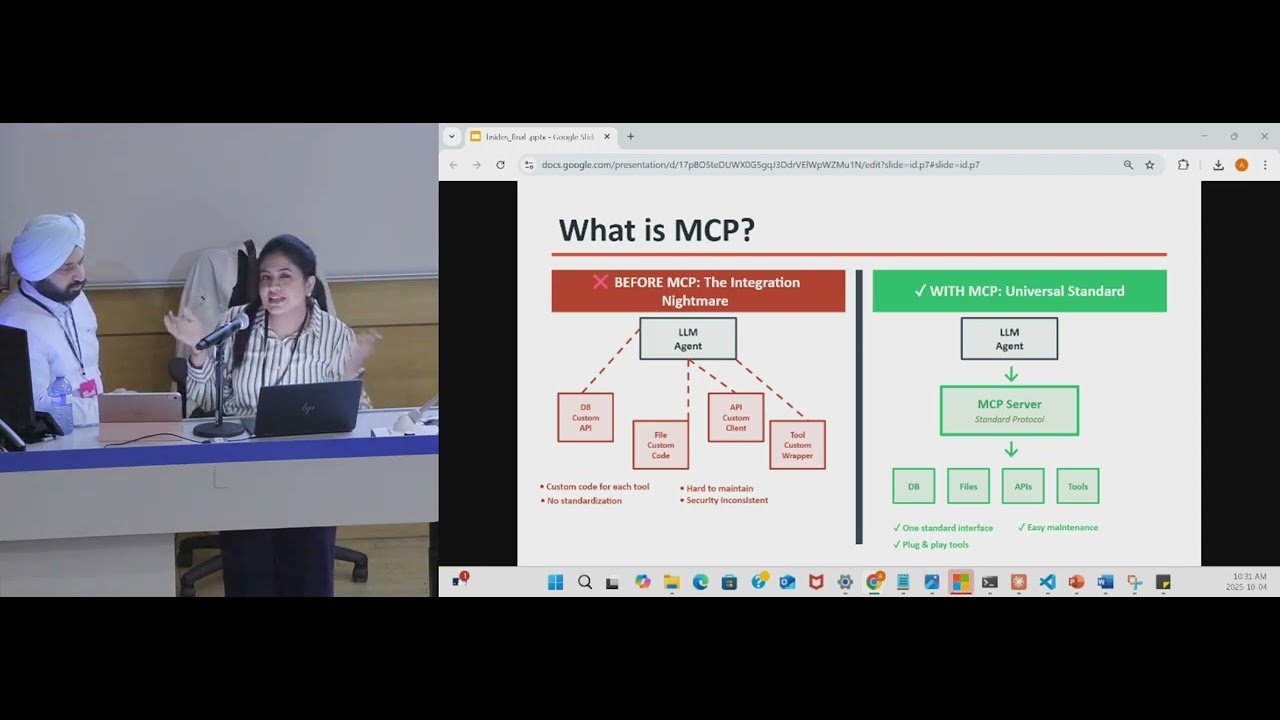 29:29
29:29