GET into the mainframe
Show transcript [en]
We have Annie Knee get into the main frame. Let's welcome her to the stage.
Righty. Hello. Hello. My name is Annie and welcome to a little talk about getting into the mainframe. So, first a very short and sweet introduction about me. That is a picture of me and I reverse engineer a bit of everything as a threat intel analyst. But before that, I used to be a pentester and it was during my time pentesting when I got this cool opportunity to do some testing on mainframes. I am not your average mainframe user. I do however have a bit of a soft spot for mainframes. So onto the background behind this talk. So, it was during my time pentesting when I found this cool little CV that you see on the screen, which doesn't
have the most descriptive summary, but hopefully by the end of this, you'll understand what this is actually trying to say, and maybe you'll go out and find something of your own as well. So the scope behind this test was a mainframe application and also an unauthenticated infrastructure test which is kind of like an assumed breach uh where the attacker will have access to the corporate network but no credentials to the infrastructure and this was all scoped for 7 days which as it turns out is a great length of time to learn more about mainframes. Now, one question that some of you may be wondering is what even is a mainframe? Essentially, a mainframe is a very
beefed up computer with a focus of doing lots of small tasks very quickly to the tune of millions of instructions per second. And they need to be pretty reliable, too. And it's able to achieve all this through its hardware architecture. So, it has CPU, it has RAM, it has things that manage IO like regular servers, but it's just all configured slightly differently. And there are various mainframes out there with the most popular one being the IBM series of mainframes, but this talk will actually focus on the HPE or tandem non-stop. So what in the world is the non-stop? The non-stop is a mainframe with a focus of being highly available. So they need to be continuously running for long
periods of time. But they're also fault tolerant. And what that means is that if something were to go wrong like let's say cosmic rays from the aora borealis at this time of year at this time of day in this part of the country decide to do decide to do damage localized entirely within the mainframe the non-stop should in theory be able to recover from all that without making too much of a fuss. And this allows it to achieve 99.999% availability. So that's five nights, which equates to approximately a maximum of 5 minutes of downtime per year. And this is why it's just one of the machines behind a lot of our everyday lives like point of sale, debit and
credit card transactions, ATMs, electronic funds transfers, securities tradings, and also other non-financial services industries like manufacturing, healthcare, emergency services, and telecommunications as well. Now for a very very quick run through of non-stop 101. A lot of it is basically like your regular Windows or Linux servers except for the parts where it's not. So with operating system it uses its own operating system called Guardian OS and within that there is a Unix like subsystem called OSS or open system services and that can be compared to WSL on Windows. Usernames are formatted as group name dot username where super.s super is the equivalent to root. The file system is a flat file structure where files will have the format of
volumes subvol.dis file where volume is like the C drive or the D drive. The subvol is the folder and disk file is the name of the file itself. And tackle is a scripting language within Guardian. Um, and it stands for tandem advanced command language and it's kind of like bash just run within guardian. Cool. So with all that knowledge now you're really ready to deal with the test. So this talk will actually focus on purely the unauthenticated infra side of things. And like most infra tests it begins with a port scan. So after a quick port scan, one of the ports was hosting this weird web application called WVP Enterprise and it looked pretty interesting. So decided to give
it a look. So, I've put up some documentation and found that WVP Enterprise is actually web viewpoint enterprise and it's essentially an application that allows CIS admins to do CIS admin things on the browser and it just makes their lives heaps easier. And so most of the functionality is to do with automating alerts and this is a gif of what it looks like. So as you can see there were graphs for usage monitoring and you can also manage your various different servers that you have and also just do other miscellaneous things all through the web browser. Now for a quick history behind web viewpoint and also the non-stop system itself. So, the non-stop system currently is owned and sold by HPE, but
it was actually first created by a company called Tandem, which then got bought by Compact, which then got bought by HP, which then split into HPE or HP Enterprise. And so, the web application, web viewpoint, was first developed by Tandem, who based it off of a block mode application in the ' 70s called Viewpoint. And block mode just means like a readonly screen where in that case users could just view various analytics. Now as web viewpoint got more popular users started making more feature requests. But Tandem actually never supported web viewpoint. So they just never updated it. So that's where this other company called Idellgi came in and somehow took over web viewpoint and started
implementing the requested features. Then fast forward many many years after several iterations and rewrites and architecture changes. It's now a product that's officially supported by HPE and according to the business case document in use at nearly every major non-stop server around the world. So history lesson over. Back to the test. Now the scope of the test was to see whether an unauthenticated user could do anything but I did actually have credentials to the infrastructure and that was from the separate mainframe application um as all of the uses local mainframe users as orth. But what having credentials allows me to do is to actually play around with the application authenticated to see if I can do anything interesting
unauthenticated. And so I just played around with the authentication first and it was pretty simple. You just given your credentials and you get a session token. Sweet. And then if I wanted to do anything, I would provide the session token that I was given to then get the result of that action. So everything seems to around seems to revolve around the session token. So it makes sense to see what kinds of mischief I could get up to if I just mess with the session token. Now one thing to note about this application is that all actions were post requests to the /homepage endpoint and this is an example of such a request where I'm getting a list of users and
the format of all actions is command and then parameter and then session token and then I send that and I get my result and I've actually truncated the results here but the main thing to focus on is the HTTP response header. So I tried a few things. I tried sending in an arbitrary token to see if it worked. That did not work. I thought maybe part of the token is validated so that could make the session token more brute forceable. Unfortunately, that was not the case. Then I tried removing the token value itself, but that didn't work. And I removed the parameter entirely to see if it would let me in. It did not let me
in. Now, after a bit, I thought I'd hit a complete dead end. That was until I saw some interesting requests in my logs. So, most of the requests were posts requests to the /homepage endpoint, and they were just from me playing around with the web application. But there were these occasional get requests which I was pretty sure I didn't make. And there were a couple interesting things about these get requests. Firstly, they were actually pinging every few minutes. But most importantly, they would get requests to the /homepage endpoint with no kind of orth. There was no session token. There were no cookies. There was nothing. And so that gave me a bit of a crazy
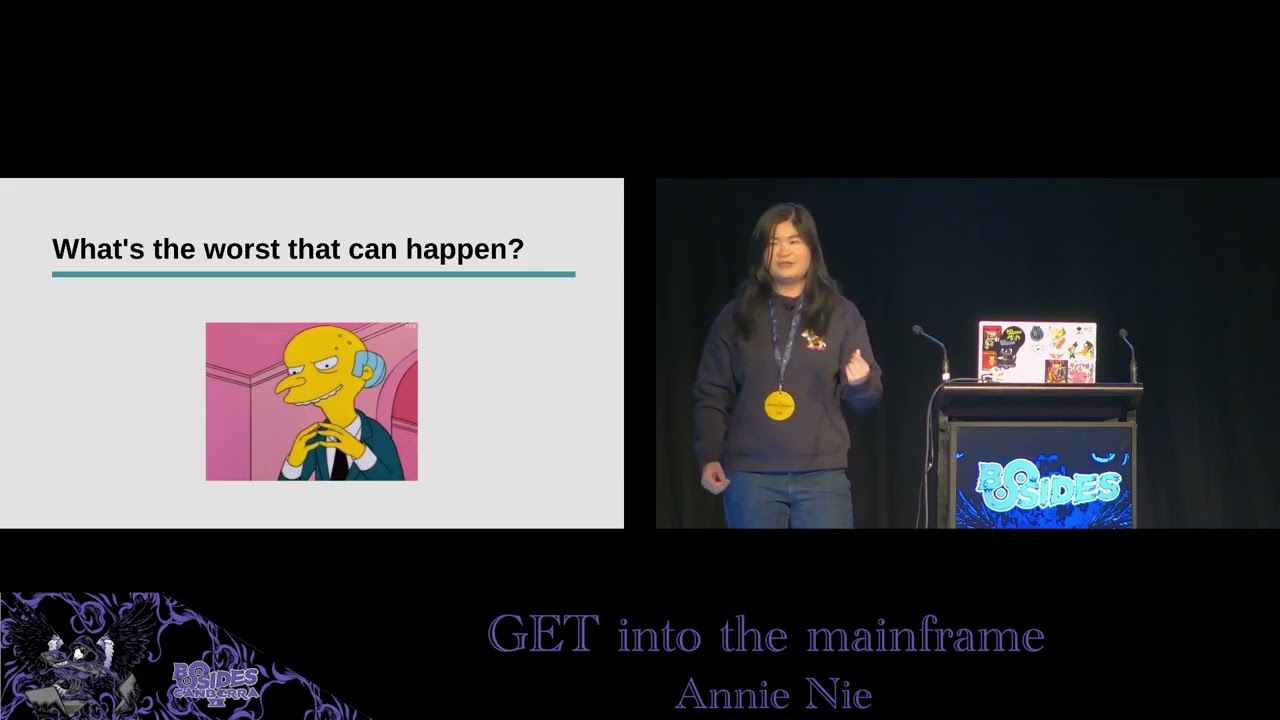
idea. What if we just change our post requests to a get request? And so here I've just sent the changed the post request to a get request with the session token and I get the expected 200 response which is sweet because that means the back end is still pausing our command and executing it. So what happens if we just you know get rid of the session token like magic it actually works. Now sit tight because it gets juicier from here cuz now the question has gone from can an unauthenticated user do anything to what's the worst that could possibly happen. Now a quick throwback to the features that are offered by this application. Most of it is automating alerts. And
whilst messing with alerts isn't fantastic for the users, it's not the absolute end of the world. So, what if there were more interesting features that we could mess with unauthenticated? Well, as it turns out, one of the functionality is file management, which allows you to view what files exist on the system. And this is presumably implemented via the web browser because managing files via the terminal is actually a bit annoying and you can't just use your mouse to like click on things. But viewing files isn't the only thing you can do. As it turns out, you can also open the file to read and write into the contents of the file. And even better, you can actually obey the file.
Now, I'll save you all from reading all that and cover what exactly is obey. Obey essentially allows you to execute sorry, execute a file with tackle commands in it. So it is code execution as a feature. But last I checked remote code execution unauthenticated is not a feature. So exploring this sounds easy enough right? You just write a file and then obey the file. How hard could it possibly be? So in this example I'm creating a file with two commands in it. who which is kind of like who am I and CIS info which gives me information about the system and here I'm using oss to write a file and you can write it into the guardian file system through
the groot directory and in the second command I'm just reading the contents of the file to verify that I've actually written it. So here I've executed the commands so that you can actually see the contents more clearly. Um the first line is a comment saying that I'm just going to run the who command. And then the second line is the who command itself. And then exactly same thing with CIS info. But when I obey it, I don't get the output that I'm expecting. I just get a who back, which isn't particularly useful. So what's going on? I figured, hey, maybe it just doesn't like new lines. Maybe I'll try to separate out each command so that it's
all on one line. So, I tried everything. I tried amperands. I tried semicolons. I tried tilda semicolons. I tried pipes. I tried double pipes. I tried getting rid of the comments in case I was actually commenting out the whole line. I also tried separators like commas and full stops, which shouldn't work, but I still tried them anyway in the off chance that it did, which spoiler alert, it didn't work. I tried everything again and again like 10 to 20 times in case I missed something or made a typo. Basically, after about 2 to 3 hours, I was going insane. Now, some of you may actually be very observant and notice that I said that I
used OSS to create a file. Well, if I'd actually read the manuals better, I would have noticed that OSS creates a file with a different file code to that of Guardian. OSS creates a file code of 180. Guardian creates a file code of 101 and Obey only recognizes 101. And what the technical differences are between the two, I'm not actually entirely sure cuz I think it's with the way that the bites are physically stored in memory. But I actually couldn't find where I read that. So please take it with a grain of salt. And as for why I used oss initially in my pock, it's simply because it was the first file write functionality that I found. So if
I actually fix it so that I'm actually using guardian right, everything looks great so far. And when I obey it, I get all the output that I'm expecting both the who and the cis info. And that is how you get into the main frame.
Now, at this point, there are probably a few questions that you're wondering. Who is doing the obeying? What is the actual root cause? And are there any vulnerable versions on the internet? Firstly, who is doing the obeying? Since we've just done code execution unauthenticated, well, as it turns out, it runs commands as whoever the owner or manager of the web viewpoint process is, which by default during installation is the super.sup super user, aka root. It is possible to change it to a less privileged user, but it still needs to be a pretty privileged user for most of the functionality of the application to work. And so that means that there are some fun and not so fun destructive commands
that can be run. Secondly, what is the root cause? The short answer is I actually don't know for sure. I would have assumed that before the patches, this was what the orth looked like where the get request was completely bypassing the check for authorization. But when they released the first patch, there were still some issues that persisted. So whether this was the root cause and fix, I don't know for sure. It's a mystery to me. But at least as far as I'm aware, it's all patched now. Though when the developers were told that the first patch didn't work, they basically responded saying that the code base was kind of large and rather messy. So I think the situation looks a little
something like that. And finally, are there vulnerable versions on the internet? Well, no, there isn't. So, anyway, that's a little story about getting into the mainframe. I really hope you enjoyed it as technical details about these systems and vulnerabilities are very rarely disclosed. And so, I hopes this piques the interest of some of you to start looking into mainframes as ultimately they're really not that scary. They're pretty fun to play with and are ubiquitous. In fact, they'll probably be around for a little while given that various organizations have tried to phase out the main frames only to then extend their contracts. And with accessing mainframes, although some mainframes aren't accessible on the public internet, most of them are just
sitting in the corporate network and not even behind a jumpbox or a subnet. And with current mainframe modernization efforts resulting in some of them being hosted on the cloud, who knows what you could find if you just yell at the cloud hard enough. So if you get the chance and permission to play around with mainframes, take that opportunity because you never know what you can find. And I hope you get into mainframes.
Now, if you wanted some more resources behind the non-stop, which is already a pretty niche area within mainframes, uh these are all amazing resources and genuinely came in real clutch both during testing and whilst writing this talk. Otherwise, thank you so much for listening and I'm open to any questions or even mainframe chats. and I'll be around the conference. So, just come say hi. >> What a great talk.
Related talks
 56:06
56:06 23:07
23:07 19:23
19:23 45:10
45:10 54:13
54:13 24:05
24:05