Building Castles in the Cloud: AWS Security and Self-Assessment
Show transcript [en]
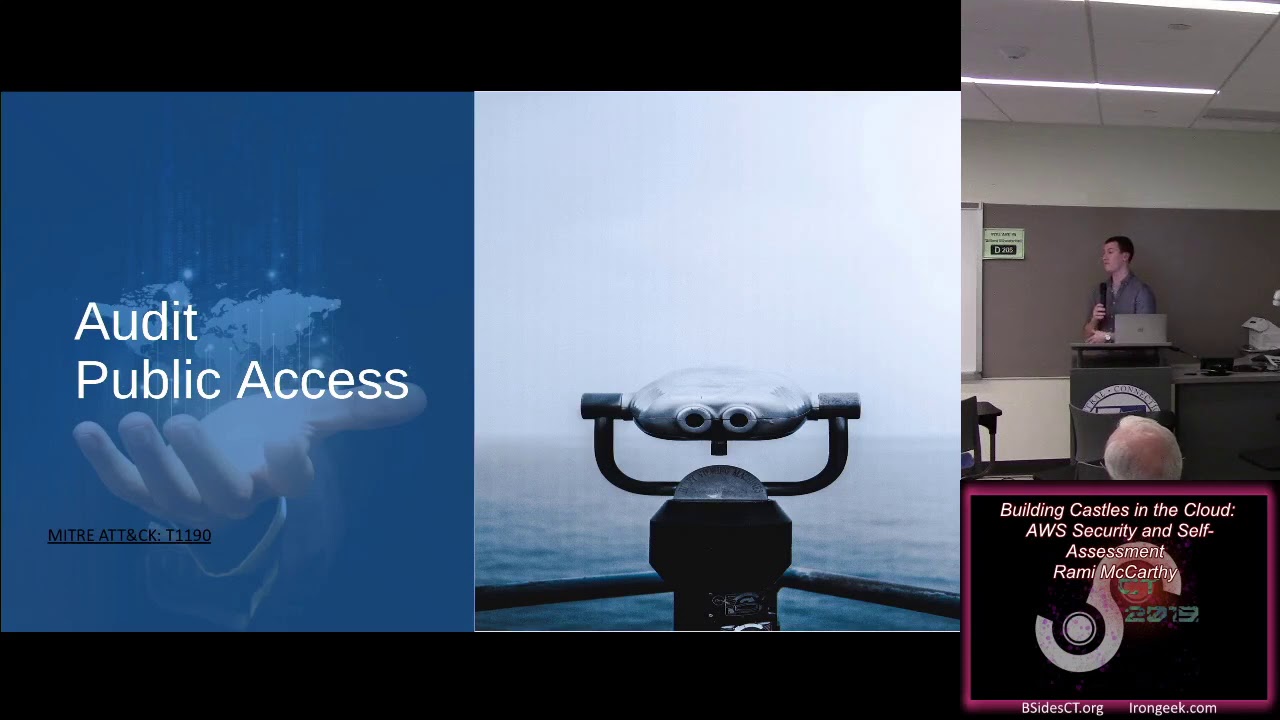
and his presentation is building castles in the cloud AWS security and self-assessment awesome thank you for that is the mic working Peele can hear me or good or good awesome so thank you all for coming as he said this is all about AWS security I'm gonna talk about some tips and easy wins for AWS security going through a few kind of key features and highlighting really actionable advice that you might be able to take back to your own organization and then we're gonna move into looking at open source auditing tools that are super easy for you guys to run to assess your own security posture and then you know maybe make some informed hardening decisions I'm not talking about AWS
internals here so I'm not gonna be talking about how they're implementing any of these controls and we're also not going to talk about kind of large enterprise architecture you know how you integrate your various accounts and organizations before we get going some quick information about me I have a bachelor's degree in computer science where I worked for four years doing IT um and ran a music magazine at Northeastern I'm currently in the master's program at Brandeis and I'm a full-time security consultant with NCC group which means I do everything from web penetration testing of e-commerce sites or software as a service to looking at IOD hardware devices and of course most importantly for this cloud
security most importantly about NCC is that we do have some really cool stickers so if you haven't swung by the table you shouldn't if you haven't checked out this Twitter account you should also because what's not funny about googly eyes on things so to get started I'm just gonna quickly go over the agenda so you know what we're doing here so we're working against the Pareto principle here which is the 80/20 rule if you're familiar with it effectively my goal is to walk you through a minority of the AWS security features they'll give you the biggest impact so what this actually looks like is I'm gonna do some very quick background on AWS and AWS security and then I'm gonna
go into best practices looking at public access and external exposure access management for actually authenticated users some monitoring and logging configuration as well as AWS is built-in security services and what the key ones are there and then I'm gonna point you toward some next steps if you're really looking to dive into cloud security and cloud architecture in AWS I'm then gonna pivot into these open source auditing tools and give you some examples of what the outputs will look like what the pros and cons are there and you know how you can use them so before we dive right in I just always like to gauge the audience on their familiarity so if I could just get a
show of hands for who's actually used AWS before awesome and so who's actually used it professionally and is anyone currently managing an AWS environment is anyone responsible for the security of the Adobe environment awesome so it's a mixed crowd so I'm going to do my best to kind of introduce anything I use during the course of the talk but also give some detailed information so that people who are familiar with AWS get something out of this so it's a tight rope I'm gonna walk and hopefully it all works out so the first question I get asked whenever I give a talk on AWS security is why AWS you know why specifically this public cloud first I
pick a public cloud you know either Azure GCP or AWS that I can give actionable advice because if you just start talking in generics about securing the perimeter or about you know making sure that you're limiting access that's great but this way people can hopefully go back and actually apply things to their own organization assuming they're using AWS and why AWS of all the options well it has the 50% market share right now which means it's my best bet to hit a common denominator across the room obviously Azure and GCP are the next two big players and then you have kind of a cohort with IBM Alibaba Oracle cloud and then players like digitalocean but AWS is currently dominant although
certainly nothing wrong with using any of the other big providers in the public cloud so I'm gonna start where every eight of us security talk really should start which is with the shared responsibility model hopefully some people are from with this but effectively it's Amazon's defined model for how the breakdown of security responsibilities is in the cloud basically how this works is that you are guaranteed when you deploy software in the cloud when you work in the cloud that Amazon is taking care of the bottom half of the diagram and you're in charge of the top half so what this means is you don't have to worry about networking or physical security of data centers as well as updates to
manage services so this is why you never have to download a new version of Amazon s3 to use it those things are provided by you Amazon's responsible for them this is great so long as you pay attention to the top half and remember what's your responsibility which includes things like managing credentials and user access managing your own data and customer data as well as a bunch of other things and this is publicized by Amazon super easy to track down if you kind of want to examine it at length and this is a great thing because Amazon does a lot of security things you and your organization might not be able to they're on the advanced
disclosure list for a bunch of different kind of key services and software they have huge teams working on odd made reasoning around cryptographic verification and firmware verification and their physical security controls are really intense so they have you know threat intelligence teams working as well as buying their data centers through front companies and all sorts of things that your mom-and-pop company can't really investigate themselves this talk is focusing on the top half of the model like I said Amazon is doing all sorts of things to ensure the security of the cloud but we're going to talk about what you can do to secure yourself in the cloud but before we get any further in it's it really important to
note that this shared responsibility model is not a shared accountability model and what that means for you is that at the end of the day if you're putting your customer or company data in the cloud it's your responsibility so this is why going with one of the kind of trusted cloud providers is so important the whole you know no one got fired for buying Microsoft or IBM applies here so make sure you're choosing a trusted cloud provider because they are a partner in this and at the end of the day you're accountable for those decisions and if you're concerned about the security of the cloud for w specifically they have a service called artifact and AWS artifact is a
meta service where you can access all of their compliance reports so if you're you know boss or management or board is coming to you asking about PCI compliance or FedRAMP or ISO compliance this is where you can point them to kind of see AWS documentation of their own compliance obviously just cuz AWS is compliant doesn't mean you are but it's an easy centralized way to gather this sort of information so you don't have to go chasing down your account manager if you're an AWS partner so having kind of talked about where our responsibilities lie this is where we're gonna move into actually discussing security in AWS you know the meat of the talk the goal here
is to provide the key eight of a security cone sitter ations and what I mean by that is I want to give you things that are high return on your time investment and that are somewhat straightforward to implement so I'll talk a little bit about some of the more complex topics in the cloud and point you towards resources to really learn about them in depth but I'm trying to give you a lot of turnkey informations these are things that you can you know go back to work and enable or play with yourself really easily it's the first thing we want to talk about is external exposure is your security perimeter and this is a bigger problem in the cloud
than on-prem because of how much you generally want to expose to the internet so there's some complexity here but it's obviously really important and the first thing to talk about here of course is s3 which is probably the service that everyone here is familiar with likely due to the sort of plague of breaches that have happened and these is just a small sample and this is the key about public access so all of these s3 breaches were companies that unintentionally publicly exposed s3 buckets they thought were private and this is still happening ongoing today you'll see these almost weekly pop up in the news but s3 used to have some unsafe defaults and some misleading guidance
that was leading to this and nowadays there are far more tools you can use to protect your company against getting in a headline so the first time big tool here is block public access this is an account wide setting that you can apply that also can be applied at a bucket level and what it does is it prohibits anyone creating public buckets in your account which can be super useful from a governance and guardrails perspective the thing to be careful with here if you're kind of an organization that's already using AWS is that this can break things so if you're deploying a marketing site and uses a public s3 bucket intentionally and you just flip this switch you can break
things but you can also enable it on a going-forward basis as you know a compensating control there this is also similar things available for EMR if anyone uses that and I expect Amazon will be rolling out similar guardrail services that are turnkey going forward but there's more you can do obviously behind you know this one setting that only applies to s3 and the moment to think about this sort of public access is when you're architecting in the cloud which has its own considerations so if you're using ec2 or s3 and you want them to be publicly accessible architectural II they should always be behind a load balancer or cloud front and this has a few kind of benefits for you first it's
really easy then to chain other AWS security controls so if you have this s3 bucket behind cloud front it's really easy to apply AWS shield which is their denial service prevention or their waffe and chain other services there as well also it will help standardize access logging so if you're just working directly out of kind of disparate s3 buckets or ec2 instances logging can be harder to configure and kind of chaining them in this standardized way is really helpful they're finally services like cloud front especially have their own security considerations and benefits cloud front lets you really easily do geo restrictions or implement signed URLs for access so it's an easy win and if you do it upfront then you can kind
of limit access between the s3 bucket and cloud front so that it's not exposed on its own and everything's mediated by CloudFront here so the real problem in AWS just like with on-prem is knowing what you have and where so the best move to peer to secure your perimeter in AWS is to do periodic auditing if you don't know it's there you can't secure it and especially if you're in an environment where there are some public resources and some private ones it's hard to know what's where and why so there are a few different ways you can do this sort of auditing for public access and can then go from there to verify that everything
publicly accessible is intentionally publicly accessible so the first thing you can do is use the built-in trusted adviser tool so this is an Amazon service that is free for the first seven or eight security checks it doesn't just do security it also does things like cost optimization or performance super easy to turn on and start using and if you pay Amazon a relatively affordable amount you can get some additional security checks but for free this will check for s3 bucket permissions so this also will flag open s3 buckets as well as EBS and RDS public instances or sorry public snapshots as well as any security groups that are open to the world so this will be saying like if you have an
easy-to instance with a security group that makes SSH internet accessible this is where you can kind of get that information and the paid checks do a little more kind of sophisticated work on looking at security group so it'll check for other sorts of security group misconfigurations this is a really easy turnkey solution that can give you some alerting it doesn't do any auto remediation on its own but it's an easy way to gain some insight into simple mistakes you might be making for security in your cloud you can also use third-party tools this is just one example but they generally leverage the AWS CLI or SDK to using read-only access to your account identify all the public IP space that
you're using this one specifically supports a subset of AWS services and that's true of most of these tools so it's saying that could really easily be used in conjunction with sang like trust adviser to get better coverage but it's really easy to just set up read-only account setup read-only credentials and then use this to get a snapshot of what your external exposure looks like and this is where you know you're also using your own knowledge of your environment and pattern recognition to think what's jumping out at you that you didn't realize was public or externally exposed because those are some easy wins to lock that down and the one other thing that AWS is doing in
light of the Capital One breach which people might be familiar with is that a device has started proactively scanning this is a excerpt from the letter they sent to us and a sender who was asking after you know what are you gonna do to stop all these cloud breaches so you should also make sure that your contact information and security contact information in your cloud and AWS accounts is set correctly to a monitored inbox this is saying that'll happen where small startup companies have their CEOs personal email address set as the security contact and so everything's kind of going into a black hole in terms of really important security alerts there um so the security contacts
specifically is never used for marketing information or anything like that so that's something that is really easy to just check and make sure it's done right so you don't have to worry about it going forward don't to worry about missing one of these you know pretty critical alerts so that was the really quick run-through of public access you can audit it you can set up some guardrails especially with s3 which has been the biggest issue and now we're going to talk about access management which is you know authentication and authorization and this is something that can obviously in a complex environment get really out of hand it's very similar to on creme but in AWS it's all
controlled by I am which is identity and access management just looking at the basics the two core concepts are identities and permissions where identity is sort of who can use certain resources this is kind of what you think about with authentication and permissions are getting into authorization there are a lot of resources out there if you need to get in the weeds on I am especially from AWS as conferences that they host but really quickly we're just gonna drill down and focus on identities so we're gonna focus on talking about the bottom my well your left here users roles groups credentials and the important thing to remember is that it's all pretty self-explanatory but groups
are collections of users well roles are actually collections of permissions that can be applied but before we get into IM it's important to introduce the security token service STS this is the service that lets you grab temporary credentials from iam so you can set up a user with permissions to access this service for specific roles or permissions this is how you know in the diagram there it shows that you can use it to assume you know a variety of roles and I'm not gonna touch on this at any depth but it's important to give background for people who may not have used AWS before because the first thing we're going to talk about is access management for your
AWS users and the first rule of I am which is very similar to if you're an on-prem environment is that no one should really ever be using the root account there are a half-dozen AWS functions that require root this includes setting up some MFA things as well as managing the support level of your account but for the most part the root account should be treated as a great glass account you know if something goes wrong and one of your administrator accounts is compromised then you can go into the root but if you use the root account regularly and lose control of it if it's breached it can be really hard to recover from even more so
than you know other sorts of incidents the next really basic statement is that you should have a clear link between users and iam accounts you shouldn't be creating an OPS account that everyone shares because it really limits your audit ability and traceability of activity down the line so making sure everyone has at least a account this isn't saying you know every user can only have one I am account for example if you have an elevated account for certain users or functions but you should make sure you're never grouping users into the same iam account and groups so this is just talking about how you manage permissions so when you're managing permissions you should avoid assigning them to individual users
if someone needs to get right access to s3 you shouldn't be setting that up so that you know user X has write access to s3 instead you should set up everything through groups so it's easier to moderate because once your environment grows and gets complicated tracking who has what permissions at a granular level can get really difficult so managing through that that through groups will really help with governance down the line and this is where we get back to talking about STS so you really can be using STS as an arbitration layer for access so you can create users who only have permission to use STS to assume roles and this helps ensure that all
credentials are temporary so you don't have to worry about as much access keys floating around out there and it also limits management console user because if users only have STS permissions they can't actually log into the console which in the cloud using the console can be sort of an anti-pattern also of course you should be exercising the principle of least privilege here so you should be limiting access not everyone needs to be admin in fact not everyone needs to write account if you have sales or support people who need to have access to logs of specific applications you should be limiting them to read-only access of those specific logs and just kind of being proactive and thinking
about who has what access and why and making sure it's all intentional is gonna be a huge step there are a number of AWS and third-party tools that can actually help you with this that can look at historic access patterns and usage and say okay so this person has never used their right access let's take that away I'm so that's definitely something to investigate even more stuff multi-factor authentication MFA is a big thing now everywhere and we're really hitting the point where pretty much everything should have MFA in AWS every human user should be set up with MFA but especially root and elevated users so your admins anyone with elevated axe should be using security tokens for mfa
which AWS started supporting apparently recently and this is because generally SMS spaced you know when you get text message MFA sim swapping has been a huge thing that's hit the news recently for time based or forty OTP where you're kind of using an app to get rotating tokens or something from a third party the prom is fishing so we actually had a consultant recently on an engagement where he got on the phone with them and said hey we're migrating your mfa system and we just need to send you a verification code to make sure it's working can you read that off to me and was in their email sending them an alert from their mfa system they read him the
code and he was in so that's the problem with totp but security tokens do prevent phishing Google's done a lot of research and written a lot about the use of security tokens and how it's improved their environment security also you can take advantage of policy conditions when you're writing iam policies and basically these can set things like a range of allowable IP addresses maybe from only your corporate IP space they can also set date and time ranges for access so maybe you have a class of employees you only want to limit to access during working hours and you can also require things like SSL or MFA which this isn't the only way to do it
but it's a defense-in-depth measure so we're going to talk about access management for applications here and what that means really is access management for ec2 instances that applications are deployed in when you're talking in the cloud so the first rule here is gonna be not to bake in credentials so if you're creating an application to run an ec2 and you find yourself hard coding credentials into the application or if it's you know an ec2 instance that's a Windows box and you find yourself creating a credential file don't do that you should be using ec2 instance roles and use the AWS SDK like we talked about with users to retrieve temporary credentials this helps you rotate credentials much easier
it helps you set temporary validity so you don't have really long live credentials floating around in your environment and it also protects you from default compromised that if someone breaks into a single ec2 instance they're not guaranteed to get credentials that allow them to pivot into your environment that being said once you start talking about I am roles you start talking about SSR F which could be its whole own talk but for those that aren't familiar really quick SSR F server-side request forgery is where you are leveraging application or server functionality to make a request on your behalf so an attacker here can take advantage of the application making a controllable request and seeing the
response and what this is in AWS is the metadata service and you'll have heard about this from breaches from Capital One and similar and what this looks like is you can use SSR F to hit the Med data endpoint which is what ec2 uses to retrieve these roles and credentials and if you can get an SSR F vulnerability you can then grab the ec2 s role so like we talked about using these roles instead will prevent anyone from gets access to that box from having credentials to your AWS environment but if you're using I M roles now the problem becomes how to manage the metadata service and there's a lot of hardening possible here other cloud
providers have implemented kind of hardening on the metadata service and that's definitely something that if you're deploying applications in the cloud you should do a deep dive research on and I can't really give you a turnkey solution unfortunately so boiling this down to the basics the general rule is that you're gonna prefer i.m roles to using iam access keys above using kind of AWS console credentials and this is clearly a very simplistic model but whenever you're managing I am in your cloud if you at least stop and think okay is the sign that could be better done through access keys or is this sign that could be better done through roles temporary credentials that's a step and
that's you know gonna provide some hardening to you okay so we're into monitoring which means we're talking about logging so we're just talking about the basics here how you can kind of start to gather and synthesize an alert on information in your cloud logging is an intractable problem you can always be doing more you can always be doing better so we're just gonna hit on the basics here to make sure your cloud is in one giant blind spot so that means cloud trail first of all cloud trail is the core logging service in AWS cloud trails where all AWS API calls are recorded it's enabled by default saving the last 90 days of logs and we're going to talk about just a few
best practices which can be split into detective and preventative controls so when we're talking detective controls this includes just creating a trail so cloud trail by default is on it's logging for 90 days if you set up an AWS can go look it looks like you have logs except for 91 days later you lose all evidence of what's been happening in your environment so creating a trail just persist those two an s3 bucket and is the bare minimum it's free and every environment their minimum you should be doing also important to remember that cloud trail is regional so for API access that's recorded in cloud trail this gets recorded in every region so cloud roll needs to be on in all regions
and there are some playbooks you can use to kind of set up cloud trail in all regions because will happen is if in case of a breach attackers the first thing they'll do is to move to a disused region because then you have no auditability there there are also some global events like management console access is recorded globally so you just need make sure that once you turn on all regions you're only logging global events once so you don't wanna be logging global events to every region because then you're getting 25 copies of every global event and the next thing to talk about is log file integrity this can give you validate log files which is
super helpful in forensics especially if you then proceed into legal realm and need evidence and evidentiary law these can both that the log file hasn't been modified which is a huge concern during instant response as well as specific users having performed specific API activity and the final detective control is going to be integration with cloud watch which I will return to in one second but effectively if you're using cloud trail great you have log sitting a bucket you're not doing anything with them there but when we talk about preventative controls what we're talking about is ensuring the kind of CIA triad the confidentiality integrity and availability of your logs just got a pop all these up so I can quickly blow
through them so the first thing is store your logs in an unlinked account if you keep your logs in the same account as everything else if that account is breached you will have no logs so the easiest way to ensure that that privilege is separated is to put them in an unlinked account you could then exercise lease privilege like we all return to constantly here and those logs if those are your security logs they should have very minimal access these should not be saying you're accessing every day and everyone can hit because then you have a broader threat surface as well as enabling mfa delete which requires an extra MFA component to delete the logs or the bucket to once
again ensure that in the case of an incident the problem being once someone's compromised your environment they have access in your environment so you're trying to build defense-in-depth here to make sure that they can't affect the logging of what happened and finally AWS cloud trophallaxis is a specific permission that you need to be very careful around because it will let people mess with your logs so this is like one specific permission that you should look out for and really audit who has access to it and why so like I said cloud wash detective control cloud watch records a subset of API calls it's kind of like your sim you can set up metrics alarms for violation cases so you can
set up metrics for what looks like brute-force attempts on RDP or SSH or inbound or outbound traffic to known bad IPS if you're working off some sort of blacklist there as well as signs of data exfiltration so this is where you can set up your alerts based on your logs well one of the places you can set up alerts CloudWatch huge topic tuning your cloud watch is going to be an ongoing project and we're knocking into it here but the other thing to mention login monitoring is that there are other services that have kind of proprietary logging to them that you should be aware of including kind of VPC Network logs s3 bucket access ELB web access logs and
CloudFront cache requests these are all things that you should make sure independently managed and flow into your centralized blogs awesome ok so the next thing that I'm just gonna touch on here is we've already mentioned some tools you mentioned cloud trail we've mentioned cloud watch but there are a lot of built in AWS security services and I'm just wanna highlight that there are a handful of them that are really low trade-off to turn on relatively low cost in any you know average-size environment if you're running a massive multi-million dollar AWS bill you have a professional look at how much these will cost you so I'm not gonna hand waive a number here but none of these are
inherently prohibitively expensive so like we said cloud trail trust adviser to tools we've talked about their you know their use case but the three other essential services and I'm gonna try and kind of blow through this our guard duty inspector and security hub so guard duty is threat detection and continuous monitoring including with third-party threat intelligence providers so this is kind of AWS using their huge corpus of data and machine learning to identify anomalies and detect based on that as well as with other threat intelligence feeds so if you're already using a threat intelligence provider they probably integrate with guard duty and you can centralize their inspector is there automated security assessment tool for ec2 instances this checks for both
network accessibility so once again a place to catch if you have unintended public exposure and it also does some checks for vulnerabilities mostly based around sea bees so this would be like running necessary exposed but it's native to AWS super easy to turn on schedule and feed-in with all your other security reporting and that all feeds to security hub which is kind of the root source of truth for security in AWS this is where you should be aggregating alerts including from all of these tools we've mentioned as well as third parties so security hub is relatively new it when general access earlier this year but AWS partners can integrate which means they just publish their results in a way that's consumable
by security hub and so if you're using vendors check if they have a security hub integration because ideally you should be able to centralize all your AWS security alerting and information to security hub a benefit of these services on top of them being an AWS native is that they get regular updates so guard duty especially is constantly getting new checks and new rules and the algorithms evolving based off of Amazon's data so you're getting full advantage of that on an ongoing basis so like I said earlier there are some topics that are just really complicated in the cloud and there was no way I was going to dive into them at any depth in 50 minutes the first of these is
encryption and that is a hyperlink to a talk which by the way I will link to these slides at the end so all the hyperlinks will work so don't panic but that's very google-able so reinforce was their first annual security conference it was actually held in Boston this year and this talk will talk you through managing the various services configurations and defaults across AWS because encryption is something that AWS does not have standardized at all it's on by default for some services it's off by default for some services they have it in the weirdest places and don't have it as well one kind of edge case was that most recently they finally started encrypting traffic between buildings in
their data centers because they have these sprawling data centers and for whatever reason encryption was happening inside each data center and between data centers but not between individual buildings so there's all these kind of edge cases to think about but definitely saying to start there thinking and you can have an ongoing maturity process here if you look at encryption in AWS and this presentation is a great place to start and then another conversation which the first link there is actually a b-sides presentation that focused exclusively on instant response in AWS the kind of endless question of instant responses that you need to be ready for it before an instant happens you can't retroactively lis fix not
being prepared for an incident so starting to think about what this looks like in AWS specifically they have plenty of materials out there that can point you in the right direction but if you're highly invested in AWS you need to think about the you know worst case scenario if there is an incident are you ready do you have logging and monitoring and response playbooks and are things automated that can be and that can be a really involved process and it's good to look to at least some AWS standards there and so this is kind of the big bucket of information to point you to for next step so I tried to synthesize a lot of this really really basically but
if you haven't looked at these and you're kind of just making move into AWS or maybe you have a legacy environment that you poured it over and you're starting to think about AWS idioms these are the AWS resources that you should be looking at so the well architected framework has a lot of information on architecting AWS but specifically the security pillar is relevant here there's information on cloud adoption aligning to NIST as well as the security documentation within the past six months has finally been centralized so like I said slides will be published if you want click through but these are sort of if you wanted to spend three weeks reading about AWS security this is where
I'd start ok so that was the best practices that was a deluge of information the thing with these open source auditing tools we're going to talk about is that they will flag not doing most of the things I've talked about so if you just go back and you have an AWS environment and you run these tools you will very quickly start seeing you know maybe you don't have MFA delete on your logging whatever it is if I've talked about it these tools will catch it I'm familiar with all these tools from client engagements when we get hired to do a security audit in AWS this is the first thing I do because it's such an easy win to catch hardening
measures that are missing none of this is gonna be exploit chains I'm not talking about pentesting AWS here it's a totally different beast but what this is is making sure you have configuration and hardening in place to make my life really difficult if I then come back and do a pen test these tools are great because they're free they don't require any special configuration so none of these tools need you to write rules specific for your environment by default at least and they only require read-only access so all of these tools leverage the AWS CLI or api's and you have to give them a read-only access which requires a trust relationship if you run them yourselves or whoever's running
them but they can't really break your environment don't hold me to that they shouldn't really break your environment I don't know your environments I don't know what sort of weird things you're doing to actually test these tools I ended up open sourcing a tool called sad cloud which helps you stand up an insecure AWS environment so if you're playing around with AWS security maybe you don't work at a company that's in the cloud yet and you want to start exploring this we made a collection of terraform scripts that will throw up tons of flags with any AWS security tool you can spit pick specific vulnerabilities or just you know throw the kitchen sink there it cost I believe
like $5 to run for 48 hours with everything turned on so not a huge expense but resources in the cloud do cost money and this is insecure if you take this and run this in your cloud I'm legally obligated to warn you it's not my fault send up in a separate account it's supposed to be bad also please don't report security vulnerabilities in my intentionally vulnerable cloud tool thank you so Saeng to note about these cloud auditing tools is that they all will recommend you use AWS managed policies for access so AWS has a secured auditor policy that's supposed to give read-only access the problem being they don't maintain that policy that policy sometimes lags eight or twelve months
behind feature release so you're gonna also have to set kind of read-only access across the board something to keep in mind if tools aren't running correctly and you're saying the security auditor is add the read-only all access policy all right so I'm gonna preface with saying this could be a live demo but it won't be because I don't like playing with fire that much the first thing I want to point to is this is just a small example of the many many tools that can help you audit for leaking your AWS secrets and get commits it is a problem I have seen it in practice numerous times this is the sort of thing that people make $5,000 off your bug
bounty program because they rent it and you didn't really easy to run any of these tools and they'll flag credentials and get in get files I actually ran get robbed once doing a bug bounty I ran it against a company get robbed actually finds all the members of the git organization and then runs it itself against those employees I found in employees dot file AWS access key and secret I went great this is gonna get me some money turns out it was for his most recent employer before the bug bounty so that was a whole fun disclosure process but this is out there it's getting better github does have some token scanning by default with partners you
can also do kind of preventative controls by using tooling to do pre commit scanning because once the credentials in git it doesn't matter if you identify it you still have to go through the whole rotation process analyze your logs for activity so try and start catching these things at pre commit there's a lot of ways to do this none of these is better than any of the others pick your favorite but definitely something that could be fun to go home and run against your github organization if you guys have a public profile and there are similar tools for other version control systems as well so the first actual open source auditing tool we're going to talk about is Prowler
full credit to this guy who made it because it wasn't me this is a Bosch based tool which is really great because it's pretty easy to use in almost any environment very minimal setup it does around 50 checks for the CIS AWS benchmark and then it has some special checks for GD P R and HIPPA it is pretty good it's an easy win this is kind of what results will look like I threw this one up because it talks about configuring cloud Watch alerts for cloud trail like I said earlier this flags alone 15 different things you should be monitoring for in cloud watch running these tools and seeing that maybe you're only doing half of these is a really
easy win but it's a pretty ugly output and it's all in bash so it's a good tool to run because it's quick but it doesn't get you quite as much as the next two I'm going to talk about and this is another example which is talking about encryption so like I said encryption is complicated and these auditing tools can help you catch those edge cases where you know maybe you're not applying it or maybe the default is less secure than you expected the next tool is actually from duo Labs and Scott Piper Scott's an independent alw a security consultant he's done a lot of work on AWS security definitely someone to check out this tool cloud mapper does a lot more than
just audit it will do web of trust so it'll identify if there are any AWS accounts that have trust relationships with yours it also can do Network Maps and can find public host and port ranges yet another way to solve that public access auditing problem but what we're going to talk about right now is just the security auditing findings the special thing about cloud mapper versus the other two tools is that Scott did some original research on AWS managed policies and found that they had published a lot of insecure managed policies so if you were blindly trusting that eight of us wouldn't give me a cloud formation read-only policy that let people write to cloud formation well one
unfortunately you'd be wrong and to this tool we'll check that so he is working off a specific list of bad policies frequently they allow privilege escalation this was a set of policies that failed to enforce MFA appropriately so definitely something worth running especially if you already think you're doing a pretty good job of cloud security maybe you've run other auditing tools these rules are pretty specific to cloud mapper and might catch something really important for you awesome so the final tool I'm gonna talk about is scout suite which is NCC's tool actually it is better supported than the other two because we are behind it and supporting it actively we're constantly developing it's also multi cloud unlike
cloud mapper and Prowler so if you are in a multi cloud environment or Enterprise it might be worth it for that it supports GCP Azure and AWS right now it also is building out support for Oracle or Alibaba if you're invested in those clouds it has I think around 115 findings right now across a variety of services in AWS and it produces this nice HTML report which also has a dark mode which is one of the best selling points so kind of looking at what the dashboards will look like so right here we're looking inside the s3 dashboard and if you read through those findings you'll see that it's a lot of the same things I was talking about with basic
hardening measures but you know this is in the insecure clouds they're all flagged it might be that you have a much nicer looking dashboard than this all the red might not be there but it can help you find blind spots and you know the needle in the haystack of MIS configuration looking at VPC dashboard as well similar a variety of mostly hardening measures the thing about these auditing tools to remembers they are not a penetration test they are not a holistic security assessment they're not looking at the applications you have deployed they're not finding those SS RF owner abilities but they can really help with your baseline security and you can run a tool like this really quickly and
you can turn it around and turn into a bunch of tickets for the security team to put on the backlog get to when they have time because these are hardening measures and defense-in-depth so they're not you know everything on fire fix it now but they're things that if there's downtime which when is there ever downtime you can fix so just quickly also I wanted to show someone tell me that's Google Chrome okay yeah I just want to pull this up the other thing that I didn't have a screenshot of and wanted to show is that Scout suite does have information on the findings which some of the other tools don't so if you're curious why is it flagging my
lack of X Y or Z Scouts we does have a little bit of information that we're constantly building out so that can be really useful and my slides awesome so those are the three tools they have pros and cons but I just wanted to kind of take this moment to really credit a lot of the people who are doing work in this area there's a ton of active research into AWS security and if you're interested in learning more these would be some really great people and resources to check out Corey Quinn up top has a newsletter where he writes in a really snarky tone about AWS so if snarks your thing he's the one to follow
Terry has a security consultancy and is creating kind of an executive facing guide to AWS Scott I talked about and there are a bunch more resources there but these are definitely a lot of the resources I look to when developing this and if you're trying to learn more about aw security you could do much worse than reading these people awesome so this is a link to the slides if you want to actually be able to click hyperlinks the bitly link is the exact same just some people don't trust that sort of thing so pick your poison I just want to say thank you all for coming and thank you too besides for putting on this great event and all the
volunteers who gave their time if you have questions feel free to pin me down generally these questions tend to be more on people's specific situations and environments so if that's your case find me after I'm always happy to talk security consulting whatever thank you all [Applause]
Related talks
 28:47
28:47 52:59
52:59 49:11
49:11 49:49
49:49 46:04
46:04 53:14
53:14