honeyHoax - A Centralised Honeypot (Jordan Constantine)
Show transcript [en]
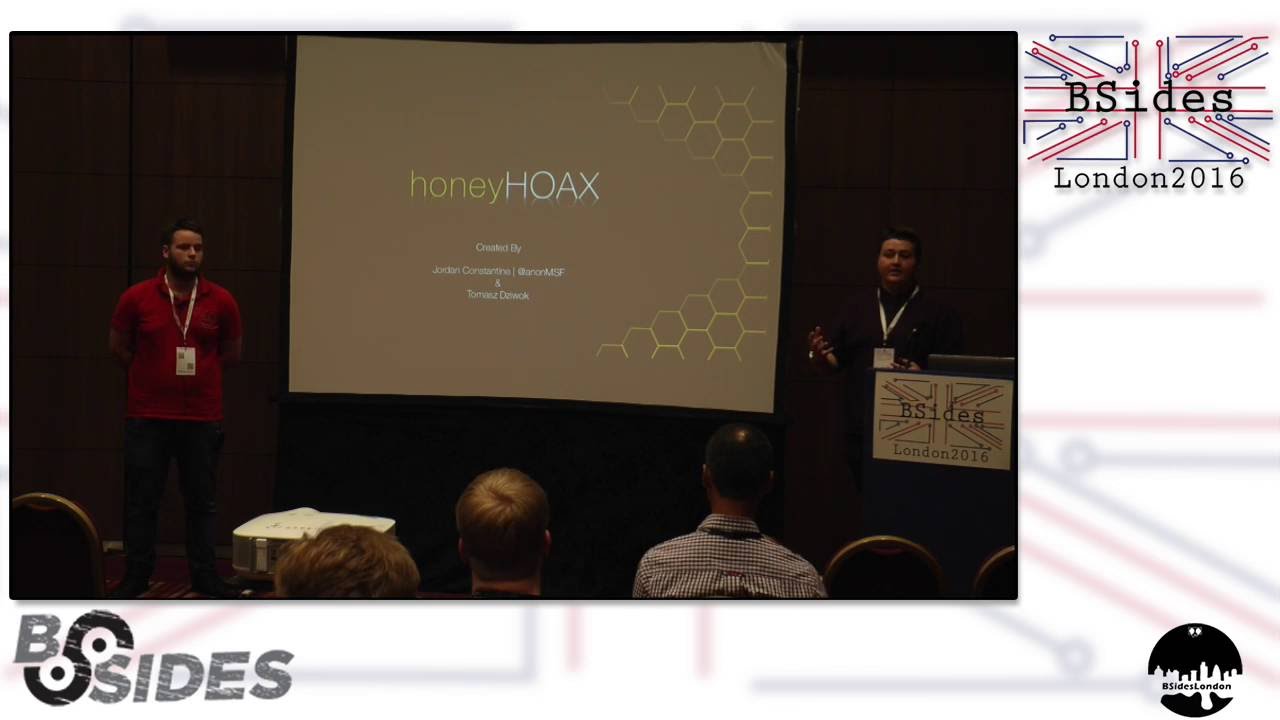
Hello, my name is Jordan Constantine. This is Thomas Dvok. Um we're third year ethical hackers at Abet University in Scotland. Um we wanted to talk to you briefly about Honey Hulks, which is our version of a um medium interaction honeypot that we did for our third year assignment. Brief overview what we'll discuss in our presentation. We'll discuss what it is. Uh why would you choose it over other small open source projects? um a little demo to show it in operation um and the kind of results and analysis that we had from uh our test deployment um in a real life scenario. Right. Uh so what is honey hoax? As Jordan said, it is a medium
interaction honeypot designed to be deployed with multiple instances across a network which we'll be showing uh in a second. It contains some characters of an IDS as most honeypotss do. But um what makes it really different is it emulates two services SSH and FTP and it provides SSH not only a basic login shell but also you can actually log in and interact with it um in an simulated environment which means that you can study an attacker's attack vector more in depth and understand what the attacker is actually trying to do on your system and how he's getting going around it and FTP automatically does a simple malware analysis in order to find new threats. on the internet as they are uploaded. We
utilize SQL logging to a centralized database. It's very largely configurable so we can actually fit into any environment because the honeypot's u usefulness depends on how well it's configured to a particular environment and well we aim to increase the security network by providing the environment specific data and providing some IDS functionality. So as an example deployment model um for our although it's different for various different um specimens of honeypotss for ours we thought that the first instance would be better in the DMZ layer that you see at the top um below the first firewall. Uh so this is obviously in line with your IDS nodes, your snort nodes, web servers, FTP servers, etc. And this is for the first line of
defense. This is the one that would capture um as previously said in the honeypot talks uh all the internet scans all the first first wave. The second instance would be in your internal network and this is more for a for an alarm and b for a decoy. So if someone was to get past both uh both security layers, this instance, if they weren't severely highend, they did a port scan, nine times out of 10, this instance would be the least secure within your internal network. And as such, when it's attacked, it would give you, if you hooked it up to an IPS or an IDS, uh it would give you a heads up um to increase
your time for prevention, right? Well, Honey Hooks excels in uh several categories or we believe it does anyway. Uh results can be navigated with little effort and systematically analyzed through the use of an online interface which means even a user with limited experience can get a gleam into what uh what sort of threats his network is facing. It's hugely configurable which means it can be configured to an environment which means that it can be fitted in so an attacker actually believes that he might be attacking a real machine and not just a simulated honeybot. It's designed um with the user and security in mind. So there is no um say complicated configuration. Any simple user can set it up and have basic
security gone from it. It requires little user interaction or well it needs some user interaction as all honeypotss do. You need to periodically check what the honeypot found for it to actually be effective. And it has a centralized design which we believe is useful because you can have multiple instances all around your network reporting to one centralized server which can then be quickly accessed and studied. Wanted to show you a small demo um for kind of um purposes we recorded it instead of doing a live demo um just from experience from other talks.
Right. So here we are starting the honeypot. It's uh it runs under Java. A very basic start uh startup configuration with a default config script which can be modified to further change uh how it honeypot works. Um so basic reporting and here we switch to an SSA session. So this is what an attacker would technically see. So the attacker connects to SSH um and he can type in a username and a password. If the password is actually permitted by the configuration file, he gets this shell which looks well like a cmd shell. As you see, all this stuff works, but I want to stress that it never actually touches the operating system. This is a completely simulated
environment we designed especially for this purpose. Uh you have a directory structure that's fully configurable. you can add files, change their contents to make the attacker feel as it was a real system. You have netstat, um, which outputs random data, which the attacker hopefully doesn't notice is random. Uh, some we obviously didn't configure every single command. The commands that we didn't configure show an error with access denied, so hopefully that doesn't arouse too many suspicions, but all the basic commands have been configured. We have a ping command right here with several flags implemented. Again, not every single one as though we were stressed for time in those pro in this project, but ping works as
expected. The minus t flag obviously is an infinite ping which is happening right now. And we can terminate it with control c as would work on Windows. And this ping didn't actually go to a real server. Again, it's completely simulated. Did never actually leave the um network. Here we tried to ping something that doesn't exist. and that failed. It's a basic reg x check, so you could probably come up with a host that would actually ping even though it shouldn't, but it works in in majority of cases. Um, so we thought obviously you're going to have a honey uh a honeypot on your um on your company network on your server. Um, and the majority of uh security tools that we've
seen so far once they're in action, they log to a textbased logs. um and depending on the tools you use to view them, they can be quite cumbersome. So what we did is we made a web a front end um website to view all the logs and uh show them in a statistical manner so it's much easier to see. Um so obviously at the beginning it has a login page um which is SHA 52. So this will be run on local host um on internally for more security. Um on your first page you have your dashboard. Um so this is high level statistics and overview. Um you can search with the search bar at the top. You can search by
sessions or by the attacks used or um by the commands. Um at the bottom we have a table with live feeds. Um so as the attacks are happening because we use Ajax that will show um simultaneously um popping up instead of having uh you could have a listener I suppose to um for lifetime errors uh not error sorry uh reports. So by searching a session um this is an example where it had I think it's three attacks. So this is FTP where you uploaded a file. It takes the hash of the file. It then sends it to virus total and then comes back with the um the results from the various um and then displays it for
each attack. The one um key element that we had to think about was how do we define a session? So for each login attempt and for each um attack use that would be classed as one session. So a brute force uh inadvertently would be classed as up to 10,000 sessions. Um in a various example we also had for a user that was successful um because we used SSH a lot of users assumed that this was a Unix box that we designed it for. It was actually Windows XP. Um so this person came in and t etc. this a standard amount of people that got in tried to navigate our directories. That was the first thing.
The next thing they did was they attempted to get network information. Um I think this chap here from France um we used geoloccation for the IPs that we got from the sessions. Um no sorry this guy was um directory information as well. The next session that we had which was a successful one was from Romania. Um and that was network information. We had we set it up for two weeks. We had about 20 successful authentications. Obviously they weren't difficult username and password credentials. Um but we had something close to 14,000 attacks. Um we set up two, one on the out layer, one in the inner layer, and there was only a few on the end layer.
Um, what's this one? Sorry. So, this one is from um Ro Mania. Um, and this guy also assumed it was also a Linux box for LS, etc. Um, you can search from attack used. So down here it shows you each uh attack that happens simultaneously. So SSH command or FTP upload. And once it's happened, it'll type in everybody that's uploaded a file or well potentially message file to your honeypot. Uh, which you can then go in and inspect the various results. On our charts page, this is where we kind of threw everything in a higher level and through it in a visualized manner. So you'll have a gauge at the top top for how many
attacks you've had per day. You have the countries that have attacked you the most. Um the most popular commands that have been used. Um to further on from the countries we have the various origins. Obviously China's the most that we had from um our attacks. USA and Ukraine and Russia were probably the next highest. Uh usernames and passwords which we go on to next. The most popular was root, which is kind of emphasizing what I said earlier. A lot of people assumed it was a Linux box. Um, and the most popular password by far was 1 2 3 4 5 6. Um, also from China, a lot of um, China used exclamation mark at sign as
the most popular password. We haven't seen that before in a lot of our other tests. Um also in password policies to never obviously they say stay away from singular words or numbers but um we also utilized attacks over time. So on March um the 1st I believe it was that was when we were brute forced from China we had 10,969 attacks in I think it was a couple of hours period. Um but we feel that in order to get like a high level sense overview of what's kind of coming into your company that this was a a nicer way I suppose than uh textbased logs which you could have went with
uh the results like I said for China. In our specific example, it was only up for a couple of weeks, China was responsible for most of the attacks. Um, large amount of their attacks, even though the credentials to get in were extremely simple. They were unintelligent brute force attacks, uh, kind of implies they were automated. They weren't exactly targeted. Um, it was a large example, it was Linux from the SSH. um usually because on SSH on Linux distros they don't imply a um a limitation for the amount of uh entries. Um most interact uh interaction attempted to gain root directory information uh network information and surprisingly the most common password is 1 2 3 56. Right. Well future work uh we did
make it we did finish the software is in the finished state and we even have a link to the GitHub where you can inspect it yourself if you like. But for future work we would have liked to addition to add more vulnerabilities. So maybe a TNET shell to get away that whole um SSH um awkwardness. Let's say option for creating text based logs because we know that many professionals do prefer textbased logs for that grepping and all the scripts and all that. And perhaps a bit more self-deployment as though the installation process for the honeypot is a little bit complicated. If anyone has any questions,
Related talks
 28:37
28:37 47:15
47:15 33:48
33:48 49:41
49:41 34:45
34:45 10:48
10:48