Incident Management with PowerShell
Show original YouTube description
Show transcript [en]
noon our next presenters Matt Johnson is going to be talking about incident management with powershell just as a professional courtesy reminder my last last presentation keep since I part comments talk all you want no no trolling especially from you you you you you we'll go we'll go nonetheless you can you can someone please remove dot hack from the room all right hello I'm Matt Johnson we're going to talk about instant managed with powershell thing so basically we're going to go over an introduction I'm going to go over introduction Who I am like it really actually matters basics of Memphis and management some basics of PowerShell we're going to go over a scenario and then we'll wrap up so i'm a member of my
sec so if you've been to my sec meetups or any event you probably seen me and newsletter editor or corrector of the person who actually writes the new little newsletter i'm sure he appreciates that i'm also the founder of the Michigan powershell users group which is currently on hiatus because of no time but I'm hoping to bring it back here soon I am a moderator on the microsoft a scripting guy forums and a past judge for their scripting games which is a yearly scripting competition based around powershot I am currently a systems analyst for a non-profit down in Monroe I spend my day working with the healthcare facility in my spare time when I'm not playing with powershell or
hanging out with the my set guys I'm an avid gamer and a sports fan and the rest of the time I have an amazing life and the future hacker that I I am the life I'm husband to a wonderful wife it is hi honey all right so we're going to go over a little bit of instant management before we get started with powershell there's good news bad news we've been hacked so what's the first thing you do when an instant arrives well if you're me you update your linkedin your resume and you start shooting it out to people put it all about kidding aside there are steps that you follow during an incident that is just the general flow of the way
that you do it and these six steps that are generally agreed upon or preparation identification containment eradication recovery and lessons learned we're going to dive into some PowerShell now so that hola will bridge the scenario with the incident management have you seen me this is PowerShell I know some of you have but not probably not all of you looks like your standard command prompt but it's a much cooler well it is blue lose my favorite color now powershell is a scripting framework a.net language technically a command line shell and a whole bunch of other stuff that all will help you automate and change various things or work with windows a little bit easier especially if you want to do it
from command line its installed on every version of windows from to windows 7 2 2008 r2 its you can uninstall it so get used to it and Microsoft is building a lot of products around this and currently it's in version 3 they have announced version for last week so this is a product they're continually developing and working on so it's something if you have access or manage windows systems or do anything with windows systems it's something to start learning and paying attention to powershell revolves around what would they call a command of course Microsoft has to go rename everything that we're familiar with right so you you're usually executables or files that you run what command 'let's are either
compiled or written in the PowerShell language to actually enable you to do certain things some examples are like get help which obviously would get help get command would find out all the commands on the system or if a command exists but there are also things like new ad user and other command lets that help you manage the windows system some more basic language information I was get going is that PowerShell command let's generally come in the form of a verb noun format so get set copy compare and then your choice of nouns your nouns can be anything the burbs is what standardized in powershell there's currently I believe 98 98 verbs out there so when you're working with
PowerShell it kind of lowers the bar a little bit so that you can discover more command 'let's or various things with PowerShell a little bit easier because generally the people who are writing stuff or sharing stuff on the internet I'll use this format and the verb noun with the standardized things Microsoft has a big ol help article on why not to use a new verb that they haven't standardized by if you like to listen to rules also there's aliases so all the people who are Linux admins or admins of other systems they're easier ways so that you can get printable get more familiar with PowerShell quickly like get child item is the actual the PowerShell command to dump a directory
listing or registry listening but it also is alias two LS for the UNIX guys order for the people who love the windows command prompt so it makes the bar a little bit lower you can use a you make aliases for any of the stuff that you want to do to make your shorthand typing a little bit easier as you're working in the shell of course you shouldn't probably rely on aliases as you go along because you can't guarantee that an alias will be on someone's box as they're using and as with learning any new language or scripting language or anything else help is very important well Microsoft's help in PowerShell is amazing it gives you full examples and
details and all the stuff you'd really want to know about running that command all from the command let get help and for those UNIX guys there's an alias for man so you can type in man in the name of the command lit and get your help so again lowering the bar for entry for you guys so I'm not one alright so let's go into their scenario small businesses in at least in my experience in past experience has been talking don't really focus on instant match because you know we don't get hacked we're you know we're small business there's not a reason to do that but our scenario volves around one guy at a thai tea shop his name is
wolf you're not up here so i'm going to pick on you wolf is my junior admin so we're we're I in the in the business of deploying service currently we have about a hundred employees and then we're adding our tenth server to the network and wolf is of course helping me out doing this wolf unfortunately makes one wrong move this guy shows up as the result of wolfs actions well probably not this guy but going forward we're going to discuss what happens from the time that wolf makes this critical mistake or before wolf makes this critical mistake all the way to cleaning up and recovery from said mistake you should have already done that hi so
do the way that instant management works in the way that we're going to look at this is that instant management doesn't start when the incident occurs incident management starts way before in the preparation phase you need to start thinking about what may happen in the future as you go through things so as we move from preparation we're going to go into the other layers and each layer continually builds upon each other until we go back to the beginning again and as it just as a refresher we have a hundred employees 10 servers wolfs wrong move and we're going to step now through each of these six phases and go through with powershell how we can able to this so
let's start with preparation the boss man comes in and says hey Matt we need a new server and how long do we need and I'm like ed it's about a week so after I go through and I get all my documentation together and I turn in my purchase order and get approval for the price and get this all set and ready to go we're going to start looking at building the system preparing it and getting ready
before we get going with that we're going to Microsoft has a deep integration with powershell you're going to find a lot of Microsoft products out there with powershell support to help ease the preparation or management of your systems Microsoft has products out there like sequel or link or SharePoint that all our power shall enable currently if you are at Microsoft and developing a product you must have PowerShell support there's no it's not going to have PowerShell support it must have it to actually be shipped to the customer so you're if you're dealing with Microsoft products everything going forward you can script and manage and maintain all with scripts and automation but other vendors are supporting as well
like VMware Compellent semantics this is just a small sampling of the list of people who are enabling PowerShell quest uses it there are just tons of them out there and now is the really the time to start looking at this inside your preparation so when I build servers there's a couple things that I do and I built upon this as I go on in my career in different places is that I start standardizing builds with scripts so I can do the windows install push the deploy out but then also now configure my firewall and figure my file systems am I partitioning my drives all that set up I can do that all with windows 8 and
2012 and even the further versions going out but if you don't have to windows 8 2012 with all the cool pretty new command lets there's modules or what they what is what they call add-ons to the language so you can download something like carbon which will help you modify and manage the system from an automation standpoint so as I'm going through the preparation and i'm setting up and I'm getting my system configured one of the things I do before I put it into production is baseline my systems and I want to know what's running on the system whose what users are on the system's what's the configuration setup but I also take this information and
store it into a source control server and yeah it may seem a little overkill in the beginning but going forward I then now have a record that's set in stone of where I have been what my systems configurations were so that I can during an incident or as subsequent setups I'm able to look back and say okay this is how its set up and I can direct junior admins like wolf to be able to to do this work with in an automated fashion so here's a possum PowerShell code that actually gets the local users on the system this can be changed and pointed at any workstation or server and it'll dump the local users on the system because as we all know
sometimes IT admins or whoever creates another user on there to just try to get it to work and unfortunately that happens but also in an instant this is a key piece of information with powershell you can also do groups and I don't see a lot of groups at least in the environment that I work but some people may have local groups and you can take this and pointed out a computer and dump all the groups this all stuff can also be modified to run against your Active Directory environment or other systems in there to call this information and save it and of course local administrators you know how a wise Bob's account on the local administrator group
well Bob's account shouldn't be there maybe wolf put it there who knows so you bass line your local admins as well and it's it's the code may look daunting but once you start getting used to using PowerShell and working with it it's actually kind of has a flow to it that you can kind of understand if you've been managing Windows systems or had access to one for a little while some of the language stuff is kind of goofy but you'll as you work with it you'll get more proficient also we baseline the services so I don't know how many times I've gone I'm like whoa hey why is that service started this shouldn't be this
way so this is another way that I can make sure that I have a set in stone record of what's supposed to be running on a server so during it in and in or during cleanup I can actually look to see oh hey this shouldn't be running this should be running love like this this power shell code actually takes a list of computers that I pre-generated and actually gets all the service account information this code is available on the github site that I have listed at the end of my slides but you can check tons of computers really quickly with PowerShell and scan your whole environment depending on number of systems and a short period of time
installed software during instance or other things you can you'll find you may find software things that shouldn't be long on there so here's another way that I can actually record and save this information for fewer use and during and compare the current stuff during an incident and see what what has changed Microsoft is because they're kind of brilliant but they have this command like all decks for CLI XML and because PowerShell actually works with objects so there are certain things that the environment gives you that be able to sort or you can met you check for unique items ahlstrom within a commandment so all these are just those previous code wrapped up into something that I can
pipe over to this export CLI XML file that I store inside my source control system so that then I can go back in the later phase and pull all this information into a format that PowerShell understands instead of just text or instead of a CSV file or X or excel file I can actually work with this all in PowerShell and do what I need to do enable auditing this is just one small example of something that you can able to get auditing on is this is a DNS flogging this will log all the traffic all the DNS queries against your DNS server if the windows locks and logging is a very critical important part of instant management and this is
just one area that Windows is now letting you automate in Excel and go use going forward so some preparation key practices so integrate your systems builds into your disaster recovery and instant response process because just continuing is just starting from oh my god we've been you know we've been hacked or breached this that's not a good starting point you need to start thinking about your system bills way before something bad happens also script anything that you can to make it reproducible or you can run it and ensure that the configuration is standard across all networks microsoft just announced that in powershell version 4 you'll be able to ease it too much easier to do this much easier Lee
what ya do you want to go up here will base yeah yes come on we'll come up here my assistant also baseline your systems so that you know what's running and going on during other phases of the insulin this is one of the most important and crucial things that I think that we all should be doing also log everything if it's not logged it didn't happen that's I mean you should log enough so that if it's not logged it didn't happen that's better so if you don't automate this or you don't have this in place this is not you need to go fix this before you can move on to actually start detecting and taking care
of your instant response so identification so wolf goes and he gets he starts working on the server and he's like hey I need to drive her for the software and of course we've all done this we've all gone out in the internet and found a driver for some piece of hardware and download it from some sketchy site with you know the banners that you're like whoa probably shouldn't browse this at work kind of banners and wolf goes out there not that he would do this but yeah free driver downloads of course so unfortunately when wolf goes out there he gets hit by a Java drive-by download because for some reason this download web site uses job is this download
manager seems safe and legit to me so in 12 hours after wolf does this we get compromised and that's the start where all this fun begins so we're just going to kind of use this exploit or this vulnerability as an example as for the Java drive-by download this is what is or is being termed as the Swiss Army knife of exploits when it comes to Java it works reliably well but it all it does is bypass the security checks so that you can run code on a system so that's where this is the wonderful thing that wolf got us into trouble with so first we're going to end it we're going to start identifying using indicators of
compromise so PowerShell has logging built in and you can anything you do at a the command prompt or at the PowerShell window you can actually record from the results of a command to the errors that you miss type to all the output this is all gets logged and recorded because during an incident all your notes is a very all your notes tend to be very important as you're going through this so much stuff has these two command let's called start and stop transcript all you have to do is start transcripts that transcript or when you close your window it'll automatically close your transcript it saves it don't file that you can go back and review and
suck and tune nope management system or whatever you use in to pull this information together now it's time to compare because we took that time in the preparation phase we're going to start comparing the results of what currently have on the system to what was on the system before so here's the PowerShell where we take that CLI XML file that we actually made earlier and compare it against what currently is there so all I'm doing is just taken and comparing and we're going to see what has changed with the local administrative accounts powershell makes us really easy also we're going to start looking for things in our event log and if anyone's work with windows event logs
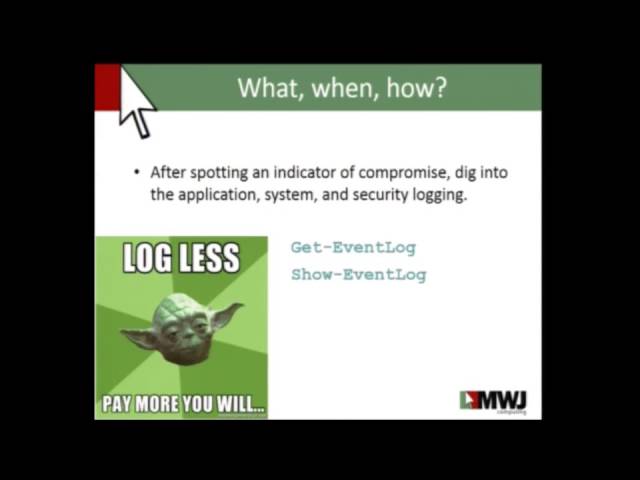
pagent through that thing is just horrendous and the get event log and show event log you can actually now start searching through your event logs at a command line level or at a automated level so that you can pull this information out yeah you should have a log management server in place but if your small business what are the chances of you really having this in there this is a these two command command lists or something that I used on a very regular basis because I can fine tune all this information so last year at besides 12 James Foster decided to look at that billing just your slide he decided to he did a great step and
we've talked about on instant response and preparing for it and logs was his what's the big thing that stuck out log everything log log log log log if you're not logging your you can't get started at all in any of this and you need to make sure that you can collect all this information and know how to interpret and understand your logs at a level that you know oh yeah I know how to use the Windows Event log but do you really understand the windows event long you have you spent time and you have you looked at it have you looked at the event log for or the windows IAS log or your apache logs you you really
understand it when you look at it that's a very important thing because you need to start looking at this as you go through an instant but even before in preparation and all that you have to really focus on this so some key practices with identification record all your information if you're not storing your information or writing down your information use power shells built-in stuff as you're going through this so that you can save this information for later use also use honey tones the nice thing about a space lining is that we can kind of use this as a honey token so if there's something added or something changed we can be able to spot this
pretty easily using PowerShell with the compare and go forward to see what that doesn't look right so let's compare it against what we have in our source system also to chilaka to the defensive tool you need to understand them know them be intimate with them to the point where it just seems wrong that you're spending this much time looking at a lot because you need to know what's going on where's that heck yeah all right so let's move on a containment this piece of code right here is one that I use that I've used an instance before this actually as soon as they process is launched with the process ID that I give it it will kill that process so you try
to launch it goes down try to launch it goes down so as I'm trying to stop something from keep on going this piece of code outside shutting off the box will stop a process from going so that you can start collecting and analyzing things it can be a lifesaver but the only little trick to this is that as soon as you close your power show window it goes away so you got to kind of got to keep a PowerShell window up while this is running to do it you can make it a permanent consumer but that's more lines than I cannot fit onto a slide and make it readable so as we're cleaning up or we're
containing it where we want to make sure that we move our data off this system the system is compromised we don't want our finance state oh and our payroll information because I know I like to get paid and the peanuts I still pay wolf he still likes them so so as we move the data we want to move the data and windows we use actually DFS to kind of mask the location of where this data is so behind the scenes I just start shipping all the finance data off to our new temporary server during this incident so that we don't we can take the server offline and clean it so eventually we can flip it back so these
are just two PowerShell commands of power shells given us or Windows Microsoft has given us to be able to make our life a little easier so this will just point our target over to there after I restore from backup on to the new system and our finance people are often running with like you do this at night little downtime here's what I call love square so PowerShell loves dotnet goes by our shelves built on down now well dotnet loves SSH all their friends kind of friends they like each other but you know they date sometimes but and then ssh and your network switches our friends or sometimes more than friends so basically i can take powershell and
control my network switches all through just it's a little tweaking in my love square so we in a measured response so the first thing you know you want to see if you can stop what's going on you start limiting the bandwidth to the affected server so i can set Q s power show and this is all just stuff that you can take and you can build upon or I can move my machine to a quarantine land so that I can clean it up and do forensics or whatever I need to or you can switch it off with powershell all with just using an ssh module built into and built upon on with dotnet excuse me so
containment key practices so follow your disaster recovery process that hopefully you already have in place but utilize powershell as you're going through it on a Windows system to help make your life easier also use a measured response try not to kill everything right away so that you can do forensics or see what's going on with the system before you eventually kill him and automation is crucial I don't want you to have I don't I shouldn't have to remember to go how to go do something in a switch I need to automate as much as I can as possible so I can just type in kill port and then the port name and it'll go off and kill the
switch on my server so automation is still important even when systems aren't exactly Windows systems or directly attached there's things that you can build with PowerShell to make this all possible eradication let's destroy this thing this thing as we all know after something gets compromised you really can't trust it again at least I don't you get a virus on your computer I'm sorry we're going to have to rewrite that I know it's not what you want to hear but we have to it's never the same so because I was brilliant and after I hired wealth I became brilliant and I put all my scripts for my builds and I put my bass lines all in my source
control server now my time to rebuild the server is from you know a week down two hours push my install start running my scripts against to get it all set up this is this is where PowerShell expecially shines when we're moving through this process so eradication key practices just kill the sock just kill the server there's there's no real reason to put this box back online replay your build scripts make sure that everything that you've done in the past and your preparation can continue on as you go through the life cycle of this and start fresh like I said you can't really trust the system if it's not been if it's been compromised recovery so now that I have my system
back up line and I restore my data I'm going to do the reverse of those command 'let's that i showed earlier and push my information back to the correct location so finance can still give me my paycheck but they can still work and they be none the wiser that there was a system that was compromised and probably no but nonetheless what their date has been moved around for a day now I'm going to do my base lines because to be honest things may have changed you may have a different change in scope to a server or some other settings that you may want to have changed so I'm going to rerun my bass lines and recheck them back into my
source control system because going forward we're going to want to make sure that everything is still very methodically thought out and executed because that's basically that this makes our lives easier all right so we're going to change passwords and I everyone groans oh we got to change our password remember each well here's a command wouldn't exactly use this for make sure haha defense is a little weaker but it shows you that we can go ahead and change every user account on the system's local systems password this all sets it to the same one but we can modify this and randomly generate that password for you but change all your passwords change all the passwords so
now let's target active directory because I've been an incident before where we were breached and they got the local system password and then they moved on to cracking the domain passwords so let's change all these this again don't use as this way because it's going to set all your passwords do the freaking new password and make your system a little less secure but it's just basically i'm getting all my Active Directory users set in the password and forcing it and there it goes it changes everyone's password so i can take this and pipe in a list of Excel spreadsheet with username and password and change everyone across the board so PowerShell enables you to be able to do this
quickly monitor file system changes the next piece of code I have on here actually look for changes in the file system so if you add create modified delete do anything to the file it'll actually I can do anything I want with it I can send an email say hey this violin see windows has changed or I can dump it to my log management server or i can write it to my event log so that is eventually picked up by my log management server if this code does go away with the PowerShell session and again you can make it something more permanent on your system in lieu of having some way to monitor this a little
more efficiently kind of a lot of stuff in here but it's all it is is just using some dotnet stuff to make sure that we include subdirectory make sure events can actually be notified because for some reason on a Windows system you can have a vent that don't notify you of things and then just this one's for created actually rights to my actual screen that a new file was created so this code is on the posh tech github site so you can actually download this and play around with it and you can creep your co-workers out a I know you change that file how do you know to my blog so yeah hey so it's some key
practices and recovery execute your disaster recovery process the restoration put your stuff back in place put all your data back start monitoring your stuff make sure that you know what's going on in this system happen once it may happen again wolf may need another DEATH download from the CD download site you know you never know but
so just monitor monitor monitor these systems going forward and finally lessons learned and this is one of the huge parts about this we went back wolf and I when we were talking about this and we did this talk at motorcity Issa but when we were doing this before we went back and looked to see how many actually Incident Response discussions will happen at bsides or at Issa or any of the conference around it really not a lot maybe you found a handful of them and the two in fact the big part about this is talking about it disaster recovery incident response needs to be talked about we need to discuss with each other we need to share tips and
tricks and all this stuff so that we have lessons learned how do you how do you learn to go and you know monitor this you talk about it you have discussions about it and lessons learned is where you do it especially in your own environment after we take away Wolf's ability to download things by hardening ie to put actually the admin that annoying thing on a windows server that doesn't let you download or go to any websites well let's turn that back on because wolf shouldn't be browsing the internet on our servers to begin with harden Java we this attack was brought on by Java Oracle provides these class these config files that you can
actually take and configure Java to be hardened so it doesn't do some of these things and it it watches some further process in Java so that there's no there's less likelihood to get attack but it's not really likely but so here's a way to do this and it just copies all this does is copy this these files to the file system on the file server so that you know when wolf goes back there and try to do it again it stops so one of the things that also that drives me nuts is what during instance and we're doing cleanup and we're deciding that we need to change some group policy things let's I need to run
a group policy refresh on every system across my environment instead of saying hey everybody why don't you reboot your computer today or forcing the reboot this will actually go across every computer in your entire network and do a gpupdate on the things that can be refreshed without a reboot this simple line goes through and then done it's efficient and simple so lessons learned we're going to review our PowerShell logs and all the information that we have we're going to reform a root cause analysis as well to see what happened and why we need the fire Wolfgang also implement controls to protect these from either policy controls or technical controls so policy controls to be like
no browsing on the web server or you need to make sure that you follow the set guidelines for your instant response or system built but you also have technical controls like hardening ie or doing Java monitor in summary these six things can all be done with the little forethought preparation is huge when you're doing this and powershell helps you do this but also powershell will help you with all six steps in the incident response process so I'm just saying I just think about it start building the stuff in this is not this is not rocket science this is all simple stuff that you can do not only help a small business but also the businesses
that you guys are all in potentially so when we did this before wolf and i did a recording and put it out on the mission my sec youtube channel and some guy at microsoft named jeffrey silver who technically happens to be the head of the windows division for making their products actually gave kudos with what information that we had to share but then also ass wolf and I weird but cool what can we do to make Incident Response better on the Windows platform so if you guys have ideas they're open and ready to listen to us
don't let wolf near a window system but oh not wolf flight Wolfgang garlic but they're listening and that this is important this is part of the discussion that we need to have not with just us but with the vendors with Microsoft Geoffrey silver is actually listening and will engage you in discussions on this stuff to help make not only your life better but everyone's life better so today also one of the things that I'm proud and happy to do here is release posh sec Pasha it was a project started my my close friend will steal and we it was we knew and saw this lack of help that the information security community had with powershell like bridging the
gap you really want to learn a new language probably not but if i can give you the tools or we can give you the tools to help do this you're better off we're all better off and it's still all about sharing knowledge so this was started by will steal unfortunately will pass away on christmas eve of two types of terminal cancer and fortunately enough i had some good friends Wolfgang Nick security mowing and rich caseiro we all took charge and started working on this and today we're releasing version 0.1 of this this is
its twenty two Commandments or functions that we have that help you implement the CSIs top 20 and I know that there is a talk tomorrow on this from Ken Evans and I want to thank him as well for guidance as we're going through this to help do this going for it but you can download it at one of these locations and this there's tweets and they'll be also notes that the email sent out at the end of the conference with this information in it so if you want to check it out we're also also looking for people with ideas or who want to contribute or write a blog post to how this has helped or what
what we can change we're like I said we're open to discussion so feel free to ping us and stop by one of us talk to us we're all willing to listen so any questions here's where you can find me there's my personal github stuff and then you can find the code in here for posh sec as well as for this talk up on there yeah it's just I forgot the name of the library it's just one of those generic dotnet libraries that are out there for ssh sharp ssh well he's the one doing all the work
yes you can use with powershell as he stated they have a job system so i can longer tasks things that i need to compete it kind of more persistent i can actually schedule things or have them run in the background or schedule them to run other servers so this can be a little more persistent because they use states and sessions to kind of control this so windows now luckily has something like ssh built into it so that you can remotely manage these servers run jobs against them control them all from one central spot without having to rdp in I can do this all from a PowerShell console I don't have to you know leave my window scragga haha
powershell up and read it up on the same screen and still get my work done Oh question no I did not I would pick that up with in in my baselining so what willful said was that to talk earlier today on one of the things that people do to maintain persistent is actually add users to groups so when we go through and we prep this we actually ran a baseline for using the power shell code to actually pull the groups so we can actually go and see what groups have changed you can pull you can use PowerShell to pull the group name and then pull all the users underneath it so there's different things that you can do
in that situation
it is it is running you can run it remotely on the user box under wmi so it's not like I'm sitting there specifically logged in it will probably show that there is another user logged in running under the wmi process but it's still I can run it remotely so you don't actually see me there unless you start dumping process and looking well why is there wmi there are things that you probably will be detected really quickly by somebody that is trying to our PC is actually with PowerShell you can actually use something besides that now WS man so there are ways to stop this and you're going to have to go to the local box so PowerShell has a new
protocol and not probably knew but WS man which actually takes our PC out of it and does actually web calls that are encrypted and kind of ops you skated so that you can you don't really tell what's going across the wire but you're not actually using straight RPC calls anymore good they're all custom ones using the built-in PowerShell command lifts and language and we don't actually um we don't rely on any 30 party modules either so this all is stuff that you should be able to download to any system and run without any prerequisites besides PowerShell we can dump service names its user information ports there's a there's a software yeah software integrity software installs until you
can tell which ones I didn't write yep counselor admin pass yeah yeah email or tweet at more dias prime if you are enjoy but you just random things that you're well not random things but things that are part of the controls like if it counts expired if it's set to um if it's passed this expiration date if the password hasn't been changed in a while things like that will are all included in
well we decided to make him a thought leader in my sec because you know because there's not my sec heavily drink and we say hey let's make both the leader he's not really the leader but he's a thought leader I leave enabler that's what Wolfgang garlic is work gang go Wolfgang garlic is an enabler but a good one not the one that makes you want to shoot up but make sure want to do good things it did I said you don't make us want to shoot off drugs could be worse than this oh but probably the last time willful takes my phone call Wolfgang garlic will fight and I are we're cool all right thank you
Related talks
 49:41
49:41 54:05
54:05 27:37
27:37 41:15
41:15 41:25
41:25 2:08:11