Passwordless Authentication Using Steganography, Cryptography And Biometrics
Show transcript [en]
authentication thank you very much thank you thank you guys for coming my name is t um how many people have at least five passwords how many people have so many passwords that they have to use a password manager security confence okay so this is the amazing part for me how many people have to use a password to sign in to their password manager depends what US okay so there are some password managers that you don't need a password for right biometric so face I did okay but quite a number of people still need a password to use their password manager right great so um I'm I did my MSC in cyber security in UI and
um every day when I come to school I needed to log into one of these and then I needed to use a password and then one of the lecturers suggested that I get a password manager and I realized that I needed a password to use my password manager so when it was time to work on my thesis I figured that this is a serious problem like I totally hated having to sign in every time with a really long and complicated password apart from the fact that I had like over 100 passwords to a lot of things so for my Master's thesis I worked on a passwordless authentication system and that's what I'm going to be talking
about today um so I've just giving you a brief intro about myself um a cyber security researcher and say software developer and then why do I need a password for my password manager and then why do I have to keep track of so many passwords like I hate passwords how can I come up with a system that is cool that is funky that is um that I'm familiar with to log in into wherever I need to log in without having to use passwords the system that I developed I called it Sesame off um there's a cartoon I don't remember now if it's Aladin on the 4 theves or something where they say open sesame and then
they're able to ask say so I made up that I used that as um the name and then that's where I came up with Sesame so setting is a according to me a novel system of accessing your resources without using passwords and then I use a combination of three Technologies to achieve this result I use a combination of Biometrics now I am going to assume quite a lot of things but I also believe that this is a room filled with security people um there are different types of Biometrics there is physical Biometrics like you mentioned there's fingerprint there's face ID there's also physiological Biometrics how we type how we talk so I use a combination
of these two classes of Biometrics physical Biometrics and physiological Biometrics in my system I use cryptography um how many people have heard about cryptography here so I use symmetric and asymmetric cryptography in my system and I use stenography anybody heard of stenography thank you stenography is a cool way of hiding things in PL s so I combine these three Technologies to develop my authentication system now this screenshot that you can see here is what you will see when you are trying to log in into a system using into a service using my system so for example currently if you wanted to log into a service you would need to use um a username and a
password on the assumption that that service requires a password however using the system that I created you only need to use the username for example the username is an email address so let's assume that um UI is a service that has implemented the system so before now I needed to type in my UI email address and my password to log in with this system when I go into the UI I just type in my UI email address once I do that I'm going to get a so this is the system is an app currently I've only designed it for Android even though I can extend it or design it to also work on iOS so you install the app
you add the service so for example you add U as the service in this screenshot I have another service that I built that's called I man so when you log in you get a prompt on your device and it gives you all of the details of the device that's trying to login into your account so in this screenshot the name of the service where you trying to log in so that means that when you install the app you can have tons of services so for example now anytime I say service I want you to assume that that service has integrated my system so for example UI you have a u account you have a yaho
account you have a Microsoft account whatever service it is that are trying to log in is going to come up um the browser the device all of the information that is trying to log into your account is going to pop up so that you can verify that you're actually trying to log in now one of the shortcomings of passwords and multiactor authentications that we read about is notification prompts so hackers are trying to access your account they know that you need to verify that the one trying to log in however because a lot of people are tired of having to approve and approve and approve they just approve and then whoever it is that's trying to access your account has access
to it this system helps you to overcome that shortcoming by ensuring that you can physically see where the login is coming from and I was discussing with my mentor over there even if they were trying to hypnotize you to ensure that the click accept and they can log into your account this is going to prevent that so even if you're under hypnosis it's not going to work if you use this system because first thing is you can see all of the details now let's assume that you're on a beit somewhere spping some pan Coller and you're tired you just want to approve it once you click on approve it is still going to prompt you
for your fingerprints so that is where the use of your fingerprint comes in I'm going to go into more details about the other Technologies later but it's just an overview so it's going to prompt you for it and then it is after it has prompted you for it that you actually arrive at this screen that shows the one time password now on the UI where you're trying to log in you have to enter this one time password in that UI once you enter it and it confirms it then your login is approved so this is how it looks like when you're trying to log in to confirm now I'm going to go into the individual techn Oles that make up this
system um I type differently from the way you type from the she types everybody types differently so that's one unique thing about our typing patterns this is a form of Biometrics but it is physiological Biometrics so this system ensures that only you are able to have access to your account now the reason why I used a typing pattern in this system is for the purposes of account recovery I believe that a number of services when you are creating an account and you set a password they how many people have been asked to set like security questions in case you lose your account and you have to recover it good now again I am trying to or I was trying
to to eliminate the use of passwords however I was also trying to ensure that in the case that you lose your account you are able to recover it without having to lose you know your mind so I was trying to think about the most userfriendly way possible um to ensure that it is easy for you to recover your account in the case that you lose it so that is what the typing pattern does at the point where you so again it is an app that you install on your mobile device now I'm going to walk you through how it's um the installation process when you install the app it is going to capture your type in pattern and how it does
that is I have an input field where you simply just type in your email address it's just your email address but the deal is because of how there's a lot of variations in how people type you are going to type in your email address say three times so it's just your email address you type it it prompts you type in again it promps you type in again so after you have typed it three times you now takes you to um a screen where you can now add accounts whatever accounts that you that you have now the purpose of capturing the email address sorry your typing pattern like I explained is account recovery now how does this
account recovery work let's assume that you lost your device and then you need to recover the accounts that you have have saved what is going to happen is at the point where you are trying to recover your account it's going to ask you to type in that email address that you typed when you were registering the account at the point where you type in that email address it will capture your typing pattern then it will compare the typing pattern that you provide when you are seeking recovery with the typing pattern that you provided at the point where you install the app when there's a mat he knows that you're the one so that means um in cases where a spouse let's assume
that they are partners and then one party so I'm just trying to use that scenario to show that even in the scenario where there's some familiarity and some closeness but somebody is trying to be funny so if a spouse is trying to access your account without like without your knowledge and then they install the app and they claim that they have lost the device and they trying to install it it will request them to type in the email address and then it's going to now try to compare the typing pattern that was captured at the point of recovery what was captured at the original point where the app was installed and obviously there's not going to be a match because
I don't think there's any spouse that they have become so into each other that their typing patterns match now the cool part that I've not met mention again is how exactly does this thing work really um okay let me not let me not get there yet now I've talked about how the fingerprint works it is at the point where you are trying to either access your account for example you are trying to login it brings up the prompt before you can approve you're going to provide your fingerprint for the device that's where the fingerprint part works the typing pattern again is simply for the case of account recovery biometrics um the symmetric encryption basically is
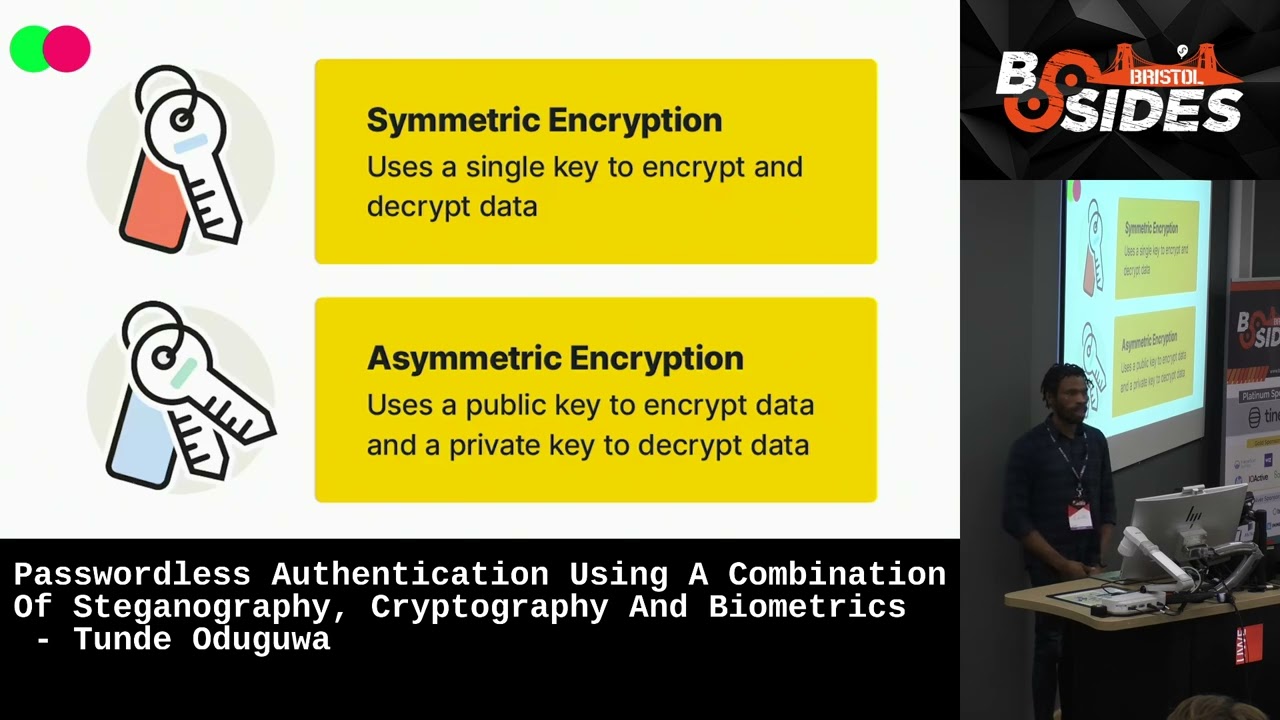
when you use a single key for both encryption and decryption symmetric cryptology the part where asymmetric encryption comes in is actually in the process of logging in trying to access your services symmetric encryption is used basically for the workings of the system is not directly related to authentication it is the asymmetric encryption part that is directly related to authentication now at the point where you are trying to log into an account um because the app has been integrated with a particular service when you make a request on a service your public key has been provided to that service at the point where you create the account so whenever you create an account for example if you
create a u account there's a private key and a public key that is created for that account the private key never leaves your device however the public key is a public key and it is sent to that service to inform them that oh an account has been created by tday this is his email address for you guys to know who created the account and this is the public key so anytime T is trying to log into the service you are going to use that public key to sign a message and send it to his device and then the device will now retrieve the private key for that account and then verify that the message was actually
signed by the public key and then the authentication process so that's what the cryptology part is the the asymmetric encryption part is what is used for authentication why the symmetric encryption is actually used for the working on the system on the back end are we still following thank you this is the fun part theography hiding things in C side now I talked about typing patterns and um encryption we are all used to uploading pictures taking pictures sharing pictures what steganography is used for in this situation is at the point where you are creating an account you are going to need to upload an image now because there's the chance that you can lose the device and you will need to
recover the account when you create an account and upload an image what happens is in the image the public key for the account is embedded into the image now the typing pattern that you provided at the point where you created the account is assigned with an ID so your typing pattern is never stored on the device is never stored anywhere it is stored in a server elsewhere however an ID is assigned to your typing pattern now that ID that is assigned to your typing pattern is encrypted with a key that is managed by the server that encrypted ID and your public key the public key for the account you created is embedded in the picture so
when you are creating an account for example you're creating a UI account you enter your UI email address and you upload any picture as long as it's a JPEG or PNG I've not implemented any other type of picture imped GS or videos but a JPEG or a PNG um image so the picture that you uploaded that you upload you get back the same picture how however with your public key and your typing pattern ID embedded into it now that picture you can send it anywhere except well not a lot of people understand the the math or the specifics of how steganography works so if nobody knows about steganography you can just send them the picture they will not know
that there's data embedded in it but there's data embedded in it so you can upload it on Facebook on twt send it anywhere and then you're fine the account is created now if you lose that device where the account where the app was installed and you need to restore the account you simply at the point of recovery upload that image and then type in the email address that's going to be requested for you so what happens on the back end is when you upload that image the typing pattern ID that was embedded at the point where you created the account is going to be retrieved do not forget that I said share the image freely because the truth is first thing
is your typing pattern is not in the image it is the ID assigned to your typing pattern that is in the image but that ID was also encrypted before it was embedded now the other data that was embedded in the image is the public key but it's a public key so there's no point encrypting it so when you are trying to recover the account you upload that image you provide a typing pattern um on the server we get the typing pattern that you have provided we get the ID of your typing pattern that is encrypted we decrypt it we get the typing pattern that you provided originally and then we'll compare it once there's a match we know that you
are the owner of the account so again think about it I said share the image anywhere if for example you create an account and then you upload the image on LinkedIn and then because I am Tech related and I know about things I check I realize that oh this is not a random image it's actually a steg image images that have stuff embedded them can call St images and then I'm trying to recover your account but the deal is even if I'm able to retrieve the ID I don't have access to your typing pattern even if I'm able to have access to your typing pattern your typing pattern and typing pattern will not match so there's no way
that I'm going to able to access your account so um that is like a very I believe is a very familiar user experience because people are used to uploading pictures and sharing pictures so imagine that now you can retrieve your account with a picture other than having to use a security question so that is what theography does is basically to make the account recovery process natural and normal so imagine if you have pictures floating everywhere if you lost the device you don't so what I advise is at the point where you create an account and you get back your St image you save it off the device because it will be double disaster if you lost the device and then
all the images but um in the case where you use maybe iCloud or you have backups and then you have a way to reach those backups because again if those backups are protected by a password and you lost those password then so it is is save the pictures somewhere else such that if you lost the device you are able to get those pictures and then you just download the app again um use the process for account recovery which you simply just upload the image type in your email address and then that's it okay so um I've already explained how this works if you're trying to authenticate you basically go to the service enter in the email address for
the service um you get a notification on your device it's going to go through all of so at the point where you are trying to log in the only thing that you require is just your fingerprint after you have verified where the login is coming from and then they're able to log in so that is a summary of the passwordless system that I came up with and then that's it so um okay so I was trying to get this to production on Google Play store but um Google has like a system where you have to first of all go through um internal testing and then a close pH testing before it goes to production so
I currently have the app on play store um in better testing so if you want to try it you can scan um the app and then I'm going to get your email address and sign you up for better testing and then you can test it and um yeah if you want to connect me that's my LinkedIn so if there are any questions I'll take questions now
sorry the okay okay um okay so that's the part that I I did not mention so because identification by typing pattern is a huge service on its own I'm using a third party service that does this so basically what I do is when I capture the typing pattern using the Library I capture it it is encrypted and sent to their server so they handle all of the creating of identity basically all what my app does is it just assigns a unique ID to your typing
pattern for example my PN when I'm working with my phone is different than I'm hi with my computer um because I same that
I exactly yes you're actually correct um the same thing that you said you have a different typing pattern on a mobile device and a different typing pattern on a desktop device when now first thing is this system does not work for desktop so that means that when we capture your typing pattern on your mobile device it takes note of the fact that you're using a mobile device so you cannot first of all you canot even install the app on a desktop device now on the assumption that you even successfully install the app on a desktop device when it is trying to capture your typing pattern on the desktop device it recognizes that this is not a mobile device so there's not
going to be a match but again that is not going to happen because it is design um the app is designed for mobile devices if we were going to get to the stage where we design it for desktop devices the way by which you capture your pattern on the desktop is going to be different so we know anytime we are trying to capture patterns it will let us know that oh this pattern is coming from this type of device so for example when you use the app on the mobile device it knows because the typing pattern capture system also identifies the environment where the device is being captured is coming from I have to stop you there thank you
very much
Related talks
 29:58
29:58 40:39
40:39 38:31
38:31 36:39
36:39 42:55
42:55 18:33
18:33