BSidesMCR 2019: Crash, Burn, Report - Scott Helme
Show transcript [en]
so yeah welcome people here may know me from the Twitter's so you can find me up on that I ramble a lot I have my blog where you can find like extra reading information and details about all of the things that I'm going to talk about today but I want to talk about something that I've been working on quite a lot over the last two or three years and I honestly and you can tell me whether you agree at the end thing that this could be one of if not the largest kind of monitoring and telemetry platforms in the world and what we're gonna be looking through throughout this talk is how we can actually leverage the browser
select the browser on every devices every visitor coming to our website to look at information about our sign errors security problems so some of these areas we're going to look at security related some of them are not and how we can actually gather all of this feedback and all of this telemetry with no code to deploy no agent to deploy on the endpoint everything that I'm going to talk about is native browser functionality so everything that I'm going to touch on today is all built into every you know mainstream browser that's been updated in like the last year or two at least so bad I might but as soon as I started talking about like
these cool new browser features we always have to have kind of the browser support discussion because it was like look great so you know maybe these things only I'm like one browser or this other browser and I mean the good news first of all to stop is it's actually pretty good like the support but everything that I'm about to talk about is really awesome it's quite widespread like I said yes you have to have depended on the clients who have done an update in like the last 12 to 24 months arguably if they've not done an update and that long they've got other issues anyway but the the point is are these widespread support and the kind of the
more important thing is it doesn't really matter so if the client doesn't support one of the things that we're about to talk about it just means you don't get feedback from that client about an error it's like right okay but they've had a very we just don't know about it which is exactly where we are now if the client does support all of these monitoring and telemetry services then we will get the feedback so actually we don't really need to worry too much about the problem of support as widespread as it is it's going to continue to get better and you'll see why that's relevant as we go through so I'm sure many people here like me have a
website so I have a website I write blogs you might have a corporate website you might have like a really important website let's say you're an e-commerce platform yeah your website is literally the thing that you sell and generate your revenue through I want my website to be online I want it to be available I want to be secure as much as it's just a blog and I rise to fajn that I still don't want bad things to happen on it and I want to know if things go wrong I want to know if my website is not working as expected not performing as expected I really want to know if there's actually some kind of
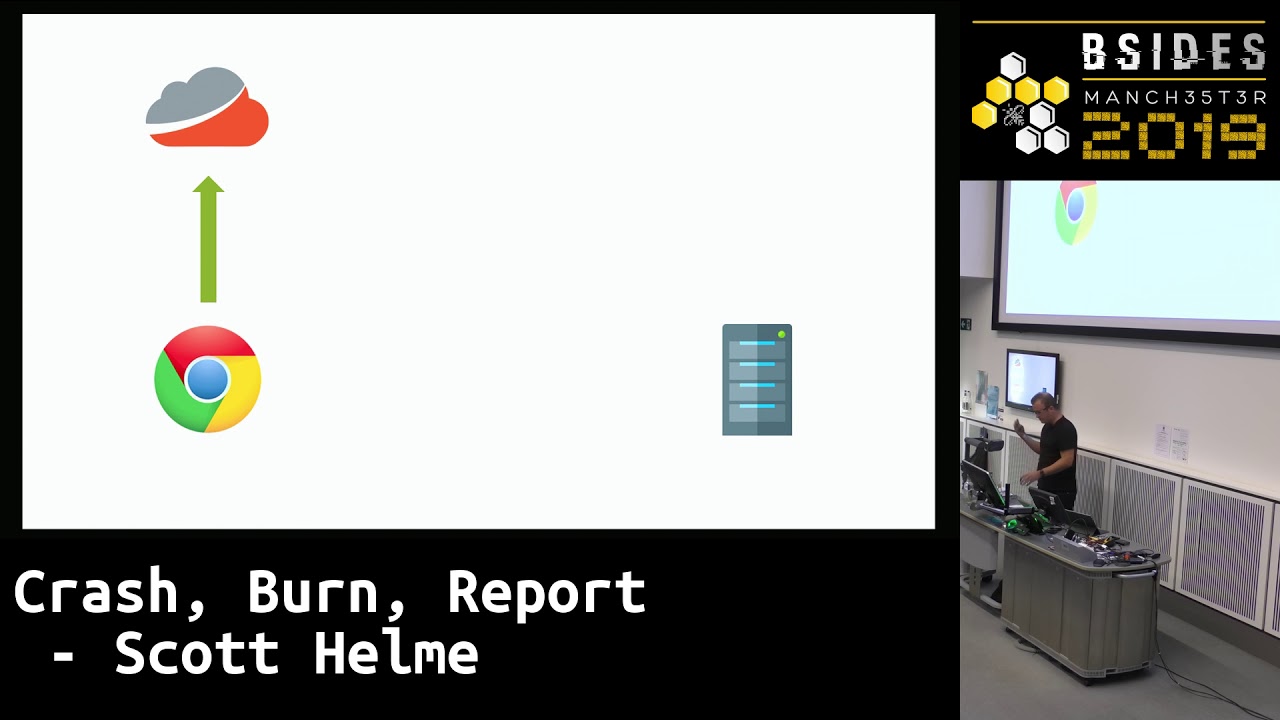
security issue that I need to be concerned about so bearing that in mind we have like a fairly typical browsing scenario right like we have people come to our website they send us a request on the server side you know we generate the page the response whatever it might be and on our server side we have probably I mean people maybe even familiar with some of the things open I actually you see is what do we have we used to have New Relic currently I use paper trail we have lots of things to monitor for stuff going around already so this is a an area where we can already agree there's a lot of interest right like this you
know quick show of hands like who recognizes or uses an alternative to one of these things up here but it's like half the room ballpark so you know we're already familiar with this concept that we want to track performance we want to track areas we want to log exceptions we want to see when things go wrong and likewise when we built the responsive actually send it back there's a whole heap of stuff we can do on the client side already now yes we have to deploy some kind of thing some kind of agent some kind of library but again like I've had some interactions with tracker century there's lots of client side issues that can go wrong as well and we
have tools and services to monitor and keep an eye on these so the whole idea here is you know we can acknowledge that as application owners as site owners we want to know when stuff goes wrong like I want to know that something has gone wrong because I'm going to go fix it that's the whole point that's why we have all of this monitoring and telemetry now there's kind of a prerequisite that is required for any of these things to work and it's that the person actually visits your site and that sounds kind of silly like well if they don't come to my site but what if they tries to go to your site and they
can't get to your site so there's actually a whole heap of scenarios where someone can try and come to your website and they actually don't make it they're like what if your DMS is in resolving but if they've come to a subdomain I mean obviously it does not exist Oscar how am i Cody okay those are actually exist you can try and go there now and it will just obviously throw in that next domain and say well like this subdomain doesn't exist maybe I gave someone a bad link or they missed IT like I don't know what went wrong but something went wrong this is not a good user experience when someone comes to my
site I'm like okay now if we think about this particular error and other errors like it we like these full-page interstitials we call them where you get like the big full screen error and literally the site doesn't work there's a whole heap of reasons this can happen but they share like a common thread and it's going back to this diagram here so if we think about the error message that we just saw in the context of this particular diagram and all of our current like monitoring and services that help us keep our website online well if the DNS didn't resolve did a request gets then it's like well no of course not like if we can't resolve the
DNS then we can't send an HTTP request so we can just scrub this pile and if we don't send the HTTP request can any of our service ID logging tools and utilities like anything's like well no because there was no requests and so there's nothing up for the application to see and if there's no request there's certainly no response if there's no response none other stuff on the client side could help us so this is the situation where you end up it's like right you've got a user side the browser and they're looking at some big error message that's like a full screen thing most like awesome how would you actually log this how would you actually monitor
this and this is what we're going to talk about this is how we're going to do it because we're going to be looking at something called the reporting API which is only been around for about a year right now but it's already seeing widespread support out in the wider web and it will let those monitor and track all of the things that we've just talked about plus a whole heap of other security focused stuff as well which is the bits that I'm most interested in so the reporting API allows you to do this so I want you to take that kind of standard communication channel between the browser and your application when that channel breaks down and all of our
kind of like standard services that we have are just not capable of logging anything because there's nothing to log it introduces this kind of external out-of-band reporting channel so you can literally say to the browsers that look like if you try and come to my website and something is wrong like DNS is burst by HTTPS certificate expired like whatever the issue might be there's a whole heap of scenarios when the browser can't get to your site and of course if you can't get to your site it can't send you the Thomas you need an out-of-band Channel and this is what the reporting API allows you to introduce now of course to do this you have to actually ask the browser to do
it and it's just the case of asking like I said before there's no code or agent to deploy you know visitors to your website don't need to have an application installed or an extension or anything like that this is native browser functionality so what you do is you ask the browser and you say hey look if you go to my website and there's some kind of problem that's stopping you getting to my website I would like you to send me the information and you ask by setting a HTTP response header so we've got some standard headers up here you might be familiar with some of these ago like the date header the server header the content encoding cache
control like all of the standard stuff that you're probably super familiar with you just add a new HTTP response header seen here as the report - header now this is how we instruct the browser that we want to send these reports back towards this information these error logs these crash logs whatever you only refer to them as as you can see the header takes some JSON content so just gonna blow that up to take a bit of a closer look at it this is the value of the actual header itself so a really simple piece of JSON to say right look I want to subscribe for this information I want you to send it to me you have a
group of reporting endpoints these are the locations that it's going to send the data to the group needs a name I've just called it default here you can call it whatever you wish the next value is kind of the really important one because if you think about it the client needs to remember this preference because it could be the next connection that fails so there has to be some kind of memory effects in the client itself in the browser because if I go to my website today and it works when I go back to my website tomorrow and it breaks the browser needs to remember that it's supposed to do something and this is what the max age setting is it's the
number of seconds that the browser must cache and apply this policy fault locally so it's like right I've seen this header Scott turned on these settings and I'm gonna remember and send these reports for the next one year ballparking seconds that is so I know that for the next year this browser ever comes back to my site and as a problem it will tell me about it fairly self-explanatory endpoints just an array of URLs where do you actually want to send the report so these are just really simple HTTP POST requests with a JSON payload we're going to take a look at one of them in a minute so it doesn't need to be anything
particularly fancy on the receiving end just something that can ingest and process JSON include subdomains again does what it says on the tin I apply this policy on like Scott hub blocker to UK do we want to also have all the airports for all of my subdomains yes I do set it to true if you just want it on the domain that set the policy you would set this to false so this is this is the basic of setting up the reporting API this is giving the browser the piece of information on where to send all of these error reports when these things happen the next thing that you need to do is then tell it like what kind of
things do you want to know about because this is just where to send the stuff now you need to say like what stuff do you one that the most powerful one and the one that I've been spending a lot of time working on recently is something called network error logging now as we just kind of abbreviate this - is Nellie's is super powerful and super underutilized as well actually looking all of my data of all of the sites out on the web there's really not many people leveraging this the the Nell reports are broken down into several different several different phases as we call them like which part of the connection to my site failed so we have
obviously like first of all DNS basically it basically puts you in like Scott Hancock coding ok the first thing you've got to do is a DNS lookup and it's like right ok did it work has the dress change did we get an NX domain like we just saw a couple of slides ago maybe you know you've got a failed DNS lookup because your DNS providers bad or you know whoever they use is DNS providers but if something goes wrong at the DNS stage of making a connection to the site then you can get error reports about this this is also by the way not an exhaustive list I've just cherry picked like what I think of some of the
cool ones but ok let's say we make it through DNS what's the next step of the connection got to go through TCP turns out whole heap of stuff can fail there as well right the TCP connection might I'm out the server might close or reset it refused it could be an invalid IP that you're resolving so there can't be a TCP connection again like if any of these things happen the client isn't going to make that connection to your site and I would like to know about all of these but then just like for anyone that bowls me on twitter you'll know that I'm super big on TLS and crypto we have a whole heap
of stuff that can go wrong in the TLS space as well now a really interesting thing for me about this one is that a lot of people are migrating their sites from HTTP to HTTPS at the minute and it means it's kind of like their first foray into using certificates and TLS conflicts and there's a whole ton beyond this list here of stuff that you can get wrong and my favorite one kind of like down here somewhere where is it date invalid my certificate expired is like hey I bought this thing like two years ago and the person that boss said installed it has left the company and it expired and it happens all the time but
again if a client goes to your site and like your cert has expired they'll just get a big red everyone's seen one of these right like you get the big red error message on the screen and it's like great they just sit there and you don't know about it until sometime later so I would look the browser to tell me hey if you come to my site and I've got like an expired certificate invalid sir or I've screwed something up tell me and these are all of the types of things that you can subscribe to but the same they make you know DNS TCP TLS all work we get up to the application layer there's still stuff that can go wrong
there as well arguably you might have some indication on the server side by the time we get up to the application layer but again you know maybe you're sending but HTTP responses there's one down here that I see a lot don't know why HTTP redirect loop like for some reason if I every now and again when I log into Google I just sit there for like a few seconds and it's like I give up there's too many redirects and I just need to clear my cookies done so again there's loads of stuff that can go wrong at the application layer including down at the bottom abandoned something takes too long or the client just simply gives
up and shows the user in error they'll send you in abandon message and say well I tried to come to your website but I gave up and there will be details inside of why the client gave up so all of these plus all of those I just don't have time to cover some of the things that you can get feedback on but I want to take a look specifically at the TLS stuff because this is just becoming a really big problem at the minute if you know I said before if you follow me on Twitter you'll know that I talked about the certificate you go system in TLS a lot and you know every now and again we
kind of semi seriously kind of like poke fun and organizations it's like hey look like their certificates expired and their whole website is done because if your certificate expires that you're literally off working it's like no one can go to your website anymore and this I don't know why but this is becoming more of a problem over time than less of a problem over time it's kind of like the wrong way around so the question then is you know do you want to know about this stuff do you want to know if your DNS isn't working TCP connections are all being dropped your certs expired or you've installed the wrong certificate you know sometimes we see
websites getting them mixed up you just have to ask the browser so the browser now knows where to send the reports because we specified that in the report too had a few slides ago now you need to say okay I would like these Network era logs but is because these are fantastic so you issue another HTTP response header to say yeah I would like now we're Kara logging to be enabled I would like you to send the reports to the group name default so report to the default group because that's the name that I gave it and again how long would you like the browser to remember this because the browser has to remember it
because if I go to your web site today I will see the policy I go to your web site tomorrow and you've made some mistake that's when it needs to know this information so there has to be like caching a memory effect for the client to be able to apply and do this on an ongoing basis and that's it so that first header report - that's where they go the nail head is so far we've subscribed to network our logs from the browser and then it will just simply send you them and they just look like this as I said it's a pretty simple JSON payload sent as a HTTP POST request and that's it soon as you hit the error the
browser will send this report now the age is how long because the browser cached it before sending it because maybe the browser isn't online right now maybe there's some kind of network condition that's preventing it so the browser might hold on to this report for a small period of time and send it later so the age indicates you know if you get a report in actually this happened like four minutes ago not right now so the age is quite important they're also good because it means the browser will catch up these reports or send them to you and it's online so you won't miss anything then we've got the time so we're going to see a few different types as we go
through right now we're talking about network paralogs so you see Network error as a report type the URL where is the user trying to go when this particular error happened the body of the report itself now the sampling fraction was something that we learned the hard way and previous features like the ones that we're talking about there is no ability to down sample so if you're a website that gets like 50 million visits a day and you have an error like every single one of your users is going to be telling you about the error and you're like whoa okay you know we only need like a small number of people to tell us at our
website is down so now with a sampling fraction you can just kill that right down and if you go look at mine my sampling fraction is one tenth of a percent because I don't need like this rush of a million people telling me like hey your certificate expired it's like great I only need 10 of you to tell me so if like let's just back that off so sampling fractions really good things like refer the server IP protocol if like this particular error if you know if no connection is made then some of these values will obviously not be populated it depends on whether or not the actual connection and the request was made method it was a get request
status code was 0 because nothing actually happened so there can't be a status code because though HTTP request was made and then you can see the elapsed time it took the client 92 milliseconds from the start of the action to the error and the type of the error TLS date invalid so you can see that this user tried to navigate to my home page but couldn't get there because my certificate was expired and as soon as they load that page of as soon as they get that error message just completely transparently invisibly in the background the browser will fire that post request as long as I've sat listening at the endpoint on the other side I can know about it as soon as
those reports start coming in but we have had the ability to mitre for things like this before we have had the ability to monitor for things like certificates expiring and it has happened to some really big organizations you know this isn't just like small people having their first foray into certificates like really big organizations sometimes kind of common stock because certificates expire and when they do expire they generally cause like quite significant outages so the the kind of the normal thing that we depend on up until the introduction of now we did have a super reliable mechanism for telling us when our site was broken anyone has it a guess Twitter whoever said hot you're right like the number
one reporting mechanism for things like this like your website is catastrophic lis broken where do you find out first whoa ask your social team so I can go check your Twitter handle because you'll probably have loads of people telling you about it now this is really not the way that I want to find out if something is catastrophic leap Rokinon my side my website is just completely down and unavailable we really don't want to depend on people on social media but it's okay because like social media teams already have some like really good answers and helpful things they were here it's like could you please try using a different browser it's like oh the certs expired it's out of date but
like maybe if we open Firefox we can go back to yesterday and everything I'll be ok like I don't know so you know this it's not the way that you want to find out about it and outside of actually asking the client is kind of difficult right because you just have to have some kind of external service connecting to you from all over the world monitoring everything on your behalf and you know there's obviously gonna be a finite number of monitoring stations and how frequently they can monitor you in all of these kinds of things it's like with the client when you're doing it with the browser it's like the first one that sees the error will send the report and
that means that every single one of your visitors to your site is is some kind of like monitoring telemetry endpoint you know they're basically checking your site for you as they visit a browser sign this is the thing that I love about now without the deploying the infrastructure assignment funny stuff you just say like hey browsers like if you come back tomorrow and everything's broken tell me about it awesome so just to show how about this problem is I'm going to be firsta some data from one of my other projects so I run a separate project called crawler ninja and if you've not seen this project and I'll do this live I'm gonna do a live demo
because these things always work so well when I do them I literally sell my lab so when I got here the Wi-Fi had like D off to me and it's like oh boy you know why I'm trying to do this but I run this project called crawl Adan ninja and where are we here so we're gonna go take a look at this and one of the things any psych super simple in principle right I take the to top 1 million lists so if you're not familiar with it it's the list of like the the day's top 1 million websites in the world by traffic and a few of the kind of ranks so I take the 1 million
list I crawl through and I look at whole heaps of different kind of security configurations on their site what see less protocols cipher suites have they got security features enabled or disabled like what's going on and then the crawler just dumps out the raw data every day so if you ever want to come and have a look you can actually I mean zips open everything it's like just shy of 3 gig or day of raw data and I also dump out like these raw kind of text files which is just some super cursory analysis if you just want like a quick reference on a particular metric now let us zoom in a little bit for everyone
there one of the things that I dumped out is a list of all the size with certificates that are expiring in 24 hours or less now remember this is from the point in time that the crawler observed it so this is probably somewhere like UK time between yesterday late afternoon and kind of like 2:00 a.m. this morning cuz that's the period where the crawlers like really getting into action so you can come and find this list here and just be like hey all of these websites should have a certificate that will be expiring within it maybe even a few hours of now it's like poker discover god did this once and it wasn't a great website when I
London they're saying never all f-words so fast in my life so let's just have a look at that sir so what we'll see is like yeah so they you can see right there if I just try actually let me just put my zoom too long for everyone aback zoom so if i zoom in here you can see that they've got a brand new certificate because he's valid from the 28th of august which was yesterday so they've literally got like right to the end I mean like on crack we gotta get a new one and drop it on sometimes you come to these and you open them up and they're literally down and offline so let's find another one
blow horn we'll skip past that this is live this is a real list I have no control I can not responsible Oh to start traitor that sounds safe enough to open a live demo there we go so let's have a look at their certificate here so yeah first of August 19 this one was valid from so one of the other things I find is if they have like geo sensitive infrastructure as well my Corolla looks at things from a single vantage point so like if it's a super kind of diverse organization sometimes you'll find if you like VPN through America you'll see like a different certificate but sorry startup or study study comm there we go
so there so this is their Alexa rank on the left hand side so that the nine hundred and fifty fifth largest website in the world and the fact that they let her get a certificate get that close to its expiry is kind of surprising you would really hope that they would be renewing it and again look same thing so they literally got down to the last day yesterday and renewed it on the day that it expired and it's like why it's like oh you go to your CA and it's like oh sorry we've got a bit of downtime today you can't get a new certificate it's like by website if you're going offline when that search ROPS so common apple
flick through this list you will find a heap of porn sites because they're really popular apparently but there are some like genuine other websites in there and have a look at them because like the I did this in Norway in January it's like a separate talk with a similar demo and we'll I just basically went through and I was like oh hey let's have all the flight dino-sized that there's not in there today but we found a Dino site and we went to look at it inspected the sternum like oh wow there sir expires in like 43 minutes and I had a one-hour talk and I'm the closing section of my talk I literally just like altered back to the
browser hit f5 and he was like BAM sir expired website down so these things happen this is this is a big problem because like I say people are doing things for the first time they've just migrated their website it might be a new process one of the really common things that I come across is it's like oh hey you know like Dave install the certificate two years ago it didn't document the process and also doesn't work here anymore and no one knows and it's like this thing somewhere in the background we have loads of stuff like that in our infrastructure in our applications and this and you know these lists need to they only have a look at
this expired one similar thing but they've already expired when the crawler saw them so you can generally just go get a whole list of websites that are currently offline it happens it happens frequently it happens a lot and it's you can't avoid it like don't get me wrong network error logging is not going to stop your sir expiring and you won't get the warning until your cert has expired but the point is it's like if it really gets to that stage the first browser that sees the error message will send you the alert and say hey your sirs dead it's expired so yep you know like I hold my hand up like this will not warn you in
advance like you should have known in advance from some of the mechanism this is like the ultimate safety net it's like if we really get to the point where it's dead then you can reliably be informed but it's not just about TLS and DNS and all the things that we just talked about because what we just talked about was only one of the things that you can ask the browser for information about that was network area logging but I'm gonna take a look at deprecation reports these things are going to become super handy for websites like I will hopefully be abbé sieyès Manchester next year and hopefully I can be like yes I was right they are super handy because
they tell you about things that are going to stop working on your website and this is what I like about deprecation reports there are future kind of warning but hey this thing that you use is going to stop working because the browser intends to deprecated the feature and that we had an example of when this would have been perfect but before deprecation reports existed so this is the kind of thing that can happen everyone's probably familiar with something like this you go into like a retailer's website Sainsbury's Tesco or whatever you want you're like hey where is your store I don't know go to the map and you press like the Lord GPS button up here and it's like do you want to
give your location to the website yes and then it plots a route to your nearest store fairly handy feature kind of you know get me to the supermarket buy the fastest route except one day pretty much thank most of these websites in the UK and for other major retailers around the world as well just stopped working you would come to this page you would press the little GPS button and nothing would happen can anyone tell me why nothing happens now because what yes something hard but what can we go more specific so the scheme in the address bar is HTTP now previously several a couple years ago so many many months ago you used to be able to send
GPS coordinates of the device over HTTP but the browser vendors in there kind of onward march of improving security and privacy for their users looked at this and said well actually you know we're doing all of these things to try and protect people's privacy and information and we're willing to send their GPS coordinates to like six decimal places which is like this tile of carpet over HTTP for everybody to see does that sound like a good idea no it's not a good idea we're going to require this sensitive data like GPS coordinates be sent on a secure connection so the official term is there deprecating the geolocation API on insecure contexts basically they're going to make GPS
stopped working on HTTP now they did this they announced they're on their blogs they do their tweets from there you know like the chrome dev channel and things like this and then eventually like the day comes when they release the build of chrome and very shortly after Firefox and all the other browsers and then of course to your location stops working on HTTP now hands up if you read the developer blogs for all of the browsers in the world alright like no I'm really good now I put their hand up and let the record reflect no one put their hand up so you don't know what the browser's are doing like is there a feature that you depend on that they're
going to turn off what we call a deprecation so chrome has like a whole dedicated deprecation section where you can look at all of the things being deprecated the next version of chrome and I guess the idea is you're supposed to go there and read the things and be like hey we use this thing we should change or stop or migrate to some other thing whatever but no one does that right I don't do that and it's kind of my job but don't tell anyone so what we have now is deprecation reporting built-in and sending through the reporting API now if we had deprecation reporting when this happened which we didn't we would have got a JSON payload
exactly like this so I filled out the fields according to the specification to see what it would have looked like so again h0 we've covered that and the type is now deprecation the URL where did the user try and go then the body of the report so it says here ID geolocation so this is a feature that was intended to be used but would be soon deprecated remember this is sent before the deprecation happens so anticipated removal and they would tell you hey you're using this thing and we're going to remove it on this date in the future you get a nice message as human readable Chrome is deprecated sort of geolocation is deprecated over HTTP
and will be removed in chrome 50 now if you started to get these you could do something about them and there's been a load of changes in the browsers like the number of deprivation reports that you can receive right now is massive it depends what features you're using on your site but the idea is that you subscribe for these reports and if there is something on your page that will soon break because the browser vendors going to remove it then it will send the report and this could be a performance feature a security feature usability feature like whatever it is this was like a privacy security change in the browser and there's been lots of those
recently as well and you can get this information you should only get these reports when something's going to break so this is what I like about them it's like 99% of the time the browser shouldn't say a thing but as soon as they intend to deprecated something you use you'll suddenly start getting these reports so why I think this is just going to become really big especially all the changes in the browsers kind of been the last 8 to 12 months they've really been driving a lot of kind of new technologies for words and deprecating a lot of also as a result Mike wrote was deprecating the ability to use ftp schemes in the browser
probably q1 next year I think so if you try and go to like FTP colon slash slash something in the chrome address bar it's just gonna be like what's this I don't know because they're not using anymore they're going to deprecated it so maybe you don't use FTP but you know the point is if you did you would know before it broke so that's why I like deprecation reports but there's even more than we can talk about and intervention will trigger an intervention report and an intervention is when you ask a browser to do something and the browser decides not to now you might think ok the browser comes to my website and I say
like load this picture load this script file load this CSS do you know base do what the page says now most people kind of like okay I sent the browser the page and the browser does what the page says but actually no the browser can choose not to the browser can intervene and choose to do something differently there's three scenarios when the browser can decide to kind of ignore you a little bit I don't use it so ignore you but it's because of performance if you want to do something on the page of this very detrimental to performance the browser will ignore you if it's because of security if you want to do something insecure on the page the browser can
choose to intervene and not do it or if it impacts the privacy of the user as well the browser may step in and say no I'm not going to do this thing because remember the browser is actually called the user agent it's there to serve the user and it will act in the interest and on behalf of the user so there aren't very many scenarios when you should be triggering intervention reports but again here is something that you might see and I like I'm so glad that they introduced this intervention because it was massively not you have like if you like me like 47 tabs open in your browser I'm like which bloody one is
playing the sound and you like going through them all trying to find the tab that's playing the audio because some website reloaded in the background and now he's playing some annoying adverts ound that I didn't ask for so we get a an intervention here again a zero type is now intervention you came to my website the ID is audio no gesture and it says in the message a request to play audio was blocked because it was not triggered by user activations such as a click now this is like super annoying for the user right you're going to book the user if you start author playing videos and sounds and stuff like this so you might build your site with one
expectation in mind of like what the experience of coming to your site is but then the browser is doing something different feel like oh yes the user comes to our website and we start playing like our theme to music in the background whatever but it's like no that's actually not happening because the browser's are doing something else so again you know if you've got like good examples now are trying to submit things like password or credit card fields over HTTP we can all agree that that's terrible for security the browser might intervene and say no you're not allowed to submit a form that contains a password field on HTTP because it's obviously not secure so if any
these things either do happen presently or start to happen you know because some stunts changes in the future again you'll start to get this feedback from the browser with intervention of course any time the browser steps in and does something other than what you expected sounds like a pretty reliable feature now the last kind of major one that we're going to look at and talk about is crash reports so these this is currently only spotting Chrome and there's currently only one that I've actually seen and like this is like the only browser at the world that was going to send this error message was chrome and here's the JSON and the reason that you want right down at the bottom
everyone can understand why chrome is there on the browser that sends these because chrome is the only browser that eats all 64 KB of RAM on my desktop so right now there is only this particular error message sent by Chrome and so if your application somehow manages to consume whatever Ram may be left on the client after launching chrome anyway and you also get a crash ID which you can map back to map back to a crash report with the vendor as well so you can kind of correlate some additional information there which will be really cool but the idea is crash reports are going to be extended out into other features other areas everything that we're talking
about here is still pretty new you know some of these things have been around for a year next month actually but that like an internet age that's brand new that's literally like a cutting-edge feature so you know you have to rely on having a modern client they have to have been updated recently but I guess the point really is you know even if only let's say like 1% of your visitors have an up-to-date enough browser to support this if 1% of your visitors are sending you any of these reports is it enough for you to identify and fix the problem and this is why I think like the support discussion is really actually not that
important at all because I use this day to day on my production sites I know that there is enough of a sliver of people out there that support this that I can get useful feedback and I move my monitor over here enough I don't know what I did so as I say like I really don't think for that reason the support description is is such a big deal but there's even more stuff that the browsers can do this is only this stuff that I've had time to go into there's even more things if you follow me on Twitter again you'll know that I'm a huge fan of content security policy punches smiling it's like Ledisi
P content security policy is a hugely powerful mechanism and it allows you to define a whitelist of the content that you expect to be on your website so if you come to my website you can see this if you look at the headers and it literally says I load JavaScript from these two CD ends I load images from this one CDM I load my fonts from this CDN so on and so forth now what that means is if you come to my website and there's some new script tag stuck at the bottom of the page and it's like mage can't come forward slash keylogger dodge is the browser is going to look at I'd be like well Scott doesn't load
JavaScript from hcar calm he only loves you from these two CD ends that he specifies service we would take the script tag I'm going to toss it away so most people when they look at deploying content security policy are going for cross-site scripting protection because if you can take full control of all of the JavaScript on your site then the idea is that you can't have any bad JavaScript on your site so CSP is super powerful and again it hooks into the reporting API if someone gets a script tag onto my page and the browser picks it up and tosses it away it will at the same time to send a report and say hey
Scott we came to this page you told us you only have JavaScript from these two domains and this is the script tag that we threw away and I can be like wow hey you know like what is this Rando script tag or my home page that shouldn't be there so that is a super powerful one this is the number one use of the reporting API so I mean the service that collects the jace of the people and this is literally by far like the number one thing that people are collecting reports about so it's it's hard to deploy like I give you fair warning up front CSP is not the easiest thing in the world to
get working but once you get it working you have a huge level of kind of control and protection there HP KP talk about hard things to deploy I know I'm familiar with HP KP now know so this this has been deprecated in Chrome already and probably before the end of the year Firefox are actually very soon I'm just going to delete this orange box and have a space because it's just such a powerful mechanism and it's so complicated to deploy that people deployed and got it wrong and actually broke their website so HP KP allows you to say these are the encryption keys on my server you take the hash with the public key which is the one half of the key
pair and then you pin that into the browser by sending it inside the response header and then every single time the browser comes back to your website it expects the public key and your certificate to hash to the same value now it sounds really simple in principle right looks like a two sentences explanation of what entropy KP is but it means that you have to be super confident that you can maintain those keys so you have to think about your rotation strategy going forward so it's like okay I'm using this key now but I'm gonna use this key next month so I need to send you the information about this key now so that if you don't come
back until next month you know what my rotation strategy and all kinds of complex things from him and he turned out that actually more people got HP KP wrong the right so the browser's like look this was a really good idea but actually people aren't I don't know I had honestly not equipped enough but like people made too many mistakes and it caused more harm than good so this is actually being phased out of chrome already and as I said it might be out of Firefox before the end of the year then in the top right here certificate transparency this is a new feature that's coming to the the ecosystem more recent anyone familiar with CT always interested oh that's
pretty good it's like one third of the room and very my right we're the security focus conference as well when I do this in like more general development or technical conferences is like three people in a room this size Ct is hugely powerful if you own a domain just got home calm it exists but the chance that I might not know about all the certificates that have been issued to that site let's say I mean he's Paul's an example because he sat here Paul is an evil person and he's gone to a CA and he's like bribed them said I want a certificate viscosity r--'s $10,000 he gave me the certificate we'll keep quiet Scott doesn't know if
Porter's in town and he's not going to then he has a certificate for my site meaning he can impersonate me he can decrypt traffic to my site he can do all these bad things and I literally have no opportunity to find out what certificate transparency fix this because you can go to any one of multiple sites out there that do CT monitoring and we now have a public log of all certificates that have been issued for sites out there so let's take I always just because it's super simple and easy so if you're interested there is the domain up there and you can literally come here and say I want to see what's the b-sides website is like UK like
b-sides where is it MCR dot org dot uk' that was it so i can see a list of certificates here that have been issued for the domain name because they're all required to be logged into these public locks so when a CA issues is certificate now they write an entry onto the log and the log is publicly visible or we can come and search them now you can actually do any sign that you want so that's B sides I can come here be like I don't know you know BBC dope code at UK let's have a look here are all the certificates that contain BBC code at UK in them the really cool thing that you
can do if you like wild card bbc.co.uk/topgear certificate so we'll give that a second you can look for just two subjects next time run a smaller query you can look for like just subdomains of an organisation as well and I already know there's loads of kind of osing tools out there that you see t logs to scrape these lists and look like what subdomains does an organization have because sometimes and I love this now so these this is basically anything BBC coding UK like squirrel straight away no idea what's going on magpie and aren't here working the BBC know we'll keep digging you know it's like buzz CMS at anytime I see like test or dev or
something in a subdomain like I found us countless Jenkins environments just exposed to the internet because there I'm like dead company comm or some you know like dev one two three four no one will find this it's like pop sitting you certificate so you just come through here just like grab one and I'm just like to see what it does maybe we'll find like some account test dot domain so you can come in here and then find like really interesting stuff about your isn't only giving that company domain come on somebody brave anyone now no literally and everyone's like new so this they say selfie certificate transparency and the thing that the browser can tell you here is that for a
a certificate to be what we call CT qualified when a CA issues our certificate it must go into at least two of these independent logs so make sure that there's at least two known instances of it so we call that CT qualification for a certificate to be CT qualified it has to go into at least two logs now the browser will know if it hasn't so the browser will come to your website and you're like hey like there's no proof that this certificate has been locked publicly it could be like some secret backroom deal mat just been a mistake whatever but it hasn't been written into these logs and we don't have any proof of that
so the browser will actually reject it and say well look I don't know if this is like some dodgy certificate so I'm just not going to accept it so again you can ask the browser and say look if you come to my website and for some reason you're going to reject my certificate because it's not CT qualified tell me about it and the browser will not only tell you about it it will actually send you a copy of the certificate as well and say like hey we found this certificate and we don't believe it CT qualified because maybe there's only one log entry or there's not or you know whatever it is so again it's a scenario
when a user can come to your website and hit some kind of security issue that previously you wouldn't have had any real hope of learning about down in the bottom my future policy another powerful control feature that you can have like browsers nowadays they've got so many api's that expose so much information we talked about geolocation just a few slides ago but you can access the camera you can access the microphone you can access local media like pictures videos there's a whole heap of stuff that uses an application in the browser can request access to on the system and unfortunately as those things become available people start to abuse them so feature policy allows you to control
them so for example on my website on my blog I don't need access to your camera or your geolocation or your microphone or anything like this so on my website I use feature policy to disable those features when your browser comes to my website I say to your browser I don't need to access your camera so under no circumstances like that be the case and the idea here is if you start to include third-party content this is when this becomes a bit dodgy let's say you pull in some adverts from a third-party provider it's just like you know take all the random Java scripts and put it in my page that JavaScript might decide to do something
like access the microphone API and then it will pop that little box at the top which says you know like this website wants to access your location or access your microphone except I'm on your website and your website is asking to access my microphone and I'm like hey why the hell are you trying to listen to me so if you want to prevent things like that from happening especially if you load third-party content you can set a feature policy to say look we don't use the microphone so just like turn that thing off and don't let anything access it so a feature policy again super powerful feature and again you can get feedback from the browser XSS auditor so
I'm actually gonna have to delete this one soon as well it's the middle column actually I've just noticed because the browser's have been abandoning the XSS order - recently it was like a built-in filter in chromium where you're doing try and detect a cross-site scripting attack so if the browser saw script in like a get parameter like a query string parameter and it saw a similar or the same script in the page somewhere the browser might look at those and think hey this could be a reflecting cross-site scripting attack and it would either try and filter the script out of the page all right some scenarios depending on the settings it would just outright refuse to render the page
because it's like I don't know you know whether this is whether this is an attack on art now the XSS auditor is currently being deprecated in chrome I don't know if they'll actually be gone tomorrow to be gone what version of stable chrome we're on right now no no I 75 serve a six so the auditor might actually already be gone so it turned out that this is a huge amount code to maintain the auditor wasn't perfect it could be tricked but when it did work you could say to it look again if you if you think there is an attack on my page so much so that you're taking action and refusing to render the page or you're
slicing content out of the page please tell me and you can say to the order to look if you do this send me the payload the really cool thing about the oil is two reports and very amount we're still going to have all versions who've all browsers around for like ever so you'll still get these reports is they actually send you the attack payload so if someone is trying to pop cross-site scripting on you sigh and they're triggering the auditor the auditor will send you the attack payload so you actually get a copy of it as well which is kind of nice I found some very interesting things in my logs with that in the past and then lasting
OCSP anyone familiar with OCSP apart from the people that work at cas so the online certificate status protocol is when you get a certificate for your website you may someday lose it so I may steal your key from you you may be compromised heartbleed version two might come along and we have this thing called OCSP which is like the most unreliable mechanism we have but we had something called OCSP stapling which was a really good privacy and performance feature and every website in the world should support this so if you if you have a certificate on your website which hopefully it eats is 2019 then you should have our CSP stapling enabled because it will improve the performance
of your website and it will improve the performance of the visitors coming to your website if you're not familiar with that again I've got a blog post that explains all the details but the point is you might have this feature turned on on your website and say look we should have this feature turned on but maybe someone broke the configuration maybe there's a problem on your server maybe for some reason this feature isn't working as intended again you can say to the browser look when you come to my website I should have this feature turned on but if I'd um I would like you to send me report and say hey I just came to your website and for some reason
you didn't send me a no CSP staple because something is broken turned off someone flipped the wrong switch like I don't know why but the point is it stopped working and the client can get in touch with you and tell you so those things kind of like all of the main things I want to spend we've got about 10 minutes left so I'm running pretty much on time I just want to do a couple more demos over a few of the features that I've just talked about and then I want to open it up to like a Q&A so we're gonna try try and do some live demos so I tested these about eight times today and they all worked now what
we're going to take a look at close all of these ones from earlier first of all I want to try and trigger an L arrow so we looked at now before Network error logging and I said I gave the example of the doesn't I exist so does not exist that's got home code at UK we should get a nice dns era so if you have a phone a tablet browser whatever open up your device now because we're all gonna do this all together and I want you to just make first of all we need to make a request to my site so go to scott home docker at UK this is not just the bump my visit account there's a
genuine reason because you need to go to my website at least once to pick up those headers that i just talked about so when you go to my website you're going to receive the report to header which says please send the reports to this location and you're going to receive the nel header which says i would like to get these error reports i'll just zoom in sorry for people way at the back there so the scott home doc early UK when you visit that page that will set those two policies in your browser and say scott would like this information once you've done that make up a subdomain right just just pick anything like please keep it clean I'm
gonna put these reports on the screen i rephrase the keep i rephrase pick anything pick something nice so you can just do like you know wall what dot scott how I'm coding okay and you should get an error message like this and what your browser will do in the background assuming you're using at least the recent itch browser which we should because we're all security people then your browser will send that report in the background to me and what I'm going to do like once I've done all these demos I'm going to go look at them so hopefully we'll have like a whole collection of non rude words in subdomains I've just realized how terrible this one is oh crap so so
that's the first one so this should trigger a whole heap and bunch of reports from everyone in the room now whilst they're all being sent and everyone's kind of messing around with this and it's not to show a couple more bits as well so one of the things that I want to show is CS because I do think that this is actually a really powerful mechanism that I know based on my own data is very underutilized so on this page here I'm just going to inspect the source of this page and you can see I've got this script tag here so that's just the code view on the page but if I actually come down here and I'll zoom in
for everyone you can see here in the dharmic syntax highlighted this is an actual script on the page also the page is live so you can literally go to this page and see that I'm not making this up so there is a page then it's got a script tag and it's loading from evil comm slash keyloggers is now we always people in this room can look at this and be like dirt no one wants this to load but the browser whacks that context and know what evil.com means and what key luggage is means it's like I just go to the source attribute and fetch all of the Java scripts and put them in the page now because I have a content
security policy on my site if we take a look down here you can see that I've actually already got an error in the console on this page so if I just click over and take a look at that error you can see that I have this particular error message down here refused to load the script because it violates the following content security policy directive script source and you can see there that is the actual list of locations that I expect my page to load script from so I've got you know like Twitter embeds YouTube but a Facebook stuff I've got this ghost comment system things like that but the point is that evil comm is not one of the locations
that I expected to load JavaScript from so the browser is seen the script tag picked it out on the page tossed it away and as we'll see in a minute sent a report so it'll send me one of those JSON reports that we talked about and it's not just about fetching stuff you know that you can control scripts styles images where do I what we can't I refer to as the fetch direct is where do I fetch the from but what about where we send stuff let's say this is the actual login form for my site and again I'll inspect the elements so we can see that there's no funny business going on close the console where are we so form action
just here so here is the form on the page action evil com4 slash steal fast we've got PHP because hackers right but code this I'm a PHP developer I can say that it's okay but I think we could all agree that no matter how this form got there maybe it's a disgruntled employee or someone's found like a HTML injection or whatever it might be we don't want that form to submit if this is especially if this is my login form so I'm gonna put my username password in I'm gonna hit the submit button nothing happens but if we look at the error count in the console it went up when I hit the button if you were paying really
close attention and what I can do now jump back over to the console take a look down here refused to send form data because it violates the following CSP directive form action self and then Twitter because you can tweet my son so again I'm telling the browser look when you come to my website I only post forms to two locations and it's me or Twitter evil calm is not on the list so the browser said don't I'm not gonna do that toss that away send the report in the background so there's a couple of things on the CSP demo page you can go take a look at those yourself or the last thing that I want to look at and again like
before I go side on this for transparency this is my website and by my website I mean like this is a service that I run and I want to be completely open and transparent about this with everyone because we are a commercial service that does this so I've been so heavily invested in this space for years now no one was doing this and I'm like if you want to collect these reports like you have to go build your own thing like you have to ingest the JSON and process it and build the graphs and whatever and I wanted to subscribe to them myself and there was no service I'd like hit Google couldn't find it in like
three minutes which means it doesn't exist so I decided to build one so like full transparency this is my website but the point that I want to show you is just like how easy it can be to do this you could just whizz up and Alex acting like AWS and shove all of the JSON in there if you want to so these are all of my actual live reports coming into my account so first of all I want to see this page let me just grab the path so just gonna filter out all of the noise so I can say right show me all of the things that are happening on this page now I've just done a very quick search
for Scott humbler cutter UK the pager we were just looking at and you can see that there's these two particular areas they've happened one of them was a script source element R so to zoom in how's that for size everyone it's are good enough so here you can see we had a script source element and this is the source attribute that was blocked here we had a form action and this is the form action that was blocked you can see down there that the JSON payloads coming through from the client so you know like if you want to look at the raw JSON for some reason like you can't do it all there but you can go and dig into that
data as well and take a look at it and all of that happened transparently in the background like there's no JavaScript library on that page I don't have a browser extension or some agent on my PC like all of this is done by just setting those headers because all the functionality itself is in the browser and this is what I want to show is how easy it is to leverage this stuff so if I come down to like my nail reports so let's see what now I Carol logging stuff I've got in the West how is this we're looking about the last hour so host name again let's just filter out there's too much noise so I just want to
see the ones on my blog so here we can see I mean I've got should probably look at these I've got loads of abundant ones HTTP error so Isis actually just look good see if we've got any DNS actually just go straight to DNS so oops come on you still yes Dylan give that a second to load but again you can ingest these yourselves like we do it loaded we did have flight free account spot you can do this stuff yourselves so easily I just realized if everyone starts laughing I'm gonna have to all f4 because there's like a rude weird name in here somewhere but actually because we all did subdomains let's have a look
at subdomains that's interesting did anyone doing it someone must've done it yeah let's have a look the moment of truth yeah and I saw it turned on quote to max age so we have it like we bought for all of our reports on the way in but I'm pretty sure it's been 15 minutes since we did it I'll refresh the page in a minute but again the point is it's just JSON sent in the background we've got the expect CT worms that we just talked about hopefully there's not only many of these yet so that's good a lot of these you don't want reports remember like this is kind of the point right you just like you only hear about
things that go wrong so you know if you've I came on here the other day and I deployed a change I'd forgot to add a new piece of CSS that we were loading in through a third party and we just had like this massive spike so you can get you know you don't even have to like monitor the reports necessarily you can just look for the trends right it's like hey we've had a sudden surge of reports today that in itself can be the trigger of what you need to go look at so I'm going to keep that and I'm gonna keep our page open I'm gonna rerun that Nell query in just a second but I do only
have a few minutes left and I did not open this up some Q&A as well so I don't want to burn all of my time um so first of all okay yep okay yes so the the sampling fraction was part of the response header so the question now is how D basically how do you set the sampling fraction so the website I'm using here is security headers it just scans the HTTP response headers of a website so you can come down here and see these are all my raw response headers and if I look at my reports who had it and I'll zoom in sorry sighs you can see here is my report two header
I've got like group max age endpoints etc but I don't set it on my blog because I take a hundred percent of reports but I do set it on here so you literally just put the value into the header I think we're taking like one where is it report to I know we don't so we're taking a hundred percent there as well Wow but yeah it would just go in there but we tweak this around and if you get sudden influx of reports you can just like go jump on in and say drop 99% them [Music]
when you say respond sorry just so if you have a script tag and like a new block origin new to it no you wouldn't get a report for that because nothing actually loaded therefore like nothing would be blocked kind of thing so yeah there is a lot of interaction between CSP and browser extensions the problem is not browser extensions removing stuff the problem is browser extensions adding stuff so if you have a CSP on your site and a browser extension comes along and says hey we're gonna shove all of these script tags in the page no you're gonna trigger some CSP errors the the interesting thing about report your I because we collect for many people we
can kind of see these like sudden spikes when some browser extension goes rogue and hostile and they start injecting like ads or key loggers or things into pages so yeah usually the problem is extensions adding stuff not removing stuff sorry Scott we're gonna have to cut off their just lead oh yeah that's that's an hour Scott's gonna be hanging around right sure my time I can't time because it says one minute nine so no account and everyone give it up for the beautiful Scott hell
Related talks
 39:16
39:16 42:21
42:21 46:25
46:25 47:26
47:26 46:12
46:12 48:32
48:32