Kobold Letters and Other Mischief: How Emails Can Deceive You
Show transcript [en]
hello good afternoon and welcome to cobot letters and other Mischief how emails can deceive you in a world where we taught people how to recognize fishing attackers would just write more convincing fishing emails I am Constantine Veer co-founder and managing director of lutra security we are a boutique pentest provider here in Munich and besides our bread and butter business pentesting we try to find some time for security research and today I want to talk about two results of that but before we go to that I want to look at one question why does fishing even work in the end fishing always exploits Trust the trust of the user in a fam familiar situation a sender that the
victim believes to know or in the medium in general because after all why shouldn't I as a user trust email or SMS zero trust is for Network equipment and not for humans if we don't trust each other then we can stop communicating and go home in the end the success of a fishing attack is determined by whether the attack can get the user to trust the message enough to do what they want to achieve sometimes that's trivial and sometimes it needs a little bit of help common techniques for are for example creating some kind of time pressure or invoking the greed of the user in this talk I want to look at how we can leverage the existing Trust of
the user in HTML emails and in s mime to increase their trust in the Zender let's begin with HTML emails and have a look at Cobalt letters they got their name from Cobalts the mythological creature that is usually invisible and can be quite a nuisance they live on ships in workshops here in Munich and in people's mailboxes using conditional formatting to hide or show parts of HTML emails exploiting the fact that emails allow CSS in style blocks we will use that to craft an email that completely changes after the first recipient took it and redirected to a second recipient hijacking The credibility of the first recipient if you are interested in more details that and I can cover in this
talk um I have an article on the subject I'll show the link in the end of the presentation again Cobo letters affect most email clients but the implementation depends a little bit on client specifics it's possible to combine that for multiple clients in one attack but that would not be very readable on the slides therefore I'll focus on Thunderbird today but keep in mind this is not a Thunderbird issue this is a source code of an HTML email we have two paragraphs first paragraph is always visible nothing special there and to the second paragraph We apply the style we Define in the style block above the default is display none so we hide that paragraph but if the paragraph is a
grandchild of moth text HTML we will overwrite that and show it again how does it look like we would expect it's an email with one paragraph and if you try to forward this email it looks the same it's one email with one paragraph that we forward but if we receive the forwarded email the hidden paragraph is suddenly visible and of course if we want to use that for a full-fledged attack we are not limited to hiding or showing one paragraph we can also hide a paragraph when we forward it and we can replace a whole full email and the recipient has to believe that the person who forwarded it saw that email but they never
did I'll talk about how we can use that for a fishing ATT in a bit but before that I want to go to another question what can we do against it as we only used standard HTML email features that are commonly used in all kinds of emails especially in newsletters and notifications there is sadly no simple answer I mean the first option would be to get rid of HTML email completely and as much as I would like that I don't think I'll get very far with that idea I mean nicely formatted emails are popular for a reason and this will not change because some security guy says so a compromise would be to strip complicated styling from emails
Thunderbird does that already with its simple HTML view this fixes the issue and still leaves us the ability to use some basic formatting but I still think this is not a solution that is acceptable for everyone but it is a solution that you can use for yourself to protect yourself I would love to see that as a default in email clients so if you get an email you have a small button show the email in its full Beauty you click there and then you get all the styling that was intended with the email like a lot of email clients already do with external images but probably the best solution would be to get rid of style blocks in HTML
emails this would um fix the issue this was would fix another issue style bleed I mean you probably have seen that you got an colorful newsletter you tried to answer or reply to that and suddenly your email as well has a colorful background it's basically the same issue that we exploited with Cobo letters the CSS affects not only the email itself but uh re uh exists in the context of the Dom around it but this would of course break some things even though I think if you use it as a post processor and put the style that you use in the style attributes of HTML elements it's perfectly feasible to do that but unfortunately I don't think we are
likely to see any of these Solutions become widely adopted the solution for now seems to be me standing here and telling you to be careful except there is one email client that almost has a solution let's talk about Google mail the case of Google mail is a little bit different than the other clients if you forward an email with Gmail Gmail will strip all the formatting from the forwarded email this allows Google to fix Cobo letters because they don't have to be afraid of breaking something that is already broken and in the Gmail mobile app Cobo letters actually do not work however the web app is another case because Gmail is stripping all the formatting it's even simpler we don't
have to bother with re uh with the formatting after it's forwarded we can just hide the paragraph and Gmail will strip the formatting and automatically show it again this time I decided I want to show you how this could look in an real world example um even with this restriction that Gmail H has put forward for us the email is quite simple hello we had issues to transfer money for the transaction 1 to 34 could you please forward this to your accountant Mr Hecker that's a simple email with only one goal to be forwarded and that something with a little effort should be possible to do convincingly as an attacker and when we forward it it looks
the same you'll see it on the picture below but wait didn't I just tell you Gmail will strip the formatting yes but this will only happen after you press the button
send this is how the email looks after it has been forwarded Can you spot the original
email it spread out all over it the transaction ID became an amount the accountant became the golf partner and by offering a genuine uh vangor I probably pushed the envelope a little bit too far but keep in mind this is an email that you would have received from somebody you know from somebody you trust and it would be quite obviously for the the person who forwarded it to you to detect that it's a scam if they did if they would not know Mr hacker personally so you are in a situation where most people would take at least a small leap of faith small detail I took this screenshot two weeks ago after I reported the issue to Google
in March after Google told me in April that they are working on a fix after they awarded me a buck bounty in of 100 in June they could have they should have understood that there is an issue and they could have fixed it just by stripping the style already when you click on forward and not only when you click on Sand like they do in their mobile client but it's November it works like on the day when I first reported it whatever let's leave HTML emails behind and turn our attention to asime if you thought let's just go back to good old plain text emails then we are secure I mean I just told you 2 minutes
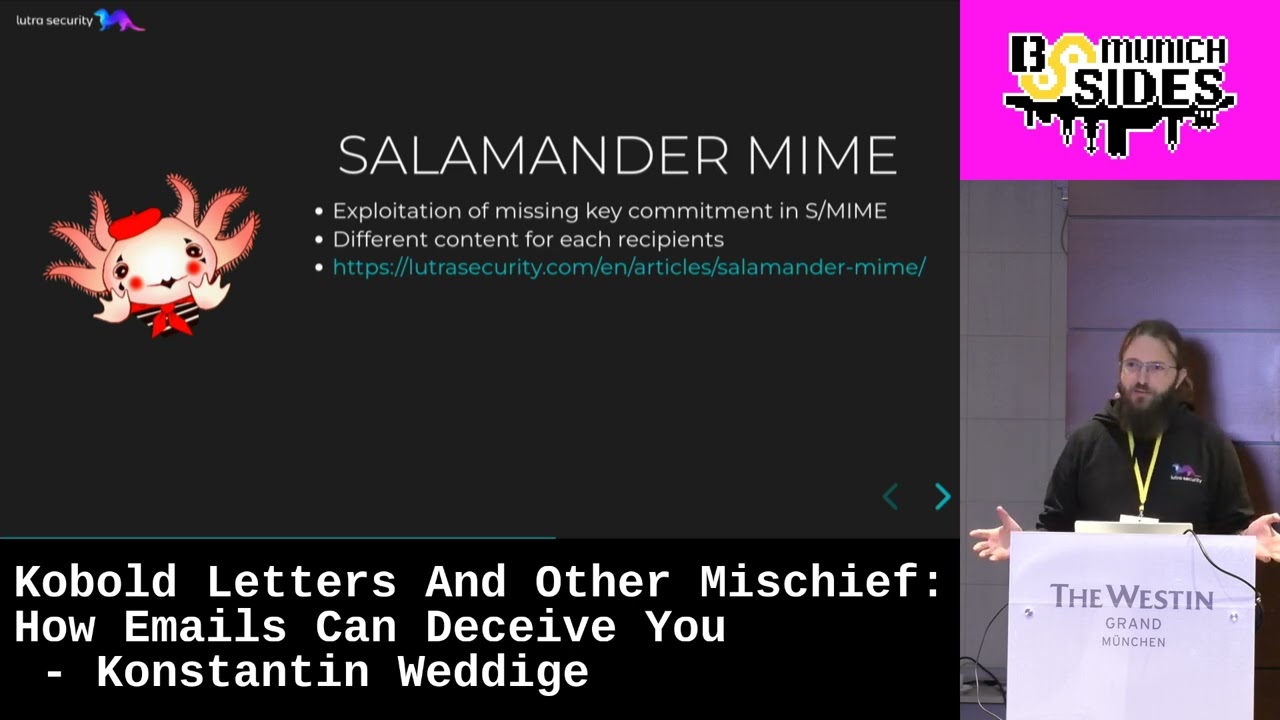
ago that would be a great solution for cobal letters I have another attack for you salamander mime with salamander mime we do not worry about the application layer anymore we go one step down and look at Email encryption we will exploit the fact that asime and also gpg for a matter matter of fact but I haven't tried that has no key commitment this allows us to send an email to multiple recipients which will be decrypted into completely different emails for every recipient but before I go into the details I want to do a quick recap of the attack that inspired me to look into this invisible salamanders invisible salamanders are an attack from 2018 against Facebook's
messenger they exploit a buck in the message D duplication system of Facebook's abuse system to prevent abusive messages to be reported to Facebook the attack worked because the abuse system would discard messages or salamanders as they call them if the cipher text looked the same as the cipher text of the previous message so all an attacker needed to do was to construct a cipher text that would decrypt to two different plain text with different keys this is possible because as GCM although it offers authentic ated encryption does not have key commitment that means the recipient does not know if they have the correct key usually a wrong key leads to some unintelligible data garbage but you will see that it's
possible to construct messages that produce meaningful output with multiple keys to adapt the idea for asime we will use a CBC instead of as GCM this is relatively easy to do and will ensure that our text works with a wide range of email clients after that we need to construct two emails that we can combine into one Cipher text and in the end we will assemble everything into an SM encrypted email and test it let's start with a quick recap of how CBC works the plain text is exord within IV or the previous Cipher text encrypted with AES and some key and that produces our Cipher text this means each Cipher text block depends on only three inputs the clear
text the previous Cipher text and the AES key therefore this will still work if you use different keys for each block we can switch freely between keys between each block and if we try to decrypt this again uh we will be able to decrypt this if you use the correct key we will get a readable plain text block if you use the wrong key of course it will be some garbage but that doesn't interfere with the good blocks so we have a message that we can script with two different keys that will contain some readable blocks and some garbage blocks we will deal with that garbage blocks a bit later because before that I we have to deal with another problem
padding asime is using pkcs7 padding and if that's invalid clients will detect that and they will reject our message in the case of key2 that's not a big problem we can just add some padding and that's fine but with key1 we have the problem that the padding is in one of the garbage blocks but don't worry we can fix that too pkcs7 padding consists of n bytes and each bite has a value of n the length of the padding but for now the tldr version is enough if the last bite of a message has a value of one then it has a valid pading and so far we have not used the IV it's just some random value and if we
wanted to build a secure system that's the way it should be but we don't really care if it's secure so if you change the IV it will propagate through the whole message down to the garbage padding that we are trying to fix so let's not make it more complicated than necessary we just try a couple of different IVs and one of them will lead to a valid pading it works reliably and efficient enough a few hundred tries and it's done that out of the way we can look at the messages we need two emails that contain the content that we want to send to the recipients and that can handle the garbage bites for the first
message we can use a multi-art alternative email the first alternative is a text plane email with the content we want to send to the recipient and the second alternative has a Content typed text Fu email clients don't know what text fu is and they will just ignore it so the garbage bites will just be hidden as an unknown alternative and and this helps us with with something else because if you remember we can switch the keys after each AES block that means the first message has to have a length that is a multiple of the block size and now we can just add some padding and make it so the second message is even easier
because email client will ignore everything that comes uh everything that comes before uh the email so if you don't accidentally have a valid header in the garbage we don't have to do anything if we now encrypt the two messages using our modified a CBC we get two keys an IV and a cipher text that decrypts to two messages we can now use this to construct a completely standard conform as encrypted email mail the only thing special is that we will include different AES keys for each recipient but they are encrypted with the private key of the recipient anyway it completely looks like every other email and without access to more than one private key there is no way to detecting
this and because the problem lies in the SMS uh in the S mime standard itself every client is affected however evolution will show the text Fu attachment as an alternative as an unknown attachment kud does for that um demo time does it actually work if you decrypt the email with the first key we get what we expect the email we just talked about garbage bites same with the other key garbage bites the email we did uh we just discussed if some of you want to try this yourself I up loed the files in my article on our website if you open it in Thunderbird we only see what we are supposed to see and we get a green check
mark same here looks trustworthy to me so what can we do against it not much actually at least at the moment as a user you can be cautious if you receive emails that are encrypted but not signed because signing will prevent salamand mime because you're signing the clear text and therefore making sure that there is only one clear text but this differentiation will be too much for most users if you get an email and want to know is if it's signed on Thunderbird you have to click on that green check mark and then there will be a message that says it's only encrypted it's not signed somebody could have manipulated it but the message will also say however
it it is unlikely that it has occurred most users it is unlikely but that doesn't help users to detect this you could also write some horis to look for garbage bites but you can only do that after decryption and it's probably prone to errors so no email client will do that the best way to prevent salamanda mime would be to introduce key commitment in the next version of asime and I hope with my uh contribution I can make this a little bit more likely thank you very [Applause] much thank you so much Constantine does who has a good first question for Constantine anyone if you have any question later feel free to write me an
email I'll try to I'll try to answer it [Laughter]
anyway hi thanks for the talk um so according to you your research which one's more let's say difficult to detect the salamander style or the Kobalt style um in terms of incident response I think the salamander uh mime is more difficult to detect because you need to decrypt the message and you need more than one key to reliably detect it you could reliably detect it if you have some Email encryption gateway then you could yet then you're decrypting all the emails anyway and could cross check if uh there is a difference in the key but besides that it's difficult to detect Cobalt letters um yeah it's not easy to detect but you could prevent it by just filtering out
uh more complicated styling so your suggestion would be I should stick with salamander Style thank you there you will have the problem that a lot of people don't receive encrypted emails I I don't think either of these attacks will be very popular with attackers because why bother if it's if you can just write an email give me your password and they will do Tom here I haven't looked at it so but I think it's possible uh maybe I'll find some time over the holidays or something but we have one minute any other questions over there
yeah not much it's really if if you have code trying it it doesn't take a second uh it's NE uh it's no effort that you have to spend there it's yeah how much time does it take to encrypt an email do it 50 times and that's it okay um that is our time so please give consentin big round of applause
Related talks
 14:37
14:37 30:09
30:09 45:26
45:26 54:32
54:32 44:06
44:06 41:40
41:40