Printers: The Neglected High Value Asset in ICS and OT Pentests
Show original YouTube description
Show transcript [en]
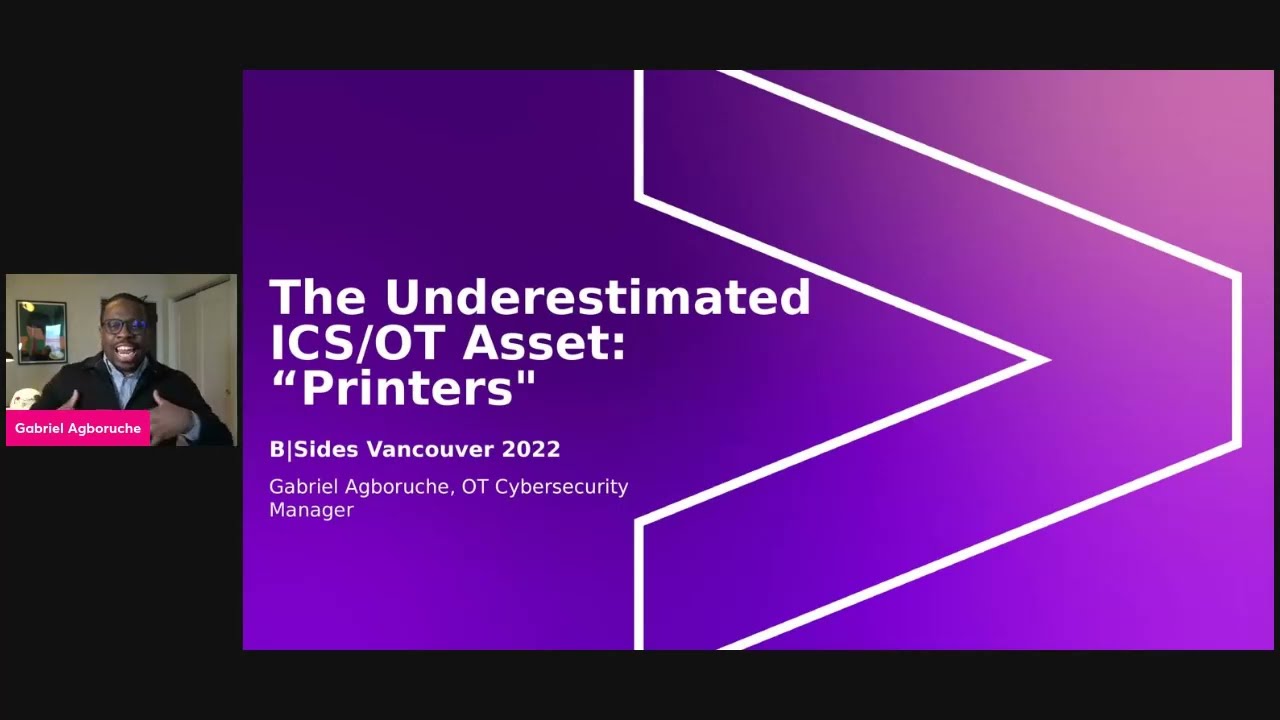
okay well welcome everybody um looks like we're live here um so just want to start the uh talk here my name is gabriel agbaruchi um and again welcome to b-sides vancouver 2022 this is my first time speaking at this event and i am liking it i've been backstage i've been listening to all of what has been going on from incident response to i think other people cover ics and ot subjects pin testing and all these different subjects in security they they give me a lot of joy and a lot of happiness within my heart because i have a very strong love for this industry so again gabriela garuchi and i work for an organization called accenture we're a consulting firm
specifically we have a very technical focus um and specifically i'm in the ot or ics and ot cyber security practice and i serve as a manager um let me see how to progress okay i can progress which is awesome okay a little bit more background about myself again gabriel agrees and you see all these little pictures here to the left i'll i'll start to the right with all the boring stuff um and then i'll get to the left where it talks where it's more of the cool stuff so on the right those are all the certifications and the degrees from the cisco surge to the sand surfs um and my bachelor's degree is actually in electrical
engineering so i come from a little bit less of a tech background or i'd say administration a lot of people have like masters of information systems or computer science specifically come from very traditional electrical engineering where we go over the calculus and physics and and and all types of other very technical but not tech type of subject matter very math intensive and then later i decided to go forward with a bachelor's in cyber security tech technology because i love the field so much um kind of a little bit more about me as it says i'm a regular speaker at like the sands conferences um for those who are very familiar with cyber security um spoken at the sands ics summits i've
been talking at the hack the capitol actually have that one tomorrow i'm i'm gonna be speaking at in sans oil and gas summons stan is new to cyber so i'm kind of like a sans junkie here um i've also participated in some of the largest ot incident response engagements in some of our lifetime today one specifically you can uh i'm i'm able to mention is that of the uh colonial pipeline incident so i was involved in responding to that one with the previous firm i was with and that was just a whole different thing connect with me off offline i have my socials and everything i can tell you more about that possibly of course with
not going to too much detail for um customer confidentiality um so on the left right so you see me with an instrument i actually play susa phone so um i'm a low brass musician and i play with a band called the gabriel brass band and i typically tell people it's not my band i play for the band even though that's my name but the last name of the band leader is um is gabriel so that's why that's it's called the gabriel brassman but you know sometimes i i say it's mine too so you know first for certain crowds i'm also a youtuber right i have a youtube channel where i go over it's called struggle security
more info about that at the end um but i go over very high level cyber security and information i have a tagline which says that normalizing struggling in cyber security because it's not always easy and struggling is okay in this field and i'm also on twitter under ics gabe um and also the last one right i'm gonna be a new dad coming up soon so i'll be having my first child coming up this no november so loading baby um baby um baking right now so i'm looking forward to it and um yeah so all of that stuff so the picture at the bottom left is a picture of myself at a nuclear plant that's the nuclear plant i used to
work at and um yeah might as well talk about it now right i used to work at a nuclear plant as a nuclear inc engineer so i worked so like i said my bachelor's is in electrical engineering and nuclear power is a subset right that's that's part of the um generation of electricity so my degree in the nuclear kind of went hand in hand so that's me at the bottom left um i was at the nuclear plant and we had some visitors from japan where they had previously had the um fukushima um the the the fukushima incident at their nuclear plants where there was a hurricane there i'm sorry a tsunami combined with an earthquake which caused
there to be issues at their nuclear plant so um they were coming to us because we had a very similar nuclear reactor and they were kind of making their u.s kind of tour so that was a very interesting experience for me while i was there so okay so let's get into the subject let me give you the premise here because this is this is very much so kind of intention for those who might be red teamers or incident responders but it can but this is a very common attack vector for what you call ot or ics so ot stands for operational technology and ics stands for industrial control systems these two a lot of times
can be synonymous ics and ot you hear them back to back um so because i'm in this field this is kind of what i want to go over here because i don't have my animations but that is okay so one thing about these environments so what you're seeing on the screen here is a very common architecture for ot environments you see there at the top where it says um um level four which is typically like the business side of an organization so i used to work for electrical utility organization that owned a nuclear plant so that equivalency would be all the corporate offices those people in hr those people in sales the executives that will be
there at the top where you see the web servers the mail servers you see engineer well regular workstations and that that type of environment and they have a direct connection into the internet one more level below you see the level 3.5 which is typically that of the dmz this is the area where like the demilitarized zone where you have all your antivirus you'll have all your other security things which pretty much acts as a buffer layer between it and ot so level 4 is typically considered i t and uh that level three is considered ot so that 3.5 is somewhere in between there where you have your intrusion detection systems antivirus as i mentioned before um and
then you go down to your three which this is very much so ot environment right this might be a a particular station building where you have your engineering workstations you have your data historians you have these type of assets which are kind of monitoring those systems within your ot environment and one that i mentioned for ot was nuclear but you can have oil and gas you can have your building management systems you can have um electrical utilities grid type of functions you name it these all fall into the categories of ics and ot even water treatment or reservoir or wind power you name it mining is another one that i've been getting into lately so you know you name
it these are all ot type of environments so that level three is that of systems within that so then you see your level two which is your supervision so you're so this is where you're supervising or monitoring what's happening at those lower layers right what's happening in your in your reactor core with what's happening in your your uh tunnels or your fuel fuel uh pumps looking at levels looking at pressure looking at temperature of these different components or even looking at a conveyor line for an automotive plant where you see the different automotive parts going down a line that's there in that level too you're monitoring that but then your level one and your level zero are
specifically what's happening in those processes so you have your hmi that you see there your hearing machine interface you have your safety systems that are also in some of these environments but as you see all the way at the bottom you have your pumps you have your rtus which stands for remote terminal units you have your ieds for intelligent electrical devices you have your plcs which stand for programmable logic controllers i don't want you to get confused by all of the jargon i kind of wanted you to just understand what a typical ot architecture looks like and this is typically what it looks like but one common asset and that's the the the theme now we're getting into the theme
of the conversation is that printers you see that at the top i don't have my animation but i wanted to show as each one of the little lines goes down to every single one of those layers printers are a very common um asset that is aligned with every single one of these layers for a typical ot architecture and also you see to the right these are some common attack vectors where it's in secure remote access infected usb drives insecure authentication clear text credentials um denial service or or research exhaustion you you name it a lot of these attack vectors apply to ot architectures and the thing about it is that printers are in every single one of these layers and
i've seen this very commonly so i just want to kind of lay that foundation out there as we move forward is that that's why i think that this is a un or or under valued assets in ot architectures or ot environments um because printers are everywhere and there are common attack vectors which apply to every single one of these layers so i think that this is an asset that needs greater consideration and i want to go into what i've done during internal pin tests um in order to kind of um take take advantage of this this this asset that's everywhere so let's move forward here okay so i want to give you a couple of examples of
where i've seen seen this so bms and bas so bms stands for building management systems slash building automation systems so this is anything as it concerns um heating and cooling so hvac systems you have your as you see in this example all the way to the left is the example um your your garage door systems your elevators escalators you have your fire alarm and fire suppression type systems but there's a little arrow here that you all can probably see is that all in the midst of this right here by the fire alarm system and it's actually it was in other places um you see a printer a printer is right here within the building management system
building automation system and this is an actual architecture from a customer environment that i did a walk down of very large organization and this is and printers were there within this ot type of system i've blurred out all of the information associated with this customer so you won't be able to know who they are but just let you know that within building management systems and building automation systems printers exist there now there on the right you have a typical architecture of a nuclear plant environment so you see here that you have your internet and that's kind of that's that's that's kind of common to what i showed for the general architecture every internet connecting to your business systems right those it
with hr and sales that's that environment separated by firewalls and typically in in nuclear plant environments you have something called a data diode which only allows data to go in one direction which is out of the nuclear plant environment but i've seen very commonly where you see the control room i've seen commonly that there are printers within the control room i've even been in control rooms nuclear plant control rooms where next to the reactor engineering stations there's a printer sitting right there right control engineers process engineers reactor engineers they want to be able to print out information as it concerns what's happening within the ot environment and typically printers are very common there so even within the control room kind of
the heart in in in breath of a nuclear plant you see printers right there in the midst so those are two examples there this is another example so this is another walk down of a system again actual environments actual architectures these are pictures that i would that i took while i was there so this is an oil and gas compressor station control room um and boom right right here you see that you have some this is small for me so sorry for zooming in with with me looking but you have your wind connections out out here that's going specifically to your walk area network right that's that's more towards the internet connecting to your telecom but
then going into the plan environment you have a printer here next to all these workstations right so you see that you have your primary workstation secondary works workstation you have your desk control right that's where your ethernet jacks and everything are your telephone systems and your uh alarm systems but boom right here you have a printer and this is an actual on the right we have an actual show of where that printer is it's sitting right here on top of a server next to all of these workstations and laptops that you see here common printers are very common i just want to drill that down printers are very common in ot environments the next one is that same customer with
an oil so this is the main control control room this is like the central central control unit or central control area for the whole oil and gas plant or the whole oil and gas station so this connects several different stations together and the control is right here just showing an emphasis on how important this environment is um so you see you you have your laptops these are human machine interfaces that are showing what's happening in the ot environment these are probably some some some levels and some temperatures and some pressures what's happening within the um on pipes but then boom right here you have a printer sitting right here next to all this important stuff all this important stuff again you
i think that many of us in ot security or even individuals not in this this environment need to understand the importance of printers in these type of environments so now i'm gonna get into the attack and this and again just kind of laying out the foundation a little bit more with this is that with the attack this is something that i've used on multiple occasions i've used this multiple times in order to gain an initial foothold into environments into ot environments using this particular attack and that's really what you do for many pin tests because typically pintest what you are looking to do is that you're establishing uh uh so what we typically did was that we did
an assumed breach type of perspective um so that's where we're going here setting the stage for the attack so this is typically an internal princess or red team which means that the customer and the firm that i work work for we had an understanding that there's a soon breach perspective where we're going to assume that the bad guy is already in the environment right phishing attacks like i was showing you with the common attack vectors phishing attacks um um internal threats with plugging in infected usb drives remote connections not really being monitored all these different attack vectors really allow the bad guys to get in at times very easily so many organizations want to understand
with these internal princess for ot specifically to try to understand hey once the bad guys get in how far can they go what can they do what systems can they move to and what vulnerabilities pretty much exists within ot and the overall ot environments i've seen many times where we'll start off as i showed you in the previous architecture we'll start off in the business side so they'll throw us on a vm they'll throw us on some type of laptop or some type of system within their business systems or their business architecture and say hey can you go from the business environment to the ot environment can you bypass firewalls can you um capture credentials of individuals
within it and that will gain you the ability to transition over into ot so many times what we'll start off by doing is a very typical i.t pen test internal pen test where we're looking at getting domain admin credentials for that active directory environment in order for us to be able to manipulate the environment so we can jump into ot and and find whatever we can find as it concerns vulnerabilities so that's one of the things that's kind of setting the stage here for this type of attack another one is that um one of the prerequisites is that um a microsoft active directory environment is required so many times and this is very very common like i said here many
customers desire to test the ability to move from i t to ot start there in the um or start there from the ot environment but active directory is something that's very common so in ot architecture it's like i was mentioning before there's all these servers there's all these workstations they're typically windows systems so microsoft active directory is very common with an ot but that's a requirement here there are some ot environments where there's none there's times where you can see as as little um infrastructure right networking or or just overall infrastructure where i've seen unmanaged switches that connect directly to workstations and servers and that's kind of isolated on its own environment has its own subnet and
everything so it can be very bare there so this attack wouldn't apply to that type of environment and like i mentioned right not all ot environments implement microsoft ad but it's very common for managing windows systems so when you have network connected printers many times it is in the active directory environment when you have servers authentication servers or data historians that's another asset that is typically a windows server with an ot you will have an active directory environment and the third prerequisite of setting the stage for the attack is that these need to be network connected printers we're talking about printers with ethernet connections to lans and wireless printers that authenticate to the local otd domains so those are some
of the prerequisites for setting the stage for the attacks these things need to be in place in order for this attack to be successful so let's continue here and these are the steps so i'm going to step you through each one of these and each one of these things that you can do in order to execute this type of attack and i'm also going to follow so so i'm not just going to throw it out there to say hey this is how you can do this bad thing i'm also going to finish it out by giving some heartening and some recommendations on what you can give to your customers or what organizations can even do today in
order to protect against this particular type of attack where it's been very easy to do so the first one like many times people do or many pin testers do with an internal pin test is that you start to scan and you search so you're doing your reconnaissance but you're not only doing just basic reconnaissance for vulnerable systems you're specifically scanning and searching for printers looking for printer devices and think about it right i mean for those who are are are i.t administrators or or or domain administrators are you really protecting your printers are you really looking at like okay let's see who's trying to compromise my printer no you're looking at workstations you're looking at
laptops you're looking at servers those are your high value assets there so this looking and searching for printers scanning for those type of devices they're getting very specific um to the type of searching that that you're doing is kind of many of this activity flies under under the radar i've spoken to customers which were kind of doing at times a purple team type of scenario when i say purple team i mean that i'm doing the internal pen test and that defending organization or those who are part of the sim or the sock the security operations center organization are looking for evidences of my activity and when i've done this they were not able to detect the activity that i was
doing they were not able to detect what i was doing and this is kind of somewhat of what you call lao or lol right living off the land you're utilizing the um um well probably living off the land is a little later so i'll i'll i'll get into that a little later but a lot of i would say this for step one many of this type of activity for scanning and searching for printers is a bit imperceptible to many defenders so like i mentioned you can use some very common tools you can use nmap you can use metasploit and another one called eye eyewitness which i've used very very often in order to search for these
devices so eyewitnesses here this is a this is a github for eyewitness and pretty much what it does is it searches for any internet or like port tcp port 80 8080 443 it searches for those within the internal network and it takes a screenshot of what it finds once it once that web page or that that that web type of app application pops up so it can be used to find printers or any other type of devices in the environment and it's very quick if you've ever used eye eyewitness before so that might be something that you might want to consider another one like i mentioned before is in-app but making that scan very specific to the type of ports that
you're looking for because nmap has the um can just send off all types of packets that are very detectable by defenders so as you see i have an map and i have a flag for p which means which that report the 9100 515 6381 and i'm just searching to see if these are open and i have again blurring out for any customer information and as you see here um there were some printers that popped up here so you see that of the 55 15 that popped up and that's associated with with printer services 9100 for jet direct right so we see that these are open so these and the ip addresses are here for all of these devices so what
i'm doing here is first i'm scanning for these devices and then i'm taking them and putting them into some type of text file so i can launch further attack or further enumeration of these type of systems um so that's what i'm doing there within that okay and the next thing that you do so we're moving on for number one where you're scanning and searching for these devices once once you find them these are some common ports where i mentioned 80 443 9100 515 and 631 oh and the reason why these are on port 80 8080 443 is because many times these printers have some type of web interface right some type of web application running on them so that you
can manage them so you can get into these devices that you can change settings you can manage them and that's kind of more of that living off the landing i was speaking of so number two that's when you're getting into that of checking for printer default uh credentials so organizations often leave their printers with default credentials not only for just to manage them or getting access to them or even administrative access so there's default credentials for so many um printers that are just sprawled over the internet um and there are many like repositories that'll just give you hey what's the default um credentials for a hp printer of this type of version or a xerox
printer or a zebra printer any of these type of printers you can see that you can find the default credentials online so let me show you a little bit of that of what i found and again this isn't just something that i'm making up this is this isn't just something i'm saying this is something that i've used and executed and these are some of the examples here this is a xerox printer of atla link something something something i don't know the exact exact versions i can't see that that small but as you see here i i just i just point out here that this gives me admin access with these default credentials administrative access directly to the printer because
nobody typically changes printer credentials another one for for h for hp page wide color flow whatever i don't know another arrow here administrator access default credentials default credentials for hp printer and this is another one i never even heard of this version of the printer before but i found the default credentials online from just simple google's the simple beans and simple whatever imagerunner advance never heard of this type of printer ever before in my life administrator access directly to that printer so that is the step two here you find your default credentials for administrative access to the printer and now you're getting into the quote-unquote fun part right um changing the settings so this is utilizing the
the um services that are running on the printers in order to change them so that you can do something um to try to discover that those vulnerabilities so you change where the printers authenticate by modifying the ldap settings so ldap it is a a service that many printers and devices use in order to authenticate to different systems in the environment right so ldap is used for many printers as like a very small like address book type of service um and you can change the credentials of the printer not by something very difficult but by let me show you utilize i don't know why i put that there i just threw that up there but by using the settings or
using the internet so this is a web page that i popped up right so you can change the ldap configuration settings right here on the web page that xerox provides to you right so you can click you can just follow these steps in order to change the ldap settings and let me tell you a little bit more of what you're doing here you're not only changing the settings this you're changing the settings to make the printer authenticate to you as the attacker so typically in these settings here i think i have a screenshot of this um typically within the settings you are giving an ip address and you're giving a port number in order to
authenticate to but here i have it specifically and this is where i actually change the settings inside of this xerox printer you change the ip address to your own attacker machine and then you change the port that it authenticates to which i change to 3333 and then when that printer goes ahead and um tries to do an authentication type of event it sends those authentic those clear text credentials directly to your attacker machine and let me tell you how how you do do that and feel free to start to load the comment section up with questions because i can go into more detail but just for the interest of time and to make sure i get your your
your questions i'm not going to go into so much detail into protocols and how to break those things things things down but the way that so once you change the settings to your attacker machine which is the ip address and the port directly within the administrative access of these printers you set up what you call netcat a netcat listener so if you uh for those who don't know about netcat it's a networking type of tool which allows you to capture and to monitor different network events um specifically many attackers use it or many ethical hackers use it so what you're doing is that you're going to set up a netcat listener on your machine and then you're going to
also and after that you're going to initiate an ldap query where as you saw a little bit hopefully you can see this i can barely see it but what i did here is that i initiated uh a ldap query event i just searched for myself right gabriel that admiration whatever um and that initiated an authentication event on this printer and then because i had that netcat listener that specified on that port 3333 i was able to do this here multiple times so let me just kind of break this down a little bit so i'm using netcat that's that's the tool that's the command line too and it comes with kali linux so this isn't something
that you have to set up or anything there's a netcat listener so that l stands for listener v stands for verbose or um the out the output is verb verb for both and the port that you're listening on is that 3333 and like i mentioned before that 3333 is it something i just set it up as you can make it anything you make it one one one one two five seventy whatever i don't it doesn't matter so i set it up to listen on this port after i change my attacker machine as the thing that the printer would try to authenticate to using the ldap uh uh protocol and as you see here i just kind
of pointed out again don't want to show any customer information but you see number one is that as i list it and that's the domain so that'll be specific to the active directory domain that you're in um where the customer has put you number two specifically is the username clear text username of the printer right it might be something xerox or whatever or something associated with the organization and then the password is right here i just gave you a little bit of the second part of the password but it's this and 2004 b or 20040b that question mark isn't it's it's just a mush i had oh i'm sorry yeah it's just a much after i tested it the
second time so again right you got into the printer i just want to kind of outline this a little a little bit more going through the steps of what actually happens first you scan for these printers you found you found them you put it into some type of text file and you're like okay i'm going to go and do my dirt right i'm going to go and find a vulnerability you put in default credentials for that printer in order to gain administrative access of that device you change the ldap settings where they don't the printer doesn't authenticate to the ldap server but it rather tries to authenticate to you as the attacker and you change that port
you set up a netcat listener on your home machine where you're listening on the port that you change change it to and then you initiate an ldap query in that printer because it has the capability within every printer um you set up an ldap query and that forces the the the printer to finally like use uh those those credentials and it sends it to you directly in clear text i just want to pause here just to show you this is what the result is right and kind of giving even more emphasis is that again these printers exist within every single level within whether i t where they're ot it exists everywhere and very many times very close to high value assets
within ot environments so i think that i just want to give you the emphasis just there and you might be asking yourself so what you have printer credentials within an environment you have printer credentials printer credentials isn't a domain admin they're not even a regular user right or or they're not even a privileged user within the active directory environments i think that's valuable about this is that this is an initial foothold you don't really need you can do so much with very little privileged accounts even that of a printer account so like i said in number five here finally you can elev so now this is a time to elevate privileges move laterally and quote-unquote right have some some some
fun so let me show you what that next step looks like after you've gotten those credentials and what can you do so now you have the credentials you can use them as an initial foothold but now you can elevate privileges and move around the environment to do more things find more vulnerabilities so the first one that i want to point out here and like i said just random graphic i just took graphics and threw them there you know sometimes people want to put very specific things to their talk or very specific thing i just took i don't know nuclear is the first one right nuclear graphic so what you can do here is that you can use the bloodhound tool to
enumerate ot active directory environments with printer credentials you can take those pop them into bloodhound and to be able to map or to be able to show the entire active directory environment and potential attack vectors and areas where you can move to cause to to cause more damage to find more vulnerabilities all you need are those printer credentials in order to throw into bloodhound i've done it before it's very easy second one baby right baby graphic second one capture additional domain account hashes using printer credentials to perform a kerber roasting attack i've done this before too to you to so there are and i can provide that maybe at a later time or maybe after
this this this talk there is a python repository on github called impacts and they have the capability where you can put in the username and the pass password of the printer credentials in order to find more um accounts just kind of go around the whole entire environment and all you need are these low-level accounts these printer credentials in order to do additional curb roasting right so or a kerberos think attack so that'll pretty much with that impact its um tool you are able to put in the username and password and then you can it'll return to you account has typically uh machine account hashes and you can use those do some offline cracking and at times i've had some
peers who have been able to even get um domain admin credentials doing this with low-level low-level privileged accounts such as those of a printer astronaut the third one you can search the web you user interface for old print jobs that reveal sensitive company information for those who have i don't know home printers or even have managed printers for enterprise environments you know that sometimes printers can be janky right they can be in a situation where you can try to print something but that job will cancel or hold inside that machine you can look at the cash and in many printers they have a capability where you can review the cash or even at times past print jobs where you can pull
up full pdfs full video documents of sensitive company information and you don't even have to to compromise somebody's machine you don't have to compromise a windows machine you have to compromise servers you can go directly with that administrative access to that printer you can see sensitive print job for company information i've seen drafts of um company drawings and um schematics about environments network architecture all of these i have seen within old print jobs of printers or you can use alien the last one you can use crack map exec which is another tool um and other enumeration tools to find open file shares and interesting information you can just take those credentials from that printer and just spray them towards
the network now that's not that could be for a pen test but definitely not for a red team crap mac exec is very loud it's something that's very noticeable by um defenders um so if but if you notice that maybe that organization doesn't really have a lot of defenses in place they don't have an active sim or um if you're doing the internal pin test you can set this the standards or the with the rules the rules of engagement that you're not trying to be quiet in this act activity crap mac exec and other enumeration tools will be completely fine where you can utilize that username and password from those capture printer credentials and just spread them all
across the network and look for no log logins or even very low privileged uh systems where you might be able you might be successful in compromising some additional machines and searching for credentials on those those machines so this is that of lateral movement here so these are some things four different things that you can do with these low level um credentials from printers so moving on and kind of wrapping it up and um just want to give a few recommendations right because i don't want you to just be stuck at the okay this is what i've done um or this is what people can do to me or anything i want you to have an understanding of
what you can do to remediate these type of things um strengthen ot password policies across the domain right um i think that that's something that's very important because if someone gets this initial foothold even if they get these printer credentials if they're trying to move on to other systems capture credentials like i was saying with the kerberos thing they won't be able to crack these accounts if there are strong password policies in place and also that's another thing i want to give you some more information about ot environments um shared accounts are still a thing it's still a thing and typically don't follow any password policies so that's another thing that you can do know what
those shared accounts are and then you can use additional controls security controls to try to protect those systems and assets maybe do some some segmentation for the greater ot um architecture or the ot network for those systems that you know they have shared passwords because they're more vulnerable to these type of attacks so these are some some things that you can do within that number one second one is hardened printers protocols ports and services um disable everything that that you don't need sometimes um printers come with some default they come with default ports and protocols open already you can harden these to maybe only um use certain services so these things can be compromised or they can only only
certain systems can access these these these printers that can be something else else too so using some type of neck network access control to try to really deal with that type of situation um regularly clear cash print jobs like i was mentioning before you can get into printers find all of the credentials and go i mean find all of the uh cache print print jobs and just go from there there should probably be some type of activity where this is regularly cleared and um so that you don't have past and historical print jobs on these machines and overall change your printer default credentials change them from the normal or whatever the default credentials are because many times organizations would
have maybe some type of third-party service um come in and install these printers and they're not looking at security as a consideration they're not considering security in this type of environment security is typically handled at a higher level but um you as a security practitioner should go in there and recognize and look at the the environment and change those default credentials because you can anybody can do one of these type of attacks and i oh i kind of want to leave you with a just just a small story um so i was working with an um an organization this was a it's the best way to describe them this i i'll just say this was an
industrial organization they had um all types of industrial or electrical generation um generation distribution type of services and the thing about them is that they put me into an internal pen test and they had a shared environment between their i.t and their ot so when i did this pen test for them the first thing that i did is that i went over this was the first thing that i did i did this printer hack right and i was able to elevate privileges from that printer to that of the point of contact that i had for that organization so the point of contact typically with the pen test is somebody who works for the organization typically they're like the
lead security architect or the lead security defender person i was able to go from printer credentials to that person's credentials just like that and it was so interesting to like have the executive out briefing and talking to the staff talking to the organization and saying hey this all started the initial attack vector for this attack was were your printers and they just couldn't believe it they were like no no we don't believe it we don't believe their printers caused me to get to all their other systems and even the credentials and the access the privileged access of the person that was sitting right across from me from that organization and i think the thing about
that is that that's why i give it the title of the um it's it's it's not it's a not very valued asset but it can cause these type of effects so that really is where i want to leave leave you all with is that i don't think any rock should be left unturned in security that we need to start to get more creative in our ways and methods of of defending our environments and just like i mentioned again like no rock should be left unturned not even your printers okay so i want to leave you with that um these are my socials like i mentioned before i'm on youtube again struggle security is the name of my you youtube
channel please subs subscribe check out my my content it's mainly for that of people who are entry level to cyber security or people who are transitioning into the cyber security field where again the tagline is normalizing struggling in cyber security this is my twitter here um it's it's ics gabe um industrial control system gabe kind of speaks for itself right i've been in this field for years and that's kind of my tag line that i've been going after for years and these are things that you can follow me on dms are open i have an email address for my youtube channel also dms are open for my um twitter and thank you thank you thank you i
really appreciate you all's time and now i want to open it up for questions and if there are any questions oh it says lots of love from the chat questions okay it says funny my home e s been xp 4100 home printer wants to update the firmware and software are home printers a problem they can be yes so it's just that so again one of the prerequisites for this attack was that of a microsoft um active directory environment so someone could compromise your home printer yes and they could kind of start to map out and look for other assets within your home so if you have a uh an active directory environment in your home which some do
some people have home home labs they can elevate privileges and compromise different systems um just from that aspen xp 4100 printer so i would say first change the default credentials and then go from there and and really that those that default credential attack vector is really the main crux there right how else would i be able to gain access or administrative access to those printers if i didn't have access to those systems so um i think starting off by just changing that and then going from from there but yeah it could be a be a problem yep any other questions let me see i'm checking the chat
people are giving all their printer walls i'm seeing them i'm seeing them okay
see it seems seems like a network news report it's because i've been doing youtube for a little while now so you know i kind of uh coming right right here straight to you type of thing i'm not seeing any other questions let's see okay okay well i think that that's the end of my my presentation um oh well um i have one more slide here right so one more slide here is that us at accenture um just a quick small little plug here right i said accenture we're doing something called the ot incident response experience myself a gentleman named brian singer he's a um he's very he he wrote the book on industrial hacking on chris raider another one of
my colleagues but we're doing this and feel free to reach out to me for more information it's mainly like a training very like immersive training for ot incident response type of engagements i don't know if anybody's interested in that but just wanted to throw that there for you all's viewing pleasure if you want more information on it feel free to jump in those uh dms on twitter or anywhere within my email um for the struggle security website or the struggle security youtube channel and again thank you and i think that's it okay
you
Related talks
 59:52
59:52 22:50
22:50 53:01
53:01 38:01
38:01 29:29
29:29 46:19
46:19