Unleash the Hash Master
Show transcript [en]
Good morning again and welcome. This morning we're going to hear from Q. He is director of offensive security of Blue Bastion Security and specializes in healthcare security and penetration testing. He has conducted hundreds of penetration tests in small to large environments with a focus on networks and web application testing. His area of interest include healthcare security, active directory, cyber security policy, and the quote unquote dry business side of hacking. Q is a penet penetration test lead during the day and a teacher in the after hours. He's presented and talked at taught at cyber security conferences including bsides and black hat on offensive security topics. Welcome Q. Thank you. Thank you. Thank you all. Um, I was I was talking about I hope we
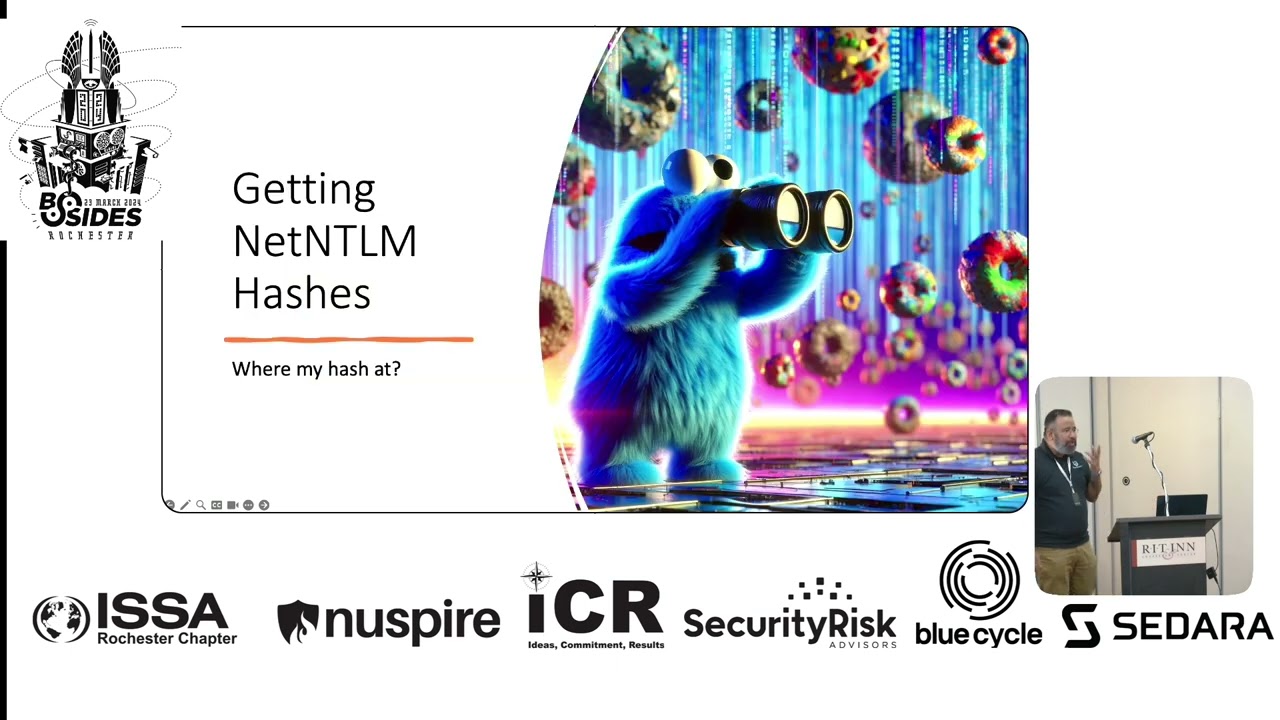
don't get sued for using a cookie monster, but we'll see if that happens. You know, I asked RGBT to draw me a hash monster, and this is what I drew. I like, "All right, whatever. I'll use that." So, yeah, as I mentioned, I'm Q, uh, from Blue Bastion. Um, and, uh, a lot of my focus has been in Active Directory and I also teach a lot. So when I go through these topics, some of these are very technical. I'm going to try not to be too technical intentionally. I'm not trying to go down into the rabbit holes of which encryption is being used and which ciphers are being used because in the end it doesn't really matter when you're
attacking or when you're defending. How many times have you been able to convince Microsoft to use a specific cipher? Right? So we're going to talk about the methodology. We'll be I'll be demonstrating some of the attack techniques and then we'll uh talk about some of the defense mechanisms and some deception you can do and the goal here is to speak to net NLM hashes right or sometimes you'll read that as NLM Microsoft uses both interchangeably quite often um I prefer to refer to authentication over the network using NLM to be net NLM kind of makes it clear and when authentication is happening on the box itself NLM in the end it's NLM package that's being used in the back end to
perform authentication so let's first talk about what the protocol is whose hashes we are stealing whose hashes we're gobbling up um so netlm came out of the need for if you have a need to go and access a fileshare. The fileshare should not have your hashes or your password. You want to access exchange, it should not have your hashes or your password. So, how do you authenticate to them? This is where the challenge response mechanism comes into play. If I want to access a fileshare, I am going to start the negotiation. The fileshare says, well, I don't have your hash. I don't have your password. So why don't you take the challenge I'm giving you. In this case,
it's it usually is the current timestamp. So here's the current time stamp. Why don't you encrypt that using your hash, your NT hash or LM hash depending on the version of Net NLM, right? So encrypt the current timestamp with your password hash and send it back to me. So we'd say, "Okay, here we go. I just encrypted it. Here is the current timestamp encrypted with my hash that only I should know and maybe the domain controller should know." The fileshare then takes that to the domain controller to verify. Hey domain controller, Gotham just gave me this encrypted package. The response to my challenge, he encrypted the current timestamp with his hash. Can you verify this is truly him? And the domain
controller should have my hash otherwise you know we got a bigger problem uh there and the domain controller responds back and tells you tells the file share yeah I was able to decrypt it looks like a time stamp so it must be him so we can start talking at that point right um there are a few issues with this and Microsoft is talking about getting rid of it or at least phasing it out just like they phased out SMB v1 We know that's still around. Any of you who are CIS admins, you still see that. Uh, but it's going to be around for a bit. And it's it's a really fun protocol when you are an attacker. There's a lot
of opportunity here for you to obtain these hashes. So, just real quick, um, going through this again, make sure we're on the same page before I move on. The file share does not have your hash or your password, but you want to talk to it. So you send it current timestamp encrypted with your hash. It then sends that to the domain controller to verify because domain controller has your hash. And once domain controller confirms it was valid, then you can talk to the file share. Then you can access the files. You'll see two types of these protocols. NLM v1 or net nlmv1 and net nlmv2. If you see net nmv1, you are likely still using lm
hashes. You should not be doing that, right? Some of you are rit students, so you might get this more than those of us who are from MCC. Um, did I just make fun of my own alma mater? So, LM hashes had the maximum length of 14 characters. These were XP and before. Okay, so 14 character maximum length and then it would break that password into two blocks of seven uppercase everything and then it would encrypt and hash. So one with the LM hash you already broke that length down to seven. Instead of me having to crack a 14 character password, I'm now cracking two seven character passwords which is exponentially easier. then it uppercased everything. So it doesn't matter you had
an uppercase character, lowercase character, it was all the same. So we used to have a lot of fun with cracking LM hashes and you'll still see th those right now. The only reason sometime you'll get away with an LM hash and not get it cracked is because pentesters may not know how to crack it anymore. Right? This is the same way a lot of IBM boxes, IBM mainframes don't get hacked because some of us don't know how to hack it. So we just move on to the Windows file shares. The net nm v2 is nth hash only. Okay. So net net nlm v2 is what you should be seeing in your network. If you run a wireshark capture, you can see
some of this. Now we talked about what netlm hashes are. I want to get into how to grab them. how to in the network grab some net nm hashes and yeah that was shared GPT and I did not put much effort into it. So my most favorite method for this, the most common one you'll see so common that we make fun of this in the pentesting communities. Okay, broadcast multiccast name resolution protocol. In the college, we're taught if you want to authenticate to something, if you want to find out where a certain share or a box is, you just ask the domain name server, the DNS. That's not true. Windows, Mac, Linux. They sent out a
broadcast and a multiccast name resolution. Instead of me asking right now, hey, where is Dr. Man? Instead of asking some one person, I'm asking everybody. Same way with this, everybody in the network that can get layer three traffic is getting that name resolution. Hey, do you know where that HR share is? So, the first one to respond wins. Hopefully this is actually HR fileshare that responded and what they respond we authenticate over net nm kerros can also be used but most likely we'll do net nlm because we prefer that in the windows world also as an attacker if I am pretending to be HR chair I can enforce use net nlm with me there's even ways if the client ient the
user in this case their workstation supports net ntlmv1 I can also enforce that too so broadcast multiccast I'm asking everyone in the network do you know where this file share is and first one to responds I do net nm authentication if you pull up wireshark you'll see a lot of this traffic net bios name service nbns is the broadcast uh name resolution protocol then you have two multiccast ones, LLMNR and MDNS. Okay, I there's only one reason I love Macs and that is I'm sitting at Starbucks or any sort of a public network and I pull up Wireshark, I'll see Kum's notebook or Customs MacBook, uh Samantha's iPhone, right? And I can just start yelling, "Hey, Samantha," and
just like looked down and freaked them out. Um, so your printers, your IoT like, uh, Google Cast, uh, Apple TV are going to do a lot of MDNS. Windows 10 and 11 also do MDNS. Most likely in Windows networks though, you're going to see NBNS, net bios name service and LLMNR. You're also seeing in this wire shark capture, WPAD. Who knows what WPAD is? We got one person, two people. Do you use WPAD? Three people. Do you use WPAD? Most people don't know if they use it. Exactly. Well, most people don't use it. That's the crazy part of it. They don't have anything set up to serve that. This is uh you spin up IE and IE
wants to know where is my proxy server? Who do I proxy to for my corporate proxies? That is this. So, every morning whenever I start my pentest, I like to make sure I'm listening for this at 9:00 a.m. People are coming in, their workstations are doing the name resolutions, and I'm going to see that kind of stuff. Okay, so lots of traffic like that happens. The workstation is doing this, the server is doing this, the user has no idea this is happening. What happens then? Well, on the left side, somebody tried to look for the HR share in a Windows box. It doesn't matter if it exists or not. That's the crazy part. Windows will do
that resolution even if that name exists or does not exist because it's happening in parallel with the DNS. There's a request being sent to the DNS server and there's a request being sent to broadcast multiccast basically everybody in the network on every single network adapter you have in parallel. Okay. So if you're connecting to VPN, there's a possibility that the broadcast multi gas name resolution is also happening on the VPN even though what you're looking for is on your in internal network, right? Um if you are connected to uh virtual networks like a virtual box or something and your corporate network resolution happens on all of those networks all adapters every device in the vicinity is getting that on the
right here what you see in the terminal is a tool called responder. There are few tools that will exploit this. Responder is sort of a staple. This is a Python tool and what this is doing is it's responding and saying, "Hey, I am the HR share you're looking for." Okay, you see the uh on the top poisoned answer sent to MDNS, NDNS, LLMR. It responds and says, "Hey, I am who you're looking for. Come and talk to me." And then you see the work the box's name is parent workstation. The user is Wagrant. And then we have their hash. That highlighted area, the the yellowish orange-ish area, that is the hash. Just by responding saying, "I am the share
you're looking for." We get their hash. Okay? There's times when this may not work very well. Most likely, it's because you were not the first to respond. If you're troubleshooting, respond not working, you are poisoning things, you're not getting anything back. is because you either are not first to respond or there's times when micro segmentation tools will um stop that. So we also have a blue team and our blue team deploys a micro segmentation tool and I hate it as a pentester. I hate it because I think I've got something and then if it kicks in it goes oh no you should not be doing that. So it stops that. But anyway most likely this is how we're getting domain
admin. Um there is a deployment tool that I shall not mention the name of. It is used to find new devices in the network, inventory them, log on to them and make sure they have the right configuration and right tools according to your organization's policy. Well, if in order for this tool to do that, it needs to be always looking for new devices and then it needs local admin on those devices. If you don't know which device that's going to be, you're likely going to give that tool domain admin. So, it's happened at least twice this year where we just pulled up Responder and right away we got the domain admin hash from this tool because
it saw our device pop up. It's port 445. It thought it was Windows. Tries to log in. We say yes, give me the hashes and we get domain admin. So, by listening you can do a lot too. You don't always have to respond. Broadcast multiccast name resolution though you'll respond to that. Then there is coercion. Ask nicely. Petite POTM in is an example of that. And uh basically hey server I want you to access this file from my file system. The server goes oh okay I'll come and do that. Oh hold on. If you want to access file from my file server you must authenticate first. We're asking the server to talk to us and then
we're saying hey if you want to talk to us you must authenticate. All right. So server is very gullible in this case. Um social engineering ask the user to just CD to your file share which is your responder server. So slash your IP address or net use slash your IP address. Um there are few other things you can do. Um a lot of times you will see especially with a new patch when Microsoft patched petite podm the patch basically said you cannot do the coercion as an unauthenticated user. What we were doing was we would walk into the network and we would ask the domain controller to talk to us and then obtain its hashes. Microsoft patched
that. You can no longer do it without authentication. So the moment you get a domain users hash or a domain users credential you can still do petit pumm with those credentials. Uh you will also see Microsoft exchange is often it is a member of exchange subsystem which by default before 2016 was a member of administrators group in ad. So you petit podm exchange server you use the tool petit podm there's coercion there's a few different tools using a credential you ask the exchange server to come and talk to you get its hash and you go to the domain controller now because the exchange server is a member of a group that's a member of admins exchange server is domain
admin so using this method you can get net nm hashes from windows servers windows workstations um if you have domain user credentials. Okay, it's a gift that keeps giving. So, let's uh use [Music]
responder. So, I'm now connected to the network. Uh both my VMs, my Windows VM and my Linux VM are on the uh same virtual network so don't get excited. All right. So on the Linux side, on Kali Linux side, I'm going to use the tool responder and I'm going to ask it to listen on Ethernet zero, my default network interface.
[Music] All right. What's it done? It has spun up quite a few different servers. So if somebody does talk to us on any of those protocols, we'll be able to coers them. But most importantly, the poisoners, it is poisoning LMR, net bios, name service, MDNS, DNS. It can poison DHCP also because remember DHCP the initial request is a broadcast request. IPv6 DHCP also is a broadcast which you can use MITM6 tool for if the client has IPv6 or if they don't know if they have IPv6 meaning they have IPv6 you can use MITM6 in there to get pretty easy netium hashes. So we're poisoning LLMr MDNS both on multiccast name resolution and net bios name service responder is
listening on the other side on Windows I'm just going to do uh something like net use let me talk to something uh I think I got to do slash on this. There we go. There's a hash. The user has not provided anything. I have not provided my credentials. What I provided, what the workstation in the background provided did not work. So, it's now responder says, "Hey, do you want to give me something else?" In reality though, responder already got my hash. Okay. Responder has already received my netm hash. Look at the protocols that Windows sent. It sent an MDNS request and an LLMR request because Windows 11 and Windows 11 doesn't always send net BIOS
name service request. Okay, but either way, I had two choices in there. Not only did it send it or both of them, it sent them multiple times. Look at how many different answers were responded to, including IPv4 and IPv6. Windows does not want you to be lost. It wants to ask everybody on every single IP protocol on every single network interface. So now we have the net NLM hash. What do we do with it? Actually before I move on to that, there's another one I want to talk about. This is my favorite. when it comes to fishing or when it comes to any sort of access already have on the b on the uh network. So um think about a windows
shortcut what I've demonstrated you to you already. If you get the user to come to you and you're running responder, you'll get net nm hashes. If you have a shortcut sitting in a fileshare, call it HR, call it finances, call it CEO's salary, somebody double clicks it and it points to your fileshare, your responder, you get their hash. But the problem is you have to get somebody to doubleclick that shortcut for them to get to you. Except what if it wasn't a shortcut that got them to you? It was the icon file for the shortcut. You tell Windows to load the icon for that shortcut from your box running responder. The moment the user goes to
that f folder, they haven't even clicked on the shortcut. They've done nothing with it. Just happen to be in that folder. You get their hash because Windows tried to load the icon for that shortcut. Okay, so this is an example of that. This is an SCF file. SCF no longer works on 11. Uh L and K files still work on Windows 10, Windows 11. So doesn't matter what the command is. Doesn't matter where we are taking the user. In the end, it is the icon file property that matters. If the icon is loaded from my box, the user will end up on my box and I will get their netm hash if I'm running or a similar tool on the other
end. Okay. And you can do that with a tool called Slinky. It's part of Crackmap Exec. Um, so what I'm doing is on the top I'm saying use the module Slinky. I'm giving it some sort of credentials. This user has right access to the folder uh files. So because it has right access, it's going to deploy that link file with the icon pointing to you. What I like to do is whenever I have the uh any sort of user credential, I'm going to spray the whole network because I'm doing pen testing. I'm not doing red teaming. I don't care about being stealthy at that point. So, I'm accessing every single file share. Wherever I have right
access, Slinky will deploy that file. So your most uh common file shares somebody goes to that file share end up getting the hash. Oh my alarm. Um so let's do a demo of that and then we get to my favorite way of doing this. Okay. So my Windows box is on 10 to
1155. I'm going to use the user of test password of test. Let's see if that works. I kind of forgot. I think it's test something. Oh yeah, that works. Great. Now which shares exist on this box? d-shares. There are a few different shares. I don't have access to any for writing except for the share. There's a share called share that I have read and write access to. So what I'll do is I am going to use Slinky with option name. We'll call it something. Um it doesn't have to be something great. Something you need to think about when it comes to deploying this file is you want it to be in that first sort of the scroll page of that
folder. So the user doesn't have to scroll down to get to your file. Windows will not load the icon till the user sees that file somewhere. So you may do at one that will end up usually being on the top. You'll do dot something or just number one or a something like that. I'm just going to call it Q for now. And then which server is this going to come back to? What is your IP address? Because once the user sees it, you want them getting to you. So what is the IP you want to embed in that file for the icon? Well, let's find [Laughter] out. Okay, so Slinky uh is going to run.
Are you sure you want to do this? This is not OBSAC safe. You'll get caught. Yeah. Although I don't know how many organizations are looking for LNK files. What may get me caught is authenticating to a box from a Linux device from a device that's not been seen before or what I usually do which is I'll have a /24 in my target. So the whole subnet that should get you caught, right? If it doesn't get you caught, you got a bigger problem. So LMK file has been dropped on the share. Now I need to listen. I'll do responder for that again. And I'm going to do analyze mode which is just listen don't respond because in this case they're talking to
us. We don't have to poison them. They're coming to us on their end. I am going to open up file explorer. This is the user. There is that my file there Q. And let's give it a minute. Another thing I'm seeing in here is Microsoft is uh I'm not sure what MCC TCP means but uh there's some additional requests already happening without doing anything in the back end. Ah I don't know. Go to see it is in share this is where it is. So it's already got the hash but you'll see it says skipping previously captured hash because it's already seen it. The responder is not reoccupying your real estate with the new hash. But the user went to the
folder. I did not click on that file. I was simply in the same folder. And Windows said, well, the icon must be loaded from this fileshare. So, let me go to the fileshare and load the icon. And that got us the
hash. Now, this is my uh well, one of my favorites. I have a lot of favorites in this. Tracking pixels in emails are a pretty common thing. Marketing does it right. You get a tracking pixel that loads a an empty pixel or a one by one pixel from the marketing company's website. They get that get request. They know you open the email. Well, what if the tracking pixel was a UNC path, the slash path, you can get net nlm hash. We were having a hard time with this client. We weren't getting anything. And we were talking to our point of contact and he said, "Do whatever you want to do. Be that malicious attacker. Just don't hit somebody." Right? So no
$5 wrench attacks. So okay, we can do that. So we sent him we every time we do the pentest, every morning we're going to send a start email. Here is my IP address I'm coming from. Here is the time I'm going to be running this test. Here are some of the activities I will perform. So one, you know that it's me and it's not an attacker. You don't start an instant response. And two, if you want to go and look for me, if you want to train your blue team, you have the indicator. And then end of the day, we send a stop email. I've stopped testing. You can go sleep now. Um, so in
the start email, we put a tracking pixel for him. And not only was the email going to our point of contact, it went to the whole security team. So we got the whole security team's net nm hashes right recent testing I we did this with fishing some ISPs block port 445 uh or sometimes depending where the user is their uh firewall at home or their firewall in the corporate network may block port 445 so then it may not work but still if you're on the internal network already then it will work great too. Yeah. Yeah.
Sorry, say that again. Um, yeah, just how does this drive? So, Outlook uh I don't know if the new version is by default uh maybe the new version is by default disabling the uh images. In that case, in the email, you got to write something that gets them to see that image. All right? So maybe if I was sending an email to my uh point of contact, it would say, "Look, I got something." And then it would say, "Well, the image is not showing. Let me take a look at that. I got that hash." Okay. On that note, Microsoft uh Word that will come into play in that. It has ActiveX controls. You can drop a Windows Media
Player window into a Word document. So imagine you're fishing somebody and you say, "Hey, here is your security awareness training. You got to play this video to watch it." The way that works is, it's kind of hard to see in this, but I do have slides up on my GitHub and I'll give you the link at the end. Um, you have to enable the developer tab on your end. And this only works against Windows. I have not seen it work against Mac. Um in the developer tab which you can open go to you know file options ribbon and uh open the developer tab um click on activex controls more controls you pick windows media player there's quite
a few different ones there's even RDP there's forms I use windows media player and then it lets you point the URL where is that video being loaded from it used to be that the moment the document was opened windows would do at request. Now you have to get them to click play which again you make it juicy enough they will click play and once they click play Windows is loading it from your server. Okay. Um most recent one I think it was last year outlook reminder u audio that the ding you could tell it to load that from your server. Um you could do something similar in teams. In fact, anytime you can provide a UNC path, the SL slash
path, you can get netilm hash, right? So, I'm sure there's quite a few other applications in Windows where that is possible. I want to see if it's possible with QR codes. That'd be interesting. All right, so we got the hashes. How do we utilize them? Well, my most favorite method in here by default in Windows, even Windows 11 today, it's going to start uh in I think one of the newer versions start uh requiring SMB signing. But by default, SMB signing is not required. The domain controllers since 2016 have required SMB signing, right? Um, so if SMB signing is not required, once you obtain that hash from one user, you just go to everybody else
and you say, "Hey, I am custom. Talk to me. I'm custom. Talk to me. Here's my hash. Here's my hash." Because you can skip the whole negotiate phase and you can go straight to step three, which is I I have this hash. This is me. I promise. Let's talk. It's like you stole somebody's badge, pretended to be them, and just because it does not have the picture, you were able to pretend to be them. So, SMB signing, you grab somebody's hash, NTLM hash, one of the many ways we talked about, and you just talk to anybody who does not require SMB signing, and you become them. Okay. Um, then the other method, just crack it.
You can get a pretty good hash rate nowadays. This M2 Mac Air was 3,000 megaashes per second. 3 billion with a B guesses per second. At that point, it's just a matter of time. Most of your users are still using eight character hashes, maybe up to 12. It's it's going to be a pretty good time. Okay, so how do we fix this? You can light a match. You can do that. But uh maybe we don't want to do it. Microsoft is talking about getting rid of netlm or phasing it out. It's going to take a while. Um you're still going to continue to see net nm. Uh Windows 11 later versions are going to make Kerros
more of a preferred protocol for authentication. Kerros has its own issues but it's much better than um and net nm although the way they're doing kerros the way they make it possible to use kerros over net nlm may make it a bit more vulnerable we'll see the reason we have net nlm is because you don't always have a direct line of sight to domain controller you're not always talking to the domain controller you're talking to a file share or something else they don't have your hash so They go and authenticate on your behalf. They take your encrypted packet. They take the time stamp you encrypted with your entroller on your behalf. So what Microsoft is doing is with Kerros,
they're going to have an extension that works as a proxy. So you don't have a direct line of sight to the domain controller to the KDC Kerros distribution center which generally runs in domain controller. they're going to allow that proxy on the on the other file share or server to do that on your behalf. So whenever I think proxy I think huh and it's also Microsoft so you know there's going to be some fun to be had with them. Um what they have recommended in the meantime is you start auditing which of your applications are using net nlm and you can enable that using group policy and by doing so you'll know who is using net nlm and once they start
f you'll have sort of an inventory who is still using it because quite often there will be applications that will have it hardcoded even a lot of Microsoft 's own applications and operating system components have it hardcoded. So right now they're working through getting rid of that and have kerros be the default for those components. Same thing will happen with the apps which will take a while. Um I I think I think we'll still have net nm for a long time though. uh required SMB signing just because there are million ways to get the net NTLM hash doesn't necessarily mean it is the end of the game right because I still have to either take it
to somebody and authenticate as you because I stole your hash I have to relay it to somebody which requiring SMB signing will get rid of or I have to crack it but if you have a strong password net NLM v2 hashes Windows NT hashes you have the ability to set a 256 character password. I've done that to kind of test it out. Um, then I couldn't get back into Windows because I forgot what the password was. Uh, but you can do it. So, you can have a 256 character password. Well, kind of hard to remember that. A 16 character passphrase. Look around the room, pick four to six different objects and use that as your
passphrase. just do not use that horse battery staple password from XKCD because we did have an IT person in a client side use that as their password. I was just talking to them yesterday and I was like, "Yeah, we we we had a user do that." He goes, "Yeah, man. That was me. It was a fun clan call." So, require SMB signing um and require signing, which SMB v3 really is encryption. It's not signing anymore. Um on active directory certificate services you can require EPA extended protected authentication and HTTPS which enforces that encryption and signing too because what happens is if you are requiring SMB signing everywhere I can no longer relay that hash to an
SMB service. So what do I try then LDAP I can try to relay that hash to LDAP. So you require LDAP signing. I can relay that hash to active directory certificate services. So you require signing there. Require signing or disable services you don't need. Quite often the clients have um ADCS active directory certificate services but we end up finding out they don't need it or once you've done all that deception. send out broadcast multiccast name resolution requests on purpose and see who responds because the one responding to that is the attacker in your network and you've just caught them. So I've got a crappy tool that I wrote that I put it up up there if you want to use it
netbait the links in there. Uh it does that it will send out a deception deceptive broadcast multiccast name resolution and uh it will tell you if somebody responded. it will drop that in event viewer. Also, what I also wrote in that was the ability to also provide credentials. If the attacker, if the responder tool responds to you, give them some credentials to crack and you make that password long enough, it will take him a while to crack it. The whole idea is slow down the attacker, waste our time, right? So, that's it. Um, the slide deck will be at my GitHub, github.com/hashinfosc uh because I'm going to come up with a cooler name. Um, any questions?
Yeah, make it easy. I had a situation uh you know a couple of pent tests ago where the domain controller itself didn't have signing enabled and I know by default it should have y I didn't get a good idea from the client of why they did that in your mind why what would be the reason for why that would be there and I noticed that on several of their other files servers and actually a lot of their like really important servers but they had enabled on all their clients but not on the receive. Yeah. So you had um a scenario where the client did not have SMB signing required on the domain controller when by default
it should be required now. It's happened to me three times in the last 12 months and I also do not have an answer other than maybe somebody was troubleshooting something. Quite often the vulnerabilities we see are a result of somebody was troubleshooting something. For example, uh the domain users group provided generic all rights to default domain controllers group policy. They do not know why that happened while somebody was troubleshooting something. So I don't know. I thought it was strange. Yeah. Yep. So if if everything's correctly functional on the network, the other tools like your XDR should be picking up on this activity, correct? Um that's interesting. Uh yes and no. Your relay of hashes, most of your EDRs
are not going to pick up. That is where your SIM comes into play. Why is custom talking to 50 devices within a minute? EDR is not going to pick up. There will be authentication event, but each box has one authentication event. That does not look too weird to that box to the EDR client on that box. Now if you do something with that hash if you try to dump elsas SAM you try to literally move then the EDR comes into play but just that authentication itself EDR has no idea because EDR is just seeing it on that one host in itself. So it's it's going to map miter attack or whatever framework you're using for yourself. Yeah. Yeah. Maybe
I'll do a talk about MER one day about what I think about it because us pentesters, we don't use it. Hackers don't use it. Anyway, sorry. What were we talking about? Any other questions? All right. Yeah. Um, how often are you using the proxy off flag while using responder? I find success with that a lot, especially if L1R is disabled. Yeah. So, proxy off and responder. I have not used that. I'll check it out. Um, what I do use, so the tool that you use to relay hashes, the tool that is being used, uh, right here to take the net nlm hash from 3 and taking it over to 4 to log on is uh, NLM relay x. Uh,
with that, if you use ntlm relay x, check out socks flag. Socks will allow you to then authenticate everything through that relay. So you are not just one and done relay that will stay open and you'll be able to authenticate and send tools through it. All right, last question. Well, thank you. I appreciate your time. Um t my slide deck's there. My LinkedIn is there. Uh I'm not on Craigslist. Thank you. [Applause]
Related talks
 51:35
51:35 30:07
30:07 51:46
51:46 1:12:47
 8:43:32
 48:49
48:49