Hack, Patch, Repeat: Insider Tales from Android's Bug Bounty
Show original YouTube description
Show transcript [en]
Good afternoon everyone. I want to welcome you to our next session. I have Maria Uritzki and Kamalas Kai who will um share with you hack patch repeat. Thank you. Hello everyone. We are thrilled to see you and be here today and share insider knowledge from the Android back bounty. So who are we? I'm Maria. I'm an engineering manager on the Android security team. and I'm Camelas. I'm a security engineer on the same team. And today we're diving into Android security. We'll start by setting the stage. We will define what Android means in our context and present the Android vulnerability rewards program. Following that, we're going to dive into the Android security model. This is where
we're going to explain the concepts and the boundaries of the model which are key for both offensive and defensive research. After that, we'll demonstrate how these boundaries were bypassed by real world vulnerabilities that were recently fixed and were submitted to the VRP last year. After that, we'll look into the VRP data and how do we make security decisions and we'll finish with giving you some tips and tricks and get you started on the VRP. So, let's start with a simple question. What is Android? Very simple question, but the answer apparently is not that simple. It's more complex than many might think. So all of this is Android and more. So let's start breaking it down
slowly to understand the complexity. We will start with two entities. We'll start with Google and Android open source project which we will call AOSP. These are separate. So, Google is a contributor to the AOSP, but these are very separate and we keep them separate intentionally. The AOSP is the foundational open-source stack. Android runs on top of Linux and we ship the generic kernel image to help our OEMs run on um unified foundation. Speaking of OEMs, the original equipment manufacturers, these are the ones that make the devices that you hold in your hand. These are the companies that build them. They work with um they put their features, their hardware and their customization to make them appealing in the market. They rely
on hardware vendors. These are the ones that make the chips, the CPU, GPU, all and and modem. The vendor hardware uh vendors also uh provide a low-level driver to make the chips work with Android. And then on the devices you have GMS which is Google apps and services. Think about the calendar assistant um maps all your favorite Google apps. Carriers if we're talking about the phone carriers play a major role in the phone. Carriers have to work with OEM through extensive testing because each carrier has their own unique requirements and a set of configurations to make the experience of the user um seamless. And the story doesn't end there. Some OEMs bundle up third party
apps and they work with these developers to provide additional value to their devices. And this is before they even get to you. So with all these additions and all these extra layers, how do we still provide um um consistent experience and secure experience to our users? So this is why Google maintains certification. Google maintains the compatibility definition document, the CDD, which backed by a suite of tests, the VTS and the STS. OEMs run these tests and these tests if they pass they ensure that the divi the device has um consistency making all the apps run as expected. This customized image firmware image is going to the factory where it gets a key from Google and this is the
device you have in your hand. But then when you get a device you don't stop there. You start installing even more apps. So there are many layers in here. As security professionals looking at this web, you're probably already thinking about the multitude of touch points and interfaces and trust boundaries, each a potential area for hacking or security research. Uh securing this entire web is the mission of the Android platform safety team. So we have teams dedicated working on each one of these edges hardening them ensuring there is no way in. While we work tirelessly the Android security is a mission that extend beyond our walls. So we firmly believe in building security together. This is
where the incredible talent of the external research community comes in. This is where the power of the bug bounty. Your contribution and your experience makes all the difference for Android users. Let's look an example of such a research. Let's look at the report that was submitted in January 23 to 2023 to the Android VRP and resulted in a high severity rating. So a researcher came up with a bold um statement. I can uncrop any image you give me which is very bad and we don't want that to happen. So let's start with a screenshot and see how it works. We have the screenshot. We cropped it because there potentially being some sensitive information, financial detail, some picture you
didn't want the other site to see. And the researcher created a tool where they were able to restore the image to its almost original uh form. So this is very bad. How did that happen? So the story had three part. Fourth part f first part is how do you deal with IO. When you open a file for writing you have two modes truncate and append. Usually the default is truncate. When you open a file in a truncate mode then you zero out the file and you start writing it. When you open up in append mode it preserves the original content of the file. Second is file formats. So there are file formats which are strict and
when you change or misplace characters it will result in an error. In this case PNG is not a strict format and therefore it allowed the screenshot to stay valid even though it was cropped. Third part is the most important one. There was um refactoring in Android 10 and this refactoring changed from append to truncate uh from truncate to append and the important bit here is we work on the Android features and for this developer at the time for the feature that they will were building this was a very sensible decision but there are consequences that we missed. So this researcher came up. They seen this problem and they reported it to us. So we were able to fix
it and this CVE got published in March of 2023 with our Android security bulletin release. The researcher followed the responsible disclosure and they disclosed the vulnerability to us before they publicized their tool and findings. But after they did so, as you can see, it got headlines in all major um uh news. So this CVE got the name of Cropalypse. This is exactly why the VRP is here. The VRP is a channel for responsible disclosure. We want to hear from you from your amazing research and your findings and we want to make sure the users are patched and fixed before it gets to the news, before it goes public. So if we know about it, we can
fix it. And really the powerful part here, if you report the vulnerability to us, we are able to fix it from the source. We are able also to work with Android verticals, Android TV, auto wear and make sure that if they are affected, they're notified and we will work with them to fix it. Okay, so we covered the impact, the user impact that you have in the VRP and the ecosystem. Now let's talk about the bounty part in the Android bug bounty. So the way we recognize your contributions are um defined by two aspects. First report severity and the second is report quality. Let's touch upon why report quality is so important. If you submit a report with a minimal
reproducible PC, our engineers can go reproduce it, validate it, and get to the root cause a lot quicker. This means that your research gets to fix actual problems faster. When we don't have a P, even if the bug is of a critical severity, there is not much we can do. We can try to work around it, but as long as we don't have the PC, we don't have a proof that this is actually happening. Now, let's talk about severity. As you can see, critical severity vulnerabilities can get you $15,000. And by critical, what do I mean by that? So, consider remote secure boot bypass. This could undermine the foundational trust of the device boot process, resulting in a compromise which
goes undetected. Or picture a remote arbitrary code execution in the kernel. Imagine um attacker sitting there being able to execute code on the device with kernel level privileges. Definitely very bad. So these are the things that we call them critical. Some examples for high bugs. High bugs are the ones that you see the 7,000 up there. A factory reset protection bypass or FI FRP bypass can diminish a critical anti- theft measure, making it easier for stolen devices to be illicitly reused. Targeted prevention to access uh of emergency services is another high severity issue because potentially it directly endangers users in critical situations. These are only a few illustrations, but our full guidelines can be found on our
website. I highly recommend you to go and familiarize with yourself them yourself because there are nuances that we look for. As an example, permanent denial of service of a device will get you a high severity rating while local temporary denial of service will get NSI which is um negligible security impact. And the difference between them, the first one will um create a long lasting impact on the user effectively breakicking the device. The second one is creating a boot loop which is potentially recoverable and no data loss. So that's a critical diff. We list all of them in the Android severity guidelines. This is also very important because if you invest in research and you take the
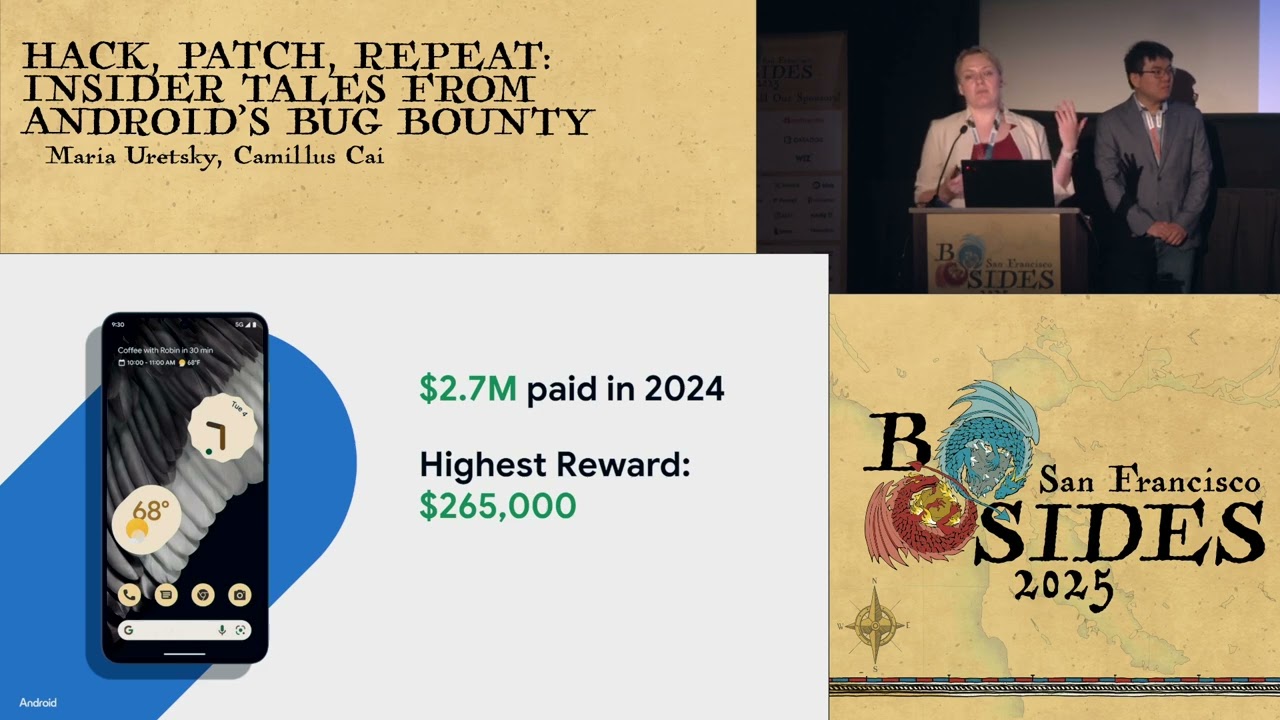
time to look at the different areas of Android, this is how you can know what are the most impactful areas to look for. Briefly mentioned exploit chains. We value exploit chains higher than vulnerabilities because they're not collection of vulnerabilities. This is a window to the attacker's mind. So we understand how attackers think and progress. These also take significantly more effort, but we'll we'll be happy to get them. Looking back in 2024, we paid 2.7 million to our researchers with highest rewards being 265,000. And with that, you heard about uh responsible disclosure about the VRP user impact ecosystem and our rewards. And let's move to the technical details. Hey, so before we jump into a bunch of
bugs, I want to set some background by briefly describing how Android security works. That's what the security model paper aims to do. It covers the top level design principles and the key bits of architecture that underwrites the whole thing. So the two goals here are to give you a rough road map so you can have some intuition about where these bugs uh lie in the stack and and I also want to name drop a bunch of things that you can look up if you're so interested. So for the sake of familiarity, let's start with the top- down view as you use your phone. Android is built around the principle of multi-party consent. So every party must agree before any action
is allowed to happen. In Android, we consider four different parties. The first is the human user. That's the real person who's actually using the device. And then the app developer is also a party to the consent model. Developers get a say in how their app is going to be used. Android, the operating system, is the party that enforces the whole consent model. Developers may have opinions on how their app gets used, but all apps are still constrained by what you, the user, have consented to. And this is especially important when it comes to things like permissions. The OS itself also imposes some of its own restrictions. And one of the key restrictions is no root access.
This is important because it allows users and apps to make assumptions about system integrity that could otherwise be hard to do. The final party is the enterprise. If your device is owned by the company, it might have a device administrator who can impose further restrictions on what you can do with it. Android is opinionated here and it only allows restrictions that make the device more secure. So as a general guiding principle, Android tries to make sure that all the user consent is both explicit and informed and this requires some notion of authentication and authorization. So that's what the lock screen or keyguard does. Android supports both knowledge factor and biometrics. So this often leads to a
classic debate about which is more secure. You're probably familiar with the textbook arguments supporting knowledge factors. In in practice though, the answer depends on your personal threat model. So knowledge factors are vulnerable to shoulder surfing in crowded places. A common phone tap scheme involves two people. One of them is going to create some pretext to get you to unlock your phone and enter your PIN. So they might ask for directions. And then the other person is watching intently as you do this. Once the pair has learned your PIN, they snatch your phone and make off with it. So now they have your PIN and through that also access to all the data on your devices. For most people, this is
probably a more salient concern. And if you if this describes your situation, then biometrics might be a better choice. Android's lock screen also has a unique problem. It allows any app to show its uh user interface even while the device is locked. And this is something this this this is how something like a messaging app can show the incoming call screen even before you unlock your device. The problem here is that device security is effectively delegated to this app that is presenting its user interface on top of the lock screen. You would expect it to take care of your data and reputable apps do so. But badly behaved apps can just as eas easily do
silly things like expose a file picker and let you browse photos and PDFs or show a web an authenticated web browser with cookies in it. Philosophically, Android prefers to give users more control. But this is a trade-off that also means users could inadvertently consent to some very invasive capabilities. So at a personal level, it is very important to be aware of what the apps that you install may actually be exposing. And in this particular context, as a developer, please be judicious about showing content above the lock screen. The lock screen also plays an important role in the life cycle when you turn on a device. When you un when a device has been unlocked determines what
storage encryption keys are in memory and what data is effectively encrypted at rest. So modern Android devices use a scheme called filebased encryption. That's that's what we call the feature but it might be more intuitive to understand it as file systembased encryption. In brief, there are two storage partitions. There's device encrypted and credential encrypted. The device partition is intended for some basic functionality things like the state required for emergency calls or firing your alarm clock. The user data mostly resides in the credential partition and this is only available after you unlock the device for the first time. This means there are two states that are relevant to device security. Before first unlock BFU or after first
unlock AFU. When you are before first unlock, all your user data in the credential partition is still at rest and encrypted. So even if you had a kernel exploit that gives you privilege code execution in principle there's no way to extract any of that credential encrypted data at this point after first unlock the key for credential encrypted storage is now in memory and it remains there for the rest of your uptime. So now that same exploit if run is going to potentially expose the full contents of your device and that leads us to a key insight. If you believe that your device is imminently at risk, then the best way to secure it is to simply reboot it. This puts your
device back into before first unlock state and puts your data back at rest. So that's the top down perspective. This is how you would experience Android security as an end user. So now let's look at the architecture that underwrites this. The first thing is the process. That is Android's basic security boundary and it's also its smallest unit of isolation. So this has implications. In particular, the Java virtual machine is not a security boundary. Don't rely on Java's security manager class to isolate code. And similarly, extracting something into a native library is not going to isolate it. If you want to achieve isolation, the best thing to do is to put it in a separate process such
as Android's isolated process. When you install an app, Android is going to give it a unique Linux user ID and this is how the system enforces the app sandbox. The kernel prevents processes with different UIDs from accessing each other's resources. There are a bunch of mechanisms, but the two main things are file system permission and SE Linux. So all untrusted apps on Android are sandbox and interprocess communication IPC mostly occurs through binder. Binder is implemented as a kernel driver under the hood. While it's the underlying transport, Android provides higher level abstractions that simplify IPC things like intents and broadcasts which you would generally interact with as a developer. So, if you're new to Android development, one of the simplest ways to
talk to another app programmatically is to create a message called an implicit intent. The message doesn't have to specify a destination, but it just needs to describe the capabilities that are needed in order to handle it. And apps that want to handle such messages define their capabilities in an intent filter. So, Android is responsible for routing that implicit intent to the correct destination. How does it do so? The code that does this is in activity manager service and it's in a it lives in a component called system server. System server itself is a large set of services among other things. It manages permissions. It manages apps and their life cycle and notifications. From a security perspective, it is the
gatekeeper for many sensitive operations and data. Accordingly, this is also where the typical Android bug is going to be found. So this is a special process. System server is the first thing that's fought from zygote and it runs with a special UID of 1000. While it manages Android permissions, it is still ultimately constrained by file system level permissions and SE Linux policies. So the last low-level concept is Android users and this is also where OS architecture meets the top down view of device security and the broader consent model. So think of a family sharing a sing a single tablet. Users as a feature aims to allow each family member to have their own isolated space
for apps and data. The same device security concepts apply. Each user has its own lock screen and credential encrypted partition. Users also exist in before first unlock and after first unlock states. And once a user is unlocked, it remains after first unlock for the rest of the devices uptime. Rebooting is currently the only way to put a user back at rest. The important thing here is that users are a purely system level abstraction. You can think of them as logical groups of apps and under the hood they are implemented as ranges of Linux user ids. In order to support Android users, every system API needs to ensure that cross app interaction does not also break
isolation. This abstraction tends to break down the closer we get to hardware. There is only one set of hardware and in many cases that hardware cannot be partitioned into smaller slices. SIM card is a good example here. It has one phone number that's tied to one registered subscriber and every person sharing the phone is going to use the same phone number regardless of how we try to slice things at the operating system level. So that's the general template of an Android feature. If it needs to isolate risky code, it will do so using a different process. A framework API would have some developer facing logic, but it would also do most of its work in
a system service. And all of those services need to be aware of incoming requests that might come from different users. With that context, let's talk about a few bugs that the bug bounty helped us resolve. All of these are fixed and if you search for the CVE number you will find the Android security bulletin they were disclosed in and also there's a link to the corresponding code changes. So back to users you might be starting to guess at the problem. There are hundreds of system APIs that must individually correctly maintain isolation. And in a large software system you're going to get mistakes. The most common problem is simply forgetting to check whether the caller has
permissions to interact across users. And in less common cases, we might incorrectly trust the caller to be honest about who it is. Or we could have lost the caller's identity over an indirection, such as writing a request to a file and then reading it back later. This bug from last year is a good example of misplaced trust in the caller that ultimately led to a, you know, a pretty textbook confused deputy bug. So the abuse scenario has two Android users on the device. We'll call them Alice and Bob. Ellis wants to obtain Bob's picture and in order to do so they install evil app. So Ellis tries to modify their own profile picture using the settings app
and then they choose evil app as the photo picker. Evil app returns a content URI which is which points to a resource but instead of pointing to a picture that Alice owns, it uses Bob's user ID and it points to Bob's picture instead. Users are implemented at the system level. So, one of the side effects is the settings app does in fact have access to Bob's picture and it happily loads Bob's picture and returns it to evil app and Ellis. So, the problem here was a missing authorization check on the content URI. And the fix was to verify that the resource is owned by the requester and to go load it with the requesters context instead of with
your own. That's users. Let's look at something at the system server level. The next two classes of bugs relate to the OS needing to store state. Each component in Android usually does this by writing to an XML file or to a SQLite database on the disk. So when it comes to an operating system, the first kind of issue is getting stuck in a boot loop. If there's a lack of sanitization or error handling, you might write a bunch of data that cannot be successfully read back. The OS needs to read that config file as part of boot, but the read fails and this causes the boot to fail. So the device restarts and then obviously it will go read the same
file again. In some cases, the only way to break out of this loop is to factory reset the entire device. We actually got quite a number of bugs last year on a cell phone in particular. We consider this very high impact, but getting stuck in a boot loop is not specific to Android. and the bugs themselves are not technically interesting. What's more interesting is a variant that we have been calling uh desync from persistence. So in the language of distributed systems, it is similar to what you might call a consistency problem. The OS needs to operate on state that is in memory, but it also needs to write that state to disk so that it can persist past a reboot. In
the current session, the data structure in memory is the source of truth. But once you reboot, that state needs to be rehydrated from disk and so the file becomes the implicit source of truth. In this class of bugs, the attacker introduces some kind of payload that is valid in the context of the data structure, but that also cannot be successfully serialized. So serialization is the act of writing something to a file. Typically we do this asynchronously for performance and sometimes errors in serialization do not get bubbled up to the logic that actually triggered the right itself. So when this happens every subsequent change to the data structure now no longer gets saved to the disk. Things
appear to work fine in the current session but on the next reboot the OS is going to start reading reading and working with stale state. And as you might imagine this introduces a bunch of security bugs. So consider the case where you think you have revoked the permission but somehow that revocation does not stick after you reboot the device. Here's a real example. So notifications on a device tend to contain content like message snippets and OTPs. So the permission that lets you read notification content is actually quite sensitive. Suppose you have a malicious app that has somehow gained this permission and now it wants to retain it indefinitely. when it gains the permission, the OS
updates some kind of structure in memory to reflect this and then that structure is written to an XML file. So what can we do to prevent the permission from being revoked? Well, in this case, the app calls another notifications API with garbage data. Again, this causes the OS to update the memory data structure and then try to write it to a file. But the write fails with an unchecked exception. So now the memory the data structure in memory and the backing file are no longer in sync. When the user or system does further things with notifications, it will again trigger a write but the right is still going to fail because the garbage payload is still in the data structure.
So none of these things will persist past a reboot. For example, if the you the user might try to revoke the permission and this would appear to work during the session but it never gets saved. So after a reboot, the OS rehydrates the in-memory structure by reading the policy XML. This still contains the record indicating that the app should be granted the permission and the OS goes ahead and regrants it. As a user, you would probably think that you have revoked the permission, but in fact it didn't stick. It's clearly a bad situation, but this is actually a relatively happy path. permissions are userf facing and the bad behavior is apparent through the UI if
you thought to look a second time. The bug bounty helped us uncover and fix other bugs that are far less observable. In some of these cases, the state was purely in the background and once you lost track of it over a desync, there is no way to detect and recover except by factory resetting the whole device. So that's system server bug bounty is Android's biggest source of security bugs but we also like as Maria mentioned it is a channel for responsible disclosure and we also get bugs reported via threat intel sources. Sometimes we end up dealing with uh bugs that are actively exploited in the wild. So phones contain a whole bunch of personal data. Uh what's arguably more
important is the direct and transitive access they have to other areas of your life. And because of this, there is a lot of interest from thread actors in gaining access to a locked device. USB is the most reliable way to programmatically interact with a physical device that you have. So here's what the USB stack looks like at a super high level. We start with attack surfaces before Android. Things like chipset recovery modes, fast boot, and the bootloadader. These things tend to be device specific. After boot, we have the USB chipset driver itself. Modern USB is pretty complex. Something as so-called simple as the fast charge pro standard actually involves a software protocol and a driver that runs in the
kernel. On top of the chipset, there are very large number of peripheral drivers that support random things that you might plug into your phone. Like all of these things run in the kernel and successful exploitation can give you privileged code execution. And then finally we have application level protocols like mass storage, Android Auto, etc. Now if you can infer or somehow assume that the device is already unlocked, then there's a tricky class of attacks that involve just emulating a keyboard or a touchpad and then injecting keystrokes, injecting tabs and spaces to trigger UI controls. In other words, this is the classic bad USB attack. So between Android and Google Pixel, we fixed bugs all over the place. Let's
look at one in particular. This was part of an exploit chain that was used by a rail tread actor. So when you plug in a USB device, the kernel will try to determine what kind of device it is so it can load a driver. It does so by looking up the product and vendor ID and a bunch of other fields in the USB descriptor. This bug affects the HID multi-touch driver. In practice, no one is hauling around some kind of fancy touchpad. The thread actor is emulating the target USB device with software. So, here's how the bug works. Somewhere in initialization, the driver is going to allocate a bunch of memory using K Maloc. Uh Kaloko does not
zero initialize. The driver is then going to call a function to get some data from the USB device and the USB device will reply with a bunch of stuff. If the data received is less than the length of the buffer, then the remainder of the buffer is not going to be overwritten. And I think you know where this is hitting. The whole buffer is going to be processed a bit further by the driver, but ultimately it gets reflected back to the USB device. So that uninitialized data leaks kernel addresses to the malicious device and in this case the thread actor used that in a subsequent stage of the exploit and in aggregate the whole exploit dropped them
with privilege code execution. So what was the fix here? Actually super simple. We use KZ alloc which initialize memory on allocation. So now the malicious device just get gets back a bunch of zeros. For me personally that's one of the elegant and somewhat horrifying things about this field. Here is a single misplaced letter that many steps later turns into some serious available consequences for some people. So obviously we need to fix these bugs and that's a minimum. Uh, I'll yield to Maria who will talk about how we turned this into something more durable. Yep. Thank you, Kaml. That's really inspirational the debugs. Um, and let's let's move on. So, fixing the bugs and breaking the exploit chains is not where
the story ends. The real value as K mentioned in the VRP is by identifying the trends and risk areas and then funding a proactive uh mitigations to burn down risk and improve the security. So let's start by looking some numbers from last year. So last year we processed 2,157 reports. Each report takes between several weeks to several months um until it gets processed. And the report goes through several stages between discovery validation reproduction assessment, and then routing, fix, and release. Each one of the stages takes a different team and involves many eyes that look and read your report. Last year, we worked with 425 researchers around the world, which is really cool. And out of all these 2,00
reports, we found 409 high and critical severity items, which means we were able to identify several patterns that are happening and got reports in groups and risk areas which we then could fix as a holistic mitigation. Let me share one with you. So ball is a background activity launch. This is basically when an app that you once installed, a potentially harmful app or a spam app can trigger an activity on your lock screen or uh home screen. So this is how it looks like and imagine yourself ordering a cab, ordering food, doing something with your device and then suddenly you get an ad. Obviously most probably you'll you'll click it by mistake. So this is a big problem as
it's also annoying but um it makes users more susceptible to fishing certain kinds of users and the it bypasses operating system definitions. So we were seeing this popping up in the VRP and the VRP helped us identify the researchers help identified where and how this operates so we can build mitigation that uh remove this behavior. So looking back on this mitigations that we implemented looking before and after we were able to see that we slashed it by almost 50%. Which is a huge win. It means it's harder to make it happen right now and it's harder for both our researchers and the actors out there. Another example is the shift to rust. The shift to rust is
a big big effort that you probably heard about. It's cutting those memory safety issues, the out- of-bounds rights, reads, ufs from the source. But again, it's a big uh big effort. So, one of the biggest justification for this from our end was the fact that the bug bounty for years had a very big portion of its high and critical severity items as memory safety report that helped prioritize getting rust and fixing them. And as you can see, this year we could see 32% less of them. Okay, so we discussed mitigations and how do we see their value. Now let's see how do we we look forward where should we um focus. So we go back on our
bulletin release and we um extract the components where were the problems where were the vulnerabilities that were reported to us and framework is just a big surface and we will go drill down to it but you can see also system UI and media framework and connectivity connectivity is Bluetooth Wi-Fi and NFC all came reports to us in 2024 so this is looking at Android framework you can see window manager, accounts, companion devices, companion devices, uh where OS component, uh multi-users, package manager and permissions. Looking at these items helps us to identify the exact permissions, the exact behavior of package manager and work with the subsequent feature teams to help put more layer defenses, defense in depth.
Maybe we need to uh restructure the design. Maybe we need to approach some features differently. So this is where we get inspiration from the VRP data. So your research can help us also figure out where the problems are and work to make them better. So hopefully you're all excited and now want to run and find vulnerability in Android. And how do you do that, right? Uh it can seem scary because the Android operating system is is is a beast. It's a huge code base. So the best thing to get started is as I mentioned go read the Android severity guidelines. This is very helpful to make you focused. Then the Android as as we mentioned before Android security
bulletin it's very very helpful. You can find the previous fix CVE and understand the fix and then it can give you inspiration where can you find more of these. Um the items that came um explained today are also important and you can think about where you can find more of them and Android Studio. So then install the tools Android Studio start playing with toy apps, see how this operates, how the um apps behave, start coding and then when you find the vulnerability, submit this to us. We'll be happy to see your name. Okay, before we sum it up, couple of dos and don'ts. So do state your threat model and assumptions. The best bugs uh the best
vulnerabilities are not the functional bugs. Okay. So help us understand where are you coming from. Help us understand in your report who is the user, who is the attacker and what the attacker tries to achieve. It has to have some security value to the attacker because we've seen reports before about um possibility of bypass of flashlight permissions. So an app can make the user's phone put the flashlight in random times. This is bad. This is a functional issue, but an attacker has limited um capabilities with that. Another one is provide a minimal reproducible PC. As I mentioned before, if you give us a very big PC that has bunch of external dependencies, network calls and other items, we will not be
able to run it. So we will still talk to you, we'll come back to you and we'll ask you, hey, can you please reduce it to the minimal set of uh code that we need to actually reproduce your uh vulnerability. So you can just save this time of back and forth. Another one is nice to have is one bug per report. It makes processing easier. Um CVS, everything just flows better unless it's an exploit chain. Don't please don't send us LLM reports. These are great tools for research. um and writing reports is the LMS are amazing. But the only problem is when you use whatever you just ask it to generate a report and send it to us, it
makes the the our work really hard because we do try to figure out what's going on then and we try to figure out what is the real um vulnerability. So we're trying we we are assuming you found something and we're trying to investigate it. Um but it just uh creates a lot of spam on our end. This by the way is also correct for other tools like scanners and fuzzers. So if you do have a scanner or fuzzer report do a reachability analysis. So let us know how it can be reached from a production API and like us real user scenario because sometimes you fuzz too low on the stack and then not providing a reachability analysis would just
result in NSI. And last one is update your Android Studio. It's relatively easy and it will make our processing faster so we can get get back to you faster. And with that, h I want to thank you for coming and we'll be out for questions. Uh thanks everyone. Um they if you have some questions for them, if you want to meet them on the side, uh actually out in the front of the theater, they're happy to answer some questions. In the meanwhile, um just a reminder that coffee is available until 4 if you need it. Uh otherwise, uh you should have all gotten two complimentary drink uh coupons. So, there's non-alcoholic or alcoholic drinks. Use your coupons. Enjoy. And um
head shot all day today and right outside um the talk tracks by the concessions. So, thanks again for coming and uh see you at the next session if you're sticking around. Otherwise, our speakers will meet you out front. Thank you.
Related talks
 9:40:42
 47:39
47:39 48:57
48:57 26:43
26:43 48:31
48:31 39:58
39:58