Unlocking MacOS Internals - A Beginner's Guide to Apple's Open Source Code
Show original YouTube description
Show transcript [en]
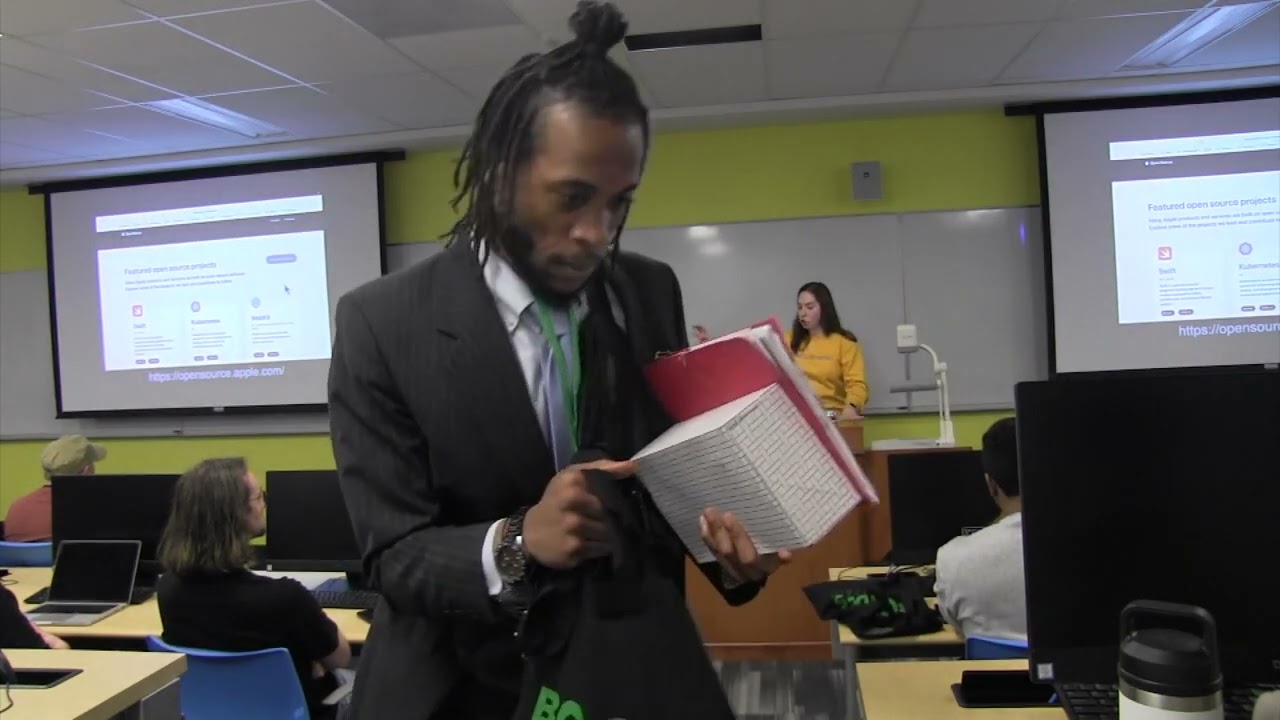
Okay, our next talk is by Olivia Gluchcci, unlocking Mac OS internals, a beginner's guide to Apple's open source code. And Olivia is a senior engineer at Secure Infra and author. She's the founder of two companies, Offensive Security, Offensive Services, Security Consultant, OGI, Fitness Personal Training. Graduating at the top of her university, Olivia is passionate about education surrounding freedom, open source software, assembly, and security research. She previously worked in offensive security at Apple, US government, and Dowo. Outside of cyberwork security, she enjoys competitive sailing, cooking, reading, and reading about famous nerds. Put your hands together for Olivia. Uh, hi everyone. Uh, thank you so much for being here. Uh my name is Olivia Galuchcci and I'm a security engineer at
Security Infra which is a uh security consulting MDR research firm in Germany. And today I'm going to walk you through the foundations of Mac OS internals and how to start exploring them using Apple's open source code. Um and so I'm just going to start off with some basic definitions. So what is Mac OS internals? So Mac OS internals are the underlying components that make the system work. the X andU kernel, process and memory management, system libraries, SIS calls, device drivers, basically everything that runs under the graphical user interface. It's the difference between what you click and then what happens when you click something. Mac OS internals matter in so many contexts such as security research, performance tuning, or just
debugging some weird system behavior. It lets you analyze vulnerabilities, understand potentially undocumented features, and even patch behaviors. And there's a bonus for iOS re researchers which is that Mac OS and iOS share the same like core. Now I want to address the elephant in the room. No worries. Um I want to address the elephant in the room which is Apple secrecy. And so it secrecy is in my opinion problematic for a lot of reasons. Um but not all of Apple is closed source. A large chunk of Mac OS and iOS specifically is actually open source. Apple publishes the XU kernel, system libraries like lib C and lib dispatch and Damon's like launch D and various other things. Apple actually has
around like 400 repositories on on GitHub and so anyone can go online and read the code that is on a Mac or iPhone. Of course, Apple doesn't release everything. Some frameworks like Core Foundation and UI Kit are closed, but what is public is incredibly useful if you know how to find it and work around the gaps. Excuse me. Okay. Goodness, that's what I get for drinking soda. But anyways, uh now let's explore the intersection between uh the computer's architecture and its operating system and Apple's open source software. So to understand Apple's operating system and its architecture, we have to talk about Darwin. Darwin is Apple's open-source Unix-like operating system. It's the foundation of both Mac OS and iOS. And at the heart of
Darwin is the X and Ult for X's not Unix. It's a hybrid of the Mac micro kernel and BSD. Uh Mac handles like task scheduling, memory and interprocess communication or IPC. BSD adds the posics APIs, networking and file systems. And IOKIT which is written in C++ manages the hardware drivers. There's some other things in this mix too. This graph is a little or chart is a little oversimplified, but we're not going to be getting into those things today. The point is is that when Apple builds Mac OS or iOS, they're layering proprietary features like the guey and frameworks on top of Darwin and XMU. So, yes, Mac OS and iOS literally run on the same base OS. Here's just a cool diagram
of how Ubuntu and uh Mac OS compare. It doesn't really serve any purpose in this presentation other than uh maybe being helpful for people who like Linux. So, um I'm just going to leave this up here for a moment. When you when you mention BSD, is that permanently forked from the original BSD or are they still following the BSD that's in development? It is that. So, no, it is there is like a deviation between the two. I don't get into that in this presentation, but I do have a separate presentation which I'm doing in September about those differences and where they differ because if you focus exclusively on like VSD and how like if you were just like oh I'm going to go
download VSD and I'm going to run this as my operating system there there is going to be differences as well as the things that are overlaid on top of it in terms of security sorry in terms of uh security research as well because there's different protections on Mac than there is on in BSD. So the the way that they function in terms of an internal research standpoint differs. Um so there there was a very very strong like common ground there at one point. The same thing is actually for uh all the Apache stuff as well. Uh so yeah it's it's true for both both projects that there's limitations. Okay. Thank you. Um okay. Yeah. So now we want to
explore that share foundation. Um it and also to clarify if you go back far enough yes they are the same but it's it you know it's like years ago. So um but yeah so here's a table comparing um some system services and dammons. Um you'll notice that you know launch D MNS responder the preferences Damon uh power D uh and others run on both platforms. Sometimes they're even identical and this this is just a few of them. I only had space for four on the screen. So um because of this you know vulnerabilities found in Mac OS demons can also exist in iOS 2 and as you can guess it's an advantage for researchers. You can debug
and reverse Mac OS binaries which are in my opinion easier to work with and uh apply that knowledge directly to iOS. Another important note is that uh iOS is generally considered to have more restrictions because it has stricter sandboxing entitlements and application isolation. But underneath those constraints, the inner workings are are and code can often be the same. So what is actually available? Apple publishes a range of open-source components like the X andu kernel, core libraries like lib system, libc, lib dispatch, and subdammons like launchd. These are all downloadable, inspectable, and even sometimes buildable, but they don't publish everything. Missing or partially available uh components include core foundation, CF network, launchd in recent releases, iOS specific
drivers, the full dynamic linker, and their crypto library called core crypto, which comes with a legal like legal restrictions like the 90-day then delete policy. So a quick note about this deletion policy is that Apple announced in 2015 that it would disclose the source code for three crypto libraries. Core crypto, common crypto, and the security framework. However, core crypto's license is an internal use agreement, not an open source license. By downloading Core Crypto, you must be an authorized Apple developer and explicitly agreed to Core Crypto's internal use license. And under that license, Apple grants you a 90-day limited non-exclusive non-sublicensable license solely to copy, compile, and run core crypto within your organization on devices you own. Um, again, for the
purposes of, you know, verifying the code security and correct like any functioning that might be not happening, right? And so you must include the uh license notice in all copies as well as uh only use it for those verification purposes. The license ends after 90 days and upon termination you quote agreed to seize all use of Apple software and destroy all copies. In other words, after 90 days, any copy of core crypto must be deleted and no longer licensed for use. On top of that, Apple's source drops are often incomplete or outdated. you'll see headers referencing files that just don't exist and tarballs without build instructions that are just they're completely missing. Um, so while
open source Apple's open source software is a gold mine, I think it's really important knowing that you will uh hit some walls. The big idea here is that Mac OS and iOS share the same core. Apple open source is more than most people think, but not everything. And navigating that code is an essential skill for internals research. I'm sorry. Is there Darwin kernel available? It's it's open source, but is it only support processors, Intel processors, or would they have sourced soil? Yeah, compiling it's hard for but uh yes, it is open. Um yeah, it's open. They actually have on uh open source.app apple.com if you or no don't actually go there that is their website but go to
their GitHub um which is called Apple OSS distributions they do have that and XM as well so um they they have they have both um and so now we're going to talk about how to actually find and use this open source code so Apple's open source a surprising amount of code and uh but I guess it's more of a but from an outsers's perspective it was also kind of redacted slash uh hid past releases of said code and has moved a lot of this code around online. Thus, depending on how you're going about accessing this code, it can be really difficult. For example, a tutorial written four years ago that includes links to Apple's downloads or open
source repositories like it if that tutorial links to it, that tutorial will probably include exclusively links to 404s. So then why where do you find the code and what does 2024 have to do with it? Historically, Apple published its source code as gzipped tarballs on its open source website. And these archives were organized by Mac OS version. So things like, you know, x andu92.41.9.tar.gz and so on, right? And that worked until it did. In March of 2024, Apple began retiring these direct downloads and now the primary home is its GitHub organization called uh Apple OSS distributions. Each component, you know, now has its own repository tagged by version. So instead of downloading from Apple's website,
you're grabbing the release zips for browsing GitHub. So now, how do I navigate GitHub? Well, you know, each repository follows a basic, you know, format with the name like XNU, libes, batch, or lib C, then a set of tags like XNU84.91.4, four uh which map to specific OS versions and then a release field uh if you're lucky that will tell you the Mac OS or iOS version that it links to. But unfortunately um there's kind of a catch in that Apple just doesn't like explain these mappings clearly. And this is extremely important because you can't often explore all this code properly if you're not using the exact version of Xcode used to develop this component.
For example, XNU version uh 8792.41.9 corresponds to Mac OS 13.4. And again, Apple doesn't just tell you that. You have to infer it by checking their release pages or using community maintained lists. The lists I use is actually Wikipedia's uh Mac OS version history. And unfortunately, there's, you know, many challenges with Apple's open source, which I will begin to, you know, cover the main three. The first is delays. code usually appears weeks or months after that OS ships. There's no warning, no schedule, just a coming soon. Sometimes even for, you know, six plus months after the the OS has shipped, it's still just a coming soon notice. And then next is incompleteness. Some tarballs are missing files. Headers
reference code that just doesn't exist. And then entire components like core foundation or, you know, newer launch D builds are just like MIA. And then lastly is tag confusion. uh tags like you know x and new8796.121.2 mean nothing unless you know how to decode them and that's why learning how to use git learning like project structures in general um and just knowing how to use git and github in general is so important in these situations. Now I want to explore a few more uh tips and tricks I use. The first is I check the release field and the repository metadata if it's available. If it ever says something like Mac OS 13.4 that's old use it. Rarely does that
happen, but you know, if it's there, use it. Um, I also use Apple's distribution manifest to cross reference the components for release. Distribution manifests are XML files used by Apple's installer to define and orchestrate uh things like, you know, content, scripts, and conditions of whatever the Mac OS package package installation is. And this makes them valuable for us to uncover installation logic, component versions, and any sort of hidden behaviors. Um, and also Apple's distribution manifests are embedded inside Apple's installer packages. For example, you can like download a a file um like a app or a standalone package or pkg and then you'll right click on show package contents and then you'll find a file named distribution which is an XML
manifest and that's at the the top level, right? And then lastly, I look for clues in the binaries themselves. So something like, you know, version strings or source file names, uh, using like the strings or what program to figure out which project a binary came from. And so what I've learned is that finding the source code is doable, but it can be kind of messy. And again, Apple doesn't make this easy, but with a few few like slooping tricks, GitHub, and some trial and error, you can usually find uh Apple's major system components with the caveat being that it might be a much older version uh than what you might want. So, yeah. Now, I'm going to actually
show you how to uh use this source code, especially when it's incomplete, to do reversing and security research. Specifically, we're going to be looking at how to use Apple's open source code to examine system binaries. Even though the code is often incomplete, it can still guide your research. It the key is kind of to treat it like a map. You might not have the full territory, but the landmarks are real. And so what I do and what many other security researchers do is they use Apple's open source code as a reference while working with the the closed binaries, right? You take a binary like launch d sislod a kernel extension or whatever you want and then
use the available source code to do various things. For example, I might try to match known functions. This helps identify familiar code in binaries making it easier to understand behavior and verify functionality against Apple's open source implementations. I might also try to annotate call patterns which reveal how functions interact and in what sequence allowing me to infer program logic and detect deviation from expected behavior. Lastly, I might try to reverse unknown logic. And although this is really difficult, attempts at this enabled me to uncover the purpose and/or vulnerabilities of software that lacks source code. And you do this usually make like utilizing the structure and or context to reconstruct what it does. Essentially, even when symbol names are
stripped, you can use structure, string contents, or known sys call usage to map back to the open source code. Here are four tools for this. And if you've already been in the reversing space, these tools probably are not new to you. First, there's strings, which dumps human readable strings. And there there's other programs that can do the same thing in a more effective way, but I think strings is easy to remember. Um you know sometimes you know strings will include things like you know debug messages, file paths or even format strings and then there is what which extracts uh like version and project information from binaries. There is nm which lists symbol names especially in
unstripped binaries or frameworks. Any unstripped binary contains symbols and debug information like uh function names and variable names. Whereas a stripped binary has like all that information removed to either reduce size or into reversing. Um Apple publishes the source code for for many components, right? But uh it doesn't distribute the unstripped binaries. This would be something you'd have to do once compiling, you know, everything yourself. Instead, the downloadable Mac OS packages just contain the the stripped binaries, right? And so you might be wondering, what does this mean? Um, as I said, Apple's Mac OS installers and update packages do not include, you know, unstrip symbol rich binaries. In fact, Apple's default build settings strip out debug symbols like you can see
in Xcode um retain all binaries defaulting to no. In practice, all shipped system binaries from the kernel, you know, /bin to user/bin, right? Um, all these executables are are stripped with the local symbols. And again, Apple provides no public uh repository of these unshripped Mac OS binaries, but you can find them via developer only downloads. For example, the kernel debug kit in Apple developer uh has like a a special like symbol packages area. And if you need the symbol information for Mac OS, you must rely on these developer resources which is known as the KDK DSIM files. and uh or you have to rely on the the open source code releases and compile them yourselves. And just so
everyone's aware, um KDK DSM files, these are debug symbol bundles included in Apple's kernel debug kit that contain dwarf metadata for the Mac OS kernel. It like its extensions and all that. And it just pretty much enables symbol resolution during the kernel debugging process. And here the dwarf metadata is like standardized debugging information and it's a format that kind of like maps compiled machine code back to the original source code. So could be things like uh variables or even line numbers and like types as well. And this forces the debuggers to separate kernel debug kit stuff um if you want those kernel symbols I guess. So in short, none of the enduser downloads are going to have
these uh you know symbols. And then lastly, in terms of the tool, there's class dump which extracts Objective C and method definitions. It's great for finding things like interface information. And through using these tools, I can figure out, you know, which open source package a binary came from or uh what APIs it's using, even if I don't have the source code for that exact version. Okay, so before we get a bit deeper, I just want to cover a few more basic things that will be really useful in the next setting. What's up? I just wanted to ask a question about a class dump. That's a basically a copy of it's like a copy of the current what's going on
system, right? Yeah. Um custom data dump is basically a copy of recording of data that's being used right there. So, I'm just asking is that what it is? Can you please speak louderly? I'm very bad hearing. Um, uh, a dump right there. Class dump. Is that really much just basically a copy of saved information of what's going on currently right there is what I'm looking at. Like the system state. Yes. The classes within the data file itself. Yeah. Okay. So, it does that and it also does it for for methods as well. Okay. So it'll have both and it will just kind of outline all that information. And at least for me, the way that it outputs
this information is much easier to understand if you were to like rather than like popping it into some like IDE reversing setup. And that also like yes, I do that all the time, but like it it takes forever. You got to open it up like you could just run this and it's like oh I'm going to copy and paste and send it on Slack like Yeah. Yeah. Sorry, I have a quick followup question. Um when you say binaries in this case you mean so basically the equivalent of machine code and then tools like this can extract the uh like the function signatures and stuff from that binary. Yes. And it can also do other stuff as
well. I'm pretty sure you can you can run this program on just like a a normal file too. Like someone should check should check me on that but I'm pretty sure like you don't even have to have it like compiled. And so I know this one works exclusively for from my knowledge. I've only used it exclusively with Objective C, but like under that logic, like I feel like it should be able to do stuff with with Swift and probably Python as well. Um, and then one of my friends, I'm not sure if this was something he made, but he was able to do something similar to this, only extracted from um like a like a um uh a
C file. And so I don't know if that was like a a custom thing or whatnot, but I'm pretty sure like it it should be able to do it either way just because this information like like if you have the source code like this information isn't hard to get, you know? Uh and so this this is usually just when you have the the compiled code and whatnot because that's when it becomes difficult to to like get this stuff, you know what I mean? So So but I'm pretty sure it can do do it both ways. Um like when I was talking about that whole Slack thing like oh you're lazy you don't want to open it up somewhere like why write out
that information so I'm pretty sure I can do it with with both. Yeah I was just wondering how because it's I mean I don't know the inner workings of it but if you look up class dump like this is a pretty popular tool. So um but yeah and so before we get bit deeper I actually want to cover some of these languages I was talking about. So there's Objective C and Swift which are the primary languages used to build Mac OS. Oh, and the the place you should look is hack tricks and then go from there. Um, but yeah, uh, especially if you're looking for like Mac OS specific stuff, that that's where I would go. But, um, okay. So,
Objective C and Swift are the primary languages used to build Mac OS and iOS. And so Objective C is like the older legacy language still found in you know many system frameworks and older apps while Swift is like the new and preferred language for development across both platforms and understanding Objective C in Swift is often helpful for reversing binaries and apps and APIs and whatnot because you know often what you're looking at is is written in these in these languages. Um, thus knowing, you know, their syntax, uh, memory models and runtime behaviors can be really, uh, important and helpful when it comes to how code interacts with things like device frameworks and the underlying internals. Another thing to
know about is Xcode. And also, I just want to point this out because some people get really weird. Xcode is an IDE, but you can also use it from the command line. like you don't like yes you can install the giant Xcode and all that stuff and you will often need to do that but like there's multiple things that are technically all called Xcode. So we're talking about the IDE here and the general setup of the IDE. We don't get to get too into it but some people get really like ify with it. Um but yeah so um this is you know Apple's official IDE for creating software. It provides the tools, compilers, and runtime support needed to
write, build, debug, and run Objective C and Swift applications. It exposes frameworks, debugging tools, and system headers, which are all like OS provided files that declare, you know, system APIs, types, and macros that help analyze how software is structured and functions. And knowing how Xcode works and like knowing just how to use it in general is really good because it provides all these tools for inspecting, debugging, and rebuilding MacO binaries and their symbols and a familiar IDE. A great person to watch do this is Bryce Boswick. He has tons of videos where he debugs and reverses iOS apps. Tons as in like six. Um, but he has like a super awesome setup too which really lets you
see exactly, you know, how he's using which tool and his workflow and all of that. and uh I really appreciate his work. So yeah, there's also disassemblers and debuggers. A debugger lets you run and control a program to expect its execution while a disassembler statically translates compiled machine code into assembly instructions for analysis. So in general, debuggers are valuable for observing and manipulating a Mac OS components live execution, setting break points, inspecting memory, and tracing API calls. Well, disassemblers let you statically examine the binaries machine code and reconstruct its logic to identify security like relevant routines and vulnerabilities. And so there's a lot of tools in this sphere. So I'm just going to give a brief overview of each.
And some of your employers might have these tools already available to you. So you might already have some for free. Um so yeah, first is Hopper. Um, Hopper is a Mac OS and Linux tool that uh, disassembles and decompiles binaries letting you explore and analyze the the code. Um, Pedra is a free and open source monetarily free and open source uh software uh, suite from the NSA uh, you know offering you know disassembly, decompilation and scripting for a wide range of architectures. And then binary ninja is a commercial platform by vector 35. it has a built-in compiler, interactive analysis features and like a Python API for um like automating these inspections. And then last at least in
the application domain is the IDA interactive disassembler which is considered kind of like the industry standard. It's very expensive. Um it's a proprietary disassembler and debugger by hexrays and it's known for its interactive analysis and uh decompiler plugin. And so now I just want to move on to the strictly debugger space. There's LDB which is a default debugger on Mac OS. It's part of the LVM project and it's used for uh like stepping through code, setting breakpoints and all the standard like debugger thingies, right? And for reference, LLVM is the modular compiler infrastructure and toolkit framework for you know C lang and LLDB. and it's you know just foundational for you know doing all things that a debugger should be be
doing as well as you know understanding compiler generated code and its corresponding runtime behavior. There's also GDB which I'm pretty sure everyone's familiar with. I will say though this one isn't used as much to because I believe of code signing issues. Don't quote me on that but I'm pretty sure that's why it's not used as much in these contexts. And then there is Freda which is a uh dynamic instrumentation toolkit that lets you instrument functions at runtime effectively acting as a debugger for live processes. So Freda is kind of like a is like a high-tech stethoscope and scalpel for software letting you kind of listen in onto the program's heartbeat and even perform surgery on its
functions while it's still awake and running. In reality, dynamic instrumentation is the process of modifying a program's behavior or collecting data from it while it's still running without changing the source code or restarting it. And in the analogy, uh dynamic instrumentation would be like the act of placing the stethoscope or uh using the scalpel where the patient aka programmed is full still fully conscious and uh functioning. And this kind of just allows you to monitor and or tweak what's happening inside without, you know, pausing or cutting the patient open beforehand, which I guess would be symbolic of uh without stopping or modifying the source code. Another example of this is hooking. In reality, hooking is a technique that
is used to intercept function calls or messages in a program to observe, modify or redirect the behavior. But in the analogy, hooking is like uh like attaching a sensor or rerouting a nerve if that's like a thing um mid midsurgery. And so you know you'll inter intercept a specific signal like a heartbeat to observe it then change its response. So you know in a human you don't want to stop it but I guess in a program that would be the thing that you would do or send it somewhere else all while the body continues to function. And then lastly there is instrumenting functions at runtime. um that whole component injects code into functions like via live application to monitor or
alter their uh execution during the program's operation and this way you can you know watch how they behave in real time collect data um tweak how they work all that good stuff right I uh overall this tool and process is kind of useful uh is actually extremely useful for internals research because it allows you to observe analyze and modify ify the behavior of system components and processes in real time without needing, you know, the code or restarting the system. If you want to set up Winfreda on Mac OS, it's a really great tutorial by this guy named Tom. No, I don't know his last name. It's just Tom. But, um, it's a threeminute guide and he does it in such a beautiful
way that like you don't really need external resources. And then, you know, if your if your computer hasn't been set up to like hasn't disabled stamp and all that, in reality, it's going to take you much longer than 3 minutes to set it up. But that's really all you'll need. And then lastly, um there is like radar and all this stuff over here. Um and this kind of supports this thing called scriptable debugging. And it's a very very useful tool, but it's kind of a whole rabbit hole in terms of how useful it is. So if you want to, you know, get really deep into this stuff, check out RDAR and all that sweet, but it's it's
going to take you a couple hours and it's very cool. But yeah, um, one other note is that IDA, there's the IDA Pro debugger as well as um, the like a binary ninja plugin that does something similar that has like memory inspection and whatnot. Um, and yeah, so I don't have a strong favorite personally, but I have the most experience with Gedra because it's it's free. I also appreciate, you know, Binary Ninja offering a student discount cuz those things go a long way when you're learning on a budget. I just graduated from university 3 weeks ago and you know finances have definitely played a role in which like tools I've been using and you know some reversing platforms ID up
um is like really expensive um and as someone fresh out of school and like managing these life changes like that's really important and so I I literally have like a financial game plan and how I plan to like explore these tools. Um the the first one I do plan to to purchase though is the full suite for uh binary ninja. And even though I didn't use their really good undergraduate discount while I was in school, I just want to support companies that do offer those discounts. So that's why I'm going with them. Also, there's a lot of debates about which tools the best out of these. And although I think some of that debate is warranted, I think it's
kind of like choosing a programming language when you're starting out. That that choice feels huge. But once you pick one and get comfortable, switching between platforms or tools in this case, this becomes a lot easier. Like every time I've used one of these tools, like the interface is similar enough, like I can understand enough of what's going on to uh Gedra that like it's not this like giant chump. Um, and you know, after gaining that experience, I kind of just look back and realize that agonizing over that initial choice wasn't as important as just starting. That said, my current favorite is Gro, mainly because it is monetarily free. Um, all right, back on track to the
internals research process. Now that we have all the tools in mind, we can advance to the point where I want to go a bit deeper. Here I would generally use like a process known as binary diffing which is the process of comparing two compiled binaries typically before and after a patch to identify changes which helps pinpoint like patches or vulnerabilities even without the source code. So there's tools like bindiff and diapera that let me compare two binaries say before and after a patch and you know maybe spot those uh changed functions. And to give a theoretical example, we can say like let's say Apple silently fixes a vulnerability in SLOD. I could try to diff the old and new binaries and
immediately see which functions changed. I could then GP the open source code for that function, reconstruct the patch logic and then reverse the vulnerability from there. And if you prefer Gedra, the kernel cache plugin lets you load X and U uh fun function signatures into the kernel cache and it like automates uh like it like auto labels I guess like the the kernel functions using headers which can be a huge timesaver. And in the academic sense we can even look at like a real world example of this exact thing happening. In 2016, a researcher named Oxx Reverser uh used diaphra to diff syslog d from Mac OS 11.2 to Mac OS 11.3. Only this function had changed and
as you can see on on the code on screen in syslog D's add locked on session function the call to read alloc F+4 was changed to real alloc F* 4 + 4 to allocate enough space for each session and prevent a heap overflow. And a heap overflow occurs essentially when the program writes more data to a dynamically allocated buffer than it was originally allocated to hold and it corrupts the the adjacent heap memory. It's kind of like having a a row of mailboxes where you know each mailbox aka a buffer has you know room to fit in the like a fixed number of letters, right? And if you cram too many in that mailbox are going to like fall out,
right? And when they fall out, they might get on the, you know, street which could be wet and muddy. That could then H sounds like stack overflow. Yeah, but it's very similar. Yeah. And so it just, you know, now your letters are all muddy and now you can't read them because all the ink is Yeah. all messed up, right? And so in this case he didn't he didn't hurt the heap. Um so all the function although the functions and call graphs remained identical here. And inside this he found a string that read add lock down session reallock failed which led him straight to the uh vulnerable code inside Apple's open source syslogd. So this surgical diffing process is how
some vulnerabilities are reversed after a patch. It's this is like especially important given that security fixes often need to be applied across multiple files and locations. For instance, suppose you patch identical code at files one and two on Mac OS, but neglect to update files four and five. In that case, the unpatched files four and five still contain the known vulnerability, leaving your system at risk. And since this operating system is so big, the chances that files four and five are actually going to be updated are are very slim. And that's how I know a lot of people get like their first like bug bounty with Apple. So yeah. Um and there's also the case of like if iOS if
an iOS version of you know file one is updated but it's Mac OS equivalent is not you know there's a Mac OS still remains vulnerable and there's your your bug bounty there right the same actually goes for for kernel extensions right by dipping ks kx to cross versions researchers have found changes to external method tables servicing new and/or patched vulnerabilities um surrounding entry points and IO kit uh as And as a reminder, IOKIT drivers were the um the things written in C++ and all that at the beginning of this presentation. Um it's like a there's an IOKit architecture which is a whole other subsystem and part of uh Mac and it just kind of manages all the device
drivers and services on Mac OS. So what we can conclude here now is that even partial source is powerful. Combine it with binary analysis and you can reverse Apple's systems with some surprising accuracy. You're not really you're not really flying blind. You're kind of flying with like half a map, a flashlight, and some really good tools. Okay, so you're probably wondering now, can I just build Mac OS? I too get ambitious with my findings and I'm like, time to compile Mac OS from scratch. I have since learned that compiling these components yourself or at least for me um is only sometimes possible and almost always painful. I'm sitting there with Apple source code downloaded and I'm you
know ready to compile whatever it is that I I downloaded and after hours of frustration and you know dreams of achieving this like new mental research PR I kind of sit with the truth which is that you or again maybe just me can't just build Mac OS um not completely not cleanly and definitely not without a lot of uh frustration so what makes compilation hard well it's hard due to three main reasons the first is incomplete source code Apple regular regularly uh amidst proprietary or device specific code. There's instances of um like all ARM ARM specific assembly being stripped from iOS X andU missing power management subsystems like XCPM. Um some and some like important very
device specific things like like drivers and frameworks for example have never and probably will never be released that are like years and years old. Second are environment mismatches. So Apple builds like all companies, Apple builds with internal tools and exact Xcode versions. If you're off even slightly, you'll like you'll hit things like missing headers, undefined macros, compiler flag mismatches, and linker errors. And then lastly is sparse documentation. Although I doubt this is like new for anyone here. If you've been working with Apple systems, you you probably won't even get things like build instructions. There's community guides, sure, but most of it in my experience is just trial and error. And at least for me, I kind of
feel this this feeling of like excitement and confusion and sometimes anger throughout this whole process. And you'll spend hours resolving dependencies that Apple has never documented and patching quirks like what you see on screen. And and this isn't a joke, by the way. This is a real build fix um from a Mojave X and U build. It's just that and so if you can't fully build the OS, why even try? Well, you still get huge value from, you know, reading the build scripts and headers, tracing structure and logic and compiling parts like lib dispatch and, you know, testing in controlled environments, even if said patches are kind of janked on some OS version from like 10 years ago. I like
to think of this build as a reference model, not a product. And one tip I have is actually to use the iOS simulator on Xcode which allows me to obtain working binaries with symbols less cache extraction pain. It includes you know standalone dial frameworks uh with public symbols ARM 64 slices and versions very similar to like iOS real iOS devices I guess you could say and then you can load these into IDA or gedra and reverse cleanly like there's no jailbroken devices is required here and I think this is a really amazing shortcut because when the source code is missing you still might want to have visibility into system frameworks and all that said is that uh
you know compiling Apple's openour or software is hard um and incomplete but often worth it. Every build error will teach you something about how Mac OS is stitched together. And again, I try to use this process more of a as a learning tool rather than a goal. That said, what did we learn? Mac OS and iOS both run on Darwin, Apple's open source Unix like operating system. That means what you learn on one usually applies to the other. They both share the X andu kernel. Many system damons and tools are crossplatform. like much of the good stuff like launchd du lib etc are all available in source form Apple might be secretive but it's open source code is
one of your best resource resources research tools and whatnot um you just got to know how to to use it and so what is the strategy here first use the open source code that Apple does release study the headers read the build scripts and match symbols and call patterns second when things are missing thing reverse the binaries and then you can use you know tools like strings nm class dump bin diff or gdrop combine static or and andor dynamic analysis diff updates follow any breadcrumbs if you can find any cuz sometimes you will actually get like a a debug message which is wonderful and then whether it's Mac OS or iOS internals are usually more
open than you think at least in my experience and those those gaps are usually reverse engineerable with the right tools and this talk pretty much gives everything you need to start hacking these machines. It's not it's clearly not just about compiling code, reading un non-existent documentation, right? It's about building the confidence to start exploring, you know, Apple's GitHub or reversing a random dialogue you found. And so, if you're cur curious, methodical, um, and honestly a bit stubborn, I think you'll do very well in the Mac OS security research space. And in terms of the content of this presentation, um thank you so much for your time and happy reversing, but um I have some more
in terms of where you can go from here. Um all citations are included in the slide footers and images. If you want to get involved with the Mac OS community IRL, there are two conferences, Objective by the Sea and Objective for the Wii, which I've benefited a lot from and absolutely love. Um full disclosure, I have strong ties to both conferences. Um there's also Mac DevOps conference in Vancouver. Um, it's actually coming very soon. I think in the next like two days. I with the organizers last week. They're very nice. And if you're interested in my other work, um, I have some upcoming Mac uh, presentations and stuff coming out on YouTube soon and whatnot. And all
of my presentations and written work are available at Oliviauchi.com. In fact, I just wrote a little piece on Mac OS internals for detection engineers. Um, and yeah, so thank you so much for providing me the opportunity to speak. Um, hope you all enjoyed. Um, any questions? [Applause] What's up? Um, it seems like um, it seems like the M curtain looks terrible with your location. Yeah. Um, is that intentional or Oh, I I don't know. I I would as a ex-Apple employee, I would say that it is difficult for me to answer that question, but also from a researcher now, right? I don't really know the company's like it's like a government, you know? So, it's like I
don't really know if anything's intentional or unintentional. It's just like I think when things get so big including operating systems I think it just becomes hard to manage and I I'll say there is a company called Corellium which was just purchased by Celebrate um that tries to you know um virtualize these things in a manner that is a little bit uh easier to do um so yeah parallels parallels too yeah but that parallels I think is more of a you do that at home type of thing so I think it depends on what you're looking for. The more of the malware side of things, if you come across anything that's really uh kind of tricky and things that
are kind of hiding in the back space that not really being picked up or detected by some of the common tools, um there's one I came across that's very good at hiding swift some other ones. So, I was curious to get your take on atomic stealer and x. Um because x and remember I was like saying, oh, people get all kind of weird with the X code. be like, "Oh, is it the IDE or the thing you can use from the command line?" But it's like it's it happened with time. Same people using the same thing. Okay. Um, but with XET, right, they had targeted the like the IDE itself. And so you have these very tactical people just
clicking like allow and all this stuff and like that creates problems, right? Because the minute like it looks like it's an Apple system thing, right? And it's because the malware uses Apple. Same thing with comic stealer. both of them call on actual Apple like dialogue boxes and stuff, right? So, when you click allow, you're now changing the system security settings of your machine and you don't even know it and it looks like it's part of a standard process or something because they do a really good job of masking it, but what you're actually doing is clicking allow to modify your machine and you just don't know it. And so that uh atomic sealer and XET has spurred a lot of companies
with a lot of, you know, highly technical people because they they look at this dialogue box and they're like, "Yeah, this is a legit dialogue box." And it's just not. Um and so I don't know what the response would be to that in terms of like, oh, are all applications now not going to be allowed to use Apple's like visual thing like their little icons and stuff? is how how else do you uh differentiate from atomic stealer and you know something legit and the reality is right now is you can't yeah so that's what I would say to that so uh you know uh when you download when you want to download an IPI file right
uh how do you remove it is there any open source web application or website that you you know try to access it and download IP file for remote engineering or is it the only app store that you usually Um, so there's the there's a whole database of like IPFW files or whatever run by uh Jonathan Lean. I will say though, I checked back there like it's up again. It's up again, but like sometimes that website goes down for like 2 or 3 days and you're like, is like is everything okay, Jonathan? Like I know he kind of went like MIA, but um so I'd look there. There's also other like repositories and databases that where you can find things that are like
a little bit easier to start with. But I would say like if you're actually trying to do like if you if you've advanced past that and whatnot like yeah you're probably going to be looking at like legit apps to download the you know most importantly app store would be the best for me no I usually download from the internet like internet which website I I'm specifically asking which websites are you using to download IPF just anything with the app or like you just have to look for anything with that extension. So like I don't really go to any I don't really go to any specific website. I get like assigned a task at work and then I look at that. And so
depending on that that's what I'm going to be looking at. But like it shouldn't really matter which one you're you're looking at. You just have to be looking at like a like a process framework, right? Because it's like if you've advanced past the databases, right? It's really the process that you have to look at rather than just a specific type of file, right? Because if you're if there's usually multiple like steps to get there, right? And so if you're just going to the app store or whatever, like it doesn't really mean anything because it's the process of like like look at Tik Tok for example, like getting through to that like that's insane. It's it's the steps to actually get to the
point where you can even look at those files that So that's why I say like it's not really you're not really downloading files from from any specific site. You're just then doing research at that point. So, um, can you run us through like a something maybe you've seen before at work? Something that is along this pipeline of maybe giving binaries and stuff like have you seen a real example where your team was able to uncover something? Yeah. So, I I don't think it would be great if I was to share those examples because I that's kind of why I cite other people's research in here. the exact workflow that I've I've followed through like in this
presentation, I think I've probably used five or six times and I've gotten everything done that I've needed to do. Um, all of the tools I've mentioned like there there's some tools that I I didn't have time to to mention in here. Um, I hope to write like a blog post on them on on some at some point, but um I call them advanced tools, but they're not really any advanced than say DAFFA. it's just like it would take more time to cover them. Um, so this exact workflow I would say is kind of the standard workflow that my team and I use. Um, I would say another person's workflow to check out was Bryce Boswick
because he focuses on the iOS space and admittedly I actually think that space is a little bit harder. So his workflow I think is also quite useful because he he really goes more in depth to like the the LLVM LLTB side of things which is super duper helpful especially in the initial stages of research and I think that's something I really glossed over here. I just I didn't want to get too in in depth into it because I was looking at the screenshots and the resources I had available and I was like well I can't really share this because if I if I blur out half of it then you're not getting any useful information. Um, so I
would say that the area that I did blur over would be LLTB. So that would be the one thing to look into, but there's there's resources online for that. So just know that that is a chunk that needs more information. Any more questions? Yeah, if you have specific debugging questions and stuff or whatnot, if you want me to look at like a anything, just send me an email with a screenshot of it. Someone asked me a couple questions last time verbally trying to like debug their thing on Gedra and I wasn't really in a great place to answer that question verbally. So, um, if you just send me a screenshot of what you want me to look
at and whatnot, I can do my best to help. And, uh, yeah. Thank you so much.
Related talks
 50:55
50:55 26:31
26:31 44:52
44:52 39:16
39:16 42:21
42:21 35:42
35:42