Building a Sawmill: Processing Logs with Security Onion
Show original YouTube description
Show transcript [en]
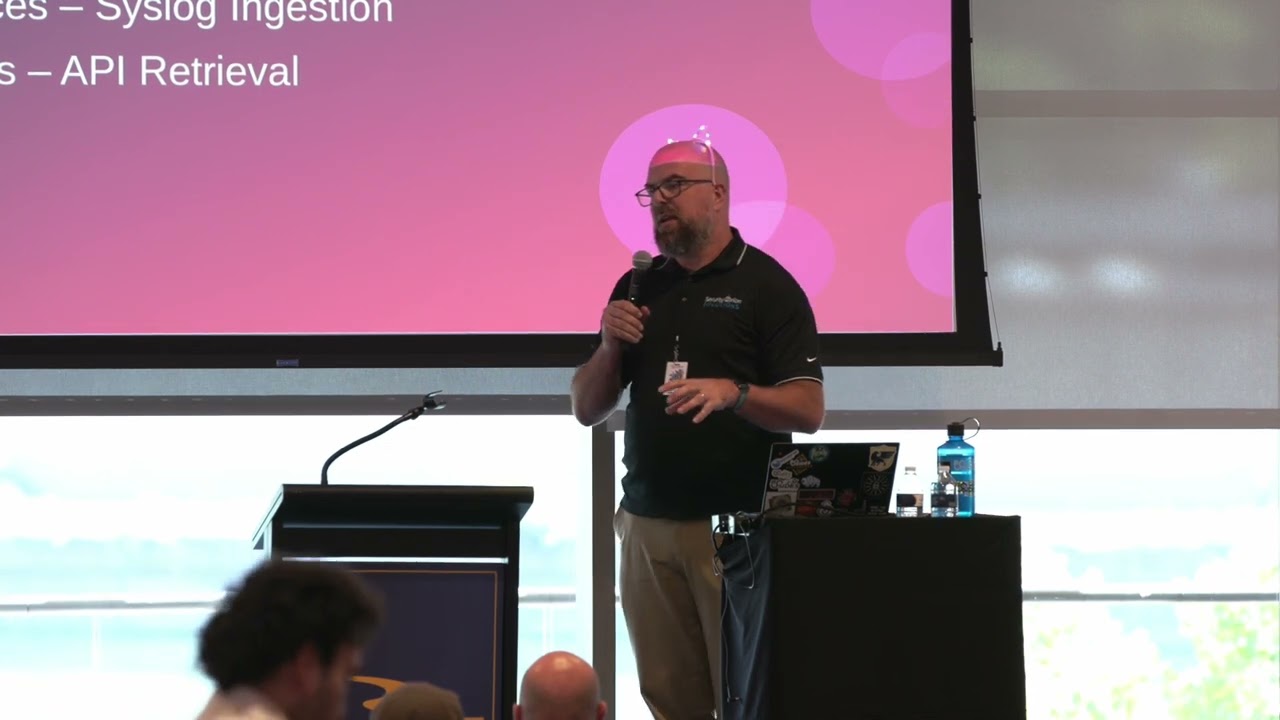
all right everybody can you hear me cool um just a couple of housekeeping notes before I start don't worry about writing stuff down or taking pictures of the slides I'm going to post the deck on my GitHub when I'm done uh also there is a demo component later on it's pre-recorded but if you're sitting toward the back it might be kind of hard for you to see cuz I'm going to be stepping through the security onion interface a little bit so if you want to take the opportunity either now or or later on to move up so you've got a better view that might be a good idea uh as cat said my name is Matt
Gracie the name of this talk is building a sawmill processing Logs with security onion I find that when I'm writing talks the best thing to do is start with a terrible pawn and work backwards from there so it seems to uh work out for me most of the time uh thanks very much for for having me now that I've spoken at besides Cleveland besides Buffalo and besides Pittsburgh I feel like I've punched all the squares on my bell Rust Belt card so who am I and what am I talking about well my day job I work on the Professional Services team at security onion Solutions uh how many people have used or encountered security onion
before okay excellent um we'll get into some of the details about the platform in a minute what I want to mention at this point is I work for security onion Solutions which is a commercial company that provides support for security onion in the software platform this is not a vendor pitch I'm not going to show you anything that costs money if you want to play around with the software you can go to our GitHub and download it we don't even want your email address okay so please don't don't feel like I'm trying to sell you something I'm really not uh but this is what I do I do Professional Services for security onion I also uh
record a lot of our online training content a lot of our YouTube tutorial content write documentation that sort of thing so if you just can't get enough of the Soul true sound of my voice it's available on our YouTube channel uh I'm also an Adjunct professor at kious University in Buffalo uh we have a graduate program in cyber security so I've been teaching there for a few years I teach the uh what we call the cyber security operations course which is the blue teaming course and also the red teaming course and I organize a bunch of community stuff uh like cat said I'm the the founder and Lead organizer for the bsides in Buffalo I also organize a monthly Meetup called
infos 71 6 uh some of our events are virtual and online uh some of them are in person so if that's something you'd be interested in uh we're on Meetup you can find the uh event schedule there so what am I talking about today uh you may recognize this architecture this is something called a panopticon where you can see everything that's happening in a building from one place in case you're curious about what the one place is it is that place what we want to do in our our network is build a virtual panopticon we want to be able to see what is happening in each location on our Network to be able to zoom in and gather Telemetry and log
information and see everything that's happening from a single vantage point and ideally be able to Pivot between those different data sets and those different log files so we can look for patterns and make correlations right if you're in an Enterprise environment or H even if you're on your home network you've got dozens of different things available that are all generating log files so what we want to talk about today is how we can take those log files put them all in one place and use them for investigation just to talk about some basic log types that you'll see in an Enterprise right you've probably got windows boxes most people have them those windows boxes are going to
generate their own individual operating system logs you've got the standard event logs application system security uh you may have things like Powershell logging enabled you may have something like cismon deployed those are all generating stuff and sending it to the event logs on that Windows box if you have an active directory environment domain Services things like IIs those logs are all being generated as well some of them are easier to gather up and put in one place than others but they all provide very useful context for the events that are happening in your Enterprise on the Linux side uh you're going to have a similar breadth of log data being generated um however it's sometimes more difficult
to deal with um the reason for that is while on the Windows side you've got sort of a standardized framework around event channels and event IDs and things going into one bin with occasional exceptions like DNS or IIs logs uh Linux is a little more freewheeling um cismon for Linux is pretty much Dead uh audit D is a nightmare uh so there's a bunch of different Frameworks and different methodologies that you can use uh in the Linux world but in any case you need to get those logs you need to put them in one place same thing with Mac OS there's some stuff specific to that operating system or specific to the underlying subsystems uh that's a little bit trickier than
Windows but it's still stuff that that we want to pull in that we want to look at uh network devices things like firewalls VPN concentrators load balancers these are all generating logs a lot of them will generate logs in stuff like uh CF format some of them will have their own custom formats some of them will send V A Cy log some of them will require you to pull it via an API but uh they provide a lot of really interesting context around what's happening on your network a lot of times the network devices will be in a separate subnet or a separate VLAN or a separate section of your network from the endpoints so being able to pull the
logs in from those will give you visibility into spots where you may not have it otherwise cloud services um everything is in the cloud every company wants to be Cloud first by which I mean every company wants to take their poorly maintained VMware instances and forklift them up into AWS for a million dollars a year um but one of the things that you have to account for when you're doing this Cloud stuff is that the logging infrastructure and the Telemetry infrastructure is often very very different uh you're not going to have the same ability to watch things like Network traffic via span ports right unless you're in AWS you're not even going to have native mirroring
support uh what you are going to have is things like cloud trail writing logs into S3 buckets and then you can retrieve those and parse them right so the Telemetry is still there but again it's coming in a different form it's a little bit more complicated to pull down you need to normalize it and that's what we're going to talk about and finally endpoint agents uh I put this on here because a lot of people don't realize that the data that's being collected by your endpoint agent if it's something like crowd strike or Sentinel one uh you can often import that or use that outside of the vendor's infrastructure right people think that if they've deployed crowd strike uh
Falcon rainbow brigh or whatever their current product is uh that you can only see it through that web console but there are Integrations available where you can pull it into something else and correlate it with other data sources right and that's something we're going to talk about when it comes to Gathering these laws and putting them in one place uh there's three sort of primary techniques that we can use uh the simplest is if you have an endpoint that is if you have a Windows box a Linux box a Mac OS box you can just install a copy of the elastic agent on there and again I'm talking about in this in this security onion
architecture by default we ship the elastic agent preconfigured for your security onion deployment it generates an installer when you do your initial deploy um that install has policies in it for doing things like Gathering Windows logs Gathering Telemetry information um information about network activity information about DNS activity stuff that's happening on the particular endpoint you can also configure it to scoop up other logs so for example if you have a windows web server and it's running IIs and that IIs stuff is all being written to uh flat text files you can put that file path into your elastic agent configuration it will pull that stuff up and send it along with all the other log
data right so you've got it all in one place for network devices uh generally speaking uh you're going to be looking at doing CIS log ingestion excuse me so if you've got a poto or um a foret you should patch that or uh if you've got a VPN concentrator uh moroi something like that generally those are going to allow you to package up those logs and send them via Cy log to a receiver on the security onion side uh that receiver is going to be an elastic agent running on one of your nodes in your security onion grid uh and it's going to be hooked to an integration uh pipeline elastic has a bunch of these ingestion pipelines that
are pre-built so you basically say hey if anything comes in on Port 90001 that's H Alto traffic and then it will hand it off to the proper pipeline to ingest everything and normalize it for you everything is kind of pre-built it's uh it's pretty cool finally if you're trying to pull logs in from your cloud services obviously you're not going to do that via CIS log streaming down from the cloud uh you're probably going to do that via API retrieval so you'll talk to your Cloud team get a Surface account set up with an API key and then you'll be able to pull that periodically and pull log entries down uh if you're using something like cloud trail for your VPC
logs for example it writes those VPC logs as small Json files and sticks them in an S3 bucket you basically just connect to a simple Q service queue uh and connect to that S3 bucket and pull the logs down one at a time they'll get normalized and put in with the other stuff one thing I will caution you about um the way the elastic agent configuration works is an elastic agent policy is applied to the AG agent and that policy tells it what sort of logs to handle do not accidentally tell 15 different things in your environment to all pull logs from the same S3 bucket uh it's going to get real messy uh just
pick one just one and have it do it now the other piece of this what is security onion uh this is from our website security onion is a free and open platform built for Defenders by Defenders which is true uh I was just telling you right before I started talking you know I always say that our secr secet sauce is everyone at security onion came from that blue team life uh we are all just building the tools that we wanted when we were doing Network defense which is why it's also awesome um people think of it primarily as a network visibility tool which is one thing that it can do but it also has a lot of log management functionality
which is the piece that I'm talking about today so the main components of security onion uh there are some other specialty nodes things like honey poop that you can stand up but the three main components that people think about are management search and sensor the management is the section of the functionality that does things like the web interface and the configuration right so if you're in your browser and you're doing engineering work you're integrating things you're configuring things in your grid that's management search is the elastic search backend that's where the data that ingests is stored and then sensor is the packet capture the IDS the metadata generation functionality so uh either stenographer or serotta for packet
capture surot for IDs and then either zek or surot for Network metadata generation when these are all working together you put them all on one box it's what we call a standalone deployment right because you've got one server that's running all of this functionality at the same time and this is the most basic use case if you're running a small security onion instance in a lab or a home odds are that you're either doing it as an import node meaning you're just importing pcap into it but if you're doing with live Network traffic you're probably doing it as a standalone right everything's on one box uh all of these components can be broken apart and run on separate boxes
it's a very flexible platform so if you've got a geographically distributed Enterprise or if you need to put sensors in different places or you know if you want to do hot cold life cycle on your data you can have multiple search nodes there's a million different ways to set it it up this is the most basic the one we're talking about today uh is what we call a manager search that is we've got a node that's running the management components and the search components this is what we're going to see in the demo so it's running the web interface the configuration it's also running elastic search so that it can retain the data that we've collected
it's not running any sensor components okay and I just want to mention that again before the demo it's not watching Network traff at all it's just ingesting logs from the outside so what does the ingestion flow look like when we're putting logs into this manager search well we start with the log Source whatever it might be an endpoint or a network device or a cloud service you know whatever it is that's generating the logs that we want to see that log Source passes the data in some way and we'll get We'll Walk Through the Windows example in a minute to the elastic agent the elastic agent is what we use as the log shipper in the
environment so that's what initially accepts the logs it sends them to a log stash receiver uh which in this environment is running on the manager search and then that log stash receiver dumps them into a que and they end up getting ingested by elastic search on the back end so for example if we're talking about a Windows endpoint again Windows is going to be generating the basic event logs it's going to be generating system logs security logs application logs uh it's going to be generating Powershell logs it may be generating cismon logs if you've deployed cismon in your environment it could be generating any application specific event logs uh it's going to generate all those
logs it's going to put them into um the event repositories on the endpoint itself the elastic agent which we've installed on the Windows endpoint will then scoop those evtx events out right so it's reading those events as they're written to the files marshalling them all together getting them ready to send to log stash in addition to those basic events that it's generating the elastic agent is also generating its own Telemetry information and this is something that we'll see in the demo so how many people have deployed cismon before all right so how awesome would it be if you could deploy cismon but not have to deploy a um configuration file for it and not have to keep that up to
date and not have to do updates every so often right right what the elastic agent does is it gives us that cismon style Telemetry without requiring cismon so things like DNS queries being made by processes network uh connections being opened files being written processes being launched that Telemetry is all picked up by elastic defend which is part of the elastic agent and marshaled and sent along with all the other log data right so we're getting a lot of good in-depth visibility into that endpoint straight from the elastic agent as I mentioned if you're running another EDR agent in your environment if you're running something like crowd strike we can pull a lot of that data
out of there as well right so you don't have to scoop it all up twice you can just put it in one place after the elastic agent takes the event data that was generated by windows and also the Telemetry data that it generated itself it sends it to the log stash receiver in this demo environment we're talking about the log stash receiver is going to be running on that manager search node right that's basically the service that's receiving the communication from all of these uh elastic agents out in the field if you're in an Enterprise deployment uh we do have a specialty node type that's just called a receiver node for doing availability and load balancing you can
stand up a bunch of those and it will just round robin between them um but again this is a demo environment it's pretty small once the log stash receiver gets it it's put into a que and that que is then emptied by elastic search so the stuff goes into an elastic search ingestion pipeline uh is all broken apart ingested and put into elastic search on the back end elastic search is the component that handles the parsing and ingestion it's also what handles the life cycle management so if you have certain logs that you want to keep keep longer than others if you have stuff that you want to move from hot storage to warm storage anything like that
that's all done on the elastic search side now there's two features that I want to mention um that are very important for this first is the elastic common schema elastic common schema is a open format formats probably not the right word an open standard for what to name the different fields and what to um retain them as and how to format the data right if you're pulling in log data from a bunch of places and I know anyone who has tried to build a logging infrastructure has run into this you're quickly going to discover that your IDs calls it source. iip your firewall calls it SRC doip Zeke calls it host. originator right it's the
same piece of data in all of these different log types but it's coming in with different names so if you're just doing straight ingestion and straight parsing of it say it's all coming in as Json and you just save those tags it's going to be useless you're not going to be able to Pivot between these different data types because they're not going to be calling the data the same thing if I want to see everything from a source IP I want to just say Source IP equals such and such I don't want to remember all the different field names so the elastic common schema is the standard that we use to normalize all this data coming in when you ingest
something The Source IP is called source. I that's it if it's called something else we change it at ingestion so everything gets normalized right that way all of the data is categorized and set up the same way to make it easy to Pivot between things now the next piece is community ID this blew my mind when I found out about it right so Community ID is another open standard it's by corite which is the commercial company behind Zeke uh formerly bro if uh if you're old and gray like me and deployed this stuff a long time ago um what community ID is is a hash of the source IP The Source Port the destination IP the destination port and
whether the flow was TCP or UDP right that's what the standard is it's those five pieces of information hashed together in a particular order why is that important because any piece of network log data that we ingest can have a community ID generated for it and if we're ingesting multiple pieces of network data from disparate sources and they've all been normalized so that Source IP and Source port and destination IP and destination port mean the same thing that means that even if there's no other relationship between those monitoring platforms or those those products or those datas we're going datas we're we're going to be able to Pivot between those data sets very easily and correlate them together right
and we'll see this in the demo as well but it means you can take a network flow record from your firewall and endpoint information and something from your antivirus and maybe something from Zeke and see all of those records that are related to that flow all at the same time it makes it super super easy to Pivot between the different data types all right so we've deployed our elastic agents we've done our configuration we've uh built up all our our pipelines we've figured out what we need what do the tools look like that we actually end up using in security onion and I'm just going to step through these kind of quick because this is also the
stuff that we're going to go over in the demo you'll get to see it live and in 3D so if you have something on your network that is generating alerts you can configure those to show up in your alerts queue in security onion so if you have a cloud service that generates alerts right um something like Sentinel you can pass those down to us they'll go into the alerts queue and then your analysts will have that queue to work from right they'll be treated just the same as any alert that was generated internally in the platform we have a dashboards tool that has a collection of pre-built dashboards for different different data types in it
um if you're running with our sensor components you get data dashboards for things like uh mod bus and other IC protocols as well as a bunch of it stuff you know DNS HTTP Etc but even if you're not using our sensor components there's still dashboards for endpoint activity cismon goip firewall logs all that sort of stuff these are all pre-built they're also all fully interactive as we'll see momentarily uh this is our hunt interface uh which was really designed as a flexible high-speed query interface for threat hunting through all this data the idea being that uh you can sort of slice and dice and stack the data very quickly and easily and we'll see that in the
demo and then finally this is something we just released in version 2470 this is our new detections interface uh is anyone familiar with Sigma the uh the detection language does that sound familiar okay a couple hands so just to give you the the the quick 30,000 ft view uh somebody realized that we were wasting a lot of time as an industry rewriting detections for multiple platforms right uh some new threat would come out and someone would be like all right well I'll write a detection for Q radar God help me and somebody else would be like well I'll write a detection for elastic and somebody else would be like well I'll write it for Splunk right Super Friends
um the problem is a that's a massive duplication of work because we're all doing the same thing two we have no assurance that those detections are really all doing the same thing if they're being written by different people in different query languages right so uh somebody came up with the concept of Sigma which is sort of like a a meta language for writing detections basically you write the detection in Sigma and then you compile it into the appropriate query language for the database or Sim or security tooling that you're using so this is a sigma rule uh for detecting somebody trying to clear the windows console history uh and if you're importing Powershell logs into
your security onion instance you can turn this rule on and it will say okay if the script block text contains clear history or if it contains remove item or RM and it contains these paths then it's probably something suspicious and we'll raise an alarm right the idea is that we're writing OS and uh Sim agnostic queries looking for particular log entries so our detections interface comes pre-loaded with I don't know a couple thousand rules I just picked this one sort of at random um but you can turn these on and when you're ingesting all these logs into security onion it will run these queries against it every every 3 minutes I think and if and if a
match is found it will raise an alert for you right so even though you're not running surra cotta or Zeke or whatever you can still do alerting against these logs that you're bringing in okay so that's enough of that time for a demo uh this is pre-recorded so uh I won't have that nightmare where all of my VMS crash at the same time once was enough um the demo environment that I'm using is very very simple we've got a Windows 10 VM a PF sense firewall traffic from the windows VM is going I'm still wearing those ears traffic from the uh from the Windows Firewall is going out through the or from the windows box is going out
through the pfSense firewall I am not monitoring this traffic at all I just want to mention that again none of the sensor components are enabled my visibility is coming from logs that are being sent from the window Windows 10 box via a elastic agent installed on that box and logs that are coming from the pfSense firewall via CIS log over to the elastic agent running on my security onion manager search node so I'm seeing every it's all hearsay I'm not seeing any of this directly it's all log files uh the PF sense box also has surot installed on it which will become important shortly um everyone's familiar with pfSense I assume right okay open source firewall
if this was an Enterprise environment you would set it up the same way but you would set it up with a p Alto or a foret patchet um but for now it's uh it's pfSense so let me I'm going to put the mic down for a sec and bump over to the
demo okay we are playing so we're logged into the console this is the overview screen all of the uh tools that make up security onion are over on the left hand side there I'm helpfully pointing them out um so the first thing we're going to look at I believe is dashboards now all of these tools have pretty similar interfaces there's a query box in the upper left corner uh there's an options menu up at the top and then over at the right uh there is a Time selector so in this case we're looking at the last 24 days again very small test environment just want to make sure I had some interesting stuff to look at uh this is the overview
dashboard this is just sort of an overview of all the data that's being stored in this manager search right now so you can see what hosts are in there Source IPS destination IPS different categories uh these tables are all interactive so if I want to add something to my query like I just clicked PF sense include meaning add that to my query so now I'm only seeing uh pfSense module data here all of those visualizations and tables update right away um I can add stuff to my query as well so if I want to see pfSense and I only want to see destination Port 80 that's what I just did and if I scroll up to the
top come on you can do it there we go uh you'll see pfSense and Port 80 are both on there and then I can just click to remove those and go back to the standard dashboard so the idea is that all of this data is in here and these visualizations are very easy to manipulate and carve around if I need to if I pick Source IP and I'm just going to pause this for a sec to point this out you'll notice I selected a source IP and then over here under event module I've got endpoint and PF sense this is part of that elastic common schema thing I was talking about I'm I'm ingesting data from two different sources which
may call it different things but it's all being normalized to the same name on the back end so when I search for it all of the stuff gets clustered together and now because this is Network information that's coming from an endpoint it's got a bunch of additional data in it right this is all process information so I'm not just seeing that Network traffic happened that's what I'm seeing from the firewall logs in this case I'm actually seeing the process information behind what happened what process launched it who signed the process process where was it launched from what was the user account Etc um so how many of you have had a situation where you got an alert from an
IDs right snort surra cotta something like that and you went and talked to the user and you said hey user let's just call you users um what were you doing at 1010 that your computer was contacting Russia and like and that's the end of it cuz you really can't tell uh if you've got this logging in place you're going to be able to see exactly what process they launched that that cause the weird traffic that's showing up in an alert so now we're just going to step through a couple of the dashboards this is the elastic agent overview you can see over on the left there we've got logs for registry events file events Network events process events pretty
much anything that happens on a Windows box uh if I want to go in and say you know what I've got this ruby. exe process name I want to see every box in my environment that's running it and which user is doing it I can get all that
information now for processes I've also got some really interesting uh hierarchy data here uh this is the process entity ID which is a guid that's assigned by windows and then picked up as part of the Telemetry this does not mean the executable name this does not mean the executable on the machine this means this particular process so this time that this executable was executed on this machine gets this goid if I pivot on
that you'll see I not only get the process information I also get things like the command line any DNS queries that it made I get file information about any files that it touched I get Library information about any dlls that it loaded all of this stuff comes in and again I don't even have um cismon loaded on this endpoint this is all just straight default out of the box elastic defend I I did almost no customization of any kind you can you can tell it's still named like Windows 10 Edge test or whatever it is this is that VM you get from Microsoft for testing
IE right this is my uh um file events I can get file Creations file deletions if I go in here say I see a weird file creation I can do the same sort of pivot over to that process entity guid and it'll show me everything associated with the process that wrote a strange file so if you see something while you're doing longtail analysis that looks suspicious you can pivot in and see everything that that particular process did you can also walk up the chain to see how that file was written to the disk in the first place then this is a process one all right again doing the same thing it's running as wm1 uh who's who spent time chasing
their tail trying to figure out what that was oh come on I'm the only dummy really um processes come with the hash so you can actually P you can actually pivot straight from a process log into virus total to see what it is um also that menu is completely customizable so if you have some other threat Intel Source or something else that you want to do lookups in uh you could modify the contents of that menu really easily getting away from the endpoint stuff um we can do some destination uh country analysis this is all coming off of those firewall logs as they're ingested through pfSense they get uh enriched with goip data so we can
see where everybody's stuff is going from from who to where
then we get some good firewall data here so this is all stuff coming off of pfSense pfSense is natively supported for ingestion uh as is open sense and a bunch of commercial firewall platforms so if you're using poo or foret or Cisco or whatever um those all show up as well you can go in and just look at your blocks and see what's getting blocked so we've got a bunch of good uh built-in visualizations and dashboards here uh if we want to do sort of more nitty-gritty analysis that's kind of what the hunt interface is for uh if you've used um just going to pause this for a sec how many people have used uh Cabana
for this kind of thing right and Cabana is the tool that comes with elastic it's really uh kind of their default web interface for this stuff um how many people have been frustrated how slow it is to use Cabana to do this stuff yes and that is why we wrote hunt it's it's a lot quicker um kab has a lot of really really good uses um for stuff like reporting but if you're actively doing a threat hunt in data this is much quicker because it's really kind of purpose-built for that it's going into that same elastic search data you know it's two straws into the same
Shake I'm kind of excited to see what I do next okay so uh again now we're we're looking at our endpoint file data uh we can dig in here we're doing a group buy so this is all of the different processes that have had file events in this environment uh sorted by how many there were uh I can turn that into a visualization if I want I can turn off a slice of the pie if I want to see what the rest of it looks like is kind of cool um any of the field names that are in here after the data is ingested can be used as group buys or pivots so I can build tables or
I can build charts around any of the different data that gets pulled in through these log
files all right all right we're we're running up against it so I'm going to skip ahead a little bit here
all right when are you going to get to alerts okay so if we're looking at Network events uh we can group that by the event action and then we can zoom in on that for lookup requested this is pretty neat and now we can Group by the process name and also grouped by the DNS query so again this is all the data that we're already pulling in and with a couple of simple pivots we can get a chart of every process in our environment that's making a DNS query and what exactly it's querying so if you've got some thread Intel or some particular uh Arn that you want to be able to dig in on uh it's really easy to
do that pivot and again I'm not watching the Network traffic at all this is all just coming from log data and then one last cool piece oh wait no the detections thing too so all right that's the sigma stuff we're going to we're going to skip that much as I hate to do it because I I really want to show you this alert pivot so I mentioned that oh I went all the way I went all the way around hang on
all right so I mentioned that the PF sense firewall in the test environment is running surata it's sending those surata logs into security onion security onion as identifying them as alerts so about halfway down there I've got one that says ET info request for ex via Powershell that means I've got a Powershell user agent in my environment that's trying to download an executable right so if we go down here we'll drill down and that'll show us the individual alerts right we'll go to the top one open that up now as part of the surra cotta alert we're going to get network data decoded so you can see that down at the bottom um somebody ran get
malice. exe which seems super legitimate and it's a user agent of Windows Powershell so that's why it got flagged surot had a signature that said if you see something with Windows Powershell in it raise an alert now as I was saying this is this is back to the user thing if you ask your user why did I get this alert they're going to say I have no idea because it was something running in the background that they were unaware of however because we are ingesting uh this data this surata data and because the surata data is network data it's got a community ID attached to it the community ID allows us to tie together our log data from various
Network flows so we can pivot on that Community ID and it will show us not only the network uh logs not only the network data decoded but it will also give us the other information from the endpoint logs about it so we're going to see the stuff that elastic defend pulled off the endpoint along with that surata alert that told us there was a problem in the first place so we've got 4.100 going out to10 69 on Port
8,000 we scroll down to the bottom here we can see the process that opened the connection was powershell.exe
all right you can do it it's seemed faster when I was recording it and then um if we go into actions here we have a a process ancestry action that we can run and this will give us that full life cycle of the process so we see here that winlogon.exe launched userinit.exe launched explorer.exe launched powershell.exe we've got all the network information we've got all the processes that were involved we've got all the user information we've got full visibility into all of the endpoint activities around this surot alert and because we're using those Community IDs as part of the log ingestion we're able to Pivot back and forth and do that correlation really easily
okay so I know we're we're just about at time uh so in conclusion you know people think of security onion as a network monitoring solution and it is it's really good for that if you want to plug it into a span port or a tap infrastructure and get data around what's actually on the wire it is fantastic uh if you want to get a bunch of easy points in your next CTF bring a security onion VM and throw all of the packet captures into it it'll really work well but in addition to that even if you don't want to go to the trouble of setting up a tap or a span in your environment if you just ingest the logs
that you are already generating on all of these devices and all of these endpoints and all of these cloud services you can put them in there it'll be normalized it'll be really easy to use for investigation and alerting okay that is all that I have I'm going to put the slides up on my GitHub as I said uh that's my Twitter account uh that's my email address if you want to reach out um I think there's some left I put some security onion stickers and other swag on the table right over there so help yourself if you want some uh I don't think we have time for questions uh maybe one or two but I'm
going to be here uh through the after party uh so if you have questions about your janky security onion install on Virtual box at home that you couldn't get to work right I will will be here just feel free to ask okay thanks so much
Related talks
 37:51
37:51 29:14
29:14 8:26:49
 29:35
29:35 50:01
50:01 45:20
45:20