Sandboxes all the way down - A hitchhiker's guide to platform containment
Show transcript [en]
hey hello So today we're going to be talking about sandboxes uh we're going to be going through a couple of the main techniques for how you might use sandboxes how you might get started when you might use them um we're not going to be doing a deep dive today there's too much to go through uh so this is very much a whirlwind tour hopefully by the end of this you'll have enough to get started so let's jump right into it uh first by way of quick introduction hi I'm Tom I do security I've been working on platform containment stuff for the better part of a decade um so why do we care about this why do
we care about platform containment um why do we want sandboxes in the first place if you go and have a look through um the you know with a with a magnifying glass the kind of work you'll do on a computer whether it be as a developer whether it be as an analyst looking at perhaps reverse engineering or even just personal life admin there's plenty of opportunities for initial compromise um for the most part we like to think about our workflows as being fairly secure and that's generally true but um sometimes in your threat model the reality exists that things happen and you might get popped sandboxing is the tool in our platform containment toolbox to try and control that risk to put a
boundary around what can happen and and really give us some guarantee into that if if the worst case does happen and just to really drive home like this this possibility let's look at a few workflows let's imagine you're an analyst maybe you are looking at some binary you're running strings on it what's the possibility that that binary was meant uh for to run into that input into Strings and actually exploit some vulnerability and take over your machine similarly browsers browsers run JavaScript at this stage that's basically native code granted there are tons of sandboxes um the possibility accessible to do a lot more than you intended and you're going to have to work through your threat
model for this and lastly of course is uh workload compromise if you're running something in a container um chances are there are open source components there are components um that you didn't audit and what are the possibilities that that is compromised can then access the data on your system perhaps exfiltrate credentials and from there uh all bets are off so platform containment and specifically sandboxing which is what I'm going to be talking about today the tools we use to try and control that blast radius it's the tools we use to try and give us some guarantees so even if some element of our system our workload is compromised we still know we still control access to something else such as
preventing it from laterally moving preventing it access to credentials all that kind of thing so I'm going to be going through three kind of broad techniques today first one being kernel based sandboxing that's where you ask the operating system to help out that's things like um the technology underlying container runtimes Linux namespaces Linux security modules and the like the second broad category is system call emulation this is things like gvis and it provides a bit of a better security guarantee than kernel based sandboxing and I'm going to be going in into the downsides a little bit more later and then the last one which I hope to spend most of my time here today talking
about is virtualization how we can use Virtual machines to really provide a strong security boundary between workloads and the host and everything else Technologies in this category include a lot of the rust vmm virtual machine manager ecosystems so tools like firecracker and cloud hypervisor and there's also some work to integrate this with the container ecosystem so things like Carter containers [Music] so let's talk about the first category which is is Kernel based sandboxing and what's really useful here is to look at it from the perspective of the normal like a normal process and then also from the perspective of a sandboxed process so when a when an operating system starts a process it first starts by
hollowing out a bunch of memory this memory is going to be used to store the data and the code of the process and it instructs the the hardware to map into this address space um sorry to map that physical memory for that process into the address space it's literally configuring the hardware it then puts the CPU into an unprivileged mode and tells it to go like go ham go run this program CPU in its unprivileged mode cannot do all that much it can move data around it can do basic arithmetic you can do some bit twiddling but just from that perspective with no further interfaces the the program can't do all that much it's fairly well restricted to its
address space so then the next question is well how does a normal process actually get anything done how does it do disk IO how does it interact with the network that kind of thing and the answer is this interface called system calls whenever a process wants to do anything it's going to invoke a system call which is its own instruction and that's going to hand over control from the unprivileged process context to the privileged kernel or operating system context um from there the kernel can go ahead and actually provide service that request doing the network i o reading the file system whatever needs to happen in order for the process to do what it needs to do
so with a a Sandbox process knowing that hey everything that needs to get done that interacts with the outside world is a system call there are some caveats there but for the most part anything that a processor is doing as a system call what if the operating system was involved in hey filtering out what resources a process can interact with and that's the basis of all the mechanisms in this class all kernel based sandboxing is going to be applying some abstraction some filter in what a process can interact with this can be as overt as blocking access or returning errors or as as subtle uh as simply returning less results or different results um this concept of returning different
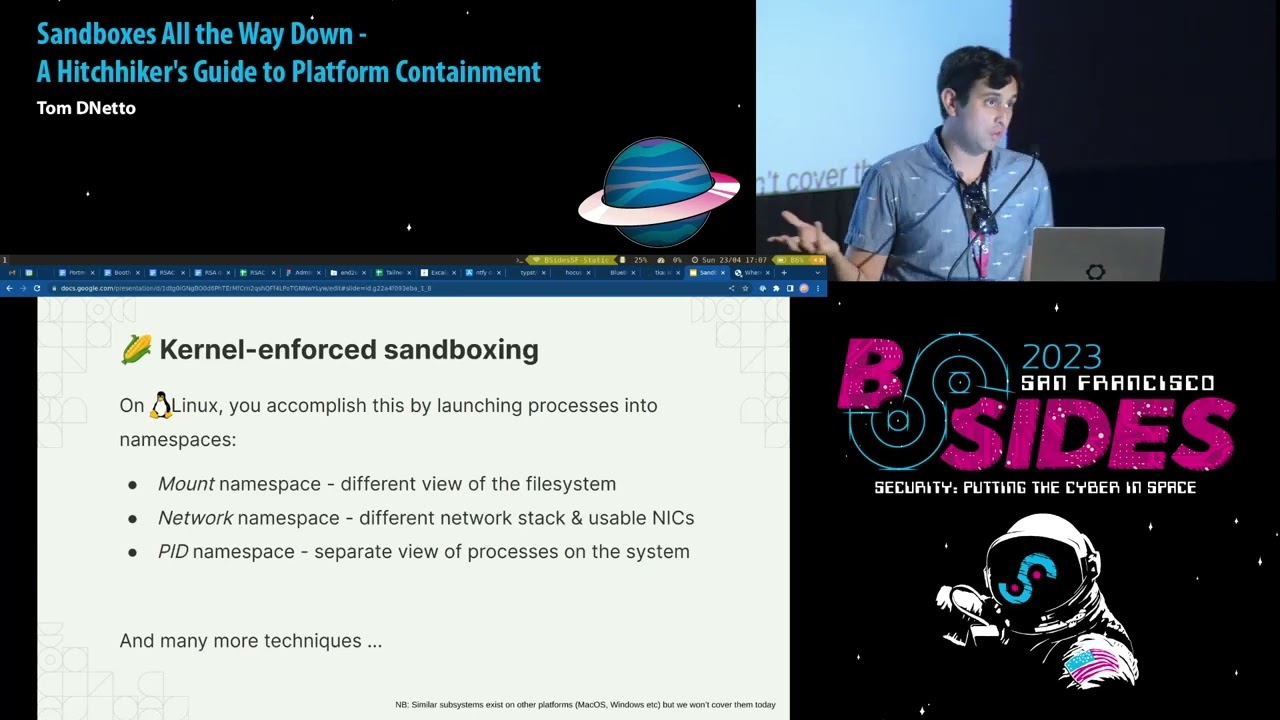
results to a system call is called namespacing and we see this a lot particularly on Linux so yeah if system calls are the interface to the process then system calls can be used and the filtering of system calls can be used for sandboxing so how do we actually accomplish this um there's a couple of main mechanisms and there's way too many to go into just on the slide here are a couple of the important ones for instance Mount name spaces are what's used to isolate the file system for our process so let's say you want to run some process um you want to give it a different view of the file system you can launch it into a
mount name space from there you could do something like um bind Mount different directories into that namespace and then whenever the process attempts to interact with the file system it'll see that different view rather than whatever the system by default says a good example of where you might use this is for piecemeal isolation of certain directories or resources so by way of example if you want to stop slash fruit slash dot SSH you could bind Mount inside that namespace a different file over there the process will still be able to read it it'll still be able to execute those those instructions um and and get the results back from the system call but it'll be for the
namespaced uh file system so you'll be able to give it different results and not compromise your credentials similar things exist for network name spacing you can launch a process with a different network namespace a different set of network interfaces and apply different say iptables NF tables rules uh allowing or preventing access to certain addresses and there's tons more mechanisms paid namespaces UTS namespaces things like Secom filters we're not going to go into them today because there are literally doesn't um so yeah how do we actually do this if you want to learn how this works under the hood as you can tell it sounds fairly involved I do recommend Googling containers from scratch fantastic tutorial and that will walk through the
process of actually setting up and running a container using all these mechanisms but if you want to actually get stuff done quickly I recommend using firegel fire gel is a fairly straightforward application where you provide it configuration for all these namespaces and for all these restrictions is basic text files so things like I want this file to be accessible at this path for the process or I don't want this file reader read write that kind of thing as you can see on the screen the example here is just running firejail by default which for me launches um just bash just a shell but despite looking to the Shell like it's running as root there are actually
a ton of restrictions applied um it's got a restrictive second filter it sees a different view of the the file system it even sees a definite view of the user and the user mapping so in this case use a zero root is mapped to me which is user ID 1000. so this all sounds pretty good but it does have some downsides um the main one being we're relying on the Kernel we are relying on the operating system to get this right and in practice it doesn't always do this in practice when we rely solely on the Kernel to restrict a process interaction to the outside world there's usually some Escape there's usually some exploit and it doesn't work
as well as we would like um we can speculate as to why this is I'm going to try not to do that it might have something to do with um being a very large attack surface hundreds of system calls it might have something to do with being in a memory unsafe language regardless um kernel based sandboxing on its own doesn't provide the security guarantees we would like unless you're really dealing with low-hanging fruit so it's better to chain this technique with other other techniques that I'm going to talk about later speaking of which system call emulation if we can't trust the operating system to um to do this kind of Cisco filtering what if we introduce a purpose-built boundary
that does this kind of filtering of system calls and analyzes them to make sure that um it's able to to access the correct resources and not accessing something that we shouldn't be we can build this boundary we can build this boundary purpose-built using modern software practices and do a good job at creating a solid security boundary and this is things like like G visor um g-vice is really good at this and generally recommended for things like container workloads particularly for server workloads it does have a few downsides in that as I as I mentioned before it it is a supervisory process it does have to handle all of the different ciscals that might be issued and
as you can imagine there's hundreds of siscals not all of them are implemented as a result it doesn't work for absolutely everything it does tend to work for most server workloads things like web servers databases and that kind of thing but not everything and you just have to try it out with your workloads but the other downside is because it is ultimately another layer between a process and the kernel it does have overhead and this is particularly noticeable for i o heavy applications so let's talk about virtualization virtualization is where we take not only the processes we want to sandbox and put them in a security boundary but a whole other system a whole kernel and all the
virtual memory and all the virtual CPU is associated with a virtual machine we put that in its own box and then we defend that boundary with the host despite what you might think this does look complicated but it actually ends up being a smaller attack surface to defend the interface between a virtual machine and the host machine is mostly just some basic Primitives you need the ability to have disk so that's reading and writing bytes at certain offsets you need the ability to send a typically need the ability to send Network traffic so that's Reading Writing ethernet frames that kind of send receive interface we can build pretty easily and be fairly confident that we've done a good job so
that compared to implementing every system call ends up being a much smaller attack surface that is much easier to defend as a result in the last few years we've seen a lot of of development in this space people building virtual machine managers as security boundaries that are able to run virtual machines provide this interface and and do a good job at securing them at this boundary um there is a downside though you've got now a virtual machine to deal with it's not just a process where you're launching some arguments and wiring up you know standard input output or network you also have a full virtual machine you've got to pick the kernel you've got to configure it to start up
and start your workload and and that's a lot of work um that said there are a couple of uh vmms that have sprung up in the last few years that are pretty good to help you orchestrate this and we're going to use fire firecracker as an example so firecracker I really like because it's uh made by AWS it's used for Lambda it's fairly well battle tested it's also very easy to get started with you pass the kernel image you pass the inner ID basically any any devices you want on that system so it could be you know a file system it could be network devices uh you can figure that as a config file and then you run firecracker it could be
just another process you could also apply some of these other techniques to it you could use kernel based sandboxing techniques to manage the network and that kind of thing but as I mentioned before integration is really the hard part for for VMS you need to make that system image maybe you start with something like Alpine Linux and then modify in its grips and that kind of thing but you still have to think really carefully about it there's no point in having a VM as a security boundary if you just put the entire file system of the host into that VM so then any compromised workload on that VM can just modify your file system read your secrets establish persistence
similarly if you're worried about network access probably don't just Bridge the vm's network interface with that of um of the host you want to apply some kind of restriction and when and however you apply that restriction it must be outside of the VM boundary because we're treating the entire VM as your security boundary and anything inside it including the kernel could be compromised other thing worth mentioning if you're trying to sandbox a client workload maybe you're putting the tour browser in there think carefully about the user experience does this browser window look like um any other browser window on your host does the possibly exist for you to accidentally copy paste something really bad into the wrong context and opsec
fail that way if that's catastrophic think about how you're going to separate the two and how you're going to avoid human mistakes because as you start to move towards the more restrictive side of sandboxing you start to see opsec failures be a main source of compromise so let's walk through a little bit of an example here let's say you wanted to play around you wanted to have an environment where you can just kind of play around with stuff from GitHub maybe on the training page maybe you see all the GPT or whatever and you just want to mess around you don't want to think about whether there's a dependency that's compromised you don't want to think about whether
you know it's going to take over your machine you want it to stop when the VM stops and you want it to avoid stealing all your credentials one way we could do this is make a VM for it so we'd go through the effort of picking a VM image such as Alpine Linux and modifying it to boot up our workload in this case establishing a CLI um wiring up that image is fairly straightforward we pass it in as a block device in the in the config file for firecracker um but then we need to create some interface where we can run that command where we have a shell to do that we can use this
mechanism called the verdio socket and this is basically a really efficient socket between a virtual machine and its host and it's yet another element in the config file it's fairly easy to set up inside the VM we would wire this to say bash you could do that in a system date unit outside the VM would wire it to to standard in standard output just as a socket maybe using netcat and then lastly would need some way to get internet access within the VM this can be as I mentioned all the restrictions you're applying need to be outside the vm's boundary otherwise you know a compromised VM can just remove them so in this case we want to do the
networking restrictions outside of the VM this is a really good example where you can stack some of the techniques uh stat in this case stacking VM based isolation with kernel based sandboxing the way you do that is just take the virtual internet or the virtual ethernet adapter that comes from firecracker and put it in its own network namespace and then apply those restrictions accordingly maybe using iptables rules maybe using NF tables whatever restricted so that it cannot access any of the private network interfaces addresses or your local machine foreign this all sounds like a lot of work just to spin up a VM and that's true this is quite a challenging sandboxing workloads in VMS it's quite challenging because of
this integration work I'm trying to work on a project to make this easier so you can just pass in um a list of packages what kind of network restrictions you want and it'll orchestrate all of that for you using firecracker if you're interested in something like that please check it out github.com Twitchy liquid64 slash mini kernel um but yes this is one of the harder parts of using VMS so let's put it all together um we have three main techniques we've talked about today kernel based sandboxing which is perhaps the easiest to deploy but also doesn't really give you the security guarantees you want on its own Cisco emulation which is good for Server particularly container workloads using
gevisor but does have performance limitations and doesn't work for everything and then virtualization based sandboxing perhaps the strongest of the security boundaries but is also quite challenging to set up in terms of integration regardless of what you choose and regardless of how you you choose to set up uh your sandboxing always started it with a threat model you want to understand what you're defending against and also what you're not defending against and then from there you have a good idea of what to deploy and where cool questions [Applause] thank you so much all right I'm gonna run around to you with hot mic please hold so first question is up in front of you to your left
hey um I don't know what Twitchy Linux is but it sounds cool um does would it by any chance use any of this kind of sandboxing stuff so Twitchy Linux is my pet Linux distro that is also on next and unfortunately it does not use any of this sandboxing um side side note though um a lot of what I'm talking about here with sandboxing is about sandboxing workloads when it comes to trying to sandbox a general purpose environment it's it doesn't work so well because different programs need to do different things and access different resources legitimately as a result general purpose sandboxes don't do such a good job of restricting everything you need compared to more
specialized sandboxes for specific workloads and specific tasks other questions raise your hand High
hey nice nice talk thank you I guess another option on that is to get the VMS off the shelf from your favorite cloud provider um do you want to respond to that a little bit because fit that into the model yes um so I guess if you don't want to do the work of integrating and running it on your local machine you can always orchestrate using something like gcp or using AWS or using Cloud run this is a really good option as well certainly when I was at my previous job we did exactly this we had a Shell by which you could run risky commands with no privilege um and we called it Red Shell so that's
certainly a very viable option as well we've got time for one more question if we've got one more question in the audience awesome one more round of applause please for our presenter
Related talks
 28:29
28:29 29:24
29:24 32:13
32:13 30:17
30:17 38:53
38:53 32:39
32:39