Beyond the Perimeter: Uncovering the Hidden Threat of Data Exfiltration in Google Cloud Platform
Show original YouTube description
Show transcript [en]
all right good afternoon bides uh we welcome to breaking ground this talk is beyond the perimeter uncovering the hidden threat of data exfiltration in Google Cloud platform this talk is given by or aspir and I just have a few announcements before we begin I'd like to thank our sponsors especially our Diamond sponsor Adobe thank you our gold sponsor uh prism Cloud blue cat and Plex track it's their support along with the support of other sponsors donors and volunteers that make the event possible these talks are being streamed live sorry I'm trying my best we're trying our best and as a courtesy to our speakers and audience we ask that you check to make sure your
cell phones are set to silent with that please begin yeah thank you [Applause] Greg okay so hello everyone I'm so happy to be here at bside and thank you for your time that you're coming here and listen and want to hear about gcp X filtration so my name is or by the way or means light in Hebrew not or in that and this is the longest title that you will ever see in bides so let's read it together beyond the perimeter uncovering the hidden threat of data exfiltration in Google Cloud platform or in short exfiltration in gcp so let's start so let's bit about myself uh my name is Ora spear I am the head of research at
mitiga which focusing on incident response and cloud and SAS uh I have over 10 years of expertise in cyber security both as an engineer as and as a researcher and I'm a former salsa teacher so uh if you know about cool parties in Las Vegas please let me know after the lecture and this is Chief it's my dog I love him very much and you will see him later on on this lecture so exfiltration in gcp how it can be possible so the first thing you need to know about exfiltration it's all about stealing your data from your resources and from your network and in gcp it has to the attacker has to have some
permissions on your environment before the exfiltration they need to compromise some identity with permission so we later on in this lecture you will see how it can be possible how it can be happening uh the next thing you need to know about exfiltration CP the attacker can be creative they can do a lot of stuff which are not the normal stuff that you expect so we will see that later on on this lecture and the last part is that logs that Google provides you or any Cloud Prov or any cloud provider provides you uh are your best friend regarding to detection regarding to investigation so this is why in this lecture we will learn about the logging
mechanism in gcp which is very important so what we're going to what we're going to learn today we start with introduction and then we will go deep dive on gcp logging on gcp logging specifically on cloud audit logs later on I will show you how you can ingest those logs and how and how an a techer can exper data and how it looks at the logs and we will finish with a summary and a quick uh session of questions so let's start so how can a techer can have initial access on your gcp environment so the first I gave four examples but of course there are more the first part that I gave example is leaked service
account keys so if you don't know in gcp you have something called uh something called service accounts which is identities that you can use for automatic operations and applications and one of the ways to authenticate as a service account is using a key which is like a password so by the way in this lecture I will compare different Cloud providers Azure AWS so maybe it will help to understand more so leaked service account keys are more like programming access keys in AWS for a user or service principal keys that are that are leaked and how it can be leaked for example if you put the keys in G repository and and the attacker has access to those keys or maybe uh
compromised machine with those keys so this is one way the other way is compromised user after a successful BC attacks or compromise machine the attacker which has permission to look at the credentials of the user can try to connect as this user the third part is Rog employee which what we called inside the risk there could be a legit employee which wants to do bad things to the company for a couple of reasons so this is another scenario the attacker can have permissions on your on your environment and the last part that I gave here the compromised machine that there could be a possibility that you run some program on your machine and it got compromised by one day zero day
anything and then the attacker can run from this machine and use the the machine credentials so I gave you a couple of ways the can have permissions and let's talk about gcp logging which is very important for this case so here I gave four examples of logs that gcp provides you and can help you in case of Investigation the first part is VPC flow logs more like the VPC flow logs in AWS give you metadata about connection that happen in your environment Cloud audit laws give you information about actions that you was was used using the API that gcp provides you load balancer logs metadata about HTTP and https connections and the last part storage usage logs are more like
access logs in S3 and AWS which gives information about things that happen inside your buckets but today we will focus on cloud audit logs which I believe it's the most important one for uh detection so Cloud audit logs what is it it gives you information about administrative activity is an access inside your resources it answers questions like who did what On and On which which resource and this law can be split up to different categories which are admin activity data access system event and policy Denine by the way after this part you have a quiz so be Focus so admin activity audit logs admin activity AIT logs include what we called admin right operations such as creating
resources deleting resources modification of those resources more like the activity logs in subscription in Azure so those logs are very important they are they are enabled by default and you need the permission of logging viewer in order to see them examples of such actions that are recorded in admin activity are in compute engine you have creating new instances update instance tags removing instanes in B query creating data sets removing tables cloud storage creating new buckets changing existing object ACLS and in cloudsql creating new instance stard D replications and more so this is about admin activity the other category is data access audit logs which captures uh action which a person read the metadata of your resources and
did data actions on your resource inside those resources like written data and reading data from your resources those logs are not generated by default you need ex you need to explicitly enable them for each service and they have some cost penalty that are not free uh they they by the way they enabled for specifically for B query and and another thing about it that if your resources are publicly available you won't get any data access logs from those resources we will see how it affects us later on so how you can enable those uh data access audit logs on your gcp projects so this is a an example of a page page in console which you can enable those logs
for each Service as you see you have three categories the admin read which is actually reading the metadata of the configuration the data read and the data write so examples of such action that gets recorded under data access in compute engine by the way compute engine doesn't have data data read data write only reading metadata so listing instances listing discs getting permissions bigquery reading tables appending data two tables writing writing data in cloud storage listing buckets reading object creating objects and in cloudsql cloudsql creating DB instance listing databases and even exporting data outside the last one that we're going to talk about which is are important but less are system event audit logs which are generated by Google themselves if
for example you want Google to delete some bucket after it expired or or any resource Google do do it for you and those logs are recorded by by in the system event audit logs they two enabled by default such examples of automatic instance restarts table deletion after expired and automated automation of instance backups by the way in cloud storage you don't have those logs and the last one is policy denied audit logs which enabled all the for VPC endpoints in gcp and record access denials due to security policy violations so now we come with the quiz so now now I want to know if you know if you really understand I will give you an
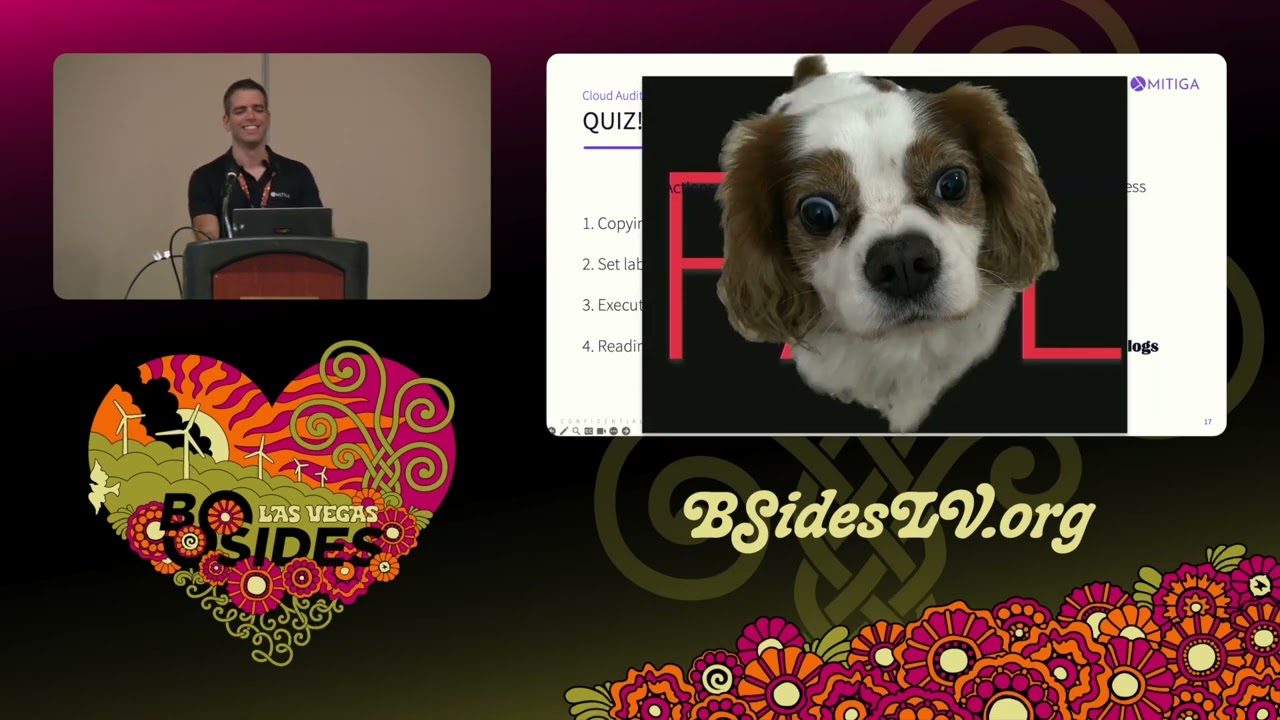
action and you need to know you need to answer if it's an admin activity or data access log so the first one copying objects in buckets what do you think it is it's an admin activity or data Access Data access cool so you are right this is data access next one setting labels on compute instances setting labels what do you think data admin it's mean you are right next one execute SQL query on cloud spanner Cloud spanner is another service in gcp what do you say dat Access Data access and the last one reading blobs from Storage accounts data or admin data going once going twice no this is azure logs fail all right so I just wanted to see
if you really got it so okay how you can justest those logs so you have couple of ways one of the ways using the console you can using much what we call logs Explorer to do queries the other thing is gcloud CLI or the API itself here you have uh the API the API and the log format how the log looks like this is an example of a log I removed all the things that are Dynamic and focused on specific stuff such as log name and time step in log name you can see from where the log came from in this specific case this this is data access and it comes from the scope of project one by the way
gcp you have organization you have folders you have projects so this come from Project one and it happened uh in this time the time step says when the action happened identity in here you can see who did the action so in this case this is a service account I know that because this is the format of the service account the domain the name is mitiga and the IP and the user agent that we use in this action authorization info which is very critical area that people Miss is the permissions that were used in this action so in this specific case the permissions that were used are the get IM am policy of snapshots on the
snapshot of snap one and the last part are the service name method name and the resource name from which service it came from what is the resource and the actual method so this is the whole event but of course there are more elements that are important but those are the basic ones so now we go we are stying the good part I will give you now examples of EX filtrations in three in three popular Services cloud storage B query and cloudsql and I'm trying to show you different ways uh it can be possible so we will start with cloud storage cloud storage if you don't know it's like s S3 in AWS or or storage
account in Azure uh resources that you need to take care of are buckets objects and object can be can be uh exfiltrated so let's start with the basic form of exfiltration let's say an attacker has permissions specifically object G and they are downloading objects from your Google buckets so what you can see in the event itself which is which is uh very informative so the first part is the request in the request you can see which object was uh downloaded and in the response you can see metadata about the object itself but what is the problem about looking at those logs and understand if something is malicious or not so the first part is visibility
problem if the bucket or the object is public everybody can see this object and downloaded it you cannot you won't have any data access logs as I said earlier so you can't see if somebody is really downloaded the the object from your uh from your bucket in order to to maneuver it you can use another log which we said earlier storage usage logs but yet again this is not like a wonderful log that gives you all the information it will just show you that somebody downloaded the object and from which IP and the last thing about this this issue this problem of detecting something malicious in the get object is granularity let's jump for a second for in AWS in AWS when
you downloading object you have get object when you want to see the metad data of the object you have get object metadata but in gcp you have only get object so it's very difficult to differentiate between those actions so for example if you want to do some anomali uh detection you want to you see 100 downloaded uh down downloads for a specific uh bucket you cannot really show if somebody read the metadata or the or the data itself but we found a way you can see under the authorization info which permissions were used for so so in downloading file you will see objects gets only objects gets but in get object metadata you will see also
the permission of get IM policy and why this is like that it's because when you read the metadata you also read about the permissions uh somebody has on those uh on those on those on this specific object so this is a cool way to differentiate between those actions so now I show I showed you the simple part of how you can exp exrate data from your bucket before we move on I ask a question yeah hi um have you ever heard of Wayne G uh I have a small request can we finish can we add it to the end of the lecture please oh well actually in this case no because uh I think you made
an outrageous speaker request when you filed your uh your uh request to speak here okay uh and you said that you wanted some of the salsa music that you you like to write code to all right okay is that you is this is am I in the right spot maybe so I don't know so what I and I was wondering if you've ever heard of Wayne G is Sala pante is uh no uh maybe I are you a f the energy here like I'm very high so I'm not sure what I'm what is happening right now okay during the during the the the call for papers when you submit a talk there's a a field at the end that says
any other outrageous requests okay and you put down salsa music that I like to code to all right okay so to put some salsa so I have here for you A C of Wayne G with Sala this is a gift for me this is a gift for you yes thank you very much [Applause] wow thank you thank you oh wow this is this is this is new okay thank you very much okay so to bides thank you bid so now let's come back to the interesting part of gcp and not salsa okay I put it on the side okay so where we where we where we now where we where we are focusing on so we looked at
store on downloading objects which is very the easy part the most direct way to exil data and now I'll show you different way Ana can use uh service in order to do de filtration for for him for them so welcome to storage transfer service which is a service that gcp provides you for Trans transferring data from other Cloud providers to your gcp bucket and from other gcp buckets so this service is very easy to use and another thing about it is that this service uses their own identity which this which is another service account uh in your project this is this is the format of the service account project project number and storage transfer service so how can a techer can abuse it
so the first part theeka needs to to bring to add information on the source bucket to the specific service account to read objects from the from the bucket and then they need to have to give permission to write on the target bucket and create and create a task of the the job transfer so what happened for example if the bucket exists in a different organization so let's see so the log that you will see here is the adding permissions on the source bucket as you you can see I focus on the specific part which you have adding permissions to the specific service account of reading permission on the bucket and those are the logs of the
actual transfer you see the get object from the the victim's bucket but that's it okay somebody created a job and you see the permission added to the source bucket and the getting the object from The Source bucket but that's it nothing else so what is actually missing here so the first part is you don't see the adding permission of the right permission on the targeted bucket why because you will only see logs that comes from resources inside your organization or project but this bucket is existing in a different organization so you won't see the right operations the second thing you won't see is the actual right of course for the same reason you won't see the right on the
targeted uh bucket and the last part which I think this is the worst case by default you won't see any creation of the transfer job so you cannot see who created the job and to where the data will go to so this is bad of course get bad and how you can still detect it and maybe look at it as something suspicious for the first part when the first when you first time create the Ser when you enable this service in the project you will see the creation of this service account and so you can assume that in the future you will see some work there the second part is the set time permissions on the victim's bucket if
you see somebody gives permission to the service account to read from the project from to read from the bucket you can assume that they're going to be a transfer job and probably this identity is going to create those job and the of course see the storage object get if you see a lot of get from the service account you can assume that there is Jobs go going on and the last part if you want you can not only look at the logs you can just listing your resources inside your your organization if you see those job jobs when you using those API on the right the g-cloud transfer job list and describe you can see actually
who created the job and what where is the destination so in this case in this case here how how it looks and the console so in this case the attacker abused another service to do the hard job for him so if you don't know that this service account can be abused you probably can't can miss those expectra so we finished with cloud storage I gave you a simple way to exfiltrate using down direct direct download and abusing storage transfer service and now we will go to B query so B query another popular service in gcp which used by bis uh bi anal anal an analytics and more and resources that you need to take care of our data sets
which is a logical container for tables and Views so how it may look when you query the data from your that from your bigquery uh tables when theide identity exists in the same project and in the same organization so here an example of of such query you can see someone is myself querying the table of users inside company data set data set and then I'm searching for username that are not this specific user the external user by the way those password are not real so you can you can take pictures but nothing will happen so in the log itself when the identity runs from the from the same organization or the same f fer you
can see on the right and it's small part but I'm sorry you can see here the actual query of of what actually happened but what happened if the identity runs from a different organization so as you know or not you can run from a different context of a project so if the identity has permission to read data from a specific table and runs from their context runs from a different organization the logs May seems may seem different so here is the full log of uh of reading the the the tables and as you can see there are no metadata section so if you don't have the metad data section you cannot see the actual query so you can
assume that the whole table was compromised so how it can look suspicious or maybe uh malicious so in cases you see a log of get data from the table and there isn't any metadata section probably somebody from other organization query the O table which may itself be suspicious and the last part is look at the the identity itself if for example a service account which exists in a different project or a user from a different domain that you are not not know about did some query this is suspicious by itself so look it up see if you have those uh logs in your system or those identities and service accounts so this is about big query it
was It was a quick one and let's finish with cloudsql so I showed in the beginning a direct query a cross query for different organization abusing a different service but now we will use a different API so before we will start with it just a quick introduction to cloudsql this is the RDS like in AWS this is the managed rdbms for MySQL post press and SQL server and the resources that are very important regarding to data our cloudsql instance database and read read replicas so here is export SQL dump file feature you can if you if you like you can export data from your uh instances to buckets by the way this is the same for
s for AWS you have this feature AWS also and about it the first part you need to know that this is an API that you use you're not using a different service account a different service like in transfer service you're using your own permissions and you're using this API and another case is that then the dump file will not be uh encrypted by default so if I compare it to RDS in RDS you have this feature you can export data to buckets but you have to use KMS keys so in here in this case you don't have to so if the attacker or anyone has permission to read from the bucket they can just read your databases so
how can Atta can abuse it same case the attacka can just run export on your uh on your instances and the bucket itself can be inside the organization or maybe outside of the organization the only things that the attacker needs are reading uh writing permissions on the buckets and of course doing the Expo data and of course they need to know to to need they need to have the ability to read from the bucket in order to do the exfiltration but why the can why the te needs to use it and not just query directly the the the instance why because think about it sometimes you have some network network Gap you need to have network access to
your instances in order to do the query sometimes you need to know the identity inside those instances in order to do the query itself but now you just need to have the ability to export data which is kind of like devops it operation so how you can detect it as something that may be suspicious or malicious look at the body of the export in the body you can see the full U of the object that will be created in the destination bucket you can see here the Sha test one destination here is sha by the way and this is the name of the bucket and you can see the actual object so in case the
bucket exists in your organization you can look for other action that happen to those to this bucket or this object later on such as changing object ACL changing bucket object's permission and even get data if you see those actions you can assume the attacker is doing the exfiltration but if in case the bucket exists in a different organization you won't see those action so if you see only the export and the bucket isn't exist in your list of buckets inside your organization this is suspicious you need to take care of it and you don't have any logs after it to see what happened to the to the object so to conclude all the uh examples of extion
we we seen here simple object get we seen here abusing a different service that they have they have their own permissions we see Cross organization query and we see an an an abuse of an a different API which is not directly querying the data which is the export of the SQL dump so to summ to summary everything the first part please people please don't depend solely on the default logs the gcp provides you you have a cool way to Route those logs to a different destination such as uh such as B query or seam or uh or uh buckets so please route them and save them in some place which you will be which will have
longer retention and you can really understand what happened and of course you need to enable those data sets data access logs so when you come back home or to your office check your conf login configuration see if everything is enabled as it should be for your side the second second thing is that depending on the logs is not enough as you seen here I did some listing and describing of resources inside your organization to check for example if a bucket exist in a different organization or to see the job that wasn't existing the logs so have a good way to listing those uh to listing your inventory maybe using an open source or commercial solution third part is that really learn
what the ls provides you sometimes you have visibility gaps sometimes things seems weird and really understand what what the logs may look like you have a lot of uh like ttps and F and queries you can look over the web and in our site too and you can use them in order to see how malicious actions can look like in your gcp and the last part don't assume the attacker will use the simple the simple way to exit R data sometimes the attacker can be creative and can do uh more action that will do the execration for them H and you won't see it if you don't know about it so I want to say thank you very much
it was a pleasure to be here really thank you for your time so of course we have time for questions but if you have later on question you can uh just connect uh uh with me using the Lin this is a legit barcode it's not a malicious one and over the email and give a big laps for chief that help us in this lecture thank you very much you and of course if you have any questions I'm
here okay this is good too so thank you very much my name is orp and I hope to see you later on on on this conference H yeah yeah there is a question yeah so most of the the the defaults are not secure by default uh through gcp and the gcp logging um are there any resources you'd recommend in order to harden and best prepare an organization for an instant to detect it and also we'll just also say to prevent so the detection and the prevention as two separate questions uh so it's a cool question important one so in order to detect you have to have those logs you need to check when you come back home or
to to the office look at the configuration of the organization of those data access logs see if you have some kind of uh gcp syn that routes the logs for you to to a place which then you can add detection to it regarding to prevention so in you have something that called policies uh security policies in organization you can automatically disable stuff such as not allowing any public uh buckets for example so you can use those policy in order to do prevention um and of course how in your configuration use some cspm solution and of course you can use our blogs we we always uh uh publish stuff that we find and we want to help the community to
really understand how attackers can abuse the systems not only in gcp yeah thank you very much guys and and
Related talks
 52:58
52:58 49:49
49:49 37:30
37:30 24:45
24:45 37:14
37:14 8:26:49