Shorts Begone: Modding YouTube on iOS without Jailbreaking
Show original YouTube description
Show transcript [en]
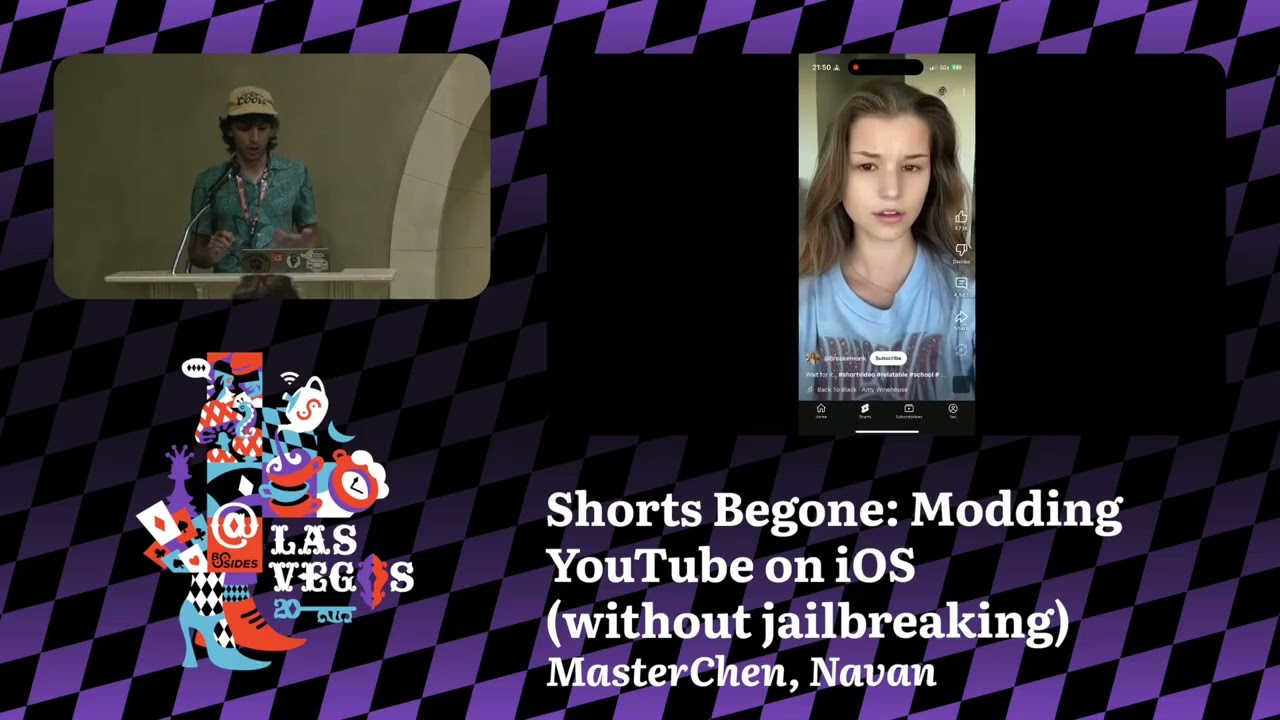
Well, good afternoon everybody. Hope you guys are doing well today. How's it been? Welcome to Bides Las Vegas Proving Ground. Uh, so we're having our next talk. This talk is titled Shorts Begone: Modding YouTube on iOS without jailbreaking. And we have our talk presented by Navan Chowan right there. So before we begin, a few announcements. Uh we'd like to thank our sponsors, especially our diamond sponsors, Adobe and Iikido, and our gold sponsors, Formal and Drop Zone AI. It's their support along with other sponsors, donors, and volunteers that make this event possible. These talks are being streamed live and as a courtesy to our speakers, and audience, we ask that you check to make sure your cell phones are
set to silent if you haven't already. Please make sure you do that right now. If you have a question, uh you'll be using the audience microphone which I'm holding in my hand. I'll pass it along. Just raise your hand so that the people on YouTube can also hear you. As a reminder, the Bides Las Vegas photo policy prohibits taking pictures without the explicit permission. So, no just raising your cameras to take pictures of even the slides. Uh if you want that, you could talk to him later and try to get those. Um yeah, these talks are all being recorded and will be available on YouTube in the future. With that, let's get started. Please welcome your
speaker. Hello everyone. How's it going? So yeah, like the title of my talk is shots begun modding YouTube on iOS without jailbreaking. And now the first question you guys might have is why this topic? Well, I love watching YouTube videos, but every time on YouTube on my phone, I'll accidentally get sucked into a black hole that YouTube shots us. You watch one clip and suddenly you're watching five episodes of Suits. And I've never watched Suits in my life. Everything I've all the episodes I've watched, all the plot I know of Suits comes from YouTube shots. And then Bryce Stoco, he published an amazing video on YouTube where he mods the Tik Tok app to only play cat videos. And I thought that
is very cool. Like I want to be able to mod apps on iOS. I want to kind of just mess around, have some fun. And then the constraint of doing this without jailbreaking comes from the fact that I don't own any devices which can be jailbroken anymore. So how do you do this? So again, a brief introduction of who am I? I like saying I like to say that I'm just a silly goose. I don't know what I'm doing. When I started prepping for this talk or when I started doing this, I had written zero lines of Objective C. I have no actual background in reverse entering on iOS. So I think of this as a guide for dummies by
dummies. Like how do you just get some practical stuff out? like how would you guys do this without having to spend a ton of time reading articles and figuring out what's going on? It does help, don't get me wrong, but sometimes you just want to fix that one bug in an app and just be done with it instead of learning 10 years of history about Objective C next step and how everything is implemented. So before we get started, I'd like to talk about a brief history of iOS reverse engineering and tweak development. Like how did we get to this point? So when the first iPhone came out, it wasn't even called iOS. It was iPhone OS. And
there were tons and tons of restrictions. Like there was no App Store. There was no way to download or install third party apps. All you had was access to the web browser. And I say that, oh, as if I was there in 2007. I was like four years old. So, this is all based on history I've gathered. So, that's when the jailbreaking scene and the modding scene came out. It's like, oh, I love this piece of tech, but I don't want to be limited to AT&T because the initial iPhone was carry locked. So, how do you bypass these restrictions? So, that's what I would like to say. the early age, the early days, 2007 through
2009. And then what I'm calling the golden age would be iOS 5 through iOS 9. iOS is getting a few more features, but again, what the modding community is doing is just unbelievable. And like this looks like a screenshot of an Android phone, but it's still iOS. Like people wanted widgets, people wanted more customizations. Uh just even dark mode didn't exist. All of the revolutionary features that we have now on iOS first came out of these modding scenes. And now we're kind of in the post-privilege era. Apple's kind of making it much more difficult to uh get new exploits. The jailbreaking scene is also kind of dying because it's like why would you spend months and months on
developing tweaks to give out to whiny people on Reddit who are just asking for when's the next exploit? when is this tweet going to get updated? When you can just get a million dollars by participating in bug bounty programs. And again, the there's also a smaller demand for modding in jailbreaking nowadays because iOS has matured as a platform to the point where you don't really need to be installing tweaks for dark modes or for like widgets. It's just there. So that's a brief history of how we came to this position. Now there's a couple more theory sections that we I like discussing. So number one is method swizzling. So what's method swizzling? Uh so say you have a teddy bear which has two
buttons, a blue button which is labeled dance and a red button which is labeled sync. Now when you press the blue button it dances. When you press the red button it sinks. But now you're like, "What if I want the button labeled sing to dance?" But when it's labeled dance or when it's labeled sing, you dance. So if you don't want to mess around with electronics, so what's the easiest thing you can do? You can just swap the labels. And now theoretically, the button that's labeled dance does make it sing. So you have accomplished what you want to do. So that's kind of what method swizzling is where you're changing the implementation of an existing method at runtime. So you
provide your own custom implementation and you tell iOS that okay when A is being loaded when you uh when something when you hook into something and now you're loading A instead of loading A let's load B first and then let's load A. So that's what method swizzling is and that's what we exploit for writing tweaks and mods. So the next thing is what are IPA file? So what is an iOS file? Essentially when you go to the app store, download an app, you're downloading these IPA files which are essentially zip archives. So they contain the payload, all the other frameworks they are bundling. And now when you download something from the app store, they are encrypted and they're
signed. They're signed by the developers appite. So to be able to sideloadad something, you need a decrypted IPA, something that you can just sideloadad. So there are services like decrypt where you can throw in a link from the app store and they'll decrypt those IPs for you for free and then they're readily available for everyone to download. So technically you do need a jailbroken iPhone to get these IPAs, but there are services out there to get around this issue. And now a decrypted IPA if you have a free Apple ID or a free developer account can be signed and sideloaded for seven days. Again there are workarounds where you can use something like all store or sideload where these apps then
get resigned and refreshed wirelessly so you don't have to keep plugging your phone back into your laptop. And then developer accounts again can do it for 365 days if you want to pay Apple $99 for the privilege of loading stuff on your devices. Um then for tools whatever you're used to you can still use them like kra ID pro if you're used to uh using those for static analysis works for dynamic analysis some of you might be aware of fritter for dynamic instrumentation again works sideloading I like using sidelonly just because you can very easily uh bundle other frameworks and other tweaks and then for runtime debugging I love using flex and I'll talk about flex a bit more uh in depth.
So there are essentially three steps you need to go from your app to the tweaked or modded version you want. And these three steps can be generalized to sideloadad. So you need to figure out what app you're working on. You need to figure out how to run it and then you kind of analyze it with either your uh static analysis tools, dynamic analysis tools or whatever technique you want and then finally you tweak it. So what we're going to do is again step one grab an IPA. Grab the decrypted YouTube IPA from decryptor. Use side loadly drop it in connect your phone sideloaded. It's that easy. And now we kind of see what are we
playing with? What are we trying to do? So when you launch the stock YouTube app, immediately you see brain route and slop. It's like you're welcome with YouTube shots. The YouTube shots tab is just a black hole you don't want to go to. So by the end of the talk, the idea is this is what we trying to disable that we don't get sucked into the black hole of the So step two for me personally is I love flexing. Flexing is using this inapp debugging tool called flex. So, it has multitudes of features and I'm still discovering all of the features, but one of the nice ones is you can in real time introspect the UI
hierarchy. So, you can see what's there on the screen, play around with it, modify it, and if you use miden proxy or Charles proxy for network debugging, you can do this as well from uh inside flex. So inside Loadly, all you have to do is show advanced options and then you're able to inject flex and there's this helper helper tool called autoflex which helpfully bundles flex for you and you can just drop it in in any IPA and it'll load it up for you. So now when we open the YouTube app after we have sideloadaded it, what we'll see is this floating menu bar. This is the inapp debugger that's running live. So now we went click on
menu. We can see all of the functionality that Flex provides and there's just some ton of great stuff. One of my favorite ones to play around with it is preferences where it shows you the user default values that developers have developers are using in that app and oftent times lots of developers store their API keys using user defaults which is something you're not supposed to do but people do that so you can get API keys this way. Then right now we can still use the shots tab to switch to shots. So when you click on the inspect element mode, that's what I like calling it, you click on the shots button and now it'll show you exactly
what element you clicked and what element uh what the properties are, methods are. So now in here we can just disable it. Like there's the enable property which dictates whether you can click on it or not. You disable it, exit out of the inspect element mode and now you can't click on the shots button. You can still click on the subscriptions tab for example and that works. you can click on home. So for now, let's reenable it. Uh but this is what we can target first. What if you were not able to switch to that tab? And now when we click on the view hierarchy again after we go back to the inspect element, we
can try to see is there anything else in this hierarchy that we could target? Like sure, just setting the enable property to disable would be fun, but is there anything else we can do? And then what we find is there is the pivot bar item view that we can tinker with. So that brings us to step three. Step three is where we kind of decide what a tweak is going to do. So now we know there is a YouTube button that we want to target. Uh so we are going to hook into whenever it's drawn. So we're going to use uh layouts of views. Some people don't like that and there's valid reason but so we just check if the
button is title shots. If it's not, do nothing. Don't change anything. Just do whatever you want. But if it is, just keep finding its parent view until you find the parent view that matches the class of the pivot bar item view and just remove it. For simplicity sake, we're just going to set hidden to true right now. And all of this can be achieved in 20 25 lines of code. It's very easy. So let's look at each of these sections. So the initial section for the loading method uh for our implementation defines what we want to do. So the layout subviews is called a lot of times in apps life cycle. So that's why you use something what's
called a dispatch once token which means now the objective C runtime is only going to call this once. So you don't have to worry about multi-threading or tons of different things which can go wrong. And then we tell it to swizzle the layout subview with a method which swizzles this. So with this swizzling method we just call original layout subviews. And then we have our custom implementation which for now we're calling disable shots button swizzle layout subview. And then uh the actual implementation calls the original one. So when you're in your swizzle view and you call itself, this is actually calling the original implementation. So the original method sets up whatever it needs to set up. So you don't have to
keep track of anything else. And then our custom implementation gets the button, checks the title of the button, and then just keeps looping, keeps looping until it finds its parent pivot bar item view and just sets it to hidden. So now when we sideloadad this, you just bundle up the uh framework and bundle with sideload. Now there is no YouTube shots button, but we still have YouTube shots. Like we can still click on all of this flop and it's still there. So let's look at the view hierarchy. What should we target next? And again, there are a bunch of interesting stuff like this one is the YouTube shots content view. Okay, that's good. Is there anything else? And then
when we keep scrolling, keep scrolling, keep scrolling, what we find is that there is a YouTube real watch playback overlay view. And this is rendered when a YouTube shot is being played. So now we can hook into this. And again, the sky's is the limit. Whatever you want to do, you can achieve with this. So we could have cut the screen to black. We could just exit the app. We can change the video source and play Rick Ashley. Or we can just simulate the back button, which we are going to do right now. So the rest of the code remains very similar just our custom implementation changes where we now find the back button and we just simulate a pointer
event. So we just click back and how does this look now? Now now again you bundled up uh loaded into the YouTube app and this time anytime you click a YouTube shot it just goes back. It's physically impossible for you to watch YouTube shots now. So even if you say you go on the YouTube search and now you search for a particular YouTube shot and then you pick a random YouTube shot, it simulates the back button. You basically cannot watch YouTube shots anymore. And now all the things that I've learned after doing this, there are a few quality of life improvements that I would definitely recommend if you guys want to go into your own iOS modding
journey. And the number one I would recommend is using Theos and Logos. So Theos is a crossplatform build system and Logos is their uh Based pre-processor. So now you can use macros to write all of the boiler play code that you've been writing. So this was our load method with the logos. It would simply just look like just hook into whatever button you're hooking into. And now for the the two other code blocks we had, you wouldn't even need the one that exchanged the code block. And then the method name that we had, it would simply get replaced with whatever method you were swizzling and then just a percentage original would just like call the original. So again, you can reduce
if you don't want to write 30 lines of code, you can now write six lines of code. That is super fun, super nice. And then you don't need Mac OS to use to you could use it on Windows. You could use on Linux. Sideloadly does support sideloading all of these on different platforms as well. And then you can also if you don't have an iPhone and just want to play around but you do have an Apple silicon Mac you can take advantage of Apple silicon max. So now in side loadly instead of sideloading this to your phone you can just choose your own MacBook as a target. And now when you do that, say you wanted to use Fritter and
you just get the P to do that, it will crash because right now Mac OS is running it as an iOS app. But there's a trick to get around this. You just use LLDB to connect to the uh Mac OS appfest. And then LLDB will correctly figure out that oh wait, this is an iOS app running on Mac OS. It'll set the correct architecture and you can just exit it after you attach it. Sets the right entitlements. And now when you connect with FRA again, it just works. So you can now start using your favorite tools directly on Mac OS as if you were running an iOS device. And now based on all of the work I've been doing at my
job recently, we've been playing around a lot with LM based AI agents. And this may be how you use these tools to help you debug. there's a good chance you know much more about how LDB works than these tools. And then this is not for you. This is for people like me who don't have enough experience with LDB and just want to mod YouTube to remove YouTube shots. Like we don't care about how it's working. We just want to get it done. So say you have your YouTube app loaded. There's plugins and integrations called MCPs. I'm not going to bore you guys with those details, but you load up an LLDB MCP, which gives these agents
access to um LDBs, and then you can simply just tell it, okay, uh let's just connect to the YouTube app. And then what Claude right now does is it'll create a new LDB session. It'll look through all the running processes, find out which one of them belongs to YouTube, get the correct P and then connect you to it and now you can just ask it in natural language what you want to do like what features you want to do. So say if we wanted to do similar thing of okay now we connected to LDB let's find clickable buttons on the screen with either the text or label shots and then it will waste way too many tokens trying to do that.
It will take 2 minutes to do this and most of you guys will be able to do it very quickly. But again, this is this is probably the worst these models are and this is only going to get better. And then it just operates them as if it knew how like LDB works. It'll keep making mistakes. It'll correct itself without changing anything. Like all you have to do is just tell it what you wanted to get done and then go get a coffee. It's going to fail. It's not going to work. And sometimes it'll just go on tangents where you're like, "What? What is happening?" But it will eventually get to the correct location and then you can
just keep asking it for different requests and it'll keep working. It'll try different solutions. It's like a very silly summer intern. They kind of think they know what they're doing. So again, it'll just keep working, keep working, keep working. And then now it thought it did everything correctly. But then what you can do is you can just be like, "Nuh-uh, that did not work. Go fix that." And then it will be like, "Okay, you're absolutely right. It did not work. Let me go ahead and fix it." And then when you just keep doing it'll like just keep doing stuff, keep doing stuff. Keep doing stuff. Again, this was recorded in real time and it did take three or four
minutes to do this. Now, someone who has never used LLDB before will spend at least 10 minutes figuring out the documentation. So, if you already know how LDB works, you'll be like, "Oh, I can do it in 10 seconds. This is how you do it." But for someone who just wants to get something done right now and they don't care about how it works, which again, moral ethical like implications of what are we doing? Again, uh this works. It's a fun tool. This section was originally just going to be how can you use Kedra, but I thought this might be more interesting for you guys. And then for further resources, I would definitely recommend checking out B uh
Bryce Boswick's videos. And on his website, he has some text blogs as well. The Apple wiki is an amazing resource for getting more information on how the iOS reverse gendering scene went, more resources. And then the slug is good start. And uh if we don't get through all of the questions here, I'll be more than happy to chat with you guys outside. Uh the code and these slides will be posted on my website after Bside ends. And if you're one of the 27 people who uses who still uses Gopher, I'll have it on my Gopher space as well. So, and feel free to email me uh any questions you guys have about this. But yeah,
[applause]
>> do you have any questions?
>> Sure.
So you said so you said that you had to decrypt the or have the IPA decrypted. Would that have to change every single time they update or would you be able to postpone it until some sort of mandatory mandatory update requires you to uh get back into the app. uh you can still use the same version of the YouTube IP that once you have once you have it decrypted and you sideloadad it, you can basically use it forever until they start forcing you to upgrade the app. But that usually takes you can usually run versions that are limited like the past two or three years without any problems. And also these sites once they have indexed an app as
soon as the next version comes out usually within 10 15 days they'll decrypt the newest version as well. So you can just download that just rest of your code remains the same and you just update that. All right. Do you think this will be sustainable for future YouTube features if you're um if you can keep decryting the IPAs? There is actually a very exciting YouTube IPA modding community. There's like u UU plus+ plus like U as in the letter U then U as in Y O U and because there are a lot of plugins people use on uh the desktop YouTube like sponsor block is one of those where it automatically skips whenever people have any sponsored
section in the videos they just like crowdsource all that information. It is pretty healthy, but uh you never know. Like this could just go away tomorrow, but people will still find a way. They always do. All right.
If nobody has any further questions, I guess if you could give a round of applause and thank your >> [applause]
Related talks
 9:40:42
 41:23
41:23 53:24
53:24 27:16
27:16 37:24
37:24 51:39
51:39