MTV Reboot — my Super Sweet 16-bit malware (MS-DOS Edition, TSR Remix)
Show transcript [en]
we are delighted to have with us
to talk to us about high MTB destroy the music industry sorry to talk about MTV reboot my super sweet 16 hour byte MS-DOS Edition hey what's up okay um hi everyone thank you for joining me today this is my super sweet 16-bit malware MS-DOS Edition TSR remix uh so quick who am I my name is Nika I'm a security consultant at Leviathan Security Group and I'm also a reverse engineer and artist and I like malware and Hardware hacking and languages and all the other things on there um and greets and big thank yous to everyone who's on that list it's a lot of people um wouldn't be here without all of them so shout out to all of them uh thank you
to the team Leviathan especially and to b-sides for having me so all right uh so quick disclaimer the views expressed in this presentation are my own and do not reflect the opinions of my past present or future employers fewer discretion is advised so uh what this talk is about um in case the very long title did not tip you off uh this talk is an introduction to MS-DOS era malware including an overview of the MS-DOS architecture and the unique threat landscape of the time it's a starting point for learning about viruses and the techniques that were used in sophisticated malware of the 80s and 90s but it is not a complete and thorough examination of every piece of Daw Sarah
malware and it's not an in-depth analysis of malware that targeted other os's of the era so elk cloner isn't relevant here though it's Ram infection techniques are to my heart very dear um if anyone here gets that reference you win all the points and if you don't I can explain it at the end and on this slide to the right we have Mars Land by spanska so shout out to spanska who is uh one of my favorite virus writers of this era probably of all time and whose viruses were actually the reason I was inspired to start this project um I I have a background in both computer science and Fine Arts and these viruses frankly appeal to both sides of
that and I think they're poetry I love them um everyone should know about spanska so we go to the next one there we go okay uh so a quick overview of how the presentation is going to be structured uh we have our introduction which we already covered so we're doing great and uh we're going to go over motivations which was uh essentially my reasons for starting this project and why you would want to study ms-dosera malware definitions we're going to go over architecture notable interrupts uh of course we're going to talk about tsr's um we're going to talk about Stealth and persistence techniques and looking at some notable malware samples and connections to Modern malware
so motivations uh I describe this as Choose Your Own Adventure because I had a lot of motivations throughout the course of this project but the one that I started with was actually C which was looking at some of these samples my reaction was it looks pretty why does it look pretty why is it also infecting the MBR is this malware or is this art is it both um I don't have any answers to those questions but along the way uh are definitive answers to those questions I should say um but along the way I've uh leveled up my skills in all of the side quest uh disciplines that I've listed here so reversing 16-bit malware has uh Advanced
my skills in things like Hardware hacking uh bios reverse engineering Graphics programming uh different aspects of VX development so polymorphism OS development and then binary Gulf for anyone who's a big fan of writing assembly programs like I am so all right uh so in order to contextualize this I want to just provide some definitions up front so a virus Fred Cohen is actually credited as being the creator of the term virus in his 1984 paper the full quote is presented there but we're going to extrapolate on that and to find a virus as a self-replicating program that uses a host program to produce new coffees of itself and then a few more definitions a polymorphic polymorphic virus is a virus
that uses a variable encryption and decryption routine and variable key to create an encrypted copy of itself in memory that is then appended to or inserted into a host file uh the encrypted image of the virus is uh it changes upon each iteration so it minimizes the presence of known bite patterns for AV signatures and increases the stealth of the virus and then boot kits so a boot kit contrasted with a root kit a boot kit is a type of malware that infects a critical component of the OS boot process to install itself and maintain persistence a boot kit presents a more OS agnostic factor for attacking some of the lowest level abstractions available to and used by a computer so again
contrasted with a root kit which is typically more targeted towards a specific OS and oftentimes a very specific version of that OS a boot kit has a lot more flexibility in the lower level abstraction layers that it can attack and it has this great ability to maintain further persistence because of that and then uh boot sector infector or BSI um a boot sector infector is the earliest form of a boot kit so a BSI is a boot kit that targets storage media that didn't have an MBR and an MBR is a master boot record which has a partition table allows you to boot multiple uh os's but a boot sector or a boot sector infector
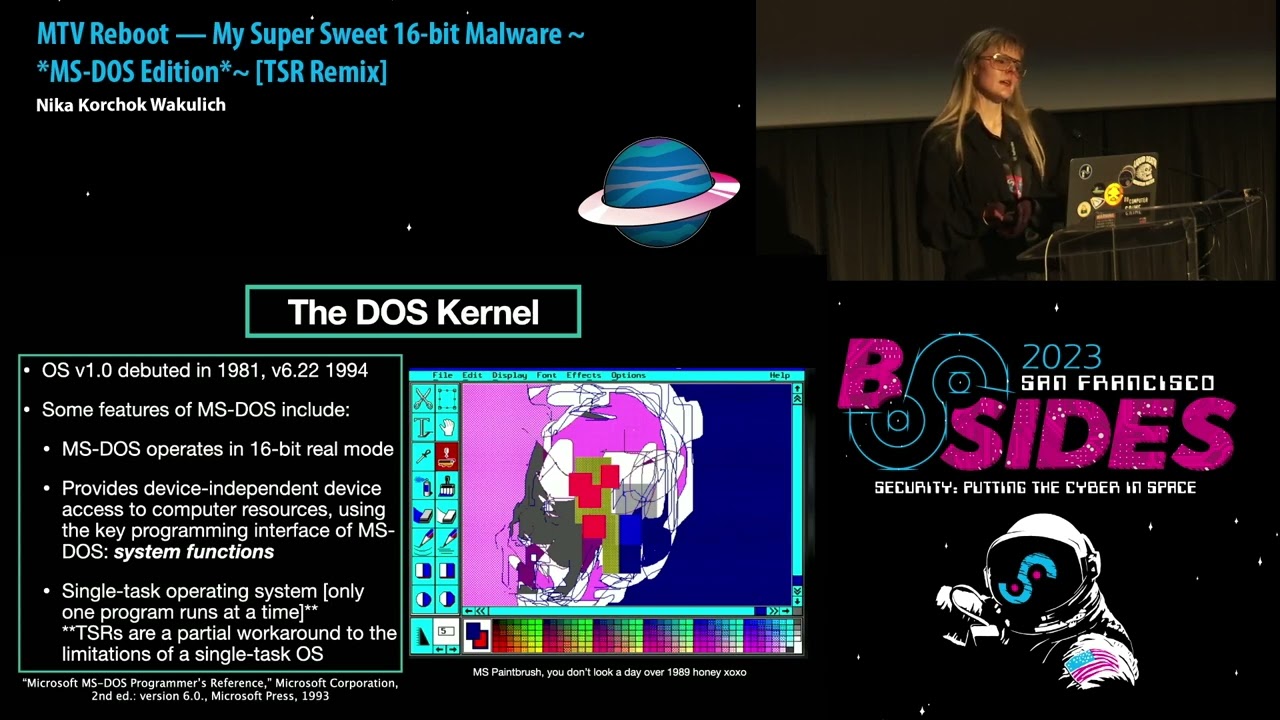
targets storage media that only had a boot sector so hence the name and BSIS especially of this era targeted various forms of floppy diskettes again which didn't use an MBR all right uh so we're going to have a whirlwind tour of MS-DOS so the Dos kernel MS-DOS version one debuted in 1981 version 6.22 debuted in 1984. and some notable features of MS-DOS include it operates in 16-bit real mode it provides device independent device access to Computer Resources using the key programming interface of MS-DOS which were system functions I know that's a bit wordy we'll break some of that down in a few slides and very importantly MS-DOS was a single task operating system which meant that
only one program could run at a time a TSR is a partial workaround to the limitations of a single task OS but even with a TSR it's still important to remember that it's a single task operating system and we'll I'll Define tsrs in a minute and just a few more notes on the Jaws kernel uh MS-DOS ms-dos's operating system is divided into roughly three layers we have the BIOS basic input up system around that the Dos kernel and then further encapsulating the command processor or the shell which is command.com so the Dos kernel provides system functions that allow a user to perform actions with a provided collection of Hardware independent services so these functions let you do things like memory
management spawning programs a character device i o all the fun things uh programs and it must also interact with these system functions by loading registers with function specific values and then transferring control using software interrupts so software interrupts using software interrupts with these system functions uh was the main method that you could do cool things on MS-DOS so that's what we're going to talk about now uh so on here this isn't even all of the interrupts that would have been used by anastas malware but I've highlighted a few of the very key ones especially that are relevant to the samples we're going to be talking about later uh there are two groups of interrupts so
we have the system interrupts which are the ROM bios interrupts and then the MS-DOS interrupts again it's not exhaustive this list but I've highlighted a notable interrupt in each of those categories so the wrong bios interrupts interrupt 13 uh handle disk services so that was a really common Target for boot kits and then in 21 uh that was the bread and butter of MS-DOS so if you're analyzing MS-DOS malware you're going to be seeing in 21 everywhere uh and then just in terms of further resources for learning about interrupts on MS-DOS and in relation to MS-DOS malware you can do a few things like you can get a book or several like I did and
just page through all of the resources but an alternate and really excellent resource I refer to it here by the really terribly long acronym rtfms dos s which is read The f-a-m-s-dos Source because it's really beautifully often it's often very beautifully and succinctly documented by the virus authors themselves so this picture here or the screenshot rather is from verdem by Ralph Berger so thanks a million Ralph it's a beautiful ASM file uh okay so in terms of understanding how we would in invoke system calls and MS-DOS we're going to be talking about the interrupt Vector table so the interrupt Vector table was the precursor to the interrupt descriptor table and it defined the addresses of all of the 256
interrupts in 8086 real node uh so how does one invoke a system call on MS-DOS under normal conditions a software interrupt is triggered with a system call user makes a system call for example in 21. and the system call retrieves the address of the interrupt service routine from the corresponding entry in the interrupt Vector table the address there is stored in one of those again 256 entries and the address contains the or is made up of the segment offset pair and so once that's retrieved there's a jump to that retrieved address of the interrupt service routine system executes CNR service routine control is returned to the calling program so there's another diagram that maybe illustrates it in terms of the the
control flow
oh just all right uh so now we're gonna be talking about tsrs or terminate and state resident programs
okay uh so a TSR is a feature of MS-DOS that allows a user to bypass the limitations of a single task OS by installing a persistent program in Ram which is then invoked by subsequent interrupts there's a lot of text there so I will spare you all of that and we have a nice diagram right here uh so I'm gonna I'm gonna just go through the process of installing a TSR um in the most straightforward process um so it starts by retrieving the address of a desired interrupt that you want to hook um so you find the address of that interrupt from the interrupt Vector table you retrieve both of the address components of the target interrupt and
those address components are the segment and the offset again because dos used a segmented addressing scheme and then the interrupts address components are saved to a specific address or a specific region of memory so it can be two variables in the data segment or some other location of memory that's defined by the virus writer um a new interrupt Handler is installed in the ivt in our Vector table and then the new interrupt Handler has added a new interrupt service routine which concludes by jumping back to the original address and passing control back so essentially this whole thing is creating the illusion that the original interrupt has proceeded as per usual and nothing's wrong and nothing's happening
on the system but in reality there's a system called that's been hooked and something is happening so okay so on this uh let's see if this one there we go okay so this is a demo TSR I wrote it hooks interrupt 21 and it only triggers when a call is made to the exec program uh like when a user is launching a program from command.com uh the sub function for in 21 there is 4B so it's checking if 4B is the sub function that's being called um if a call to in 21 is made with any other sub function the th the TSR just redirects back to the saved interrupt 21 ISR but otherwise a user is greeted with
a screen in 256 VGA Graphics mode a modified color palette and it results in a terminal aesthetic that vaguely is reminiscent of a commodore 64. so this demo TSR doesn't do anything nefarious it doesn't have file infection routines not really anything too fun other than the fun color scheme but it's a nice template for understanding how to modify control flow of critical system calls and how to use the TSR as a means of more persistent storage of a payload okay so uh we're gonna be talking now about uh the Whirlwind tour of ms-doscom programs so uh there were different types of executable files in MS-DOS uh com exe bat Etc uh but com program com programs
specifically are very interesting uh for MS-DOS malware because they had a very unique file structure and unique features that presented a nice Vector for virus writers so uh com programs fit the tiny memory model of the Intel 8086 Isa they always have an origin of 100 which is the 100 and hex so it's 256 bytes it's which is the length of the program segment prefix or PSP which is a data structure that is at the beginning of every com program uh I'm not going to get into that data structure here but just know that it exists and then all the segment registers in a column program contained the same contain the same value so code and data
are mixed together there's no header there's no relook information and there's no identifying information really it's essentially no parents no rules well okay not quite so uh a few important roles for com programs is that there was a maximum size which is roughly 63 kilobytes including like the length of the PSR or the PSP sorry and com programs resided in memory as an absolute memory image and by resides here we mean is loaded into and a single assignment of memory is 64 kilobytes and again importantly um because it's MS-DOS they're using com programs or using a segmented addressing scheme of 16-bit of the 16-bit architecture so we have uh 16-bit real mode but we're accessing addresses in a range of a
20-bit address space which is done using this segment offset pair okay so
all right so uh now we have all of our our groundwork covered to understand some of the some of the details of uh very cool malware of this era so I've called this uh greatest hits of MS-DOS malware or not just a pretty payload um and the reason for that is one of The Inspirations for at least this part of the talk came from something that someone said to me uh rather offhandedly when I was describing this project um I explained that I was reversing MS-DOS malware and they said oh the 80s you mean when malware was just about drawing pretty pictures so here's um a demo of one of those uh so this idea isn't wrong uh entirely
it's not entirely wrong there's a kernel of truth to it uh there were a lot of viruses of this era that focused heavily on uh graphical tricks and also that took great pride in their graphical mastery and using a virus to draw a pretty picture was not uncommon but I think the sample Walker it encapsulates that pretty nicely because it's it's absurd it's funny uh it's maybe annoying to a user but it's relatively benign and not terribly destructive so because of this uh this conception a lot of people consider these viruses not very sophisticated not very Advanced which is frankly a mistake there we go um so in terms of MS-DOS malware techniques in the miter attack framework
we have all of these this is again a non-expensive list but wow it's so boring you wouldn't even know it um I will just point out that masquerading was one that I focused on in particular and I thought was very interesting especially in the way that graphical components were used and leveraged um as a sort of stealth technique but I've created a different Matrix for describing several of the most common and most interesting MS-DOS malware techniques so we have first classic malware stealth in persistence and then also Exquisite graphical rendering and data manipulation using system functions and finally level 10 Savage destruction of the MBR and or the boot sector and in terms of the sources that I used
for the virus samples I'm going to be talking about these are these are a few of them so primarily I use the VX underground GitHub they're MS-DOS malware collection um I think almost all of the samples in that collection are just the source files so the assembly files um and I'll get to that in a minute what the process was for for working with those um another source was the internet archives malware Museum um which was created by Miko hipponen and an important thing to note here is that all of the samples there are defang binaries which is helpful for looking at some of the graphical components especially but they're not as uh they're not as useful for looking at the
malicious functionality especially from an re or a malware analysis perspective so if you're interested in that and you want to look into those it's good to augment those with the uh with the full virus and then in addition I also used the zine archives on VX underground mostly the 40 hex and the 29a zine archives and then also a myriad of knowledgeable experts who wish to remain anonymous so so thank you to all of those sources um uh so this is my 16-bit malware re methodology it's presented as a list but it of course did not go in terms of the linear process but I'm gonna I'm just gonna break down some of these steps a
little bit I started with preliminary research which meant a lot of reading a lot of books a lot of combing through zines and then uh when looking at the actual samples uh there's of course static and dynamic analysis so for static analysis I was mostly using ra2 I wrote in an R2 plugin for this for automatically identifying the interrupts in a sample and then adding annotations to the disassembly in addition I used cutter which was great for when I was too tired to use R2 um and then Ida free version 5.0 which I found through it Retro Gaming Forum uh has really good 16-bit support So rip to that version but it's out there um and then in terms of static analysis
uh as I mentioned previously uh I was reading a lot of the source files which were um all just 8086 assembly the syntax was specific to a very wide range of assemblers so we have a few of them here uh masum tasm fasm 86 the list goes on and assembling the source for any of these viruses meant that I had to find the uh sometimes Arcane and not used any more assemblers for them which was a fun process or making modifications directly and patching the assembly which is a bit more involved a bit more tedious and then in terms of dynamic analysis I used chemo and free free docs a lot as well as box and then dosbox but it was
less useful for uh some of the more involved debugging that I wanted to do so it's not as flexible but it's also a helpful tool um and then there's also in addition in terms of resources for analyzing these programs there's a really good YouTube channel of uh someone their name is Dan octl1 so I think it's Dan out of control but unclear uh but they have a really great MS-DOS malware playlist so they play a lot of these samples so that's kind of cool just to just to watch them all right so uh so we finally have all of our background covered and we can look at these samples now so uh the first one I'm going to be
talking about is crash so crash is um I think it's a nice one to start out with it has this infinite Loop of a pretty animation uh writes to the VGA buffer with Peak and poke and it renders the computer unusable so you have to reboot it it's less destructive compared to other viruses that used similar VGA buffer manipulation techniques but it's very pretty so I'm going to play that now but I do have a mild flashing lights warning so um I'll give a countdown before I play the video and then I'll just tell everyone when it's over so I'm going to play the video in three two one so so it's fun okay so up next we have cuckoo
uh cuckoo is in a similar vein of being uh very graphical but also a bit devious so it searches the file system for exe files and com files and then it overwrites them with the payload and the payload essentially when it executes it just displays this obscene collection of boxes that say cuckoo over and over renders the command prompt unusable you have to reboot the machine and then I have a fun depending on how you define fun fact here cuckoo one definition in Russian means peekaboo so when it's going through it's searching the file system and every time it finds a Target file that it can infect it displays a message of peekaboo I found
you uh which is Savage so uh here's a quick video of it just you know I admire it okay um our next one is verdem uh verdem is pretty pretty basic uh there's a lot of text here but the important things to note are that it's a demo virus that was written by Ralph Berger so uh the author same uh same virus that I had a screenshot of earlier and he wrote a book that I did buy off Amazon called computer viruses and data protection unclassified where he goes through the techniques um and the uh the details of his virus implementation so the important ones to note of this long list are it's a file infector it infects
com files it doesn't try to Target command.com based on how the directory is structured and when it infects a program it adds an additional functionality which is a bizarre guessing game and the difficulty level of the guessing game for numbers is dependent on the virus generation so it goes up to nine generations and presumably gets more difficult after each duration so uh this is what it looks like when it's executed uh so you have this nice little display of your programs are struck by verdem generation one um it's not as cool but it's a nice demo all right so now we're getting into the more fun ones um so this is stoned uh stoned is a pretty famous boot kit it
inspired a range of related boot kits in the same virus family um those other boot kits had varying levels of sophistication so I say here Michelangelo what an absolute flop and I stand by that um because Michelangelo essentially just uh copy pasted stoned and added a tiny logic bomb that triggered on Michelangelo's birthday and then didn't do anything cool graphically so like what a wasted opportunity um but stoned the origin of Michelangelo was able to infect boot sectors of multiple different storage format multiple different formats of storage media so it had routines both for infecting floppies and for hard drives and then it also had some nice stealth routines and techniques so it saved the original
MBR in a I say here hidden area of the disk it wasn't hidden but it was a known section um or it was a known group of sectors that would be free because of where the MBR was stored based on how fdisk worked um so it saved the MBR in one of those sectors and then it also had a a TSR functionality where it would spoof valid interrupt 13 reads and writes to the disk that was infected and of course it had uh the lovely logic bomb which displayed you can see on the right there the famous your PC is now stoned message um and the logic bomb part of that was that it only uh it was only displayed one out
of every eight times which was uh determined based on the PC timer so interrupt 1C okay
okay
all right um so the next one is uh tequila so tequila combines a lot of the different techniques that I've talked about so it has a graphical component it has a boot kit component it has some TSR functionality and it has some fun stealth and then also a multi-part payload so has this nice fractal animation which is a mandelbrot but it's also Savage because it infects the MBR partition table it installs some handlers to run as a TSR and then the most interesting thing I think about this one is that at the top you can see there's uh there's this line execute move ax fe03 and 21 key to go on so what is that
well it's a multi-part payload that requires user interaction so if you run this in debug mode and you enter uh enter those instructions and you run it it'll reveal welcome to tea Tequila's latest production contact T tequila Loving Thoughts to Linda beer and Tequila forever way to go Linda like Legend okay and uh now we're coming up on our greatest hits uh Marine which is uh probably one of my favorites so Marine is uh in in my classification of ernestos malware uh I describe things as level 10 Savage and this is level 10 Savage um so it has a few different payloads each trigger based on the conditions of different logic bombs but the most
brutal one uh triggers in June and it shreds the MBR which is not a very technical term um meaning it encrypts the drive uh and then there's a at the bottom here when it's doing that specific payload when it's when that payload is triggered and it's executing uh it has this fun boat animation and at the bottom of Siena Mori is uh in Russian it means essentially everyone to the ocean or everyone on the sea but the vibe is basically like let's go to the beach beach so we have Nicki Minaj TSR icon foreign and this is what it's doing when it's when it's executing so um in terms of graphical components that employs stealth if a user is presented
with this and it's running on their machine they're probably not going to think it's that bad right like it's just a boat animation maybe they don't understand the words at the bottom but it's fine everything's fine nothing bad is happening to the drive right now we just have our boat on the ocean but in reality uh here's the call graph of the function that's encrypting the drive this is a screenshot from cutter and this also important to note this isn't the global call graph so this is just the call graph for this function and again the virus has several different payloads so depending on if you're in June or you're executing it when it's in June
um you might have a different payload that has a similarly very complex function call graph and so each of these show the complexity and the sophistication of these viruses um in addition to that Marine is again like I said one of my favorites because every part of it is kind of just showing off the skills of the VX writers um so rather than doing things the most straightforward way or the most common way um even in terms of techniques used by VX writers of this time it's not using common interrupts like in 21 that frequently it's doing direct manipulation of relevant functions via the i o ports and that includes both for the graphics routines and for the more
nefarious routines so there's stealth there's I guess what you could consider a form of code obfuscation because they're just using very complex tricks in their assembly and respect it it's cool it's the boat Okay so
okay uh so now we're coming back to our original question of why study an end of life OS well I think uh it's pretty well summed up here by uh David Byrne and the Talking Heads in their music video once in a lifetime which is malware same as it ever was uh so just a few uh connections that I want to highlight there are a lot of foundational techniques of uh the malware masters of the 80s and 90s that inform malware of the present day so we have Legacy BIOS interrupts that were featured prominently in malware especially malware like boot kits up through later versions of Windows especially through Windows 7 before the switch to uafi
um one relevant case study is not petia so again there's the occurrence of the n13 bios interop for disk Services um uh okay and while the switch to UEFI firmware or the UEFI firmware boot process from the Legacy boot process which included the Legacy BIOS interrupts really changed the landscape for boot kits particularly Windows boot kits modern boot kits still use techniques that were developed by the earliest boot kit writers in the BSI Heyday one interesting example actually is that the first PC virus um it's called PC virus because there were viruses that infected machines prior to this but it was brain in 1986 which was also a boot kit and then when it was activated it had a
message about the virus authors but the techniques used by brain back in 1986 did things like saving the original MBR doing spoofing of uh in 13 for reads and writes and some of those techniques of saving an original MBR or saving an original piece of memory that you want to alter are still obviously used by boot kits of today and malware of today and then a few other techniques so in the same way that the ivt was a data structure that was leveraged for persistent storage of malicious code and also our viruses the IDT was also leveraged in the later Windows length Windows threat landscape so I say here different names for the same thing which isn't a robust
anti-virus strategy it's a Death Cab for QD track but reusing the ivt in its new iteration for similar malicious activity is a really interesting way to see the lineage of these viruses and their techniques um and one prominent example very specifically in terms of using the IDT was brovnix which is a boot kit from 2011 that stored its payload in the IDT above interrupt 80 in a range of entries above interrupt 80 which was known to be typically free and similarly the ivt above those ranges was free and was used to store payloads in earlier 80s and 90s boot kits or 80s and 90s viruses so still in 2011 it's manipulating the same data structures and leveraging them to
pretty powerful effect and then also studying Ms sauce malware can make you inspired to rewrite an old classic and show that a modern OS can still be vulnerable to boot process exploits because of its backwards compatibility with the Legacy biospute process and going back to stoned the stoned boot kit was Rewritten and presented at black hat 2012 to show how um to show how that that Legacy BIOS process was still Legacy BIOS boot process was still a really important and vulnerable Target so while the IBT got upgraded to the IDT it remained a useful data structure and you could hook system calls on later versions of Windows via the IDT in similar ways that you could do it with
the IBT um and the IDT and the ssdt so system service descriptor table were both used to this effect so you could hook the ssdt and the IDT in similar ways that you could hook the ivt in earlier um in earlier viruses um and then finally I just said looking into the past can give you ideas for where to search for inspiration next um so I think a lot of the techniques that were developed in this era were very sophisticated very interesting um and can be a nice place to look at if you're feeling bored or stuck with something that you're working on in exploit Dev or malware analysis or any area of security really
okay
so loud uh okay so where to now I have a repo and GitHub with sample com programs learning resources a guide for setting up a 16-bit reversing lab so you can check that out I also have some deep dive blog posts on my website so exploring similar or exploring specific subtopics so tsrs in a lot more depth as well as early boot kits I've also written an R2 plugin like I mentioned for reversing 16-bit binaries so if you are interested in using that feel free to contact me on the socials or talk to me after um and then finally I have a playlist for when you're reversing 16-bit malware so and I believe if that's it
cool for Nika please we have roughly eight minutes for questions from the audience
you mentioned one of your reasons for studying this is that it is still relevant today how completely relevant is it to modern day viruses um yeah I think let's see I mean other than the connections that I highlighted in some of the earlier versions of Windows um I think some of the especially the bootcut techniques are seeing a Resurgence I mean especially there's the Black Lotus UEFI boot kit this year um and I think for like a number of years a lot of people in that space were considering the bootcut era effectively over um a lot of virus writers were switching to Firmware implants and not going after a boot kit functionality specifically um but there we are so I think that's
a very strong one in terms of just seeing the lineage of boot kits from then until now I think a lot of the stealth and persistence techniques uh it's not a one-to-one but I think there's sort of a simpler or uh more condensed version that exists in earlier virus samples of the 80s and 90s that grew and developed and can be seen in malware today thank you
earlier you had a slide that said something like reading the source code for some things did you ever you mentioned one that I sound like a professor made it or someone at University did you ever like find Historical samples of the source code for these things or do the old authors just put them on GitHub in modern times or something
good question I mean in uh some okay for some of them uh they published their samples or they submitted the assembly files or what have you to zines and a lot of those scenes are archived so in terms of looking through um I mentioned like the 29a and the 40 hexene archives samples that weren't in the VX underground GitHub repo um there's a few that just haven't been migrated over that are still in those Zine archives but some of the viruses that were written during that time were written by Professionals in the field as essentially pocs and then were adopted and modified um similar to how techniques can be leveraged today so but the source code for verdem was
not in uh Ralph Berger's book but he talks about it extensively and then that was on the GitHub repo for VX underground so there's like plenty of ways to find them um over the course of the throughout like the 80s and 90s were there changes to like how viruses would propagate or replicate in addition to like the techniques that people used and you know if so was it mostly like over storage media or did it go over networks as well so okay let's see in terms of different ways for replicating and propagating I do mention I did mention at the beginning but I didn't get into it very much um a lot of them use polymorphism in
some capacity so those like polymorphic techniques were pretty uh instrumental in a lot of these samples especially of that era and then it was the second part like Network spreading over networks yeah like how would they spread um I mean a lot of them okay for spreading techniques a lot of them were basically transferred using physical storage media so a lot of the ways that they were transferred was sometimes uh like sharing floppy disks but also they propagated over bbs's uh they propagated um I mean there was the I don't think no I didn't mention it um the first virus was creeper which was actually a worm and it infected PDP tens um and so that was in
late 70s I believe maybe 1981 um but that was technically the first virus and that was but it was not a virus it was a worm so it infected networks um and the oh the fun fact about creeper is that it caused the first antivirus solution to be created so creeper had its CounterPoint in Reaper and Reaper's job was just to go in and disinfect all the machines in the network that were infected with creeper so cute little pairing
any more questions going once we have one there was a comment at the beginning it was like a some sort of elk hunter or something you did you said you would tell us more oh yeah okay um out cloners so Out cleaner was a virus uh it was written by I believe their name was Richard scranta in I want to say 1984. it was written two years before the release of the first Macintosh so it targeted Apple twos um but it had uh the way that it ensured uh persistence like memory residence was infected Ram but when it triggered when the payload was triggered it had this silly poem that was displayed um I'm gonna try and remember it it was
like elk cloner it'll like get on all your discs it'll infect Ram to send in the cloner blah blah blah so it showed this funny little poem but your machine was toast so
anyone questions then let's give it off running okay once again please thank you for being a presenter besides 2023 here's a token of our appreciation thank you to a sponsor Dorian SEC and thank you everyone for joining us this year we really appreciate it we'll catch you in the next year
Related talks
 28:29
28:29 29:24
29:24 32:13
32:13 30:17
30:17 38:53
38:53 32:39
32:39