Responsive Home Lab - Jonny5
Show transcript [en]
Hello. Hello. And thank you, Johnny 5. Uh, to those that that know me, you might know me as Jim. You can either call me Jim or Johnny 5. I do honestly prefer Johnny5. So, anyway, moving off of that. So, the home lab, uh, you probably have for some time uh, ran a router at home. you've had to either port forward in uh your Xbox, your PlayStation. You started realizing you could host a website from your house and experiment and grow and and build your potential as a uh I'm going to try to get this a little bit closer to me here. Uh build your potential as an actual uh service provider from your own zone.
That way you can actually uh host the services exactly the way you want. So, that's what we're really going to get into is not just how to how to be able to handle hosting those services, but how to securely host those services. And all right, so uh about me, I'm a security engineer and automation guru and uh I do gaming, DJing, and I like to roller skate. Uh I just don't know how to rollerblade, so don't hate me on that. Uh I do have I have contributed to a few projects on GitHub. uh if you're interested. Hopefully that scans and really honestly hopefully the next one scans. Um so uh homeland golds uh completed. I got to build rebuild and
build again. If you've built a home lab you'll realize that you at some point will have to tear it all down build it all back up at least once. Uh so I've learned, practiced, I've contributed and connected with other individuals, been able to uh take the open sense project and and upgrade some of the ids parts of the uh surracotta uh detection rules. Um and then uh I've been able to actually instrument a layer three layer 4 automated response. So my firewall automatically updates if you attack me. And finally, as a actual the reason why I'm giving this presentation, been able to instrument a layer 6 layer 7 response where if you try to attack a surface in
my HTTP environment from an IP address that I'm not going to shun you from Cloudflare or something else, uh I can say no, you can't have that and my my web app actually responds as such. Uh so after all of this, I want to go ahead and actually get into where I'm taking my data and submitting it to others so that way they can be protected too. uh besides those that use crowdsack. Uh so that way I' I'm contributing to MISP or even an Isac. Uh SECKC locally runs an Isac. Uh there's a couple other ones you may know about. All right. So you want to play a game, you want to play along, uh get out your phone. We're going to go
ahead and do a QR code thing. Uh once you get this going, there's a few more other quizzes that we'll be able to do. Feel free to play along. If you don't want to do this, that's totally cool. We'll just talk out the question. So there's the QR thing. I really appreciate everyone for playing along. You're so awesome. Um, please let me know if this does or does not work. It should work. It's worked just a moment ago, but um I've learned in life that Nice. Uh, try once, try a second time. It won't work for at least one person. Um, anyway, thumbs up. Did everyone get to a page that says there's no current quiz?
Uh, it should it should take you to an HTTPS web page. That did work, right?
It's loading. Okay, I may be doosing myself apparently, but hopefully the fiber connection at home is able to handle this uh pro. It's not support. O, this also breaks. Okay. Well, it it should Wow. So, my my Trey Fick is not working the way it should. All right. So, I really am not sure how or why that's working. Uh, if you modify the This is a really great live presentation moment. Definitely live demo in full effect here. Uh, you may notice that there's an odd port in there. Uh, as you try to go to that, go ahead and remove the port, put an S in the HTTP, and there it goes. All right, that that was I'll I'll be
working on my own. I'll be tearing something down and rebuilding it later as uh as one is want to do. That's what you should see as it says there's no current poll. Okay. All right. So, we're going to go ahead and move into the poll. All right. So, your browser should update and you should get to go ahead and see a couple options. The question is, what's your favorite security tool? There's I'll this I'll reveal on this one. There's no wrong answer here. In fact, they're all the right answer, but I'm just kind of curious so that way we can talk about it. What is your favorite tool? I'm going to go ahead and click
one. All right, so we had a few. I I do want to move this along. We have a few more polls. I don't want to get caught up on this one. Uh so it looks like a few of us really like the pie hole. And honestly, that is one of the most powerful ways you can protect yourself is DNS. It's a great surface. So, uh I'm going to go ahead and move into the next one. uh how you go ahead and and structure your home lab and and what this presentation is going to cover is the goals and objectives of the lab. We're going to cover the some of the systems and services that you need to
actually integrate and build out to actually achieve this end. And I'm going to go over my components that I use, the open sense, a micro tick, and a uh ubiquity switch. Uh also my NAS, my hypervisor. And one thing that they don't really ever talk about in a home lab that I think is critical and I'll go into a little bit more detail in a bit is a is you need something to provide DNS at the very beginning like even outside of your router being on and even without your router even running you want that DNS to just be there and work. Your router comes up DNS is already there. Your internet works. All right.
So here's another play along. What should happen is you only need to refresh your browser. You shouldn't have to rescan that. All right. How do you container? And hopefully your your poll has updated on your device. Nice. Look at that. Oh, I love it. All right. 14 16. I love that you actually get a count on this thing. By the way, I'm using Reveal.js. If anyone's ever done presentations, this actually works. Okay. Uh I have never done this before. Okay. So, uh how do you container? We got 18 already. That's I think a a land share of our our audience. Docker is uh got the win there. Uh and everyone else is VMing. All right. Cool. Cool. Uh I do
want to praise the word of uh Docker Compose. Uh Docker Compose will let you go ahead and take all those neat little Docker containers that you might be building and and actually create kind of a a a library of your systems. Uh I'll go into a little more detail on that. Okay. So uh final structure we're going to go into the docker environments and configurations. I did some elastic logging. I talked about it just for a second. Uh I use tray fic as my reverse proxy. It is a bit of a new thing for me. I used to be using engineext for some time. Uh obviously as you can tell with my little port snafu there and the
https certain situations can go a little sideways. So I'm going to have to definitely take a look at that. Um all right. So what are we protecting? We're protecting our users. I've been running GitLab for over 10 years. Uh my brother needed it, I needed it, I've had some friends need it. We've actually used it for a secc project. Um people know that my domain has GitLab on it and they are pinging it all the time. That's part of the reason why I realized I had a great advantageous reason to run a home lab and start tracking the attackers because GitLab's a ripe service and that's only like doubled quadrupled in about the last two years. So, uh, also run Plex.
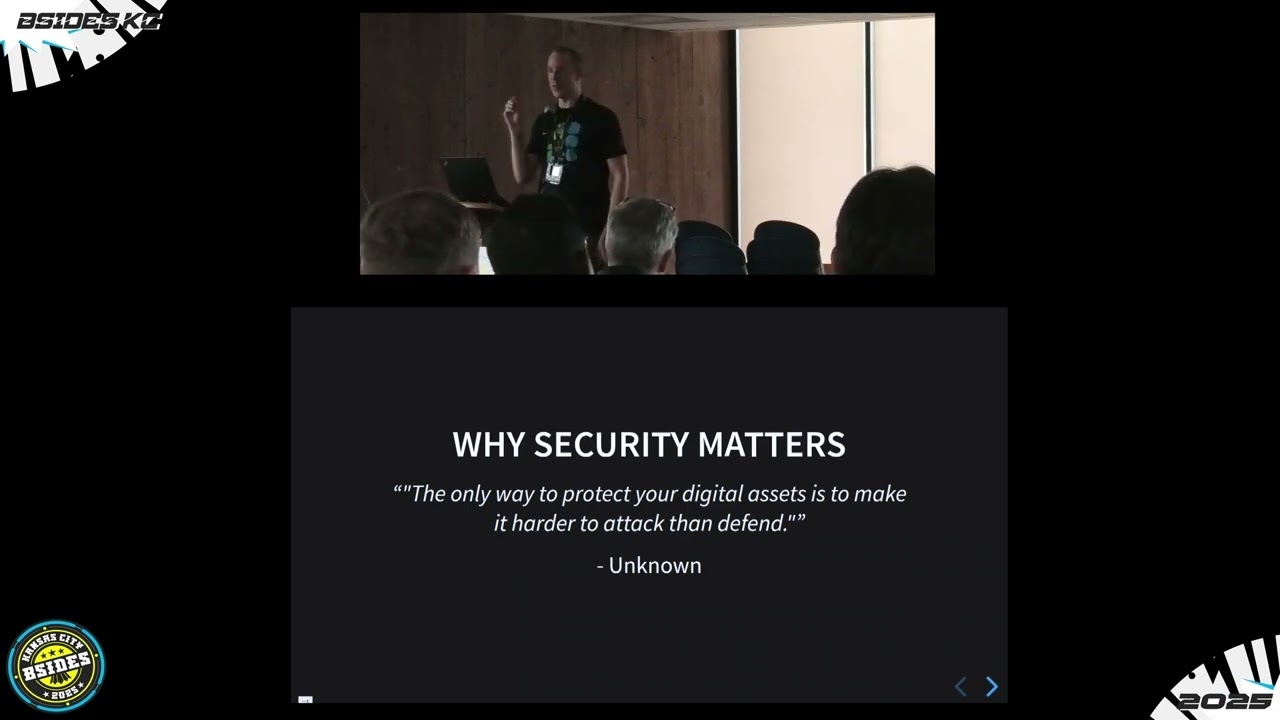
That's a sensitive surface 2, WordPress, and Engine X. All right. Why does security matter? This is neat. Uh, AI actually generated this quote for me. I had AI look at my whole thing, give me some tips. It was kind of fun. Um, so the only way to protect your digital assets is to make it harder to attack than to defend. And guess what? It doesn't get much more true than that. You want them to be climbing a mountain that you barely had to build to try to get into your house. All right. So, how do we deploy those? I do have some VM things. I'm still doing GitLab and VM. I'm still doing Plex and VM. I really it's about
resources. I don't want those to ever be resource dry. That said, as the past couple years running Docker, I haven't really once you go ahead and set and deploy Docker with resource constraints, it has those resources. In fact, it won't even start if those resources aren't available. So, it's more or less just me waiting to have time to go ahead and convert those over. All right, so let's talk about the Docker Compose. I have put all of my Docker environments in one git repo. In that one git repo, I have zone folders for every zone that I've got, core, inner, DMZ, etc. So now in each zone folder, I have the actual stack folder that that Docker Compose
runs. And so you can see zone folder zack stack folder docker compose and then I put a env. If you're not familiar with this aenv lets you go ahead and use what amounts to bash variables in your docker compose file. So now you don't actually have to commit the code in and in this example the env would be something you'd put on your server. you wouldn't have it in the git repo, but you can deploy everything. Copy over your your env file. Deploy and securely, no passwords ever stored in your git repo, all your stuff. It's just amazing. Love doing it. Wanted to go ahead and have that teaching moment, too. All right. So, the next part about Docker
that I'm really going to get into is the amazing thing called a Docker Mac VLAN. So, if you've wondered, man, I have to port forward with all my Docker stuff. Yeah, you do. You're literally using your host network's adapter and your host network's actual network stack and identifier, the IP address on your network. So, if you go ahead and use what's called a MAC VLAN, we'll go into a little bit more into it in a second. Now, you can have each container having its own IP address, which means all of your containers get to use their standard ports. You don't have to configure all custom ports for all the things you want to deploy because 80 is
already in use. Okay, that also means you have firewall transparency. That means your IDS and all your net flow looks normal when you're trying to investigate what's going on. Why didn't something work? Did someone bump something over? Really does take all the guesswork out of it. So, here's an example about a little bash script that you can use to make a Mac VLAN on your uh VM on your Linux VM. Uh in the situation, ETH1 is the one we're attaching it to. Uh you'll notice that there is a name at the very bottom uh Docker DMZ 180. Uh I tend to name mine uh with the VLAN tag that I'm using. This one is not what I'm using. I think
I've scrubbed everything actually that I care about that's identifiable back to my home VL home home lab off of this. But here we go. So uh so there's the IP addresses subnet. So, of criticality, um, you have to one, don't try and subnet outside of a SL24 on your network for your zones. Just don't do it. Reverse DNS will laugh at you. You'll laugh at yourself later when you realize reverse DNS hates not being in a SL24. So, after that, uh, you got your gateway and you can go ahead and set your IP range. Now, this is where you set the usable space for that MAC VLAN and you will have to assign your containers
within that usable space. It doesn't DHCP. Okay. So, you will set the IP address on your container. You'll deploy it and it'll be you'll have to use a range in that space. All right. Another quiz. Uh hopefully if you still got the the tab open, your browser should just go ahead and refresh in now. So, uh okay, so which WAN router? And I did try to get specific to WAN router because you can have a router inside your network on the perimeter of your network. This is the perimeter uh router. Which one is everyone using? I'm okay. 16 already, man. Everyone's doing awesome. Thank you so much, everybody. I really appreciate it. 17 18. We had
about 18 last time. Uh just so we save time. 19. Heck yeah. I'm going to go ahead and keep going. Uh heck yeah. All right. So, I use uh OpenSense myself. Uh seems like a lot of people are using Ubiquiti's. It's just a really great one as well. Uh, I would be using this if I if I paid for that hardware. I had computers sitting around and I'm like, what am I going to do? Spend money or I'm going to use what I got. And I did have to get some Nick cards over time. But again, that let me slow build. I was able to get my 10G fiber. I was able to get my quad one one uh uh gigabit nicks
and and eventually install those and add features. So, that really worked well for me. Uh, it's so awesome to see a couple other open sense users. Cradle Point, Micro Tick. U I was curious if we'd see anything in there, and I'd see some home uh uh uh storebought uh routers there, too. Heck yeah. Uh so, okay. So, how did I do my OpenSense? Uh it's pretty simple build. I got an 8 core. You do want high core count on your router, by the way. If you're really getting into this um and you have an IDS or anything else in in play, you're going to want to be able to have a core per interface if possible. as
close as you can get to that. After that, it the power of the CPU, I'm using something that's 10 years old, does just fine. Um, and luckily I don't on it have much more than about eight interfaces. Uh, so after that is my Micro Tig, my Ubiquiti, and then I have uh unfortunately this is Yeah, I haven't bought Ubiquiti uh Wi-Fi yet. It's on the Christmas laundry list for the past two years. Hasn't happened yet. So uh so what does that look like? So there's the weighin. You see the open sense I have three sends. So I send each zone that's that needs a one gig path down to the ubiquity. And the neat thing about a
switch is right a smart switch is you can have a segment of that switch for that zone. That now means that you're using the whole back plane as much as you want. So you're able to go ahead and send all three gigabits. You have one gigabit path into each of those zones. You're not using up. There's no bottleneck. That also means I can go ahead and send that 10 gig down to the micro tick and send two one gig uh over to my PVE my Proxmox and one over to the NAS. So the na the Proxmox now has its own connection to the VM discs. Each of the VMs have a connection to the data
they might need to access on their own separate paths. I get to watch both of them discreetly. I know when stuff's going not right or why. Pretty amazing. Really been enjoying this setup. And I have to click out of these to move on to there we go. Okay. So the uh the components I mentioned earlier that Lenovo thin PC that's my inner I called it I there's probably a better word for this but I called it inner uh for my zone and I'm actually sharing it. Uh and what it has and I'll go into a little bit is is all the primary services that the rest of the network needs. My NAS was really uh
great. That has been a feature I've been building over time. Uh, the hypervisor was a a neat run through MicroEnter. Can't believe I got to do that that day. And then I finally have moved I moved from Docker to an actual metal uh for my Home Assistant because guess what? You want to plug USBs in and you don't want a whole bunch of a headache. Just get just install it as a OS and now you can go ahead and Home Assistant uh without it. So, just to have a little extra share. Uh I did put that up on Instagram so I don't really mind sharing it here. Uh, that's the stack. Mine doesn't look that pretty. All of you, everybody out
there that has a full rack and has all the lights on it. Like, you're amazing. I I will eventually catch up. That's not where I'm That's not my direction right now. I will get there. All right. You want to play along again? Uh, if you open up your tab, we can go ahead and do a one more. I think I have two more quizzes after this. So, I mentioned earlier DNS filtering. It's probably the most important thing to do on your network. IDS is great. All the other stuff is awesome. DNS filtering. You do that, you have stopped easily half the issues. Which one are you using? So, we're already up to 18. Uh I think we
got 19. 19. All right. So, uh I'm actually using I'm going to go ahead and mark Pi Hole. And every most everyone marked uh Pi Hole. So, uh I was really curious. I I didn't realize blocky existed uh core DNS or nextdns. Just had never heard of them or the the techniquitium. Um I do want to mention and I'm I guess I'm going to get into the slides real quick as we move on. Uh so inner services I me I'm going to skip right through this because I basically went through it. Uh I do put NTP on my inner network on the actual immediate boot. So there are a couple other services that are highly critical. Um,
so that handles now uh local Oh, and I have a I have a bind. I have my my secondary bind. So I have my primary bind, but my secondary bind runs on inner. So it's always there and it never changes. Nothing can screw it up. Only primary if it gets updated will tell it to update, right? That's how it works. So now my my always on almost instant boots inner metal will just be up and I can turn it on when I turn on my router and everything just works. All right, so the uh the open sense what have I done? Uh so unbound um so the neat thing is one unbound is absolutely incredible
default configuration on open sense it hits root DNS. That means you actually have DNS privacy. No one has a clue what you're doing unless they're your ISP and they're watching 53. Man, that rhymed. So, what you do then is you just do DOT. Now, that does mean that whatever your DOT provider is, they're now able to log what you're doing, but that means no one else. So, if you be very smart about selecting that, etc., etc., there you go. Now, you've got you've got encrypted DNS going out to the internet. Back to Unbound. It has its own filtration. Thank you whoever designed that plugin in open sense. You're amazing. Uh because the default config does not
include that. By the way, if you try to deploy unbound on Docker doesn't have it. Uh so then I have my Pi holes. Go ahead and hit unbound and then everybody hits the pi holes. Both of those environments for my local DNS because I have a home domain. And by the way, if you run a if you move to or already have one, the TLD to use isome. The uh oh gosh, Aaron and and all the rest of ARPA have said will never be a TLD that we allow a a public domain to resolve to. So if you use it, it'll never propagate outside of your own home ever. Pretty neat and safe. Um so I also
set up MDNS because basically everything needs it. And then I I uh configured the DNS uh to go ahead and hit uh or DNS via the ISC DHCP. I haven't moved over to their new one yet. Uh okay. So, a little neat thing. What does your DNS look like? Um that's that's my is that 24 hours? Yeah, 24 hours of uh DNS usage. Uh roughly about 43% blocked from and this is just the the unbound backend blocking. This isn't the Pi Holes will still have another 4% block that they go ahead and deliver to the network because Pi Hole has its own list and I'm not really trying to cross streams there. So, uh, so, okay. So, the,
um, uh, I already went through that, but that I did make this this week, so I've only practiced this about half a time. Uh, so the, um, I did do one modification on my environment. I set up sirraata to go ahead and actually instead of using open senses and I did make a blog about this a post about this. So if you if you check out that nofalabs website at the beginning you can you can read the blog entry but I set it up so you can go ahead and use sirraotta update instead of open senses policy adapter. If you're at all familiar with uh um oink master or pulled pork from back in the day that
means you can rewrite your own rules exactly how you want to with rejax. So, so now you've got an open sense router that has completely custom rules. I have over 120,000 rules running. I have unbound. I have Pi Hole all under the hood now providing out to multiple VLANs and I also have all those events uh coming upstream. So, okay. So, it's it's a router and it also does firewalls. So, that means I can go ahead and set up all of my rules. I will suggest with the open sense it has a floating rule set. In the floating rule set area, you can go ahead and assign which interfaces you want those floating rules to go to. That
now means you have one dashboard for rules that can go out to one or more interfaces. And if you configure a rule, you can set up three interfaces and they all have the exact same rule and you change one rule, they all get it. Management is now much simpler and it's it's just it also is lighter on the CPU because you have less rules. That's a big deal. program your router and your electric bill will thank you. So, uh, I do one neat extra thing. So, DNS is a thing, right? And some people will go ahead and hardcode a DNS address into their device or their software, right? So, how do you deal with that? Oh, well,
so it's a port forward, right? You port forward within your own network anything to 53, uh, 853, 443, and 5353. I think I'm getting all of them uh back to yourself. Well, obviously 443 and and the not 53s, uh you actually have to do matching on IP addresses and that means you're going to have to go ahead and resolve those the DOT FQDN's back to IPs, put that in the list and match on it. But really, is that very hard? It's it's not. So, uh so what does that look like? There we go. Uh this is probably not very legible. I was kind of hoping this would clear up much better and it's totally not. Um but there is a there's a
rule this one that the the slider is moving over um that says that if you are in the DNS standard area, you get to talk to DNS standard. And I do this for both the DNS and DOT. I do D do D do D do D do D do D do D do D do D do D do and DNS crypt as their own rules because they actually work off of not like also shared ports. Love whoever decided to do that. So after that I have two more rules that says if you are not DNS standard and you're not part of my DNS infrastructure you get port forwarded back to 53 on the open sense. you just
talk to Unbound because Unbound H with with its glorious finesse will go ahead and respond to any one of those on the same port. So 53 does DNS, DOT, DO, DNS crypt does all of it and you just have to have the clients hit there. So you never get DNS outside of what I tell you how to get to the thing. So I've I've cleaned up basically most of the hackers malware misconfiguration issues. Why doesn't the DNS work? Well, I control it. Is it me or is it is it your device? So, the uh the microtick, it's pretty basic. I got a TNG to it. I have two T three TINGs out of it. One to the NAS,
two to the hypervisor. Uh the Ubiquiti does all the rest of the stuff. Um, I did go so far as to completely segment out DMZ into a completely different send because I didn't want VLANs getting getting put through the bridge on the microte. I didn't want any of that cross-pollination. I wanted that that DMZ back into core back out to DMZ back out to the internet to go across the IDS. I wanted Surraicotta to inspect it. I'm literally closing the the TLS SSL as it comes in and then sending it plain text within my network. And now my IDS gets to see all of it. It whatever you're doing, I see it wi with my stuff. That
obviously this does not work for the user browse stuff. If you're browsing stuff out to the internet, this does not take care of that. I'm assuming most everybody realizes that already, but I'll mention it. All right. So uh so the Proxmox has those uh 210G nicks uh plus the uh quad uh uh 1g. So that allows it to take the DMZ in plus all the rest of the networking. Um the on the Proxmox I've got uh two different Docker VMs, one for core, one for DMZ. I've got an elastic search cluster with five nodes. I definitely recommend running more than three nodes. And honestly, once you start running over five nodes and you maybe have like a RAID five or something
like that, the number of spindles you have spinning should be much more than the number of nodes you're trying to run, you you will notice it take a a pit dive. You try and run six, seven, you only have five spindles going. It it slows down significantly, especially on load and and really high data search. All right. So, uh, so I've also got Graphana, uh, with Prometheus and Influx DB, Plex, GitLab. Chasm is amazing. And by the way, uh, so Chasm does some really crazy stuff, right? Including allow you to run a tour to Onion browser and so much. Yeah, you got to go ahead and put that in your unfiltered list and have that above all of your other
firewall rules. That way, it gets clean access out to the internet. So, whenever you're on your browser and you're like, "This website at github.io isn't loading." you go over to Chasm and it works. So it it also makes it so you can just close that and nothing got infected. So if you end up going to something that was a little weird, it's taken care of. Uh I did figure out I this is the only Alex I've got. I got folding at home running on Proxmox as an Alex. I've been doing that for just a little bit now. So that all looks something like this. Uh couple VMs with some fuzzing on there so that way I'm
not revealing all of everything. Guess my Oh, yeah. My IP address is not showing up there, I guess. Ah, nice. Okay, so anyway, I thought I cleared most of the irrationally sensitive stuff off of there. Um, all right. So, uh, so let's go into Docker. Uh, every Docker VM and even the metal the that little thin uh, uh, Lenovo thin PC are running a Portainer agent. So that way they dial back to Portainer and I can easily gooey remote control. By the way, I should have had one for Portainer versus um Rancher and all the other ones. I just never created it. Um I will say from experience, Portainer is just great uh for managing. That's really all I use it
for. Start, stop, restart, that kind of stuff. Uh so the node exporter uh allows me to go ahead and monitor everything. Container advisor helps that do that. Uh so uh buying secondary, I actually already went through most of those. Uh, so, oh, so Kuma, Kuma Uptime, if you're trying to know when your stuff is up or down or not, Kuma uptime. Link that in with NTFY. You go ahead and install an app on your phone and you will get a notification when your stuff goes down at at home. It's just incredible. Uh, and Anible remote, by the way, if you're wanting to know how to remote control your whole home lab, this is the only
saving grace I found. Uh, and I set mine up as a Docker container. So, I can SSH into this Docker container and then I can remote control all of the VMs from the Docker container. Job's done. Uh, you will find you probably have to, especially for your open sense, host some like, I don't know, IP address list for all the DOT DO stuff that's on the internet. And so, you go ahead and set up a engine X system to host that website. You have your your metal do the work, have the data, host it for yourself. There you go. uh also do my own mail server and uh there's a neat switch fix that you can do uh for
Minecraft. So that way you can tell all of the switches and the Xboxes to use your Minecraft server instead of theirs. Yeah. One more. Mhm. Uh and the DNS disc by the way that's so that if so I can I can load balance my own bind. So if if the Pi holes or the unbounds are trying to reach my local domain servers, it hits DNS disc which picks whichever one's actually the most responsive and available. Pretty awesome. Uh I am way over time. Why don't I actually get to the meat and potatoes? Um I thought this was going to go a little faster. So uh okay so uh QPQ map because we're going to go ahead and get into some stuff. So
reactive environments it means you're actually responding to the data that's coming in. Uh crowdsack is basically like fail to ban. Fail to ban was a beautiful thing. Let you go ahead and protect your SSH services. So this will actually let you have a server plus agent and integration environment. Uh so that way you can install it as an actual uh thing into your OS or you can deploy it as a Docker container uh for a number of purposes has an ecosystem where there's plugins in other stacks that reach into their stuff. So they've done across the uh aisle integrations. Really awesome stuff. Traffic is one of those examples. Uh so you can upgrade your uh
backend database to go ahead and speed it up. Uh that's their main front-end website app.crowd.net. Um, uh, they have a a neat CTI. If you're got an IP address you're wondering if it's bad or good, you can just go there. You get 25 requests a week, uh, for free, and you can go ahead and see if it's bad or good. All right. Uh, so, so you have a server which runs what's called a lappy uh, for integrations. Uh, that's basically what all your local multi-server clients will connect back to is your lappy that your server is running. Um then it promotes those uh communic oops uh communications uh from alerts to decisions which basically means it's blocking the IP
address or it's doing a capture uh for a service. Um, so the server when it's enrolled in crowds environment uh will go ahead and pull their API and they call this cappy uh for the decisions and block lists and inevitably the block lists come in as decisions just so that if you ever see that it looks kind of funny but everything is a decision and even their block lists. Uh, so it sends any of your alerts up to them as well as your decisions because if you're a a corporate or a a paid uh customer, you can actually manage your CrowdStack environment from their webpage service. Pretty awesome. I use it free. I don't get that. Um, but I do contribute, which
means I have a well, you'll see in eventually how big my my block list is. If you don't contribute, you do get a limited block list. So anyway, and that means you're seeing an active block list. So I I worked at a place before. We used to make one of these. It's the same. It's it's what is attacking people right now. It's it's pretty awesome. And by type in this one with a lot of meta. All right. So an agent can be a lock par log parser or an appseack endpoint. An appsc endpoint will like respond to like engineext proxy manager or caddy or traic. And so you can it will the the neat part about this is that it actually
hears the requests realizes based on installed um uh uh policies and scenarios that that request is CVE thus and such and will actually respond back with a block page instead of telling the the uh reverse proxy to go ahead and send them to the server. So they actually get a neat little block page. Uh so there there's another type of agent called a bouncer and the bouncer basically integrates to the current uh block list source and then it will then manage your firewall. So now you can go ahead and block you know at layer 3, four and then as previously uh six and seven. Um okay uh okay um so the environment is only slightly
complicated to deploy. There's Docker heavy stuff and I will publish this so that way you can go ahead and browse at your own leisure. Um, one important thing I do want to comment is the CS CLI. So you will either have it installed on a VM or docker. And so you'll either have to CS CLI collection install the various collections. Uh there's collections, parsers, scenarios. I think that's all of them. And then uh you can either uh docker exec your docker container name CLSI etc. and interact with all your services. Uh so they have the hub you can go ahead and find either the logs uh alerts etc to install. Uh there's great detail. It's very open source. It's just
right there. Download and install it inspect it etc. You can make your own bar searchers. You can make your own post overflows. You can go ahead and like filter out your IP address, your company's ASN, whatever you want. Just build it, Google it. You're going to be able to find it. So uh you can install features that will optimize your system such as some read to uh chunk decision streams and etc. Um the uh one neat thing is context and I I mentioned here how to how to do a conext detect. This is kind of actually incredibly helpful especially for contributing useful information back to the the share for everybody's block lists. Um then uh so on the open sense
it has fast logs. You actually have to build this file. So that way it on the open sense will inspect your ids. But once you go ahead and get your fast logs uh 8, then your crowdsack on open sense will now be taking your IDs and and posting it back up to the main group. By the way, there's a lot of collections. I've been running this for about half a year to a year. Um I've learned about all the various TEC endless SSH. By the way, you want to waste a hacker's time on port 22. Thank you. I'd love that. just you already know about it. That's amazing. Okay, so uh uh I'm really going to have
to tie this up. So scenarios, um see if I can go ahead. Oh, uh they did change things recently. Uh the allow lists are now a a really built-in feature. You can create it. Your your main server will share it to all the clients and you can go ahead and label why you're making that allow list. Yeah, they actually are using the word allow list instead of the other term. Um, okay. So, uh, this is me making one of my own, uh, allow list areas. Uh, there's my FQD and post overflow filter. Uh, you can add your machines and then you can make your bouncers. There's a bunch of Please stop. I'm bored. And closing ceremonies are going on
right now. Make sure you get a uh, a raffle ticket. Thank you, everybody.
Related talks
 47:57
47:57 1:04:24
 33:07
33:07 34:22
34:22 27:53
27:53 50:11
50:11