Błędy administratorów w kontekście ostatnich ataków
Show transcript [en]
Hi, my name is Mariusz Burdach, I work in Prevenity. I will start from the beginning, because I will forget later. On Sunday, there will be a presentation of our colleague, I invite you right away. Tomorrow, Queen Snezhka Rano, I invite you too. What will the presentation be about? Just a few information things at the beginning. First of all, it will concern mainly Windows systems, so if some people are not working or not interested, I will inform you right away. The second thing is that this presentation will not be as technical. At first I was wondering what to start with and what to say about it. But generally I have always been interested in attacks. The media has been
informing for a very long time that at least once a month a company is taken over by someone. And these are usually large companies. How does it happen that such large companies are are attacked and it is effective. What's more, it often turns out that no exploits are used during these attacks. Which is even more strange. Although maybe for people who deal with security not necessarily. I don't know if you've heard, but some time ago I read an interview with a person who was a professional pen tester and it turned out that she had no idea what she was doing. She didn't know what SQL Injection is, what cross-site scripting is and many other things. She just had a browser and
modified the parameters that are sent to the server. It often turned out that she was able to find very serious errors, much more serious than many others that people who have a lot of knowledge about web application construction. So what will be the plan of the presentation? I will divide it into two parts. First, a little bit about the flaws that are here from our backyard, because we as a company and I personally took part in cleaning after attacks or during attacks that took place in Poland and not only in Poland. I also want to mention that I mainly deal with malware analysis, investigative informatics and incident management, helping to clean up attacks or reduce size. So I will
tell you about such examples, the first part will be about the threat, and then the second part will be about the recommendations on how to make it harder attacking, getting information. Because the fact that they broke in is rather possible, or very likely, but later to make it as difficult as possible to move in the internal network. At the beginning, I will also say, I don't know if some of you have probably seen, but someone read our report on attacks against KNF servers. Three people, not much, that's good. So it's good that this slide was there. So I recommend it. It is described step by step how this attack looked like, what was going on there. We can read out what
was the cause of it, partially. I won't go into details here, but generally speaking, when it comes to this attack, at the very end, when we look at these two clouds at the end, the last element, or rather the one before the last one, of the attackers, when they broke in, was the access to domain controllers. So generally, the removal of all data, all users, all user passwords in the organization they broke into. And what is sad is that it took them about a day. From the moment they got they didn't need much time to get these permissions. And as I said before, they didn't even need any exploits to do it. And that's what my presentation is about today. How
to make it difficult for intruders to get this information. Why do they do it? So that later, when they can be any user, they can get access to the data planned from the very beginning. There are financial reports or a banking system that allows you to pay money from the ATM without any restrictions etc. There are many different cases. So when they have it, usually the person who has access to this system also has an account in the domain and it is much easier. and he can do it as a person and will be less noticed. There are several steps to this attack and generally with each of these steps I will stop for a moment to discuss what could
be done. First, in the case of recognition, reconnaissance, it is known that it is never the case that an intruder So when the server is connected to the first server, the administrator's office is immediately used. Sometimes it can be like that, but it's quite rare. And then some actions are performed that are visible. So generally, in the case of these servers, of Polish KNF, there was a lot of information about attempts of attack. So, first of all, if someone had looked at the events, they would know that something is wrong and they could react a little earlier. The second thing is that somewhere in September or October there was information that something could be wrong with this side and they were also ignored. Later, when the attack was
already on these specific institutions, not only financial ones, but also many others, we also analyzed the workstations or servers in the events' diaries. There was a lot of information that showed that the attack actually took place. This also means that no one was looking and analyzing these events' diaries on a regular basis. Interestingly, there were virus programs that managed to block to block these attempts of attacks. These were files sent to the workstations either in Silverlight or in Flash, as I've just shown. Emmet was also able to block it. So if someone had it, he could protect himself from the attack. Later, another stage of such an attack was the recognition of an intrusion in the internal network. So he made a
lot of noise because he scanned various servers in search of different databases, ports and if there was a network movement properly monitored in the internal network, it would be possible to detect it properly earlier. What's more, the taxes that were used were quite old. The attack took place in September, October of last year, and the taxes were even from 2015, so they were used. As I mentioned before, Emet helped, but now we don't have it. At least Microsoft is slowly removing it, but a new system has appeared, so I thought it was a good opportunity to advertise it. Almost all functionality is being transferred, so we are able to protect third-party applications, which was not possible
before with Windows 10. We know that in large organizations, applications that were once compiled are often used. They do not have any flags that increase the security of the application. Another interesting thing about this attack. It turned out that it was a water-drilling method, i.e. the attack was done by means of from trusted servers. It turned out that apart from Poland there are two countries like Mexico and Uruguay. So we found ourselves among three very interesting, at least these two are a bit exotic for us here in Poland. What about things that would concern administrators? In the first phase of such exploitation, the exploit and shellcode that was being made, created a process, a process of notepad. A process of notepad, to
which some code was then injected and this notepad connected to the Internet to download another fragment. It is obvious that notepad is not an application that is a network application. So generally it is also something that can be was to block it with a fairly simple configuration. So what have I said so far? The conclusions are simple. Lack of current security improvements is one thing. And here, in turn, all servers or all Nodes that participated in this attack, such as KMF servers, CMS, where exploits were placed, there were two of them, they were no longer in Poland. JBoss in London, also a hole. And the workstations that were infected, of course they were also holes, they had no improvements for at least six months.
What happened next? This is the element we have opened in our laboratory. How this attack could have been carried out later. It turned out that the computer that was infected nothing was installed on it. There was only bad programming in memory, there was nothing on the disk, it was only in memory. And from this computer there was an open proxy for the internal network. And then the intruders were scanning resources from this computer and they were also making decisions manually Are we still attacking? Or not? There was a kill-kill command, that at this moment the station was abandoned. What I also wanted to say is what happened later. This is when we have a breakdown, and then what
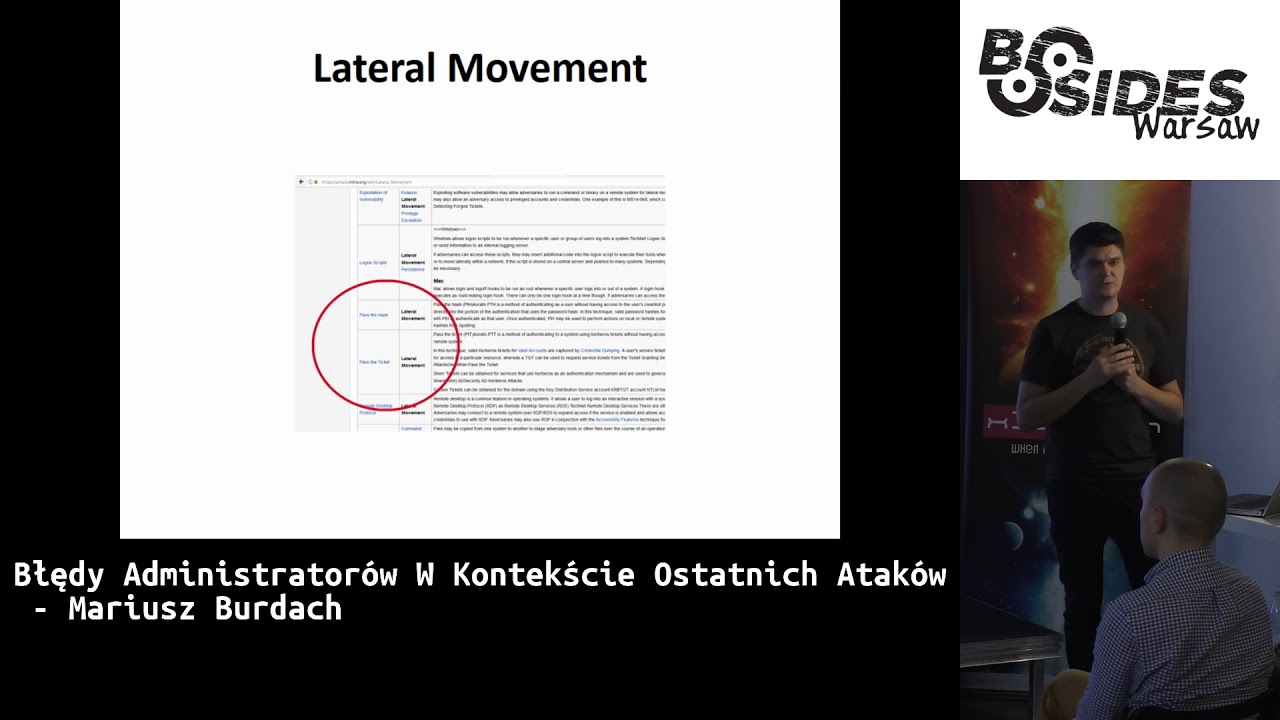
usually happens next to get the data that the intruder is after. This is something called lateral movement. I don't know if anyone has heard of it. I've only recently found out that there is a name for this technique. I even started looking on Wikipedia and it turned out that it is a horse riding science. But two things that are very often used in attacks are the techniques Pass the Hush and Pass the Ticket. You can read what exactly it is. I will briefly tell you what it is about. In the case of Pass the Hush, It's a hash, so using a hash. In the case of Windows and NTLM systems, we don't necessarily need a
password, it's enough if we have a hash. It's exactly the same, we can use this hash instead of a password and we can also make a remote command on the system. What's more, if we log into the system, these hashes remain in memory, Windows caches them and you can read them. under certain conditions, and use them for further internal network movement. Of course, the most popular tool here is Mimikatz, but not only it, there are many others that also allow you to do this. Interestingly, we did a simulation of how much it takes for a large institution to download such a database. One record is 91 bytes, so actually 20,000 records is about 1 megabyte. So not so much. Especially since at some stage of
attack analysis We only had access to network traffic, how much data was sent and collected. Sometimes we had to try to verify what someone was actually doing on a given system. which is difficult, because it's a bit of a shame, but we tried. The second mechanism is the patch.the.ticket, which is a protocol of authentication based on tickets. There are two main tickets: TGT, or Ticket Granting Ticket, and User Service Ticket. With this, we are able to generate something called a Golden Ticket or a Silver Ticket. This is a ticket that allows us to or perform some operations in someone's name. What we need to generate a golden ticket is the hash of the account that serves
to display these tickets, it is TRB-TGT, and it is only available on the domain controller, so theoretically Intrus should get access to the domain controller to download this hash and then use it on some other computer and generate tickets for each user in the domain. There is another method, I will tell you about it in a moment. What do you need more? A target account, so in what name will this ticket be created. Name, domain and seed are things that are very easy to read. What I said about creating a Golden Ticket is not complicated. There are three commands, as shown here, and we have it. We can connect to any system on the internal
network. There is also a very interesting function, not everyone knows about it. It is also a function of MiniCuts. Skeleton, Master Key. Have you heard about it? On the domain controller we can insert a magic key. Once we have it, we can log in to the network. What else? Once we have it, intrus can... can do something else. I forgot one more thing. Here is the third command: "decessing". It turns out that we don't have to connect to domain controller to download user data, but we can synchronize with the workstation with the data on domain controller. Of course, some of these things can be detected. If someone implemented the right mechanisms, they can detect that someone is doing something like that. I
will list a few of these. Of course, these are not all of them. Most of them are used by intruders as tools or commands to perform code remotely. As you can see, there is nothing unusual here. These are standard Windows commands. Task Scheduler, SC, ADD, WMI or PSX are things that administrators do on a daily basis. It is used very often by attackers to run a fragment of code on a server or a station. Another interesting thing in the case of such a hub for administrators is the knowledge of the system. Here is one of the malware which was used during the attack on KNF, had at least a dozen names of services, which are very hard to see, but all of them were so
similar to the services that are default in Windows, that a person who doesn't have much knowledge about systems could actually say that it's a legal process, like GP update for example. The second, obvious recommendation is monitoring of the events, which is often the most basic thing that should be used, not even by the security personnel, but by the administrators. So, patching and monitoring of the events. These are things that, if you don't do them, you can see the effect. Apart from monitoring of the events, we also have tools for analysis users' behaviour. They are both commercial and free. They are able to detect such dependencies that someone uses NTLM in version 1, and log in to the administrator's account, to a less
trusted computer, which can be suspicious, also regarding the use of tickets, because they also have some lifetime, if it is longer, there are various more complex dependencies, we don't have time to talk about it. to talk about it. And this one, maybe not related to the recommendations for administrators, but exactly with this attack, it is always very interesting who is the attacker. Who attacked these institutions in Poland and Mexico? Who was it? It is very difficult to say without having access to to the whole flow of data on the Internet. It turned out that there are companies that monitor such movements and were able to track it. They found that at the end this movement is ended under
this IP address. Another interesting thing that was found in the report was a configuration file with domain names. The first thing we did was blocking these servers. to be able to use them even on other computers in the internal network will try to connect the malware with command and control servers, it won't be able to do it because we block it. It turned out that there was a changing mechanism in the file. It takes the IP address and decodes it and only then it was the correct IP address with which the connection took place. In a way that was a bit difficult to block these CNC servers at the first moment. As I said before,
after the attack or during it, You have to answer the client where someone broke in, what rights they had, what access they had, what was the motive, what someone really wanted to get by breaking into the network. In my opinion, this is a difficult thing to verify, because the deeper someone is in the internal network and has more rights, the harder it is to track him later. It's harder to check what he really wanted to do, what he wanted to gain access to. And who is the attacker? Sometimes some are interested in it. It turned out that this IP address, which I mentioned earlier, someone saw on YouTube, an old, recorded program on TV from South Korea, which said that North Korea attacked
them in some TV attack and it turned out that these address fields were perfectly aligned, so it was known that it was a group associated with North Korea. Another example of an attack, which was also very famous, that we can talk about, was with the help of Medoc servers. And here, too, what mistakes were there when it comes to administrators, we will not discuss all of this. For those who do not know, it was very popular accounting software in Ukraine and used by companies that run some activity in Ukraine. This software automatically received updates from the servers of the company that provided the software. What was interesting, is that very often this software was run on the rights of the local administrator. So generally, if someone
received this update, he already had quite a lot of rights in the network in which this software was installed, and then it was done. So someone broke into this company, changed the and then he changed the update and now he had access to each of the companies that had this software. So once again we have a problem here, trust in suppliers, trust in companies that seem to be more trusted, i.e. companies that provide software or public companies. We know how in public companies, who works in public companies? Nobody reports. We know how this security sometimes looks like. Of course, in most cases it is related to the budget that the organization has, but for sure the security there is much worse than in companies that have more funds for
it. We won't focus on the attack on the institution, but more on the companies that were targeting it. It turned out that everyone who had the software or even had a department in Ukraine, also got cut off somewhere. We were also in Poland with clients who also had a problem with workstations because they had all encrypted. A few things that are important from the point of view of recommendations for administrators are compromised data. Generally, because it was launched with the local administrator, with the local administrator's rights, it turned out that it was very easy to promote the tool in the internal network. Of course, there was also another issue related to exploits. Information about these vulnerabilities was already known
for some time, so the situation will repeat itself again that some systems were not patched on time. What happened after the launch? He got into the system, started encrypting files, collecting data about other computers to quickly promote to other ones, he was getting the data that was being verified, having a local administrator, could read information from the LSSS process, read some hash, some account and use them to connect to other computers. Interestingly, in one of the companies we helped them with, although it was not very helpful, because we were not able to decipher this data, the antivirus programming accounts were used, i.e. in the internal network, He had enough legal documents to read and Malware had access to the
whole network, not only in this country but also in other countries. What else is interesting? Some things were well configured, but it turned out that not everything was lost. At least we could open the system. MBR was written at the beginning, and then after restarting the MFT table, MasterFightL was in NTFS. So if CISA had Wi-Fi and SecureBot function on, What do you think happened? Of course, MBR was written but the code didn't run because it wasn't trusted. So if someone was able to open MBR, the system could run, it had encrypted files but the system was working. This is also interesting, because I don't know if you read, but the victim of this attack was a
international transport company, Maersk. And the IT manager recently described on his blog how they were dealing with this incident. And that during one day they had to send pendrivers to all departments with a new system. A very complicated logical operation to fix these computers so that people could work.
Apart from the comments I've made before, the most popular intruder tool in the network is PowerShell. It's available on every Windows, so you can use it for many different things. It has access to WMI and COM components, so we can do everything on Windows. Some payloads can be made from memory, so there won't be any traces on the disk. It can also cheat mechanisms that can be on the workstation. There are many tools that have been created, which we can download from the internet and use to attack. Recently, a few days ago, a bank in Asia was attacked and in the internal network of intrusion they used Cobalt Strike, one of the Poirot-Schall tools to move on
computers in the internal network. I will quickly go over here. It is very easy to generate, as mentioned earlier, a file with invoices. It is very easy to generate a file with invoices. It is very easy to generate a file with invoices. It is very easy to generate a file with invoices. It is very easy to generate a file with invoices. It is very easy to generate a file with invoices. It is very easy to generate a file with invoices. It is very easy to generate a file with invoices. It is very easy to generate a file with invoices. It is very easy to generate a file with invoices. It is very easy to generate
a file with invoices. It is very easy to generate a file with invoices. It is very easy to generate a file with invoices. It is very easy to generate a file with invoices. It is very easy to generate a file with invoices. It is very easy to generate a file with invoices. It is very easy to generate a file with invoices. It is very easy to generate a file with invoices. It is very easy to generate a file with invoices. It is very easy to generate a file with invoices. It is very easy to generate a file with invoices. It is very easy to generate a file with invoices. It is very easy to generate
a file with invoices. It is very easy to generate a file with invoices. It is very easy to generate a file with invoices. It is very easy to generate a file with invoices. It is very easy to generate a file with invoices. It is very easy to generate a file with invoices. It is very easy to generate a file with invoices. It is very easy to generate a file with invoices. It is very easy to generate a file with invoices. It is very easy to generate a file with invoices. It is very easy to generate a file with invoices. It is very and try to attack them. It's really just a script launch plus adding
a URL from which another part of PowerShell will be downloaded. So it's not complicated. One of the recommendations for administrators is that it's very easy to block. You can block it with two things: either with an applocker, which we block for ordinary users, who are in the ordinary group of PowerShell users, or with the firewall on Windows, where PowerShell should not be used for network connections. So very simple things, and we are protected from millions of attacks that take place every day. These tools are used for lateral movement, moving around the internal network. We can use DECOM, PSXX, etc. There are many useful scripts that allow moving around the internal network. Cobalt Strike is a tool for managing the network, because there is even
a graphical interface, but only for people and they are supposed to attack the network infrastructure. The last thing, also a crazy power, I don't know if anyone has used it, Bloodhound. Has anyone heard of such a tool? It is very useful, that's why it is also taken, why intruders break into the institution, it takes them as much time as possible to have an administrator. or get to domain controllers. This tool does two things. First, it checks with legal tools from the level of a regular user what users have what rights. So, are they in groups of local administrators? This is the first thing. And the second thing is that they check who is logged in to the computers they work on. After collecting such information,
using this tool, we can make graphs and very quickly this tool is able to tell us how quickly we are able to access the computer of the person who interests us or access the administrator's computer.
When you started with the topic of Windows, it's all about the topic of Windows, right? Yes, yes. Ok, so only about Windows and this way. And something like that on Linux? I mean, some of the tools I mentioned earlier, we can also use on Linux. Ok, but I'm asking about the block count. Let's say you have such a situation... No, no, because here are PowerShell tools, so I don't know if it's under Windows. I used it under... But you're using it under Linux, so maybe it works. I'm talking more from the perspective of people who attack the network. Usually the goal is Windows and then using the account of a regular user they do something
else. This is where it starts. We have an account of a regular user and then we look for the administrator of the domain. I'm thinking about something else, but I think we'll catch up and ask later. So, a few basic conclusions. Lack of updates, monitoring, I've been working for 20 years in security, it's always the same. Nothing is happening, so I hope administrators will raise the level and there will be more interesting attacks. Unfair configuration, starting services on administrative rights. These are things that are happening every day. We have accounts in the local administrators group, things that shouldn't be. Sometimes, in the work, I see a console for a tool that is for managing vulnerability assessment. And
it turns out that there, for example, they have such information, these tools show the level of risk or the amount of liability. It's already going to millions. So it's not such a trivial thing to control such a large organization and patch these systems on a regular basis, as it turns out. Now a few recommendations. In case of lateral movement, to limit the time for the attacker to get the administrative right, We need to remember a few things and I will tell you about them now. First of all, domains are not the safety limits. There is a forest as a safety limit. I will tell you more about it in a moment. What are the risks?
We have already guessed it. The escalation of legal issues or theft of these legal issues in various ways. The types of logging are important. I don't know if some of you know that there are many different types of logging in Windows. Depending on the type of logging we use, the credentials we have on the computer we log into are either there or not, or you can use them later when logging into other systems, or not. Interactive Logon is a system where credentials are stored in memory until we restart the system. So if an administrator logs into a computer, it turns out that the credentials are stored in memory and can be pulled out. I won't discuss it all, because it's all available, so it's a waste of time.
There is something like an administrative layer model. In my opinion, this is one of the critical and key things that every Windows administrator should do. First of all, it's a division into levels of trust. We have computers in the network that are very trusted. which are the least trusted. We do everything in such a way that, being administrators of the most trusted computers, not to use our credentials or our account to log in to those computers that have a lower level of trust. If someone once studied for example for the CISP exam, there was something like the La Padua model and there was another one, Bell I think, there was trust and the transition between these levels of trust. It can be said that it is something
on this principle. So generally we should, if you are one person, it is not a large institution, should have at least 3-4 accounts according to this model. An account that is managed only by domain controllers, an account that is managed only by servers that are somewhere below, when it comes to trust level, and an account that is used to manage workstations, and preferably a fourth account that is a regular user account, from which it has access to postage, to a browser, etc. To do this we have to do a few things. First, we have to identify the computers that are most reliable. Of course, domain controllers. Second, credentials, which are the accounts that are used
in domain controllers. used for administrative management. Thirdly, all the systems in which we log into. And fourthly, all those who have control over the systems we log into. If we limit all these things to a minimum, then we can say that we are in control of the most trusted credentials and there is a lower probability that someone will steal them. Why is this so important? We took part in many incidents and always when it comes to domain compromising, it can be said that it is a compromise of the entire network in a large organization. What to do then? In fact, none of these large companies is ready to put the entire domain or the entire network back. Of course, there are mechanisms that we can restart Kerberos
account, because there is such a mechanism that we restart it once, synchronize the controller again and then it may turn out that we are a little safer, that someone will not generate this token there if he does not get to any system. But these are all things we do not know 100% what this intruder did to the internal network. So doing such a really order after breaking It's a very long process. So if we do this, we can at least be sure that someone didn't reach certain levels, to more trusted systems before breaking into our network. This is an example of one of Polish institutions. I hope this institution doesn't listen to me. There was also a break-in once. Later, on
the website, all the passwords were published on the PSB, including Kerberos. They didn't reset the account, so after two years someone could take this token, being an internal employee of the network, and be the administrator of the entire network. How can this be done? What can such an example of politics look like? Of course, we divide the groups. We are doing a reference to the drawing I mentioned earlier. We have server administrators, domain administrators, workstation administrators, and we also have a group of local accounts. We are making restrictions. There are such regulations in Windows as deny logon, as a batch job, etc. and you can just assign them accordingly. For example, local accounts, it makes no sense that someone is trying to log in
to a local account through the network We should block it, because it can limit the penetration of the internal network. An ideal solution is to create a dedicated separate forest for administrators. We put a completely new infrastructure, a new LAS and we do one-way trust. Of course, this LAS and this domain that is there has very limited functionality, because it only serves administrators and only their accounts should be there and they log in and manage it. So then you can quite specifically limit the fact that someone will take over these domain controllers or the administrator password. A few other things. Hardening, you know, it should always be done. Microsoft also provides many tools where you don't have to do it. I always thought that we have
10,000 settings and now let's set it up. I don't know if anyone remembers the CIS recommendations of the institution. They have PDFs on how to secure Windows, domain controls, Windows in this version, etc. There are a lot of these settings. There are tools ready for this, we apply the whole profile to domain controls and we are quite secure. Of course, the workstation is another topic that I will talk about in a moment. Administrators should also be properly prepared. In such an isolated forest, there should be automatic updates, so it should be the same, so that there is as little management as possible with these servers. All corrections should be installed automatically, and monitoring should also be implemented. Privatized shares are
also a few mechanisms, I will not talk about all of them. One of the basic ones is LAPS, local management. If there must be some local administrative accounts, There is a mechanism, you can manage domains using elapses. Just in time privileges is also a Microsoft tool, which in this privileged additional forest creates groups where there is no user account. Only for the time when we want to do something, some operations are added there, and then removed. So it's just for management, it takes some time, in short, of course. Another very basic thing is RDP. RDP was never meant to manage servers. So using RDP and joining with RDP is a big mistake. Two-component authentication for administrators. Here is the last case of a
big international consulting firm. Administrators made basic mistakes there. They didn't have two-component authentication. And RDP was also on some domain controls. I guess if someone breaks in, it takes him three hours to be an administrator of the domain. Workstations of administrators. This system must be properly prepared. Proper equipment. A bitlocker, virtualization, TPM, some policy, even without ports, some Firewire. It must be a proper system. Generally, it should be done in such a way that we have this privileged system as a host, In virtual machines we have those with less trust. So we can have our environment on the virtual computer, from which we use the browser, the post office and that's how it should be
organized. And many different settings. And that's it, as far as the main recommendations are concerned. What can I say in summary? Generally, it is known that all of this cannot be done at once. Secondly, there is always something to be improved. Thirdly, companies are often looking for advanced tools, threat intelligence, and in general there are hundreds or thousands of computers that are not patched or properly monitored. This is where it should start, to make it harder for attackers who will eventually get to our internal network. Thank you.
Can we consider such a Windows network as safe enough? What does it mean "safely safe"? It's always hard to answer. I think that it's never 100% safe. There will always be computers that will not be patched, or there will be some exceptions that should not be, but at least we will make it harder for someone at least we will make it difficult for someone to get the highest legal level in the network. As I said, the problem is that it is difficult to clean up after a breakdown. As I know from experience, I have participated in many incidents in large companies, And that's the problem. Some people haven't done it yet. Because no one will be setting up the whole environment again. Has any company
you worked for had a policy like "post-fuck-up policy"? Some have. Maybe recently. There's more awareness. It wasn't like that before, but there are procedures. What to do when it happens. I'm talking about very large companies, the largest with several dozen of workstations. But of course it also applies to smaller companies, maybe not for 10, 15 or 20 people, where we don't necessarily have to get attached to Active Directory and manage computers and servers, but in these large companies everyone has it organized in such a way. I will answer this question about whether it is possible to secure the network. I can say from experience that the biggest enemy of administrators and people responsible for security in companies is the scale. It is much easier to
secure a company that has 100 computers than if it has 100,000 computers. And even if this company with 100 computers has a determined admin, it will be much harder to get to such a company than to the one with 100,000 and hires several hundred people who are dedicated only to monitoring, plus a whole forest of people from all other administrative things. I would agree with this. Thank you. Are there any more questions? No. Thank you. Finally, I would like to say that we as a company are also looking for people, as everyone said before, so we are also hiring. If someone is interested, maybe we are not looking for such pentesters, as I said before, but if someone is interested in an interesting job, I invite you. Thank you.
Related talks
 8:21:07
 43:55
43:55 57:24
57:24 1:01:16
 44:08
44:08 29:57
29:57