Passwords, Policies, Securing, Cracking and More

Show transcript [en]
[Music] foreign
[Music] thank you [Music] thank you [Music] thank you [Music] foreign [Music] foreign [Music] thank you foreign [Music]
[Music]
[Music] foreign [Music]
[Music]
foreign foreign [Music]
[Music]
foreign [Music] foreign [Music]
[Music]
[Music] thank you [Music] foreign [Music] thank you
[Music] thank you [Music]
[Music] [Applause] [Music]
[Music] foreign [Music]
foreign [Music]
[Music] foreign
[Music]
[Music] but I don't wanna jinx it baby [Music]
[Music]
giving me Wind and Rain some kind of butterfly baby [Music] don't leave me [Music] but I don't wanna jinx it baby [Music]
[Music]
[Music] thank you baby [Music] don't leave me alone baby you'll get me in the rain [Music]
[Music]
[Music] oh oh [Music] [Music]
[Music] foreign [Music] foreign [Music]
[Music]
[Music]
[Music] foreign [Music]
move it up
[Music]
[Music] thank you [Music]
[Music]
[Music]
move it up
[Music]
thank you
[Music]
[Music] thank you all right everyone welcome back good morning welcome to besides Las Vegas this is passwordscon this talk is passwords policies securing cracking and more given by Derek melber a few announcements before we begin we'd like to thank our sponsors especially our Diamond sponsor Adobe and our gold sponsors prismacloud semgrab blue cat and Toyota it's their support along with all of our other sponsors donors and volunteers that make this event possible and of course thank you to all of you for coming to besides Las Vegas these talks are being streamed live and as a courtesy to our speakers please make sure that your cell phones are set to silent at this time also as a reminder
you may be uh Las Vegas b-size LV photo policy prohibits taking pictures without the explicit permission of everyone in frame these will be made Available to You on YouTube in the future if you do have a question towards the end of the talk I have a microphone here please just raise your hand when the time comes and I will come around with a microphone please do not start asking a question until the microphone makes to you so that YouTube can start hearing you with that please take it away Derek
awesome good awesome fantastic well I also want to thank you for getting up in Vegas and arriving here I appreciate that um hopefully everybody's having a very good week um uh you want me to turn it up here hold on how about that better better better better better better better yeah how about okay good all right can you hear me now all right um so I I normally do an introduction and kind of talk about my background but the last couple of weeks have been interesting the company I was working for um went out of business so kind of been a little bit of a flux right now so I guess I'm an independent contractor
um which I did for a long time but um it was a very interesting June and July when the company um lets go of 55 people all of sales and marketing in the United States and one go and then six weeks later um hey guess what we're all unemployed um so if you were using software from that company which I'm being recorded so I would say it um you no longer have access to that software I'm very sorry because they removed access to the software as well on July 31st so um very interesting times but um it is great to be here I do a lot of talks throughout the year I probably do about 25 to 30 presentations this year
I've had the honor of speaking at RSA Gartner fsisac the anniversary you've ever heard of that so it's good to be here in this particular talk I actually pulled out of the archive I used to do this talk quite a bit in the past and then of course passwords kind of fell to the Wayside and people said get rid of passwords and whatnot but I thought it was appropriate to kind of bring it back because let's be honest in Windows Active Directory we're not going to get rid of passwords anytime soon right it's just not going to happen so I I wanted to kind of go over a lot of stuff in a short amount of time obviously I can't
go over everything I want to go over because we don't have enough time but what I want to do is kind of engage you with some information that maybe you weren't aware of to show you how password policies work within active directory as well as Azure active I'm sorry intra ID the new name for Azure active directory and kind of go down that path so anyway so what we want to do is we want to talk about on-prem ad we'll want to talk about intra ID and then we want to talk about the attacks themselves and and kind of what's going on so it's first of all decrypt this whole concept of on-prem active directory password
policies I have given this presentation over a hundred times yes it's the year 2023 but I guarantee someone is going to learn something in the next couple of slides and as we go through this because it is probably one of the most complicated and misunderstood parts of active directory which is the password policy okay so let's go over some Basics first of all the password policy for active directory for a domain is configured in the default domain policy okay it must be it being the password policy must be configured in a GPO linked to The Domain that is a requirement all right now this particular password policy controls a couple of different things okay first
of all it controls all of the user accounts in active directory so every user account within active directory whatever the password policy is set to by default that user adheres to that password policy secondly with the way Group Policy works the group policy object applies to all of the users I'm sorry all of the computers in the domain therefore all of the users in the local Sam on every computer in the domain also adheres to that password policy so by default with an active directory every user domain and local adheres to one password policy and that is the one that is set by default in the default domain policy okay so if we jump into the default
domain policy and I nope not that one let's go over here so here is the default domain policy
and I'm going to go down here to my policies my Windows settings security settings account policy password policy this is the default password policy okay I've not modified this in any way all right so this setting applies down through the entire Enterprise and every user within the Enterprise by default adheres to this password policy okay now let's talk about some details around how the password policy works so it sets the minimum maximum age it's going to set the complexity requirements and is going to establish what the password is by default can it be changed of course it can be changed it can be changed within this group policy object or I can add a new group policy object
linked to The Domain that has higher precedence than this GPO and then that group policy object would control the password policy okay now what if I were to do this so I'm going to come down to let's say an organizational unit let's go to my domain and you'll see here that I have an OU called USA now a lot of times people say all right I want to have certain users have a different password policy than other users so I'm going to come to an OU that has users and I'm going to right click and I'm going to end the group policy Management console that is create a new GPO right and this is going
to be the password policy too so in password policy 2 go to the same location within the group policy object my account policy my password policy and let's say that I want to have my minimum password length be let's say 12 characters okay so I want all the users in this OU to have a 12 character password policy so I apply that and I'm done okay how many of you now think that Cleo Hercules and Maximus my pets if you want to guess my password go for it right Hercules in his birthday right how many of you think that these three users now when they reset their password we'll have to put in a 12 character password
okay doesn't work that way does not work that way these users will adhere to the password policy in the default domain policy let me prove it okay first of all I'm going to go back to the GPO right right here password policy 2 and I'm going to go into the password policy
which is right here and I set it to 12 and notice which objects the password policy applies to
computers is Hercules a computer it cannot apply to Hercules it's impossible it is absolutely impossible okay the password policy applies to computers and the way that I look at it is it becomes a filter for the database on that computer where users are stored it actually doesn't apply to users it applies to computers okay so by default every user in this domain applies to one password policy it's just the way it works okay so if you are responsible for your password policy and you think that you have applied to password policy to know you to apply to users in there I suggest you create a another user and test it because I guarantee you it will not work
that way it does not work that way it hasn't worked that way for 13 years okay now one password policy per domain and you have no control over any other parameters of the password policy the password policy is the password policy unless you get a third party tool so those settings that are in that password policy you can't do anything else for example complexity says that you have to have three of the four character types lowercase uppercase number and special if you want to require all four in a password you cannot do that with Microsoft Technology you can't you have to get a third party tool right and again the password policy for the domain users must be linked to The
Domain but let's talk quickly about what in the world is this group policy object going to effect okay password policy two this one right here linked to the USA OU what would it affect remember the password policy affects which objects computers so which computers would it affect every computer that's in the usaou will now have a 12 character minimum password meaning all of the local users in the local Sam on all of those computers will require 12 characters okay that's how the password policy works but all the domain users still are going to adhere to whatever is linked to that domain now obviously we have this other default GPO the default domain controller's policy Does it include
controls for the password policy in that GPO let's go look I'm getting mixed reactions so let's go look ah there they are if I were to configure these settings in here would these settings modify the domain users where must the GPO be linked for domain users at the Domain this one's linked at the Domain controllers OU and yes I and fully understand the domain controllers computers are in this OU but welcome to Microsoft doesn't work that way okay the only way that users can have a password policy apply to them domain users is in a GPO linked to The Domain it's just the way it is this will do absolutely nothing if I configure anything in here it does nothing
unless I put a different computer let's say a server in the domain controller's OU then that computer's local Sam would adhere to this but not domain controllers right very confusing and it's just going to get a little bit more confusing as we go through right because welcome to Microsoft all right now if I want to have multiple password policies in the same domain I can do that with Microsoft Technology I just can't do it with gpos I do it with something called fine grain password policies okay also referred to as a PSO or password setting object right but these are not in group policy objects up until Microsoft released the the admin Center you had to do it in adse
edit okay now you can do it through adsey edit you can do it through the admin Center you can even do it with Powershell if you also wanted to kind of painful but you can all right now the same settings are inside of a PSO so if I were to open up a GPO and a PSO they would have the same controls right minimum age maximum age history all of that I cannot add additional settings to A fine grain password policy I have the same all it allows me to do is say this side of the room you get one password policy this side of the room you get a different password policy all right
and you control who receives it by permissions is referred to as PSO applies to all right so if I go into my admin Center
right here is where I can configure my password setting object okay kind of nice it's actually a GUI now inside the admin Center because when you went through ADC edit it was kind of a wizard it walked you through and said what do you want for this what do you want for this and it was brutal because you had to put in the correct syntactical entry which was not obvious right but this is how you create new ones and you can see here is where you will set it to apply to right so now you can have multiple password policies in the same domain allowing it to have let's say a 14 character password maybe you have
developers have a 12 character password and then the C Level has a two character password because that's all they can handle right thing but what's that oh of course never expires that's obvious that's that's a no-brainer right but of course I.T well it's also not expire those because where King of the Hill we just want to do that right okay so PSO applies to users in global groups okay can't add additional things and it becomes an object it is actually an active directory object it is not a GPO it is completely separate completely different technology but both work side by side so which one applies if I do not have a PSO at all then every user gets
the password policy from the GPO if I have a PSO a fine grade password policy and a user has permissions to it it will receive the settings in the PSO if the user doesn't have permissions to it it defaults over to the group policy object if I'm a user and I have permissions to multiple password setting objects which is possible right I'm going to receive the one that has the highest priority so when you establish new password setting objects you have to set a priority for it I normally start with 10 that way I can have nine that have higher priority and the rest have lower priority that way when users have a multitude they're
going to get the one that has the highest priority okay but it always defaults back to whatever that GPO setting is if I don't have permissions to any of them now I'm going to go over a couple of different Powershell commands don't worry about writing them down just write down my email and I'll send you a block of Powershell commands that allow you to look at certain things okay so if I come in here and I go to Powershell and I run my password policy per user this is going to show me which password policy applies to each user okay you will notice resultant PSO nothing shows up so which password policy are these users
getting the GPO and if they had permissions to a PSO it would show the one that they have the highest priority too very easy to look at but you have to look at this I beg you to go look at this especially if your organization is using fine-grained password policies because a lot of organizations don't understand exactly how it all works and they don't have the password policy they think is in place because of permissions or they don't understand the way that the the GPO Works in comparison or or any of the details okay all right any questions on that fantastic oh sure I'll repeat the question I'll repeat it yeah
yep okay so the question is what permissions in a PSO where how does that all work okay so I'm going to go back into my admin Center and when I create a new password setting object right here is where I configure the user and or group that has access so that this is the permission right here okay the Powershell command that I ran says show me the resultant so if I have permission to find different psos it's only going to show the one that's in control for that user which may be different for another user okay fantastic thank you yep no problem
all right intra ID still weird to say that right it's Azure ID or I I am there's a clear split on the rename you either love it or you hate it I don't know if too many people are like yeah I'm indifferent okay I am on the love it side because I've been around Navy for a while let's say 24 years yes I know it's 23 years old but I was dealing with it kind of before it never should have been called active directory ever it's not active directory okay there is nothing at all similar to on-prem ad and Azure ad nothing it shouldn't have been called ad to begin with okay so it was a rename
coming it should have been renamed a long time ago all right but intra ID in my opinion is almost just as confusing first password policy is on-premia okay you cannot configure the password policy like you do on-prem this is micro is there anyone working for Microsoft in here because I'm not going to change when I say I just started just got to know who to talk to Microsoft does a lot of things foolishly primarily for one reason and what's that one reason thank you we're all on the same page right to make money and they do it through their marketing machine this is a perfect example of that a perfect example they don't want you to
mess with a password policy why does anyone want to take a stab at that one why doesn't Microsoft want you to deal with the password policy and intra ID no no no no no no no no that's a that's not a money thing why some m s a they want you to get enter ID because it has MFA and they're stripping away the ability for you to control multiple password policies because they want you to use MFA and the only way to get MFA subscribe it's the absolute truth I don't care what anyone at Microsoft says it's the absolute truth that I'm going to prove it to you in just a minute okay now you
can also use the on-prem password policy if you set up AV connect okay if you connect on-prem with and create a hybrid now you can actually Point users back to the on-prem and get some of those controls okay now the password policy for intra ID is this okay it's a little clunky minimum eight characters what's on-prem what's the what's the default seven okay that seven and eight is very important we're going to talk about that okay three to the four of the following okay um password expires doesn't expire by default it doesn't expire we'll come back to that duration 90 days only when password expiry is enabled um right this can be changed the rest of
these except for one can't be changed it just it's just crazy you cannot change these this is set Microsoft said this is the way it is okay because they want you to use MFA okay now Microsoft also provides a list of words that users can't use and there's two lists okay there's a list you cannot see that list is not publicized why because it's dynamic it's 500 Words that Microsoft in the background analyzes constantly and updates for you have no idea what's on the list you have no idea okay if you want to create a list that's where you go in here and create your custom list that has a maximum of one thousand words
okay not really that robust how many passwords in the last 10 years have been posted on the internet Millions upon Millions Microsoft says I'm going to use fifteen hundred yay it's it's a feeble attempt it is an absolute feeble attempt but they also go in and say hey we're going to allow A.D to use this list thank you if you want to use lists go get a third party tool completely honest right just go get a third party tool because this is not the way to secure passwords in my opinion okay it's a good first try but how long has Azurite D been out there a long time and they're not going to update it they do
not want their engine looking through thousands of passwords to deny a user to put in that password now if you read some of the documentation sometimes a user can actually put in a password that contains one of those words okay there is a very sophisticated engine according to Microsoft of why that's possible they're going through multiple iterations of the risk of the password and if the password meets other criteria undocumented criteria you can actually have a password that includes that work it's not just that word it's other parts of it But it includes that very strange okay now I pulled it out of this deck but and I challenge you to go look at this right
if you go and search on Azure ad password policy you are going to get a list of what Microsoft recommends for their password policy they're going to recommend eight characters they're going to recommend that the user never change the password and they're in agreement with nist on this but what they do not say in this document is that's only if you have MFA they do not say that they do not say use MFA if you're going to allow the password to exist forever and never be changed all right you have to have that you have to have that yes question I'll repeat it
correct it's not configurable yes
yes so the question is within again naming Microsoft 365 or Office 365 whatever we want to call it today right you cannot set some of these parameters but what you can do is if you have hybrid right you can come in here and say I'm going to have my users use the password policy from on-prem and now they will actually get that okay very confusing in my opinion this is in Azure 80 intra ID this is not the admin Center on-prem this is the cloud this is azure ad okay great question okay all right let's talk about attacks so I I can't list them all here but this is some common attacks right the first one if you didn't know it it's
still possible if you delete the Sam file and reboot what does it do on reboot it creates a new Sam file how convenient okay and it has default credentials in there it's just the craziest thing in the world you can still do this now of course it would be for a server I mean but it's it's still kind of crazy that's possible dual boot scenarios right you you can do a dual boot right on the same machine you go into the other files because you have access to them because your admin over here you can go to these files and now you can access those it's you can do this so physical security is a thing extremely important
social engineering right phishing attacks still number one why well we got users if anyone if anyone figures out how to get rid of users our job would be a lot easier but we can get rid of users right impersonation this is a big one right we're not going to go into the details of this but let me just throw out some different things here where impersonation comes in right I can do past the hash attacks I can do pass the ticket attacks you've all heard of golden tickets right have you ever heard of a sapphire or Diamond ticket that's impersonation they are modifying the ticket they're not creating a new one they're modifying a ticket
Kerber roasting okay all of these are attacks against authentication protocols and the properties of those tickets tokens passwords okay then we get into password guessing and then we get into password cracking so let's first of all talk about password spring I referred to as low and slow right so what I'm going to do is I'm going to take the same password and I'm going to apply that to every single user the one password to every user okay why only one password because I don't want to trigger the account lockout I don't want to trigger anything in the SIM so low and slow right and I'm just waiting for that one password to work very very very common
if your sim is not set up for this today get it set up for this today okay because no one in the organization can get out of this oh no I I yeah I just tried one password against every user I was I was testing something you need this to come through your sim there's technology to look for this stuff it's very simple get it in the SIM have your sock be alerted to this okay you also have Brute Force guessing not nearly as common why they don't want to trigger the account lockout but it's still possible and here they're just trying a multitude of passwords against the same account they may know a root of it right I know
it's password but I don't know if it's password one password two password three so I'm going to try all of them okay so these are things that are possible and they they occur all the time right Microsoft you can go to Microsoft's website and look at their analytics about how many times accounts are being attacked it's extraordinary okay because people have access to them can your own employees do this to the internal database of course they can right now I don't talk about this a lot not that I'd ever do this or I've ever seen it but let's say you have a disgruntled employee okay can they go to their so we'll kind of go off the cuff here
can they go to their command line and do net accounts and get the details of the password policy okay so they get details of the password policy so this is telling them the lockout threshold the lockout duration and the observation window it's telling them how many times someone can put in a wrong password before they're locked out so let's say that I just create a small little script that logs everyone in five times because the threshold is four and then I point to the list of users can I get a list of every user in active directory as a normal user so I have a script that logs every user in five times what does that do to every user
it locks every user out don't do this at work please don't blame me I didn't think maybe I thought it up a little bit but I've seen this happen I've done this okay so these are the kind of things that you need to think about
okay then we get into password cracking right and there are a multitude of options primarily there's a Brute Force attack there's dictionary attacks rainbow table attacks and then there's even more okay now when I get into tools right and I'm going to show you cane here right Kane allows me to go in and say all right I can do a dictionary attack right click boom I bring in one or more dictionaries and now I scan through that super simple I can do Brute Force attacks okay now when I do a Brute Force attack
right it allows me to go in and pick my character set allows me to go in and pick minimum and maximum length I'm gonna guess that 95 of the organizations represented in here your minimum password length is between 6 and 10 characters
so what do I put in here the norm right I'm I'm putting in the norm right default is seven some people go to eight because that's important because of land manager because land manager right has a 14 character password broken into two seven character Parts going from seven to eight is that leap right and then I have the ability to come in here and do cryptography attacks rainbow tables and if you don't have a rainbow table that's okay you can just run the tool and print your own rainbow table it'll create a rainbow table which is a pre hash table it's a hash table so now you don't have to actually try to decrypt or encrypt anything
create a hash the hash is just there you do a comparison right and you notice that in order to get hashes in here I simply right clicked and I added to the list and I added to the list from the computer I'm on but if I have a Sam database if I have a database I can just import it in here and boom I'm ready to go
now there are other ways to crack passwords I know there's a lot of words on here but I I went through and I'm like I want to keep it you can get you can get the PowerPoint okay but this is from a German company called dtac and basically what they have created is a way to crack passwords based on some phenomenal criteria right so this is including Enterprise data corporate branding names of people addresses so they put this in the database they suck it out of the website throw it in a database and that's part of the word list okay then they look at passwords leaked over the last 20 years in the database and then they use the above methods as
well as create new Dynamic dictionaries and then they'll append numbers and and do all these weird gyrations they can crack passwords up to literally about 20 characters long in a couple of days
really cool stuff right primarily they do an audit on your ad and tell you hey you're you're really messed up here and over here maybe these three users are okay but most users passwords are crackable okay so you need MFA but you can't get rid of passwords especially for service accounts right there are certain accounts you cannot get rid of passwords so when people say have the entire Enterprise go passwordless not possible it's not going to work right you can't get rid of those service accounts and as last I checked no service account has any fingers to check their phone so we're kind of stuck okay so how do we protect passwords what can we do well first of all
we can kill LM and ntlm right there are four authentication protocols land manager ntlm Intel mv2 you can't kill mtlmv2 in almost every situation in Kerberos right can't kill Kerberos so you need these two but you can kill these others so there is a GPO setting that allows you to go in and control LM and ntlm right now notice the default to send ntlm response only but you got to consider this is a domain control that is set to so it functions differently so what I did is I put the details in here 0 1 2 these are the registry entries the match up to those and it describes what those settings do it's only when you get to
four and five that it actually controls the authenticating server so you have to be down at four and five and you'll notice four and five are the ones that say refuse refuse lay manager refuse element and tell him the other ones look like but they're not they're still allowing land manager and ntlm okay the most important thing about a password is length it's length nothing else matters complexity doesn't matter all lower case I don't care 20 plus characters you gotta have it that long in order to create a more secure password length is the most important thing sure complexity is in there but the Technologies today can crack it when it's shorter weather has complexity or not but length
is the most important thing my recommendation is passphrases start with a capital end with a period it's a sentence right I don't know use your favorite quote from a book from a song from a speech from whatever I don't care it's easier to type it's easier to remember passphrases 20 plus characters Studies have been done on passphrases they normally go over 25 characters for passwords right and it meets complexity requirements uppercase lowercase special it's a sentence okay I know we didn't go over everything with passwords and and attacks but I only had 45 minutes any questions if you do have any questions afterwards please here's my email more than happy to address questions yes it is brain core is still valid yes and
actually I had to change it for this because it was the other one yeah brain core has been around for a long time yes I don't know
okay the question is there any Technologies to use for password protection other than Microsoft one of the best that I've seen is from a company called spec ops s-p-e-c-o-p-s it integrates with group policy and it gives you every possible permutation you ever want for password controls it's unbelievable it's been around for 20 years yep Spec Ops it's called password policy no no that's Specter Ops yeah s-p-e-c-o-p-s that's a really cool tool too yeah any other questions all right thank you for your time if you do have any questions and want to come up and ask I'll be around thank you very much and have a great rest of your day [Applause] [Music] thank you [Music]
foreign [Music] thank you [Music] foreign [Music]
foreign [Music]
[Music]
[Music] foreign [Music]
foreign [Music] foreign
[Music]
[Music]
[Music] thank you [Music] foreign [Music] foreign [Music] foreign [Music] foreign [Music] [Applause]
[Music] thank you [Music] [Applause] thank you foreign
[Music]
[Music] appetite baby [Music]
[Music] baby you'll kill me giving me some kind of butterfly baby [Music] [Music]
[Music] thank you [Music]
foreign [Music]
apply [Music] baby
[Music]
[Music] oh
[Music] foreign [Music] [Music]
[Music] foreign [Music]
[Music]
[Music]
[Music] foreign [Music]
[Music]
[Music] foreign [Music] [Music]
[Music]
move it up
[Music]
[Music]
all right welcome back everybody and good morning to you welcome back to besides Las Vegas 2023. today we have uh how to handle getting dumped compromise passwords this is Suzanne Paskey who will be presenting we'd like to first thank our sponsors especially our Diamond sponsor Adobe and our gold sponsors semkrep bluecat Plex track and conductor one it's their support along with our other sponsors donors and volunteers that make this event possible as a reminder these talks are being streamed live and will be recorded and made available to you after the conference so please take this moment to make sure that your phones are silent or completely off and also because this is a little bit of
a shorter talk I do ask that you all save your questions for the very end if we do have time I will come around with a microphone for you to ask them but please do not ask or raise your hand for questions in the middle of the talk save them for the very end with that I will turn it over to Suzanne thank you so this is uh how to handle uh getting dumped I write some kind of clever titles and sometimes it's not always completely clear what it is I'm going to talk about so I'm going to set a few expectations here first of all don't take it personal sometimes it really is about them it's not about you
um I I also mean this to be that I'm writing this more about organizational security uh the stuff about personal um taking it for your own use is just a little bit incidental I mean that's mostly for organizational security and then I'm going to be not talking about cookies or tokens I'm just focusing on on passwords primarily in this talk and who am I and why should you listen to me during my jade day job I'm a threat Hunter and incident Response Team investigator so I'm kind of looking at this data quite a bit during my nights and weekends I'm a hack coordinator in the North Carolina Raleigh Durham area for b-sides RDU kakalaki Khan
um dc9119 very involved in the community I call myself an expert in one room and I kind of say expert in quotes it's really just that I can kind of Google the information faster than anybody else on the team and that kind of makes me the expert and it's also only in that one room I like to come out into these larger rooms where maybe I'm not the expert anymore there's other experts that I can learn from or teach other people to be the the experts where they're where they are and then when I'm not doing anything technically related um lately I've been doing um improved comedy um going out and just kind of playing
doing like Whose Line Is It Anyway type jokes um with with a group of people so you'll see some kind of bad jokes pop up through this talk um and then like why am I talking about about passwords I mean it's passwords con but last year I did a presentation about second Factor multi-factor authentication the secrets and going threat hunting in there and finding interesting things in that and I decided to shift left a little bit and take it take a look at like hey what are the logs that are available for for password compromises and password dumps so um password dumps 101 um like how do they get dumped in the first place there's utilities like MiMi
cats and kiwi gsac dump cred dump password dump then there's also the the third party breaches and password reuse sometimes you don't always know how that happens or why that happens the other thing is um commodity malware that that area has started to expand more and more and the the landscape keeps change changing with it so they're um the some of the ones I looked into were Redline Steeler Mystic Steeler Vidar meta Steeler airbrum White Snake and then there's all sorts of other malware as a service so what exactly is is being dumped what sort of information are we getting out of these obviously uh credentials and passwords sometimes you get browser history and cookies they're
able to get saved form data credit card data IP addresses files and screenshots in some cases they'll go after cold desktop cryptocurrency wallets and then associated with those sometimes are multi-factor codes associated with with some of those cryptography or cryptocurrency um wallets and stuff where they're they're kind of rolling their own MFA tokens as well and some of these dumpers will grab that information um and you might be saying to yourself but but wait I'm I'm using Google Chrome and it has a password manager I should be I should be safe right who's using Google Chrome for their password manager anybody okay so you probably know this there's a little bit more going on there
um where on device encryption um you have to go in and click that option it's it's not turned on by default so the passwords are encrypted while they're sent over the network and they're they're encrypted when they're saved at Google but uh on device encryption um you know they say over time the security measure will be set up for everyone so so it is an opt-in right now um so that's that's something to keep in mind there all right so where can you get your passwords where can you get get them back from um there's underground marketplaces uh there's telegram channels that that the malware operators have set up where they'll be dumping that information to
um have I been poned is starting to pick up um some of those some of that information as well and making it available there's initial access Brokers and then there's now vendors that are coming out and offering that as a service um to get that information for you to use so there's some good news um there are logs I I love looking at logs all sorts of Vlogs um they tell me things uh and and some of the logs that are coming out of some of these malware well malware um Steelers are actually pretty good like like they're better than some um SAS like Fortune 500 company logs um where maybe those companies have decided
to obfuscate things um the malware logs are actually really good so when you delve in and you look at them it gives you quite a bit of good information it's kind of rivaling like endpoint detection um almost when it the amount of information that it's giving you so you could take a look at the user data and it gives you a good follow-up Point like if it was one of your users that you find in one of these dumps you know who to go to and who to like remediate and that helps you with like focused education and you can also get some information about the IP location maybe they they were using a device or logging in from
somewhere they shouldn't have been when they happened to get dumped so you can check that out then there's also things like the the device data and particularly for here there's um you can pay attention to the asset taking a look if it's a corporate asset um you know did something that your company owns get compromised and then you can go back and remediate it um and look if there were any sort of other things that that went along in that incident or if it was a personal device do you have that range do you have that scope to do anything with it this can also be a surprise sock assessment so you know did your endpoint
detection even fire did it recognize that this was malware um if it did recognize it was the alert fired to your sock correctly and then if it did get there did the analysts handle it correctly um did they take a look and did they remediate it properly did they say oh this was a malware infection we cleaned it up close ticket completely ignoring that it was a credential stealer and not doing anything for for the credential piece and that could be the case because you're now reading the passwords in a malware dump so this can also be you know if if your endpoint didn't detect it you could have potentially new malware here that that
you can go in and take a look at um and then you can also get potentially new iocs and then another thing here you know if you don't like the logs um or you think they're lacking some information it turns out that um Mystic Steeler that was released in April this year they they put it on prominent underground forums and they had well-known veterans on that Forum go through and and give valuable feedback and information you know so if you want to see enhancements to these logs you know maybe go out on those forums and do you think they have jira let's submit a request uh so so some of the bad news um with more
money there's there is more problems so the attackers are making money off these dumps um to the tune of some of these paid telegram channels can be between 300 and 900 a month for you to access some of the password dumps uh the initial access Brokers are also selling this information bids can start at one thousand dollars by now for ten thousand dollars get a big pack of passwords and uh go use that and then vendor licensing plans the vendors that are going out and uh finding this information for you and kind of bundling it all together one of the other bad things uh is is usability you are getting data from malware um you know does your zero trust plan
include trusting malware dumps um you know he there could also be misconfigurations misconfigurations in the malware configurations on the endpoint when it says those timestamps are in UTC do you trust them uh when you go back and look through your logs you know how much further back do you go look through um also because these logs are money are they just dumping gibberish data just to sell it and it's not even valid data and then the other thing is sometimes you'll you'll see hashes instead of plain text passwords so you have to go out and dump yourself in order to compare those hashes then of course there's legal and policy questions so ransomware versus passwords
you know will your company pay you know malicious people or ransomware and if you're not willing to pay for ransomware are you willing to pay for passwords or there's also you know easier company or are you willing to go directly to the source or are you going to use a a broker or vendor to kind of off suitcase that you're out in that space and then of course there's personal versus Corporate what happens when you do get one of your employees but it is a personal device and maybe a personal website that they were logging into but they were using like your Corporate email address and how are you going to handle those things and communicate that
so turning all of this data into action you're going to want to ingest from if you choose that you get through legal and everything and you are able to ingest the data you probably want to get that from a couple of different sources maybe test out a different sources different vendors different places where you're able to to get that from and then um the first thing you want to do is validate that those usernames are legitimate they aren't just making up data that's completely false and then once you're once you've done that you want to validate the passwords the hash or the the plain text to see how much of a big deal of it it
is doing that initial triage to see how quickly you need to get on it and respond to it you also want to check those host details again talking about um the uh the the corporate asset versus the personal asset and what you're able to do and um and focus on there and then checking the IP details um you know were they logging in from somewhere they they shouldn't have been or using different assets and then the next piece is uh planning the response um you know how are you going to secure the user account how are you going to if the password is known if it is fully compromised locking that user out of the
system and then getting them to secure their password you know making them call into it however you need to plan that to to secure the account and then securing the the device are you sure that the malware is off the device if they reset their password and it's still infected you're gonna have to go through and secure the account again re-secure the device again and all that and then you also want to plan the communications if you're going to be taking a user offline you want to have a good like FAQ for them and for their manager explain why you're taking it offline explain why they're having to go through and remediate their laptop um or whatever device if it's not a
corporate asset how are you going to communicate to the user like hey you have malware on your personal device or however you're able to communicate that and then in the event that you know you do see that the password um what was correct you you want to go through and you want to First go through your authentication logs and see you know is there an incident was the was it used from a unusual location from where that user usually logs in from and then also take a look at the the second Factor the multi-factor logs and this is where I plug my my talk from last year again where I talk about going threat hunting in those in those multi-factor
logs if you do see the first factor used go follow up on the second Factor uh and then a couple of different ways to do mitigation discourage the stored uh story passwords in the browser like Google Chrome other browsers that's kind of weak encourage good password managers so some of the well-known other brands especially if you can provide that to your employees in such a way that they can then share it so some uh password manager companies also offer like home licenses so if they're able to use that at home and encourage that kind of culture there that they'll they're more likely to use it in the office so that's kind of also where I encourage
like a work-life balance like are you allowing your employees to even use their personal devices to log in and use their credentials from there are you encouraging them to log in from you know log in on the weekends log in on nights where they're maybe using a less secure device and what are you even allowing it on your network and then using the corporate assets of course making sure that your your endpoint is up to date and you're using some defense and depth and then stock analyst training they making sure that they know that they if they see malware to follow up and see if it's a credential stealer and then securing the accounts and things like that and then of course
you use multi-factor authentication use strong multi-factor authentication and get the logs look at the logs logs are awesome just always read the logs um and that's that's it I get nervous and I talk fast and I think I'm way under time so so I'm just going to say say thanks to the b-sides Las Vegas for for having me here um my RTP Community I kind of talk to them about some of these things co-workers employees um the the researchers out there I pulled from a lot of um other sources and vendors and then I guess my last like bad joke here is it's only credential intelligence if it's from the business lawyer region of black
hat otherwise it's just sparkling malware logs all right and at this point I'll I'll take some questions yeah this process starts does it that's like a bad active emails
passwords like maybe we should go look for a dumps okay so so the the question was about how do you start looking at the dumps um I think in most cases you're going out like proactively and looking for those dumps getting them that way but like if you do see a spike in a like password sprays or something that that might encourage you to go look at those dumps more quickly um say I I think that you'd be more proactive with it yes is paste bin still a thing with dumps yeah I think it is
oh
accidentally eliminate their abilities
okay so the question was about admins and VIPs when you say admins do you mean like um like CIS admins or do you mean like an executive if like an admin assistant to the to the VIP
experience
okay so it was about issuing um
okay so it's about authenticators and software or like hard tokens for to augment the passwords for MFA yeah um UB keys are really good in the in the secrets of the second Factor talk that that one's all about like the phone numbers and like the push authentication and how like weird that can get um yeah I would encourage that the UB keys
I have a mind um mine is more about working with the the vendor lists that they come out with you know you're paying the vendor and they're providing you with hey you're people in your organization are seen and they're all compromised and they're mostly useless because their old accounts that don't even exist anymore but they just have your domain name on them or we're changing passwords every 90 days and that breach was 120 days ago is there a better source that you found uh at this point I haven't found a better source that I know what you mean and like the first week that we looked it's like hey here's your 780 hits and we narrowed it down to like six that
were actually still valid and valid like passwords um and then going out and actually actioning them but to you know how valuable were those six to you even if you did have like the 700 or whatever that that were gibberish so yeah
so in your experience or opinion how difficult do you think it is to get legal to understand the need for this kind of process to require password dumps Etc in in my particular case I I think the conversations were having a little were had a little bit above me but like definitely getting like data sheets like your vendor is going to help you if you choose to go the vendor route and everything and just probably probably being clear with that with legal is best and that I think there are two questions up front here yeah we only have time for for two more so okay does it mean last two sure uh which password manager
managers do you like him which don't you like uh the question is about which password managers do I like and which ones don't I like um my my family uses one password um my brother bought a license years and years ago and family plan so my whole family's on it so I have like a 65 year old Uncle and he's like oh this is cool I can use a password manager now like he's encouraging all his friends and stuff to use it so kind of developing that that culture so then it was like really easy um when like workplace comes out or whatever and says hey use this password manager um to roll into that
um that's a good one for the longest time I used keepass personally so um I think if if you went to the Diana initiative I think one password even gave like a discount code in an indoor research have you seen any companies that have been looking to try to solve the problem versus just to monetize the problem for their own personal game yeah the the question is about solving the problem versus monetizing the problem solving the problem of of of malware like go oh uh I I didn't come across that no that was an inside joke that was an inside joke we were friends and we were talking about this um the uh we see these major large
corporations buy these passwords were pretty cheap and then sell them to companies for way way much more money all right that is unfortunately all the time we have for I'm I'm sure Susan will be available up there for questions if you do have any um we do have a break now until the afternoon sessions but thanks again so much for coming out and please give one more hand for Susan
[Music]
thank you foreign [Music] foreign [Music] thank you [Music] foreign [Music]
[Music]
[Music] foreign [Music]
[Music] thank you [Music] thank you [Music]
[Music] foreign [Music] all right [Music] thank you [Music]
[Music]
[Music] thank you [Music] foreign [Music] foreign [Music] foreign [Music]
[Music] foreign [Music] foreign [Music] [Applause]
[Music] thank you [Music] time [Music] [Applause]
[Music]
[Music] thank you [Music]
baby [Music] you're giving me wind away [Music] baby
appetite don't leave me alone [Music]
[Music] baby
giving me Wind and Rain some kind of butterfly baby [Music] [Music] oh but I don't wanna miss you baby [Music]
[Music] oh my God [Music] don't leave me alone [Music]
[Music] some kind of butterfly maybe you'll get me [Music] don't leave me
[Music] oh [Music]
my God [Music]
[Music] foreign [Music]
foreign [Music]
[Music]
[Music] foreign [Music] foreign [Music]
[Music] foreign [Music] foreign [Music] [Music]
[Music]
[Music]
[Music]
[Music]
thank you [Music]
[Music] foreign [Music]
[Music] thank you [Music] foreign [Music]
[Music] foreign [Music]
[Music] all right [Music] oh yeah [Music] thank you [Music] foreign [Music] foreign
[Music] thank you [Music]
foreign [Music]
[Music] thank you [Music]
feelings [Music] [Music]
foreign [Music] foreign [Music] foreign [Music] foreign [Music] foreign [Music] [Music] thank you [Music] foreign [Music]
[Music]
[Music]
[Music] thank you [Music] [Music] thank you thank you [Music] laughs [Music]
[Music]
[Music] thank you [Music] thank you [Music]
[Music] thank you [Music] foreign [Music] foreign [Music]
[Music] [Applause]
[Music] foreign [Music] thank you [Music] [Applause]
[Music]
[Music] foreign [Music]
[Music]
[Music] don't leave me alone [Music]
[Music]
giving me Wind and Rain there's some kind of butterfly baby [Music] [Music] but I don't wanna miss you baby [Music]
[Music]
maybe you'll give me prices [Music] don't leave me alone baby [Music]
[Music] foreign
[Music]
[Music] oh [Music] my God [Music]
[Music] foreign [Music]
[Music]
[Music] thank you [Music]
[Music]
[Music] foreign
[Music]
[Music] foreign [Music] foreign [Music]
[Music]
[Music]
[Music]
[Music] thank you [Music]
[Music] thank you
[Music] foreign [Music]
[Music]
[Music] thank you [Music]
[Music] thank you [Music] foreign [Music]
[Music] oh yeah [Music] foreign [Music] thank you [Music] foreign [Music] just [Music] ice
[Music]
foreign [Music] foreign [Music] foreign [Music] foreign [Music]
thank you
[Music]
[Music] thank you [Music] foreign [Music] thank you [Music] foreign [Music]
[Music]
[Music]
[Music] thank you [Music] thank you [Music] thank you [Music]
[Music] no no no no no no no no no no no [Music] no no no no no no no no no no no no no no no no no no no no no no thank you [Music] foreign [Music] foreign [Music]
[Music] foreign [Music] thank you [Music] foreign [Music] [Applause] [Music]
[Music] thank you [Music] [Applause] thank you [Music] thank you [Music]
baby [Music]
appetite don't leave me alone [Music]
[Music]
giving me Wind and Rain some kind of butterfly baby [Music] [Music] but I don't wanna miss you baby [Music]
[Music] foreign [Music] don't leave me alone [Music]
[Music]
[Music]
oh oh oh [Music] oh oh [Music]
[Music]
my God
[Music] foreign [Music]
[Music]
[Music]
[Music] foreign [Music]
[Music]
[Music] foreign [Music]
[Music] [Music]
[Music] foreign
[Music]
[Music]
[Music] foreign [Music]
[Music]
[Music] thank you [Music]
[Music] thank you [Music]
foreign [Music]
[Music] foreign [Music] thank you [Music]
thank you [Music] thank you [Music] foreign [Music] foreign
[Music] foreign [Music]
[Music] thank you [Music] foreign [Music] [Music]
foreign [Music] foreign [Music]
I don't know [Music] foreign [Music] foreign [Music] foreign [Music] thank you [Music]
[Music]
[Music] foreign [Music]
foreign [Music] foreign
[Music]
[Music]
[Music] thank you [Music] foreign [Music] foreign [Music] foreign [Music]
[Music] [Applause] [Music]
[Music] thank you [Music] thank you [Music]
thank you [Music] foreign [Music]
[Music] you'll whip up my appetite don't leave me alone [Music]
I overthink it baby [Music] baby you killed me giving me Wind and Rain [Music] don't leave me [Music] but I don't wanna miss you baby [Music]
[Music]
baby you'll give me [Music] fly [Music] baby [Music]
[Music] baby you'll get me by my appetite [Music]
[Music] oh oh [Music] foreign [Music]
[Music] thank you [Music]
[Music]
foreign
[Music]
[Music] moving up
[Music] foreign [Music] [Music]
[Music]
move it up
[Music]
[Music]
[Music] thank you
[Music]
foreign [Music]
[Music]
[Music] thank you
[Music] thank you [Music] foreign [Music]
thank you [Music] foreign [Music] wow [Music] foreign [Music] thank you
[Music]
thank you [Music] foreign [Music] foreign [Music] all right
[Music] thank you foreign [Music] thank you [Music] thank you [Music] foreign [Music]
[Music]
[Music]
[Music] thank you [Music] thank you [Music] [Music] thank you [Music] foreign [Music]
[Music]
[Music] thank you [Music] foreign [Music] thank you
[Music]
[Music] foreign [Music] thank you [Music] [Applause]
[Music] thank you [Music] [Applause]
assistant [Music]
[Music] foreign
[Music]
[Music] myself
[Music] don't wanna overthink it baby [Music]
[Music] everything don't leave me [Music] but I don't wanna jinx it baby [Music] so it's okay
[Music] thank you [Music] baby [Music] foreign [Music]
[Music]
[Music]
let's go oh [Music] [Music] thank you [Music]
thank you [Music] foreign [Music]
[Music]
[Music] foreign
[Music]
[Music]
moving on [Music] it
foreign [Music]
[Music] [Music]
[Music]
[Music]
Home Alone
[Music]
thank you
[Music]
[Music]
[Music] thank you [Music]
foreign [Music] foreign [Music]
[Music]
[Music] thank you [Music] foreign
[Music]
[Music] foreign [Music] foreign [Music] foreign
[Music] foreign [Music] foreign [Music] thank you [Music] thank you [Music]
thank you
[Music]
foreign [Music] foreign [Music] thank you [Music] foreign [Music]
[Music]
[Music] foreign [Music]
[Music] foreign [Music] foreign [Music] [Music]
foreign [Music] foreign [Music]
[Music]
[Music] thank you [Music] foreign [Music] thank you [Music]
[Music] thank you
all right well hello everybody how's it going today uh my name is Tom Poole and I'm here to tell you how I met your printer uh I uh I just want to first uh introduce who I am and what I do I'm the penetration testing team manager for lmg security out of Missoula Montana uh and uh I like to do things like play ctfs uh I've won a few uh black badges in my time and other badges or other competitions uh and uh there's me hard at work uh at home actually I never wear a hoodie I don't even wear sunglasses but uh and and I am an evil twin in fact my my my twin brother's right there in
the audience hi Andy
also shout out to my my my buddies at uh both SEC DSM and set KC out of Des Moines and Kansas City I split my time there sometimes I I love hanging out with all those guys so if anybody's in the room from either of those uh hi I love you guys all right so roadmap what are we doing today we're talking about printers uh why we hack printers uh how we're going to get into printers I've got several methods um for attacking printers and then we'll go beyond printers into other things and then uh at the very end I'm going to talk about how to protect your organization from people like me now before I get started uh cell phones
you know the drill I I just want to preface this at some point you may feel the need that you need to call somebody right away just take a deep breath it'll be okay and also I like this to be interactive so if you guys you know want to want to talk or interrupt me in the talk feel free I've got I've got actually shot glasses so if you ask me a great question I'm going to throw it's silicone so you won't get hurt but I'll throw it at you the best I can and uh for great questions so I like to keep this interactive but first of all why uh why do we hack printers
because they're everywhere right uh and uh these printers are in your office environments and the smarter the printer the more likely it is that I'm going to be able to hack it and get some passwords out all right so first of all how do we get into these printers so they these printers are hooked up to your network your corporate Network and their uh they have a management interface typically and then they provide functionality well when I get onto your network so I do you know uh internal penetration tests on people's organizations in order to get into these printers 90 of the time it's through default credentials right you go to Google say hey here's the model
number what's the default username and password and out pops whatever it is for the for those printers and in most people's organizations those they don't change them I don't know why they don't change actually I do know why there are several reasons uh a lot of times it's not the the IT staff that's managing that printer right A lot of times it'll be a third party who's like oh you can't change that password or we won't be able to get print counts off of it or whatever it is the reason why they don't they decide not to change the passwords but uh sometimes default credentials don't work and I've got ways around that so this is in particular a RICO I think
Rico and Savin are about the same company where like say the default credentials uh were changed good for them but in this particular case is great there's a second default account that they probably don't know about like the supervisor account you know what the password is to the supervisor account no it's blank and uh so and there's only one function that the supervisor account can do do you know what that is change the admin password so literally you come into the interface change the the password to whatever I want it to be and then I go log in as administrator and I can I can manage the printer however I want it's awesome thank you
um so why do we want to steal passwords right well first of all why steal passwords when the printers will just give them to you right and I do this through a technique called pass back attacks these are not new techniques but I feel like the more people I talk to you the more that like a lot of people this is kind of a lost art uh and so I get the device to send me the password so I don't have to steal it right and I'll cover several different methods today including ldap SMTP and then also file shares right uh and so the first one I'm going to talk about is ldap so lightweight directory access protocol
um and uh how how this is relevant to a printer is that often you'll walk up to like these multi-function printers and you'll type in like your name and it'll go like look up your email address in active directory and then so you can scan you know it comes to your email and then uh but it's got to be able to log into active directory to look up your email address well what's great is that in these uh in the in the printer you've got that's going to be a domain user account of some sort and so when I get into your admin interface oh by the way you'll notice here I'm not attacking one
specific brand of printer I'm an equal opportunity exploiter so you'll see I've I've got every single manufacturer you can imagine I've got some kind of a technique that I've done on these printers in the real world in fact all of these screenshots are actually from real penetration tests uh this one actually was one of our research printers but a real penetration test within the last eight months so I mean this is a real problem that happens every day every week with with a lot of a lot of organizations around the country if not around the world but in this particular case in the uh in the the management interface in your ldap settings in this
particular case you just change the server address to whatever I want it to be and when you do that it doesn't make it it doesn't clear out the password that was already there so I just say hey uh I don't want you to talk to the active directory domain controller for to look up email addresses I want you to talk to me and so and then they have a lovely test button at the bottom of the page so I just changed the IP address hit the test button and uh out pops the the credentials that were put into that printer because it's literally I just set up uh in this particular case a simple listener that can talk a little
bit of uh ldap and it feeds me directly the the username and password it's just that easy it's going to be like this the whole day [Laughter] this is just a packet capture yeah I just ran a pcap uh of of doing this transaction you could actually even set up a netcat listener listening on 389 or whatever port and just hit the test button It'll like send you the the credentials there in this particular case I uh I set up a a stub uh kind of fake ldap server and then I had it talked to that and I'm like oh just run a pcap there so yeah it'll yeah there's a lot of different ways you can capture
these passwords I'll even run in some of these examples later responder something like that something that'll just you know show you the credentials as they come through so uh so that's the ldap example this is a probably one of my one of my favorite ones because if you can get the you know these credentials are going to come to you in clear text and they're they're awesome uh but then the next version will be uh simple mail transfer protocol so SMTP why why would these printers have SMTP yeah good for for a uh a shot glass why would these printers have SMTP credentials scan the mail scan mail all right scan mail correct there you go
sorry sir oh you didn't get hit okay great [Laughter] all right well let's give the let's give this uh this a try on a Kyocera this time so like I said I'll Attack all sorts of different kinds of printers but yeah they send email so these documents like uh if you're scanning from a piece of paper it's got to send email and scan a physical document to a PDF to have it emailed now you need an email account right it you know no longer everybody switched to Office 365 or Google Cloud whatever it is so now you have to set up SMTP authentication well that's where that's where we come in into play right so
we'll get into the to the email settings and they'll be uh the SMTP server name like the in this particular case uh we're logging into smtp.office365.com uh and then down below you'll see that there's a a username and a password ra setup copier at uh and so we'll go ahead and uh those are the credentials that we want to steal and uh and then look there's a nice test button the these printer manufacturers are so nice to us all I have to in fact oh uh and then you'll notice down at the bottom see how it says SMTP security uh start TLS well we want we don't want security right so what we'll do we'll just go in there
and we'll just change it from Star TLS to off because you know I don't want you know you know I don't want to you know be on conquered by this uh nasty security stuff so we'll go ahead and turn that off and then in this case I ran responder and uh and I hit the test button and now it pops uh clear text username and password for the SMTP server for their office 365. which is great uh because then now I can you know these credentials typically will then work on their internal corporate Network right because adfs or whatever they're calling it now you're syncing these passwords from your on-prem uh up into the cloud and so this these credentials
that will then work on their internal environment typically there's cases where it won't work and we'll cover that at the end uh but uh yeah in in general these are domain credentials so now I went from having no credentials uh on an environment using a default credential and now I've got domain some level of a dome domain level credential on the network uh why would I want just a regular domain user on your network what's that going to give me yeah it's gonna well it's not even Anonymous it's gonna give well actually I mean I'll be like yeah why is it scanner doing all the things but yeah I can enumerate your active directory uh
often I don't have are you guys any any system administrators out there how often are your users given access to stuff they shouldn't be given access to like everybody gets access to everything right or oh we didn't know that we gave you access to that and that's what I you know so I'll start by getting a low-level user account and then see where I can go from there uh my favorite well here's the first shot glass if on your network these this is particularly for Network administrators you've got a file share and it's a and it's got a dollar sign at the end of the file sharing it's not C dollar D dollar what's that
hidden right my question is is why would you name uh name that file share with a dollar sign at the end who's that security by security by security that's exactly correct the problem is is that if you're an I.T administrator and you put a dollar sign in the end because you're trying to hide right and what's usually you're trying to like I was on a penetration test where uh this uh there was a dollar sign name share they had uh some provisioning accounts in there so they had a domain admin password in a clear text file on the hidden share they thought it's hidden nobody will see it but so if somebody like me I'm gonna see that file
share and I'm gonna be like they're hiding there that's the first place I'm gonna look on your network anyways so uh continue on now uh we'll uh we'll go ahead and so this is another example of the SMTP issue but you'll see in this particular case there's no test button all right but pay closely close attention to the bottom right corner of the screen there uh there's some stuff going on with this printer maybe we can maybe we can test something so in this particular case in the uh in this case they actually uh the SMTP server name used their uh protection.outlook.com address and they had smtb authentication turned off you know why this happens
it's because uh if often you can allow unauthenticated SMTP if you're coming from a particular IP address in office 365. and so in this particular case if you're coming from the office address they can relay mail through Office 365 with their domain uh and Babel relay email without credentials and you'll see their SMTP authentication is turned off but I still see a username and password do you think there's credentials in there even though the SMTP authentication started off yeah yep and so in this particular case um yeah the the store it anyways and uh we'll go ahead and just turn that SMTP authentication on because this time we actually do want security right so we'll
go ahead and turn that on we'll change the SMTP server to uh to our evil server uh and then uh and and then but there's no test button here right so uh but this is something that nobody ever sets up on their printers Auto email notifications so in these in these printers there's there's an option typically to say hey when this thing has a problem send an email to somebody so that they'll know about it like when it's out of paper or it's jammed or it's got toner almost low or all these different situations so I went ahead in that interface and I I set up all the notifications to come to me uh and actually didn't it didn't matter
what email address I used because I changed the SMTP server to me and so uh as soon as I said oh yeah let me know when all these any of these situations uh occur uh I went ahead and and oh you remember the lower right hand corner of that front page how it was almost out it was a Karma the toner is almost out and the paper is almost out and there's paper left on the output tray so as soon as I set up Auto email notifications guess what I got the printer is like I've never told anybody I must tell somebody right now and so uh so literally as soon as I turned on auto email notification
instantly I get SMTP uh credentials that then worked on the on the client environment so no test button but we can still do it I love it oh and this this account uh this particular time the reason why I think they turned off uh SMTP authentication they did it by IP address was because uh the user that I got in this particular case was a domain administrator so they're like oh we shouldn't send domain administrator credentials across the network let's do IP based authentication but then they never cleared out the credentials and uh in my um what's that oh okay question just wondering how bad these implementations are so the password was not hidden in
the form field right so it's not a hidden in a form field so these printers are smart so printer manual so let me tell you printer manufacturers in general don't let you just like if you sort right click view Source here's the password and uh and also if you were to export a backup those backups are typically encrypted with a key that's baked into the firmware and uh and you know I'm too lazy to go dig out all the firmware and grab that key and then decrypt the decrypt the backup myself why do that because I'm lazy I'm just going to go ahead and figure out a way to to give get the printer to send it to
me instead yeah here go all right thanks for bringing that up because I I totally forgot that part but yeah I love that I love that um yeah you can you and if actually I'm giving a talk on Friday at Defcon about private keys in public places so come see my talk on Friday and I think you'll enjoy some of the things I do there uh 1 30 on in track one on Friday on Friday so anyway so uh so well but yeah you can get private keys out of the firmware and decrypt the backups but I'm too lazy for that today so I'm getting the passwords another way all right and and like I said they turned off SMTP
authentication because it was a domain administrator and in my experience when these printers are being fed credentials to do ldap lookups or SMTP and so forth 40 of the time in my experience that account's been a domain administrator right because it's going to have the access well how much what access should the printer have when it's doing an email address lookup on your network what should it be able to do look up an email address what should it what should not be able to do anything else exactly but you know if it's domain admin it shouldn't be able to do its job just fine all right so let's take this to the next level we'll take a a quick detour and
say let's try this so in the particular cases of uh SM or of office 365. uh let's go ahead and go log into uh their Outlook their Office 365 tenant right so I'll use those credentials go to Outlook is is it going to have MFA on this account no no MFA no you can't do that how's the printer going to do that so uh so in this particular case we'll just go to their Office 365 and we'll log in with the copier account and typically these accounts uh in the inbox there's nothing of real interest because all you're going to get is auto replies right you scan to your email address it goes to your your mailbox uh and then
you might get uh out of office replay or something like that but uh if you go to the sent items you're going to have every document this printer has ever sent in the sent items folder and also this is the best part is if you've got multiple printers in your organization it's going to be from that printer and every other printer in the entire organization because they set up these printers all to have the same credentials they didn't set up oh this is printer A's SMTP credentials printer bees no they use the same credentials on every printer so now you have access to every document that every printer has ever scanned and emailed to somebody else in the entire
organization in the send items that's pretty scary isn't it sorry for all the redaction but uh this is from a client so they had a lot of sensitive stuff in there uh so you know so in this particular case you hack one printer and you've literally hacked them all right because you got all the documents all right so that was uh example number two and a little bit of diversion as to what we can do with some of these credentials uh the the the third uh main kind of technique that I use is uh uh scan to file shares right so uh often if you're not if you're not sending the scans to your email you're going to scan
it to a you know some kind of repository on a share drive or something like that and this is the only case where I'm not going to get a clear text password but it doesn't mean that I'm stopped right uh in this particular case I'm hitting an HP printer um HP this one in particular I don't think it had any authentication whatsoever I just you go to the printer and they're like what do you want to do you can do anything you want here uh and uh so it's wide wide open network interface in this particular case and you go to the network scan folder and you'll see that they have scanned to the S Drive what does s stand for
shared shared drives yeah and look at that they have an edit button and a test button right there I don't know if I can point if you can see that both edit and test uh so that we can both change change where it's scanning to and then we can test our change so make sure it still works um all right so in this particular case so uh the the network so it'll be a network path name right so it'll be whack whack and then like their file server into the scans directory and then they'll have a username and password and so just like before we'll go ahead and change that path to be our server or you know we can
be on the network we could you know if they allow egress off of their Network we could do uh we could do something on the Internet typically when we do penetration tests we'll deploy a box to your network so we typically send a box to our customer and our customer will plug it in into like a user subnet you know just like any other user might and then we'll do our we'll start our testing from there so in this particular case that you know I change that network path to be my box on their Network and then uh you know set up to get the the credentials we want to steal and so in this and then we come back and we
just hit the test button and this does this triggers what's called an ntlmv2 handshake and so uh when you scan to a file share you're not actually sending the password over the network we're actually doing a handshake uh and then uh we'll where basically the server will send a challenge to the client the client will will hash that with their pet with the password and then we'll kind of determine like yep I know the password you know the password but in this case I don't know the best and I'm like no you're totally wrong but uh it'll give me that hash and uh with that hash you can then crack that so you can you know using you know
like hashcat or some kind of password cracker uh and then you can you know basically figure out what that password was so because I I know what the challenge was because I provided it and it's in the handshake uh and then I got the I have the the hash credential and then I feed that into hashcat uh and then uh we will we will be ready to crack this uh easily good password right so at lmg we actually have a couple password cracking rigs uh in fact they uh I think we've got like 10 GTX 1080 so they're kind of dated now uh and and uh it took about a second and a half to
crack this password uh I think it actually took more time to warm up the cards than it took the password because the password was Canon one all right anybody remember what kind of printer this was HP do you know why do you know why the passwords Canon one they used to have a cannon that's right that's right so they they went ahead and you know when they upgraded the printer they didn't upgrade the password so that's cool uh and so then now I had a user credential that I could use across their network uh uh and uh yeah any questions about that um uh and then what's great is oh yeah go ahead
excuse me do you mind talking to the mic curious about the password cracking rigs because most domains or places are going to have requirements for 15 character passwords or something Beyond right right so have you brought into that and how long did that take or did you get did you get there so here's the funny part about about uh passwords that with high uh High password requirements uh so the question was uh yeah what you know do I ever come across a a a non-uh guessable password sometimes rarely but sometimes but what's cool is that so with an ntl mv2 handshake you can handshake with me or and a lot of times I'll run uh two tools together
I'll run like ntlm relay x uh with a responder and so if you've got any unsigned SMB hosts uh where basically um the the the server doesn't and the client don't require the to validate who's doing that challenge uh then I can relay that connection so basically you come to me and I'll be like well I know that server will let me authenticate you know actin as anybody I will then connect out to it he'll give me the challenge I'll feed it back to you you do the hash and so I'm just sitting here in the middle and once the server is like oh yeah that totally worked you've got access now I have an open connection
between my uh my attacking host and that server that was authenticated by you for me so then I can actually sit in the middle and then I'll have an open connection that then I can use uh proxy chains and in conjunction with some of my other tools so they then use the access that you basically logged in for me I don't know your your password at that point but I don't need it because I got you to log in for me and so then I can use that level of access against any servers or or other equipment that doesn't have SMB signing enabled so that's kind of awesome so but if they do have a really good password that's
that's what I'll typically do and you know sometimes I've had I I had you know failures right where I don't get the password out that way but a lot of times like in the example of uh of being able to send email well there's typically a couple credentials right there's one for SMTP and one for ldap so if I can't get the SMTP credential I you know likely could still get the ldap credential because you'll have a couple different credit ways that you're logging into your environment um so uh what's cool is that these techniques aren't just limited to printers uh in this particular uh Network um so this actually this this example I have to give a shout out to one of my uh
penetration testers Emily uh actually she was supposed to be here actually uh but uh she she's stuck in Texas hi Emily I hope you're watching um she is amazing penetration tester uh she actually uh what hit the super micro uh where she was able to log in and and see that the the super micro uh was uh actually configured uh to build itself so this is an ipmi interface in this particular for the super micro server is like you know it's Bare Bones you can reboot the box you can rebuild the box you can manage it and so in this particular case she got in there and realized that uh they uh they had a
share host and then a user credential username and password to um to build up that server so pull an ISO off of a off of a file server and then it build up that machine with that ISO and so it had a username and password in there and so we went ahead and and did the same attack um the uh with the credentials we want to steal but uh uh we weren't able to crack that password so this is a particular case where we got a username and password we got an ntl mv2 handshake we weren't able to crack the password but this is a super micro uh if you do some Googling you'll realize that you can pull the backup
file from the super micro configuration and then forensically recover the clear text credential from the backup because it wasn't encrypted like some printers do and so we in that user credential domain administrator [Laughter] and so now uh now you know why I love printers so much so this is this is my this is the this is why I love printers so so now the road we've traveled right printers are everywhere we've got all these pass back attacks we've gone beyond printers and talking about uh getting into other devices so basically anything that you stick credentials into any iot device I uh I actually broke into a Crestron uh have you seen you guys know what Crestron is so that it's
a multimedia system but a lot of times they'll have like a room calendar like have you ever gone to a conference room they'll have the calendar of the day and I'll show you who's all meetings are in there it's got to have a credential in order to pull the calendar right so if you can get into the to the interface of the Crestron you can be like oh your calendar URL is not over there now at Office 365 it's over here and so you can do the same kind of attack so uh so it's not just printers that have this issue pretty much anything that you feed credentials to that has a configuration URL in it
um we'll we'll have a similar kinds of problems so it's it's glorious uh but uh how can we protect uh how can we protect our networks so I've got a few uh I've got a few uh uh ways that that you can stop people like me right first of all segment your network who should be able to access the management interface of the printer it admins who else should nobody exactly so if you don't need access to those interfaces make sure that uh random internet strangers on your network can't get into that right also make sure you uh set up and require authentication for all your printers for all the default accounts actually I find
this in in other equipment like take for example uh UPS's right A lot of times they'll be multiple credentials and you know in the the IT staff will know about the main credential but they won't necessarily have looked up and realize that there's multiple default credentials on these devices um and then um require encrypted authentication uh most of these printers don't have you know TLS uh you know or if they do it's a self-signed certificate you can actually generally replace the certificates you know blessed by your own certificate Authority on your internal Networks and then also you remember back in the SMTP example uh where it was going to office 365. and then I was able to go log into
Office 365 web interface did you are you guys familiar with app passwords so basically you know you can you can set it with Google in particular I think you know people are used to this if you set up an email client though you can go create a an app specific password so that uh say you you set up an SMTP password though for a username and password um that is different than the than the mailbox accounts password and the only place where that will work when you allocate it is SMTP so I had exactly one customer uh that I've run into so far that I got their SMTP credentials and I went to The Office 365 interface and you
know what it said I'm sorry you have to use the regular password not the at password to log in and I thought that was awesome like like that's how you can block that like it's got to send it it's got to send the credentials use a credential that only works for SMTP is all it I did have one other client that um I got the password but it was a an account that they didn't sync back on Prem that was another way that I've seen I've seen that approach work so it only worked in the Office 365 environment it was uh Office 365 native account and it wasn't synced back down to 80. so even
though it has some good credentials I couldn't actually use them anywhere on the rest of their organization so that was good too and then also uh you know deploy identity access management did you know that every or here actually I got a couple shot glasses left what service might be set up that you could set up on a printer that nobody ever sets up that can help you go in the back SNMP that's that's true it's not often set up but that's not the one I'm looking for yeah go ahead was that no not FTP either yeah over here nope not telling that I don't not well it's secure all that but I'll just turn that off just like in
the SMTP example no not http not SSH nope what's that no syslog every printer has the ability to syslog to a syslog server so syslog is basically a way of you know any event that happens on the printer you can send those Events off to like your Splunk and then you can report it how often do you think you should report if somebody logs into the management interface of your printer every time because you know they're going to do it one time six years ago and never log in again so if somebody were to log into that interface might be a notable uh issue that you might want to look into but yeah nobody ever sets that up but I
highly recommend setting that up on all your printers if for anything to know if there's somebody poking around on your network could be another employee yeah and then the the last uh recommendation I have is just go office space on your printers and just burn them all to the ground we're all going to DocuSign and everything else right why do we need printers anymore we're all working from home let's get rid of you good point DocuSign is so well versed in security you're not wrong oh here did you get shot glass oh here you go nice catch [Laughter] docu hack there you go perfect um well does anybody else have any questions anything that I went over a
little bit too quickly or I did go kind of fast today I apologize yeah go ahead the question is will I be posting this PowerPoint on the internet uh I sure can there's uh this also this video I think will be available on YouTube actually I think it's live streaming right now it'll be available uh later on YouTube as well but I there's no reason why we couldn't uh we couldn't host it for sure any other questions yeah right here which one uh in the white shirt okay do you have a favorite printer manufacturer a favorite printer manufacturer boy that's like asking your favorite child um you know somebody asked me once you know was there is there one that I've I've
got a hundred percent success ratio in his brother I've hacked into every brother I've ever seen uh not my twin brother well I don't know uh but um Xerox is another great one actually Xerox has got some good hacks out there with like known uh static keys for backup files so Xerox is good Savin Rico uh Kyocera for some reason even when you set up the password I've been able to get into it with no credentials and then create my own password on top of another account that's been there so yeah there's every printer I've ever looked into has got some kind of a problem but uh you know honestly probably the Rico's my favorite because a lot of people
don't know about the supervisor account yeah and if it's like oh yeah because I actually had a a really good client they're really secure we we test the crap out of them they didn't know about the supervisor account I'm like hey can I change your administrator password and they're like yeah go ahead you know they laughed at me like if you think you can uh and then I said don't worry I'll let you know what your password is later and then they're very surprised that in that particular case not only did I get the password um actually as a different client I got the password to that printer uh because I changed the administrator password but
then that user account had access to file shares that included the development code for for some of their web applications that were hosted in Amazon guess what I found in the in the source code hard-coded credentials root secret keys to their AWS environment so from hacking a printer guess what I hacked to the cloud right I hacked their entire AWS environment because I hacked a printer so that's how valuable uh you know being able to attack printers is right is is you can literally escalate your privileges yeah go right here free hugs um is that an undocumented feature for Rico or do we do it did you do any type of disclosure to them yeah
uh it was it was it was like hey there's admin but there's also the supervisor account and I'm like What's the supervisor account and so I I literally like tried logging into it I'm like oh cool but it didn't give me access to the regular interface but that's when I went to the admin interface and I'm like oh but I can change the administrator password so yeah it was through trial and error but I it's well known you know most of these issues the thing that I think printer manufacturers that is probably cve worthy would be the fact that if you change the host name it should clear out the credentials don't you think I think that I think
we've demonstrated that well enough you changed the uh you changed the host name and the password is no longer valid actually I did have uh one printer I can't remember what model it may have even been an HP which shocked me at the time because and it was great because you can tell different development teams like when I went to the ldap interface and I changed the IP address and I tabbed off of it it cleared out the username and password I thought whoa you know it you know cleared out those fields and I'm like wow I and I wasn't about to save it to because I hate going back to the customer and being like yeah
sorry I cleared out your credentials on your printer so I didn't mess with that interface but then I went to the SMTP side and I changed the IP address tabbed off it didn't change it didn't clear out the credentials so it's interesting to see that maybe sometimes they're the you know some manufacturers might do that but I actually have never actually seen it uh consistently anywhere thanks sir that's a great question oh yeah right over here you said you have an almost 100 uh like you know breaking in rooting these uh these printers are there any printers that you find the default flow actually accounts for some of these things like during setup they require you to reset
the passwords or where maybe naive it admins actually end up uh you know being okay like you ever see a printer on on a network and you're like wow this one's actually you know Annoying to try and get into or more difficult uh I've never actually set up printers in my I mean I used to I used to be a blue teamer for you know most of my career um I actually never did a lot with printers uh in my blue team uh side of my career uh but I've not seen a particular brand I know like uh say I take idrac is a great example Dell's uh ipmi kind of interface for management I
know like I think starting with version nine and above there's now a default password that's unique to that server printed on a label you know the pull out service tag label they'll have the password there I've seen that with some like some of these servers I don't think I've seen that with a printer yet uh yeah and and and often if they had something like that I'm sure they you know whoever is managing these printers are going to be like oh that's terrible I have a unique printer for every or password for every printer so they'll change it to the you know their standard are they the new brothers are well well I love it maybe it won't be my favorite
printer from uh if I see a new one I've never seen a brother that isn't at least six years old oh yeah question kind of follow-up to that is there a printer that you recommend people buy that is more difficult to get into or um no I don't have one that like I said I I'm an equal opportunity exploiter uh I I had I don't I I've never gotten into one where I've been like oh shoot I even so what's interesting is even you know on an organizational perspective a lot of times an organization will standardize on one model printer so you'll see oh I see these 10 of the same printer test every printer do you know why one of
them was bought newer and they didn't set it up like they set up the original one so if they change the default credential on nine of them there's probably the tenth one has got the default credentials and they didn't change the password there because they got a new IT guy and he didn't know they should change the password to the printer and but they went ahead and fed it to ldap credentials anyways so test every printer and you think they might be a common uh credential yeah go ahead over here
so the the question is have I ever gotten into a printer where they had like a hid card I assume you're talking about like you print but it doesn't actually print to the to the printer until you walk up and you badge scan into the printer and then it out pops your print yeah that's what you're talking about um I've not had a problem with those either typically those are add-on applications or plugins in the software the management interface that then that that uh plug-in will have some of his own configuration details for doing that the the walk-up badge badge Printing and and but yeah still the management interface is still managed the same way
as all the other printers so I have I've never I have clients that have that and I've seen that I'm like that's kind of cool I'm gonna have to explore that some more but I still got into the printers and got the credentials I was interested in no problem right here in the front do phishing emails work from that SMTP address yes how often to phishing emails work from that SMTP address always always uh and so it depends on the scope of my test right if I'm on a red team engagement where I'm Mission based to try to get something I'm going to fish the hell out of people uh if if it's an internal penetration test that's not
necessarily in scope for what I'm trying to do but I have been on tests where uh we've gotten credentials that way and then uh and then since we've got access to the ldap right I've got the entire company directory my my favorite phishing email that I've sent out recently was uh it was to a bank and I and I sent out an email to the to the entire organization saying from the marketing department that they're using those credentials and I said hey uh check it out we made national news from our explosive growth and then the I linked them to a fake website uh that I actually own a a well our company owns one that looks like mess message.com but
it's actually our message.com and it was basically uh you know like a press release site but I I had it set up with evil engine or evil engine X and uh mimicked in Office 365 sign on so they got there and it actually even had their corporately branded Office 365 login page and they require MFA so they would type in their username and password they do the MFA challenge because it's actually proxy right through it Office 365 and then I would get authenticated MFA uh approved tokens that then I could then go be them uh on on all of their Office 365 structure question right here in the middle do you have to come across publicly
exposed into faces publicly exposed interfaces of printers I have not but I am convinced that if something has gotten capable of having an IP address there's probably at least 15 of them on the entire internet so I'm sure they're out there I just haven't I haven't run across them from any clients that we've tested any other questions if not thank you so much for your time just give Tom a round of applause and if you want if you want to find me I'm I'm on Twitter I'm on uh Mastodon you can even find me on LinkedIn but yeah I look forward to uh engaging with you guys and I love I love playing around right this is always a fun time
for me so I look forward to seeing you guys in the hallway foreign [Music] thank you [Music] foreign [Music] foreign
[Music]
thank you
[Music]
[Music] thank you [Music] [Music] thank you [Music] foreign [Music]
[Music]
[Music] thank you [Music] foreign [Music] all right [Music]
[Music] thank you [Music] thank you [Music] [Applause]
[Music] foreign [Music] [Applause]
[Music] thank you [Music] foreign
[Music]
[Music] me [Music] please
[Music]
some kind of butterflies baby you'll give me everything don't leave me [Music] but I don't wanna jinx it baby [Music]
[Music]
[Music] foreign [Music] everything [Music] don't leave me alone baby [Music]
[Music]
[Music]
oh [Music] oh
[Music]
[Music]
thank you [Music] thank you
[Music]
[Music]
[Music]
foreign [Music]
[Music]
[Music] thank you [Music]
[Music] [Music]
[Music]
[Music]
thank you [Music]
[Music]
thank you
[Music]
foreign [Music]
[Music] foreign [Music] foreign [Music]
[Music]
[Music] thank you [Music] foreign [Music]
[Music] all right [Music] oh yeah [Music] thank you [Music] foreign [Music] wow [Music] foreign [Music] foreign
[Music] thank you
[Music] foreign [Music] [Music] thank you foreign [Music] thank you
[Music] foreign [Music] thank you [Music] thank you [Music] foreign [Music]
[Music]
[Music]
[Music] thank you [Music] thank you [Music]
[Music] thank you [Music] foreign [Music]
[Music] thank you [Music] thank you [Music] foreign [Music] thank you [Music]
[Music] foreign [Music] thank you [Music]
[Music] [Applause]
[Music] foreign [Music] [Applause]
[Music] foreign
[Music] foreign
[Music]
[Music] my dreams
[Music] don't wanna overthink it baby [Music]
[Music] everything don't leave me [Music] baby [Music]
[Music]
[Music] thank you [Music] baby [Music] foreign [Music]
[Music]
[Music]
oh [Music] oh [Music]
[Music]
foreign
[Music] foreign [Music]
[Music]
foreign
[Music]
[Music]
[Music] thank you [Music] foreign [Music]
[Music] [Music]
[Music]
[Music]
thank you [Music]
[Music] thank you [Music]
[Music]
[Music] thank you [Music] thank you [Music] thank you [Music]
[Music] thank you
[Music] foreign
[Music]
[Music] foreign [Music] thank you [Music] no no no no [Music] no no no no no no no no no [Music] foreign [Music] foreign [Music] foreign
[Music]
thank you [Music] thank you [Music] foreign [Music] all right
[Music] thank you
[Music] thank you [Music] foreign [Music] thank you [Music]
[Music]
[Music] foreign [Music] laughs [Music] [Music] foreign [Music]
[Music] thank you [Music]
[Music] foreign [Music] thank you
[Music]
[Music] thank you [Music] [Applause] [Music]
[Music] foreign [Music] thank you [Applause]
[Music]
[Music] foreign [Music] foreign
[Music]
[Music] baby [Music] it's myself
[Music]
[Music] baby
everything don't leave me baby [Music] so [Music]
[Music] thank you [Music] baby [Music] don't leave me alone [Music]
[Music]
[Music]
oh [Music] oh [Music]
[Music] thank you [Music]
thank you [Music] thank you
[Music]
[Music]
[Music]
foreign [Music]
[Music]
[Music] foreign [Music] foreign [Music]
[Music] [Music]
[Music]
[Music] moving up
[Music]
[Music]
thank you
[Music]
foreign [Music]
[Music] foreign [Music] thank you
[Music] foreign [Music] foreign [Music]
[Music] Halloween [Music] thank you [Music] foreign [Music] foreign [Music] foreign [Music] thank you
[Music] thank you [Music] thank you [Music] [Music] thank you [Music] foreign [Music]
foreign
[Music] foreign [Music] foreign [Music] thank you [Music]
[Music]
[Music]
foreign [Music]
foreign [Music]
[Music] thank you [Music] foreign [Music] thank you [Music]
[Music]
[Music] foreign [Music] foreign [Music]
[Music] foreign [Music] foreign [Music] foreign [Music] foreign [Music] [Applause]
[Music] foreign [Music] [Applause]
[Music] thank you foreign [Music]
[Music] but my appetite don't leave me alone [Music]
[Music] I overthink it baby [Music] baby you'll kill me giving me Wind and Rain there's some kind of butterfly baby [Music] [Music] oh but I don't wanna miss you baby [Music]
[Music]
maybe you'll give me [Music] fly [Music] baby [Music]
[Music] baby you'll get me appetite [Music]
[Music] oh oh [Music] foreign [Music]
[Music] foreign [Music] foreign [Music]
[Music]
move it up
moving up
[Music] foreign [Music]
[Music]
[Music]
move it up
[Music]
[Music]
[Music] thank you
[Music] foreign [Music]
[Music]
[Music] thank you
[Music] thank you [Music] foreign [Music] oh yeah [Music] foreign [Music] foreign [Music] wow [Music] foreign [Music] thank you
[Music]
thank you [Music] thank you [Music]
thank you
[Music]
foreign
[Music] foreign [Music] thank you [Music] foreign [Music] thank you [Music]
[Music]
[Music] thank you
[Music] foreign [Music] thank you [Music] [Music] foreign [Music] foreign [Music]
[Music]
[Music] thank you [Music] foreign [Music] foreign
[Music]
[Music] foreign [Music] thank you [Music]
[Music] [Applause]
[Music] foreign [Music]
[Music] thank you [Music] foreign
[Music]
[Music] baby [Music]
[Music] don't wanna overthink it baby [Music]
[Music] baby you'll get me everything don't leave me [Music] baby [Music] so there's nothing [Music] foreign [Music]
[Music]
[Music]
oh [Music]
oh oh [Music] [Music]
thank you [Music] foreign [Music]
[Music]
foreign
[Music]
[Music]
[Music] thank you [Music] foreign [Music] [Music]
[Music]
[Music]
Move Along
[Music] thank you [Music]
[Music] thank you [Music] foreign [Music] foreign [Music]
[Music] wow [Music] foreign [Music]
[Music] all right [Music] Hallelujah [Music] thank you [Music] thank you [Music] foreign
[Music] foreign [Music] foreign [Music]
thank you [Music] thank you [Music] thank you
[Music] thank you foreign [Music] thank you [Music] foreign [Music] thank you [Music]
[Music]
[Music] foreign [Music] foreign [Music] foreign [Music]
[Music]
[Music] thank you foreign [Music] thank you [Music]
[Music] thank you [Music] foreign [Music] [Applause]
[Music] thank you [Music] [Applause] thank you [Music]
thank you [Music] foreign
[Music]
[Music] myself [Music]
[Music]
some kind of butterfly baby [Music] don't leave me [Music] but I don't wanna jinx it baby [Music]
[Music]
[Music] thank you [Music] baby [Music] don't leave me alone baby you look at me in the rain [Music] baby you you got me appetite [Music]
[Music] oh oh
[Music] [Music]
[Music] foreign [Music]
sorry for the surprise there uh welcome to the passwords contract um this talk we're gonna have the attacker's guide to exploiting Secrets by Mackenzie Jackson before we begin just want to quickly thank our sponsors that is our Diamond sponsor Adobe and our gold sponsors prismacloud Sam grep blue cat Plex track Toyota and conductor one they make this all possible so thanks to them uh this talk is going to be filmed live streamed and uploaded to YouTube afterwards this means that we'd prefer if you just keep your phones silent or silent as possible no need to film it or anything we'll have all that taken care of uh and that also means if you have a
question uh please wait for someone to bring a mic around uh raise your hand we'll bring one to you that way your question can also be recorded for posterity's sake so the entire internet can uh can know what you were asking um without further Ado then Mackenzie Jackson take it away
awesome uh thank you so much it's great to be here uh this is my second talk here uh so really really happy to be presenting at besides for all you lovely folks I was kind of I wasn't sure if anyone was going to come I thought most people might be at the bar but I'm really I'm really pleased to see a few faces here so thanks for thanks for making it out quickly a little bit about me so I'm from matero New Zealand I live in the Netherlands now I'm an advocate I'm a security and developer advocate for a French company called get Guardian uh you can find me anywhere on social media at the handle at Advocate Mac I'm
also the host of a podcast called the security repo my mum is my mum's favorite podcast she recommends it to everyone so uh it would be great to have more than one person listen to it uh if you if you want you can find it on the QR code scan at your own risk I promise I won't do anything malicious but you never know um okay so this talk is going to be a little bit different for me it's about 50 slides and then about 50 live demos I have no idea why I decided that was going to be a good idea when I submitted this but I'm committed I'm up here now so let's do it so with that in mind if
we can all take a moment to pray to the demo gods that everything's going to work uh well for me here uh so first of all uh was anyone at my previous talk uh a couple of people all right there's gonna be a tiny bit of overlap at the end but I always like to start with just what we what we're talking about when we're talking about secrets so a secret is a digital authentication credential so these are typically things like API Keys security certificates uh that type and the idea is that these are made to be used programmatically not by humans so that's why they often end up in places they shouldn't because humans touch them they
put them inside their source code and that ends up in our applications and our code repositories so this presentation is going to look at various ways that we can exploit secrets in different Technologies each one of the the exploits I'm going to talk about is accompanied by research and then a real life breach and a demo of how it works in practice so that's how the situation is going to kind of unfold I'll talk through some research of it I'll show how it actually works in the wild and then we'll have a look at how we can actually do it on the tools ourselves all the demonstrations I think I've kind of put at the level of script
Kitty so anyone here that's script Kitty and above can definitely perform these attacks but you know again don't do anything malicious with the information here so Secrets they are everywhere uh we can find them in all kinds of wacky and weird places the more that you start looking for them the more that you realize you know just how frequent of a problem it is and this is really known by attackers at the moment and when we look at a lot of the attacks that we have secrets are probably used in just about all of them in varying ways now that might be the attacker's initial access they might have found the secret or purchased it somewhere and that's how
they broke into the systems or it might be something that they've used later on as a way to elevate their privileges after they've already found their way in so they're used in lots of different ways and why they're so valuable is because you know when an attacker when when we break into a system you know we have there's a saying that I hate called attacker only has to be right once it's wrong because anyone that's kind of done some penetration testings knows that you have to be right multiple times to be able to get anywhere and secrets are great because they allow us to persist our access without being detected we can correctly authenticate ourselves we can
Elevate our privileges so these are kind of the gold standard the first thing that I look for whenever going into a system when I have my black hat on is to try and find these secrets to be able to maintain my control so the first one here I want to talk about is uh is kind of abusing the the GitHub API to be able to find these secrets uh and how we do that so we're probably all familiar with this website GitHub it's the largest uh collection of source code in the world and if we look at some stats of how big it is this is last year all of these stats is just I'm
just talking about public uh repositories I'm not talking about private repositories so about a billion commits were made to GitHub last year so a billion contributions of code 94 million developers are using GitHub according to GitHub themselves and last year there's about 85 million uh public code repositories that were created so this is a huge amount of source code that we can sift through and a lot of this is intentionally public there's a lot of Open Source stuff on here but a lot of it is actually code that wasn't meant to be public and you can find a whole bunch of really juicy information on here in your reconnaissance phase if you're looking at public activity on
GitHub so some research that we did at get guardian we scanned all of GitHub uh every all public activity for an entire year and we discovered 10 million Secrets uh on there so these are huge so we can actually have a look at some of the secrets that we have you know data storage about 25 so 2.5 million uh credentials that give us access to databases and data Cloud providers 20 that equates to about 2 million cloud provider keys that were leaked publicly on GitHub repositories last year now cloud provider keys are great too because you know we can validate these automatically so we're not talking about two million keys that look like cloud provider keys we're talking about 2
million valid cloud provider keys that we found last year so if you're paying for cloud service you're stupid you should just look on GitHub no don't do that I'm kidding I'm kidding other things we are do you know lots of messaging systems these are really interesting as well I can talk about that a little more so there's lots of great stuff that we actually uh well great depending on who you're looking at there's lots of interesting stuff this is and again this is all just public uh and if you look at kind of the types of keys that we found you know Google API keys are really the number one but you can get down you get lots of there's
a very long list of credential thousands of different types of credentials you know but when we look at these we find huge amounts of them um that can actually do stuff you know three three almost four percent of the secrets that we found were GitHub access tokens so someone's put their access token for their private repositories in their public repository um so you know that's very interesting way to do it uh so it definitely can happen in there so let's talk about exactly how we can start to abuse this public information so the first the first way I don't really like this way but it's the most obvious and easiest so I'll just talk about it briefly and this is using the
search feature in Google to be able to find credentials so here we're looking for a file name called credentials good place to start and AWS access key and there's lots of different types of these docks GitHub docking that you can do now amazingly you will actually find credentials this way but it's very labor intensive and it's not that great because uh most of the secrets that you will actually find are in history on development branches so this way it isn't isn't that great there's a much better way to do this if you're like me and lazy and that's using the GitHub API the public API so I'll show you this in a minute this is this is a an address
that anyone can go to anyone can go to this uh this you don't need authentication and this is a ledger of everything that happens on GitHub publicly so it's very easy to monitor so when when I when I say to people that things are public everyone understands that if I know the address if I know the URL or you your username or repository name I can find that on GitHub that's what public means but it's also broadcast on this API so it's very easy for an attacker to monitor this now there's lots and lots of non-malicious reasons why this is good and there's lots of services that use this in legitimate ways but it's great for an
attacker as well so there's a couple of events that we really want to look out for the public event this is the most interesting this is when a private repository is made public so this is when you make a repository public you make all your history public with it so a year ago if someone committed an API key on a developer branch and now you've decided to make that repository public that's still there hidden away and the other one is a push event so let's take a quick look Uh Oh wrong way at this here so this is the the the the event itself um now GitHub is a fire hose of data so as an attacker this is kind of almost
too much to digest especially if you're trying to look for specific targets so we actually get lots of information in here as well including uh the email of the committers so you can look for specific company domain names if you want to if you're targeting that so you might have employees that work for those those companies that are committing information publicly and then once you kind of have someone that's committed with a company's domain you can keep track of that of that user and then if they commit on any other email address you can also monitor that so there's lots of ways of you can sift through the information of this to try and make it a little bit more more
relevant but what I actually want to do now is I kind of want to do the the worst thing that anyone can do and I will today uh are going to leak some keys on the GitHub public API because I want to show you what's happening so I have here some honey tokens so uh honey tokens are fake credentials that essentially are a trap for an attacker so here we have some AWS access credentials this is really the the top level that an attacker is going to want these are very very juicy and very interesting so cloud provider keys and what I'm going to do is I have this GitHub user here called leaky McGee he's
a really bad developer has all kinds of bad practices I'm going to create a configuration file I'm going to paste my keys in here and we're going to commit these to the public git repository so the the reason why I'm doing this as I want to show you how quickly these keys are going to be exploited so if I go back to my dashboard uh what I can actually see is I can see uh who's going to try and use these Keys every time an attacker tries to use these every time someone tries to use this I'm going to get their IP address where they're calling from what what API calls they're using on my keys so we can
actually see how often and how frequent an attacker is going to be used to use so I just created this it might be a little bit too soon all right there's no there's no things here but we're going to come back to this a little bit later on and I want to show you how many people have tried to exploit it exploit these Keys just when I'm in talking so what's actually happening who are the attackers that are looking for these and how can you use it it's quite interesting because there's different groups of attackers so firstly uh there's so much information on GitHub finding an AWS credential for a specific Target is quite challenging so what often happens
is you have attackers that are very good at harvesting so looking through these huge vast amounts of data like on GitHub harvesting all the credentials and then they sell them to another group of attackers who is really good at specializing exploiting them so I'll get a lot of traffic on my honey token today and over the next week then it will come down and then I'll get traffic again because that credential will undoubtedly be packaged up in a group of valid credentials that will be sold to attackers to exploit so that's typically how this situation really really works so is there any examples of where leaked Keys publicly have actually made an impact or attackers have found them so
there's there's actually quite a lot of examples of this uh there's one here that's quite interesting it's a Toyota who leaked these Keys themselves uh themselves so Toyota obviously a car manufacturer they have a mobile application called t connect now they didn't manufacture this mobile application by themselves they used a contractor that contractor accidentally pushed some of that source code to a public repository in 2017 and they remained there for five years before someone actually found them now these hard-coded credentials gave access to the database of all the users using tconnect so as an attacker this is this is gold for me because not only do I have these email addresses and personal information from people I also know that
they own a Toyota I also know that they're using this mobile application so if I wanted to conduct a fishing campaign I have a lot of great information that I can use to Target that so this is an example of when leaked keys were actually used to buy an attacker let's go back to an example here and we can already see that two people in India have already tried to use my AWS key so this is what so this is we can see there or one person actually has the same IP address uh so we can see that they're using travel hog this is an open source credential finder uh this is the call that they've made get caller identity
this is the lowest level call that you can you can make so this is the reason why they're using this call is because they want to just check if these keys are valid but they don't want to create any suspicion around uh around someone actually having these what will happen is you'll start seeing later on different types of calls we made such as you know trying to apply policies trying to create other users because then they're going to try and find out and very quickly what type what type of access this key has so it doesn't take very long we'll take a look at the end of the session and see how many other people have tried to explode that we can
all take bets on how many how many we think all right so I want to talk about uh something else now so we've just talked about public source code so this is very interesting there's lots and lots of great stuff on here we can find really interesting credentials in public source code but if we're specifically trying to Target a certain person a certain group this may not be the easiest approach to take it may not we may not be able to gather any credentials for that what's much better is trying to get access to private code repositories so private code repositories code is very very leaky this is just some of the examples of some Source codes that have leaked uh
recently there's been massive ones like twitch's entire source code 6000 repositories were were leaked and some massive companies that I would consider have a great security posture like Microsoft like Samsung uh so this is a much more interesting way because source code whilst it's actually really sensitive and it is a treasure Trove for Secrets especially in the history I'll talk a little bit more about that at the end um but it's it's actually very leaky you think about all the developers that have access to the to it you think about all the places it's backed up it's shared in wikis it's in Java tickets it's in slack messages so we can really leverage the fact that source code is going to end up
in lots of places to try and gain access to it and uh this here is a is is some interesting so in our research uh geek guardian we work with lots of companies to secure their secrets and typically what we'll find is in an average company that we work with they have about 400 developers and with that if they're if they're if they're on their upper end they'll have about four appsec Engineers the developer averages about 100 developers per one appsec engineer I think it's a little bit less um but you know that's what that's what that tells us so if we do some maps when we scan for that we're going to find uh
3400 credentials typically that's what we typically find when we do our initial scans of a company this site in their private source code repositories now we actually averages averages out it's it's actually 13 000 total secrets that we find and 3 000 of them are unique so we take that number 13 000 we have four appsec Engineers that means that they have to sift through all of that information and even in just a three thousand they have to sift through all that information and what they have to do they have to investigate the developer if this is real credential they have to rotate it without creating any downtime and they have to redeploy again without creating any downtime so
this was this is a massive problem and that's why they're there because it's actually very very hard to solve so how do we get a oh first I'll talk about uh some twitch so let's have a real life example of a breach so twitch had their source code exposed it was due to a misconfiguration very briefly twitch's source code was publicly accessible uh bad guys are very uh very trustworthy when it comes to be able to find this stuff very quickly so someone found it and then they leaked it in a torrent so there were six thousand repositories that were leaked we scanned these and we found over 6 000 Secrets now that seems like a lot but actually
this is really good twitch was actually doing a good job to only have 6 000 secrets in their source code repositories there's probably better than what we'd expect there was 194 AWS keys in there and lots of other things including stripe keys and GitHub oauth credentials so it's really interesting what we can find in there so that leads us to the question all right if we can make our way into the private source code that's great but we have to first do that so how do we actually get into our private source code so there's a couple of ways I'm only going to go through one of them in the demo but the first one the first two were not
very exciting but they are pretty standard so first one is buying access this happens a lot a lot of those Source codes that were leaked were leaked from a group called lapsis it was a bunch of teenagers and they managed to get access into Microsoft Nvidia Samsung's source code so how did a group of teenagers break into these companies with such fantastic security posture they posted in Telegram and they said hey we'll give you money if you if you give us access so not very hackery but it works it still happens and it's a it's a viable way of actually getting in the other way is phishing the recent one is the Chrome extension they really were targeting
developers in this for Chrome extension Developers uh to try and gain their credentials uh to to try and be able to move into to different areas exporting misconfigurations in git this one's quite exciting and the one that I prefer and the last one which is very difficult is supply chain attack so I'm going to talk about the code supply chain attack but basically codecover is a tool that was compromised the attacker's goal was only to get into the the private source code repositories of certain companies so when we talk about misconfigurations what's a misconfiguration and get that we can exploit well there's one that's very very common and that's having expose dot get directories so when you
go get a net if you're used to coding it's going to create a folder called dot get a directory called dot get in this dot get folder is all your history all your metadata of everything that happens it's actually really really sensitive and what can happen is this often just this folder finds its way out onto publicly publicly accessible places if we can find this folder we can go back and we can restructure it to get back to the original git Repository this is really really useful for us because we've got all that history in there it's really easy to do cyber news did some research they did lots of scanning they actually found two million
of these dot get directories that were publicly exposed so this is actually happens everywhere so let's have a look at exactly how we can go about finding this so there's a couple of steps that we need to take uh to be able to do this so the first one is that we need to be able to understand if we have a Target we need to understand hey what are all the sub domains that they have what are all the domains that they have where this folder might actually be located so there's a really cool tool now I've been told that I'm not allowed to expose any real vulnerabilities in this talk so I'm not going to I'm going to behave I'm just
going to use an example but there's a tool I like to use two tools to do this chaos and SubFinder I'm just going to demo SubFinder this is a very easy what I do is now I'm looking for all the subdomains that relate to hacker one I'm using hacker one because I know that there's no vulnerability so I'm going to unintentionally discover and in a minute hopefully I still have my yeah and in a minute so this is now looking for it in a minute it's going to spit out a list of all the subdomains that it's been able to find that relate to hacker one and what I'm going to do is I'm then going to use
that list to be able to um here we are I am now going to use this list and I'm going to look in all of these to try and find if there's any exposed dot get directories now this is a very small list usually it would be a very very large list in companies that we're looking for but it doesn't matter so I'm going to use a tool here called git scanner uh so I'm gonna use git scanner and what this does is this scans this list for me and it tries to find these exposed.get directories and then it will dump them into my folder if it finds any so I have this hacker one list uh so I'm
just going to scan them
oh sorry
so what this is doing is now it's going look and it's going to check to see if there's any git exposed get directories now a lot of these are saying non-non vulnerable again I didn't want to show any that were vulnerable it comes up green when it finds one and it's very very frequent that it does find one and you'll see here it says maybe vulnerable what this means is that there is actually a DOT get directory there but it's not publicly accessible but if you want to you can go further on that and you can actually try and find because quite often the folder is not accessible but you can find individual files from
that so it's worth doing further exploration even if it comes back that you don't have permission for it often that very frequently they're misconfigured and you can and you can see it so then once we have our um once we have our git directory what we need to do then is we need to extract that information so I here I have a folder where I have a DOT get directory here that's been that I've discovered but when you click on this there's no source code it just comes up with areas like git hooks so we need to be able to convert this back to a point where we can access the code I can use the same
tool for that with the extractor functionality and I just put in the area that my my folder is at and then I want to put where I want to Output it to this is going to take just a small minute this is going into that dot get directory and it's converting it back into a proper git folder with all of its source code that I can then use and find so now we have this extracted folder and you'll see in here we've gone back to the original source code so this is how we can often find access to it now once we have access to the source code it's very easy to discover secrets in there
we can use lots of different credential scanners I could almost guarantee that there will be Secrets buried in the history here so this is a great way of being able to access that private source code that's going to contain a trove of sensitive information for us so if you want to know there's the tools that I used chaos and sub finder are great ways to find subdomains extract them I use git scanner to find the dot get directories and extract them dump them and extract them and then I will scan them with a tool called GG Shield to find uh secrets so that's one way that we can kind of get into the the private code repository if you want to
explore more ways of how you can abuse misconfigurations and get there's a great tool called git goat and this is basically uh a git repository that has lots of different misconfigurations with instructions to how to do it and what you'll actually find is a lot of these misconfigurations that are in get go are out there in the wild that you can exploit so there's lots of different exploit expectation methods on using misconfigurations to get into different areas of source code so why why on Earth uh secrets in source code so much I'm going to move on to other areas now finding them inside applications and running applications but why is source code such a problem so the number one
way is that we find source code in the history uh that we find secrets in the history of source code so this is an example if you're used to coding you're probably familiar with this this is a git uh just a git branch and what we have is we have our main branch this is kind of what we'll deploy and then when people are working on different features we often create feature branches for them that are kind of separate what a developer will often do is get a credential hard coded into their feature Branch thinking no one's going to find it they will then remove that because they know that that's not what's meant to happen but they were just quickly
doing it and then that gets merged and no one actually knows that there's a secret in there that secret will exist for the entire life of that git repository unless you rewrite the history which is a total pain I wouldn't recommend it but basically that's why secrets so frequently in there when we're writing source code everything we do is tracked everything we do we keep a record of so we make a mistake one of our employees on our developer make a stake even just for a minute then that can come back and bite us in a day when people like me are trying to get into their private source code there's lots of other ways that they end up in code
in Auto generated files and in logs if you have a debug log uh you might have a printout of your environment variables these very frequently contain Secrets as well uh not having any get ignore files having secrets.txt I we see this a lot you know uh sometimes that we create them in templates like if you have a Django project it will create a key for you you have to actively go in and remove that key and put it somewhere safe A lot of people don't um and then we also see that people are just sharing secrets in source code so lots of ways why Secrets end up and source code and there's lots of ways to
be able to exploit this as an attacker both publicly and privately all right so I want to move on to the next part which is Docker images I couldn't decide if I wanted to do Docker images or packages uh you know exploding packet managers but I thought Docker was told a more interesting story so I'm going down on this path so uh if you're not familiar with what a Docker image is a Docker image is like a mini virtual machine if we want to run an application that application needs lots of other things to work so Docker packages that all up so that your application should run in any environment Docker Hub is where we store
these Docker images so lots of companies store their Docker images on Docker Hub you can download and that's how you use that application uh there's millions and millions there's tens of millions of public Docker images uh on here uh and yeah there's there's a huge amount of information now these should be public because if you have a public application you want people to be able to use it so there's no problem of having a Docker image public but we started looking into discovering how many of these Docker images will actually have secrets inside of them so we found out nearly five percent of Docker images contain at least one hard-coded secret so five percent so if
you download it doesn't take you very long to be able to find something interesting in here you download you know 10 10 Docker images you're going to find a couple of uh 100 Docker images you're going to find a couple of secrets so then that doesn't take very long to be able to exploit this so why why do we have secrets inside Docker images there's a couple of reasons of what it is but essentially a Docker image is an application what is an application is this your source code now it's been transformed into a a version that's non-human readable but that doesn't mean that I can't extract the source code from it so what I want to do is I just want to
talk about an attack that uses that use the docker image and this one's interesting because it relates back to private source code as well so there's a tool called codecov it's a code coverage tool it sits in your CI CD pipeline doesn't matter if you're not understanding what all that is but basically what this tool does is it tested how much of your application was being tested it did a very specific thing and you'd put it in your environment and it you wouldn't be too worried about it how people use this product is that they downloaded their publicly accessible Docker image to be able to to use it inside that Docker image there was a
hard there was a hard-coded credential uh in in plain text attack has actually found this hard-coded credential what did this credential do it allowed them to be able to tamper with the source code that dockerds there's a specifically A bash uploader script they turned this they turned code called The Tool malicious and at the time it affected twenty thousand of code customers so what did their malicious tampering actually do what code COV uh what the attackers did was they injected one line of source code that said every time you run code COV I want you to take a dump of all the environment variables and I want you to send them to me at my remote address as
the attacker so anytime one of these 20 000 targets use code COV the attacker got a bunch of Secrets From it now a lot of those Secrets hopefully were test credentials or for test environments so it didn't affect production but the attackers weren't after those credentials they were actually after one specific credential they were after the credentials for private source code repositories so the attack is then moved from codecov into the private source code of lots of different companies and that's included uh Hershey Corp monday.com rapid7 twilio they all had breaches because the attackers made it into their source code and there were Secrets inside their source code so this is just an example of really you
know how this can you know how this can happen a secret in a Docker image means that you can get into the private source code so this was the example of a supply chain attack this is quite sophisticated but finding the secret in Docker really isn't now I don't like to pick on companies normally ever about breaches but I'm going to pick on one and that's Hershey Corp because hashicorp had a had a breach because of this and if you don't know what Hachi Corp is Hachi cup creates a very cool product called Vault it's probably the best Secrets manager on the market I actually really like Hachi Corp I don't think they'll ever give me a job now but
um but I'm a big fan but what actually happened was hashicorp created created the term Secrets rule Hachi Corp created Vault to say with Vault you no longer have to give developers access to your secrets you never have to worry about secrets for all if you're effectively using Vault hashicorp had to announce that they had a private key in their source code because of this bridge so if hashicorp has secrets in their repositories there's absolutely no hope for anyone else um all right so let's have a look into into uh Docker so the first thing I want to actually do is take a look at what is a Docker image so one of the problems of
why this this all happens is we don't understand that technology is often uh intimately that we're using so when we create a Docker image I we can't open that with anything else we can't access the source code from that easily so we just assume that it's all secure and you can't break it down this is what a Docker image looks like on the inside this is a tool called Dive I'll explain what what we're kind of looking at so on the on the left we might where my keys going up and down these are layers when you create a Docker image you do it in layers so you can add a file and remove it throughout the process and if we go
down we'll see a bunch of green so the green is what has been added so if we have a look at this in this application sorry
we can actually see that there's a bunch of a bunch of source code in here that we that we've added in so we can see a lot of python projects so this is a source code of our application this source code is inside our Docker image so if this source code in our Docker image and there's secrets in our source code we can extract it easily from this Docker image and we don't even need to extract it we can just use tools to be able to scan it so here I'm just going to use a tool uh uh called GG shield now again I'm not allowed to to show uh real life vulnerability so I'm scanning a Docker
image that contains fake Secrets but what I'm doing is I'm using this tool called GG Shield I'm just saying Hey I want you to scan this Docker image it's going to download that Docker image for me it's going to scan it and it's going to let me know if it finds any secrets inside here so when I said that five percent of Docker images contain uh contain a secret so if you do this 100 times you're going to find about five Secrets five real secrets and this is how quickly you can easily do this a hundred times by the time I finish my presentation and here we can see we have some Secrets again these aren't real
these are just example Secrets but we have some API Keys we have some barrier images we have some username and passwords and these are typical things that we find inside Docker images really easy to to extract this information if we need to so I really like to harm on the point that non-human readable does not mean secure uh I just want to talk about one of the things that why why does this happen so again it's kind of not understanding the technologies that we have uh if you're not familiar with Docker this will look like mumble jumble but I'll explain what's happening is when I said that Docker creates is built up in layers we
have here an example that I've found quite regularly which are concerning so we have well basically what's happening is they're adding a file into this Docker image while they're building it the file is called netrc that netrc contains credentials it's used to connect to a package manager and then what they're doing at the very end they're removing that net RC and they're doing this because they think hey this is a sensitive file I'm going to use it and I'm going to get rid of it and move on with my life not realizing that Docker is built up in layers I can still get that file from your original Docker image so there's another reason why kind
of why this happens so again really easy way to be able to find and exploit credentials not very difficult and there's lots and lots of them out there right I'm going to talk about the last one here which is mobile applications now I did a whole talk with this before if you were at that talk I apologize the next couple of slides are going to be the same but for the purposes of other people I'll still go through it so here this is something you might see on the Play Store on the App Store depending on what you use this is a mobile application so what is a mobile application uh again the non-human readable so that
means that they're secure right again no it does not so there's two types of files that are going to be on depending on what operating system you're using if we build a a mobile application it's going to be an IPA if it's on Apple and it's going to be an APK if it's on Android what are these files these are glorified zip folders especially the apple one and I'll explain why so let's go into a quick a quick demo of of what we have here so here I have two here I have two applications this is my iOS app.ipa my Android app.apk and what I'm going to do the first thing I'm going to do is I'm
going to am I on the right yeah as I'm going to decompile the Android application so I'm using a tool called jdex and basically this is going to convert that APK back into a version where I can read now it's very easy to download these apks you can do it through a mirror um you so there's there's no way you can download any files that you want and in a minute this is going to give me some source code that I'm going to be able to look through now for the iOS application much more difficult I made this joke at the last time too so I apologize you hearing all my jokes twice but all we need to do to extract
source code from IOS application is change the extension to dot zip so then we go use dot zip we extract it we give it a minute now we have our payload now this has an app inside of it and all we need to do is remove this and now we have our source code for our iOS application if there's Secrets inside here inside that they're very easy to find and also our Android application has finished so now we have our source code for our Android application as well now we can look through this if we want to try and find these secrets manually that's a very very long process so instead what we can do is we can just
be lazy because that's what attackers often do and we're going to just scan this so right now I'm using gdshield again to scan the path where I exported my Android application to we're going to go ahead and do that it's going to take a little bit of time um because we're scanning 21 000 files and we'll come back and in just a minute uh we'll come back and we can have a look at the secrets that we found in here so right at the moment it's getting some areas because there's a lot of media files in here that it's getting stuck on but we'll come back in just a second so if we think that our mobile
applications are secure and that people can't reverse them we can so this leads you to the questions uh how worthwhile is it as an attacker to try and find Secrets inside mobile applications spoiler work very worthwhile so if you're interested in the tools and the workflow that I'm that I use to do this here we have a tool called gplay downloader this is how I downloaded the tools I decompiled it with jdex again this is just for Android and I scanned it with GG Shield so this is the workflow that I used this is at the level of a script Kitty right anyone can really do this um and then for Apple much simpler I use a tool called IPA tool to download
it you just change the extension and then you can scan it with GG Shield so if I quickly go back still still detecting uh so now let's just go and do an actual example of a breach this example is from Jason haddock he's a legend uh he was very kind enough to come on my podcast my mum really enjoyed that episode um and uh he talked us through an exploit that he did when he was hacking into doing some penetration tests of a bank where he found secrets so this bank which was a tier One Bank in the states uh it was uh was being was being obviously it's being used by the bank's customers so Jason was taking a look at
that he decompiled it he noticed that some of the functionality of the bank was that you could take pictures of checks and cash those checks he found out that those images were not being stored as encrypted on the device and then he was curious as to where these images were being stored they were being sent to an Amazon S3 bucket and inside the application was the key for the Amazon S3 bucket that was hard-coded so then he could access that Amazon S3 bucket and found 10 000 images of unencrypted images of checks so you know this is from this is this is this is a financial institution that's hard-coded secrets in their mobile applications just because people don't think that we
can extract them all right now we've finished scanning and as you can see we've got a lot of secrets in here now this one I've hidden the secrets but this is a real example this is a real app that I got from the Play Store I've hidden its name you don't have to look too hard but we can have a look at what we've found uh we've found some Google API keys that are valid so we so this is quite serious there's some slack web hooks that are valid I love these because it means I can do internal phishing campaigns and posts in there and there's also some Google oauth keys as well so the and
Facebook Keys these are all hard coded into the application this isn't that abnormal so you want to wonder how many applications actually contain hard-coded Secrets how many well we don't need to wonder because our friends at cyber news did some great research on this and they found that about 56 of applications contained contain hard-coded Secrets now I like to stress here that that doesn't mean that 56 of applications have hard-coded secrets that you could easily use as an attacker there are keys in there like Firebase Keys which wouldn't allow you to do anything malicious unless they had misconfigured their Firebase account which regularly happens but there is lots of secrets on there that are very interesting as well and as
an attacker I'm still interested in the keys that I that I can't use it's a piece of the puzzle that means that if I get another level of access or I can do something else I might be able to use that key in a way so this still sensitive even if I can't use them immediately the keys that we found the number one Keys was uh Google storage buckets so this kind of relates back to the example that Jason gave us of having storage keys in there the reason why I assume this is no problem is it seems to make more sense to send an image or something directly to data from the app and not go through your back end but
that's a terrible idea because that means your keys are in your app so lots of really interesting stuff that we find in here and the total amount of secrets that they found was 124 000 and that was from 50 000 mobile applications so you know if you're wondering what to do on this weekend that's a great way all right so I'm almost at the end I have three minutes to go I'm very happy none of my demos failed so I can relax now I'm definitely going to the bar after this um but the last part I'm not going to talk too much about this I'm just going to talk about for three minutes my colleague Dwayne did a talk that was
much that was in detail about you know how to properly manage Secrets if you didn't go to that you might want to have a look but we'll have a look the number one thing don't hard code your API keys don't hard code your secrets even to test if they're anywhere to find I'm going to find them if they're in they might end up publicly if they're in private source code repositories we talked about lots of ways I can get access to those so just don't hard code your secrets just because I can get into your private source code shouldn't mean that I can Pawn your organization or your applications and because source code is something that's very very hard
to secure based on how leaky it is so we need to adopt the mindset of this should be considered open source even if it's private uh use the correct secret manager so I'm trying to get back in the good books of Hershey Court Vault the best one use it um but there's different levels to this right so uh if you're using something a tool like Vault this is a very very heavy tool that's going to require people to manage it it's going to require training of your staff to use it but it is the best but the problem that I always see is that sometimes people will have enthusiastic uh people in the security team that will want to
implement something like this but not have the correct ability to roll it out so then it doesn't get used and then it becomes pointless so then if you go down there's dedicated Secrets managers they run SAS tools a keyless Doppler pass one password has some great tools out there as well for Developers for managing Secrets uh short of that you can use the secrets managers on your Cloud infrastructure and short of that you can encrypt them and put them in your git don't do the last one it's a bad idea um but the other ones you can all do and what I like to stress is that you know um people always say that you should aim
for the top and you should aim for the top but that doesn't necessarily mean you should go there straight away you've got to make sure that people are actually using them because uh my gripe is a is that before we have the argument of what sequence manager is the best let's stop committing our secrets and get let's start there and if whatever whatever tool is going to help us do that it's going to be easy to adopt we can work it towards going up later uh um use automated Secrets detection this is my quick plug so I work for the guardian so we have automated secret detection and tools we have some open source tools I use GG Shield a lot and
if you don't trust me and you don't uh there's some other tools the other open source tools that you can look basically there's no excuse not to have secrets detection it's somewhere in your in your process there's plenty of tools that are open source that can help you do that because that's what I'm going to be using to try and find your secrets so you should be doing the same thing that I'm going to be doing as an attacker books are a great way to actually stop the bleeding and rotate regularly limit privileges and whitelist services so the one I'll talk about a lot just rotate regularly you should absolutely be rotating your keys regularly there's two reasons for
this one obvious one is that if I find them hopefully they're invalid too it means that you know how to rotate them so if you have a breach you actually know what to do the amount of times that people have a breach and they'll uncover that they actually Keys have leaked your attackers have access to them and no one knows what they do and if you Revolt it is that going to crash production so if you're rotating regularly then you have to know what the keys do because you're rotating them limited privileges if if the amount of times they see admin Keys being being used for read only you should never have admin keys for anything other than admin
level stuff and whitelist Services make sure that only certain machines can connect over time by one minute here's some some research if you're interested if you want to learn more about how to securely manage Secrets there's a maturity model and if you want to learn more about the research that was presented there's the status secret scroll uh are there so thank you so much for your time I hope it was an enjoyable session for you and I'll see you in the bar in a minute you have time for questions yep perfect um first one to comment I know that you work for git Guardian but also GitHub has built-in secret scanning as part of get up get up Advanced security
yeah so built into their platform the other question um it does cost a lot of money no you're not wrong yeah it's a very expensive product um thankfully I'm open small all the stuff I work on is open source so I get it for free for all that stuff but yeah um given that these keys are just falling out of these APK files I know this is maybe not a question for you because you might not have the answer but supposedly both Apple and Google are doing auditing of these apps before they end up in the App Store do you have any insights as to why as a part of the auditing that they're doing
they're not running these off-the-shelf tools to make sure that these credentials are not ending up in these apps before they get published on the App Stores yeah for sure so Secrets detection is actually uh quite difficult to always get right it's very hard to have like a high level of accuracy in there so if you were going to block an app from going onto the App Store you know for false positives that will create a lot of friction uh to be able to do that um so there there that that is absolutely why what the auditing looks like from the app is that you know is this doing anything malicious uh is is data being sent into weird places are
you following uh procedures um it's interesting because this brings up the shared responsibility model so uh the shared security responsibility model is that vendors and security people and organizations should all bear some responsibility so what you're kind of saying is that apple and and and the Play Store should have some responsibility for for for secrets and I agree but that's a very hard conversation to convince them to do it there are some companies that I want to give a shout out to that are adopting this shared responsibility model really well one of them is AWS if you leak an AWS key on GitHub like I did today AWS will actually quarantine that key for you and let you know that you've leaked
it that is a great that is a great step that AWS took to be able to do that properly uh twilio also does that as well so there are some companies that are bearing of responsibility GitHub has obviously scat like ads free secret scanning for for open source but they also have an invested interest in selling that like I do so you know no we'll we'll battle about this later but yeah hopefully that answers the question speaking Butch can we get a look at your uh AWS honey secrets and see how oh yeah sure sorry I forgot by the way thank you great talk uh okay so we have uh uh we have uh nine
requests coming from here uh at the moment so quite quite a lot of activity uh from here they're all using the git caller ID and there's a few different IP addresses but some of them so here I see it too so I think there's probably a couple of different actors uh in here one from India and then some other ones that we're unknown of where they're coming from so nine nine is what we've got which is not bad for 20 minutes you just some inspired some really terrible ideas scan the App Store take all the secrets out check them into a git repository on GitHub and then GitHub will then tell get they would then have
AWS revos revoke the secrets on them yep yep for AWS it's like you know revocation is a service via GitHub
um I guess have you guys or do you know of any projects to um kind of implement a GG Shield type uh scanning within um repo uh or Docker container like like a Snick type lightening like doing it automatically like yeah yeah no we don't know anything else so I get Guardian we've been scanning public git repositories for like seven years and we're we're interested in doing um the same for Docker but the problem is is that what we're scanning in GitHub is uh is a is a is a diff it's a small segment of code what we're scanning each time so we can do it now if you wanted to scan Docker images we're going to
have to pull those Docker images which can be very large so it's a lot harder if there was some way that we could just see like because then that's every time you update a Docker image there's some way that we can see what's you know the diff of the docker image that would be much easier so it's a challenging problem because the docker images are so large yeah I mean Snick is an open source project right so it could be kind of a bug yeah it could be yeah yeah yeah yeah yeah there's there's definitely ways to do it um uh but but it's just kind of about having the resources to do that and you know and that's and it's
probably similar with the App Store uh comments as well I mean these are very big files you've got tens of millions of them it takes resources to be able to scan them so it's it's difficult um but you know the bad guys don't care so we have the time they have the time yeah any other questions well thank you all so much thank you Mackenzie thanks everyone [Applause] [Music] [Music] thank you [Music] foreign [Music] thank you foreign [Music]
[Music]
[Music]
[Music] thank you [Music]
foreign [Music] all right [Music]
[Music] foreign [Music] foreign [Music] thank you [Music] foreign [Music] foreign [Music] foreign [Music] [Applause]
[Music] foreign [Music] foreign good afternoon everyone uh welcome to the uh password con speaker track tonight we're going to be here in the uh unlocking a password manager without a password talk by James and Rick quick note just for you again on our sponsors they make this all possible so we do appreciate them that would include our Diamond sponsor Adobe and our gold sponsor Chris McCloud Sam graph and bluecat uh so thanks to them for just letting us put all this on um this talk is currently being recorded it will also be streamed and it'll show up on YouTube after the event so just as a courtesy uh please keep your cell phones in your pocket
uh if you want to take pictures or record anything don't worry it'll be all on the internet afterwards uh this also means that if you have questions at the end I've got a mic that we can go bring around that way your question will also be recorded and we won't have to listen to a minute of Silence before only hearing the answer so if you would hold up your hand once that happens I'll come around if you have a question mid-event uh same thing um so without further Ado let's get started James Rick take it away thanks so much um just to avoid uh better just a lot of headlines I'm going to start with an
actual demo of unlocking a password manager without a password to show you what's possible in this case we're unlocking one password uh with a pass key and hey look we're in um which seems easy and it's uh devolishly hired but first Rick and I are from one password we have a problem yeah you may have noticed in in James presentation there was actually a major problem in there and I wonder if if anybody spotted it and could give me a guess what the actual problem is what the problem is our name one password yeah what if you don't have a pass key um I'm James I'm a Staff developer at one password I've been leading our
implementation of single sign-on unlock and passkey unlock and how do we bring these solutions to our consumers and our Enterprise customers who say what if I don't want another password and this is Rick I'm Rick I'm the tech lead for product security and one password um so yeah I helped James develop this he's the one that keeps me honest prevents me from doing the bad things um password managers are interesting and tricky the password is great it you know we're here passwords con because we all hate passwords but we all know we need them uh with a password manager we need your password for more than just authentication it doesn't just prove to me that you are who you say you are
um we uh when it comes to auth that's split into authentication who are you an authorization and with one password wherever we can we actually cryptographically enforce authorization so even if an attacker comes along and manages to spoof a policy check or whatever or get access to data they shouldn't all they get is a blob of encrypted data and they go great wait how do I read this and so for us we actually use the password to achieve both proof of who you are and also to derive that very first decryption key that gets us rolling on unlocking all the rest of your keys however as I mentioned and this started with an effort to support single sign-on our
Enterprise customers come along and say great we have passwords and things we need kept safe but our employees all already have a password so I don't I don't want a second password to be my one password that's very confusing Federated identity gives us a super strong identity assertion way stronger than just a password we see this you know credential stuffing it somebody got my password they're claiming to be me it's not actually that strong of an assertion when it comes to businesses who are the they can enforce their continuous authentication Step Up off multi-factor challenges device trust endpoint security they have a whole threat model and they can strongly assert that like oh this is definitely
James and I know it um as a benefit for their employees onboarding is way easier hey this is just your password it gets you into everything you can always prove you're you this is your device this is your strong continuous off it's straightforward it's easy OCTA fast pass whether it's your Azure ID whatever it is the challenge though is those strong identity assertions don't bring us any cryptographic Primitives like there's not a lot for us to do there there are ways you could do it um and I've looked at them I've seen them before I joined one password I worked in Federated identity and I've seen horrible crimes committed with saml assertions and there's challenges there
sure you can add custom attributes you could put a key in there and then the identity server is the source of your cryptography but then how do you make sure that your new intern you hired for the summer doesn't get the keys that your CEO uses I'm sure that would never be bad so this brings with us a challenge of what are we going to do um so this is just sort of your standard whether it's passkeys or oauth we get strong identity assertions from an authentication server or from the user app but there's no places in these flows I'm just going to blow by this it's not that important there's nothing terribly interesting here but there's no place in
here where we can get or derive or securely access those that key material um so we need a decryption key we have if we're whether it's a pass key whether it's web authen or single sign-on we get a very strong uh identity assertion that gives us a lot more confidence about that you are who you claim you are but we need to get a key from somewhere so we actually looked at what if we store a new device on a iOS device strong Hardware back key storage Android devices strong Hardware back key storage so what if we combine that thing you have the device that gives us the key material with the assertion how would we go about uh could we solve this
problem in a way that satisfies our our customers that our admins are onboarding their people and they know they're safe and they have all their strong access policies that they enforce that say with Azure or with OCTA or whatever around access control like what devices can access company data what locations all of that can be enforced automatically so to replace it the password with devices it's not super obvious here we start with a user password and with one password we combine that with your secret key to gen guarantee that we have enough entropy to safely derive both authentication proof for who you are and decryption key and then this way we can still or on our synchronization server we can
store your encrypted data sync it to your clients and and you can decrypt it and we can't read it because we don't want to um now in a model where I have a strong identity assertion via whatever means and a device key this becomes a sort of straightforward path except it's not quite cohesive there's some things the way we actually implement this is more keys because what problem can't be solved with another layer of abstraction so in this case a given device if it's offline can't actually decrypt any of the encrypted Secrets until it has successfully authenticated with our server retrieved another encrypted payload that only the device can decrypt which then site lets them start decrypting keys and then data
and it's it's a long chain of keys the main differences here though are new devices need to be approved because the idea is that a device key is never going to leave that device because if the device key could leave that device that would be problematic offline access also becomes interesting how do you authenticate with azure if there's no internet it's an it's a problem and in a world where we're deriving everything from the password you give us you don't have to be online you can be trying to connect to a Wi-Fi network that you have the credentials for in a vault and you could just unlock and get it um the other thing is the device key
needs to be protected and so at this point I'm going to hand it over to Rick because he's going to talk about some of the Gory details about how this is accomplished all right so as James said we're not we're not getting these device keys for free they're not a drop in replacement there's certain things that we need to do differently and the main thing if you if you're if you're a user of one password without an actual uh password is that you'll you'll start noticing that you need to approve your devices so every time you set up a new device you buy a new phone say uh and you want to set up one password on
there there's this question that you're you're going to get asked hey can you find a device that you've already approved and use that to approve your new device um and that's actually what sets up a trusted device right a trusted device is a device that's been approved and has received a device key to do that you enter a code on both devices and we use and we'll get into this in a second a rare cryptographic mechanism called cbase which is really cool but we'll get it get there in a bit so we have this problem right is that you you have an existing device and you need uh you need to set up a new device
and you need to send credentials from one device to the other and we're also a password manager meaning that meaning that we we actually don't want to know this key material right so how do we get this from one device to another we got options uh NFC Bluetooth Wi-Fi Direct which one are we going to pick um trick question it's the server anyway um so what we what we've what we've been doing is we've uh found a cryptographic product protocol that allows you to set up a secure Channel between two devices while the server still mediates it and the reason we do this is that this is the most reliable way to do it this is the way
that avoids having hard requirements on your devices right it doesn't require you to have specific antenna or operating support for Wi-Fi Direct it doesn't require your device to have a camera to scan a QR code on another device if your device has an internet connection and that's what you're going to need anyway if you're going to use a syncing password manager like ours that is that is all you need to set up an interested device and the way we do this is uh by by using a class of cryptographic protocols called balanced password authenticated key exchanges or balanced pegs so you enter a code on both devices that codes or sorry the existing device generates a new uh generated code to
enter it on your new device that's what you use to set up the trusted Channel that's how you exchange your credentials that's how you make another device Trust so how does this work in more detail so you've got these three parties right so there's the there's the existing device it's your password manager in the middle there's the new device um so the first thing you do is all of these devices they can authenticate right even on your new device you shouldn't you should be able to get your passkey on that new device and you should be able to get your single sign-on login on this new device so you authenticate to the password manager this sends a signal to the password
manager that says okay well this this user wants to set up a new device let's contact the existing trusted devices and see if they're ready to set up a new trusted device so the notification goes out to the existing trusted device if the existing device doesn't hasn't authenticated in a while according to the policy it authenticates back um and the first thing the existing device does is generate an authentication code this is the thing that that contains the magic um the existing device sends a handshake to the new device via the password manager the new device um uses the handshake as well as the authentication code that the user needs to enter on their new device manually
and generates a response response again via the password manager goes back to the existing device and at this stage both of them have enough cryptographic parameters that they can derively shared a channel key now we're not quite ready yet there needs to uh to ensure some of the security properties of the protocol there needs to be some Channel key verification so this is just a point at which both of the devices prove to each other that they actually have derived the same uh the same channel key and after that is done there is a key that both devices have verified and you can use that to set up an encrypted channel that via the password manager sends the
credentials bundle to the new device all right lots of taking so yeah um you can deliver all of this with uh with uh with any balanced password authenticated key exchange so any balance bake would provide a simple a similar a similar scheme the real magic in here is if you're if you're sort of cryptographically inclined this is kind of like a diffie-hellman key exchange except for the fact that you can use the authentication code we generate them on the new device and input on the other device to mix into this process so that you can have a sort of an authenticated Channel there right um and this this is C pace so uh we really love using this it's uh it's it
provides all the security guarantees you really need uh cervic and Snoop in your connection neither device can really brute force it because they need to Brute Force more than your PIN two to uh to successfully do this and the very nice thing about this as well is although balance bakes are not really commonly used in many applications there is a standardization process on their way for this thing so there is an ieltf draft at the moment it's version eight it's been worked on for for a couple of years at this point but it's still actively being being developed and hopefully this will be a standard soon um and you know it's also just really cool right so it it uses it uses curve
25519 or at least a restretto group over it which is uh you know really really cool cryptography and very importantly as well this is rare rarer than you think there's a formal security proof available for this uh for this big um if you want to know more this QR code actually leads you to the uh to the ietm draft so I'll give you a sec to uh to scan that if you want um all right so okay so now we know how to get a device key from from one device to another device what happens to the device key once it gets to your device where do we keep it and this is where it gets tricky right
so there's a bunch of platforms that have like a a a a secure elements or a operating system keychain that you can rely on to to store your uh store your keys in a way that cannot be stolen and those plans platforms are iOS Android and Mac OS that's that's basically what we got there are platforms that don't have this um and those are you know pretty important ones like web browsers uh windows and Linux so depending on the device you use the the the storage of your device key um changes we use whatever best option we have available but for some devices it's just the best option is just on the disk of your device
and if you think about that that's actually weird um because if you have your password manager on one device and you steal you're able to steal the authentication credentials from one device and the device key from one device transplant them to another device you create this carbon copy of the same device and this is strange because that's not really how password managers are supposed to work um password managers when you lock them you expect that nobody is able to to uh to access your password in this case if the device key is is stealable that's not a guarantee that we can give so how do we think about this and this this this discussion was actually a major
discussion in how we how we develop this is this something that we want to offer um and there's sort of two ways to think about this both for SSO unlock and password unlock right so for SSO unlock uh you could argue that business is expected to work this way today right businesses already need to account for the fact that you can steal your identity identity from one device transplanted to another and stuff will keep on working that's a risk that you need to address with your uh with your identity provider and with you know in your in your organization with strong on device security controls um and this is also where we say to customers that come to us for SSO is
okay well um you know these are the risks um you know you make the decision uh and overwhelmingly they still do this because businesses really like SSO the the the the um the manageability aspect of it is such a killer feature that people will uh will will gladly accept the risk and try to mitigate it in other ways now whereas with basking unlock that's not really necessarily a business thing uh not really necessarily a business product but with baskets we do have the advantages that bask is on more platforms are generally also well protected by whatever Hardware security there is available so we've just launched our private beta for passing unlock and we only support
iOS there for now and on iOS you have some pretty good guarantees that that passkey is not going anywhere from your device um but yeah it's it's um uh for pascular it's also not going to be the only option right so if you if you really want to keep track of your your uh your account password on your own and try to keep it in your brain that's still an option that's going to be available going forward now none of these things they should be really surprising because what we're effectively doing by getting the passwords out of unlocking one out of unlocking the password is um is we're moving the thing that unlocks your password manager from your
brain which is where your account password is to your device so the fact that it that your device security becomes a bigger concern is um unfortunately sort of an inevitability um so yeah okay yeah whoa oh
that mic is off hello hello all right [Music] foreign [Music] stuff offline um very interesting thing to think about when a password manager because obviously you're using a password manager because you want everything to be secure and that when your device is left alone stolen whatever nobody can get your stuff however you never want to be locked out of this because that's bad and as I alluded to before single sign-on and web often as well both online authentication protocols um that's problematic for you know hi I'm on the way to a conference I need to pull something out of a vault oh I'm on an airplane and the Wi-Fi is not great how do I unlock my app so there's
challenges here similarly business users uh like that you want the trade-off oh can I enable offline access but oh I I need to I'm letting somebody go somebody's leaving the company I don't want them to just put their computer offline and be able to exfiltrate everything before so there's trade-offs here all around um in our case the the other piece we have here is that we want to make sure um as Rick mentioned if you oh all right hello um if if you did manage to transplant that device key onto another device and even maybe uh on say a session cookie for OCTA or something and now you're like hey great I'm going to unlock this
person's password manager the trick here is that and I touched on this earlier is that we make sure that the device key itself can't actually decrypt the the items the passwords the whatever you put in there directly so that way even if you transplant that and you can off or or if it's offline you can't just decrypt directly so the challenge here is that when it comes to offline access is we need some way to securely store those actual decryption keys that that intermediary step um and we had to settle on something that is device dependent because well nicely we can say a web browser doesn't have to be offline only it's a web browser it's browsing the internet
um and our web browser our web app does not sync any data so that we didn't have to cross that problem but with all of our other apps they sync all your data locally it protects you like you're not bound to our uptime there's many benefits to that but touching on the problems of what capabilities each platform has that gets us to only some devices can have offline modes and Rick's going to talk about those details maybe next I guess that's not doing anything anymore
there you go so um so as James was saying so some devices are are able to keep track of some secrets and we can use that to quickly decrypt your your credentials when you're offline right so we can keep track of the decryption key that you use for one password that actually decrypts your evolves and we can uh as long as we can keep track of that in somewhat Secure Storage we can use that to decrypt it and this stuff is actually not new if you use one password today on a device that has Biometrics right if you use it on your Android phone and you unlock it with a with a with a fingerprint this is what happens this is
not conceptually new um the thing that is new is that we can also keep track of a re-authentication token and this re-authentication token really bypasses sort of the the standard authentication flow to really quickly get you authenticated back to the password manager server which will return you the credential bundle and after that you use one password or you use the password manager normally this is a bit tricky not every Enterprise really wants to do this because this allows you to sort of temporarily bypass the the authentication controls that they have so this is configurable but it really is a boom for for the user experience especially if you just want to look up passwords relatively quickly
um now this Secure Storage again gets complicated by platform this is really sort of the recurring pain Point here is that okay of course still on Android Mac OS and iOS we have Secure Storage available and we can put the key there and that's what we do uh on Linux and windows we don't really have that and what we end up doing is instead of putting it somewhere on on your disk as we reserve a piece of Kernel protected memory in both Linux and windows we put the keys in there the downside of this is that you need to have your one password app running in order to be able to access it online and you need to have unlocked it online
at some point while it's been running which isn't which isn't great but this is the best option that we that we that we have so that's what we use on on Linux and windows now I've been sort of uh disparaging the lack of Secrets Secure Storage on Windows for the entire presentation and some some of you may be thinking what about the TPM doesn't Windows 11 have like a TPM don't they guarantee that isn't that something we can use uh actually no um so there's there's there's a lot of hoopla around the DPM and as far as we understand the actual protections that you have when storing things in the TPM and what kind of uh what kind of things malware could
read out of your TPM they're very poorly defined they may exist we are not aware of them if you know somebody at Microsoft or work at Microsoft that can tell us please help us get in touch we really want to make this better but as far as we can tell this is the this is the best we got and the TPM actually it's it's not just that it's that it's necessarily uh insecure although that's definitely a problem it's also probably unreliable so we've tested this out and things like operating system updates reboots depending on the manufacturer of your device like your motherboards or your laptop things randomly start disappearing from the TPM and if the thing randomly disappearing
from your TPM is your device key then you are locked out of one password so that's not something that we can that we can really ship so as far as we know on Windows our options are limited again if you can hook us up with Microsoft let me know [Music] now there are some caveats as well for Mac OS and Androids um although Android Google Play certification requires a device to have a secure a secure secret storage not every device is Google Play certified most modern chips do something that is that is that is uh that is well that is well protected but there's no 100 guarantees there on Android you're you're going to be fine though if you just you know you
uh you you you bought your phone from a store here it's going to be okay on Mac OS it should be pointed out is that only Macs that have like a T2 chip or an apple silicon chip actually have this Secure Storage so that does go back like a long way they actually have an older Mac or if you're trying to do this on your Hackintosh at the home probably probably if your device disk gets cloned Hackintosh yeah if you don't know about those uh there's there's a whole world to explore there we should talk after um hahaha but you know if you have if you have a Mac that doesn't have one of these uh
these secret storage uh any of this has secret storage Hardware you it's it's still cloneable in principle so there's a there's a few minor asterisks there but not as big of an asterisk as with uh with Windows so yeah tell us what we learned James all right um yeah so it's been uh at this point I think it's been two solid years that my primary focus working at one password has been on what if I didn't have a password which is fascinating first of all yes we can unlock a password manager if you don't have a password which is brings in whole hosts of other how do you recover how do you all those sorts of things it's highly
desired um the number of uh calls that I had with admins of companies who are like oh I want it to be easier for people to onboard but another password is too much um even at the point where I just had like clickable mock-ups and I was trying to verify that this would work admins were like how soon can I have this and I'm like not yet um a huge part of this has been balancing the experience and expectations um even now we get asks from some of our customers that are setting this up and they're like I don't like it how my users have to enter a verification code on new devices I would just like it to work
and and then I have to all right that would mean I can read all of your data and then they very quickly think well that's not good so there's a balance here of how do you make the uh whether it's individuals data or company data very secure such that I can't get it such that nobody else can get it but so that people can get to it easily but not attackers it's a very weird balance that's a lot of back and forth and um a lot of calls where you sit there with your head in your hands and you go I think I get this and you have to think very hard um honestly device security is the
hardest part even just today I was talking to one of my co-workers who was using a Windows computer to test something else and he's like oh this is acting really weird because we're using our own single sign-on for our own employees to get into our app and they're like oh this is being really weird and then we had to go through all right Windows is weird you're on what which version of Windows are you want what is your Hardware what oh no that's not going to work there um so like and passkeys are similar especially like we've launched Early Access to some people on iOS only not because I couldn't support it on other platforms
but because somebody opens up Firefox and Firefox goes what's a pass key I only know about security keys and somebody else says oh I'm on Windows but my passkey was on my phone oh are you do you happen to be on the right Windows 11 build with the right Edge build that is supporting hybrid right now but next week you're going to get a new build and it's not going to support hybrid flow anymore because Microsoft is flipping web authent protocols off and on as they feel like it um yes so there's all of these things where it's like yes I can strongly securely do this without a password with a giant Asterix um and so the devil's in the details
like um sending notifications to all of your existing devices to say hey you've got a new device signing in that runs into notification fatigue what if people just said no why would I want my password manager to send me a notification I don't want that and then they're like I didn't know anybody was signing in or how am I supposed to know this and it's like well no that's fair I don't exactly know how to help you um so there's a lot here and there's a lot of like myself I I think I'm now in an exclusionary group I'm back to using a password not because I don't believe in using single sign-on at work but
because I'm the person where it's like if it all breaks we need somebody to be able to fix it and that brings interesting challenges um what's your next slide here oh yeah that's a good one so where are we going in the future there's lots of fun places to go um you know touching on cement symmetric key pass keys right now our passkey we have a trusted device the passkey provides strung off the the device provides cryptography what if the passkey could do both and you know if I happen to be running a canary build of Chrome on just the right OS then yes it could and then I'm going to pick up a phone
and be like can't get my data oh darn um what if I could use a device to sign in you know whether it is Wi-Fi Direct or Bluetooth or QR codes where to really simplify that sign in process where you're just confirming that would be great and you know I have some we have some very smart people working on that recovery recovery recovery nobody ever wants to lose any data um I think I could spend the next two years building recovery and I suspect I might have to um and lastly security Keys uh I'm one of those suckers that has been buying security keys for a very long time now I have what I call the Ring of shame in my
desk which is a key ring of all the ones that I eventually said nope this isn't going to work for me it has a special place for the Google Titan Keys which I got the week before the the very mess they finally arrived for me and it was like yeah those are bad don't use those all right onto the key ring they go um but this is another one where I talked to I talked to admins and companies and they're like all right so a third of our Workforce they don't have their own computers they don't have their own devices I don't I can't even reliably get them to show up every day and have a headset to do their
their remote calls but they do have a Yuba key that we've provisioned can you make that unlock one password I'm like I would like to and then we get back to the last slide where I talk about well what operating system is it and what protocols do you have and what do you support and layers and layers but there's there's a lot of things here um many ways to unlock a password manager without a password yeah all right next slides yeah so that's that's the end of our presentation uh we we were the final ones here today at passwordscon where we where we've had two days of people telling us about everything that goes wrong with passwords uh hopefully this
was a bit of a positive note to end it on just a bit of a progress report of where we are at you know killing one more passwords um so that was it um this QR Code by the way goes to a Blog that we wrote a couple of months ago that tells the uh tells the same story links out to various other interesting places where you can read more uh but yeah for now are there any any questions or remarks I I do just want to be explicit um that blog post the bottom links to our white paper which has a full breakdown of how we do all our cryptography how we secure your data and it has a full breakdown of
how our trusted device implementation and enrollment process works got a question devices because you mentioned the Android release like trusted okay hello
so yeah I can I can repeat the question in the mic as well that's any better yeah sorry about that yeah so um out of curiosity I was thinking about that you mentioned Android many times well that it has a trusted device inside so I was thinking that because I've read that that Android is really diverse in the environment they have like in components and all that and uh older devices are the most commonly found that perhaps they may not have a like a trusted chip that can store secrets and all that so how do you manage this because you mentioned that like Android is a lot more trusted than even a Windows devices right right Linux yeah
so this this was what I was trying to convey in with the asterisk at the at the one slide about the TPM is that with Android because the ecosystem is so diverse you don't have 100 guarantees that your device is actually set up with proper Hardware backed with the proper Hardware back keys or it's not a hundred percent but it's still pretty large because um I believe since Android 5.0 or Android 6.0 Google's been maintaining that you should have such Hardware in your device if you want to be Google Play certified and people device makers tend to want that um and that's also why it's why it's become sort of a standard feature of a
lot of the mobile chipsets um but you're absolutely right especially older devices uh they they can they can just lack this Hardware just pretend to offer Secure Storage well they actually don't best thing I can say is that you know if you've bought your device in a store somewhere over over here it's almost guaranteed to have that it's definitely something if you're concerned about this that you should double check but if you buy from a reputable brand you're you're going to be fine and the second thing also is that our our Android app actually only supports Android versions after when Google started making uh making this Secure Storage mandatory which probably also helps our coverage
okay I understand thank you
hi um okay I have 100 feature requests and 300 questions so I'm just gonna run down the list so what I'm wondering when you talk about the variable quality of TPMS across platforms is if there's any way that you can like is that not transparent to you and can you expose that at an admin level because we would really like to do let's get to the feature request is have differential per Vault requirements to say for example if you're not on a high quality HSN platform you can't access this Vault even though your account has access to these phones right um so I'm wondering on windows are you saying that you have absolutely no visibility into the quality of the TPM
that is available now as as far as we understand it so the problem with this with this DPM and interfacing with the TPM from a just a regular user app that as far as we know the documentation for this is very scans or just non-existent and um so we actually don't have that visibility to your point though is we we we we have had discussions internally about allowing allowing admins to to enforce uh hardware-backed storage now at the moment that would just exclude windows in its entirety right uh but that's definitely that there's definitely options for us there to offer better manageability and it is it is something that we've we thought about yeah yeah
can't make any announcements but yeah it might be coming of course uh yeah that's for us it's a purple thing just FYI like we have users have access to a bunch of stuff some of that information is super secure it's vaulted off um we don't want them to access that from any arbitrary device they happen to have access to right right sorry one follow-up is uh Chromebooks is that the same situation as Chrome uh as you don't have transparency or because that's our other yeah that's another Rabbit Hole uh on the the first question I didn't want to say from a like a developer perspective interacting with the TPM um we tell Windows please please store this
and windows goes yeah and then two days later we say hey windows can I have that back and they go what and like I'm genuinely with co-workers ended up on calls with Microsoft developers and they tell us like that should work and I'm like great so that's the level and like and part of it is Microsoft going you know like this is our spec this is what we said we have no idea if well who was it recently a motherboard manufacturer who's Keys leaked like there's these problems across Hardware are hard but um yeah more policies around how the keys are stored and you know I'm not going to say anything officially but we showed a
slide with things like what if you had security keys or what if you had and so you could start combining policies that way yeah and to the point of of Chromebooks is um so uh in theory they're not any more secure than just like regular Chrome so your web browser is also not able to make use of this uh this oh wait no I went past it I think going back too far there we go this is the one I wanted to show so on Chrome the situation technically is the same right so it stores your keys in much the same way as a regular browser does the thing is that attacks like these where you go into a
device and you clone the hard drive or you perform some other forensic analysis or you have a high high privileged malware on there they are more difficult to perform on Chrome so they are on Chromebooks so they are not uh so the the technical security is the same as a regular web browser it's just that your platform uh by virtue of being Chrome OS has fewer options for attackers to actually perform an attack like this which you know you could take into account in your risk considerations there so in Mac OS if you don't uh use your password uh Touch ID stops working and therefore the pass Keys stop working so uh I know you're still don't support
past Kissena and Mac OS but how are you dealing with that the fact that sometimes baskets are not going to work um yeah that's an interesting one so for our passkey accounts right now um we actually hook into our same biometric process so once you authenticate with the the passkey um the first time on that device it actually for the most part isn't going to do the pass key auth challenge it's actually just going to do our normal biometric unlock flow the slight difference is our current policy is that a password-based account we will always ask you for your password once every two weeks there's no real technical reason for that other than we would like you to
not forget that password because we don't want you to lose your data and since on a passkey account you don't have a password to forget we just don't ever expire that so are there cases where and so in that case I mean there are cases where for whatever reason you corrupted a keychain as somebody who has partially reset an iPad don't do it you get in bad places with weird half fried keychains but in that case if we didn't have that normal biometric unlock step we would just fall back to your passkey and then you would see a biometric Challenge and it's one of those things that it's like how do I explain to my users that you're going to
see a biometric challenge but maybe not that biometric challenge but it's all the same like and this is the the ux is I'm going to press a button and I'm going to put my finger on or my face ID and I'm going to get in and as long as that happens everyone's happy it just gets weirder and the the reason we default to not using the web authen challenge every time is that you might have well right now with our beta we don't let you convert an existing account to a pass key so you're going to have your password account and you're going to have a passkey account um and our biometric lets us unlock both
of those so
Related talks
 43:38
43:38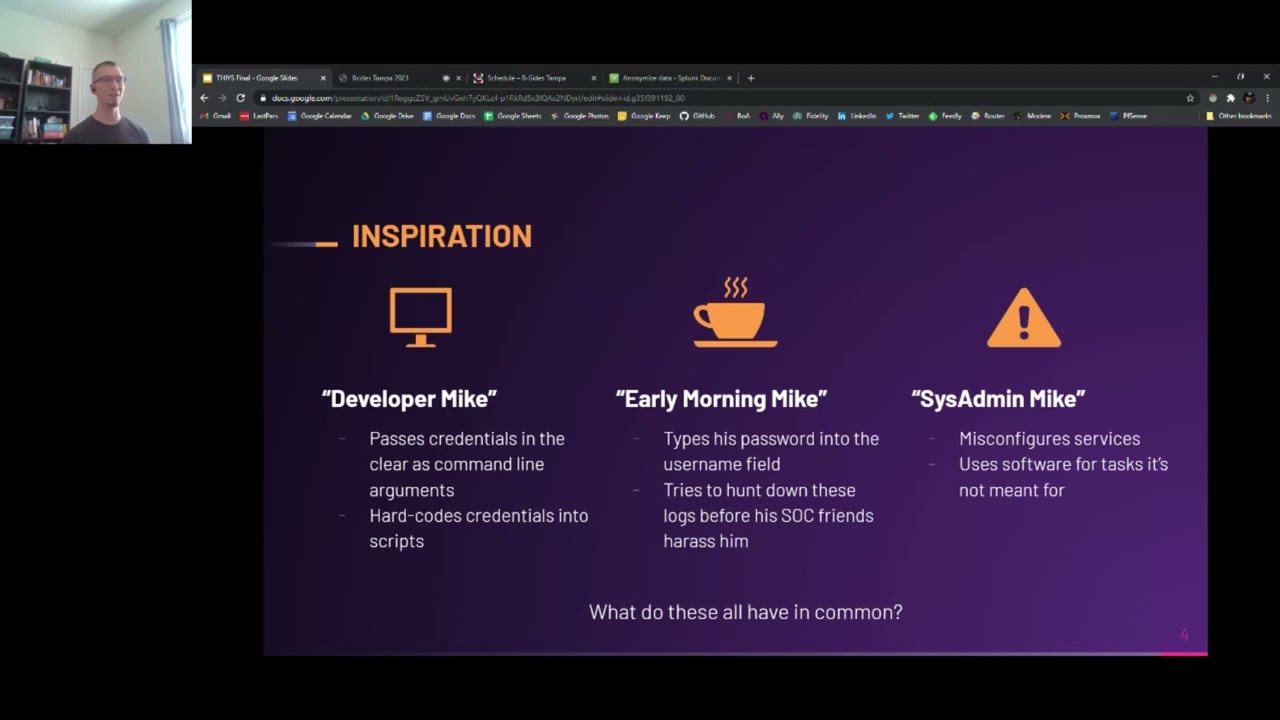 51:04
51:04 29:55
29:55 51:35
51:35 30:07
30:07 51:46
51:46