Jorge Orchilles -- Windows Phone 8 Security and Testing WP8 Apps
Show transcript [en]
after lunch and the turnout is wonderful um today we're going to talk about Windows Phone 8 and how to test Windows Phone a applications uh my name is georgez I usual disclaimer I am not speaking of behalf of my company anything I say or do should not be held against me in any court of law um I'm not really giving you much code I'm just going to tell you how to do things so I run uh the vulnerability assessment team at a major Financial um down in for Lauderdale have a master's in of Science and management information systems from FIU I wrote a book Because I had too much time on my hands have a few shts I
teach Sans anyone staying for Sans next week no one 508 504 I'll be tating that one with John strand um I'm the director of the South Florida Issa and around the community you know helping out so let's get started Microsoft does have a phone hopefully all of you now know that their marketing campaign has been pretty good um good song to it too so it's called Windows Phone 8 or wp8 is how we refer to it it used to be called Windows mobile uh way back in the day if anyone remembers that it was the smartphone before the smartphones were gained before apple and all that they rebranded to Windows phone on 7 and they
their latest 8.1 is actually coming out I saw some of the latest uh Nokia stuff coming out they they're actually pretty nice phones nicely built phones um Windows Phone 8 was released in 2012 they use the same Hardware architecture um as iOS Android and blackberry right the AR architecture so whenever you do get to the point where you're trying to write an exploit that you know you you kind of need to know assembly and arm to to do that um and that's why it's important so a Windows exploit that you might get working right now is for an x86 architecture and won't work on this and that is important as we get into the point that there's no
jailbreak and why um Microsoft actually did something pretty smart here uh Windows phone uses the runtime application architecture so if you develop on Windows on Windows 8 the operating system you can easily Port it over to Windows Phone 8 and vice versa so that is one of the reasons that they advertise their app store has you know I don't know how many thousand apps they're saying now over like 300,000 apps and it's not really true it's Windows apps that they're boarding over or even mobile sites that they're boarding over um and most importantly it does run the Windows NT kernel that's very important uh from a security perspective so you guys do know Windows NT back in
the day um that kernel that was introduced and that server uh Hardware is now uh being used on their phone so before before we hack anything we really need to understand it and before you hack any application any mobile application you need to understand the platform it works on so how this came about for me is I got an app put on my desk saying you need to test this and certify and make sure that none of our company information is going to leak out onto the operating system I said wait a minute Windows phone I didn't even know this is the first time I even see a Windows phone all right let's try to
apply the same methodology that we used on iOS on Android and and it simply doesn't work and that's where this research started the platform's completely different was the first thing we spent most of our time researching understanding how that platform works and then figuring out how to test it and if you go and Google this you don't find it so really this entire presentation is going to introduce Windows Phone 8 and then introduce how to test the apps because if you currently go out there even o doesn't have this um I'm actually thinking of submitting uh all of this documentation to them so you can skip those 80 or so hours I spent trying to
figure this out and just get to testing the app um with that said all of this I have documented on my blog so I will provide the slides afterwards but all of this goes much more in depth with actual commands you need to run step by-step instruction on how to do all of this so um if I go through the slides a little quicker just you know kind of check what you want to come back to and all that I'll provide that link at the end so um real big on the platform is that it uses n kernel um and that introduced a whole p a lot of security to it first of all it uses bit Locker bit Locker is full
disc encryption you can do it on your laptop right now you lose your laptop as long as it's not powered on no one can access it unless they know the password right that's how full dis encryption Works same is true for this phone so think about it from the security perspective you lose your phone you have a pin on it you're not going to be able to boot it or even access the hard drive on it because it's encrypted so that's the first step and when you start thinking of all right I want to jailbreak this thing let me look at the file system you can't look at it from an offline perspective because you need to
decrypt it or view it from a decrypted state next the file system it's using the NT file system as well a lot more security there over fat uh 32 and some of the older uh file systems we used it has sandboxed apps what does that mean that means that one app can have very limited com communication with the other so even if you do pop an app you find a vulnerability you can exploit it on that app you're not going to get anywhere else you're barely going to be able to talk to another app and you're sure as hell not going to be able to talk to any of the core operating system it has safe food and this is even
the hardest part so Microsoft makes the operating system Nokia will make the actual phone right when they're making the phone there's a TPM chip on there and they hardcode the key that is required to access the boot and and if that key doesn't match the device is not going to boot at all so even then even if you do take your your Windows phone right now and just delete the entire hard drive because it's encrypted you can't do anything with it you're not going to be able to boot it and that's another issue and with tpm2 they actually hardcoded this onto the chip itself and no one's been able to break this yet then lastly any binary that
runs has to be signed by Microsoft so you know Microsoft tries to control everything and they picked out a very good way to do that on Windows Phone 8 so Windows Phone 8 also has Chambers uh a trusted Computing base and a leas privilege chamber do I need this microphone like can I step away everyone hears me yeah yeah that's all right um so there's two Chambers one where the kernel is if you remember operating system Basics right every operating system has a kernel that kernel is uh operating in its own chamber and then you have a leas privileg chaper and that's where all your services and your apps are working ideally you want to be able to get to
the kernel right whether you're doing something malicious you want to get a jailbreak or something you want to talk to the colonel that's something that has been blocked off by Microsoft using these Chambers they have capabilities these different capabilities are the different um actors creating you have Microsoft who has full system privileges they can debug anything they have access to apis like uh SMS they have apis um for the Sim to talk with the SIM they actually have over 350 different apis where they could talk directly to a colonel directly to a system then they have another guess chamber where the developers work this is where Nokia is right this is where Samsung is this
where the developers are where they can talk to the cell phone API right or they can talk do some d uh device management and lastly you have the developer and that's as far as we've been able to get actually no I'm going to show you how to get the developer today so that you have access to all of this and if you really want to go deeper there is access to kind of become an O like Nokia and have access to a few more apis but you're still not there right you're still not at system as a developer and this is where you're going to interact mostly with it you have access to the network
right whether it's Wi-Fi Bluetooth whatever um the the actual cell network you have access to that you have access to a camera to an NFC to SD cards to the wallet to speech recognition to a front camera everything you would need as an app developer to get an app to work correctly as far as sand boxing I mentioned this one each app has its own storage and it's very limited what you can do from one to the other but each app so within each app it has its own little folder and that's exactly how it looks at when you look at it we'll look at it in a bit where you have your settings you have your files you have
your directories your database they us a SQL light just like your other mobile platforms and it's all in this little folder you if you pop an app again or if you have full control of your apps so you're developer you create a malicious app you only have access to your app directories you cannot get and see some other apps directory so Windows uh Phone 8 is closed there is no jailbreak yet if anyone is really interested in it um you know it it will come just like any other one but it looks it's pretty tough right it's wasn't as simple as Android for instance um and even Apple probably because of the amount of people using it and just
to show a hands how many people actually have a Windows phone one person awesome that's about the percentage the and yeah exactly it's actually a very secure phone if you if that's your thing so um there's no Trill Break so some activities how many people have done mobile app testing before on Android on or a few of you some of the things you want when you're testing an Android app or uh an IOS app or even a Blackberry app is you want to have access to a memory here you're not right you you don't have that it's a chamber that you don't have access to you can't see the local file system you can't see a local
storage and you can't transfer files from and to the device wherever you want you only can transfer them pretty much to SD card so all of these things are limitations so how the heck are we going to test an app when we can't do half the things we traditionally do and that's where we're heading at but let's take a break before that and think of what a jailbreak would look like theoretically it would need to exploit a vulnerability one vulnerability if that vulnerability you're exploiting should be on an app that's running a system Internet Explorer maybe maybe the Bluetooth communication like the actual firmware on it the the actual communication there I don't know something running a system
find an exploit find a vulnerability and exploit it we know for Internet Explorer we have these we have exploits for IE 10 we have exploits for ie1 the problem is that since this is a different architecture if you recall how you know a use after free vulnerability works or any type of exploit works you need to get back in memory know where you are in memory to be able to continue your code and execute your code you can't do this here because you can't look where you are in memory there's no way to access the memory and that's the main issue if you were able to access memory you could probably use one of these exploits to
get through and once you do get through then you have all this defense and depth so great you have your exploit you you do it on a client side right something that has access to system it's probably not going to be running with system so you may need to escalate privileges depends on what process you're you're owning then you might only have owned that phone for that moment right because as soon as it reboots it has secure boot remember the whole digital signature the TPM all that you're going to have to bypass that if you want it to be you know an a ongoing jailbreak then if you want to run your own application you're going to have to
somehow disable it's code signing signature and or create a trusted App Store so it's pretty tough we that we know there's exploits we just can't get code to actually execute so if you run the exploit you'll kill IE it'll just crash because it ends up looking for something in memory and you have no idea where you are so what can we actually test here well your task is to test a mobile app so you can test that particular applications logic you can see what communication where that app is communicating to so so what server is it going to most of these communicate over web um web protocols over HTTP some go over SSL Etc you can try that and if you
find out where it's going and how it's authenticating you can even try it from your web browser or from your traditional tools you could put a proxy in the area Etc and test the server side you could test the client side of that app so even on the client side if say you can inject something that's coming back from the server you somehow intercept and add more code there you might be able to find a flaw on the client and exploit that particular client you exploit that particular app awesome you probably get full access to that app because remember every app is sandbox so you have a client side vulnerability you exploit the particular app you get access to that if it's a
financial if it's a you know a key pass or something storing your password Maybe you have access to a file system you can look at the local application storage and I'm going to show how to do that but it does require the sap file and the sap file is pretty much a Sit file with DRM that I'll talk about shortly that's pretty much the app file so you need to tell the developer hey I'm testing your app if I don't test it we're not going to put it in production and we're not going to buy your services generally it does require that much leverage uh for them to give you this and then they have to give it
to you without the encryption cuz the first time I told them that they're like oh sure we'll give you the app I look at and I'm like dude this is encrypted give me the unencrypted out they finally budged and I was able to do the test and lastly you can look at the configuration of that local application so a bit limited for those of you that have tested other mobile apps um it's not ideal but this is what you can do right you're tasked with it you need to get your task accomplished as best as you can any questions about the platform before we go on I just asked that question so I can have a
drink all right PR Rex what do you mean you need either a physical device and this is what a physical device looks like cuz apparently none of you have one right this a Nokia Lumia the camera on it is awesome and that's pretty much the awesomeness there if you don't have this you can still test mobile apps you can use an emulator and I'll show you how to do that I'm not going to do it here because I always prefer to test on an actual device there's a few differences I'll cover those but even if you don't have it you can go home right now for free download this emulator and put an app in and start looking at what the app
does and no one is doing this so if you find stuff which last night I was just messing around with one and I found another issue on a bing Financial app that I'll show you guys in a minute um you know no one's doing it so go out and do it there's so many vulnerabilities like industrial Control Systems why have all these people found these vulnerabilities because no one's looking at them as soon as you get 10 guys that know what they're doing to look at them you find all these vulnerability so I mean as Enterprises go to this you might want to start checking it out if you are using a device you have to unlock it so
I'll show you how to do that in this talk um we'll talk about the sap file and why you really need it and we'll talk about an HTTP proxy which will allow you to see a lot of the TR going back and forth so physical or emulator I always prefer physical like I said this is an no Lumia um I requested this they said you need to test this app I said you got to give me a device and they said well use an emulator I said no you got to give me a device and I got a free phone um you can use the emulator some things about the emulator you should know first of all it's a hyperv image so
anyone use hyperv you have to do that on windows so it goes without saying you need a Windows system to do that not only that you actually need a Windows 8 System 64-bit to do that we figured out how to do on Windows 7 64-bit I have the write up on my blog if you want to figure it out um just get a Windows 8 I mean it's so much trouble to go through to get it working but it's a hyperv image right so it's a virtual machine we know that instead of using our architecture is going to use x86 so even if you do find a vulnerability for it and you write this awesome exploit
that works on your ulator that exploit is not going to work on the phone because the form uses a different um Hardware architecture right all the binaries are fake and by fake I mean they're fake like it says fake their name are fake LED fake modem fake everything so everything's fake there are these dll files that don't I don't think exist on the phone I don't know because I can't look at the phone but I doubt they're called fake on the phone as well um the user agent so when you go on your IE browser you go to a site you know it says hey I'm using Internet Explorer 10 and I'm a Windows fun and
I'll show you guys that um this phone will tell anyone that you're using Windows Phone 8 it's Microsoft's very proud of that but when you use it on the emulator it's going to use a different uh user a and lastly you cannot get apps from the App Store and put it on your emulated phone so if the vendor is not giving you a s file then there's nothing you can do you can't actually go to the store and pull down uh a file you have to get the file from the vendor or you can use uh XDA developer they put up a bunch of sa files up there and you can start messing around with those but really to test it
if it's going to be a vendor app they need to provide you the sa file and you should use a a a actual device so next steps is to install your Windows Phone SDK this is free it's at dev. windowsphone.com it does require Windows 864 bit don't start you know be like oh I need a Windows machine and then install a 32-bit because when you go to install you're going to fail and you're going be damn I have to install another operating system if you're using a virtual machine you do need to make a little change this killed me this probably took like two days to figure out you need to set your hypervisor cpu.
v0 equal to false and this is in the vmx file so if you're using VMware you're using your Windows 8 machine is a virtual machine you have to do this if not it's not going to work and you're going to be like why the hell is not working there you go this should save sa you some time um and then in the control panel you go and you turn on hyperv um then you download it you install it and you have an emulator it does come with Visual Studio Express 2012 remember as an SDK you're trying to develop apps they don't know you're trying to break apps so it is going to come with visual
studio and you could probably even code your own app so let me show you real quick what that looks like all my demos are going to fail now because this went to sleep it's going to pull a different IDE P address I'm going to have to reconfigure everything it's all right that's why we do L demos so this is my virtual machine I am running a Mac 8.1 with 64bit I don't want you scanning the
network I'll show you that later all right here you go so this little emulator here you look at it it runs exactly where I told you Microsoft uh program fils x86 Microsoft KDE 8.0 and I'll show you what it looks like when you boot it but I'm not going to wait for it to boot cuz it takes forever especially on a virtual machine there you go you have your phone and of course I'm on a very small screen so you can't even see the whole phone but the phone starts booting and I don't have an IP address so it's throwing out errors but I need IP so let's figure that out I do have an IP what are you
talking
about all right
now hopefully I got an myp I still connected all right so that's your emulator if you have a physical device you need to unlock it you have to pay for this yeah but I figured out a way to pay $19 you say you're a student of course you're students you're learning I'm a student so you need the physical device you have to unlock it if you don't unlock it you're not going to be able to S load the sap file that was provided to you by the person you're testing or the developer so you do have to unlock it join the dev program it's 19 bucks and allow up to three side loaded apps I really don't use this St
with my phone so I don't care if I only test three apps at a time um other people may so you can pay $99 a year for a debit account you can have 10 Sid loaded apps or and this is what I was looking at say you're a company which is State of Florida is very simple to register right um sunbiz.org fill out paper pay like 30 bucks your company then request Microsoft to give you a digital certificate for your Enterprise uh App Store and you become um you can start putting out more than 10 hours so that's what you really into it uh you register for free or for $19 on dev. windowsphone.com um so the top file um if you look at it
it's its signature is the same as a silver light app um it contains a XML file called app. manifest and that defines the assemblies and dlls that get deployed let me show you an app here so let's not pick on too many people so this web access. saap file is a sap that got from the XDA Developers you unzip it and then in here you have your app. manifest file if you look at that with a text editor you'll see here exactly what it's going to deploy so you're already starting to learn what this app does or what what it's deploying at least when you send it so there's a web access. dll HTTP server. DL file system Reg
Etc so you can see that for um for any um any file that's not encrypted so this is something Microsoft does that's very different than Android and iOS when you download from the store you have to be logged in and it takes your cookie and uses your cookie in the DRM encryption so it's rendered real time as as you pull the app down that makes it very difficult for you to reverse the app right so if you're a coder you're a developer you don't want people looking at your source code this is excellent you know there's no way that even someone that's legitimately downloading this is going to end up reversing this I think eventually we
will just like any other DRM we figure the way around it I just don't think that many people are looking into this um to figure it out but um that there'll be a way to ref right now there isn't so that's good for the developers you can't actually see the source code or anything like that so what do you do you request the file from the developers and that's exactly the couple files I have um to know if there's DRM or no DRM you can but it's just a Sit file so if you open it with a text um a text uh editor so the both of these are sa files the top left one is web access which I got
from the developer and the right one is of America which I got from the store you can see that the left one search with PK what does that mean it's a SI file right PK stands from Phil Catz the author of PK sip um and that's how you know it's a SI file so that's a easiest way just to get an app open it with text and know if there's DRM or not once you have it you have to load it onto your app onto your phone so we're going to go and do a live demo um pretty much side loading like I mentioned is getting the app from the developer and side loing it onto your phone you're not
getting it from the official store so you can use the SDK or you can use Windows Phone power tools I'm going to show you how Windows Phone power tools works it's uh free online just search for it or go to my blog and get the exact link for it you do need to have it connected to the machine so it's not going to connect it's not connected it's be of USB if no one's seeing there is USB there connect to device and here you can actually pull up your emulators as well so even if you get the sa file from the developer you can put it into an emulator that will work but I'm going to connect to the
device make sure the device is unplug uh plugged in and no pin
is it connecting yes live demo one worked all right so here you can pull um whatever app file you have so let me show you one that I got uh from a vendor just show you how to install it you click install and it'll all of a sudden pop up in my wonderful tiles yes you can see but it's now on my tiles you can go here to to Dev apps and see your apps I have a three limit account so these are the two I have on there one is a web server and the other is a good app and then you could come down here and look at its internal storage it won't have much storage until
you run the app and Windows Phone power tools has a bug the bug is that once you install it you look at the isolated storage nothing's showing up right even if I open the app it's opening I'm hitting set up I'm accepting my user agreement I go back here and there's still nothing there right so you say oh something didn't work I can't see anything you can and you just have to do a very Microsoft thing close power tools and start it again then it works so we'll show local storage shortly that was an example of s loading the app so far so good pretty easy right you get the SDK you get a phone you get
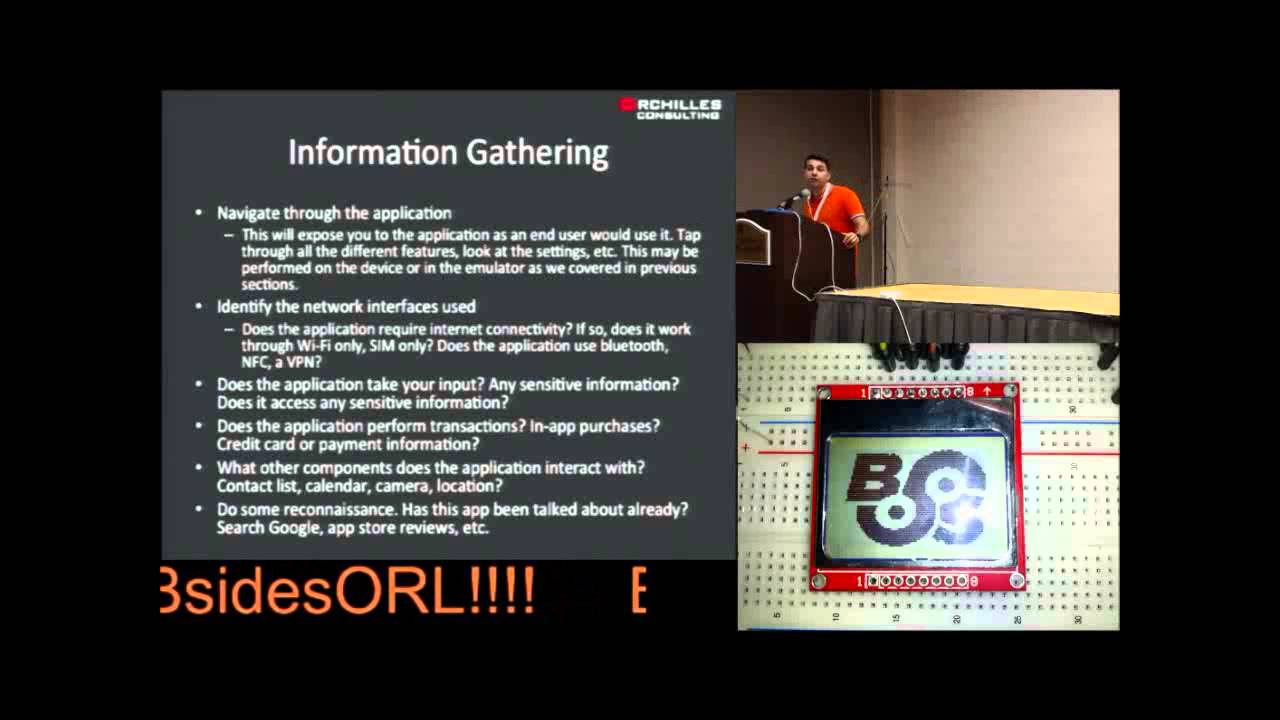
the sap you put the sap on the device you're good to go we're ready to test intro's over everyone's with me awesome all right so we're going to start testing this app methodology for testing I went straight off of Lop uh mobile app testing right I wanted to implement this as closely as I could to Testing mobile apps that I do know how to test like iOS so you start and in any ethical hack I would hope you start with information gathering you really need to understand what you're testing right so you already figured out what the platform was now you need to understand what the heck this app does um you know what is it
that you're testing what's the point of it uh most of this you can uh accomplish beforehand before you even get the app you know you look up the vendor you ask them you go through scoping questions you say you know what's the point of this app what does it do what it hold you know do I need to authenticate what do I get access to Etc then once you um once you do that phase you start your with your Dynamic analysis and dynamic means actually using the app right you start using the app you see what request it's making what request it's receiving how it's interacting Etc all of that testing is considered Dynamic then if
you have the source code um in a raw format you can analyze it you can do source code review that's called St static analysis I am not that far yet on here I know some tools to decompile and I'm probably going to leave you off with that at the end um given the time as well but that that would be the third phase the D the information gathering Dynamic you can definitely start right now with those $19 you paid as a Dev all right so first steps of any assessment understand what you're testing you got your app uh installed uh whether it's side loaded or emulator you got it from the store or wherever and
then figure out how the app works what are the steps here very simple navigate through the application like any web app you're going to test like any other application you're going to test just go through it click around make sure you click everything start seeing what it does start asking questions does this app have a settings what kind of settings are there can what can I configure what can I look at see what network interfaces are used is it using um is it using the syn is it using your your your carrier is it using Wi-Fi does it use Bluetooth does it do a VPN connection all that you're going to need to know before you start testing right
this is all information gathering does the application take any input is that input sensitive does it access any sensitive information right so you can take a financial app as a primary example here it does take your input that input is normally sensitive right your username or your password maybe a two- Factor authentication and then your accessing something sensitive like your bank account or your credit card statement Etc not all apps are Financial so you can go through those as well but all questions to ask does the application perform transactions do you have Ina purchases does it have credit card transactions is it storing the credit card on its own think of like the square app or this new coin uh payment card did
anyone see that that's going to be awesome all of that's going to be on the app you're going to take pictures pictures of your credit card scan your credit card and it's all going to be saved on your app on your phone it's going to be great um what other components are used is does it interact with your contact list with Calenders with camera with location Etc and you can even do some outside Recon see if anyone has tested this app before like I said this is a very new thing Enterprises are looking at it because the phone as you saw is actually pretty secure so they're using it as bod or even has deployments to not
deploy Blackberry anymore so this is going to grow but not that many people are doing it I do challenge you and ask that you go and test out all the apps I mean just running an HTTP proxy and looking at what some of these apps are doing you're finding vulnerabilities it's that bad right now so even in even in the information gathering stage you can find some vulnerabilities right if you when you started the app you put your username and your password and then it cached that and every time you open it it's logging in that in my opinion would be a problem it should have a passcode right you can identify that right off the bat just by using it you
have done nothing else except to understand what you're uh using if it does have a passcode say Dropbox right you set up Dropbox once and then every time you have it it's just syncing right and every time you open the app it has access to your stuff set up a passcode does that passcode mean or uh follow any good practices obviously not much follows good password policies so you probably find this one and then lastly is it caching things so you use the app on the internet you go to your bank account you disconnect all your network you go back to the app is it keeping your account there if it is then you know it's caching your information
locally without even having tested it right everyone got that so you go in you see everything you turn off and in this point I do that I turn off I put this on airplane mode and then I enable one network to device at a time so I want to make sure I'm seeing all the traffic going in and out there are apps that will use both Wi-Fi and cell so you're you have your cell signal on you're not looking at it and you're sending Wi-Fi and you're like where is this authenticating why isn't this you know all of a sudden I'm logged in what's going on it's sending authentication through the cell API instead of through
the the the Wi-Fi so Dynamic testing this is our next step most apps are going to use HTTP or https to communicate so you use an HTTP proxy I'm going to show you how to set that up um and if it's https I'll show you how to install your own certificate so you don't get the invalid C error or if they're using any sort of uh certificate validation it'll validate it and you'll see even the encrypted TR now the problem Lies when they're not using HTTP so your first thing is going to see most of the time it's going to be HTTP if it's not then there's a challenge because you need a man in the middle of
this so there's different ways to do that one you set up your access point right the little wireless access point that you have um and you just tell it to send all the traffic that you send to this IP send it to me as well you set up your network and sniffing you'll get all the traffic but you're not going to get anything encrypted right you're well you'll get it encrypted you're just not going to know what it is you're only going to see the clear text and be able to make sense of it you can use maler how many of you have heard of malerie mallerie does something very Sim similar it will set up the access point for you
and um you connect to it and then it Bridges out to the to the internet and man in the middle is everything including SSL but mallerie has only two ways of functioning an access point or through VPN and this is one of my larger complaints here to Microsoft is you have released an Enterprise phone and it doesn't have VPN capabilities there is no VPN settings on this you want a VPN anywhere you can there's no VPN you can only do HTTP proxy and I have a problem with that as well all of these have been reported to Microsoft are coming out with A.1 in the next few weeks or months I don't know they try to surprise you but supposedly
they're going to be fixed there lastly if you don't have access to your access point you can just AR poison it right it's using ipv4 use r that's it you'll get all the traffic but again you're not going to be able to see much of the encrypted traffic so how to set up an HTTP proxy you go and this is a screenshot of Windows Phone 8 any of you haven't seen it um you go to your wireless connection and there's a little thing that says proxy on or off you turn it on you put your server uh URL and the port number and it connects notice that there's no authentication again this this is a phone for Enterprises
Enterprises have proxies proxies require authentication this phone made for the Enterprise does not allow you to authenticate to a proxy don't understand but let's show you how that works and now you see traffic so let's do this live hopefully um my connections are still up so make sure my phone is on and it's not on the wi this is it oh it's coming back
google.com so this is sa proxy anyone have experience with an HTTP proxy show hands come on you see more hands than that all right so an HTTP proxy will pretty much intercept your requests send it off to the web server for you get intercept the response and send it back to the phone so you go here to local proxy you tell it listen on this port so listen on 1921 16a 1.10 connect to Port 80 that's the same thing you're going to set up on this screen on this screen same obviously it's not the same IP because it's a screenshot but there that's where you set up so your phone is going to go to
your machine from the machine to the internet and then back when you set that up and obviously my network connection is dead thankfully I have some cash Pages here um it should work so you start seeing traffic this was me going to google.com with um the phone I believe oh look at that this is what I was telling you about the user agent so on Internet Explorer on my phone I went to google.com you can see the request going out go to google.com look at the user agent it tells everyone I'm an Internet Explorer 10 I'm a Windows Phone 8 and I'm actually Lumia 920 I'm surprised it doesn't say what color my phone is but it pretty much
tells you everything right it's telling exactly what it is it's I'm arm I mobile you know it's all there for you so now you can see traffic you start using the app you send traffic you receive traffic wonderful you can see if it's HTTP all this is HTTP traffic for https you need to install your you need to install your signature so you have to generate the um SSL certificate and then somehow get it on your device let me show you how to generate a certificate you go here to tools options you go to Dynamic certificate this is your certificate save it and then you need to transfer it onto your phone this was the other place where I
just didn't connect dots there's app sandboxing you need this shirt to be installed on the system so you can't use any app that isn't system app I spent some time on that because you'd figure that Sky Drive which is provided by Microsoft would have access to would have access to the system it does not so if you save on your Sky Drive and then you go in and fetch it you'll see the certificate but you won't be able to install the mail app does have system access so if you email the certificate to yourself and then open it up on your email then you can install the certificate if you go with Internet Explorer to the certificate so you host
it on a web server you go there then you can access it you can transfer it through USB um but the easiest way was to host it on your web server this is what it looks like um and this was my final issue and this one was my worst one with them um was that it's one it's very easy to install the certificate so as soon as you browse to it you click install and it installs then if you realize oh I don't want this certificate installed anymore let me remove it there's no functionality for that you can't see what certificates you've accepted or someone else has accept that on your behalf on your phone and you can even if
you do and you say all right I temporarily want to accept the ceric certificate cuz I really need to check my email um you can't remove it afterwards so there's no certificate management this was my third issue with Microsoft so how do you get this and this is more real life and I don't document this but if you wanted someone to connect and get your digital certificate you set up a wireless access point everyone connects to it and the first request that they sent whatever get request you give them the certificate file and by giving them the certificate file they're going to see this nor and you can change whatever name it says right here so you can
change that to hit install to access free Wi-Fi and that could be the name of your certificate and then they're going to hit install and they're not going to get any certificate error the the rest of their life until that certificate expires so you can man in the middle of them anywhere you want later on and there's no way for them to remove that um so this was another issue so at the end you now have access to SSL um traffic so let me show you a page here um so this is the finance app you see https I can actually see the request and apparently I can't see the response on that one go live demos all right wow none of
my live demos have failed yet this is epic um and there you can see the response is supposed to be all over https right normally you wouldn't see it you see https there but you do because the certificate was installed on the phone so far so good now if you are on the emulator because I know none of you have phones and you're going to go home and try this with the emulator the VM remember the Windows Phone emulator is a virtual machine on your Windows 8 which will probably be a virtual machine too because you wouldn't run that as your primary operating system right so you have a VM going through a VM going
through a VM you're already MN in the middle right it's all going through that Windows 8 virtual machine so whatever proxy you set up on that Windows 8 machine will automatically replicate over to the phone so that's a simpler one you just go to internet options go to proxy set the proxy of your own machine and that's it you don't even have to set it up on the phone which is nice so at this point you've gone through the app you've seen the traffic you've seen what you're sending what you're receiving it's beautiful you have Network traffic we go back to information gathering and everyone tells you this in any ethical hacking class they say you know at any given time
you're going to go back to information gathering but they don't really tell you what how or why this is why so now that you know what's going on can you determine anything about the server side application where is it hosted you know it's going to some domain where's that domain is it a cloud service is it Amazon is it a shirt service is it using Rackspace where's it hosting what development environment is it you know what what's it pulling is it pulling jsps right it's Java is it pulling asps you know you you learn a lot about the environment just by being able to see this traffic now is it using any sort of authentication apis any sort
of single sign in is it using any other apis is it using the maps API is it using a payment Gateway is it using SMS now that you have visibility of all this traffic you can now do a lot more and this is where your triggers for all right let me go test the server side now should be going off once you find this um this server side this web app go through it right apply the same web application testing methodology that you currently use to the same thing you might have to send it a spe a special user agent right to get the mobile site but that's the most security I've seen about it it's you
know it's out there it's on the internet it has to be access accessible so you can access it from your own machine without a problem so what vulnerabilities can we find so far encryption not enforced this is probably the easiest one you have a username and a password going in clear text you can sell this in any organization very easily you have a username a password going to clear text anyone listening on the network is going to get it they'll say you're right let's encrypt that sensitive information and then everything else are going to do on HTTP I'm going to show you why that is bad and that is is going to be a big
challenge what does encrypting your username and password protect you from confidentiality right in mobile apps we have an issue with Integrity as well you open a mobile app I open the Bing Financial app which is the one I was messing with yesterday I don't know where it's going I don't know if it's getting an invalid sht I don't know anything all I know is that this is the Microsoft Bing app and anything it tells me it's coming from Microsoft right that and if it's all going through clear text you can change that and you can mess with Integrity so Integrity in mobile apps is now becoming a bigger issue or not bigger a similar issue digital certificates not
validating so even if it does use https if it gets an invalid C and it still sends the data there's no point in using HS SSL right like if it gets an invalid sir it's still going to get it so you need to make sure that not only is it implementing as as it's doing it correctly then you could look at authentication as well and I'm going to speed it up cuz I have like six minutes left so basic authentication being used is not good it's basic C4 uncoded anyone that gets it can reverse it uh quite easily and neutral authentication is there any authentication coming back you sometimes authenticate the server is it authenticating it you so https for
everything this was a huge push and this is not going to an easy one for many organizations because https is expensive right you have to buy a sh and no one can tell me right now that it's expensive on CPU Cycles cuz it's not I mean it is more than none but you know we're in 2014 so with mobile apps you do need to maintain Integrity if I go to Bing or if I go to an app that's giving me news I go to a BBC News and I can all of a sudden say that something blew up or the white house blew up because it's all in clear text because someone's man in the
middle of me I have no idea that that occurred BBC would then be losing its Integrity so I push for everything uh to be SSL let me just show you uh on an iPhone app which was the easiest one I was able to code up uh before this talk that doesn't use https it sends a request for Facebook stock on a couple days ago and I replied saying it it's at nine points if you follow Facebook stock it's not at nine points that would mean it dropped 80% in one day that would freak you out right and there's you're looking at your iPhone it's telling you this but that's not true it's because it's using HTTP
instead of https and you decided to connect to a Wi-Fi network or you're going through some Network because at the end there's a lot of data centers you're going through that can see your traffic and can modify on the way back because it's HTTP it's clear text so local storage let's look at that one real quick and um I kind of set you up for this one already we have the app I already crashed I already closed this I remove the pin from my phone and this is the part where you want to look at the local storage so you have to have the sap file from the developer you have to sideo it if not
you're never going to know what's going on on this local drive so connecting we want to see what's there isolated storage you can pick any app and as you open it you start seeing things right and all of these is the structure right this is the structure we talked about it has what do we say files there are the files it has configurations it has a database you see that SQL light and you can just get that file you can pull it down say save it to your desktop and access it later and you can do it while the app is running all right let's try it again there we go it downloaded it to my
desktop and now I can look at the SQL light file using SQL light you can get local storage you can see local storage so what you would do is access anything sensitive and then come in here and start looking at all these files look at these settings see if it's caching anything see if it's storing anything the same thing for this one this one doesn't have much oh and I'm not on the network I wanted to show you that last one but pretty straightforward right you got the set file you side loaded it's the only way you can look at the local um at the local storage of the device lastly there's static analysis so
you do require again the s file without the DRM so you can open it and then you have to decompile it you have to decompile the actual app the s file to get a code that you can actually look at I haven't gone this far but there are there are a couple of tools that you can use um if you do get to this point that's definitely work together um there's some free ones that that'll decompile your app um a lot of people that code in Windows may seem some familiar like Tangerine um but you can look at the static code you can look look at the actual source code some developers will even just hand you the
source code so you don't even have to decompile it they'll give you the source code if you're you have that much leverage but most of the time developers won't do this um so with that my conclusion is Windows ph8 is actually pretty secure um it has a complex attack surface app testing is very dependent on the S file if not you're only going to see Server and client side um which is very similar to your current mobile testing and your current web application testing um the trend I see is many organizations are trying to get rid of blackberry because it's expensive for them allowing bod to come in and Windows phone might be one of the options they go with so
we're going to start seeing more people having this and I encourage all of you to take a look at it um and and start playing with these apps see what they do uh the one I wanted to show you was the Bing app that b Financial also just like the iOS Stock app is all in clear text so anyone using Bing if you're connected to my Wi-Fi um I can mess with your head uh until you call your broker um about you know Google going to $10 um the last thing all of this is documented so when I started and I mentioned when I started this there was very little documentation um online so I decided to
start putting some out there or.com that's my last name it's in your little Flyers you can find them just search for Windows Phone 8 it's all there um um I'll take I guess a couple questions it's two right on the dot sorry to the next speaker any questions anyone going to go test Windows phone apps now sure it's so easy all right cool anything else thank you very much I appreciate your time [Applause]
Related talks
 51:35
51:35 37:20
37:20 48:07
48:07 44:05
44:05 41:52
41:52 41:37
41:37