BSidesWLG 2017 - Oliver Ewert - Public WiFi isn't that bad, right
Show transcript [en]
cool so my name is ollie I'm here to talk about public Wi-Fi like I said my name is Ollie you can find me on anywhere that I want to be found on the Internet Holly the ninja for a day job I'm a graduate security engineer at zero but I'm this this talks my undoing and my opinions are my own and if I get in trouble it's my own fault so I've been told so the reason this came about was so the reason this came about was I sort of used to have an interest and Wi-Fi when I was a high school and my mum had dial-up and I wanted faster internet so I took an interest and my neighbor's
Wi-Fi and then we got broadband at some point and I stopped worrying about it went to university had other problems bigger things to research and then earlier this year I went overseas and before I went overseas I thought about you know what as a security person I was kind of concerned taking my laptop overseas using dodgy internet connections and what I should do to keep myself safe and then I decided before I went away that I would submit this talk as a way of making myself do it so here I am there's also some misinformation around this is a quote from some VPN provider I found on the Internet apparently people can hack into public
networks though by definition being public you don't really need to hack into them you can just sort of connect it's a public network and sneaked into people's devices sneaking being the technical term for it so there's a lot of misinformation out there there's like YouTube videos of people talking about how you know people can basically steal all of the information on your phone if you so much connect to a public so I wanted to sort of squash some of that what I'm talking about today is public Wi-Fi things that you access at a coffee shop or an airport or at a conference hey anyone noticed the Wi-Fi isn't working yeah and using Wi-Fi obviously because when you're traveling and stuff
and you want to you know check your emails or tweet that's what you do we're gonna talk mainly about playing HTTP browsing the web maybe doing some emails pretty much gonna ignore everything else and we're not gonna talk about like Bluetooth or cellular or stuff like that because and we're not gonna talk about denial of service because if you walk into a cafe and they've free Wi-Fi doesn't work just not gonna use it it's not a big deal we're not gonna talk about tracking because using metadata to track people's I'll know the subject as well and we're not going to talk about targeting individual because if you're targeting an individual if you're a targeted individual you have a bigger
concerns than public Wi-Fi so also I'm not really an expert on any of those things checked I'm not really an expert on what I'm talking about it's the imposter syndrome coming through that I googled enough so I feel like I'm qualified to give a presentation about it so what we're gonna do is we're basically going to go through the layers that are involved in a Wi-Fi connection each one builds on the previous one so you know if you secure one layer and theory you can't get to the layers above it it's a very high-level overview so we'll start with physical stuff so you connect to Wi-Fi obviously it's going over radio waves so that's Co sort of lowest level and it
starts there basically so did this year there were two sets of vulnerabilities released to do with Broadcom chipsets which are the Wi-Fi chips in most mobile devices and basically those vulnerabilities were to do with the part of the circuit that receives packets over the year and their vulnerability worked even if you had your Wi-Fi turned off but hid the location services that use your Wi-Fi signals to like triangulate try and get a better location it would still work so at that level you're pretty much screwed Android and like it's sort of if you have a Nexus device or if you have an iOS device you should be up to date everyone else Chieko edge security patch you're up to
basically patch your stuff the next level is the actual physical security of the connection that you're talking across so obviously if you're in a cafe or an airport or something there's not gonna be any password that you type in you just hit connect and away you go some cafes will write the password on on the white board which doesn't help because then everyone else knows what the password is all you have to do is walk in so that doesn't really particularly if you are using a secure connection in WEP has been vulnerable for years and years and since I submitted this talk for the crack the whole crack thing came out and basically we can treat that as vulnerable as well
so in theory any internet connection any Wi-Fi connection you're connecting to you basically assume that the the wireless connection itself is unencrypted it's basically where I'm going with this but our main objective is when you're on a public network anywhere so we're going to assume that it's unencrypted moving up a little bit ah this was another one about crack Radio New Zealand said that basically you shouldn't use Wi-Fi anymore which was the mis-education of what intonating ins it said I think it was interviewed and said but at least face it we're not gonna stop using Wi-Fi right I'm certainly not using Ethernet for everything so now we get up to a wired equivalent so basically once you've
connected to that access point you basically have the same level of connection as if you plugged your Ethernet cable into the exit light into the network switch so these things actually don't apply just to Wi-Fi but also if you're connected via physical cable to an internet connection and there's a whole bunch of stuff that can be done at this level you can mistreat someone using DNS if you respond faster to an domain name query than the actual domain name server they could send you to some malicious site you can do app spoofing or up catch poisoning which is basically also redirecting traffic but basically saying hey know this IP addresses over there over there and then
same results you go to attackers server rather than actual server this is like host separation stuff which a lot of the enterprise access points support but there doesn't really help that much often it's also not configured properly I've seen it where like if you're on the same access point you can't talk to the other device but if you're on a different access point you can and then this the yacek attacks type thing which is where you when a device is hey I'm looking for CBD free Wi-Fi you say yeah that's I'm that access point and then they connect to you doesn't work so well and you want more because vendors have started protecting against that but some
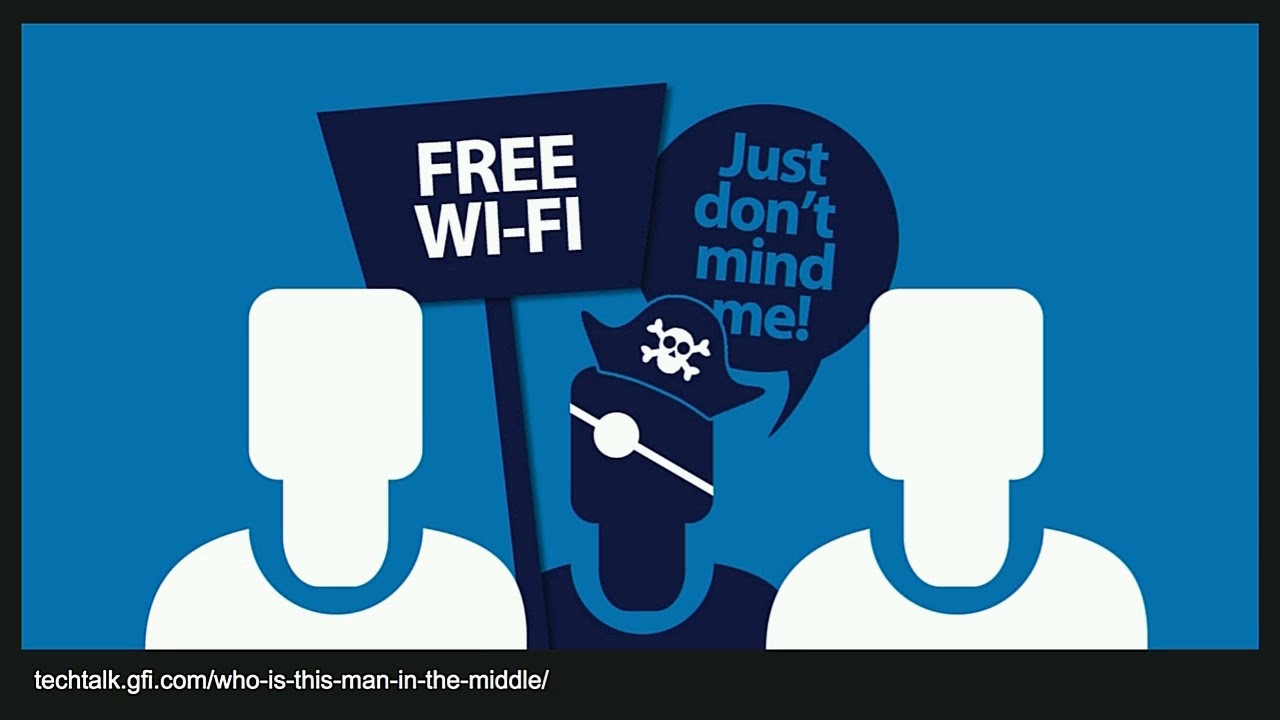
easier stuff still works like just sitting up an access point with an SSID like with a Wi-Fi name that you know people will have like trade me free Wi-Fi CBD free Wi-Fi you know or you just set up one that looks good enough like the name of the cafe you're sitting at with free Wi-Fi onions and people will just start connecting so you don't know whether you're actually connecting to the access point that's legitimate or not either so you sort of just have to assume at this level there could be someone bad sitting in the middle and you don't know so if we move up further yeah okay so basically it boils down to someone being
able to sit in the middle sniffing your packets injecting stuff trying to get malware onto your computer scanning your computer for open ports so network security really isn't going to help you at this point because you don't know enough about the network that you're connecting to to know whether it's secure or not so what can they actually do aside from what I've talked about it's a cell strip what so once you've redirected the your victim to a bad server you can do things like SSL strip which is trying to get them to connect to the to think that the server doesn't support TLS or encryption at the HTTP layer you could pop up a dodgy
captive portal you could just sit in the middle and see all the data they seemed and not do anything with it just capture it see some credit card details flying by in plaintext or you could inject malicious code into a non encrypted site that they go to and then use that to get to a encrypted site that they can get to and the picture on the right is so eight weeks of being overseas traveling through Oakland Airport I was very tired so I didn't manage to capture the right screenshot but you'll notice at the top that this portal doesn't have encryption she's not good secure it also doesn't have the HTTPS which you'd expect an
encrypted connection to have and what I didn't capture was the other screen where you could use your credit card to buy additional data over a non secure connection and anyone in the airport or anyone near you could you know because it's not an encrypted Wi-Fi either they could then see your credit card details by virtue of sitting next to you with a laptop so I contacted the airport because I didn't know how to contact the company at that point after three days of not hearing anything there the vendor got back to me they were very worried they didn't actually implement it the Oakland Airport has to implement it they just provide the system and it's fixed now so
you can buy internet at Oakland Airport without having to worry about your credit card data being sniffed um there's another thing about captive portals I've got like hundreds of screenshots from my travels of different captive portals they all ask you for an email address and you have to like you can tick the box that says yeah I want to know more about your business or something I think it'll be kind of dubious from a privacy point of view if you didn't encrypt that especially in New Zealand but most of the time you can just they don't actually validate your email address so think of that what you will unless you're in Sweden apparently they think you and he's like you have to
put in your cell phone number they send you a text message that way and I know it's you and you have to put it in before you can get access but everyone else just takes any email address and then lets you onto their Wi-Fi so John Doe at example or gets lots of emails on my behalf right so how do you protect yourself that's what you really want to know right protecting yourself there's some really easy stuff you can do make sure your computer's up-to-date make sure your operating system has all the patches applied make sure your browser has all the patches applied turn file-sharing off so that when you're sitting on the Wi-Fi someone else can't go along just
you know go into Windows Explorer there's another computer Hey but they've got the documents shared to the rest of the network clean out your known networks list you can't do this on iphone I've been told but everyone else should be able to remove access points so you no longer want to access like CBD free Wi-Fi see it new works to public so a lot of computers will pop up a box and say is this network your home network or a corporate network or a public network if you do the public network it should turn off your file-sharing and stuff for you so problem solved and then there's you can use browser plugin for Firefox and Chrome and Safari and a couple of
them called HTTPS Everywhere which just makes sure that you're on that HTTPS connection if the server supports it and remembers that even if the server isn't set up to tell your browser that which helps you stay on an encrypted connection and use multi-factor wherever you can like whether it's a Google Authenticator app or a UV key or whatever just it's just one more security mechanism and it's so easy if you wrote and don't don't click this don't just don't I've seen people click through this far too quickly don't do it when you see warnings like that they're there for a reason if you're slightly more advanced you could use a VPN sometimes you have to pay for them tor might be an option
but and make sure that all your traffic goes through your VPN if you're sending of DNS over the local network and not through the VPN then an attacker can get you to talk to them on a local network and bypass the VPN so make sure all your traffic is going through it and manually actually make sure your firewalls turned on it's kind of tricky depending on what system you're on which is why I put it in the like slightly more advanced section and if your master was a believer I have nothing for you you no more much more than me about this stuff finally if you're are if you look after a website of any kind
make sure you have TLS make sure it's working make sure you redirect people to TLS and don't let them browse the unencrypted site EDH EST cedars basically that just tells the browser I have TLS I will always want you to use TLS don't ever go back to not using encryption provide multi-factor provider as a free add-on MailChimp gives you a 10% discount if you have multi-factor enabled because it costs them so much less and customer support tickets so you know provide an incentive for people to use multi factor and use DNA sick it's kind of not that popular yet but it's getting there which is basically signing your DNS results so that something imitate you your DNS records that's
that's pretty much my talk there are some of my references I just have one last thing to say I decided this morning that I'd do a little demo I'm not usually going to show you anything what I'm going to say is how hands up have you connected to the besides public Wi-Fi well I know some of you are lying because so and anyone noticed that CBD free Wi-Fi isn't working so I I know that some of you are lying because I had an access point in my bag for most of the day it doesn't go anywhere it just has to SSID as b-sides and CBD free Wi-Fi I've had a hundred and twenty people connect to it so far it's they're
easy to get your traffic to go somewhere else so you need to make sure that you're what you're connecting to is encrypted thanks [Applause]
you
Related talks
 1:12:47
 37:09
37:09 24:30
24:30 42:11
42:11 46:58
46:58 26:16
26:16