BSidesWLG 2017 - Amanda Berlin - Reversing the Killchain
Show transcript [en]
So welcome everybody to second day of B-Sides. Yay, we made it through the first day. For those of you that were at my talk yesterday, this one's gonna be way more uplifting, although you might get that weird feeling in your stomach every time I say cyber. So by a show of hands, how many of you have heard of the cyber kill chain? Okay, good. So it's also called the intrusion kill chain. It was thought up and written down by Lockheed Martin, which is a defense contractor in the United States. So
I know a lot of you know about it. There are seven steps. How many of you know all seven steps? Good amount? All right. So one thing that's hard to do is to actually make sense of those seven steps. Yeah, it makes sense when you read them, okay. and I'll go over what those seven steps are. But you can't really, or I haven't seen anybody really tie specific threats and what like, this is exactly what happens at each step during this kind of attack and what to do about it. Everybody's less like, oh, cyber kill chain. Yes, of course, we're protected by it. So at one point I couldn't really to tie anything to those seven steps. And really at this point, I can't
for some threats anyways, because they don't really fall into the shoe horn of the seven steps of kill chain. But I struggled like in my day to day, I had worked for MS, well, I still do, work for an MSSP now for the last four-ish years, I think now. And I would have C-level executives ask me, all right, are we covered at all seven steps of the cyber kill chain? or can you tell me, are we alerting against all of the things that happen at Seven Steps of the Kill Chain? They just wanted to tie that super popular thing into whatever metrics they had to do to take to their board or whatever. So nobody had really a fully articulated
plan. We're just like, oh yeah, sure. Yeah, we totally protect you against all of that. And now we had no idea what we were doing. So what I wanted to do was kind of list, go through a couple different use cases. This one we're gonna focus mostly on ransomware. This was a three hour talk that I kind of squished down into an hour. So we'll see how much information we can get through in the hour that I have. And we are going to go over what happens at each step offensively, from an attacker's perspective. what you can do defensively for those tactics, what we can alert on, what we can monitor on, and how easy some of them are. So the intrusion kill chain, sometimes called the cyber
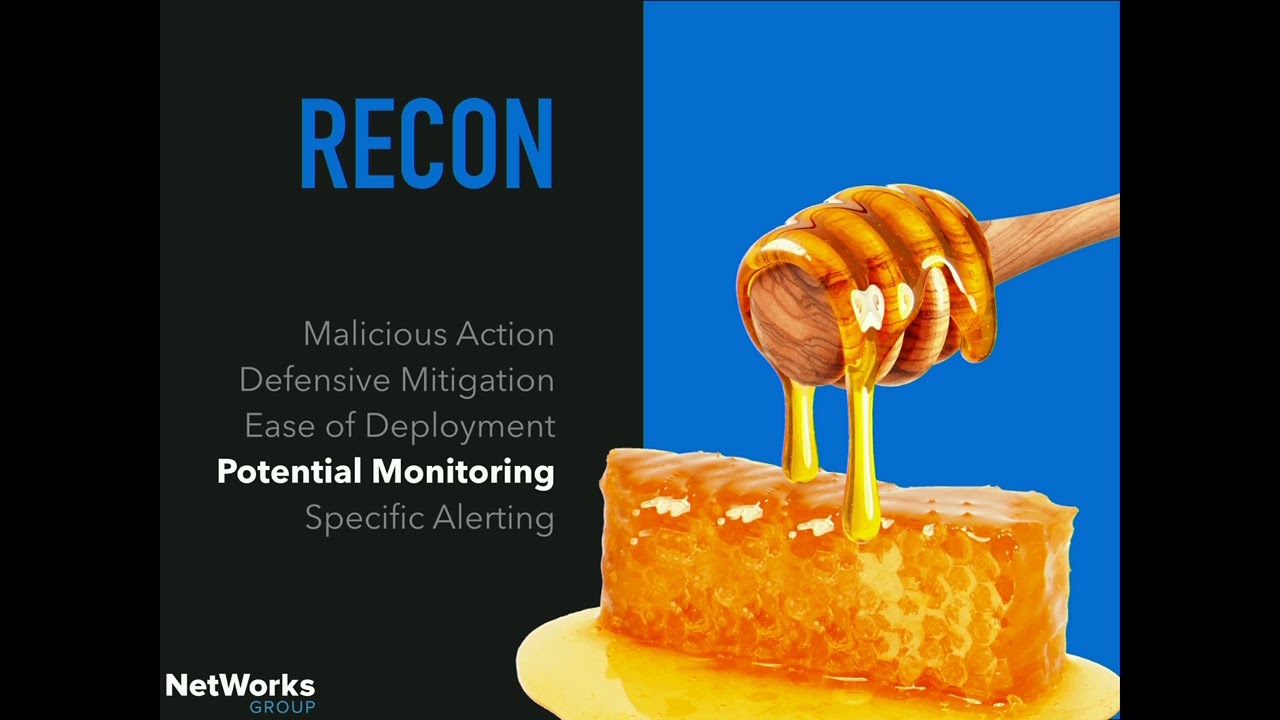
kill chain, and how they have defined it is a model for actionable intelligence when defenders align enterprise defensive capabilities, so this is supposed to be a defensive tool, to the specific processes an adversary undertakes to target the enterprise. So target attacks, APTs, whatever you wanna call them. And it's comprised of the seven different steps. So first is recon, reconnaissance. It's when the attacker researches and identifies, selects their targets. They'll crawl internet websites. They'll look through previous breaches, look for emails anywhere else. Big source of this is LinkedIn, crawling LinkedIn for information.
Second step is weaponization, which is the automation of some kind of tool, like a remote access tool, Trojan, whatever, and they couple that with a malicious payload. Third is delivery, which is the transmission of that weapon to the targeted environment. The three most common delivery mechanisms, first two are really the most common, third is down there, but email attachments, websites, like drive-by downloads, and USB drops.
Number four is exploitation. So after the payload is delivered, exploitation triggers the code. A lot of times it targets like a vulnerability in an application or an operating system, or it could simply just, you know, target the users themselves.
Five is installation. It allows the adversary to maintain persistence in the environment by installing some type of tool. Six is command and control. Typically, compromised hosts with a lot of different kinds of attacks will have a command and control infrastructure where there's a server client type thing, so the attackers don't have to always run the same commands on 10,000 different things. They're gonna have more of a structured setup. Those endpoints will end up beaking out to a command and control server once they've been compromised. And the last one is called actions on objectives. And this is the ending. When the objective has been completed or is in the process of being completed, this is where the
data exfil happens. This is where the ransomware starts encrypting the files. This is like end game. So what are some common threats that you can think of that are on the top of most people's minds? Yeah. crypto malware, so ransomware. Any other ideas? Yes, thank you, Russia, yeah. So any nation, state sponsored attacks. So according to this year's Verizon Data Breach Incident Response Report, 88% of breaches fall into nine different categories. So these nine categories were also listed in 2014 and really still what we worry about most today. They haven't changed a whole lot. So first is cyber espionage. So attacks with coming from state sponsored actors and usually what people like to use for attribution.
Number two is denial of service. 98% of DOS attacks happen to large corporations and enterprises. Three is crime ware, includes ransomware. which interestingly enough has climbed from the 22nd most common to the fifth in less than three years. So that's why we all hear about ransomware. We all see ransomware, hopefully not too often on your network. And then the other ones are a little bit lower than that. We have insider privilege misuse, physical theft, web app attacks, miscellaneous errors, kind of like the one that, the typo that brought down Amazon. payment card skimmers and the little section that's everything else. So what I wanted to do was break down all those common threats so we
all had something to use. And I've created this matrix that I'll show you in a minute that has all of the stuff. In the interest of not going through like 500 cells in an Excel spreadsheet, I kind of tried to condense it into a couple different things. So first we need to understand what the malicious action is. After that we'll move on forward and cover the defensive stuff. Let's see here. So I am going to exit out of this and see how I can show you. Oh, nope.
Yeah. So this is my giant spreadsheet that is open for comment and I'll tweet out the link and you guys can have it if you want. see here at the bottom, this is the ransomware one and the next two are kind of empty because it's really hard, turns out to fit some things into the cyber heel train. And then we cover theft loss data, exfil, lateral movement, and then my notes and stuff. So I'm not gonna go through that because that would be super boring. So we will go back. Let's see if this works. Yes. I love it when like all this audio visual stuff just like falls into place. Usually I have a lot of problems with it, so this is great. So
no two networks are the same, right? Whether you are offensively, defensively protecting, whether you're a sysadmin, netadmin, whatever you're doing, you've never done your job exactly the same way in any two networks, right? So Microsoft wanted to do a little bit better of a job than just like a seven step, you know, trying to shoehorn everything in. And they made this nice little loop-de-loop. And this is low privilege, lateral movement and exploitation. They say it takes months, but for anybody that's either defended or attacked or watched anything, sometimes that's what, hours, minutes to get to that step. But larger, if this includes the recon and everything like that, that may take months to cycle through everything that you have to
do. And then this is my favorite one, the little devil guy on the roller coaster. After he's already gotten onto your domain, he's just like riding around, doing more local privilege escalation. And there's a lot of people that bash the kill chain because you can't fit everything into it, and that's I think why Microsoft kind of came up with something a little bit more fluid. And so the major one we're gonna cover today, like I said, is ransomware. As we go through all seven steps, not just with this example, but really with anything, the goal is to continuously make it harder for the attackers to get in. So you want it to be like a
funnel, you know, cover the low hanging fruit first. And as you work in, you know, make it harder and harder and harder for them to actually gain a foothold.
So we're gonna jump right in. I'm not gonna go through everything. You'll see like these bounce around a little bit just because some of them aren't really practical to cover in a presentation and are boring. So a lot of people wanna skip over recon because they don't really find that you can do anything at that point, right? They're just crawling your website or they're crawling the internet for information about your company. But really before any kind of incident is happening, you can kind of prioritize and start taking action on what might happen. So things like risk analysis, business impact analysis, threat analysis, all that kind of stuff come into play when designing your defensive strategy. And that's
the whole basis of defensive security, right? So a lot of people start at the basics or may not even be able to handle the basics. So let's see here, the defensive mitigation for this, well, not really a defensive mitigation, I guess, but more of like a proactive measure, creating policies, which I know everybody hates, unless you really love policies, then I'm sure you have job security for life. But policies around sharing personal information, not personal information, corporate information on LinkedIn, around reusing your corporate email addresses to sign up for personal sites, right? A lot of the breaches that we see, you can go into any of the breaches that have happened on very personal websites and find obviously
enterprise class email addresses. For monitoring and alerting, there's a couple different things that you can do to be proactive. After one of those major breaches, just force a password reset. especially like any of the larger ones. I mean, breach I think probably happens every day. But I mean, you have the control over your users password management, or hopefully somebody does, or you know somebody, and can force that password reset because you know they're gonna be reusing those passwords elsewhere. They shouldn't be, and you've hopefully told them not to, but you know they're going to be. look through those breaches. I mean, if it's legal here, I guess, I mean, that's a gray area. So look through those obtained
breaches and see if your corporate email addresses show up on it at all. You can do another thing, setting up like Honey accounts. So if you control your website or you know the person that controls it or you have access to modify what's on it, you can create like a Honey email address, which that email address can be embedded with the same font color as the background. Like I have an email address up on the slide. You can't tell it's there, but the person scanning your website with a bot can. And I mean, a lot of times that's what they do to gather that OSINT on your company and build more of a dossier for their attack. And anything that comes into that email address, you can kind
of use as some threat intel. One of my favorite tools I'd like to demonstrate for beginner OSINT stuff is one that I highly recommend anybody does on any company that they're working for, especially if you can influence user education and training. If there's an email address that's publicly available on your website or people that have it on their LinkedIn profile or it's out there somewhere that a bot is going to be able to find it, those people are going to be hit more often for phishing than you know, the housekeeper that checks their email once every month. You know, your executives, anybody in finance, you know, SQL database people that, you know, programmers, whatever, anybody that has their
information out there is going to be way more of a target. So this is just a little intro to the Harvester Python script that actually goes out and scrapes the internet for email addresses and other stuff.
So this is Kali distro for those of you that don't know and user share the harvester as a Python script. Right there the harvester.py. You do Python and then the name of the script.
And it will give you the different commands that you can run and the different switches. So dash D tells the domain that you want to look for. Again, highly recommend doing your own. Dash B is going to be the data source, so it'll look for everything. It can look through PGP servers, LinkedIn, whatever. You can start at different result numbers. You can only look for the first top 50 accounts if you want to limit it. I'm going to limit it in the example that I do, and then they give you some examples. And this comes in Cali. You can download it. just as a regular tool tool as well
so here I'm gonna run it and I'm gonna run it against Equifax because it's funny and relevant
limited to 50 because they have a lot of them out there and looking through all of the data sources so it's searching PGP curber PGP servers Bing
It also finds a host and virtual hosts, which a lot of times are just like co-located websites, but can be, you know, their websites as well.
And up here you see the first, you know, the top 50 Equifax email addresses.
So now we move to the second step. As we know, most ransomware is distributed through means of including phishing, right? But it's a targeted attack. It'll be based off of that information that's collected during recon, or it could just be a mass mail. And there's several defensive mitigations you can take at this step. Some are way harder than others, especially if you have a very large enterprise and a lot of stuff going on. All of this stuff is gonna be way harder if you don't have a good asset management program. I'm really a proponent for having good asset management because you can't really defend what you don't know you have. That being said, you can try and assess which attachment types are needed in your environment.
All of the ones listed up here can be extremely harmful and can run different exploits and code against endpoints. Most of this is Windows specific. I mean, if you're rolling out Linux desktops to users in a large enterprise, great for you. But I mean, a lot of the enterprises that I've at least worked in have been all Windows based. So a lot of that's gonna be what we cover. And I mean, those do have legitimate uses, right? A deep dive into the environment is gonna suck, especially if you have a whole lot of endpoints and a whole lot of pieces of software, maybe you're the only person. So this is like an eventual type thing, but
there are ways around turning this off for the entire enterprise, but still letting those key few people still run JavaScript. You may have some developers that need to run it, or you may have individual applications that need to run it. Things like group policy make it really easy to kind of sort that out and only let the people run it that should. And again, those people can get more training. You can implement scanning on different attachments for macros, like any incoming email. Implementing mailing blacklists, like Spam House, DNSBL. I ran a mail or helped run a mail server for several years and those services for blacklisting and graylisting usually never fail. A lot of not really many false positives when you
implement stuff like that. Now, not very many people run their own mail server, which is great because there was a whole lot of really bad exchange admins out there when I was running mine. Another thing you can do is instill the idea of trust but verify to your users in their user education as well. And correct user education is a key in your defensive strategy. not every tool is going to find exploits or attempts on your network or whatever. All of the users that are using it daily and if they have a way to report to somebody that matters and you have a documented procedure to stop certain things, you can really cut out a lot of the
incidents that you have to deal with. if you have that other line of defense and the people that are actually working with you. Last thing you can implement, ad blocking, which can be difficult as well, especially since so many websites like to use JavaScript and stuff they shouldn't be. So this next little demo is Dism, which is the deployment image servicing and management tool in Microsoft. and I'm going to show you how you can make it that all JavaScript files open with paint instead of actually running the exploit code.
All right, so this is on a domain controller. You can really do it on anything, but to push this out to all your endpoints, you have to do it on your domain controller so you can add it to your policy. So this is DSM slash online slash export default app associations, which was very hard to type when I was being recorded. and then I'm gonna export everything to this XML file in my temp folder. So I go in here and right here, we're gonna open that and take a look at what it looks like. Can you see all this good? All right, yeah. So that top one right there, I'm gonna copy, that's opening bitmap images with paint, which is obvious, that's what you wanna do with bitmap
images on Windows. And we're just gonna change this to JavaScript. So now we have this XML with a JavaScript extension that it's saying that it needs to open up a paint. I'm going to save that.
And I'm opening up group policy. So group policy has a whole lot of settings that you can apply across the windows domain, right? this is my test dot local domain I'm going to create a group policy object which is a container that contains all those settings so this is my new GPO side note if you do do Windows admin stuff there's a default domain policy and there's a default domain controller policy I highly recommend leaving those as standard and creating all your own new GPOs for specific reasons
So in computer configuration, policies, administrative templates, and making it bigger. I tried to do this as a live demo once, it was horrible. Because I could never find anything. File Explorer, and there's a setting in here, set a default associations configuration file. So we're gonna go in and point this to, well, find out where it points to first, because it gives you gives you a little example of how to run Dism and we're gonna enable it and see where the file association file needs to go. So that's in C, Windows System 32 and default associations.xml. And we'll copy that from our temp file into the directory that we need it to go into.
So there was one already in there. I'm gonna delete that one and replace it.
And for this, you usually have to update your policy, push it out, that kind of stuff. I had already done that prior to recording this, so I'm just gonna click OK and apply.
payload of an empty JavaScript file because I can't write JavaScript.
I forget what I name it, it's something weird.
Oh yeah, bad guy, bad guy Java.javascript. I'll change that to JavaScript file and you can see right there it opens with bitmap.
So it's just one more step to get people so they don't click on malicious JavaScript files, because it's just gonna open up and paint and show a bunch of shit on the screen. Specific to that, screensaver files over 22 megabyte and JavaScript files over 15 megabyte should be flagged. Those are normally the sizes that are associated with ransomware. And then, so during the exploitation phase, now we're onto This is my favorite version of that meme. So I didn't think I had any memes. I totally forgot about this one. Because I can't go an entire presentation without at least one of them. So during the exploitation phase, the endpoint downloads a JavaScript file or a document with a malicious macro.
Those can come either in an attachment or drive by download. As we've seen recently, you don't necessarily have to have a macro to do that. You can spawn processes outside of an attachment other ways and there's whole blog posts on that and how to fix that. But at that point, I hope you have like a advanced endpoint protection thing that will tell you that spawning a PowerShell script out of Word is probably a bad idea.
And you can disable macros in group policy Again, a lot of people do use macros, but I mean, you can pick and choose who you allow in group policy with groups, with members in Active Directory, with computer groups, whatever. And these five people in accounting can run macros and they know that they're only to run these macros and these Excel documents and anything else might be weird. And I'm gonna show you in a second how to do that in group policy. Also, you wanna ensure all of your endpoint protection is up to date. I know antivirus kinda gets a bad rap and people say it's dead. Now that's why people are like next gen stuff. And they're more behavior based rather
than signature based. But really those signatures still work for a lot of the low hanging fruit. So I mean, having endpoint protection is definitely still very important. All right, so right here. This again is the same domain controller.
Oh, and what am I doing? All right, so you can copy these ADMX settings. They're a download that you can get on Microsoft that you can add to your domain controller. And it will give you all of these options that you can control stuff in Word, PowerPoint, Excel, all of the Office Suite stuff. and these are just admin templates. You can add the domain controller to give you kind of extra settings to be able to control globally throughout the environment. So this is just me copying crap from my temp directory into C Windows policy definitions. And there's no real good tutorials on how to make this stuff magically appear in group policy. Turns out you just have
to copy the files and nobody's just simply said, just copy them. I thought there was like some super complicated thing on how to add them there, but
that's another reason why I added this to the presentation, so I wouldn't have to remember next time. So under user configuration, policies, administrative templates, you can see right there that there's all of the Microsoft Office suite, and we're just gonna go into Microsoft Word. You can go into all the other ones too and do this. just using Word as an example for macros. So Word options, security, Trust Center, and I think it's just Trust Center.
I didn't want to record it just because I clicked on the wrong thing. Re-record it. This is me trying to find out where it was at. These are other settings that I said I would just explain because I was doing the wrong thing in the demo. So back to Trust Center, you can block macros from running in Office. So you just enable that.
So now potential monitoring that you can do in the exploitation phase. You can monitor proxy logs for malicious file retrievals. So somebody downloading a JavaScript file from the internet. I know I always bash on JavaScript, but a lot of times, you know, that's pretty malicious. You can use proxies or IDS to monitor for known deobfuscation strings. So what ransomware will do a lot of the time is they use those strings to try and attempt to hide parts of their binaries. Shown here, this is Floss, it's F-L-O-S-S from FireEye Labs. It offers the ability to deobfuscate those kind of strings for any internal incident response that you might be doing.
And now we're on to the installation phase. So unless any of you wanna see me infect my box with ransomware, we're just gonna kinda gloss over this. The payloads executed on the end user's device. Keep in mind, ransomware variants like Lucky, Server, CryptoWall will use the Windows built-in crypto API to encrypt the files. And different defensive mitigations. One that people always say and we always say, and I'm sure you've heard a million times is Keep backups, keep backups, keep backups, keep backups. And don't only just keep them, actually try and attempt to restore them every now and then to make sure you're actually backing up things for real. You should also have a full like DR plan that
includes recovery time objective, recovery point objective, that kind of stuff. Depending on your OS, you can use things called file system firewalls that will
only allow certain files to open on certain applications, that kind of stuff. There's another thing that's an experimental type thing that's not really enterprise wide at this point, but it blocks crypto based ransomware called decryptonite, which is kind of cool. It's on GitHub. And then also you can have a portion of your IR procedure set aside at So you know at what point it's worth to pay the ransom, which I know is cringy and nobody ever wants to pay the ransom and you never wanna tell people to pay the ransom. But there are those few cases where you have no option. You don't care if they're gonna exploit you anyways and sell your information or whatever, you need that information otherwise you're toast anyways.
But yeah, that should always be the last resort, but that should be in your IR plan. You should know what that last resort is and do steps to make it so you never have to worry about that. Also, having a already, you know, relationship with a company to help with IR if you don't have internal IR. This is a view of what that crypto API looks like in event logs. So something else that you can monitor for. This is just a high spike in that ransomware using the crypto API.
And now we're into command and control. The malicious action is when the endpoint contacts the command and control server out on the internet to transmit the decryption key.
This is a simple design kind of showing how DNS sinkholes work. If you implement DNS sinkholes, you can auto-block outbound connections to known malicious IPs. So not only can you pull that information from a lot of the DNS sinkhole products, you can use your own internal IR information to add to it. I was at a hospital, I worked at a hospital for like seven-ish years doing a range of things. Started helped us, did sysadmin, did security, net admin, that kind of stuff. But we would have phishing attempts all the time. And we had a user education program that awarded them for sending in anything that looked phishy, right? based puns around the entire thing and anytime they would send us something we would
do a quick IR see where it came from so what mail server it came from we could block it that we could also block anything outbound that the links were going out to look for and you can just add that one command in your dns sinkhole and then you don't have to worry about anybody else navigating to that from from within the organization
So I rant a lot of times about threat intel and threat lists. I helped run a couple different SOCs and a lot of times I had customers that wanted to just blindly alert on threat list activity. So they're pulling in information from, you know, there's a crap ton of different threat intel lists that you can get out there. Like anytime one of our endpoints reaches out to one of those IPs, we want to know. That is a horrible idea. I'm sure a lot of you know that's a horrible idea, especially if you work on a SOC for people that wanna do that, you know that's a horrible idea. But there are a couple of them that can be implemented in different ways, right? Let's see
here, what do we, I always forget I have the screen down here. So Tor exit nodes, if you want to make sure you're not just allowing all of your endpoints to access Tor, you can either block or alert on those so these kind of threatened tell us can you be used in specific instances in the organization as well oh sans has also on their on their website different categories of how sure they are things are are bad websites and bad IPS you know like if an IP address has been in Russia spewing out you know malware for years you know they have a pretty high guarantee that that one's gonna be one that you're gonna want to block so
they have different levels that you can pull from as well so if it's you know one of their high levels go ahead and just implement that as a block list I like those as opposed to you know all the open source ones that people like to just add RFC 1918 addresses to every now and then
This is showing a domain generation algorithm. So ransomware will use these a lot of times so they don't have to spin up a new website every time they infect someone new and their website gets blocked and that kind of stuff. And there are a couple different IPS, IDS solutions that will pull in algorithms to try and block this kind of stuff, but you can see, this person's definitely not navigating to all that stuff, right? And I know this is not something cool happening on that packet capture. So that kind of stuff that can be alerted on as well. All right, now we're onto actions on objectives, last one. I'm sure lots of people have seen this screen. It
will do a, ransomware will do a volume shadow copy deletion. It will start encrypting the files. it'll start encrypting map drives, USB drives, anything that's connected to that box. And once completed, the splash screen will come up or there'll be a text file telling you who to contact, where to send the money to, that kind of stuff.
And this is one of my favorite things to do. You can implement honey directories. So a lot of times the ransomware will go into directories based on alphabetical order. A lot of times you see it encrypt the recycle bin first, because recycle bin starts with a dollar sign. So what this honey directory does is, this is from Free Forensics, they created this PowerShell script that does an iterative copy of your C drive and just makes it, you know, just go through this dollar sign, dollar sign directory over and over and over again until the Windows maximum path size, which is like 256, I think. so you can alert on use or access to that dollar sign dollar sign directory on the C drive to kind of
give you a little bit of a heads up. You might get a heads up faster than if the user would tell you if you're monitoring this directory. It is 256, I wrote it down in my notes. So here I'm gonna show you how to create these honey directories. So there's this PowerShell script that I have that I got from FreeForensics. It's grabbing the device ID and I'm just gonna run it here and it's gonna create that directory.
So in the C drive here you see now I have a $$ directory. and you go into this, you could just go into everything and it's just gonna iterate all the way through up until 256 characters in the file path. So now what we wanna do is we want to advanced, sorry, enable advanced file auditing, which is something that's I think 2008 R2 and above in Windows.
And we're gonna go in here and under auditing, we're gonna audit everybody that accesses that directory. Sure, you'll get some false positives, I don't think there's probably a whole lot of users that are just going around looking on their C drive. If there are, just tell them not to.
Yeah, so we're gonna monitor anything first, everyone for success of that directory. And back into group policy. So group policy has these awesome advanced auditing settings. You can audit everything now on Windows, which I really like that it's built in now.
Windows settings, advanced audit, oh wait a minute, no, that's another one, security settings, somewhere, yeah, there we go, advanced audit policy configuration.
So we're gonna do object access, because they're accessing that directory, and we're gonna turn on audit the file system.
For this, you have to do a group policy force, which updates the policy on this domain controller that I just made the change on.
into that directory because now it's auditing us after we go into it
and then we're gonna be able to see that in event viewer and I mean you you're gonna send all of those events hopefully to your sim there's a really good blog post or blog out there called hacker hurricane that has things like Windows event log cheat sheets and that kind of stuff one there's there's one specifically for Splunk if you have Splunk yeah right here it is event ID 4663
an attempt was made to access an object and you can see right there it's C slash dollar sign dollar sign so a little bit advanced notice at that point you're already probably you know fucked with that specific endpoint but it's going to give you a little bit more advanced notice maybe you can stop it from spreading
Can anybody tell in this Splunk log where it started encrypting the files? This is when the advanced auditing is turned on and boom, you have a huge difference there that you can definitely alert on.
So now what? Now you should be creating tabletops, drills, exercises, that kind of stuff to test for all of the stuff. Don't just implement it and assume it's going to work. A lot of times people will implement SIMs, they will just turn on alerts and turn on rules and like, all right, this one isn't alerting, we must not have anything going on. But I mean, test it, right? I mean, if you have internal pen testers or if you have a once a year pen test, make sure that kind of stuff is working, otherwise why put in the work and effort to implement it in the first place? And because I like to pick on Equifax, Use that, use any other breach that's happened as
an opportunity to better your environment. Say, okay, well, what if that was me? What if that was my data? Use that as a smaller drill, maybe just use it to go over a run book. Just think, this stuff can happen to anybody. You might as well make it so it's a little bit harder to happen for you. A couple different things to include in the tabletop. There should be a moderator if you ever have a tabletop. I was fortunate enough to help in a defensive capability in a couple different tabletops for some large corporations. The one that I had helped with not too awful long ago,
huge name even here, worldwide company. We went through this 30 person tabletop of what would happen if they got DOS and like maybe their customer service website had gone down or something like that. And we went through this full day long, just a rundown of what all what would happen, what their press release would say, when they would release it, all of the different things that came into play. There were so many different viewpoints in that room Turns out like two weeks later, almost the exact same thing happened. They failed like massively. They didn't go by what their run book was supposed to be, but I think they were in a little bit better position than they would
have been if we wouldn't have gone through that drill. I'm running out of time. Oh good, I'm almost done. And then some things that you can do after the tabletop and drills. I'm not gonna read those because that's a lot of words.
And then that's it, that's me. Follow me on Twitter in a little bit. So I do a podcast called BreakSec. I brought my equipment with me because otherwise my co-host would have murdered me if I didn't. And if any of you wanna talk about things, I'll just be over there like bullshitting. So any questions while I'm still up here? You can hit me up, I'll be elsewhere as well. I'm not leaving for like another week. All right, well thanks guys for listening.
Related talks
 1:12:47
 37:09
37:09 24:30
24:30 42:11
42:11 46:58
46:58 26:16
26:16