An Overview in Cloud Penetration Testing
Show original YouTube description
Show transcript [en]
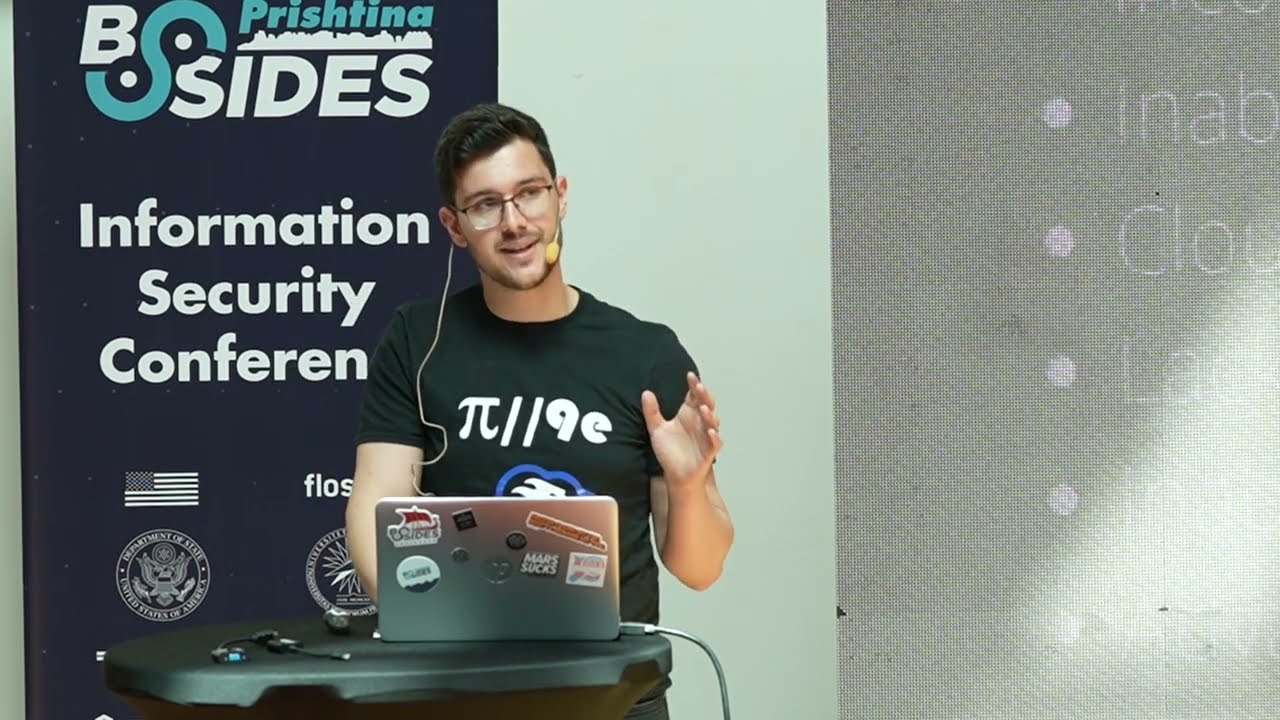
i'm leon i'm a security engineer trying to learn as much as i can about infrastructure penetration testing and security both on-premise and cloud infrastructure and you know trying to share as much as i can about what i know so yeah why do we have to test cloud security cloud security is a is an interesting topic not because it's just new but also because it's uh it incorporates some of the threads that on-premise have but also it tries to change the way that uh we have to secure it first of all regarding the privileges versus perimeter security uh perimeter security is important on cloud of course perimeter security is important on everything you know on every infrastructure but uh cloud uh
allows you to also have uh uh also allows you to use api to manage everything so even if you have a security a perimeter security even if you have security systems if used if an attacker gains privileges of a certain user he will be able to bypass everything and you know just do what what they wanted to to do so testing cloud is a good thing to start to find a different mindset on how to attack uh how to attack different infrastructures the three main vendors the three largest vendors of uh cloud are aws azure and google or gcp and uh since we have also microsoft you know people here uh azure sucks and i have and i have arguments to back
that up uh you know practically on almost everything but uh you know when it comes to uh the services they offer even though the names are different even though probably the technologies might be a bit different the idea is the same so uh everything that they offer are kind of the same except for some some differences so when we think of cloud security or cloud penetration testing we have to see the differences between them but at the end of the day we will see that all of them will be kind of uh you know breached the same way you know we will kind of have the same path you know the same methodology to test them
starting with cloud reconnaissance cloud offers quite a lot of reconnaissance ways because uh because of all the services that they offer and because of all the conveniences that they you know allowed for for themselves first of all we have the aws buckets buckets are cloud storages where you can store data and also can be configured as uh websites you know if you want to and buckets are have a specific path uh that they use which is the bucket name dot s3 that region that you know ew amazon aws dot com so uh this is not related to your uh you know the the account id of your aws account is uh never added you know to the s3 bucket so you can use
that to enumerate different buckets based on the the based on their name so you can uh start to look for uh bucket names uh or uh the bucket names that might be more possible to you know to be used by that company and start to check if those buckets are open so completely open usually the ones that are used as applications are fully open if they do exist but you have no permissions in the case of a 403 http response and the and if they do not exist at all so you know you don't have to deal with them uh and this is you know how nebula usually does it but uh as we can see
uh for the bucket which does exist but is private we only get the you know the name of the bucket and that's all but for the bucket which is open you also get the keys inside that you know the the object keys inside that and the object keys are all the content that is inside the the bucket these including the the directories too so each directory has is the knob is an object dcp does practically the same thing and when it comes to gcp versus ews gcp is like they copied the homework by they but they changed it a bit you know autonomous uh you know so they will not get caught when it comes to buckets when it comes
to machines when it comes to you know iem they kind of did the same you know the same thing and this can be you know enumerated the same way but they also they have three uh domains for some reasons uh which you know you can you can check uh you can also leverage a scene and as we can see we just try to check for s3 the uh for you know a certain region which is eu.s.3 and it gave us one bucket which is completely open and as we can see these are all the all the object inside it so you can start looking for that so another you know thing you can add is in url and
some part of the the company and you will start to list and will start to list everything that can be a bucket inside of the uh you know it can be a bucket used by the company and you can see if the that one is accessible or not uh you know if it's open or not or not azure on the other hand it does use quite a lot of uh you know a lot of services and it has a specific uh you know specific uh sub sub domains or domains which you know later on go to subdomains for each of the services and it uses the best name which is the name of the tenant and everything you know
after after that based on the on the service that you can use this is one case where we have a container service we we enabled acr uh azure container registry and you know it gave us the the subdomain of that so we know that they are using acr and also we have storage account which we know we can see here from the blob the file the queue and the table which is the you know how they manage the the the data part or the storage part you can also check if azure is being used and we can check if it's being managed by uh azure so you know something uh like just your azure account or if you have
an hybrid account with uh without uh federation or if the if they are using uh you know a hybrid deployment which uh uh it's authenticated using uh saml or you know which uses the the the federation and if you have federation uh enabled you will also have the url here which can be used for username enumeration there is a way to use that it's not sorry it's not uh reliable but you can you can use that though uh you can also get the tenant id and you you will need the tenant id when you later on will be authenticated using uh especially using uh uh service principles so you can get this one to use just by you know going
to that to this uh url username housing is also easy you can just you know send a post request using the email is the data to this url and it will see it will show you if the user is uh you know does exist or not and you can also leverage crt.sage which which is a website that manages certificates that are bought by a company for different sub domains for different domains or sub domains so you can get that two to least two subdomains that uh a company is using based on the certificates that they are uh you know buying for uh for their sub domains also each uh vendor keeps a range of ips
for all of their services so you can get several ips or several domains you can check if those are within that range and you can see if uh what kind of services they are using so that you know what you want to target you know for for a specific uh you know for a specific scenario for a specific goal that you have now we'll go a bit on the basics mostly on the authentication part which we will later on use for other personal enumeration and privilege escalation so we'll start with iam iam use uh the iem uh iews iem uh includes the users groups roles and policies users are uh users are you know your typical users
you know you just create a a user for each of your employees uh the groups are just a collection of users and as on other infrastructures if a group has a certain privilege then all the users inside that group have have that privilege the roles are the certain uh different type of identity that authenticates using a temporary token which they call it a session token and the policies are the privileges that you can give to all three of them so and they are aws managed so you have some policies that are uh created by aws that you can use or you can create your own granular you know as you your you know what you want to to
add to this user each resource has an iron and the iron has a certain format you will need this because when you do privilege escalation using uh policies you know when you add policy to a user you will need the iron of the policy to add or when you want to to actually that's the only reason why i've used it so yeah you will need it for that and so to do that you will also need the account id which you can get by uh uh making a call uh from the from a certain user or you can actually brute force that but that i don't i don't know if there's any connection between a domain or a company and their
account id like you you have with azure so you know that's not going to work ews authentication as i said uh you know aws authentication uses access can secret key for users the access key is the form of id and the secret key is uh is a secret string that you have to keep and you will use it for authentication so that's the part like a username like an idm password kind of like that you can also uh log in with username and password and hopefully mfa to the to the dashboard so the aws portal you can use federation of course if you have uh you know if you want to log in from your
infrastructure if you have kind of like a hybrid uh infrastructure and the web identities which are all tokens which are usually used by applications and i have no idea if there are any other services that use them but you can uh leverage api calls uh you know offered by the aws to convert the federation token and the web identity token to access the secret can session token for a certain user so you know you will have access to the to the research the resources that the user has access to aws policies are simpler you know granular because uh it uh each policy is actually an api call so if we have get user policy we have an api call even
with the aws click that is get user policy so what you what you have is what you have you know what you have is what you get uh the policies have the sid which is the section name for the policy they have the effect which is a lower deny and they have the actions which you know are you are allowed to do or you are deny to do uh each user starts with zero privileges and the only call they can do is uh get caller identity from sds just to get the the username of the account id everything else is given to you so it's the idea of white listing privileges not blacklisting privileges the azure iem works using security
principles uh security principle is everything uh you know that is a user group uh service uh service principle which is like service principle names on active directory you know it's like a service account and managed identities which are uh identities that you attach to a virtual machine or to another service that is allowed to access other resources these uh you know all of these security principles can get roles which can be uh defined by asia or you you know created by you and also the scope so you know you can add them privileges to a certain service or different services or you can add them privileges i don't know to a tenant or to a subscription
and they will access them you know using that there are the most common roles or the most known roles uh are the owner contributor and the leader each service each subscription and each tenant has this uh these roles and the owner is you know you have access to everything within the scope that you are given the contributor can modify the service but cannot you know add or remove us uh privileges to uh to users related to that to the service and the leaders leader just reads you know they cannot modify anything the azure authentication uh on the user authentication the users can log in using device code and we will use that as a phishing we will leverage
this one as a phishing an interactive browser where you just you know ask to be logged in and browser with will pop up you log in and the you know the token will be stored and the username and password you know which you can use directly on the portal.azure.com or you know anything that you have access to like i don't know office 365 or it depends on if you have an account there while the service principles use the username and password use the client id and client secret which is kind of the same way that uh aws uses the access key and secret key you know you have the id and you have a secret and a client id and certificate
which is the id and the secret is you know you don't use the secret anymore but you use the power uh password less authentication using a certificate uh and the hybrid deployment so there are three password hash synchronization which you know is the simplest one you just everything is being uh you know all the authentic all the authentication is being done on the azure there is a cl cloning of hashes from the on-premise to the azure and if you know azure does everything else even if your active directory deployment goes down everything will just you know go on the same you have the pta which is uh kind of the same you know but uh the hashes are not
stored there but when you do the authentication azure will ask the uh the on-premise for the credentials and the credentials will go back to you know the the on-premise will authenticate and then you will get access and the federation where everything is being done on the on-premise servers and then from the on-premise you get access to the to the azure gcp on the other hand as i said uses kind of the same thing as uh aws so you have a user group service accounts and gcu domain service accounts are kind of like you know like the service principles on azure and the roles are you know the privileges that you can attach to uh to a user group or uh
or a service account you know everything is the same after after that and this the projects are the groups of resources that can be used by a principal on a certain you know you know when you want to for example you can create a project that can allow users to access just the virtual machines i don't know and the storage and another project will allow a user to access the containers and i don't know the storage you know and you can you know manage everything from from them the gcp authentication now the users are authenticated using uh either username and password and federation while the service accounts have a json file which has the the name the project
the uh they have a certificate they have the private key so you know they have every uh every uh information that is needed for authentication and this is used when you want to authenticate as that as that service account and uh since service accounts uh are uh used by uh you know are not used by users usually and the authentication is not directly done by the user usually this is stored somewhere and then you know the authentication will be will happen usually by api so if you want to find you you should check this file you know the gcp policies they're kind of the same as the dws they have the the members that can get access to to
the policy they have the condition which is you know uh allow these you know these privileges to only be available either available for one week or you know during this time period and after that they will not have privileges anymore i like i don't i forgot how the ws called them permission boundaries from aws and of course the you know what you the part of the role is what you are you know what the the privilege that you get now the initial access can happen in many ways so you can find credentials and source code use uh from uh public repositories or from private repositories where you have the the token you know from which you have the token from
you can get the credentials uh i don't know from phishing from password spraying from you know credentials to storage you know uh probably you are an insider attack you know the credentials uh you can do uh the typical fishing that we do with i don't know what dish cow reveal engine x also you have other forms of fishing that are uh allowed by uh the vendors allowed this is usually in the case of azure and you have the machine identities which as i said are identities that are attached to uh to a certain machine to allow access to certain resources and this can be accessed by a call to us to an api on you know an ip that they have
and after getting that you can authenticate as that you know you can practically access the same resources that they have you can use e-door for i don't know like you have a shared and you have a file that is you know accessed you know accessible i don't know and you can you can also use uh vendor support tickets now sorry i did not include that because that meant i had to open a ticket to the vendor and you know there will be a lot of you know hurdle to explain them that this was just for uh uh you know for conference but you uh when uh support ticket is open sometimes a lot of information
sensitive information is given now if you have a certain uh application say an application that does uh support ticket you know that manages the support ticket something i don't know custom you can uh leverage those credentials to list all the support tickets to list all the communication between uh the vendor and the engineers and try to find different uh you know uh different uh information regarding your company sometimes even i don't know credentials or access to two different resources or i don't know you know so you can use that it's like uh you know looking at an email looking at the user's email but i don't know different uh now password spraying on azure is uh
is a feature that azure you know gives you uh you know it's by is by default and uh does happen because you can send the request using an email and a password and uh you will get a code based on that which gives you information regarding the the user if the user is valid if it's not valid if requires mfa if the user is locked is disabled so you know you also get information regarding the the user which is uh you know the password is correct but you need mfa the password is correct and you don't you know you don't need mfa or you know you have incorrect credentials but the user does exist so
you also get information from that even you know without without getting the necessary credentials there is uh you know a configuration which now is by default but before it used to be off by default which was the security defaults uh which you know requires users to to uh you know to you to enable mfa after you know 14 days or you requires administrators to enable mfa stops you from logging in from legacy legacy protocols which attackers say that they are using this to bypass mfa i couldn't reproduce that sorry i try to reproduce that as you know as an attack it always said you know failed i don't know why probably you know it's my fault
but uh there are a lot of articles from attackers saying that they can login to an email using uh i don't know something like evolution which is a client a linux image client and uh by using the the legacy protocols they can access that email and they can access sensitive information uh now device code phishing device code is uh is a way to authenticate as a user so you request a code you can then get that code put it to a site on azure include your credentials and then uh do another request and you will get the access key the access token and the refresh token now you can leverage this as uh as a
phishing attempt because you can send the request get the code send an email to the user requesting them to login using that uh i you know using that code and then get the access token for yourself so you practically get access as them and this is how you can do it you can just get the the code using the request the target can add the code can log in and you can actually use any id that you want uh azure keeps them private but researchers keep them public so you can use the microsoft office you can use the powershell uh module you can use the aws key so you choose whatever you want it will do practically the same thing
and you will get here the access token and down here you know after this you will have the refresh token but you know the screen would not be you know not show more and this is also truncated of course but you will get the the ids for us sorry the tokens from the user so that you can reuse them another thing you can do is create an application give it permissions ask a user to request to that sorry to log into that and you can get access to the uh to you know okay yeah and you can get access as that as that user uh leo did you know rio sherry did a tool called office 365 attack toolkit
that does practically that and gets the emails of users based on different keywords so you create the application you send it to the user the user agrees to login and then you can get information from from him without you doing anything you know without even having the credentials of the user without even having the tokens of the of the user now the cloud enumeration when you do iem enumeration you have to look for use uh for you know the security principle the user group roles and you know the user groups that you know the the uh users which are uh in a group or the groups on which a certain user has access on so that you can get uh
information on that that user now there are cases and this actually here is also recommended by the aws there are cases when uh an administrator will give a user certain privileges uh you know like get the uh the poli get his own policies or get his own users or you know sometimes even list users so that it's easier for them to to uh it's easier for them to work without the need of the administrator and uh i built the module for that which uh allows you to enumerate the user just by the you know those default ones i would say you know uh security uh you know the those uh privileges that the user can get
also the azure either allows each user access to the portal which none of the other vendors allows which gives you the you know gives you access to to look at uh information like azure ad information gives you access to look at subscription information gives you access to look at other resources that they can use so that you can get information just by logging in as a certain as a certain user when it comes to storage we have to look for the which buckets and objects are allowed you know which are public and uh which objects are accessible by the user so you can have a bucket which by itself is uh is private but uh different objects are
public so you can you know you can leverage them to get information there are there have been a lot of cases when this kind of files have uh excluded uh you know credentials to allow users to access now the virtual machines uh as i said the virtual machines have their own managed identities which you can access using the metadata api uh you uh using the ip one six nine two five four one six nine two five four and also when when enumerating virtual machines you have to understand what kind of infrastructure the company is using so you know what can what they have deployed in it if it's just some servers and an application if
it's a service application and i don't know load balancing if it's a whole infrastructure behind it you have to know what kind of uh machines are are being used what kind of network configurations is being used and of course the privileges that manage identities will have so uh the mission machine metadata as i said is on port 169254169254 and it will give you information on the access kid the secret key and the session token which you can use to authenticate with that with that user now there are cases when the ssm is one of the one of them the systems manager when you are obliged to uh add a certain role to the machine identity and that role has also
other info other privileges like for example the ssm role for ec2 for the machines has access to enumerate to list all the buckets and to put and to get objects from a bucket so you can practically get in get information just by a roll that is mandatory by the by the vendor so you can leverage stuff like this to uh to get access also machines like uh if you have something like a terraform i don't know main node or like an ansible main node or something not ansible because it uses ssh but if you have something like terraform you uh and uh they have managed identities most of the time they will have uh administrator access so you can leverage
that to get access to to an infrastructure just by you know just by an api and this is how you know you get the the metadata also the ews has two versions version one doesn't have any authentication and is vulnerable to ssrf if you find unnecessary on an application you can make a request you get the information the version two requires you to authenticate from the machine so you only the only way to do that is by having a remote code execution to the to the machine and this is the version 2. the user data is a list of is kind of a snippet of code sorry how much oh is a snippet of code which uh is run
each time machine is restarted so you will always find uh credentials in that you will always find the snippets of codes and if you manage to update them you can also use that to to get access to a machine so this is something you also need to to check you know what kind of user data is being used on a machine cloud functions are the code that is then when a certain uh event has been happening is like wmi for cloud and uh you you can choose your own event to use and uh this is also nice because uh usually these kinds of codes have high privileges because they have to access a lot of a lot of resources so
you can enumerate you can get the roles same as the machines they also have roles assigned so you can get them and you can get the policies attached to that and uh on cases of uh cloud functions they use serverless authentication so the credentials will not be stored on the usual places but usually not usually but always they will be stored on the environment variables which will use later on as a form of persistence privileges escalation now uh you can do privileged escalation so rhino has a list of about 26 privilege escalations on aws and someone gcp i will you know go through only two of them so attaching policy to a user which has
the rights to attach policy to other users and add user to a group which has administrator rights so first of all we have a user which only has iem full access so they can update the iam even if you had more more granular access you could also do that and just by uh attaching the administrator access and that's where you need the iron just by attaching the administrator access policy to that user we got admin rights as that user without actually breaching any other user so we just you know managed to get one credential and got access uh administrator access you know we did it also we can do that with uh with groups so we uh we see that this admin group
which most of the you know there's a highest chance that this will have administ these users will have administrator rights which as we have here administrator access is not you know that user is not part of that group but if we add it we can allow that user to be uh administrator again just by abusing one simple privilege asia privet we can leverage a lot of ways to do asia i'm just using one if you have contributor rights to the virtual machines which as we said can do can modify content from a certain service if we leverage that and execute a command on the on a certain machine we can get the the managed identity from that and we
can check this if you know if we have privileged reskillation so we can also use something like that to get access to the machine exfiltration the best way i i i found you know which is silent it's completely normal you know even the vendor will not take will not care about that is just copying data from one bucket to another bucket simple as that you know you have access to that you copy to another one you get a you get information and since this is a completely normal uh behavior because you know there are times when you do backups where there are times when you do you know most of the times backups or when you
want to migrate to another uh i don't know to another cloud or something you will always do you know you will always transfer data so just passing data from one to the other will not alert many security vendors and if you manage to obfuscate it enough you know you can uh pass you know small amount of data you can i don't know you can name the buckets you know in a way that is completely normal for uh for a company or something you can make it you know a good way of exfiltrating data persistence on ews at least you each user has two sets of credentials because uh the secret key is only given once to you so
if you lose it you have to create another one and if a user has only one one access key you can create a second one and with the second user you can log in as that and have the privileges that the user had also you can if you know that you are not breaking something you can up the delete one of them and create another one and still do the same thing you know authenticate as that user you can persist as i said with machine user data just update the user data and when it restarts it will run you will get access or you know any code you want will will run on that with
administrative rights so with high privilege rights cloud functions you can leverage something uh you know you can inject a simple code that just does the curl uh with the attacker's ip and the environment variables in which we said we have the uh managed identity credentials and it will send them to you you can go on and you know uh do everything you want with with those credentials and you can keep that office as a persistence because you uh those privileges can change you know with time so you can you know you can reuse them as as many times as you want and it lastly is the golden assemble it's like a golden ticket bot for
federated services so practically with that you get a token that is uh you know that you get access to everything you want with any user that you want it can be used as a privileged escalation just like uh uh you know just like golden tickets but mostly it's used as a as a as a persistence method and this you know it's like the ultimate persistence you get access to that it's like you're getting dominance domain admin rights to uh to an active directory domain and but you do that for for the cloud so this has these are some resources the pdfs will be shared so you know you can check them and this is the end sorry i took you way
too long sorry i know [Applause]
Related talks
 45:11
45:11 39:30
39:30 7:47:16
 3:30:16
 41:37
41:37 49:30
49:30