Walkthrough of an N-day Android GPU driver vulnerability
Show transcript [en]
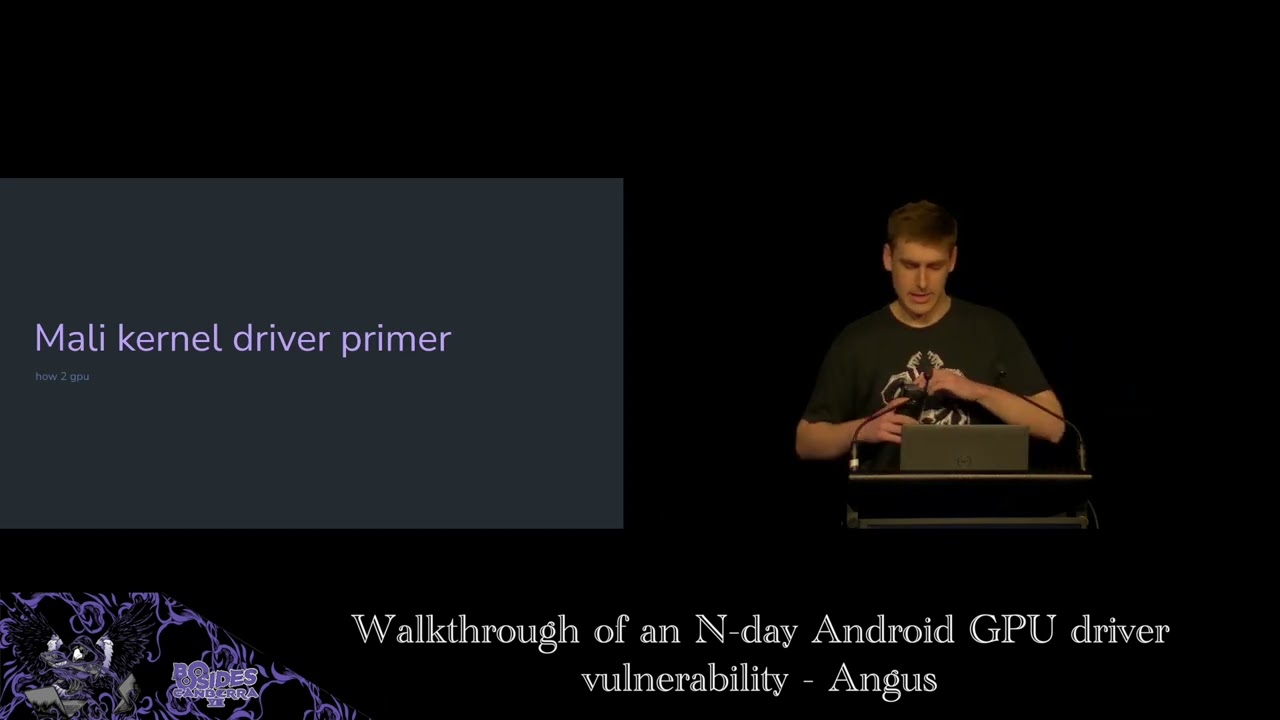
by Angus uh who'll be talking about Marley GPU bugs in Android. So let's welcome him to the stage. [applause] Thank you Sylvio and thank you for every everyone for coming to my talk. Um so as Sylvia mentioned I'm going to be talking about some endday vulnerabilities in the Marley GPU driver for the Linux kernel as used on Android. Um, so for a bit of an outline, first of all, as I said, these are endday vulnerabilities. Um, I did not find these. Um, it was a vulnerability that was originally reported to ARM back in 2022. Um, the original disclosure doesn't say who found it, so who knows where it came from. Um, but where I first learned about it uh was in this uh
blog post by a Singaporean company called Starabs. One of my co-workers sent me a link to this blog post that's up on the screen here. Um, and I thought it was a really interesting blog post. It did a lot of a deep dive in how they exploited this vulnerability um into a full Android exploit. Um and it mainly focused on the post exploitation steps after they got like full kernel control how they from there went and actually did stuff with it. Um but the actual vulnerability itself wasn't explained in a huge amount of detail. And I went and did a bit of diving and having a look through the code and I thought it was
really interesting. So I wrote a bit of a talk on it. Um, and hopefully you guys can learn something from it, too. Um, so we've got a bunch of ground to cover. I'm going to go over the background that you need to know to understand the vulnerability. I'll introduce you to the kernel driver itself. Um, and then we'll walk through the vulnerability and an exploit. So, let's start with some background. Uh, what is Marley? So, Mali is a type of GPU that's in a lot of Android phones. Uh, like your Google Pixel devices use them. a bunch of Samsung um Galaxy devices, some Huawei devices, a bunch of lowerend phones that use MediaTek chips. They often will have
Marley GPUs in them. Uh there's also used in some embedded devices like the Rock Pie that uses rock chip. Um and STM electronics, they're used everywhere. Uh this image on the right is a screenshot I took from Wikipedia. There's quite a few years outdated, but you can see there's a lot of chips that have this thing in it. Um, and just for context, um, these Marley GPUs, they use integrated shared memory with the main CPU. Um, so these are systems on chips. They have integrated GPU and CPU. Um, and the Linux kernel is responsible for managing the memory of both those devices and it's all shared. It's not like a gaming desktop where you'll have
a graphics card with its own separate 12 GB of memory or whatever. Uh, it's all shared and managed by the same kernel. So, for a bit of background on the Android like graphics driver stack, it's a little bit complicated. Uh, when I was searching through the docs to learn about it myself, there's like all these very complicated documentation pages with acronyms everywhere. Like the HWC, HAL is defined in the AIDL and HIL. Like, what does that even mean? And there's diagrams which are cool, but I don't understand half the things in them. And there's like just arrows pointing absolutely everywhere. Really complicated. So I tried my best to distill it down for you. So there are a
bunch of different stages between your application running and that running on your GPU and being displayed to your screen. So your application is going to talk in terms of uh a couple of standard APIs. So you may have heard of OpenGL, Vulcan, uh DirectX on Windows. If you're a gamer, you've probably seen this pop up on your screen once when you're launching a game. Do you want to use DirectX12 or Vulcan? Um so these are standard APIs that are common across all GPUs. Uh the next step once an application makes like a API call using say OpenGL this goes to a loader process. Um and the loader effect effectively is just forwarding this to the right driver. Um
this isn't so relevant on mobile devices where your device only has one GPU on it. But on say a desktop device where it might have an integrated CPU and a discrete GPU, the loader would forward it to the right device that's enabled at the time. Then there's the user space driver which is where most of the stuff happens. Uh this will compile that the data passed through that API call into um instructions and stuff that your GPU understands. Uh this is big complicated. I don't understand a thing about it. Uh but most of the stuff happens there and it's all done in user space. uh principle of well not least privilege but ideally we want to do as little as
possible in the kernel and keep most of our complicated processing in user space to avoid too too many critical security vulnerabilities. Then there's a Linux kernel driver um which is what we're going to be focusing on today and the Linux kernel driver is responsible for stuff like memory management power management device initialization that sort of thing. um it's a lot smaller attack surface but still quite big because there's a lot of stuff that needs to be done to interact with the GPU hardware and then finally the GPU itself um has its own firmware where it does stuff under the hood who knows what happens there and so as I said we're focusing on the Linux kernel
in this talk so why is the Linux kernel driver for the Marley GPU subject to a lot of research uh the short answer is that it's a very attractive target for exploitation by attackers. That much is obvious which is why I'm talking about it today. But like why is that? So the thing about kernel GPU drivers is first of all they have a long history of security vulnerabilities. If you go through the Android security bulletins you'll see every single month there's bug after bug and Qualcomm um um Imagination Technology GPUs like bugs everywhere. Uh the other thing about kernel GPU drivers is they're a common attack surface across lots of different devices. So if you look out there at
like the commercial spyware vendors like uh Gray Shift and Celbrite and stuff like that, they're trying to build exploits to target a whole bunch of Android phones. And they don't want to have to write an individual exploit for every single phone out on the market because that's really expensive. They'd rather just find a bug in one component that's common across a lot of phones and use the same exploit for all of them. And with GPU GPUs on Android only having like three major vendors, that's only three GPU drivers you need to exploit, which is why they're very attractive. The other thing is GPU drivers because like most applications need to use the screen, they need to be able to access
the GPU. So it's accessible from untrusted app, which is just your regular context for an Android app installed from the Play Store. Um the other thing about kernel GPU drivers is often the bugs that happen in them such as like page use after freeze are really powerful exploitation primitives which can make exploiting these into like full exploits a lot easier. Uh and finally kernel GPU drivers they're part of the kernel. If you find a bug in the Marley driver you found a kernel bug. A bug in the kernel leads to full compromise of your system. An attacker can do absolutely anything they want with subject to some restrictions. But these sort of bugs are very high impact which is why there's a
lot of research on this area and why you see a lot of bugs here. So just quickly a bit of a primer on virtual and physical memory which is going to be important for understanding this talk. Hopefully if any of you done a computer science degree you might have seen this before but I'll just quickly run through it um to help out. So you've probably seen a diagram that looks something like this where you have a process and it has like an address space where it will store like its stack and its heap and everything. Uh every process has this sort of magical little understanding that thinks it's the only thing on the system. Nothing else
exists. Has full control over the address space. It can do whatever it wants. Under the hood, this is implemented using virtual physical memory. So the operating system will give each process its own distinct virtual memory address space where each process thinks it's the only thing running. That virtual address space is broken up into a series of fixedsized chunks known as pages. Typically they're uh 4,96 bytes or 4K or hex 1000 on these slides. Um that can vary based on the device. And then each of those pages will then map to an actual page in physical memory. Um and the idea is that each process can have their own distinct virtual address space and then the
operating system and the hardware work together to map the pages in that virtual address space to actual underlying pages of physical memory. And this is on the whole mostly done automatically by the CPU with a bit of help from the operating system to make it work. So one key thing that you can do when you have virtual and physical memory is this idea of demand paging. So you think that if you were to map a file into your processor's address space, it would just like bring the whole thing into memory for you so you can start interacting with it. Uh this isn't actually the case. Instead, what happens is when you map a file into your address space, the
kernel will store some metadata saying that that address space is reserved for that file, but it won't actually set up a mapping. You see here I've just written like na not accessible with like a little star saying that the kernel knows that it is but it's not at the moment. And then when a program actually goes to access one of those pages for the first time, this will trigger a page fault in the CPU. And then the kernel will go and bring that relevant page or that file into memory and set up a virtual to physical mapping so that the user can actually go and access that page. If the user goes and accesses another
page, it will go and bring it in and so on. The idea here is that only pages that are actually used are brought into physical memory and things aren't brought into physical memory until they're touched for the first time. And this the operating system uses the CPU's um page tables to um page table permissions to keep track of this and help it manage which things are and aren't in memory. Another thing that's important for understanding this talk is the idea of the page cache and copy on write. So as we saw here when a file is being brought into memory it'll be stored in physical memory and then mapped into each process's virtual address space. Um so for instance we had
a process it maps some common file say lib C the C standard library that's used in basically every process running on your system. uh when that gets touched for the first time, the kernel will bring it into physical memory into what's known as the page cache, which is a cache of um files that are on disk that being brought into memory. And here we have it set as read write initially because one process wants to read and write to it. Now, if another process wants to go and use the same file um and calls m map initially, as we saw with uh demand paging, it's just going to set up um it's going to reserve that address
space, but not actually set up a mapping yet. But when the user goes to touch it for the first time, what's going to happen is the kernel's going to effectively just set up a mapping to the same underlying physical page in memory. But the problem was if we saw before this process up the top had readr permissions for that page. If the two p processes shared access to that page with readr permissions, that could be quite bad because then you could have two processes messing with each other's data. Uh so what the kernel does is it marks the pages as read only but I've put an asterisk here to say the kernel keeps track of the fact that they should
actually be read write and when the process actually goes to write to a page for the first time this triggers a page fault and then the kernel will go in and will make a duplicate copy of that page and update the mapping as required and then both mappings will be set to read write permissions. So what this means is that pages in the page cache are only shared and marked as read only until one process attempts to write to it for the first time and only then does the actual copying occur. And this saves the amount of physical memory required in the case where things are only being read from. Okay. So next we're going to get into
the Marley kernel driver itself. So the Marley driver is exposed as a character device just like most drivers on Linux. Uh you can open it just like any file. It's a thing on the file system. And then the main way you interact with it is by using IoT. Ioctals are a Linux feature for doing like device specific commands I guess is the easiest way to explain it. For instance, this one here, KBAS ioctal version check can be used to check the version of the Marley driver and it will fill out this strct with information like the major and minor version. You can do more complicated things obviously. So for instance, if we wanted to allocate some memory using the using
the Marley driver, uh you would use this Kbase ioctal memocal and then you pass it how many pages you'd like to allocate and then also what permissions you'd like those pages to have for both the CPU and the GPU. So for instance, here we have CPU read and write permissions, but only GPU read permissions. Oh no, sorry, we have both read and write on GPU as well. Um, and then the other thing you can do is you can map that back into your CPU address space as well, so that both the GPU and the CPU can access the same memory. And to do this, what you do is you pass this GPU VA handle that's
returned by the kernel to a MAP call and then your process can start accessing it. So, I don't know about you guys, I find it really hard to learn while looking at code. So, I've put a lot of diagrams in this talk. So when you do the memory allocation call, what happens is it's going to allocate some physical memory. It's then going to set up a mapping in the GPU that points to that physical memory and it's going to create this Kbase VA region strct which is used to keep track of the virtual memory address space that the GPU has allocated for that memory. It's also going to create a Kbase mem fizz alex strruct
which keeps track of the underlying physical memory for that allocation. And finally, user space is given a GPU VA handle which points to that virtual address region so that if they wanted to go and mm mapap it later, they can go and set up a mapping strct so that user can access that data and when they want to go and touch that mapping for the first time, remember what I said about demand paging? things aren't actually set up until they're touched the first time. H the kernel will go and set up a pointer from the user address through to that underlying physical memory. So let's have a look at the vulnerability now that I've given you a
bit of background. So vulnerability CV 222 2022 22276 Marley GPU driver may elevate CPU pages to be writable. A nonprivileged user can get right access to read only memory pages. Uh it's not very descriptive. There's no description of what function the problem is or anything like that. Um you had I had to go delving in the patch note the actual like patch to see what had happened there. Um this was disclosed back in 2022 by some anonymous person. Um it was in the Marley driver for about 6 years. So that's quite a long time. Um, and there are a bunch of public writeups about this. I'm going to have these links at the end if you're
interested. Um, these are really helpful in preparing these talk. So, let's have a look at the patch itself. So, it's in this function called Kbase JD userbuff pin pages. It looks like it's like introducing this write variable that fiddles with these flags. A little bit confusing. Um, first thing I always do when I'm looking at a patch is to try and work out like what part of the code is it in? Where is this Kbase JD use above pin pages function actually used? So for important piece of context to know is the Marley driver allows the user to import user allocated pages into the GPU context. So allocating memory doesn't have to be done by the GPU. It
could be done on the CPU and then that can be imported into the GPU so it can do stuff with it. And this is done using the Kbase ioctal mem import Ioctal. Internally importing is done in two separate steps. First thing is it reserves virtual address space in the GPU address space um for that imported memory. And the second thing that needs to happen is the kernel needs to pin that underlying memory so that the kernel can actually access it and do stuff with it. And so this Kbase JD user above Bin pin pages function is the function that's used to do this second pinning step here. So I'm going to walk through a bit about how this importing
works internally so that we can see how this is relevant. So how does user import memory? They do it using the Kbase ioctal mem import that I just mentioned. So say they've mmapped some memory. they can supply the address of the memory they'd like to import in a base me import user buffer strct and how big that memory is and then when they import it they pass that user buffer strct as well as the permissions they'd like that imported memory to have so here we've given it CPU and GPU read permissions and finally they call the Kbase octal me import thing which will tell the kernel to go and import that memory oh I had some highlights here that I
forgot So what happens when you actually go to import this memory in the kernel? So there's this kb from user buffer. There's a lot of code here. I'm going to highlight it and step through it bit by bit. And then there's going to be a diagram. So the first thing that happens is we allocate a region. So this is basically a virtual address region in the GPU. So it's just going to reserve that so that it's can't be allocated by anything else. Then it's going to create a fizz alocstruct which keeps track of the underlying physical memory for that allocation. Currently this will just be empty and not pointing to any physical memory at all.
Then what it will do is it will keep track of some metadata for the import including importantly the virtual address of the memory that the user would like to import and how big it is and stuff like that. It's going to allocate this pages array which we'll come back to in a second. And we'll see here it does this flag check against Kbase red share both. Now this is a bit confusing. I did a bit of digging. Apparently it's set if you pass this flag to the original octal. In this case we're not going to pass it. So we don't have to worry about it. But the important thing to note about that is that means our pages variable at the top
here is still going to be null at this stage because this function doesn't get run to assign our allocated array to that variable. So pages is null. And finally, it's going to call this function called get user pages passing that pages variable that we didn't initialize just then. So pages is null here and we're calling get user pages. So what is get user pages and what does it do? So get user pages is part of a family of functions in the Linux kernel. Uh and it's it also has other related functions called pin user pages. Um you might see them both in this talk. They're a little bit interchangeable. Not exactly, but ask me later. Um
basically the idea of these functions is they're designed to let the kernel access um data from a user virtual address. So, by default, the main thing they're going to do is when you give it a user virtual address, it'll traverse all the page tables and work out what underlying physical memory is attached to that user virtual address and fault them in if necessary. Um, so looking back at the code, this is going to take the address we were looking at and fault it in for us. Finally, after all that, um, what's going to happen is it's going to add that virtual address region um, to the GPU so it's all reserved and nothing else can allocate in the meantime and
it's going to return a GPU va handle back to the user. So once again, code sucks. Let's look at a diagram. So the user, let's pretend they alloc they allocated their own memory up front and there's some CPU allocated pages there. Next, the kernel initializes all the metadata. So you have the VA region strct for keeping track of that memory and a fizz alex strruct which is used to keep track of the underlying physical memory. It calls get user pages which will traverse the user virtual address and follow all the page tables to work out what underlying physical memory is there. Now, because the pages variable was null, it doesn't actually save the location of that physical memory for
now. And it's just going to leave the physical allocation structures having a null pointer for now. Um, and the reason why is cuz we're going to actually go and import that a bit later. For now, it's just faulting in that memory. And finally, it's going to reserve that memory in the GPU address space so that nothing else can use it. So, so far, we've created some metadata. We've reserved some GPU GPU memory. We've faulted in the pages, but we haven't actually like pinned them so the colonel can access them yet. So, we still need to do that. And so, the way this is done is that later on the user can go and actually pin those pages when
they go to actually do some work. Um, so the pinning of those pages is done at the time they submit a job. And so, the way the user does this is by using the Kbase ioctal job submit function. and you pass in the handle to that virtual address region we just imported and we use base JD soft xres map flag which is a bit complicated um but that's just to say we want to pin that data for us and when we look at it ahuh here's that kbase JD userbuff bin pages function that had the vulnerability in it earlier so now we're back to where we started and we can hear see here that it does another
get user pages call um on that imported memory and set some flags and stuff. So let's have a look at once again what happens with get user pages. Noting here the pages argument that we had here um is actually set to some non-null value up here. So when the pages argument is actually supplied, get user pages will actually go and increment the ref count on those underlying pages and it'll return a list of those pages. So the kernel can actually go and use them for something. And this allows the kernel to safely access the underlying contents of that page um that the user has given it. And then finally, it's going to import those pages into the GPU's actual um
page tables using this kbase mmu insert pages function. So once again, diagrams. Yay. uh get user pages remote will follow the pointers to the user virtual address and to the underlying physical memory and then it will update this Kbase mess alruct to point to that underlying physical memory. So now the kernel can actually access that memory and then it will insert it into the GPU's page tables so that GPU can also access that memory. So now we're done. Everything is imported. It's pinned. The colonel can safely access it. That's all great. So let's refocus on the vulnerability and see what could go wrong here.
So this is the patch that I showed you earlier and we saw that it was messing with some flags to this pin user pages function. And so prior to the patch, what happened was it checked this flag and it sees if the GPU write flag is set and if so it'll set full write when calling this pin user pages function. And after the patch, it's abstracted away that flags checked into a separate variable. And instead of only checking the GPU write flag, it's also checking the CPU write flag. So before the patch, it would only set this thing if the GPU write flag was set. Afterwards, it's checking both the CPU and GPU. So, what is this full write
flag and why is it important? Clearly, the fact that they're patching it to set it in more cases means that it's pretty important for something. So, once again, coming back to this description of what get user pages and pin user pages does, if write is set, what the kernel will do is it'll actually check whether the user has permissions to write to that actual page, to that address that you've given it. And also it'll break and unshare any copy on write mappings which I'm going to show you in a second. So basically it means if the kernel uses it with full write it's checking whether the user has the ability to write to that page which
seems makes sense right like you want the kernel to only write to stuff if the user can write to it too. So let's look at the second part of that which was the breaking and unsharing of copy on mappings. So remember back to the start where I showed what happens when you have a copy on write mapping and user space attempts to like touch a copy on writing mapping page. So let's pretend we have two processes. They both share a copy copy on write mapping to some underlying physical memory and they're both marked as read only in their page tables so that the user process can't go and mess with them quite yet. Normally, if a pro user goes and
modifies one of these pages, it will trigger a page fault and the kernel would go and duplicate that underlying page in physical memory and set up a new mapping and update it to be readr. And this protects the user from modifying an underlying shared page that's being used by another process at the same time. So, this is good. We're correctly preventing two processes from interacting with the same underlying physical memory by making sure that when a process goes to modify it for the first time, uh that page will get duplicated. So each one of them gets their own copy. And this is a core security guarantee of the kernel. If two processes are sharing private
memory, they should not be able to modify each other. So how does this work in the context of get user pages? Now get user pages will obtain a reference to the underlying physical memory mapping that virtual mapping. So say the kernel goes to call get user pages on one of these copy on write shared pages. Get user pages is just going to traverse all the page tables and find that underlying physical memory. So when we call it the kernel is going to get a direct pointer to that underlying physical memory. So this is okay providing the kernel is only intending to read that data because everything's shared. It's just reading. Nothing's being modified. It's totally
okay. But if the colonel were to write to that underlying data, this would break our core security guarantee. The kernel would be modifying data that's shared by two different processes, which is obviously bad. So this is where Oh yeah. And so even if the kernel does go and write to it, because this is happening through the kernel's direct pointer to the underlying physical memory, it won't trigger a copy on write breakage and a duplication of that underlying physical memory. And so this is where full write comes in. If the kernel intends to modify data that it's pinned from user space, it should set the full write flag. And what will happen is when you call get user pages with fault right
it'll traverse the page tables find the underlying physical memory if that memory is shared between two different processes it will trigger a copy on write unshare and it'll get duplicated into two different copies and then the kernel will get a pointer to the new copy of the physical memory. So using the full write maintains this core security guarantee that if the kernel or user space wants to write to a shared mapping that needs to be duplicated so that no two processes are writing to shared memory. So re revisiting the patch for a third time now. So we can see that beforehand it would only set full right if the GPU right flag was set and now it's setting
full right if the CPU or the GPU right flag was set. So before this patch we could have potentially set the CPU write flag and full write wouldn't have been passed to pin user pages remote. This would break a core security guarantee of the Linux kernel. It's a misuse of the API. And so this bug could potentially allow us to have some sort of like CPU writable mapping that can be used on a copy and right shared page. So can we exploit this? Let's give it a go. Okay.
So here's our first exploitation attempt. What we're going to do is we're going to uh make a copy on write mapping. We're going to do it over a shared library that's in a lot of processes, lib C, that's used in basically every process running on your system. We're going to import that mapping into the Marley driver and we're going to set the CPU write flag because due to our vulnerability, we can set the CPU write flag as much as we like and it won't care. And then we're going to pin that underlying memory using our vulnerable function. and the kernel won't set the full write flag even though we had this CPU write permissions and then we're going to attempt to write
to it and see what happens. So bit of setup user is going to open the lib C library. It's going to map that into user space as a private mapping which means that copy and write mapping will be created and it's going to touch it. So again we love diagrams. The user is going to map lib C into their address space and they're going to touch it which sets up a copy on write shared mapping to the same underlying physical memory remembering that both processes have read only permissions to the page for now um to prevent them from modifying the shared memory. Now what we're going to do is we're going to go and call the Kbase ioctal
mem import function to import that memory into the CP into the GPU context. Um noting that we're going to pass in the lib C address that we'd like to import and we're also going to set both CD CPU read and write flags but only GPU read permissions. So let's have a look at what's happening inside the kernel. As before, we're going to allocate some GPU virtual address space. We're going to create a strct to keep track of the underlying physical memory. We're going to save metadata about that imported memory. And then get user pages is going to be called with a null argument and full write set currently. And so let's have a look at a diagram of
this. So the so the user has already imported this liv mapping. Then the kernel goes and creates the Kbase VA region and fizz Alexrx to keep track of that mapping that's been imported. It's going to keep track of the user virtual address that we're importing. Now, whoopsies. So, when it was calling get user pages, it looks like our thing is triggered and unshare. What's happening there? Well, let's go back and have a look at the code. So we can see that in the initial import code, it does correctly check both the CPU write flag and the GPU write flag. We haven't even gotten to our vulnerable function yet. This is just the initial part of the import. And it already does
a get user pages call with full write set according if your CPU write flag is set. So this is bad, right? we've triggered an unshare which means that if we then skipping ahead if we then attempt to go and pin that memory even though our vulnerable function only checks the GPU write flag the earlier import code has already triggered an unshare so when we go to pin it we're pinning memory that's no longer shared anymore that sucks so our exploit's not working and it's not working because the copy on write mapping got broken during our initial import before we could even reach the vulnerable code. And actually, this used to be a bug. Uh if you go and look for variants of this
bug, you'll see that there is a CVE issued about 9 months before the one that we're looking at today where this exact code used to not check the CPU write flag earlier. Uh turns out this used to be a bug, too. Uh, looking at write-ups of this, it seems like the bug that I'm talking about today is a variant of this initial bug that was probably discovered after they released this security patch and some attacker went out looking to see if there are any variants of the same thing and they found one. So problem here is this vulnerability doesn't seem to be reachable, right? Because we can't go and like import this memory without triggering an unshared
during the initial import. And we can't reach our vulnerable code without importing the memory in the first place. So it's not reachable, right? Well, let's have a look at our underlying kernel code again. When we go to import the stuff before we even get to the get user pages call, it saves the user provided virtual address. It's not pinning the pages at this time, so the kernel can't access the underlying physical memory. And the only way the kernel keeps track of that memory is by keeping the user virtual address. Huh. And then yeah, get user pages gets called with that. So we have this pointer to the user virtual address, not to the actual memory that's backing it.
We control that virtual address. We're we're this program. We can do whatever we want with the memory. What happens if we just unmap that memory? Now the colonel's got a pointer to a virtual address that points to absolutely nothing. This is crazy. And we can do this. We just use the m unmaps this call. Simple, easy. We can unmap it. What What else could we do? Why don't we just map something back in the exact same spot again? What happens if we map lib C that we originally had? We map lib lib C that we originally had. And this will set up a brand new copy on map right mapping all over again. So having a look at the diagram again.
First we call m unmap which will cause that memory to become unmapped. So the kernel now has a dangling pointer to unmapped memory. Then we're going to call m map to set up a new mapping in that exact same spot. And then when the user actually goes to touch that mapping in the first place, it'll set set up a brand new copy on write mapping to the same shared memory in the page cache. So we started off with two duplicated things and just by messing with our user mappings, we've gotten back to the case where they're shared again. So we've gotten past the import and now everything is shared and we still have CPU write flags set on
this imported memory. So we're back on track again. So let's try and exploit this again. So we've imported the memory. Now we're going to submit the job submit ioctal with the soft x res map flag which is what causes our vulnerable function to be called. This is going to call that JD user buff pin pages function that had the vulnerability in it. And we see that that vulnerable function only checks the GPU write flag. But because we had the CPU write flag set, not the GPU write flag, this means that it's not going to set the full write flag. So when get user pages remote gets called, it's not going to trigger an unshare of the underlying physical
memory. It's still going to be shared even after the pinning is complete. And our GPU context now has a pointer to this shared underlying physical memory with the CPU write flag set. So, we've broken some security uh guarantees here. So, we've got this thing set up. We have like a shared mapping to something that's being used by a root program. Uh we have the ability to write to it somehow. Maybe I hope we've set the CPU write flag. Like surely we should be able to write to it. The problem is we can't write to it from the GPU because we didn't set that GPU write flag and we can't directly write to it from that CPU mapping that we
already have because as we saw it was a copy on write mapping. If we write to that CPU mapping as the user, it's going to trigger a regular unshare um and those things are going to be duplicated and we'll no longer have shared memory anymore. So to work around this, let's think back to the beginning of my presentation where we had this example here of us allocating some memory and then the user was able to set up a mapping of that memory using the GPU VA handle that was returned by the initial allocation sys call and they can just do that by calling m map on that GPU VA and the user is able to obtain a mapping to the
underlying memory. Well, this example we had is pretty similar to the actual situation we're in now. In wh accidentally got lost. Yeah, this is pretty similar to the situation we're in now. In both cases, we have a GPU VA handle to the underlying GPU memory. Why don't we just set up a new mapping? We can set up a mapping using that handle by calling MAP with the GPU va handle. If we look at the internal code, it's going to find the GPU virtual address corresponding to that handle and then it's going to check the flags and it's going to check if the CPU has right permissions, but we already set the right flag. So, we're totally fine here.
We can get a right writable page for this mapping. And finally, it's going to set up a mapping in the CPU's address space. So we turn that GPU VA handle that we had here into a new mapping which creates a CPU mapping strct pointing to that GPU region. Then when the user goes to touch it for the first time um using like this code here we just go and write to that new mapping. Um what's going to happen is inside the kernel it's going to look for the um fault handler for that specific page. And the fault handler function is going to call this insert pfn prot function which just unconditionally adds it to our address
space. So we're going to see here that when we touch this newly created page we're also going to get a mapping to the underlying physical memory. But in this case instead of having readonly copy and write mapping we have full readr access to the same shared memory. We've completely broken the security guarantees of the kernel.
Sorry, my voice is dying. And the cool thing here is because we have read write access, we can now start writing malicious data to that underlying physical memory. And since we have another root program that also is accessing this memory, it will start reading our malicious data. So using this bug, we're able to inject like malicious shell code or data into root processes, which means we're able to cross boundaries to other processes and do cool stuff. So reading and writing to newly mapped page will modify a lip C and we can use that into inject shell code. So to summarize what we've seen in terms of the vulnerabilities, we started off by importing data into
the Marley driver and during import the get user pages function gets called. Um we did the pinning by submitting a separate job. Now during the import although we requested uh because we requested CPU write access it get user pages will be called with the full write flag which means that the copy and write mapping will be broken in half which is correct. That's what the kernel is meant to do. However, the first issue we saw is that it only saved the virtual address provided by the user, not the underlying physical pages, which means that the user is then free to go and do whatever they want with that virtual address. Set it up to be
something else in the meantime. In this case, a new copy on shared mapping. And then when we go to actually pin that underlying memory using our vulnerable function which we called using the soft xres map flag, it's going to call pin user pages again. This time not setting the full write flag because we had CPU write flag set but it only checks the GPU write flag. So that's our second bug that we've seen here. And because of this, the underlying memory will get pinned, but the the copy on right mapping won't get broken in half into two separate copies. We'll still have one shared copy, and multiple processes will be able to able to continue to share the same physical
pages. So, there are two bugs here really. Well, depends how you count. The CVE was issued for this second thing, which was the flag check on full right. If you ask me, I think the first half of this is also an issue. the fact that it's relying on this user virtual address that the user can then go and mess with later. This seems like a bit of a bad design in my decision in my opinion, but it's not fixed for some reason. So, how could this actually be turned into an exploit? Now, I'm not actually going to go into too much detail here because a it's way too complicated and can be another hour long talk of its
own. Uh, and second of all, Starabs has already done an amazing blog post on it. So I would like to direct you to that if you'd like to learn more. But to give you an overview of what happened, the idea is we can inject shell code into other root programs. So to get around all of Android's security controls, they do this complicated dance of jumping from process to process to process to get the permissions it needs to do the things it wants.
So first they target in it which is the first process that runs on an Android phone. Um it has fairly extensive permissions. Um they can get codeex execute. They can overwrite its lib copy um to inject shell code into it. Problem is that init process was sleeping. It was like blocky on some sis call somewhere. So it's not actually going to execute that code yet. So to actually wake up in it and get it to start executing that malicious shell code, they need to target another process called VD which is like a volume manager and they do that by again injecting some shell code and they get it to wake up in it for us.
In it runs this like neural network service. Um the reason why this was targeted was because the neural network service has specific permissions to overwrite this special um uh like vendor DLC cam lib modules folder that the init process doesn't have access to. Um they once again get code execution in that neural network service by overwriting one of its shared libraries. Um now in this vendor DLKM lib modules folder they put in a malicious kernel module. So currently we only have user space code execution in a root process. Their end goal is they want to get full kernel code execution. And the way they can do that is using a kernel module. So they use that neural network service
that has access to the kernel modules folder to drop a kernel module in there containing malicious data. Finally, they use that initial init process to actually run this script which will insert the kernel module into the kernel using mod probe. And then that kernel module now has full kernel code execution system fully compromised. Um they use it to disable SE Linux which is another layer of defense on Android. It's um mand mandatory access controls. um does a bunch of stuff to restrict um exploits from doing things using that um kernel module, they can just disable that. And then finally, last thing I do is pop a root shell so you can get a nice little
demo. Um and so I've copied the thing from their blog post here. So that's a worldwide overview. It's a bit complicated. Feel free to come chat to me later if you'd like to learn a bit more about it because I just tried to fit it all on one slide. And yeah, and so that's all I have for today. I have put links to all the blog posts that are relevant to this talk on the bottom of the slide there. Feel free to give them a read. Um, I'll be probably out the back in the foyer somewhere. If you have any questions, if you have any questions later, feel free to email us at info infosctbr.
Um, I'll write up a blog post at some point and put it on our blog as well if you're interested or this talk is recorded. And yeah, if this sort of thing is interesting to you, um you should consider applying for a job with us. Send an email there. Um one of us will respond. Yeah, that's all. Thank you.
[applause] >> Great talk, Angus. Are there any questions in the audience? uh one at the front.
>> Hey, thank you. Um in terms of once you get a readwrite page to like libby, is that like everyone's libby for every process ever starting up? Like is that just like permanent compromise of lib C from that point forward? >> Yeah. So once you have that readwrite mapping to lib C, every process that's running Libby C, which is basically everything, is now running your malicious code. Um, and so when they're writing the actual exploit, they need to be careful to like check the process that the code's running in to make sure it's actually the process they care about cuz with every process running in malicious code, you don't want to accidentally go and like crash every
process on your system by running some malicious code that's only intended for some particular process. So yeah, it's running everywhere and their exploit does go and target a specific process and do cleanups so other processes aren't affected when they're doing that. >> Are there any any other questions? Well, let's thank Angus one more time. [applause]
Related talks
 9:40:42
 48:31
48:31 38:03
38:03 33:56
33:56 25:39
25:39 47:39
47:39