Deny All: Application White-listing on Mac and Windows
Show transcript [en]
morning everyone so much my name is Valentine and who I am I'm the engineering manager at Pocket Doc we are a San Matteo based organization however we do keep a significant engineering presence here in Charleston so I'm not a stranger to the city we are a health care software company developing API platforms and so we're not necessarily an InfoSec company but security is extremely important in the healthcare industry and so that's I think it should be important everyone my background so I have 10 years of information information technology it's all been blue team it's all been business analytics system administration compliance I've been in utility I've been in heavy industry so so I've been around I say that I like to build things
not break them and so today's agenda so we're going to talk about why you want application whitelisting in your environment we're gonna talk about why you won't want application whitelisting in your environment this talk is designed to be zero to hero so if you've never interacted with application whitelisting i'm going to take you through the fundamentals and then i'm gonna bring you all the way through microsoft AppLocker which is an in operating system product and they're not on Mac OS I'm going to talk about Google Santa which is an open-source product and so we why do we want application whitelisting well we start with deny all on our firewalls so why don't we do the same thing on our
endpoints on our servers it seems simple right well it's hard right application whitelisting you up to know what's supposed to run on your your devices do you know every process every application running no we've been trained to just use the operating system as it is there's known pipe passes everything I'm going to talk about today if you have one of those red teamers out there get on your box they're going to be able to bypass it that's fact but that's true with antivirus and you still install it the idea of application whitelisting is you're building an onion you're defending in depth so it's impossible to manage and if you're in for if you don't have good
inventory of what you're running that could be true you might enable this and end up in a situation that you can't manage your rules and all the sudden a CEO is knocking at your door saying why can't I open this PDF I need this PDF to send to a customer or not you turn off all your controls and it failed it's time-consuming yep Security's time-consuming I don't know how to break it any other way than that and it's not worth it and that's a decision you and your business have to make personally I think whitelisting is worth it I think if you're coming from information security and you've already done privileged control and you've already done it full disk encryption
maybe this is the next step and so like I said good security takes work part of your defense in-depth strategy so you're not relying on an antivirus vendor to update signatures you're starting with a deny all and white listing what should work or what should run if you put it out on your endpoints you're going to prevent your users from going out and downloading the next screensaver application which happens to be cryptolocker if they get a cryptolocker in their email and they double-click that executable and they're all excited white listing might save you you might save your company with it because your default deny all will not let that executable run now if it's sophisticated
it's going through office and it's a VBA malware and it's doing in memory maybe whitelisting won't help but uh why take the chances all right why not add another layer it also right raises the bar for any active attacker attempting to execute code on the box so yes there's bypasses but maybe the person who popped on your box doesn't know about whitelisting maybe they've never interacted with maybe they're lazy right I mean they get on the box and they try to run you know Metasploit and they get oh I can't run executables on this box that's weird and they just move on you know so why not application whitelisting so I'm going to I'm gonna
tell you why not to pay attention to my talk if you're not doing full disk encryption you're not doing credential hygiene you're your users are full admin on their laptops this is not a technology for you you're you need to mature your security organization before you invest this time because this is a time consuming process to implement this across your organization so right here I reference Jessica Payne's build the attackers playground it's a pretty good checklist if if you use that to go over your environment and say yes I'm doing that yes I'm doing that you know that's a good place to start maybe maybe that'll give you some ideas like laps local administration password management
also the person talking after me a gentleman named Eric who I met earlier his talk is easy wins in Active Directory so he might give you some other ideas to do before you take on waitlisting and so what is whitelisting like I said I'm going to take you to zero to hero and so this is the NIST definition application whitelisting technologies use white lists to control which applications are permitted to execute on a host this helps to stop the execution of malware on licensed software and other odd unauthorized software I don't know I miss definitions always I get lost there I don't know that's their government standards so I'm gonna walk you through it so let's say
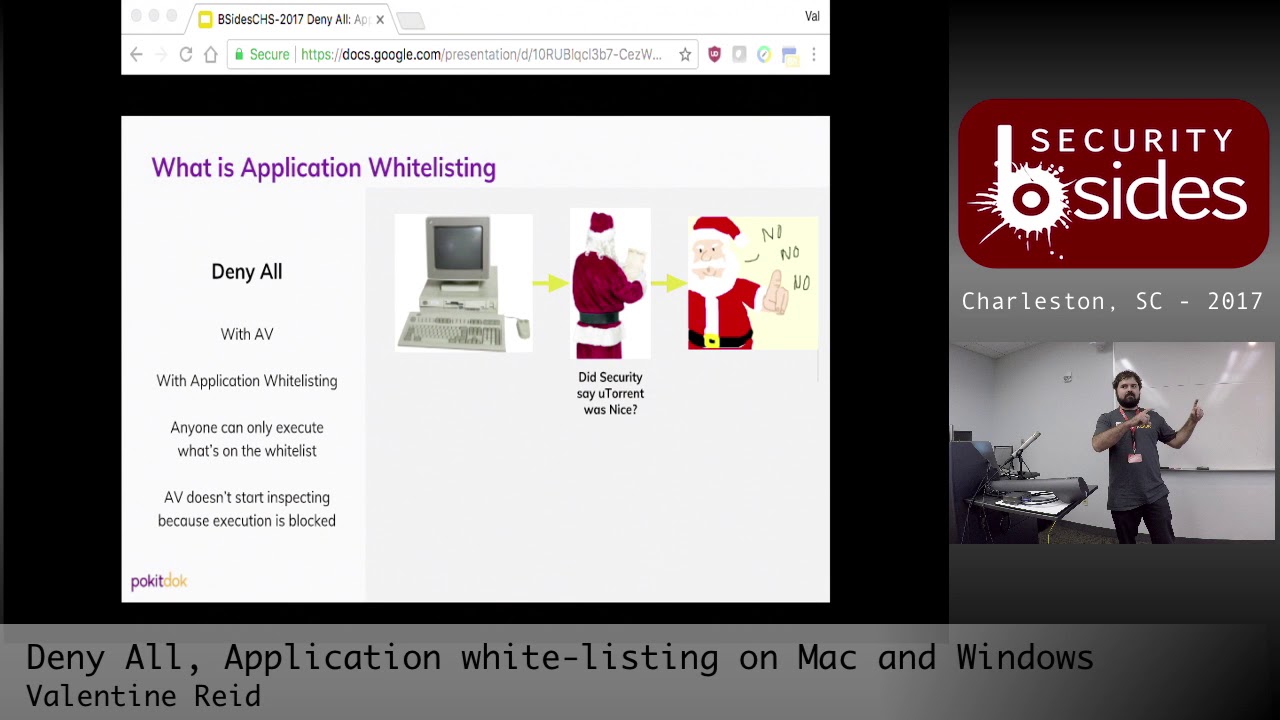
you're running your computer and you and and you want to open up utorrent if you don't have a B you don't have a white listing it just works your computer's loves running code it's gonna work like a champ so you take the next step you've installed antivirus and you got a naughty list so now anything that's known bad it will be blocked that's great you know the next generation anti viruses are using machine learning but effectively they can only stop what they've noticed stopped they're gonna if they don't recognize that as malicious they're gonna let it run and so as of 2017 November 11th utorrent was classified not malicious and so it's gonna run on a
V it's just gonna happen so if you have application whitelisting solution it's not going to get that far it's gonna stop it at the kernel level so if you're on Windows this is going to block before you AC and if you're on Mac it's gonna stop you I don't know what the process is called we get that little thing that says you have to go into security to run it that's what waitlisting is for it's to stop it before code executes alright so some foundational terms once again zero to hero stuff app Locker as I mentioned is a Microsoft Windows built in an application google santa has an open-source tool for mac OS so an
application signature an application signature is a digital signature that validates that an application is authentic from a specific publisher and this of course assumes that the certificate supply chain has not been breached as we know that can not always be relied on we've had we've seen antivirus vendors lose their certs that happens if CC cleaner
absolutely and so you're only as secure as your supply chain with application signature so in this case know what your security boundary is in this case we're using application signature as a security boundary you know that's that's reality another option is application hash that's a mathematical representation of an executable that's difficult to spoof so if you did sha-1 sha-1 broke a couple of years ago so maybe that's not a good security boundary anymore it's also hard to keep up so if you patch windows all those hashes are gonna change that's not a sustainable way to to build your rules on but sometimes applications aren't signed and you have to they are different device guard is more
sophisticated it requires for its more in-depth functionality needs TPM chips I'm less familiar with it but yeah they're they're different products application paths so that's easy that's the directory that the execute the executable launches from nope still still app Locker and if you're familiar with it from Windows 7 it's still gonna be about the same I go into the differences though between 7 and 10 so if if you mean so a signature is a digital certificate of the executable and so if you were to say open up any Microsoft executable on Windows right click go to properties you'll see a little certificate that means that that application has been signed so if you so the hash or signature the hash is
different from that the hash is if you took say md5 you could run a calculation on them on the executable and get a value and check it yeah so basically how like a file of code
that's correct yes and with certificates that that if the code has been modified the certificate will no longer be valid for the code well there just won't be signed anymore or at least the signature will be invalid now I could be wrong I don't know that in depth so you do your research if I'm wrong I apologize
first iteration that can absolutely happen yep yeah the person who developed the application we have to update it yeah and in Windows 10 Windows 10 and 16 is doing certificate revocation I don't think that Windows haven't had that functionality I'm not a hundred percent on that you'd be amazed how long operating systems live in the wild having come having lived in industrial control I I've seen I've seen things like NT 3.1 and when in 2012 anyway it's okay so uh just moving swiftly onwards so when AppLocker interruption it requires Server 2008 and it requires Enterprise Windows 7 this is different I think you mentioned software restriction policies so if you don't have enterprise software restriction policies is a
separate product that predates AppLocker you can use that on the professional editions I think it still exists in Windows 10 um not don't quote me on that I've net I haven't used it so for enterprise you app Locker absolutely education I am mostly certain concludes app Locker well I by reviewing the docs I remember them saying that but do your homework any other questions
I'm not entirely certain no so I'll go into how you build the rule so it probably depends on how PowerShell got launched so if it's in memory AppLocker might not give you that granularity that which is some of the bypasses I'm not a hundred percent certain I can't talk to the bypasses specifically any other questions so like it so file types packaged apps which is that new Windows Store method of delivering applications you have DLLs treat DL treat dll's as executables you absolutely they're just they're just exe is in a different wrapper xes installers scripts so that's how you base your that's how you start building your rules
No so so what I mean by Server 2008 is that you can if you have a non domain joint 2008 machine you can just use local group policy to enable it which is an excellent segue and to hear let's implementation prerequisites so you need to be able to run the application identity service so that identifies the applications running on your system so if you implement this that's kind of a cool alert because if that service stops it means your whitelisting stopped so in Windows 7 through 2012 r2 you just set it to automatic and you're good to go if you're on 10 or 2016 it's a protected service which is a different way that service is launched
so on 2010 - 2016 you're supposed to use a domain there so I might have a reference slide that walks through all of that and the reason I don't talk about it take half the time to walk you through it if you have a non domain machine tech what Microsoft's documentation does not allow you to run a plonker but it's a registry hack away so your mileage may vary with how well that's supported but in my testing it worked great any questions alright so for all of you who have never been within group policy go into a Windows machine type gpedit.msc and you'll get this friendly drop-down this is where if you can set everything those of you who use group
policy for years and know it and love it there it is policies rules so to enable DLL rules you have to go into the properties and check a checkbox you get a warning that says hey this might affect your system performance I have no idea how this is gonna affect your system performance I've never seen it caused issues maybe if you're running at minimum spec it would but something you can do today if you're if you're running a Windows environment to do this turn on logging increase your telemetry you could do this to every machine in your environment today and start logging every application every script that runs on that box that's super powerful if you
have a cryptolocker go through your environment you'll log it if if someone's running executables or scripts and they've been doing it for years that's how you backtrack exactly the computer will keep a record of everything that launched on the machine it's no different well as far as I'm aware it's no different than any other Windows event logging right so if you have your rotation set up appropriately and archiving shouldn't be an issue if you let your security log run till it's full and that's gonna run till it's full - but in terms of overhead it's no more overhead than running a blocker in itself I've never like I said I've never seen a system degradation this is built
into the operating system
you would have to do log aggregation such as any other when you write you use the product of choice a CCM elk any other questions all right so what do those logs look like so once again if you're brand new to Windows and you've never opened up Event Viewer you go to you search for Event Viewer application services Microsoft Windows app Locker and then you'll have three different groups for different groups and then you'll have some details so this will tell you what's blocked what's allowed the groups and users affected by the role rule type and so you got event IDs they're unique so you can build your alerts on these events if you're using
Splunk it's a so the bit core concept is you have lots of endpoints and they feed logs into a centralized location for security analysts to monitor and make decisions and I don't know spunked super well either but I think that's a yeah no no it's very crazy a good one a good one to look at is alienvault for free alienvault is a good free version no need to have an open elk stack elk stack also has good for free logging yes Blanc's definitely not free if you put enough logs in it cool that does sound awesome I should look for that you could do it in professional so the logging capabilities and usually there's an
agent that will back haul the logs back so you could do that in professional you could yeah it with the correct agent running on the end point yeah you don't you don't need Enterprise Edition for that but there would be some setup so let's talk defaults so there's a bunch of default rules defaults are for dummies these are terrible I mean if you're stuck and you need something then I guess they work but so the executable rules allows everyone to run anything in Program Files and windows and then what's admins run anything anywhere why is that bad it's bad because printer drivers will allow users to write to the windows directory and so one of the
known bypasses out there is a script that will crawl the windows directory for all writable locations and so it does that it drops its malware and then it will just run from your protected place it's not super useful the install rules are similar their paths admins they're more of the same script rules more the same more path rules allow everyone run scripts and protected directories DLL rules more the same and I don't I've never worked with packaged apps so I don't know how good or bad allowing all signed packaged apps are but I would assume that since the Android Google Play Store is filled with malware probably the Windows Store is I don't know but they're all signed so you
know you know what's coming from him from someone all right so then you could automatically generate rules that's another option so I'm gonna walk you through in screenshots what that looks like so you windows directory and we're going to create publisher rules for the digital signatures and then we're gonna reduce the number of rules created by grouping similar files then you get three hundred and nine rules do you guys want to manage three hundred and nine rules I mean it looks like this I don't know I certainly don't you you possibly could but in my experience application whitelisting is kind of hands-on does take some manipulation there and most of these are hash rules by the way it's
because those are the executables and dll's that microsoft did not sign in the operating system and so I do have a demo the sort of unfortunate thing is when I time them they don't fit into this talk and so I have a link there that I walk through what this demo does if I have time at the end of this or like maybe during the lunch break if you want to catch me in a hallway all I'll show you some things so will yeah yeah of course okay but what the demo is going to show you so I create a rule set that allows anyone to run anything signed by Microsoft and then I exclude Internet
Explorer because I don't want that running anywhere I will then try to launch Internet Explorer and it will fail as it should and then I'll try to install Google Chrome which will also fail so then I'll create a rule set that allows Google signed executables to run I also want Google signed installers to run since I want to be able to update it and then I'll show you some logs so that's that's what that demo walks through so any questions this is the end of the introduction to app Locker I'm I'm uncertain I would assume not but it's worth a shot I mean you can push the group policy down and maybe it works I'm just not
sure any other questions alright so this is a kind of a find I don't know if any of you watch Rick and Morty but existence is pain so I tried to find some scripts that were signed on default builds of Windows 10 or server 16 and Microsoft doesn't sign anything script wise on their operating system by default so if you're building whitelist script rules good luck I don't I don't have to tell you I don't know how you can whitelist the the operating system in this case you might just break everything and here's some tips and tricks so anti lockout one of the things that's super scary is I created a rule set and now I can't log into my machine
and that's because you've denied everything and and that's that is if you remove availability it's super and secure right so fix that restart in safe mode disabled a service or disable it an active directory and you'll get yourself out of that bind fun fact if you set windows to deny all the stuff that launches pre login like sticky keys will still work yeah think about that something that where app Locker is running is now that execution chain that's fun alright so AppLocker has an import and export feature that lets you work with policies in XML and so that where that leads me is an opportunity for us the community is to start creating a repository of
least privilege for common systems like Active Directory and Exchange so you start with that deny all you deny all DLL files and then you build out what's required for your domain controller to run that would be super cool I'd love us to build that as a community I'd love to build it myself but I don't have the time nor am i running exchange anymore and so uh so yeah there's an opportunity dynamic link library and I'm the wrong person to ask I know it's effectively executable code used by applications but anyone here have a good explanation 30 seconds for DLLs yeah that sounds right so if you have two applications that need a common library and lets them run that thank you
so another great use cases this is SCADA like I said my backgrounds heavy industry so if you know exactly what your your operating system is supposed to do you could build an app lock or policy to deny all only do that thing and then you can ship it off all over the world and it's just gonna have that policy that'd be super cool if I were building a SCADA device with the HMI I would absolutely do that because usually antivirus doesn't get deployed in SCADA environments and I'd rather have whitelisting anyways alright so that brings me to Google Santa I'm not gonna read this giant blurb of Texas to save you from hearing it so but effectively
what Google Santa is it's a white spacing product developed by Google put out onto the internet updated regularly it's on github that's the link it works it's pretty neat it's too bad that Apple doesn't put this into the operating system and so having pivoted from a Windows environment to a Mac environment I'm give this part of the presentation as sort of the max support forms so here's Google Santa and thank you goodnight you've ever managed Mac OS that's how their forms work but actually I'm not gonna do that I'm gonna walk you through it just like the others so you got rules so we've already talked about signatures hashes and paths so Santa lets you do all that
implementation Google Santa has a sync server and using a sync server will enable an admin to configure rules and other settings and so that doesn't appear in this talk and the reason that doesn't appear in this talk is I couldn't for the life of me figure out how to make that work I read their documents for about a day I tried different things so I don't know I mean I don't know if that's talking over an encrypted channel I don't know if it's authenticated I don't I know nothing about that sync server but it's it's in there in the functionality so your mileage may vary there if you find out how to make it work write a blog please
there the database so what you can do as an alternative there's a local database file you can build a whitelist and a VM or in a sandbox export that and deploy it with your standard Mac tools such as monkey or jammed or chef or ansible I mean it's Unix so do what you want so to install it it's super easy you download the precompiled signed binary Mac OS is gonna warn you with their attempt at application whitelisting so you just click through everything and you click next to success once it's on there figure out if it's running tail tack f VAR DB santa-santa log and you'll it'll start generating logs immediately no reason no need to restart the
operating system any questions so here's some basics it once again just like app Locker audit mode and enforce mode so when you first install Santa it's in audit mode so to configure it there here's a couple of basic things you have configuration config key list that's a super short text file so you can edit that in VI or atom send it to one audit mode set it to to enforce the logs I'd already showed you and then you can you could actually make a plain text dump of the rule database include the commands there someone on the internet was very helpful and posted that so Google Santa is all built around the Santa CTL command it
contains all the functionality for syncing with a sync server allows you to view the state and configuration it can inspect individual files manage the rural database and so sort of the easy stuff find the certificate information of an application santa CTL point it whitelist an application santa CTL rule whitelist certificate sha-256 so i'm gonna break this down for if you remove certificate sha-256 is the hash rule so if you don't put certificate and you put sha-256 or only doing the file hash not the actual publisher yeah that's correct not as far as I'm aware I mean Mac OS is using the mock colonel not the Linux kernel so and these are reliant on kernel hooks so I don't
actually know of an application whitelisting product like these two on Linux so I guess part of the challenge is that Linux is signed binaries by default so kinda have to trust the repos there alright so the anatomy of a log so you tail tack out this log in June they're just gonna vomit logs at you I mean it's awesome you get you see everything right so I don't know about you but I'm not gonna be like the matrix and be able to tell you what was supposed to run and what wasn't it's just gonna flow at me like noise and so I'm walk you through what the log looks like so you've got date/time stamp you have the action that
was taken the reason why it was allowed so what and why you have the sha-256 so that's gonna give you the hash of the application you got the search Shaw 5256 which is the certificate you have the name of the certificate and then you've got your user information man don't you wish Windows you know you just click next to success and you get some logs and you're done no this is the UNIX so you can grip on all that though so you can build your your grip you can tail pack up pipe to grep and search for say decision blocked or denied and so here are some some terms to help you while you're building those grep statements so
allow reason cert applications executed because the cert was trusted by Santa allow reason unknown that's because it's an audit mode and it didn't know what to do with that executable so it's a sin to allow it denied reason unknown well that's a good thing that means you're you have deny all on and it didn't recognize any binary so it's turning it off it's not allowing me to run it yeah
from executing because of this Pacific shuttle right so you can actually declare a block you can blacklist there's a blacklist flag that lets you so did the program did something take this binary code rather into shock I would assume that's how it works I don't know the functional code details but yes that that's how it assumes oh okay so like this is a great way to block iTunes let's say you're running a Mac environment you don't want iTunes running on your your your endpoints throw this on there and all sudden it won't work although then an iTunes will update and then the shot changes so you have to keep managing it member Security's hard and time-consuming so
once again I built the demo once again it's long we are at 36 and so I may have a time for one of the demos so maybe I'll do a poll of the class but the demo is gonna set to enforce its gonna show whitelisting behavior reen able audit mode launched chrome review logs you build a whitelist you set santo enforce and then it works just like AppLocker except more steps and more grubbing alright so that's kind of the end of my talk like I said I'll do the demos here at the end I'll take a poll see which ones you guys want to see if you want to see any of them but first
I want to thank Reglan Eris he's the one who brought me into InfoSec from a regular sysadmin he introduced me to the community and so he's awesome Thomas Eggman and Bill kafra they taught me that max can be managed at the enterprise level I didn't believe them and then they they taught me the ways and then I want to thank the following folks Liz my wife Andy Bailey bill Finlayson Devin Emma Gerald Jacob Jared Jessica Payne Jim Jonathan Sean and West so friend follow those are all great people on Twitter the ones who don't have Twitter you know I don't know I guess they're not an InfoSec yeah so that's me I'm Deidre Shaq on
Twitter I host a blog sometimes I play with Unicode and and sometimes I play with whitelisting but all my activities are blue team related I don't I don't break things very well so I'm not but I meant I'm interested I saw the last talk but now look into that so any questions any so this is this is the end my friends does anyone want to see a demo anyone care I am at 38 which means I could probably run you through one of them Santo demo anyone else for Santa and you one Santa Santa cool alright let's let's let's me show you some Santa's give me a second while I try to figure out my dual screen
situation
there's my mouse there we go all right Google Santa demo that's weird why is that like that okay
alright so in this demo like I said I've installed Google Chrome Mozilla Firefox and santé and so this is a clean install of yes running I'm not going to show you how to click Next on an executable so this this is configuring santa-santa has already been installed off of github but it's in its default state so this is I've changed nothing about Santa other than installing it and so Chrome's gonna work great this is gonna pop up and say oh hey you've never opened this and I'm so that that that is Mac OS is version of whitelisting I guess and I'm gonna say yes and you know Chrome's already running so awesome alright so let's go
into a terminal
all right so here you are in a terminal so let's go ahead and become a bigger person than we are today so sudo tak I all right now now we're the root user now we can cause some serious damage so we're gonna go ahead and do VI VAR DB Santa config alright so remember I said this is a super simple plist plain text file so we're just gonna change that number to - now we're enforced so by default Google Santa white lists everything signed by Apple that's their anti lockout feature so hopefully you trust Apple so now okay it is as far as I'm aware it's not hooking back I haven't done a network analysis I mean
this tool is not particularly popular it's not particularly well known Google's not it's not an official Google product I don't know I'm not application hacker so someone should read the code but still I trust Google to have knowledge of applications on endpoints more than I trust my users to run the next cryptolocker so so now we're going to start getting issues cuz a chrome was running now it's being denied so let's go ahead and close chrome so now we're gonna open up Firefox I have not opened Firefox and it's denied you don't get to the Mac screen because it's not allowed to run its kernel hook and then uh oops Launchpad works great Safari works works
great and it works great because apples trusted right Safari as far as the one true way that that's correct yeah hey man III fix things I don't break them I have no idea how to do that stuff but I you should you should try it I'm curious I don't know how to break things I used MSO 867 once because the red team are on my team thought I should probably know how that works and it was cool but I'm not I don't have the mindset for that alright so let's go ahead and do some some log reviews weird my mouse go there we go and I'm I've got 8 minutes remaining so I think I'm good here so
we're hoping up another terminal window and OOP that's the wrong operating system let's not do that
maybe it launches it's a new window sorry I'm there we go alright so now we're just a standard user so we're gonna go ahead and tail tack f VAR law or VAR DB santa-santa log and then we're gonna go ahead and pipe that to grep and I already did the pain of trying to figure out the string tak e on a known period star Google alright so what this is gonna do if I did this right is this is gonna just run and so when I open up Firefox it's not gonna show up in the log because I'm filtering it notice the the log doesn't do anything so now let's go ahead and run Google Chrome and hey lots lots of noise
and lots of windows that are so remember how I talked about the search shot so we're gonna go ahead and copy this we're go back to the other terminal window and we're gonna do santé CTO tactic or sorry rule tack tack
sorry I'm not able to spell and speak at the same time it's like chewing bubblegum and walking alright so we're gonna go ahead and paste that in we've added a rule that so uh so let's go ahead and go back to our log here oops clear alright and let's run that same again right so where'd that mouse go there we go run google chrome again well launch but it broke again so why is that that's because Google used two different certificates to run in this case the there's a helper sub application that uses a different sort of certificate but Google will launch but I don't think that's gonna work for my users I don't want to teach them to just click through
warnings so that's a different cert from the last time so we're gonna go ahead and copy that and we're gonna go back here I'm going to do
white whitelist tactic not 245 256 cool all right so now that's added I know let's go ahead and close Chrome launch it again success no errors works like a champ what about Firefox get out of here don't work so that's that's Google Santa in a nutshell it AppLocker works the same way just a lot more click Next it's a lot more pretty GUI dialog boxes for your junior admins one cool thing you could do with this one thing I'd love to see done is piping these logs back into an elk stack and then aggregating them so say you're running Mac OS on say a hundred users and you've never done white listing I want to pipe that all
into elk aggregate what applications are being run and then start pushing out whitelist audits and decrease the noise and then enforce it on a single day because you should be able to aggregate these logs across your environment and elk figure out what the common applications are in your environment and whitelist them but I haven't gotten there Security's hard and time consuming so any any questions what's that you sure can yeah Google Santa allows for path and hash so you could in theory whitelist uh I just don't trust paths people like you get into the path and drop binaries and then run them [Laughter]
yeah that's correct right well we're we're uh whitelisting the certificate signing and so hopefully and I don't know this for a fact I know on Windows this is true hopefully the shot of the certificate doesn't change particularly often right because certificates are usually valid for three years so usually MIT vendors don't change that certificate particularly often and that's why I'm pushing using certificate whitelisting is because it's a more reliable way than than just the path or the hash of the file itself the signing certificates rarely change it's like the SSL certs on websites right how those get rotated every three years so usually they're a reliable indicator usually any other questions awesome so thank you
everyone hope this taught you something
Related talks
 36:12
36:12 43:49
43:49 27:45
27:45 40:50
40:50 45:56
45:56 47:48
47:48