Active Directory ain't going anywhere
Show transcript [en]
Everybody, we're gonna go ahead and get started. Um, I want to introduce Eric Woodruff. And before I read his bio, we would like to give him a token of our appreciation uh as a b-side speaker. So, thank you very much, Eric. Throughout his 23-year career in the IT field, Eric has sought out and held a diverse range of roles, including technical manager in the public sector, senior premier field engineer at Microsoft, and security and identity architect in the Microsoft partner ecosystem. Currently, he serves as a product technical specialist at Seus, focusing on ITDR and cloud identity resilience. Eric is an Microsoft MVP for security recognized for his expertise in the Microsoft identity ecosystem. Outside of work, Eric supports the
professional community, providing his insights and expertise at conferences, participating in the ID Pro body of knowledge committee, and blogging about intra and related cloud security topics. Welcome Eric. I I sound much more uh full of myself when I hear that read out loud than when it's, you know, online. All right, let's get going. So, yeah, the topic today is Active Directory. Uh, and it ain't going anywhere, so we might as well secure it. As Kathy mentioned, I'm Eric Woodruff. Uh, really don't need to talk about myself anymore, but social media handles here, right? I'm Eric on identity, right? A lot of people probably heard of Krebs on security trying to copy him. Um, and uh, yeah, you'll see that
plastered around, but it's easy to find me. Eric on identity, right? So, the agenda today, we're going to talk about why Active Directory security is important and then securing Active Directory, right? Pretty pretty straightforward. So, uh, but before we get into things, we'll just set a little background with a bit of a story here, right? So, I actually like hiking. Um, and I like the Aderondex. Love the Aderondex, but also love going up to Aadia National Park in Maine. And, uh, up here there's Prescist Trail, and it might be hard to see, but sort of off to the the right of these iron rung looking things is basically like falling to your death sort of
stuff. Um, and at the the foot of the trail, right, there's this sign here that uh, you know, tells us like don't bring our dogs, just stay on the trail, don't hike if it's, you know, icy or raining out or dark, you know, wear hiking boots, right? And, um, you know, if you sort of hang with me here, right, I'd say that this is really effectively like defense and depth, right? And so for those that are familiar with defense and depth, uh, you know, this might seem like a recap, but a kind of prior to zero trust, right? Defense and depth was a thing that we all strived for where we had several mitigating controls, right?
To make sure that whatever the data was at the center of things like was protected. So if one of the controls failed, right, we'd have other compensating controls. So, you know, I look at this as right like, well, if I go hike in my Crocs or something up this, but it's not the middle of the night or, you know, the middle of winter, right? You'll probably still survive the hike. So a lot of times when we talk about defense and depth it's also described as like an onion right again you have all these layers protecting things in the middle. Um and and I think right like a lot of times when you see a defense in-depth
model it's like you know physical security perimeter networking identity and access management uh you know and we have data right in the middle that's a thing we're trying to protect but you really can apply defense and depth to you know anything right when you look at it and so when we talk about securing active directory today you know we'll kind of look at all these different controls we can kind of put in place right to protect uh active directory Um right because for a lot of organizations and enterprises AD right love or hate Microsoft love or hate active directory uh it it's there right and it's also something that tends to be you know the
vector for ransomware and data exfiltration and all these other good things right so it might be hard to see but here's our little ad in the middle so you know this is marketing sort of stuff here with the new security perimeter and I was actually going to take the new part out uh in a blue team con talk I gave this uh past summer uh talking about building yourself into identity practitioner um you know I was looking at this whole identity is a new security perimeter thing and when you research it you find out that the term was really coined back in 2012 right and it's 2024 now so I don't know when we're going to stop saying
it's the new perimeter right but this is the sort of reality that we we live in right um this is the only slide I sort of stole from from work material. Uh but we have identity right we have our our you know everyone's remote uh you know vendors contractors you know our MSSPs our CSPs all these things right where they're coming in remotely both into our SAS applications and our cloud estates uh and then right that's usually tied to our onrem legacy stuff uh or maybe not so much legacy right because a lot of the stuff is is here to stay right but identity really is a thing right that is the vector into right our networks and
you go look at any sort of news article right where ransomware data exfiltration right some account has been breached uh in the majority of these these cases and also when you talk about hybrid identity right uh hybrid identity is is tough so again this is something that a lot of enterprises uh you know big small medium sort of everywhere right uh are going to have in the sort of Microsoft ecosystem and assuming that people here have some sort of interest or have a Microsoft estate if you're here to listen to talk about active directory right but so we have active directory on prem and we have all of our you know on-prem things or servers or
databases or services all this sort of stuff and you know now we're introducing you know cloud right and so entra ID which used to be Azure active directory or Azure ID Microsoft renamed it this summer, right? That comes into play because we're consuming Office 365 or Microsoft 365 or we're consuming Azure, right? And we plumb these things up with Entra Connect or Entra Cloud Sync, right? And this is a thing that's really gluing the two identity systems together. And then we take all these other SAS applications, right? And we we also tack these on to Entra usually using SAML or open ID connect right for uh application integration from an authentication perspective. But when you look at this
active directory for pretty much every organization is still authoritative, right? Microsoft still has some room to go to sort of right flip the switch. And as much as they want to pretend that Active Directory is dead, right? it it's not going away anytime soon for anyone that really has it in the the enterprise. So with AD being authoritative, right, if Active Directory is breached, right, and we again see in the news that on-prem things will be breached and right, whether it's ransomware or excfiltration or all the above, right? Um, and there's lots of ways to sort of move laterally from uh active directory to entra ID. And I think this is going to get much
worse before it gets better better. Um, you know, people will argue whether you know threat actors are becoming more intelligent or if they're just going after sort of the the path of least resistance here, but they certainly adapt. Um, right. And there's been cases of tenants, right? So a tenant is like the estate for uh enter ID uh being compromised and when you own a tenant you basically own office 365 and all your Azure resources um you know and just in the role I have and sort of seeing like the the road map of things I believe that right these sort of compromises are going to become uh you know more frequent that's where these
threat actors are going to go right but when we start federating things And right all this other stuff is going to become compromised too, right? You got workday, you got Salesforce, right? Um your AWS's, your GCPs that you may federate back to Entra ID for authentication, right? Well, it's pretty easy if you own Entra to move into those other estates as as well. And it can uh look pretty bad, but so here's Alex Winer. He's the VP of identity security at Microsoft. And just um you know in a paper that was published last year you know he was quoted talking about attacks like ransomware or the second stage right predicated by an identity compromise um and we end up using it in a lot of
our marketing but uh you know I think it's Mandy who also had published statistics where they were saying like out of all the ransomware cases they work that 90% of them were sort of due to a a breach of active directory prior to uh the ransomware uh incident. Right. And like I mentioned, you can see in the news. Um, so here's, you know, Icy malware compromises Active Directory domain in less than a day, right? The MGM breach. Now, this had more of an Octa focus, but again, right, with all the MGM stuff that happened this past summer, uh, it was an identity breach going on. Um, right. You you could easily go fill this slide with news
articles, uh, you know, with, you know, ransomware attacks and data excfiltration and and all this good stuff. Uh, and I actually really like podcasts. And I'll say that, um, for those that are not familiar with the ransomware files, this was a a shortlived series. There's maybe 12 13 episodes um, all about organizations, right? They cover the mayor uh you know want to cry situation but they also talk to like school districts and everything and pretty much every single one of these cases active directory has popped leading to things that that happened and um it's a really good series if you like podcasts would would suggest to uh check it out right so hopefully everyone probably already was scared or you know
at least understood this is the reality of things before coming into this talk right but just trying to reiterate why it's so critical to protect Active Directory at least until we can get rid of it and then we just have to worry about protecting entra ID right so let's look at securing active directory so as I go through this I mean we could be in here for like eight days if we wanted to really talk about right securing active directory so some of this is going to be higher level I'm not getting into too much of like the nuts and bolts of necessarily everything um a lot of the data that we're going to look
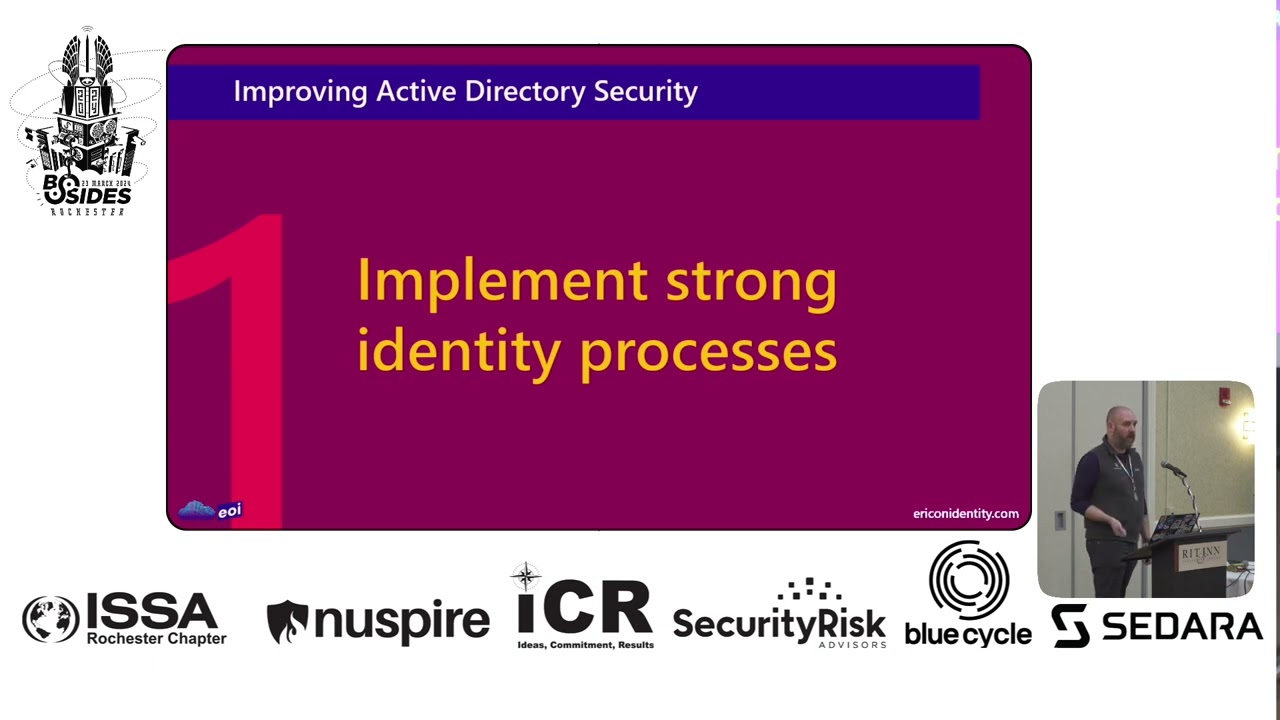
that though is um you know based on sort of common things that we see uh with attacks on organizations right so we have a breach preparedness and response team we also analyze what other you know uh organizations like spectra op and tryrimark and you could just keep rattling off names right are also seeing uh as well as we also provide incident response right so we go in because an organization's been compromised um and these are the things that we tend to see right when active Active directory is is breached and and how we can defend against uh this. So you know our first thing here is implementing strong identity processes. Now this is like a
huge bag that this can really mean but what we're really talking about is identity governance and administration, right? And that again can be something that's very simple or it can become very complex, right? And it all sort of depends on several different factors in an organization. Um, you know, it's one of the areas where I'd say for, you know, the IT pros and the the, you know, infosc people that are managing and defending Active Directory, though, it's where you really have to put your business hat on whether you like it or not, right? Because, um, this boils down to not having it where employees leave or fired or quit or retired and their accounts stay active. Um again in the
past week or so there was some case where um there was an employee that had left an organization and his credentials were found on the internet and they were still active in that organization threat actor got into Salesforce and then moved into some Salesforce integration with their docysine. And you know, we see a lot in the news lately that Docu Sign is like one of the like the favorite things for fishing, right? Because you get that email that's like here's your huge raise, just you know, click on this link right? Um but I mean those are the situations we really want to avoid, right? People with privilege leaving an organization and their accounts still being active.
But I think it also points out the reality that right privilege isn't just your domain administrators these days. Uh there's a lot of people that have access to business systems that if we go back to that new identity, you know, perimeter, right? They're much more exposed than they used to be because we add our firewalls and, you know, aside from maybe a bez server or something like, right, not much left sort of the corporate perimeter. But now that we have it's like a civ and all this stuff is getting out and getting in and and ways to access data, right? Um everything, not just our IT systems are are much more susceptible. So getting a bit more technical here. Um
the next we want to do is secure active directory for us trusts. Not every organization is going to have trusts but if you've gone through a lot of mergers and acquisitions or just um you know some organizations have a legacy of of different trusts. Um right there's two things that we really want to focus on which is using selective authentication. Right? And so selective authentication and and so I'll I'll step back and say for those less familiar with um active directory the trust is sort of like where the forest is a security boundary right and if we have multiple forests forest A forest B we can create a trust between them so people can sort
of authenticate between the two different forests right uh there's a web server file server in the other forest and you want to give me access to it well we can create a trust and then I can effectively go in and access that without needing an account in that active directory for us. Right? So selective authentication while it is more difficult to maintain basically would say like hey Eric is only allowed to actually authenticate and gain access to you know file server one I can't get into file server two or three or four right so if you have forest trust and especially in scenarios where some organizations may have like the trusted forest that you know is used for
business critical things and then the like dumpster forest for you know all the business things right you may want to look Yeah, in particular sort of limiting the access into that business critical forest. And the other thing here is um you know ensuring that we have SID filtering active across these forest trust because so again without getting in to the weeds too much uh basically when you go through domain migrations uh right so each user object has a a unique SID like an identifier for who you are right and when you go through a migration there's the SID history that effectively keeps a list of all your prior SIDS from other domains and you can sort of use this as a shortcut when
you authenticate to you know services where you don't need to go reactle stuff right because instead of we we migrate from domain A or forest A to forest B right and in B we can simply say like hey you know Eric used to be like um you know this guy over in forest A instead of having to reset permissions on on services right and so uh the problem that you can have here is if someone is malicious right uh between trusts they can basically copy SIDs from other users, put them in their SID history, and basically abuse this to impersonate other users within Active Directory. But again, it's really only uh something that's going to happen if you have
multiple forests with with trust. So big one here is Keraros, right? So there was actually a talk earlier from uh Q uh right about NLM um and we want people to use Kerarose, but there's still issues that can occur with with Kerros. Now uh you know working in the sort of software industry around securing active directory a lot of customers asked right about golden ticket attacks right and we want to make sure we detect golden ticket attacks um but we can also just try to prevent golden ticket attacks from occurring uh because a golden ticket attack uh can only happen if we actually have access to the KRB TGT account, right? Right. And so this is like a a special account
in active directory that is basically used for minting all other tickets in AD, right? But the only way you can get that is if you have access to a domain controller. So you already have domain admin or you have right system or something else on that DC to get access to this. So, you know, and kind of what led up to wanting to give talks like this is like, well, instead of investing all right, time and money and let's go do AI and machine learning things to, you know, try to look for golden ticket attacks, it's like, well, why don't we just work on like not breaching our domain controllers and then we can't have golden ticket attacks happen,
right? Um, so one of the things though is wanting to rotate that password uh on a bianual, so twice a year basis. Um, Microsoft recommends this as well as Stig. Uh, but also if you have domain admins that leave the organization, right, in sort of this zero trust way that we work these days, would also recommend rotating the uh KRBT account password. Um, you know, if someone with privilege in active directory leaves. So also we want to eliminate unconstrained delegation. So unconstrained delegation. So delegation is a mechanism in Active Directory that allows services to impersonate users, right? An unconstrained delegation effectively would allow a service to impersonate anyone again, right? That could be a domain admin.
Um, and many times these services are not running on privileged systems, right? It could be like a web server. Um and scenarios that you may run into where organizations can sort of fall into these patterns of using unconstrained delegation is service is supposed to impersonate users something doesn't work right all the knobs and dials are just turned to loosen things right until something starts working you're like troubleshooting done right have a nice day and you're off to whatever the next IT fire is right so really looking in active directory for areas where keros uh delegation is configured in an unconstrained model and and trying to figure out really like what do we want to do here and tightening that
up. And then also the other thing that people really love to uh ask if we can detect are things like Kerberosting, right? So Kerberosting is this thing where if you have service accounts that are user objects, right? So you have you know user uh you know backup, right? And it's just a user account that's called backup and it has a service principle name set on it, right? And so a service principle name SPN is effectively used to sort of uh you know mark what accounts have services associated with an active directory. Uh but just without getting into like all the ways that Keraros works, effectively if a service account has an SPN set on it, you can
basically get the password hash um for that service account relatively easy, right? And then you can crack it offline and then you you know the the clear text password for whatever that account is, right? So I have my account backup and I've set my password to password 1 2 3 4 bang, which someone could probably guess anyways, right? up. We're going to take the hash and try to crack that offline and then replay it. So again, Kerberosting though becomes an issue if that service is back up and you know we gave our backup software like domain admin because the vendor said we need it or we couldn't figure out why something was you know working or not
working right and now using tools out there like mimicats or rubis you can go out and basically easily um right request service accounts or sp service accounts that have SPNs and get that hash and go crack it offline. fine. Now, you may say like, right, we have EDRs and everything that are probably going to detect this stuff, right? But I don't know. Um, you don't necessarily want to leave this stuff up to chance uh based on the criticality of of active directory. So, number four here is deterring lateral movement, right? And this is not just AD related but also to your sort of, you know, client estate, right? So limiting local administrator group membership which I know is very
difficult for organizations right because everyone wants to have local admin so they can you know do local admin things. Um you know you may find that a PAM solution right that can give just in time access uh will work good enough if uh you know you have the sort of capital available to um you know implement something like that. Um but at least implement laps on all your servers and clients. So um I may or may not have worked at a place where um we had a very delegated distributed uh IT model because it was the public sector role. Um and they were not using laps. So every client had the same password set locally for administrator,
right? And someone got some ransomware on not Yeah, I think it was ransomware on one of their devices, right? Now all of a sudden everyone's client device is uh um you know becoming encrypted right and laps which basically manages a local administrator password for you and and right keeps them unique and rotates them on a monthly basis uh will protect us from that we're doing on time. So we also want to secure privilege users and groups and some of this it kind of builds up right because we're already talking about securing Kerros um but with our privileged users and groups right we want to live it limit privilege service accounts. So again, you may find
in particular things like backup software, right, may at one time have need a domain administrator and as some of these platforms have evolved, they don't need it anymore, right? So it's good to sort of keep up with your vendors and see if like, hey, right, does this need domain admin or not? Or do we necessarily need to give it domain admin? um you know in some scenarios it's so that we can do you know object level restores in active directory but these days with the recycling bin and AD there's native ways that Microsoft provides uh the ability to do restores um and this one we also see abused a lot is the admin SD holder object so admin
SD holder is effectively this object that's used for containing the the permissions right the access control list that is applied to privileged users, protected users in active directory. Again, this includes your domain admins and you know it's always a mystery why we see these things but um admin SD holder permissions will be changed to say say like right the help desk or service desk group has access to reset passwords uh applied to admin SD holder now effectively you've given your entire help desk right indirect domain admin because their account just needs to be breached right and they can reset a domain admin's password and then they're sort of off to the races. Um, so yeah, the admin SD holder object is
something we see a lot with all sorts of weird things. You'll see domain users, right, which is basically everyone will have permissions over uh this. And um, how this functions is once an hour there's a process that sort of looks at the permissions that are set in admin SD holder and it restamps them on, you know, your your protected users like your domain admin. So if you've ever tried to change something like an ale right the permissions on a a domain admin or the group and then wondered why they get reverted it's admin as the holder kind of coming to the rescue. So again, this this one is a bit broad um but it's really looking at uh
and and we'll kind of break this down, right? Defining tier zero, right? So if you've been around the block for a while, the Microsoft ecosystem, you've probably seen this sort of model, right? Tier zero, tier one, tier two. So Microsoft has actually replaced this with the enterprise access model. Um but this still works well when we're talking about active directory security, right? And effectively if we look at this right tier zero the top tier maybe a little hard to to see in the back right you have your domain admins your privilege access workstations and your domain controllers and you always want to stay within the same tier but tier zero really isn't just this these days right because we get
some fancy animation going here we have active directory federation services or things like active directory certificate services right that are really in the mix and a lot of organizations don't consider these things to be tier zero right again inconnect or intra cloud sync or the octa agent right so if you're an octa shop the octa agent also uh out of the box installs wants privileges right for plumbing active directory up to octa um right so that's tier zero and we'll we'll grow this a little more right and we talk about backups where again we'll see a lot of times that the way organizations ations have their backups configured. Effectively, your backup administrators are also indirect domain
admins. And there's also the management plane, right? So for our cloud services, but this may also be with other virtualization platforms um where the management plane is effectively tier zero. Now we're going to get into a demo in a a second. Uh when I got some feedback on this talk before, people had wanted more things. So now we'll we'll we'll do a a demo here in a second as we talk about uh protecting tier zero, right? So we want to define it and then we want to protect it. Before we get into the demo though, one of the things is mapping our attack paths, right? And so you may see in like XDR platforms that they have like attack
paths, you know, as maps, right? So if there's an incident, it will sort of show you graphically what's happened, right? But what we want to do is sort of get ahead of the ball and actually like uh map our attack paths right before an incident right and so this is using something like blood hound right is the most popular thing um right some organizations get scared of blood hound so there's also plumbhound and good hound and blue hound um you know I'll a corporate shill that we make something for us druid that is also similar that is free I'm only going to say free things here and there's also avalanche as well which will help map attack path,
right? Because if we step back and look at this like admin SD holder thing, right? While you can write sort of detection rules, right, in systems to say, hey, go like audit for all these things in active directory, uh many times you'll also find weird things that were set for, you know, business reasons. Um, and there's only logic, right, that you're going to necessarily know or you may not know because the person that said it is long gone, but you still understand enough of the context, right, where there's security aspects to really understanding what permissions look like in Active Directory that um you sort of have to pick apart, right? And many times using things like Blood Hound, um, Adalancher,
Forest Duid, right, will give you a visualization and let you sort of start to pick apart, right? like where do we actually really need to create those choke points? I think we're not supposed to call it that anymore. Um right to cut off access to uh domain administrator. So we also want to follow the clean source principle. Uh again, so you know if we look at this right and I I pretty much already you know mentioned here we really want to make sure that we're using privilege access workstations and we're following the clean source principle which is where the device that we're accessing things from as domain administrator is in that same tier right uh I don't want to run
over to it but if you look at the middle tier here right tier one you'll find a lot of organizations where it's tier tier one or tier two laptops, desktops, whatnot, right? That people are doing domain admin things from. Well, if your credentials are used local to that system, it can be very easy for, right, attacker, red team, you know, whatnot to pick those creds up, right, and move into uh into active
directory, right? All right. And so as I mentioned here, we're going to include the management plane, right? And before a demo here, just going to walk through. See, we're doing on time, right? This attack scenario here. So, uh, you know, here we have a user, right, that works in our operations center. Uh, and this is sort of like real world scenarios. And again, what we're going to talk about here is something that Mandy and seen used in the wild. So, this isn't like theory, right? So operations center access to the Azure portal and they have access to subscriptions right subscriptions are sort of buckets of stuff in Azure um and because right we don't want people to be
bothered off hours they're given access to do things against VMs that we have running out in Azure so they're given like access like virtual machine contributor and reader roles right this allows them to do things like start and stop VMs and you know basic things they can't log into them right unless you've given them permissions so So it's really just like management sort of functionality, right? Instead of asking someone to go in the data center and you know hold the button down until the power shut off and turn it back on. It's like that virtually. And then we have a domain controller though out here running right that um is in this sort of bucket and
they have a run command function available to them right and run command can effectively be used to let me change my display here. [Music] do whatever you want on a domain controller if you have access. So signed in here is Alex Wilbur uh which this user account only has virtual machine contributor and and reader, right? And we have a domain controller here, right? And so on our domain controller now you can also use Azure CLI or PowerShell or whatnot. I'm just using the the guey here because it's uh easy, right? We're going to go down and we are going to find run command and we're just going to choose to run a PowerShell script. And now
actually before we do this, we'll just hop over to our domain controller, right? And if we look right here, we're just going to get members of domain admin. And we can see that we just have one domain admin, right? So there's no tricks up my sleeves. And we are just going to run something super simple. Right? You can I mean you can get more complex than this. But we're just going to create a user. And then we're just going to add the user to domain admins. And the agent which you need on your domain controllers, well the agent which you need on any Windows virtual machine in Azure for it to function out there, right, runs under the system context. So
local to the DC, right? It basically can do whatever system can do. So we'll run
this and usually it takes a second
here. So, we'll let this run and I'll just go back to the slides because, you know, it either takes like five seconds, but then when you're wanting to demo it, it takes like, you know, 12 minutes. So, we'll let that keep running. Oh, command completed successfully here. So, right, so here we go. Right, we have a new domain admin. And again, whatever you want to do, right? You don't have to go add a new user. You could do all sorts of things here, but it's just that simple. Now, as far as these management plane attacks go, um I'll actually bring up here. Give me a second to switch things
back. So I'll I'll show myself um for both that and also Azure Arc right so Arc is becoming a new thing where it's to extend right sort of the the management uh from Azure into other cloud providers or uh onrem the arc agent you can basically do similar things and Microsoft is really pushing using arc um so this week though with Windows Server 2025 coming out there's the Windows Server Summit 2024 uh and I have a session that's protecting active directory from management plane attacks. So there are ways to architect things from a arbback perspective in the cloud right to protect yourself from these. Uh so you can go to ak.ms windows server summit 2024 uh and and look for that and
also um I will have all these slides available that you can get that link uh later from as well but it's it's going to be Tuesday uh evening and it's recorded so you can watch it whenever you want. All right. So also hardening our domain controllers, right? This is one that it can be a very large bucket. But in particular, we want to do things like disable unnecessary services, right? So um one of the attacks in the past maybe you know four or five years was print nightmare, right? And this was a remote uh code uh vulnerability, right? rce execution against um principle or service and it gave people a path onto domain controllers, right? And so this
is even one of those things where I think when we talk about like XDR and all these these fancy detections, right? You always have these edge cases of zero day things that we're not necessarily going to detect or right we talk a lot about uh you know things like deception and all this for you know stealing password hashes and like replaying them but if it's a zero day right a lot of our systems are going to have no idea uh that these sort of things exist um right but if we limit the surface area on our DCs again right principer is not running it's as simple as that our domain controller would not be susceptible to
uh you know the print nightmare attack and principal of service historically has had a lot of sort of vulnerabilities over the the past decade or so but also remove unnecessary roles right so even if we want to run active directory certificate services things like that right don't run on your DC uh as much as you want to don't run entraconnect on your domain controller right try to segment these things out and again remove unnecessary agents So you know in other scenarios we may see right like you have some sort of if where you're using you know physical iron like agents that are used for management and inventory type purposes right and again if those agents have the
ability to run things on your domain controllers right whoever manages your you know HP I forget what HP calls it now right the the onboard administrator sort of collective thing right they also are likely domain admins uh you know whether you know it or not and also apply hardening policies right so this is going to get you pretty far from a tightening the security down on your DCs um where I think this is important is right a sort of green field new install of active directory it is going to be relatively secure out of the box but for organizations that have had AD around for a good while right there's a lot of spraw group policies and those
are typically used right for setting the security sort of model on our domain controllers Um there's both the Microsoft security compliance toolkit which is free and there's also you know the other big one is the center for internet security CIS controls. Uh that one you do have to pay money unless you uh there's a PDF that's free unless you want to translate that or if you Google it you can find other people that have sort of done that for you. Um, but I know PubSack actually there's a sort of relationship with CIS where you can get access to CIS benchmarks and other things that will allow you to apply other group policies uh to your DCs for free as well, right?
Um, and I'll say within the security compliance toolkit that Microsoft publishes, there's something called the policy analyzer, right? So, a lot of times it feels big and scary to say, let's just go like let this group policy rip and like, you know, hope for the best. Uh so if you want to see right where you currently stand versus you know where you'd like to be uh the policy analyzer just basically looks at you know where you want to be um you import a policy for what you're hoping to get to. You import your current policies and it will effectively you know show you a diff between them and you can sort of move through it and see
what each you know group policy setting would do. Right? So you can kind of build an understanding of um of you know where you currently stand and and where you want to go and right um there was something else. Oh, there's also uh hardening kitty is another tool that exists out there for uh securing Windows estate uh and that can include your domain controllers and that's also sort of open source stuff but we still want to monitor for unusual activity right and so this is getting into the whole ITDR thing um and again I'm not going to make any sort of recommendations on things because you know I'm I'm not here to sort of shill
stuff but right when you see XDR and I think in one of the sessions earlier right the the conversation starts to come up around like right detecting things and you can write rules in in SIMs and I've talked to people who right write rules to detect stuff um right because you're really just looking at patterns uh but some of this stuff can become very difficult to detect like if you're trying to look for password spray attacks right and these days thread actors will sort of go like a low and slow model that right they try to stay below certain thresholds s um you know this was kind of hot when we had user behavior analytics or uh and whatnot
right and it sort of morphed into identity threat detection response but if you are a Microsoft customer uh this is going to be like defender for identity right crowd strike has identity protection uh within it sent one right they they've all got it most of the XDR companies have bought an ITDR company and just sort of integrated their identity protection uh into their platforms up um you know it kind of leads into that if you have to recover active directory right you're you're talking like weeks of time um so when you know you you talk a lot of organizations and if they even have ever attempted to restore active directory like a forest right so you've
been ransomware uh you need to stand up AD because if AD isn't stood up all your other apps that you're trying to restore won't work right and um the actual process to restore a forest is not uh straightforward and it's timeconuming right and you'll talk to people who are like well we've got it you know sort of in our our DR BC plans um but then you ask them right like have they actually gone through the process and have they actually measured how long it takes and also right if it's like a shop where you're like the the person that does everything or you have a few people that are doing everything right if you only
are able to give like 10% of your time to restoring Active Directory, right? Have you pretended that's what it's really like? Because if you just sit down and and say, "We're just going to spend the next two days restoring AD and everyone leave us alone while we're locked in a conference room," right? That's not what the reality of things are going to look like if you've actually been um you know, ransomed. So, I just want to leave you with I think this is interesting here. Um so, this is again, it's probably hard to see at the top. It's from the Microsoft digital defense report from 2023. And there's a lot on this slide and you don't really need to focus on
it, but in this right this is basically based off of Microsoft data from their own IR team which was previously Dart. Now I think it's just Microsoft incident response right and so this year though they have this return on mitigation that they've defined where they're basically trying to help organizations understand right what mitigating factors will have a higher like sort of return on their investment. Right? So you measuring like what things can you do to secure right identity or secure your systems that are going to help better protect you. And they break this up and again in the upper right here there's blue which is a higher return on mitigation a purple which is a medium return on mitigation
and a low uh or a sort of pale green that's a low return on mitigation. Right. Um, and again, you know, not expecting people to be able to read all this because I probably couldn't even read it. Um, but everything we've talked about today, what I wanted to highlight that everything's popping up with red around it are all really related to active directory and right everything kind of that we've high level covered here all falls into those higher return on mitigation buckets. Right? So for a lot of organizations it can be a challenge at times to sort of right prioritize money, time, all those things into securing ad um and and I like to look at this as a
way of right helping try to justify to the organization from a business aspect, right? Um why we need to invest in these things and and um you know the report dives deeper into all this sort of stuff. They just have this chart that's a bit high level. So, and with that, uh, any any questions? Actually, before questions, I'll say, so on this this, uh, sl.entra.ms, I I bought the domain before Microsoft could get it. Um, seccure ad, I'm going to have the slides available, uh, as well as some of the other things I talked about like links to all the GitHubs or whatnot for for those. So, all right. Now, I'll take questions and I think, yeah,
Yeah. No, I think that's a good question. And so I mean I I've heard that with server 2025 they're supposedly going to take a harder stance in having um a lot of I think the settings for like SMB and LDAP signing and whatnot sort of like enabled by default. Um where it's a problem for a lot of orgs, right, is that if your domain is old, right, you bring those newer DCs in, but then they get whatever your existing group policies are that are probably loosening things up. Um, yeah, I mean it's a tricky question. There's definitely areas where, right, I think they historically would lean more towards usability over security. Um, I think they're trying to make things better,
but the reality is, right, I mean these days a lot of startups, I mean, we're an active directory company. We don't have active directory because we're a startup, right? So, uh, you're seeing newer companies not necessarily needing to stand up 80, but it's it's the the older estates, right? Okay. In those ones, it's you're you're sort of bringing all the the crap forward. Um, so I know that's kind of like a non-answer answer, right? I consulted it for a while, so I'll give you the like it depends. Um, but uh other questions? Yeah.
Oh, I mean I I think if you can, I think it's it's it's great, right? I mean again the talk this morning showing how easy it is to sort of you know poke around with NLM and get hashes and try to go after organizations. Um right but it it's an it depends thing. uh right if you have some old system that's running your you know medical devices or your CNC machines or whatnot right and uh they're running like server 2000 right um I mean there there's other things you can do right and you can get into more complex scenarios with like uh you know like authentication silos and whatnot in Active Directory but those things aren't
necessarily um you know easy and I would say so authentication silos and there there's a way to sort of set policies to limit who can sort of authenticate to what, right? And you could sort of set that on your domain admins, but uh as it goes, it's not like something in a guey uh to sort of do this stuff. So, but again, sort of non-answer answer, but yeah, other uh questions. Uh uh how about far back and then Yeah.
Uh yeah and no. So I mean for your servers which um you know the big thing is wanting like group policy out there. Um so Entra is not active directory in the cloud right um it is a completely different architecture um I think there's gaps right a lot of people like know and love group policy for applying right like hardening our our servers or managing our servers right in in some shops if you had like SECM there's well sort of ways to move off that um you know I know that there's like desired state config which kind of is and is not um I I've been more removed from the group policy piece things I I do think
eventually, you know, AD will and will not go away for some orgs. Uh, right. it it kind of is in conjunction with if people are doing things where we're moving apps to like you know Kubernetes if you can do that and other like you know serverless functions or moving to Linux or um and my mind's kind of blanking on what their their roadmap is for like server management because I know a lot of people are like give us Windows server you know management in in tune and they're like nope because like in tune's client um but they really haven't still definitively kind of said like what is like the destroying wrong answer there. So yeah, you know, actually I think because
I I think in ARC you can set policies and things like that, right? So um that might be another another path, but uh yeah and I think you had a a question.
Oh, like Paul like privilege access workstations. Yeah, I I absolutely am am for privileged access workstations, right? So that goes back to um right this uh picture here, right? And and wanting to use that paw. Now I know pause can be difficult. Um when I worked in my public sector job, I said we're going to do pause and everyone that worked for me hated me um because we were doing this. But then when I left and actually we had well I say we my former Wii had like a red team come in and like active directory was owned in like 10 minutes and then they're like oh like maybe we should do pause right um you know and ping get tricky because
um you know currently if you look at other things like bastions and jump boxes the problem with them is if you're still entering right the credentials on the lower tier system right there's many ways that they can still be sort of captured from that device, right? And and still used. Um, you know, I know if you if you're a big believer in Pam, right, Pam will sort of argue against Paws. It's one of those things that can become like a sort of heated debate about whether you need PUA. It depends on how much of a PAM lover you are, right? And they all kind of have their pros and cons. Um, having been regimented on, you know, drinking a lot
of the Microsoft Kool-Aid for a while, I was like trained on on Pa and the clean source principle to sort of avoid some of the the Pam thing. So, getting a bit rambly, but um, you know, Oh, yeah. Yeah. No, I I think that there's also a lot of potential uh within that. But I would also go back to write the thing that you'll see some organizations is they'll deploy like Cyber Arc uh or beyond trust or whatnot, which I have no issue with, but then that thing won't be like in tier zero, right? They'll they'll want to deploy it in a way where components of it are outside of that sort of zone. And like
now, right, in a way, you've actually just sort of increased your attack surface. Buff other uh questions, comments? Yeah.
Yeah. So the the the question is like you know the focus on if if I got this right like how much work would you do in AD to protect Entra and on the flip how much work would you do in Entra to protect uh you know active directory. So I'll say there's a lot more attack paths from active directory into Entra. Um there's a lot of it depends on how authentication is configured whether using password hash sync or pass through authentication. There's a lot of known documented ways. Um, in particular, I'd say if you don't follow Dr. Azure AD on X and those things, um, he's done a ton of research on on lateral movement from
Active Directory to Entra. Um, the paths are less from Entra into Active Directory. Uh, right. So, there are some ways that kind of came out in the past year to abuse um, cloud kerros trust, which is used for Windows Hello for business uh, in a in a hybrid identity scenario. Um while it is recommended to not synchronize like domain admins out to uh enter ID um other things like self-service password reset by default unless you've mucked with admin SD holder won't actually be able to reset a domain admin's password from the cloud you'll get an error will fail right because entra connect won't actually have permissions over the DA objects um so I I would say I guess maybe to sort
of actually give you an answer um I could spend more time focusing on protecting your AD estate. Uh and and really like and that can be just as much as making sure that you treat your entry connect servers as tier zero. And you see a lot of orgs where it will be like a a server admin account that you'll use to manage them, right? and they have a lot of credentials in both identity systems and they hold special roles that users can't usually get access to. But if you get on the box, right, you can basically get the tokens and the hashes and everything to act within um within those. So that that answers your your
question. Yeah. Any other uh Oh, is there Oh, yeah. Sorry, the camera is blocking up. Do you think [Laughter] um I mean I actually like cloud identity. Uh so I I hope so. I mean I think eventually right like it's like the mainframe right I worked at a place again my public sector sector job when I was hired in 2005 it was like this is the year we're getting rid of the mainframe and uh I just talked to one of my buddies that still works there and last year we finally got rid of the mainframe there. Um, you know, I I think it it it's going to depend on a per organization basis. Um, right. And for those that are
Microsoft customers and interact with Microsoft people, they will act like Active Directory is dead, right? Um, but no, I think the reality is that if you have a large investment in it that it's going to take a time because there's still gaps, right? like Microsoft will tell you go cloud only and you're like okay well how do I convert users to cloud only on a per user basis and they're like well I don't know it doesn't exist yet or you're like well how do I make enter ID authoritative right and they're like well I don't know right it doesn't exist yet so um I think once we see some of these things exist that you know maybe
it will make that that path forward clear but sorry it's a bit soapboxy answer but anything uh any other questions All right, cool. Well, I appreciate uh appreciate everyone's time. I hope you got something good out of this. And uh just uh and if you have any questions, you know, again, I'll leave my socials up here. Just feel free to uh reach out to me. And uh thank you folks.
Related talks
 40:07
40:07 51:28
51:28 53:15
53:15 43:08
43:08 17:10
17:10 38:28
38:28