Hacking Industrial Environments and Securing Them Safely
Show original YouTube description
Show transcript [en]
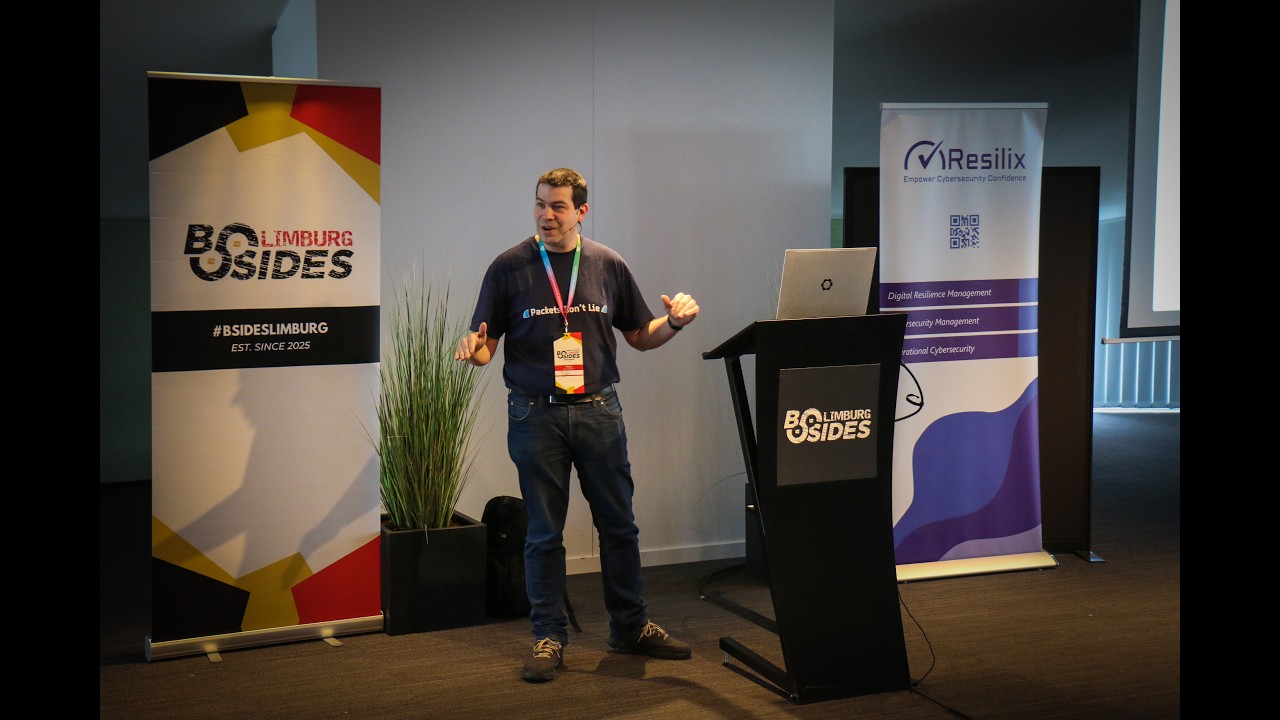
So uh welcome welcome good morning everyone. So uh my name is Telud or Futubio. Uh I currently work uh I just I I I decided to stop the fun stuff at the colleges and and start to work for my money instead of playing around a couple of years ago. Uh but actually I'm still a pentester. I was for 10 years 15 years actually uh researcher in security 10 years out of those 15 years in industrial security very specifically at Gent and Hest and then currently I'm actually a security architect at EU enterprises I have to mention that uh where I actually from the dark side went to the light side and now I have to
defend organizations critical infrastructure wind farms things like that against people like me so that's double fun um so when we talk about IT versus OT. So OT being operational technology, the IND industrial control systems if you talk about that. Um maybe it's a good idea to show you what that is instead of telling you what it is. Uh someone told that as a quote. So let's break some stuff, right? Let's put the demo. It's a real life demo. Let's put it at the beginning so we get it over with. uh the method that I want to use to show you how you can approach and hack and disrupt industrial control systems or OT uh I used the cyber
killchain. So I want to show you not when you are already inside or when you already know some stuff. No, we know nothing. We are connected to the internet. We are an anonymous hacker and we want to disrupt production. So the cyber kill chain I left out some steps of course not everything is equally uh usable today but uh it's more or less like this. So we will start by finding information on the internet reconnaissance or oint then we'll move on to enumeration and attack getting access to the environment then within the network and within the environment we'll do some lateral movement to find out what is there and how it looks like and then we will target some devices. So
um my target for this demonstration is tailwind. It's a fictional wind farm. It's not really it does not exist. I just created it. uh it's a wind energy and waste management uh organization that's also not so extremely important. What is important for the hacker is the URL and that he targets the right companies not the wrong one. It's very important. So we start with the name tail-wind.be just as an example. So with reconnaissance uh we start looking on the internet. We there are a lot of things the famous hackers here of which I see quite a lot here will know that that there are like like hundreds of websites that you can find a very quick one and a very easy
one to find the different websites and web interfaces that exist on the internet is cr.sh SH maybe some of you have heard of that website, right? Most of you have probably heard of HTTPS and most already know that that works with certificates. You have to request those certificates and then receive them to be able to install them. So if you request them, they are known on the internet that you requested them. So the the certificates that you request for certain domain names are public knowledge generally. So this website shows you that. How does that look like? That's the website, right? You just enter any domain name like tail-wint.be of course and then it looks like this.
So we have a list of all the different host names, domain names that have requested certificates in the last months. Um and then we look for since we are targeting more or less the OT IC environment, which of those could be very interesting to target first? Maybe the top one, right? We we see that we have a VPN.tailwind.be E FYI the demo I'm showing you everything real and realistic it's as I have encountered it in real life not in the same company but there's nothing that I invented or that is this cannot be real yes it's real so this is also real using CRT.sh SH to find a hidden website that nobody knows about that we
can target. Let's switch to the real demo now. So we already have that URL. We can visit that. And then we see a quite quite a familiar face. I don't know if you recognize it. That's a login page for the VPN which makes sense since the URL is VPN, right? Uh it even kind of gives away what kind of VPN it is. It is. It's foret. Anyone of you has worked with Forinet before? I assume maybe some. Um the issue of course is we have no credentials. How do we find credentials? Now Foret is a good one because it's quite famous for having some issues with vulnerabilities in the last years. One or two uh uh last month
they released the CVE that I gave them. So there was a CV on on my name. It's not the one I will show you today. Uh but it's also a fun one. This is something else. Um, just to make it more approachable, let's try a very simple uh uh exploit or vulnerability. And the one that I wanted to test for is this one. So, what you see here is a comment, right? It's a just a test. What's the issue? The issue this the vulnerability in foret was that the API at the top you can see the URL. It says API. The API allows unauthenticated access. The only thing you have to change are two headers. The user agent header and the
forwarded header. Very simple. This is a CVE from 2024 25. Still exploited today. Quite a lot. It's pretty bad, right? And of course, if you can access the API, you can more or less do anything because it's an API. It's built to do quite a lot of stuff. Let's test it. If I just press enter, normally it should say unauthorized. It does not say that. It says here I am. These are my users. Uh we have a lot of success. This is the serial number and so on and so on. Okay. Then we move move on to the next part. So I can do quite a lot of stuff. The most common exploits for this
vulnerability is to import SSH keys and stuff like that. I decided to write my own exploit specifically to target the VPN interface. Um so I wrote an exploit. Let me show you. This is the one. Maybe first the information right. So this is one that I have written that specifically installs or adds users to that via that API to the 40igate specifically VPN users. What it actually does as you can see the default username will be this username and then there's the default password. So if I try that out by default it does not do anything. It already reads out a couple of things. It reads for example the existing users that are already part
of that 40 gates like operator and guest and also the existing VPN groups. We can also read that out. So it will not only add a user, it will also add that user to a certain group and it will even guess the group that is used for VPN. Usually it has VPN in the name intelligence. Um so potential VPN group VPN users and it will add Japool. At least if I press Y and then enter and it has now added ZAR tool with that password. Let's try it out. So we have that password here we have the difficult part of the demo typing. We are in great good luck. So we are now connected to the web interface of that
VPN. We can via uh connections and bookmarks do quite some stuff but of course it's a lot more fun if we just use the client which I have conveniently prepared like so collect. So it's connecting to the interface. So if we have a look at what we're connected with. So this is our VPN connection right? We can look at the route table and so on. So next we move. So we already did two things out of the four things of the kill chain very quickly. Um the next phase is lateral movement. We want to look around and see get a feel of what is happening here. So we already have an idea of the remote
network. Actually we have to use it like this. And then we see here that the route that is forwarded is this one. So we already have an ID of the network. Just to focus a little bit let's focus on maybe the first couple of IP addresses like so. So what this comment does is it scans which IP addresses are active in the first 10 IP addresses of that range. Takes about 10 seconds like that. And it also requests the host name as a as one does of course. So we're in luck. Uh we see some devices for example the first one has a a host name with FW at the beginning. So that probably our firewall
but we already hacked the firewall. So what's the fun in that? Then we another one we see PLC. Then EWS, anyone has an idea what an EWS could be, what it could stand for? It's not an early warning system. It's an engineering workstation. It's lingo from industrial control systems. An engineering workstation is a system typically Windows that engineers, so programmers, industrial programmers use with software on it to program PLC's, HMIs, production environments, this engineering workstation. So that's interesting. And there's something called come. Maybe before we even continue for those four hosts, let us let's do a quick port scan. For some reason, the port scan is quicker than the full uh than the IP scan, but
whatever. So, what we see here, let's ignore the firewall. On the PLC, we see two ports open. One of them is 502. 502. That's a common known port. That's Modbus TCP. It could also be 102, for example. That would mean that it's probably a seammens that is using a seven call or this is modus TCP. On the engineering workstation, we have something called VNC. It's also a lot of fun. Let's maybe try that VNC. So VNC, that's an remote administration system that actually takes over the screen without roing out the user that's connected. So you take out you take over the screen remotely as if you are sitting in front of it. It's important. It's used extremely a lot in
industrial systems. Completely unsecure. It has very easy passwords because operators need to enter these passwords in little touch screens on on HMIs and on other on kiosk systems. So passwords of 10 characters. They don't like that. That's not good. PIN codes. That's a lot faster. Uh so let's try it out. We are in bad luck because often VNC has no password at all. In this case, it asks for a password. What's the first password that comes to mind? password or admin or something. So let's try admin for example. And then we see this right. Yay. Good luck. We see uh the control system that's already so this is also called a scala a scala system where we can already see some
things of the production. And if I actually look around a little bit you might also see something else. For example, if I look here, not only is it the Scattera system, it's also the engineering workstation. So, we have access to the control software, the software that is running on the production. We can actually look around, click around and then find the programming software in Lauder or in STL. That's a custom programming software. We can just copy paste it out and we have access to the full software that's running the plant. Right? Again, you might not believe it. realistic example including the Windows XP for the for the younger guys. That's what we had to work with like 20 years. Okay.
Okay. So far so good. We already there. And then we have another fun part that you can see here. Come com. And it has a web interface. Web interface. Let's open up internet. What would be visible on com? It might be a camera system, right? So if we're in luck, we just take over the camera. So we are now seeing the production in action. This is the production of this environment. We're apparently we're somewhere something called the tailwind basement. So we're looking at the basement of our plant. H and we see some chemical mixture going on. We have inputs A and B. And these are valves. This valve is completely open. And we see the speed. So these are mixtures
products that are loaded into the centralized mixture tank. B is also but not so open being mixed in here. Here we have a pressurized tank that is mixing everything. And then we have the the waste of the of the product that is being purged. It was purged like a second ago. Now it's closed in here. And then the resulting product, the one that we want to use is being pushed or uh sent right here to the product one. A very simple production environment. And you can see it has valves that are being connected. So we can open or or close those valves. How can we open and close those valves? We need to connect to that
production environment. Well, it is being controlled by something called a PLC, a programmable logical controller. That's the terminology in industrial control systems. We saw a PLC and we even saw a port open that is designed to be controlled called Modbus TCP. Port 502 for port 502 just like Modbus TCP but also like 95% of every other industrial protocol has no support for encryption, authorization authentication passwords and so on. So we can just talk to it. Just need a client that knows the language. There are hundreds of clients. They have Python and so on. But I I found out just for this demo, there's a modus TCP client in the Windows Store and it's a fun one. So you just go to
the windows store and you look for modbus and you find the mod bus TCP tool which is this one like that and on the left side you can even create a server on the left uh on the left left sides and on the right side we can we are the client so we can connect to the PLC. If I enter the IP address of the PLC port is okay connect we are connected we can read out for example what the PLC is reading. So we see different values. So these are the values that are being read by the PRC via input registers. It's called we can even make it larger like this or refresh a little bit. So
that's already quite some fun. Of course we can also start to disrupt a little bit. We can do something with this. Instead of the input registers, we work with coils. Coils are like variables inside a program and we can set we can read those variables. That's what I did now. that we can also change those variables. Since I have looked at the source program because I saw the engineering workstation, I know that if I set for example number 40 to one, then this infects this actually uh opens this valve meaning that everything is purged and we see that the pressure is going down. It keeps purging. If I don't do anything right now, the vessel will
empty out and production will stop. Of course, that's not really disruption because if they just reboot the entire system, then it turns back to normal. So, I want to do it a little bit worse. So, I will disable this again. If I do that, it will go back up. As you can see right now, it's it resumes its normal operations where the PC is controlling inputs and outputs. So, by just shutting it down and on again, it's fixed. I'm I'm a bad hacker. I want to disrupt it permanently forever, right? So how can we do that? Well, there's one thing that we have not yet looked at on the PLC. For some reason, there's also a
web interface also that is very common PLC's with web interfaces. So let's have a look at that PLC.
I have to type it. Oh, we're in luck. No authentication as PLC's often have. no authentication in this in this this off chance it's an open PSC but doesn't really matter that much you already see very quickly the run and stop buttons but if I click on stop then the production will stop yes but they can click on run and it will start again that's not fun we want to disrupt it what can we do we can take the code the programming code that we found from the engineering workstation and tweak it a little bit it's it's an ST file you can just open that in notepad for example or Notepad++ So I altered one line of code.
I altered that code and apparently I can just change it via the web interface. So I have my default one but I also have attack. Let's pick attack uploaded. So it's now being compiled on the PLC and then it will be loaded in memory compiled without errors luckily. And then what this in fact does is it disables all safeties because this kind of environments have a lot of safeties. It disables the safeties and it allows the pressure to rise without any safety measures present. And if you keep this up for long enough, you will notice that something gets disrupted so badly that it will be very hard to fix that again, which currently has happened. So turning
it off and on again does not always work because here it would not be so uh so likely. So that's a realistic demo on how you can attach and attack these things. Of course, the last part I don't do in production. Everything else kind of of course always bit going back and forth to the operators and so on. Right? So you might have already identified some very important differences by just looking at the demo between IT and OT. Right? The main there's another OT talk today. So I'm pretty sure that whatever I say now especially on on the difference between IT and OT will be there as well. Uh but some some focus points on IT versus OT. Well the focus
in OT in industrial security or industrial control systems is availability. You know you might remember from your classes the CIA triangle confidentiality integrity availability and confidentiality is important in IT. It's upside down in OT. Availability is everything. It's not that availability is at the top and then right after that integrity and right after that's uh confidentiality. No, it's availability is 90% and then like all the way down maybe we look at confidentiality and maybe you look at integrity, right? That's that's OT. Availability is everything. That means uptime is important because uptime means you are making money. If something goes down for 5 seconds or for a day, you lose a lot of money. Could be millions
if your company is big enough. But it is your production right? So this should not go down. This means this has quite a lot of impact. The fact that uptime is so important that means that patching is extremely difficult to do in OT. Right? If you do it it means reboot which means downtime and even certain productions are running 24/7 weeks years at a time. Sometimes if you are in luck there is a maintenance window where you maybe can do something but it's always in the weekends and IT guys don't like that in the weekends right so no or very few patched systems so all the vulnerabilities you remember from the old days they're back
uptime is important that means your protocols your systems need to be reliable no installing the newest Windows 11 with everything on it because that's not has that has not been proven yet as being a reli reliable system you want to use proven systems, older systems. So, older environments across the board, PLC's are old, the systems are old, the cables are old, the switches are old. Uh, it is a complete luxury in OT to have a gigabit switch. If you buy a new switch and as big experience, we buy new switches to put in wind farms. The default is 100 megabits, but we're in luck. It's not hubs, it's switches. Antivirus and firewalls should be disabled. the vendors, the large
vendors, the SIMs of the world and so on, they sometimes recommend if you install our software on your systems, please disable firewalls because the firewalls might intervene with your communication when with your visibility and with our software. Another vendor, Click PLC, they they recommend to disable your antivirus. So, they are mostly absent in OT, right? Passwords. passwords are slowing down your environment because you have to enter them in small windows or you have to enter something. I know of companies that have a full production, a warehouse system for example, where every employee that is working in the production has its username is four characters, a pin, and the password is also four characters, a pin. It's very
easy to brute force. The the first thing I did was to try out if the password and the username might be the same sometimes because people are people. You guessed it, more often yes than no, of course, right? Encryption. Oh, let's not go. Let's not go not go there, right? That's modern, risky. It's not in OT. So, how can we fix this? Because I just draw a very bad picture on OT and it is bad. But there are fixes. There are things we can do. The problem is that the fixes are different than in it mostly because you just saw the environment. Will an antivirus solve anything? We on the Windows XP. We did not really do anything that would
trigger an antivirus given that you get an antivirus on Windows XP even. So on the PLC the PLC has on general 512 kilobytes of RAM. You're not going to put an antivirus on that for example. So the the the normal things are very hard to to to fix. So let's walk it walk through all the four stages fairly quickly. So for example for reconnaissance osent um there's a slide with a lot of information but what I would say is do it yourself right find for your own company for your own organization do it yourself go to Google to crt.sh SH go to all the other pages that are all listed or on there go to
show type in your own company name and see what is on there right or hire companies that do it for you it's also possible but there are a lot of things where you can find stuff of course right and then the second one enumeration attack that was me and mopping around on the environment and and finding lateral movement doing finding information on the network so I was scanning actively scanning the network at that point that's something that it's more or less easy to do and for me that is the game changer for defending OT because my role at my current company is to defend critical infrastructure what I even created an industrial sock an OT sock
for that what makes it an OT sock for me is the solution to this is network monitoring is centralized logging as it says here but is network monitoring which uh which I have slides on later okay so monitoring the additions of loss of network packets and so on. More on that later. And then of course the the command and control so three and four. So finding out what is happening there. Um so here we see the network monitoring actually. So uh intrusion detection systems is different way of of calling that uh of naming that network monitoring. Right? This what this actually does is it reads out the network. It looks at every packet that is passing by on the network and it
looks at new stuff that is happening. So it creates a baseline in normal production what is happening. So for example the variables on that PLC it's always the same. It's a cyclic routine. You load data from the input vessels you mix them and then you send them out to the output vessels for example output stacks. Right? So it's kind of it's not kind of cyclic it's exactly cyclic right. Okay. Um so it's a cyclic environment. So that makes and that combined with the fact that every protocol is not encrypted so completely open that makes it an easier target for this kind of network monitoring. I will make it a bit more visible. Let's say that this is the
network. It's a network drawing for one of our customers what of course anonymized anonymized. So let's say that this is our network. What can we do to protect it without interrupting anything? That's also very important. you don't want ah uh I need to install a network monitoring device. Let's unplug this cable and plug it in a network monitoring device. That's not good. That that causes downtime disruptions and that's of course not so good even if it's a maintenance. What you can do is for example on that OT core switch that you see right here where 80% of all the traffic passes anyway for example from the firewall that OT core switch has an option called port mirroring. Port
mirroring that's what the switch does. It mirrors, it makes a copy of every packet and it sends it out to a new device, a network monitoring device or network tab. This has no impact on your production. Even more, this line is read only. It's not full duplex. It's single duplex. It goes in one way. It has it has even no option here. Here it's hardwired to not add any packets into your production to not increase any risks. But what you do get is the full overview of everything that is going on in the production. And it looks like this. This is actually a screenshot of the software it was actually running while I was doing my demo on the VMs
that I have here. And these are the assets list of the list of devices that it has seen. This is a list of all the variables. Can actually zoom in a little bit. This is a list of all the variables that it has found that it has seen on the network. I can even go a little bit further and even click on one single variable and you can see through time what that variable has done. It looks like this. This what you see here is the baseline. And if some hacker disrupts this then this baseline this line will do something. It will just go to zero or go to maximum or start going up. It will do something that is not in
the baseline. Network monitoring will see that and will create alerts. for example, an alert that a new device has been seen, an IP address that has never been seen before and that you do not expect on a Saturday afternoon, for example. That's what this says. Um, a network scan has been seen. It has seen that one single IP address has quickly tried to contact 254 different IP addresses. That's a network scan. And it has seen that because it's on the network. It's kind of and it's not normal behavior for any IP address. Normally, it has seen new OT variables. So someone is sending data over the network instead of reading it is writing something. It's a new variable. It has
found it. These are all different alerts, new function codes and so on. And then we feed those data together with other loss into our sock. This is a screenshot from our sock where you for example see the data from the one that's in the in the square box right now from our network monitoring tool. So we see the alerts right there combined with loss and that's the other square box that just has been added. That's this one combined with loss for example from our firewalls because we exploited the firewall. And the fix for exploiting the firewall is simple updates. But what if the next vulnerability does not have a fix yet? It's a so-called zero day can
happen. So what we decided to do is of course to update everything. What we also decided to look for something called indicators of compromise. Indicators that something has gone wrong. For example, every malicious or the most malicious hackers that compromise a firewall or a switch or something or a website, what they do is they add a user, some user support or help desk and then they sell those credentials to others seeing that that user is being added. That is something that you can monitor for. That's called an indicator of compromise. We do that. So every log file from every firewall of our customers, we take into our sock. That's what you see here. And then we
see in the monitoring that a system admin has been added with this name has been done in the context of that user and it's being done from that IP address. This is an internal IP address. So it could be a false positive. That's also why it's only a medium. Uh if that IP address is a public IP address that means that someone from the internet has added a user on your firewall then it's a critical issue. Then we jump on it of course. And that's more or less what I have for the offensive parts and for the defensive parts. Uh and uh I have 30 seconds for questions apparently. So thank you
Related talks
 59:52
59:52 22:50
22:50 53:01
53:01 38:01
38:01 29:29
29:29 46:19
46:19