Extended threat: how your browser betrays you - John Tuckner
Show original YouTube description
Show transcript [en]
All right, thanks folks and I appreciate you attending this instead of ice cream. So, uh I know where I rank. That's a big vote of confidence. Um so what I'm going to be talking about is extended threat, how your browser betrays you and it's a discussion on browser extensions. Um a little bit about me. So, I have a deep interest in helping security teams of all shapes and sizes. I've been uh working at MSSP before. I've done a lot of security automation in the past, but really my focus is just bringing solutions to as many people as possible. Uh big I'm a big foodie. I love baseball and I've just launched a tool recently to help teams manage browser extensions.
So, hence the talk. Um, if you're not familiar with what browser extensions are, they are these hidden little apps that you install into your browser that extend functionality and they are hidden in this little puzzle piece icon at the top right of your browser. They're incredibly easy to install. It's just a couple clicks from the Chrome Web Store, uh, Edge, Firefox, all these web stores have, uh, browser extension functionality. And really all that they are are just little pieces of JavaScript programs with access to information that the browser gives it through APIs and other functionality. Um, these browser extensions update automatically. So you always have the latest code that uh the developer wants you to be running. The
extensions call back to the the web stores and they're just like is there a new version? if there is uh the new versions pushed out and yeah as I mentioned just generally available in in stores but you can also sideloadad extensions you can have a developer version loaded in um all that's really flexible and what but why do browser extensions really matter and um to me what the like core piece is is that browsers cannot be everything to everybody so you can't have all the functionality for every website that you want to work with. Uh and so developers have started creating browser extensions to extend things like Salesforce, HubSpot, ChatgBT, all these other sorts of things. Um but but also
like work now happens outside of the usual security boundaries, the traditional security boundaries. So when you used to be able to uh stop an attack at the firewall or through web proxies when we were all in an office now all this work happens decentralized at somebody's house and generally through identity and access through octa or SSO and so okay one we lose the traditional tools like firewalls and proxies and now we just depend on EDR are. And so we have these tools like Crowd Strike and uh all the other endpoint monitoring that we have uh baked into these things, but and and we take that for granted that they're going to detect these these types of attacks
with like browser extensions or anything that happens in the browser, but they aren't endpoint EDR tools aren't managing what's going in the browser uh specifically. And I think a big trend across the industry or cross thread actors has been a focus on info steelers and session hijacking because it bypasses modern ways of accessing tools. So where you used to have like an allow listed IP that's not possible anymore when you're working from home. So being able to capture your session through octa, GitHub, anything like that, uh it's really hard to track. these SAS vendors don't provide a lot of really great logging to say where this uh authentication session came from. And so if a cookie or another piece of
authentication material gets captured, you don't really understand how it did or where it gets replayed from. Uh that attacker just has access to these uh this valuable information. Now so uh couple things about like issues with browser extensions. So extensions are maintained by so many different types of developers. While you want to believe that each extension is maintained by a real company and uh is is very reputable, a lot of it's just hobbyist type um development and people working on things as a side project who are often blown away when their uh side project ends up taking off and gets hundreds of millions of us or hundreds of thousands of users. There's also no notifications when
updates occur. So, like I said, these updates just happen passively in the background. But when you think about it from an organization or a company standpoint, uh you as an admin don't understand when this update has been uh has has been pushed out to all of your browsers. And so, you know, all of your like change control processes or your understanding of like what software that you're actually running that just happens silently in the background. Right now, management of extensions in a company is not really easy. So, you can use things like Chrome Enterprise Core, uh, a couple other tools, but really being able to allow list, block list, anything like that is, uh, there's very few tools out there to
really help admins do this effectively. And there's little transparency into how extensions actually work. So you don't ever see the code. You just kind of go off of what it claims to do in the Chrome web store in any web store. And you assume that it's going to actually carry out that purpose, but it has really sensitive access to a lot of things. And I think what it all boils down to is these extension stores are ran for consumers, uh, not enterprises or real organizations. So what might be okay or what might fly for a consumer, any general individual, uh it doesn't actually work for an enterprise organization that has different controls on their data. And uh as proof, here's a couple
news articles that go back to 2014. So browser extensions are nothing new. They've been out for uh I don't know, 12 years now at least. and they've been they've taken a a a bunch of different versions and flavors of uh types of attacks, but they're all wide ranging of like, you know, uh extensions being sold to other users, a new user taking it over, pushing malware, uh all the way to North Korea creating tradecraft and like starting to target South Korean developers using browser extensions, right? So the we have the full gambit here of just run-of-the-mill attacks to a nation state uh actively producing attacks using browser extensions. Um how browser extensions work in essence is they request
permissions. So a browser extension by default does not have access to anything really in your browser. Uh when you install it you have to allow it permissions, right? And permissions look like this. Tabs, tabs is one of the permissions. And when you look at like Google documentation, uh when you use the tabs API, you just interact with a browser tab, right? So just I I have a thousand of them. Uh you would think that like this API just allows you to create, modify, or rearrange tabs, right? That this is the the specific definition by Google, but it can also take screenshots of the active tab. So that's not exactly like listed there. That's not really
apparent to any user and only when you get deep down into the documentation do you find that like this is a capability when you install an extension. This is basically all that you get. And so they try and merge this consumer view of what a extension permission looks like and give that to users. and you say it says something like can read and change data all your data on all websites. Now, it sounds pretty scary to me, and I think it is, but in order for this extension to work, it needs this permission. And so, I really want to use Ghost Stre. And so, I'm just going to like hit that add extension button. No problem. Right now,
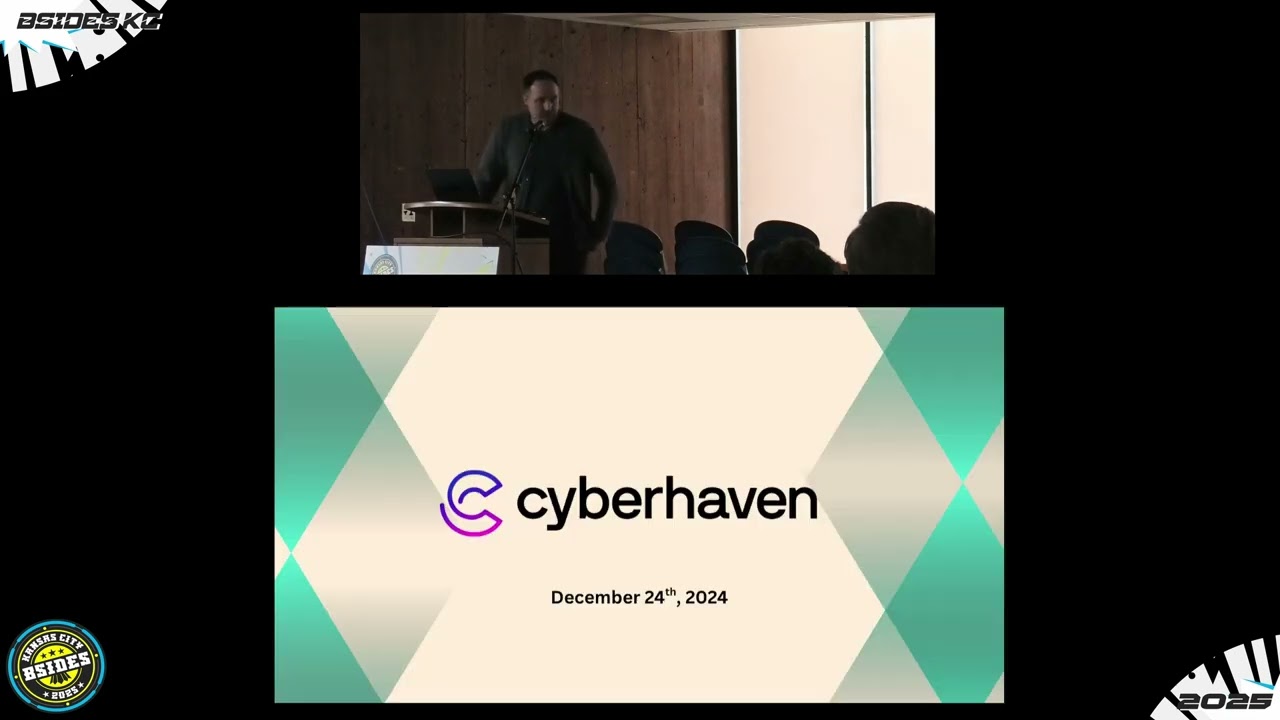
this is a very broad permission and it can interact with just all data now. And so if ghost were to ever be taken over that is like a transitive property or you know hacked or anything like that that goes on to all the other uh code that exists those those permissions I've now provided ghost in in uh to be able to do that. So what do we get with that? we get some uh an attack that was kind of kicked or like uh the the public awareness was known by a disclosure from a company called Cyber Haven. Um that and it started like their disclosure their attack started on Christmas Eve. So very opportunistic. They knew everybody was
going to be not be working uh that day. And this is kind of my origin story for like getting involved with it. Uh I did a lot of research into this particular case. Um but it all kicked off when I was at Half of Half down uh off I35. I don't know if anybody knows what that is, but it's just a discount score store. And I get this message from a friend. He's like, "Sorry to bug you if you're still on holiday. Mind you, this is two days later on the 26th. Um he wanted to find if I had historical versions of a uh extension." And so he wanted to look for version 2410.4 and uh no more information about
it. That was the ex uh that's the extension ID of Cyber Haven. And what I hadn't known at the time, this just kicked off my Spidey sense, but what uh I hadn't known at the time was that Cyber Haven was starting to notify some of their customers saying that one of their developers was compromised and a malicious version of the extension has been pushed out. So what's really interesting here is that he's he's obviously a customer. He uh he didn't have access to this version of code, right? So when you push push a new version of code to the Chrome web store, the historical versions get removed and are no longer there. And so he couldn't even do a
forensic artifact. They had already pushed out a couple new versions removing the malicious code. and he couldn't really do IR or any incident response to know how significant his impact was at his company. So he needed to get the previous version and luckily I had it. But uh going back to how how this attack happened. So there were around like 20 22 uh extensions where developers were being targeted with these fishing emails saying it was a notice from the Chrome web store. This is fake, but um it says you have irrelevant keywords in your product. Uh you must fix this now or else you're going to your extension is going to be removed from the Chrome Web Store. Well,
so CyberHaven is a security DLP company. Their their entire company works off of a browser extension. And so if their extension were to be removed from the Chrome web store, their company is basically just like not functional for for that time period. So obviously the urgency here is, you know, at at its highest. And you can imagine a developer just clicking in and well the link in here sends you to an OOTH consent form with fishing uh that that's trying to fish for a specific permission to edit, update or publish Chrome Web Store extensions. And so when you hit continue, you basically give permission to privacy policy extension uh which was the attacker in order to update and
control the extension in the Chrome web store. So with that um the attackers had already kind of profiled the type of extension that they wanted to attack and target with these fishing emails and they were able to push out a new version of the code which since Cyberhaven already provided the ability to access and uh interact with cookies on all websites. They knew that they could just insert this line of code to get all cookies for a domain and then start exfiltrating those out of an organization. So, not only was it this like supply chain through a security vendor that did DLP and would have access to sensitive data, but it also uh you know kind of transfers out to all
of their customers. So just with Cyber Haven alone, 400,000 people had this extension updated and started grabbing cookies for any domain as defined by N. So really nasty attack. Um the the total compromise stats is that like in this attack there were 20 extensions successfully taken over, even more targeted that were just unsuccessful developers saying, "Hey, I got this fishing email. I deleted it, but this is really fishy. Um, in total, almost a million and a half users impacted with this. And what's really crazy is there's a a very early indication or very early code pattern that I found that dates back to May 31st of 2024. So this code has had existed in the Chrome web store maybe in
very specific cases but nobody really knew to go in analyze it understand what it's doing until CyberHaven uh put out their notice uh around like Christmas time and what's even more scary is that there was there had been removals of other extensions with this code pattern uh from the Chrome web store September 29th 2024. So somewhere along the line, Google had identified that this was malicious code, had taken it off the Chrome web store, but that signature or that pattern didn't necessarily like cascade down. Even more telling, uh, even after Cyber Haven had a notification out, everybody was doing IR on this, there were more extensions that were updated with malicious code. There was more fishing attacks that were
successful. six days after Cyber Haven went public. So that signature like I wrote a signature detecting this this code pattern, this malicious behavior and then more extensions kept getting compromised and updated through the Chrome web store um as they kind of went along. So, uh, kind of goes to show that there's a gap year in like the these massive providers of these web stores being able to keep everybody safe. Um, and I'm just going to give like a little demo of about what this uh what the Cyber Haven extension would do. So, um, if you've never seen like a malicious browser extension, this is about as bad as it gets. And like mine isn't in the
Chrome Web Store. It's just developed locally, but the same code patterns and same ideas um are completely valid here. So, um what I'm going to do is I'm going to turn on evil extension. And what this extension does is it looks for my browsing activity, takes screenshots of the pages that I'm visiting, and then it also grabs my cookies and sends them off to a thirdparty server. I'm just running it locally, but I could host this wherever I really wanted to. Um, and through this what I'm going to do is I'm going to sign into GitHub. I'm going to log into uh GitHub with a pass key. So about as fishing resistant top tier authentication technology that we have
today and I'm going to go to the source code the you know crown jewels of my organization GitHub and start accessing that. Well, so what the browser extension is doing in the background is it's taking screenshots of everything I'm going to and it's watching uh I I went to the crown jewels the source code, right? But that's not all because I'm also taking cookies from my authentication session. And if I go to GitHub in this private browser, uh, ironically, I'm going to use an extension to replay my cookies, but I'll import them. If I just refresh my page, now I'm me, right? So, these identity attacks are really nasty. I don't know where you go
to GitHub to look for this log or whatever. it, you know, maybe it comes from a different IP and and all that, but the the point here is that with uh all these uh all these tools and all these very sensitive things, if you have a browser extension just watching in the background, it can start dumping these C these sessions for everything that you're going to Xfill them off. And depending on if the uh tool or the provider has like restrictions on this uh this session replay then you know that that that's really what it comes down to in preventing this attack. So super nasty and and then that's what essentially Cyber Haven was uh was doing
minus the screenshot piece.
Um, I alluded to this a little earlier and we saw the news article, but ownership transfers are a big deal with the Chrome Web Store or just any of the extension stores uh as well. So, you know, again, being very focused on uh developers and like consumers and being able to get solutions out to people, the web stores are very much incentivized to have as many extensions as possible and maintain a large ecosystem. And I think that really like lays into how ownership transfers work and being able to like transfer a extension from one person to another. Um, what I'll just say is like, you know, there are even websites up right now that allow you to buy and sell
extensions. So, this is ExtensionHub. Uh, I I've seen that the going rate for an extension is about $1 for every four monthly active users. So, if you, you know, have uh 400,000 users, you can buy an extension for $100,000. And or like that's that's about the the rate. Um, these extensions come in all different shapes and sizes, but they all have these permissions that are already allowed by the users, right? And so I I thought to myself, well, what if I just bought one of these extensions and what if I wanted to like push malware out to people? Like, could I actually do that? And how easy would it be? I I I've obviously seen that it's
possible through like uh other research and news articles, but like it has to be much harder than than it seems, right? Um, so I emailed one of the developers. I couldn't find a way to even buy it through ExtensionHub. And so I just emailed somebody directly. I said, you know, after some back and forth, uh, trying to pay $50 for the extension. It only had like five users or so. Uh, she it ended up that they just gave it to me for free. So really what this all like kind of comes to is I paid $5 for a developer account in Google and then ask somebody if they would give me their extension which is already approved
already has permissions justified to Google. They've already like gone through a lot of trouble to get their extension published and then they just handed it over to me for nothing. And so what did I do? Well, I used their existing permissions and I set up a like a traffic manipulation rule and so whenever my friend went to secure.com I would redirect them to uh a Rick roll, right? And so like I was able to do this overnight and I said, "Hey, the new version's live. Go to my website and see what you find." And so he got Rick rolled. Um so yeah, absolutely effective. This maybe took a week and a half of work, $5. Um, and yeah, I had my
own extension. Now, you think like maybe this isn't really that malicious or that bad or anything like that, but this is a example. While I was doing my own like extension purchase, I was looking at the other extensions that were on extension hub and I was tracking this one too because I had 400,000 users and it was for sale for $100,000. And somehow the person that purchased this extension posted on Twitter and said that they took out a loan in order to buy the extension, which was pretty wild. Um, but you have to imagine now this person needs to make that money back based on this extension. It's an ad blocker. Like that's great, but you can imagine that
an ad blocker has a lot of really sensitive access to uh somebody's browsing history. And what ended up happening is only like 30 days after he acquired the extension, he started putting in like a tracker and it hasn't gone like full bad yet, but you know, if you were to use this ad blocker, uh, all of your browsing history is basically being sent to him and he's probably selling it to an adtech company and, you know, it it has the possibility of getting a lot worse really quickly. Um, and and this is just kind of how it like ends up going when a browser is when an extension is sold. So there's a lot of extensions that are open source
tools that have an open source version but also are published to the Chrome web store. And so I found this uh example of somebody that has an open- source browser extension who ended up selling it and then their users started noticing malicious behavior tried to contact the developer. He said, "I sold it a long time ago. Sorry, closed. Completed." Right? So not a lot of empathy there. Users are really out on their own. And then there's a stark difference between what is shown on the in like GitHub if you have a open- source extension, what's actually on the Chrome Web Store. Um there's also an issue of of like the visibility of extensions. So there's
three primary ways that you can see extensions in the Chrome Web Store. There's public, unlisted, and shared. And so public obviously you can find them. they're accessible to everybody. Uh there's also unlisted, so they're not indexed by a search engine and they're not searchable by in like the Chrome web store and then they're shared. So you would be able to share access to one specific individual user. But attackers have started setting extensions as unlisted and started to target individuals to install this specific extension, which generally is fishing or something like that. But it makes it really hard for IR teams to be able to find that extension and be able to say, "Okay, like they have this one
installed." Uh, you have to know like the specific ID in order to access the page. Um, and and so knowing this, uh, I was working with a a customer of mine and how my tool works is it will monitor for changes in extensions, but you have to give me a list of IDs. A couple of them stuck out as weird because they were featured. So they're like um they have a different status in Google saying this is a featured extension. So like a a a gold star or like a a rubber stamp saying this is a good extension, but they were also hidden. So they were not visible to a a general search. And then they had like
hundreds of thousands of users. So something didn't add up there. And digging through it all, uh, I ended up finding 58 extensions with 6 million total installs by users with similar code patterns that all were tracking, uh, tracking users, but they weren't visible in the Chrome Web Store. So, how does the extension get that many users when nobody can actually find it, right? This is an example of how what that looks like. So, if you were to go search for this ID or search for the name, you would get no search results. But if you go view the extension um by URL that you can kind of piece together knowing the uh knowing the ID, you can see the
extension has 100,000 users, good rating uh add to Chrome right now. So it it is alive and it is available just you can't uh find it by search. Well, maybe you've seen some of these before, but how these were actually being delivered were through malicious advertisements. So, this is from Google ad transparency. And this same company that is promoting sports bras is also trying to get people to install extensions to protect online searches. Right? So this is how these extensions get delivered ultimately is that through advertisements they will get somebody will get a user to install these extensions thinking that they'll be more secure but really they're just tracking the behavior uh that these users are
going through and you can imagine like this is capturing internal URLs that they're accessing through SSO or anything like that and all of this is being exfiltrated out But uh let me give you some like actual strategies for working with brow browser extensions. So there's three main uh paths that you can take. Allow all. Congrats. Most people are doing that right now. Uh if you have never thought about this before. Um you can block all which you know you can have like a small allow list and prevent anybody from loading all extensions. Usually you'll need to do this through Chrome Enterprise Core or group policy. Um and then you can also do block and approve. So you can have your block
list, you can have your uh small allow list and then you know again through these tools you'll have to think through like how do people request new extensions as you go along. Uh sometimes that isn't enough though because like how do you actually know you know I I have a number of examples of how these extensions can be malicious deep down. Uh how do you actually know what the extension that it purports to say that it does is actually doing that underneath. Um well there there's some enrichment tools out there like spin.ai and Google provides one uh built into their their browser management. Um I I'll just kind of like leave this up to a guessing game
uh in one way or another. But um you we have this piece of enrichment that says this has 10 million users. It's a 50 out of 100. Uh, it's been updated pretty recently, has been in the Chrome web store for quite a long time, has decent reviews, has over 30,000 reviews, u, but it's 50 out of 100. Now, I don't necessarily know what 50 out of 100 means. It's obviously improved over since the past version, but I don't know like what that how am I supposed to discern like what that actually means or and you know, should I allow this in my organization? Well, this extension is actually Ublock origin and you know if you were to ask
me this is probably one of the most trusted extensions out there, right? So these enrichment tools that are just providing a number or just providing surface level detail about what these extensions do, they're really hard to help users analysts come to a real conclusion on if they're if this browser extension should be allowed in their organization. Maybe block origin does ask for a lot of permissions, a lot of sensitive permissions to all browsing data and um you know it wouldn't take that for granted. It could be compromised but um you know it it tries to follow as many best practices as possible and kind of this is the most installed extension in the in the Chrome
web store. So because of that uh I ended up building secure annex and so it's free to use just sign up tool that provides immediate code and behavior analysis powered by AI uh picks out all the URLs of the in the extension and begins to enrich those and say all right across all the web store which extensions are using these URLs or what piece of code is going out and contacting these URLs to potentially xfill data. Um, I'm alerting people on meaningful changes such as ownership, visibility, permissions, and I'm also giving tools for hunting. So, you'll be able to find like large groups of related extensions and be able if if that if one extension
does not give you cause for concern, uh, you'll be able to see maybe, you know, this suspicious indicator, I want to search the rest of the Chrome Web Store and see is it related to any other suspicious suspicious extensions that exist. So, I'll just get into that real quick of what it looks like. So, you'll be able to come in here. You'll uh search a extension. Uh there there might be a verdict that applies to it. You'll be able to see if it's still active in the Chrome Web Store. So, you'll be able to see the history. Um you'll see all the other versions. You'll be able to download it so you don't have to like
install it yourself and in order to analyze it. And then there's a bunch of tools down here that there's a AI analysis that says okay this proxy tool is remove is removing the content security policy headers for all traffic. So this would be able to strip a lot of protections that web servers would give a user and now this extension can start injecting code uh through the proxy in order to I don't know perform malicious clicks or uh other things like that. There's manifest ratings, URLs, and then it also does a code review. So, you're able to like look deep down into the code or at least provide some uh direction on where you should go look if
you were to perform perform your own assessment. So, not only is there a highle summary of what is going on in the extension, but you'll also be able to see that this is modifying headers and setting the value to nothing. Um, and you know, beyond that, you can also begin browsing through the extension files. So, you don't have to download it yourself. You can start analyzing the extension if you really want to. There's also these pivoting uh opportunities. So, you'll be able to see like this perm hash. Uh, this is a hash of the permissions requested by the extension. And this is uh developed by Mandant as a way of like threat hunting extensions. But you'll be able to query
uh across all of the Chrome web store and see are there any other extensions that match this permash. And I was able to find ThunderfreeVPN for Chrome. Uh hilariously it gets updated on the same day even though it has different owners and bunch of other different things, different versions. Um, but when you get into it, this extension ends up doing the exact same thing as the other as the uh FVP one, removing modifying headers, removing content security policy, and setting a default free uh setting people to a default free proxy. Um, one one thing you should know is that free VPNs in the extension store are not actually free by any means. Um, another thing that I'll just
touch on really quickly is uh this ability to watch for extension changes. So, I I give everybody the ability to monitor two free extensions and you can set up um a a watch of a browser extension that you have in the Chrome Web Store and will alert on events like ownership changes if a verdict was applied uh if a new version came out. If a if it gets removed from the Chrome Web Store, sometimes those like a extension getting removed from the Chrome Web Store does not cascade down to users uh immediately. So you'll want to know if extension was pulled and then manifest changes if a extension starts requesting new permissions of the user if the
manifest changes uh significantly.
So just to wrap everything up, I think that browser extensions are a really overlooked part of security right now and poses significant risk to uh user identity authentication and how the world is kind of shifted to be able to trust uh based on identity. But, you know, these session tokens once they're grabbed uh through the through a protected browser, it can bypass things like pass keys, 2FA, uh all sorts of stuff. Um most organizations lack the tools in order to like really understand a browser extension or be able to evaluate one at scale. So, hope I'm hoping that my tool will provide the ability in order for teams to do that. And I think the only way that we'll
actually like kind of deal with this problem is through proactive analysis. It's not just like I looked at this extension one day and I was able to say that it was good or bad. But over time the extension uh through its life cycle changes significantly and one day it could be fine and the next day it might not be. So definitely something to watch out for. Um this is my contact information if you need uh try to make the QR code as big as possible. Uh, but that'll take you to the website and yeah, I appreciate you all um listening to me. Cheers.
Related talks
 44:04
44:04 25:08
25:08 44:41
44:41 28:25
28:25 8:00:21
 28:33
28:33