Joseph Cohen Security BSides Boston 2013 - Bluecat Netcat For Bluetooth
Show transcript [en]
what's going on okay um so I'm going to talk about blue cat today who's heard of blue cat before today yeah awesome okay um so this is a a project inspired by netcat so everyone knows netcat right so hopefully this will be an equivalent in reputation someday to so conf let's talk about what we're going to be talking about okay so what's significant with net C right what is it what are we really talking about right we're talking about sockets but not these sockets right we're talking about sockets wait wait no not those sockets these socket no no no no no so I was looking for pictures of sockets and I found this one um and it's a lot like uh into position
right like that's you guys you guys remember these I recently found out that in the old days you actually like pluged your devices into your light sockets to start when before we had WJ this is a early Innovation okay so one thing that people do on the internet right is look at pictures of cats do right so what can this be really be reduced to right when you play a cat video right we're talking about stream so every like data source is going to ruce this on stream right um theoretically this is this is true you can turn everything that ever exists on computers into a stream of zeros and ones right in some fashion right and
they're awesome that's like amazing abstraction right both like in practice and theoretically um so to achieve this cap business right we'll uh we'll take some video stream and we'll well we'll take some video file and we'll stream it to some appli right that's going to uh run so I mean some applications access files differently but for the most part let's just think about things where you can turn stuff into streams like videos and uh and run them with simp play right so when you're doing it locally you you just a straight a straight shot right I mean there's a lot of stuff in between but it's pretty much there's not a lot of complication um when you do it over
the Internet uh you can it adds a little bit of abstraction but this is this is kind of solved with net cat right you can just take this socket which encapsulates the stream and just shove it over a that cat sock so um with this tool blue cat we can do the same thing really easily with um with Bluetooth using blue cat so each side is using blue cat and then can kind of bridge the Bluetooth divide U well doing something like a script right so I mean you can do all this stuff programmatically but coding with Bluetooth is a real pain like uh who's written a bluetooth application nobody okay U so now you can
just write a script and achieve this Wireless coolness whatever this Wireless you want to manage something wirelessly it's easy you don't have to like learn a Bluetooth stack and then make sure everything works and debug all this stuff um so one one big piece in this is is how the stack how how this program's going to Blade out which I'll go over uh in a minute but it's it's really designed to work on everything so you can kind of use it so so I've gotten this to run on a Raspberry crop pie and then a Chromebook with a buntu and then Mac I haven't tried Windows it probably works on Windows all the software that
I'm using supports Windows but I just I haven't tried um so it should run on like pretty much every platform that that people pick of like symian cell phones even support this stuff but you'd never really have a command line access to that but um this library that I'm using underneath uh the code this whole thing supports like everything all right so we can typically kind of use uh a stream uh with this kind of method in a in a script right so you cat some file and it's going to give you some stream right and you can just direct that stream anywhere right if you cat a big movie uh it's going to look horrendous
on the console right um but you can pipe it things pipe it some other place like to a file right or um directly to VC right let's say we don't have this internet divide here right you can just C this thing into VC telling it to read from standard in play the video so uh we can we can kind of bridge the gap of the internet One Way um and we also want to have a equivalent method with BL right so how does this look like we net cat right so we um cat something so think of this is as like between these spots right so we net cap to some machine name on some port and then the thing that
we're going to was listen on some for in stream exits right um okay so um screenshots that so with blue cat um we uh specify some URL and then a mon here or you just call Uri or whatever anything so it's it's a protocol Mac address and channel right and that's going to that's going to go to Blue cat listening on some of their stuff so this kind of mimics the way You' use for these things right um some problems with like available channels like if someone's hogging a channel um you can't like by default it will like when you when you start listening you say I want to listen on channel four it'll just listen on channel five if
four is already in use and it it just does this automatically um but there are ways to to deal with that so you kind of this similar scheme similar use cases to neat so the learning curve is just identical to the clor all right let's go put a a PR so if you run it you get a nice text capat uh and it's going to list all the things that you can do so let me go over these things um one one other kind of component that that netcat is missing right and an end map fills that Gap right is just to look at what's what points are open on something right so you guys have all
seen this output um end map running and we have a port number protocol um and is open and some identifier to say what it is right um so we are two ports open on this now um for for blue cat that's kind of like a two tier system of Discovery um because it's easy to just connect with things but it's way more useful if you know what can be connected to so that's why this stuff's built in so the first step is just scanning for devices around you so here we have three devices uh that this thing found right I did that using like the service Discovery protocol for Bluetooth but the command line for this you just blat devices and
it's going to search around you for all the devices that are in your proximity right so it's the same stuff that you'll see in the Bluetooth connection managers depending on how open uh your laptop is right so this will display uh anything that's that's listed as visible right so uh it's going to show you a time stamp right um this actually some old output so now now it was a time stamp and then the mac and the name uh then we have whether we're connected and whether the connection is encrypted right so so trusted is going to be if you're paired right um so one one big stem from this whole one big uh angle of
this talk is it's not there's no really big there's no real big problem with Bluetooth it's really just how you can use it better um unless you're paired with something you really don't have a security problem that's not that's not what this talks about but once you're paired then you know the kind of chains are taken off in this it's a wild west between two devices which you pair so if you pair with your headphones um I can you'll understand what I mean in detail a second when you pair with your headphones your headphones can read your contact so that's not really a good thing unless you unless your operating system has unless like Android or
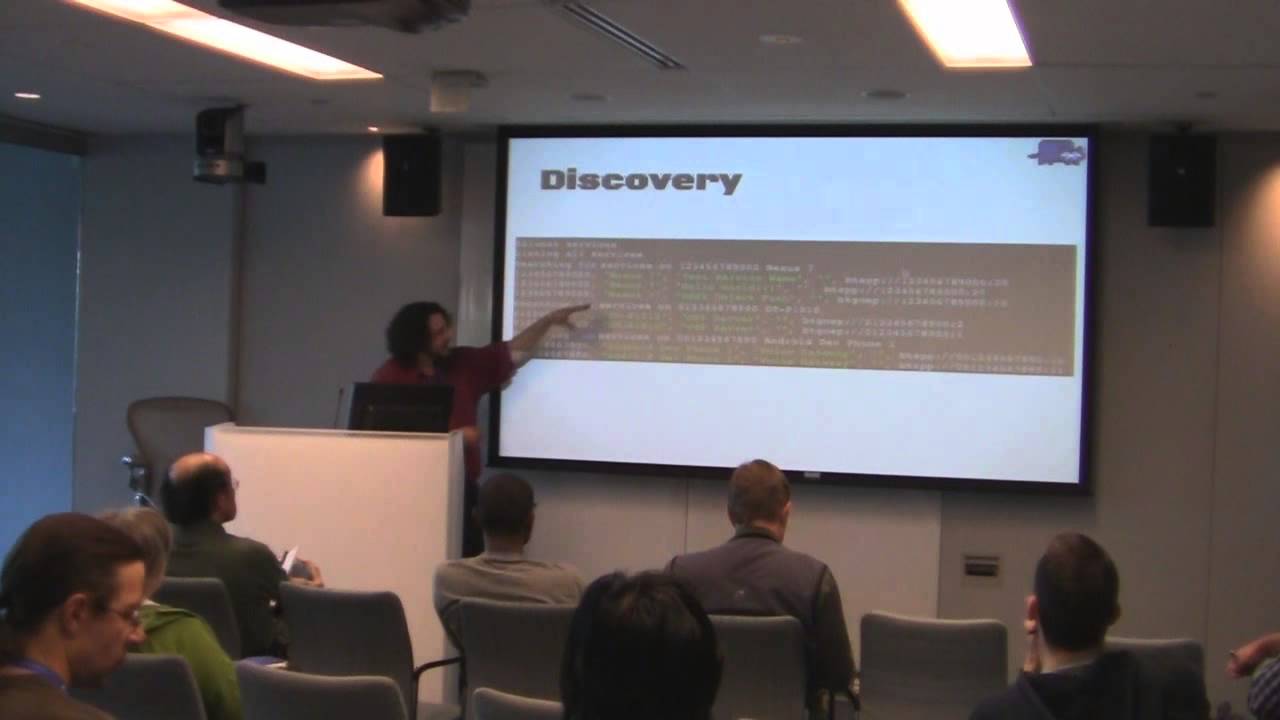
whatever these one of these things prevents you from reading that contact but it usually like asks you again says this BL device is trying to contact this it's trying to read your contact list do you want to allow this right so it's got pretty secure I haven't found any flaws on that level but anyway okay so we can see three devices here right we see their names as you see them in the managers there um all right we can go on farther uh to now look at the services as well as the devices right so here we want to look at the three devices that we were just um looking at uh we can just easily do this
with bluecat Services right it's going to say all the services available around me right same thing with devices so for each own it's going to say searching for services is on uh this Nexus 7 uh we have a time stamp a device name uh the service name so it's going to give you a description so like which one looks like someone's playing around right you can see like Hello World someone's probably writing a test application there probably some flaws in how they uh implemented that right um so if you scan iPhones it's funny you can see that they have like random apps have scared a lot of iPhone users CU they don't know they don't think that like they're
broadcasting a Bluetooth access point but some of these apps do that so it's kind fun um but you still need a pair so it's not really security and then you get the um protocol string uh list at the end right so this is what you'll use to connect so I'll show that in a second um but we have similar format I have a whole slide for that okay and then we see that similarly for each device uh so you can actually see what they're what they're broadcasting that they have listed right all right uh so for stuff that you want to discover you more right so um if it's not like broadcasted by the device itself uh you
can just try a connection and like you know in effect scan it right so we can uh try to make a connection on the first 30 channels that are available in Bluetooth for a specific Mac uh so even if it's not visible if you have the Mac you can scan right so if it's trying to hide itself if you use something like uh ubertooth right you can discover the Mac addresses of these Bluetooth devices flying through the network right you can grab one of those Macs and then scan it with this try all the RF comps right uh and these this these aren't just RF con ports these are the channels in general um some of them are RF con ports so this
is going to be these are three RF con ports in a row and then you have if I have listed here some some of them show up and they'll say oh it's it's a ob X Port right which this doesn't handle yet um but you you get to kind of prove the machine on this level without it actually thinking that it's visible to anybody um okay and that's just done by Blue CAT scan and then some mac all right so the Bluetooth URI monkey right so this is this thing that kind of gets used to uh connect the Bluetooth devices and whenever you're kind of talking about a service you you'll be dealing with one of these all
right so the only one that blue cat supports is this Bluetooth serial Port protocol also called rfom right uh there are some other ones this L2 cap uh I don't know I don't know how youd even use that in the command line utility um and then there's object exchange so I don't know you use that either so the one we really care about to emulate netcat uh is this Bluetooth serialport prog and this takes care of all the sequencing and um rate control and all the stuff that has to go on the connection between point a but that's easily said in this monkey restra where you have this uh connection protocol here and then next to it we have the MAC address right
so this is this is not a real Mac address cuz I I all the Mac addresses you'll see here been change a little bit so they're not exactly the devices that I know um so you don't have IP addresses because you don't need this like Network layer it's all about proximity like who's around you um and but they follow the same Convention as regular Mac addresses so you can look up the hardware manufacturer just as you would with an Ethernet Mac address um so I a SL no I have one in a second um so you know the first six will give you a manufacturer right isn't it true that they're unique Al uh no so they should theoretically
but uh these cheap Bluetooth devices will have the same Mac um and like the manufacturers like all the resellers like say this when you order from like website they're like well these all probably all have the same Mac we don't no no guarantee right so you shouldn't buy a bunch expecting them to each communicate right but if you buy one little USB dongle from Amazon and then you use your phone and your laptop they'll most likely be seate right but if you buy the same devices the manufacturer can use the same M so they don't have to be unique and if they're the same then you want right so cool um and then at the
end you have a channel number right so there's a bunch of kind of well-known channels that I didn't I didn't document they're just kind of repetitive I'm still kind of scanning and building a database of all these things um which is you'll see the output uh of blue cat looks like it's a CSV file that's meant to be imported into a database it's because it's designed that way so if you think about the other angle of this is um and it also runs on a Raspberry piie so all these things you kind of stitch them together to throw a Raspberry Pi somewhere with a blue blooth dongle plug it into a while out and scan for months
and then you know you can kind of monitor people with Bluetooth devices all around so that's the only really problem with Bluetooth is that um everyone can see I think someone mentioned that earlier today with cars that have Bluetooth tire sensors right it's the same thing but we're walking around with these beacons all the time right um okay so let's look at some devices so let's say we scan uh this this is this was the first thing that I actually found that worked like unexpectedly like I discovered something interesting was with this printer that's down the hall for my office so I scanned uh and I got this result uh we got a time stamp a Mac and a name and then
some other information about the device but um first we can go look up the first part of this Mac and we find that it's micro leag Communications so it's not where the you know ethernet might say HP um on this on this printer uh this there seems to be no correlation between the Bluetooth dumble or the Bluetooth chip that they used and the manufacturer right so you can't really tie it together like if you if you scan a bunch of devices you can say oh those are all Apple devices right it's it's kind of useful actionable information you really can't draw any correlations unless micr link is the only is only used by AG so I
haven't seen any correlations up so it's not very useful all right so let's scan this let's look at the services on this thing so we blue catify this printer right uh or we throw blue cat at it okay um so we get the results back um the name again and then we have four Services going on and then you can see the protocol so one of them is we can actually work with right it's the Bluetooth Cort protocol and actually says seral Port right so what happens when we connect to it so the way you connect to it right to the serial Port because it's a BTS is we do bluecat and then- URL right and then you pass in
whatever is at the side of your scan res right and you can just do this with each service and you're can just see what happens which is usually what I do things um now when you do this like most phones they're going to get pairing requests most most things are are it will refuse to establish an an insecure connection right which is by Design it's a good Fe but a lot of devices also don't like this printer so you don't need to pair with this printer so makes it a lot more fun um so if we do blue cat Dash V for Ros right and then we pass the URL that we just had right and then it's going to
split back reos is going to tell us when we're connected right and then type something like Dear Sir your Ser is showing and we we use blue cat to talk to this printer right it'll actually print out the plain text that we type in this thing so who's done PT 9100 on laser jet printer or like some jet track thing before okay a few so that's still inspired me to start playing around with this and I ended up printing a lot of paper on this guy so the next thing I tried so the 9100 thing is is these HP jet printers will accept postcript or yeah postcript and PCL but you can just send you can like convert a PDF with PDF
to PS and it'll generate a postcript file and then you just C that for 9100 and it'll print it so I was like well it's an H printer it should work right um so I printed a postcript file uh to this printer and it did not print the it did not print what I thought it was going to print it printed what I sent it in text uh so it happened to be a professor's printer um and he was like who is printing and my PR he like walked down the hall he's like I can tell I know uh I can tell who's printing to my printer and he came right to my door he
like and I was like you don't understand I just made this really cool thing uh so yeah it was funny so I end printting on stationary F pretty okay so um now so that was fun that was that was expl something kind of rode a driver uh and he had no idea he was like yes you installed the thing from HP to do that he was like no I just sent characters the socket that was listening right um Okay so look at the next Target okay so when I first made this thing I every person that I came in contact with was like let me scan your phone turn your Bluetooth on I want to see what's going on with
your phone uh and most phones are secure like iPhones you can find some cool stuff with like like ey app wireless access point something that's the funest freaks everyone out because they think they're they're sharing all their information right um but really nothing interesting on those um but this was an old phone I I an old phone so I scanned it um and this is the the the model of the St so I scanned it we bluetoothed it right we we blue catted it right I need a catchphrase so if you think of a good catchphrase during this talk like we have netcat is a Swiss Army KN of uh of of whatever the network s RF right uh and
then ncat has a nmap has a uh has a terrible name it's like free network G good if you think one for blue cat um let me know so so I think blue catified okay so we search for services on this on this Mac right and it's a uh alitel whatever one touch so we get some Services back we have three or four Bluetooth SS so I kept connecting to a bunch of them uh and then I connected to this serial Port I believe it was uh yeah so Channel 11 channel channel 11 right so we match that's really the only things varying between all these these come these things um so these are all repe
repetitive so when you save these all to a gigantic set of files like I have you can just GP for certain things and you get you do statistics uh which I don't have any graph today so I apologize for that but it would be make it for a better um so we connect lat URL Channel 11 uh and then I finally I was like I seem to be able to connect and it does s right when I connect it gives me like error messages and stuff um so I was like there's something there's something more going on with this phone than all the other devices I saw um so I started I started just typing random things um I
think I pressed I did at once and I got a weird error and I was like okay this s going on at so I started looking up and who's ever heard of the AT commands yeah okay so so tell other people about it because uh they they still use it everywhere right so this is like before for um my time not going to make you guys feel old um so I I started looking and I was so excited I think I have a page of links with at command but it was kind of hard to find all the uh all the at I kept Googling and like there was no right thing to say like mess around with
someone's phone using AT commands like it was I didn't know what to Google so um yeah so you start doing this and you get results back so I did at plus cgmi right and I got this cgmi and I got the manufacturer right um mm is is the model right uh and then I get the whole string with some other stuff yeah you can see the data on that thing um that long um
Related talks
 46:18
46:18 37:53
37:53 45:50
45:50 54:32
54:32 29:38
29:38 29:35
29:35